
PHOTO 4DAT
Photo import and organisation by category and tag, with text recognition and a File Provider extension for file access.
Maintenance, inventories and personal records on iPhone.
Our work for FrankCastle spans native iOS applications for vessel and property maintenance, material inventories, personal diaries and Bluetooth discovery. We built task-specific interfaces and shared SwiftUI packages for use across the product family.
Boat 4DAT organises maintenance around vessels, onboard systems and equipment. Owners can review upcoming work, open the relevant task and return to completed service records. Fleet reporting separates maintenance costs by category and task status.
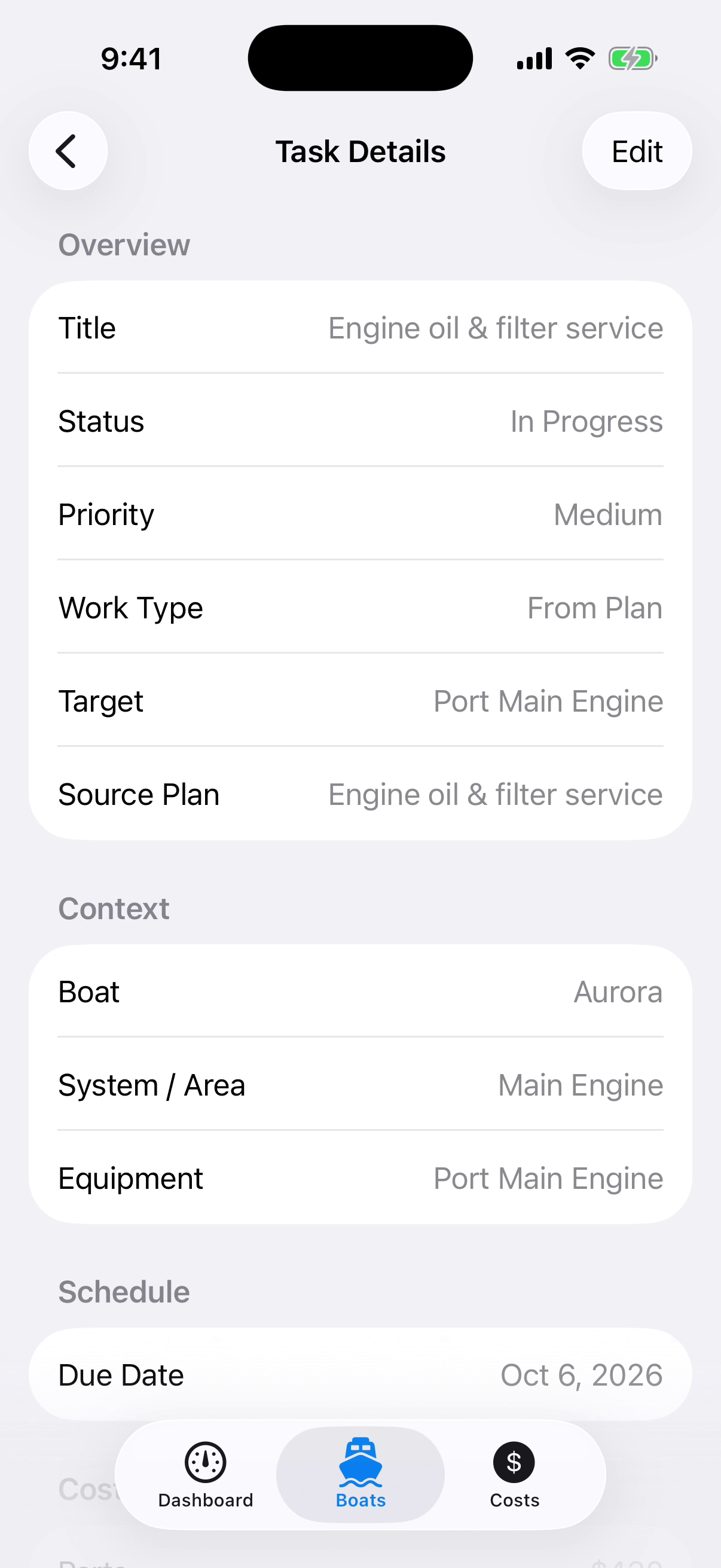
A task retains its status, priority, due date and source plan, with a reference to the vessel, system or equipment being serviced. This keeps the work tied to a specific asset.
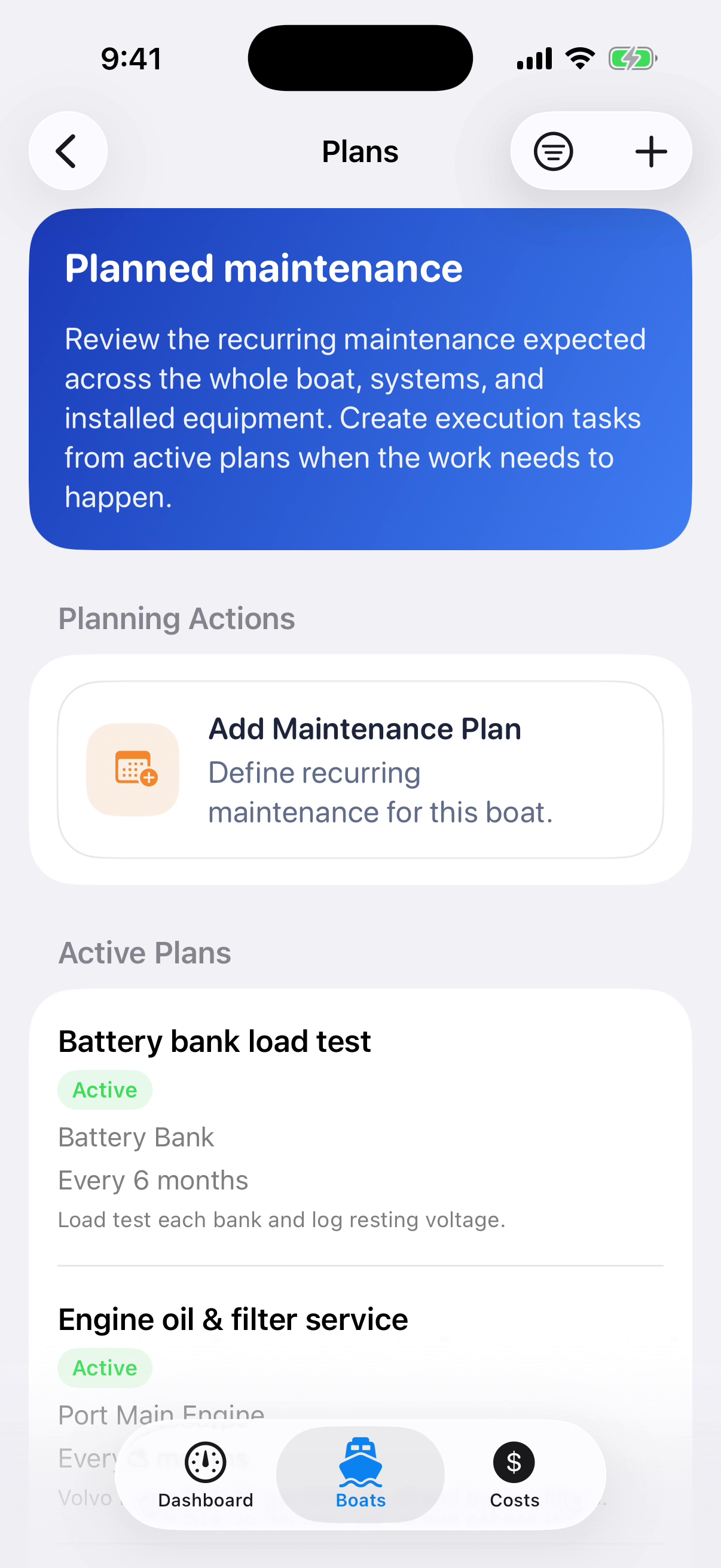
Recurring plans define service intervals and the equipment they apply to. When work is due, the plan provides the basis for a maintenance task.
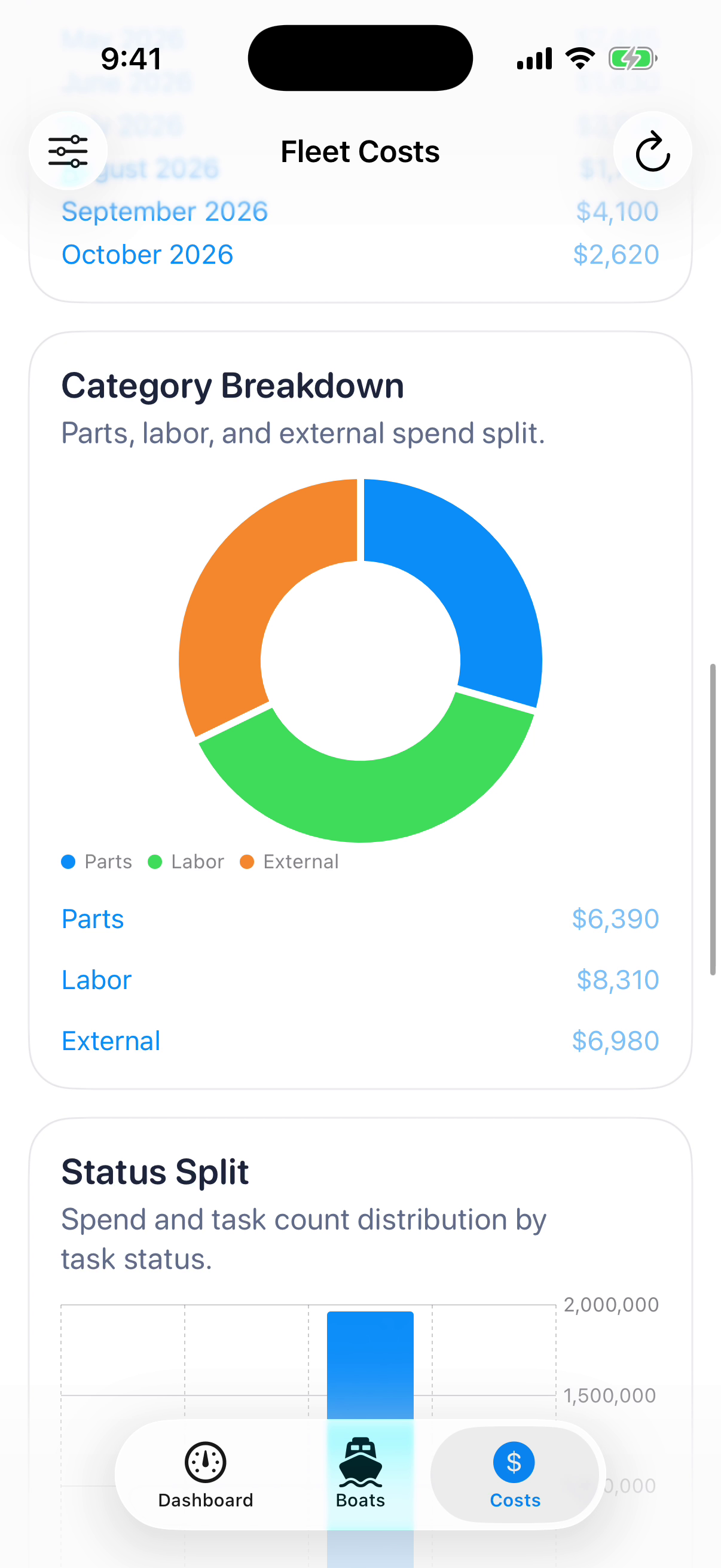
Parts, labour and external services appear as separate cost categories. The report also breaks costs down by task status, connecting the fleet total to the work recorded underneath it.
HW 4DAT gives each property its own repair tasks, improvement projects, utility accounts and maintenance plans. Owners can review work across several homes, then open the costs, photos and scheduled payments for a specific property.
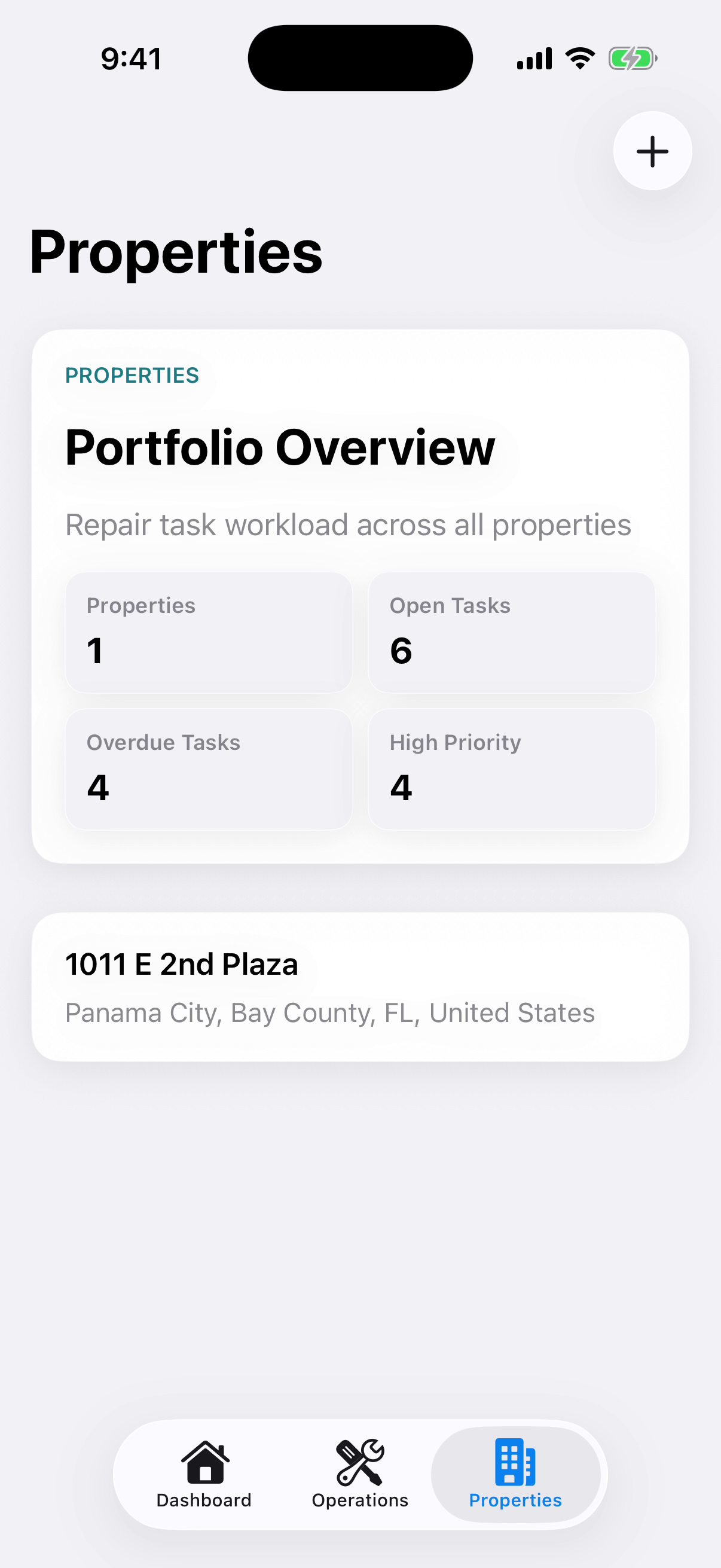
The portfolio summarises properties, open tasks and overdue or high-priority work. Each property leads to its own records, so the overview does not replace the detail needed to organise repairs.
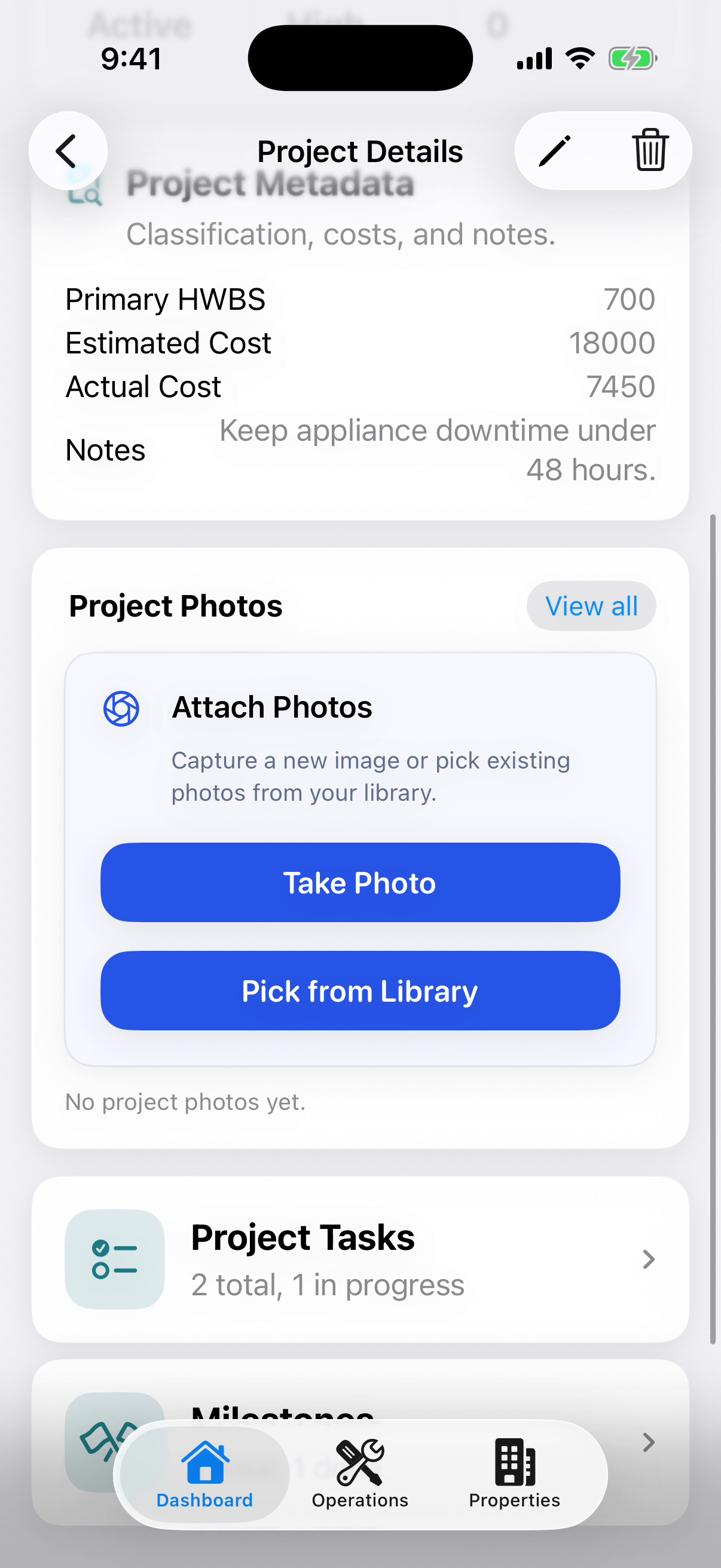
Project photos sit alongside estimated and actual costs, task counts and milestones. The visual record remains part of the project being planned and tracked.
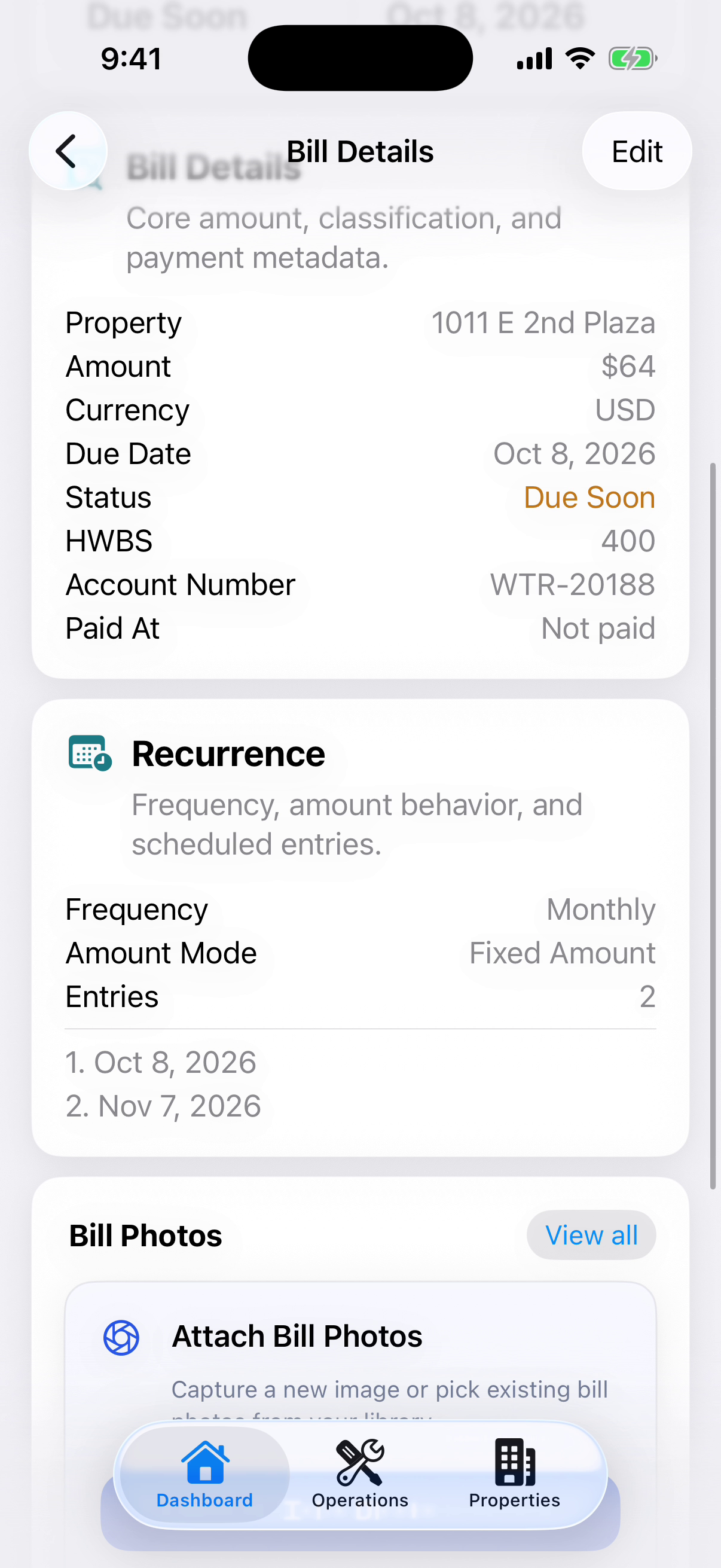
A bill stores the amount, currency, due date, property and account reference. Recurrence settings and scheduled entries keep repeated payments attached to the original bill record.
RF 4DAT combines live Bluetooth LE discovery with a record of previous scans. Device lists retain signal and connection information; saved sessions add time and location. Period charts summarise scanning activity and the number of devices detected.
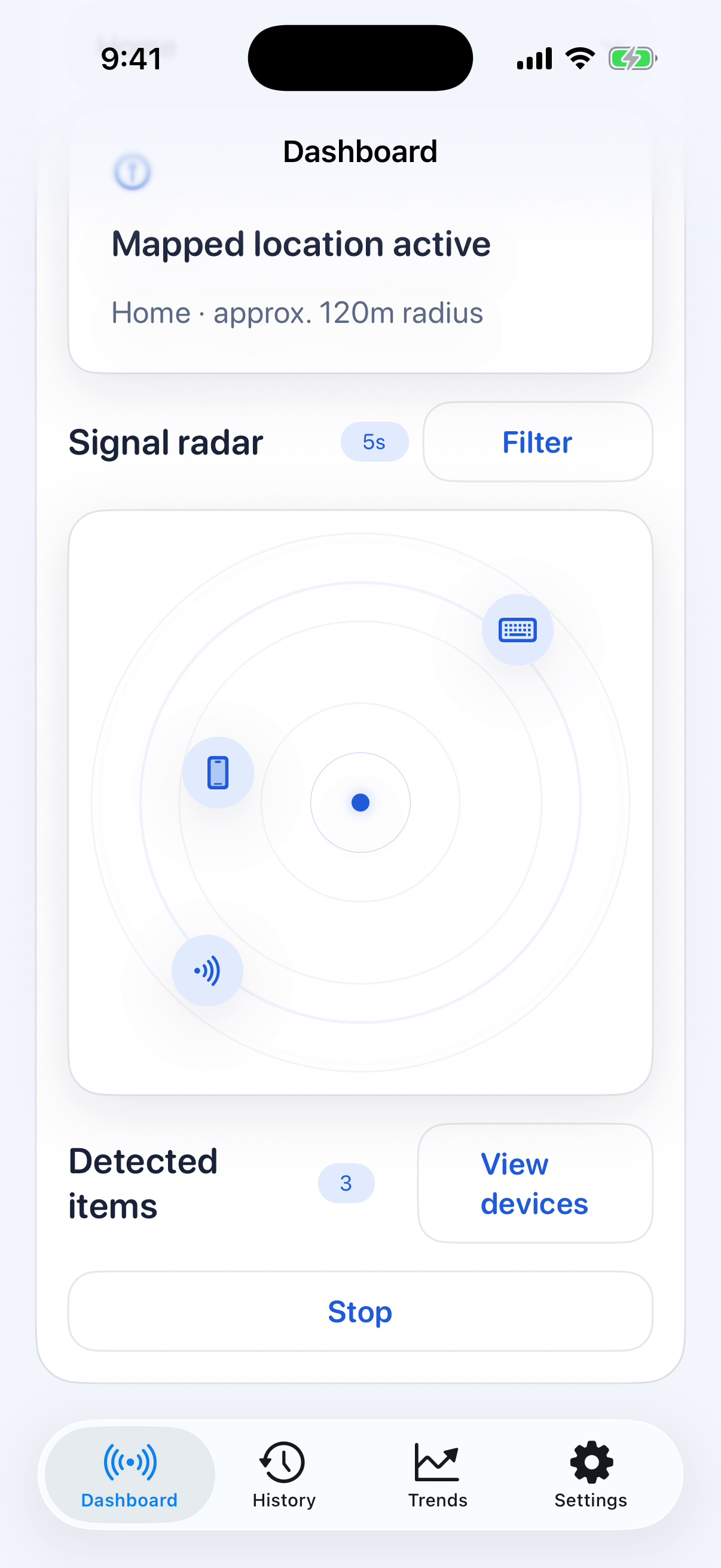
The live radar places detected Bluetooth LE devices around the current scan. Filters and device lists provide access to individual signal readings and connection information.
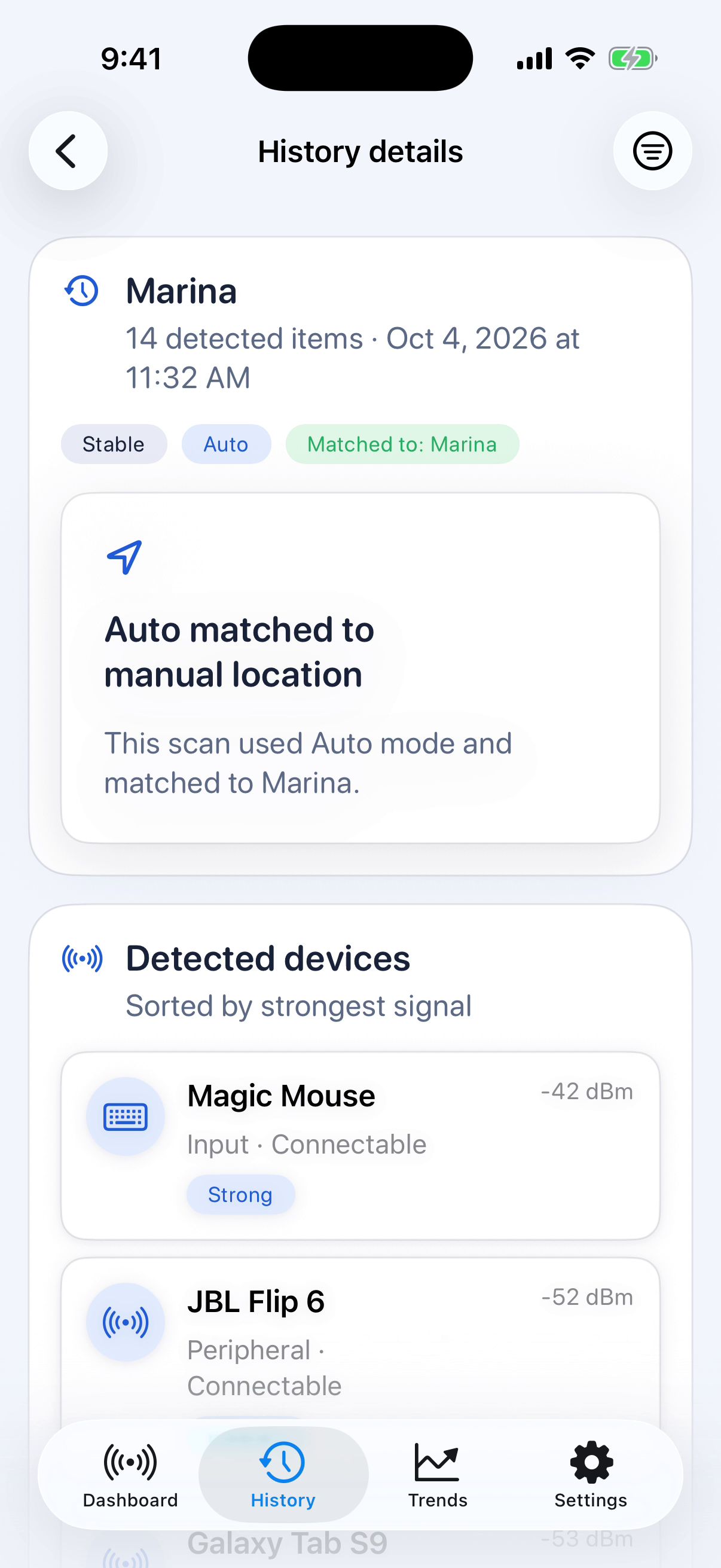
A saved scan retains its timestamp, location source and detected devices. Automatically recorded coordinates can be associated with a named location for later reference.
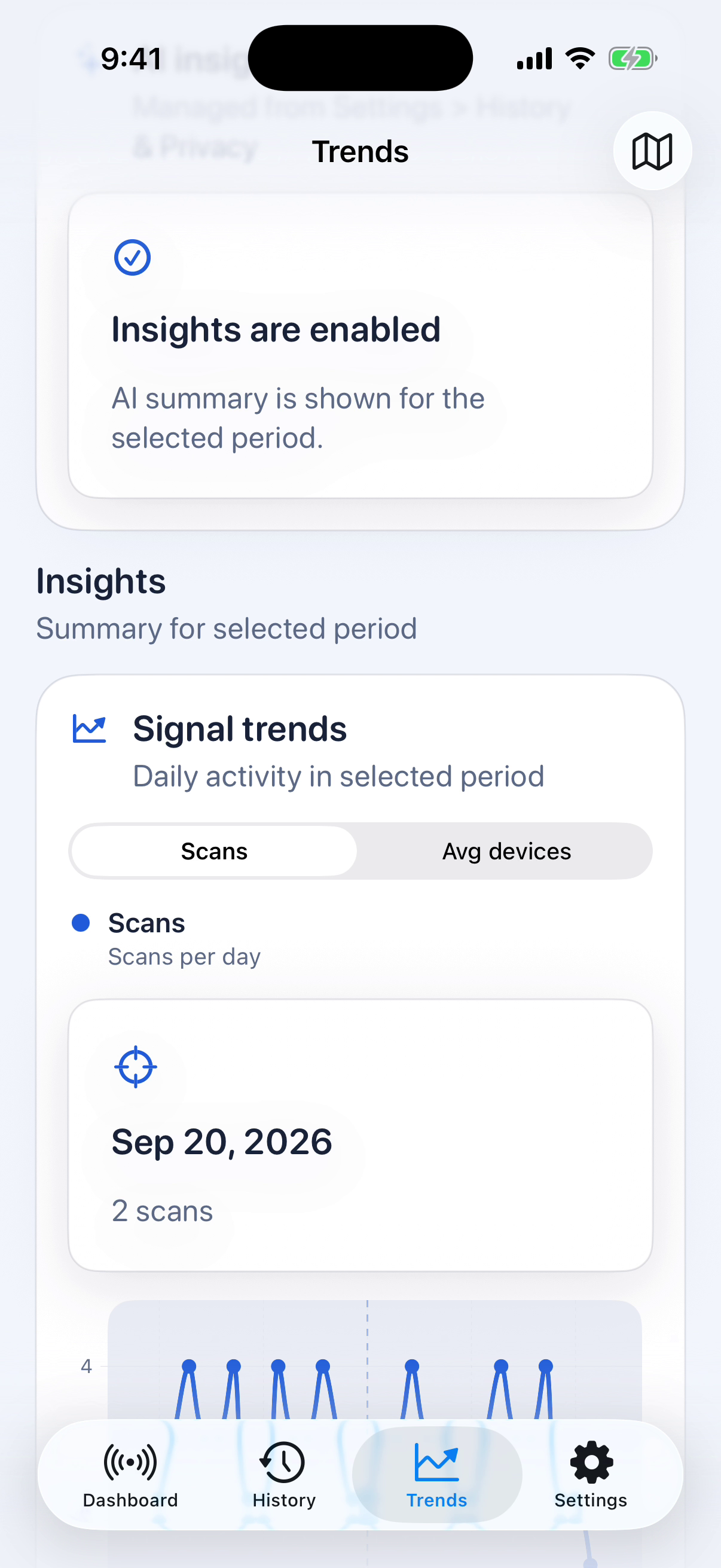
Period charts show scans per day or the average number of detected devices. Switching the measure and time range gives a summary of activity across saved sessions.
BP 4DAT stores readings entered by the user, together with their time and measurement context. Individual records feed period summaries and charts. A PDF export makes the selected history available outside the application.
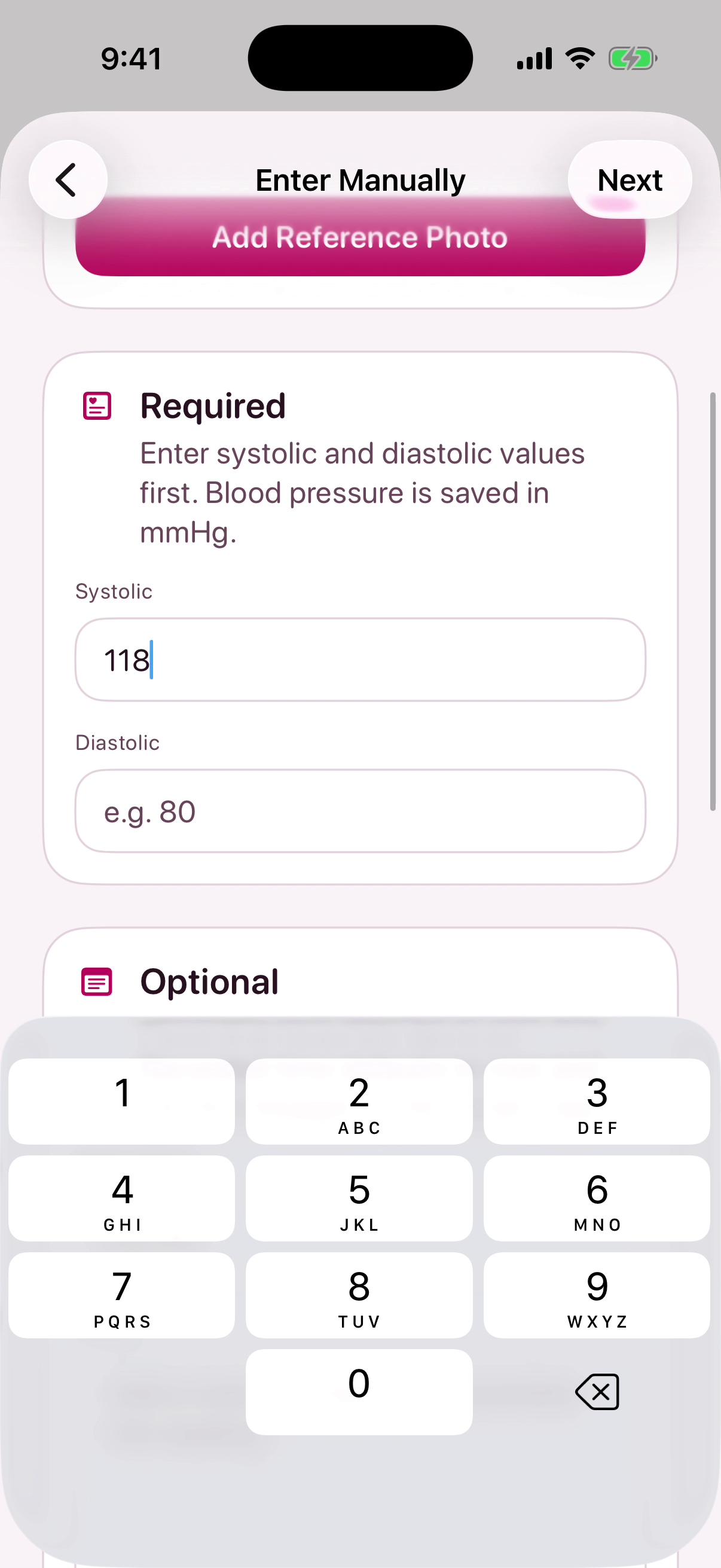
Systolic and diastolic pressure are entered in separate fields, with pulse available as an additional value. The entry flow also records when the measurement was taken.
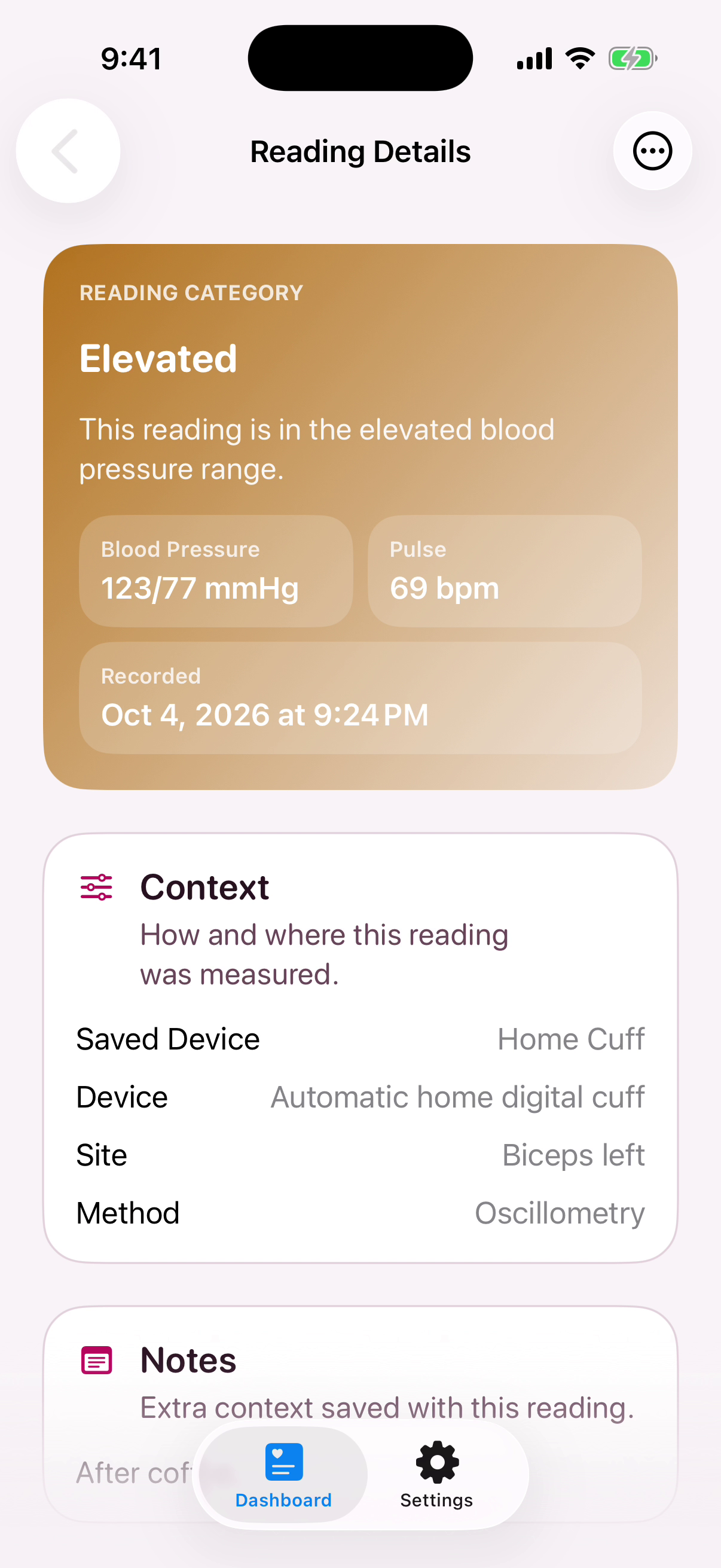
A saved reading includes device, measurement-site and method information, plus notes. These details preserve the circumstances of the entry when the user returns to it later.
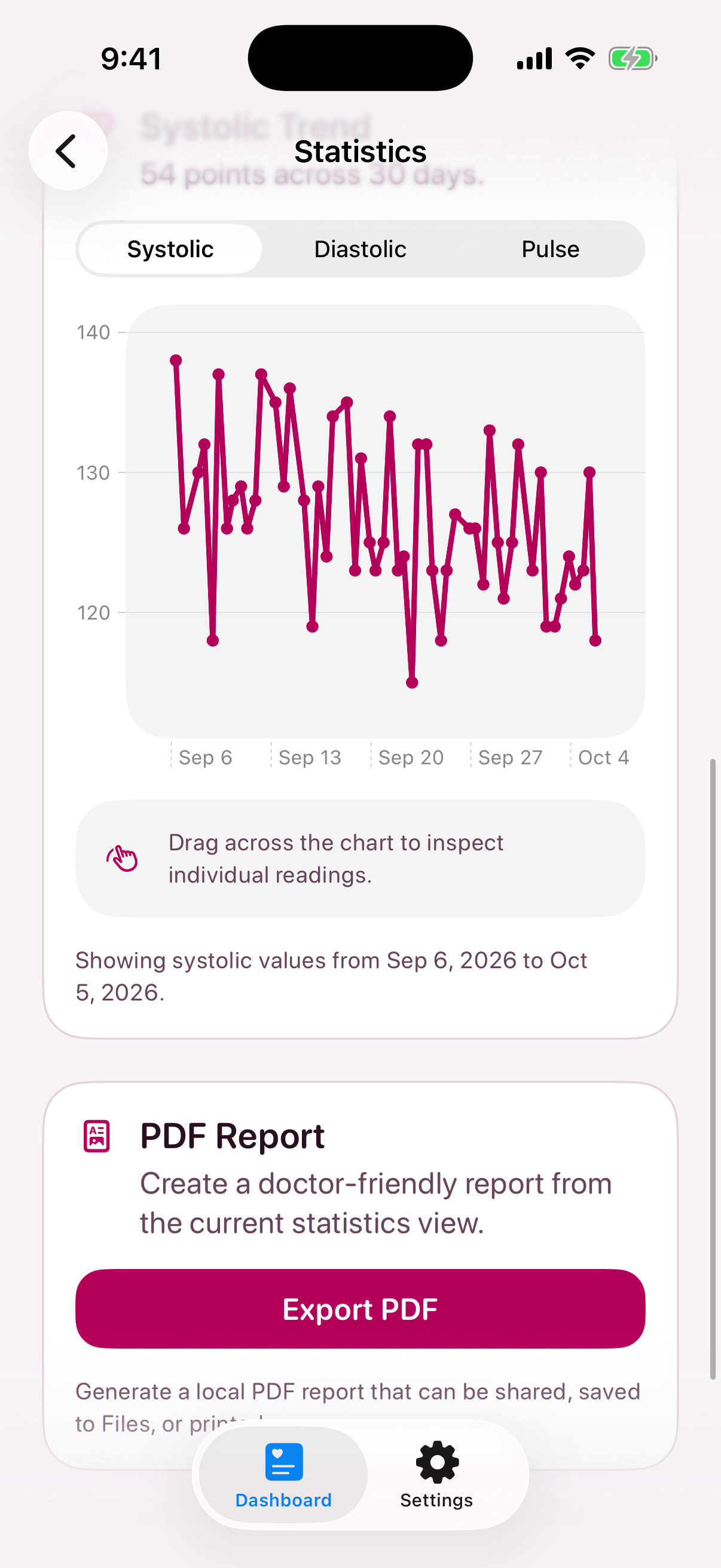
The chart supports inspection of individual readings within the selected period. PDF export creates a report that can be saved, shared or printed from the phone.
PVC 4DAT connects construction templates, pipe and fitting inventory, and individual projects. Each plan defines material and cutting requirements. The project tracks progress, while its shopping list identifies the quantities still missing from stock.
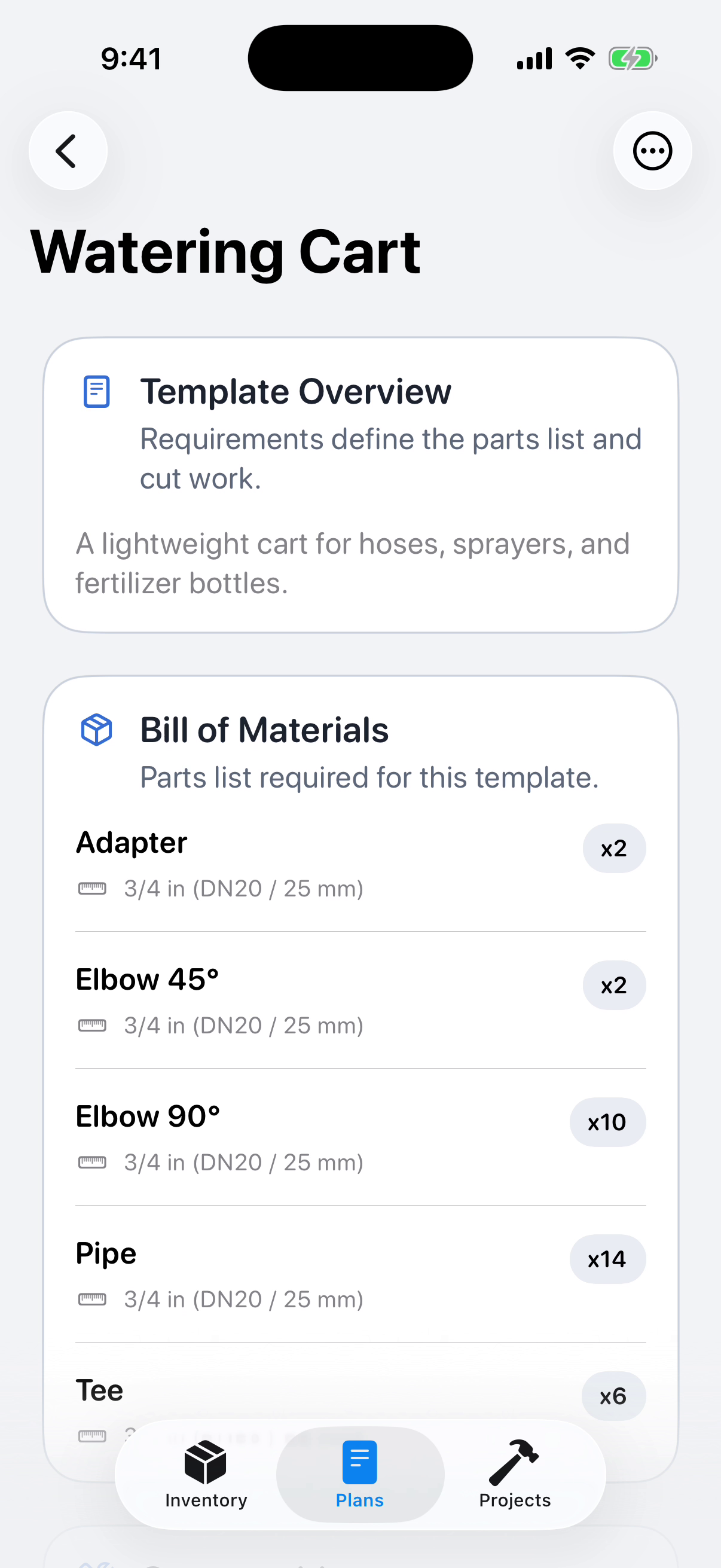
A template defines the construction and its bill of materials, including fitting types, pipe sizes and quantities. Consumables and cutting requirements extend the plan into a preparation list.
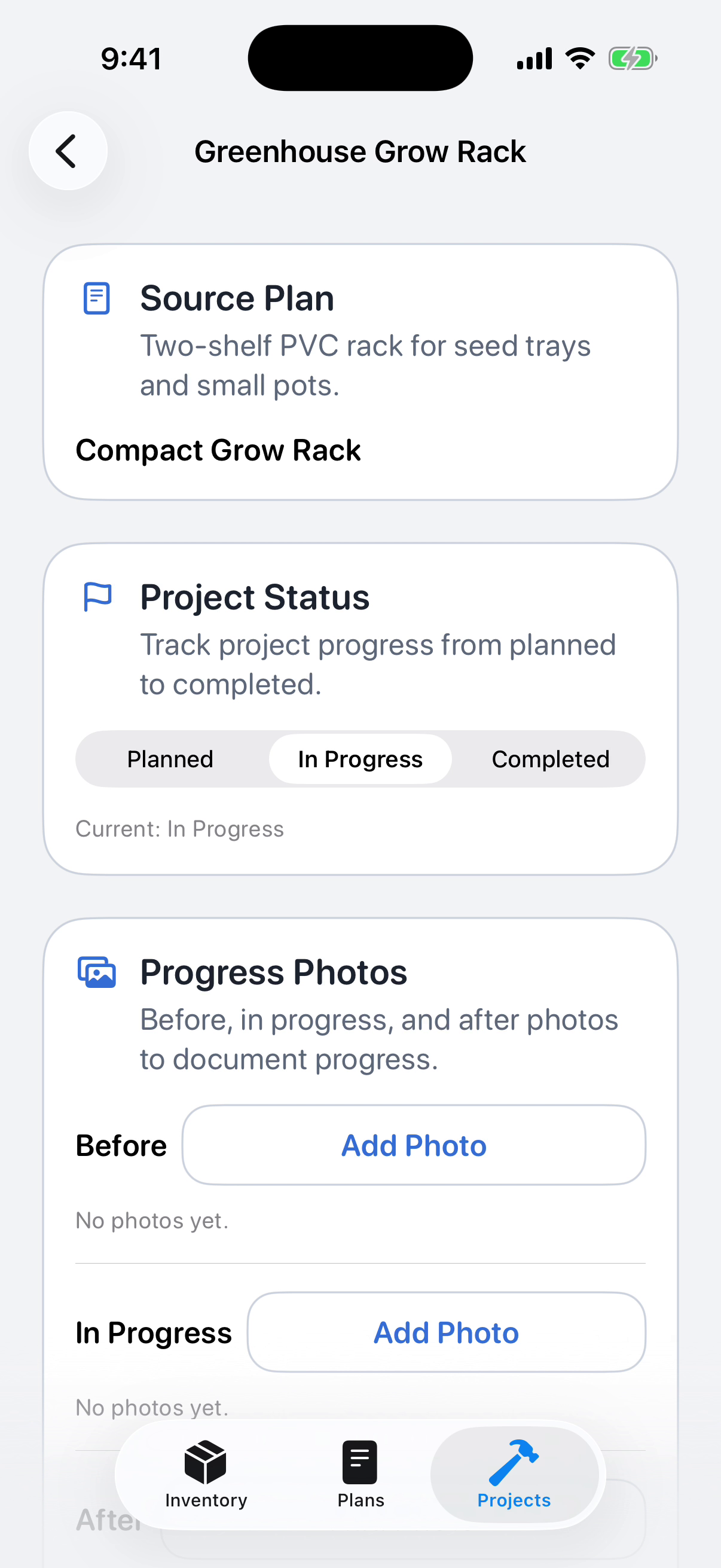
The project retains its source plan, moves through planned, in-progress and completed states, and stores photos at each stage. Material preparation and the record of the work stay linked.
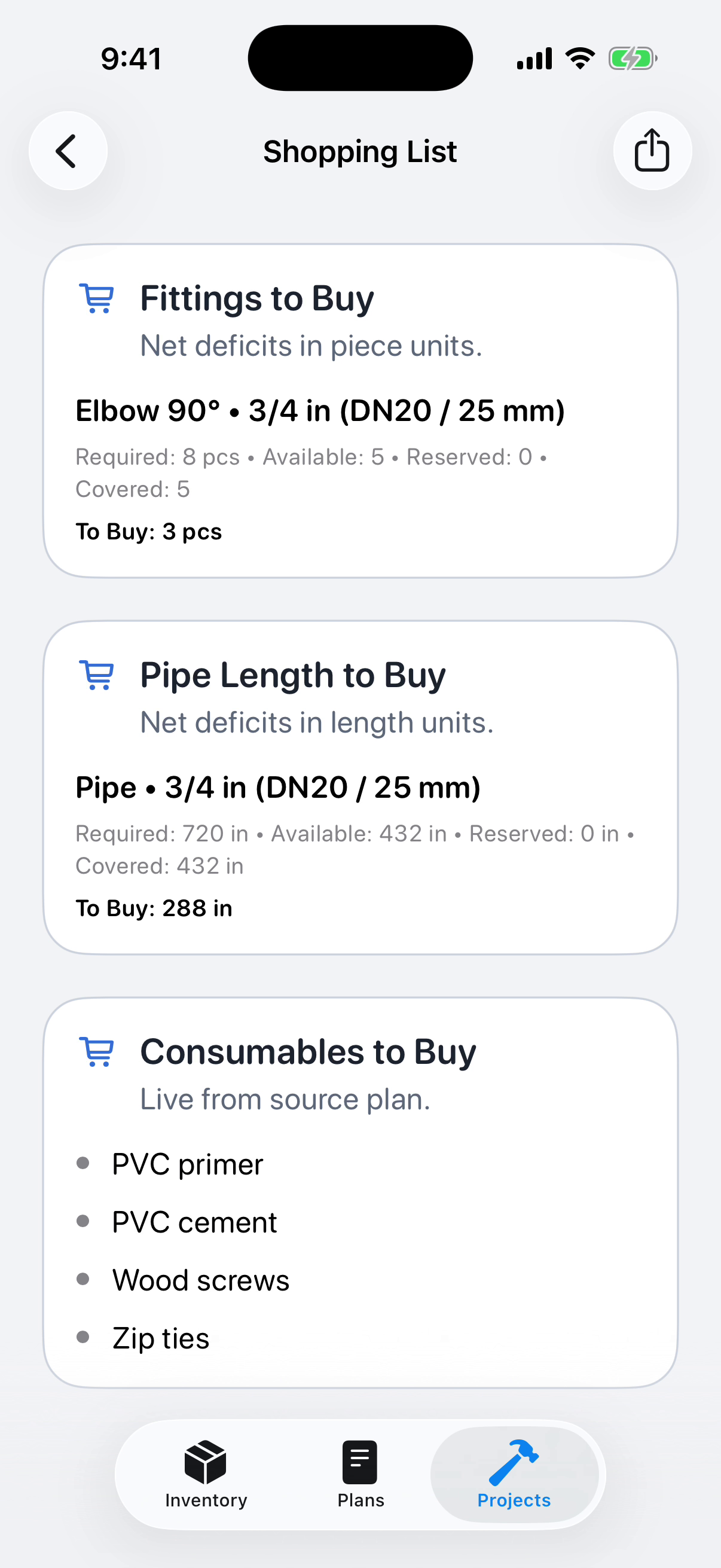
The shopping list compares required and available quantities. Fittings are counted in pieces, pipes by length, and consumables remain a separate list drawn from the plan.
Cat 4DAT Health is a litter observation diary for people caring for one or several cats. Photos, tags and notes form a timeline for each animal. Weekly summaries, profile groups and veterinary contacts organise the recorded information.
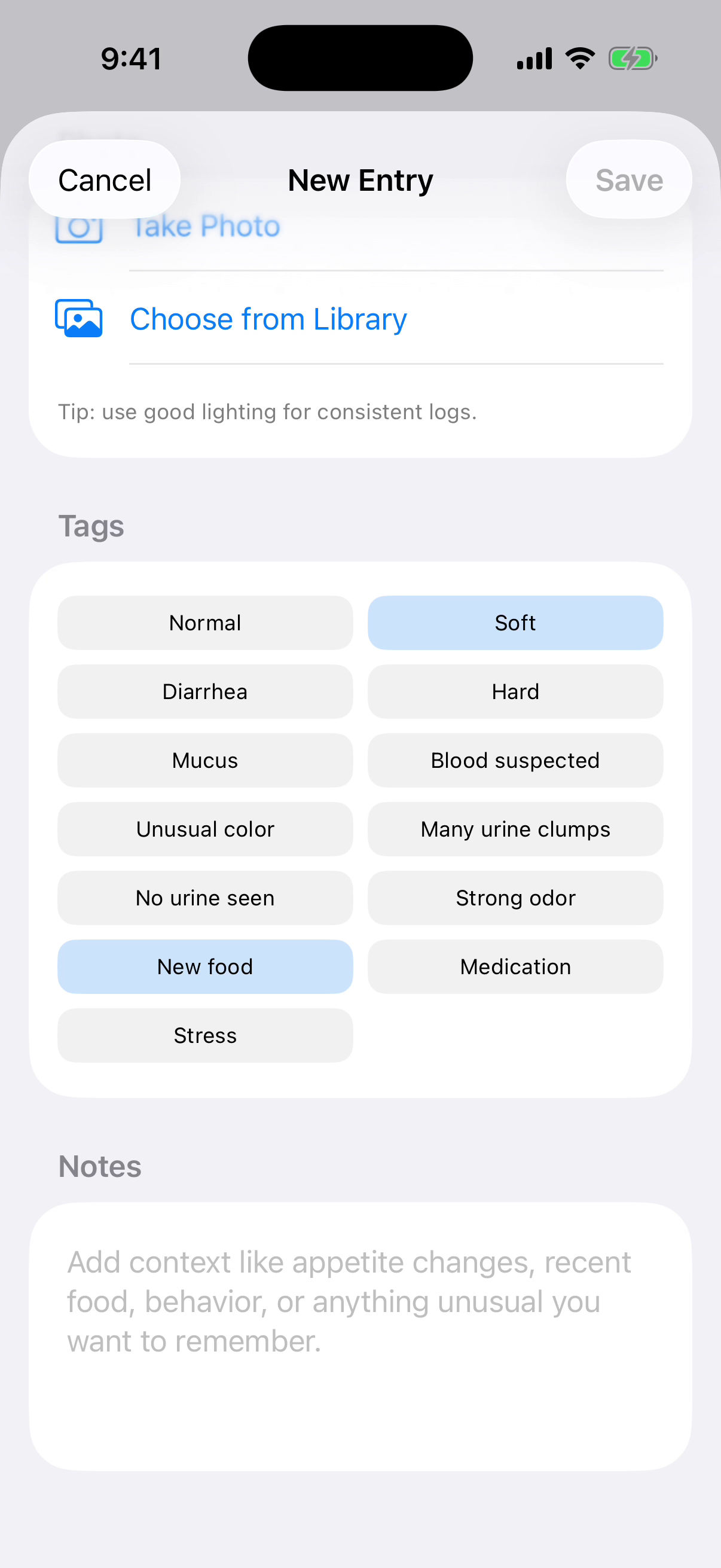
An observation can combine a photo, structured tags and a written note. Tags record what the owner noticed and relevant context, such as a food change, within the same entry.
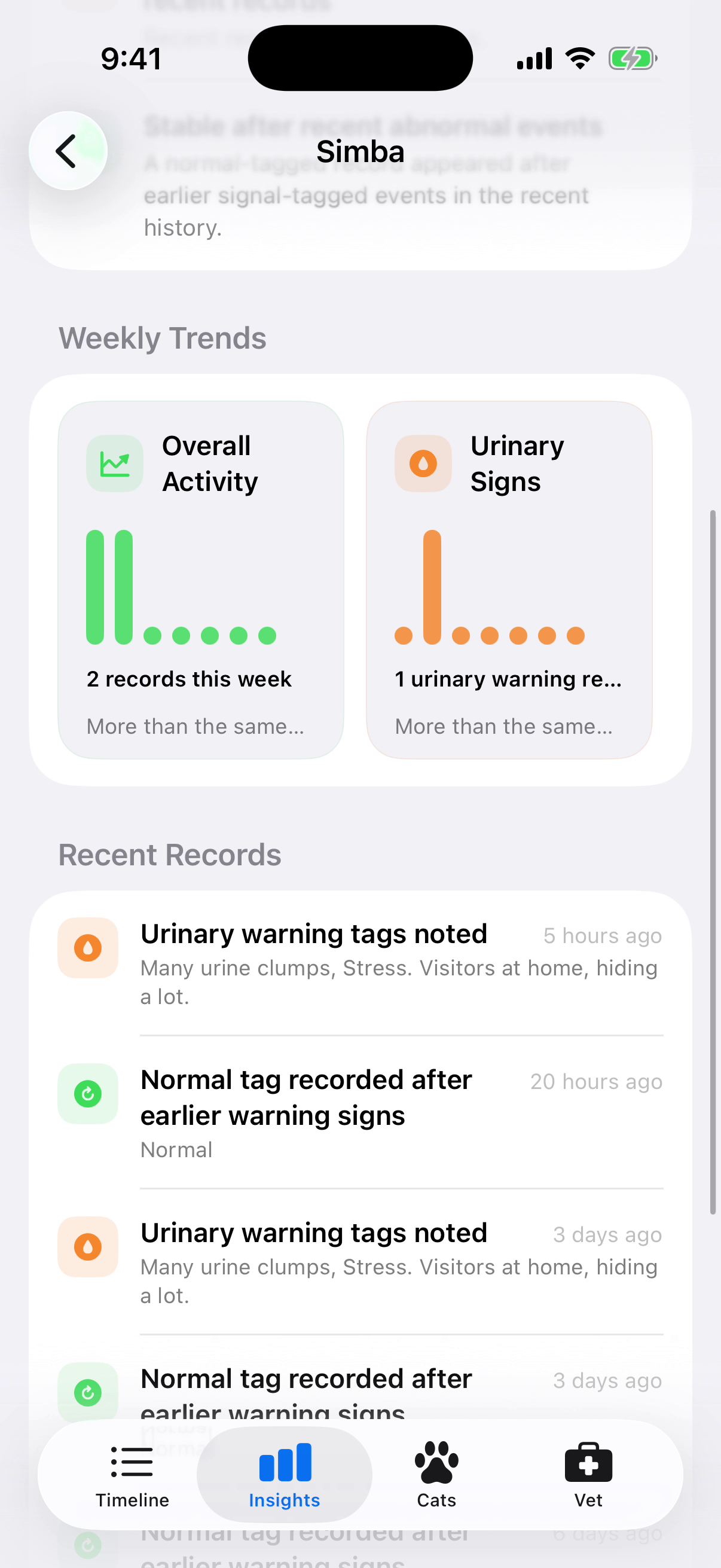
Weekly charts count logged observations, while recent entries retain their tags and notes. The summary is tied to one cat’s recorded history and can be traced back to individual observations.
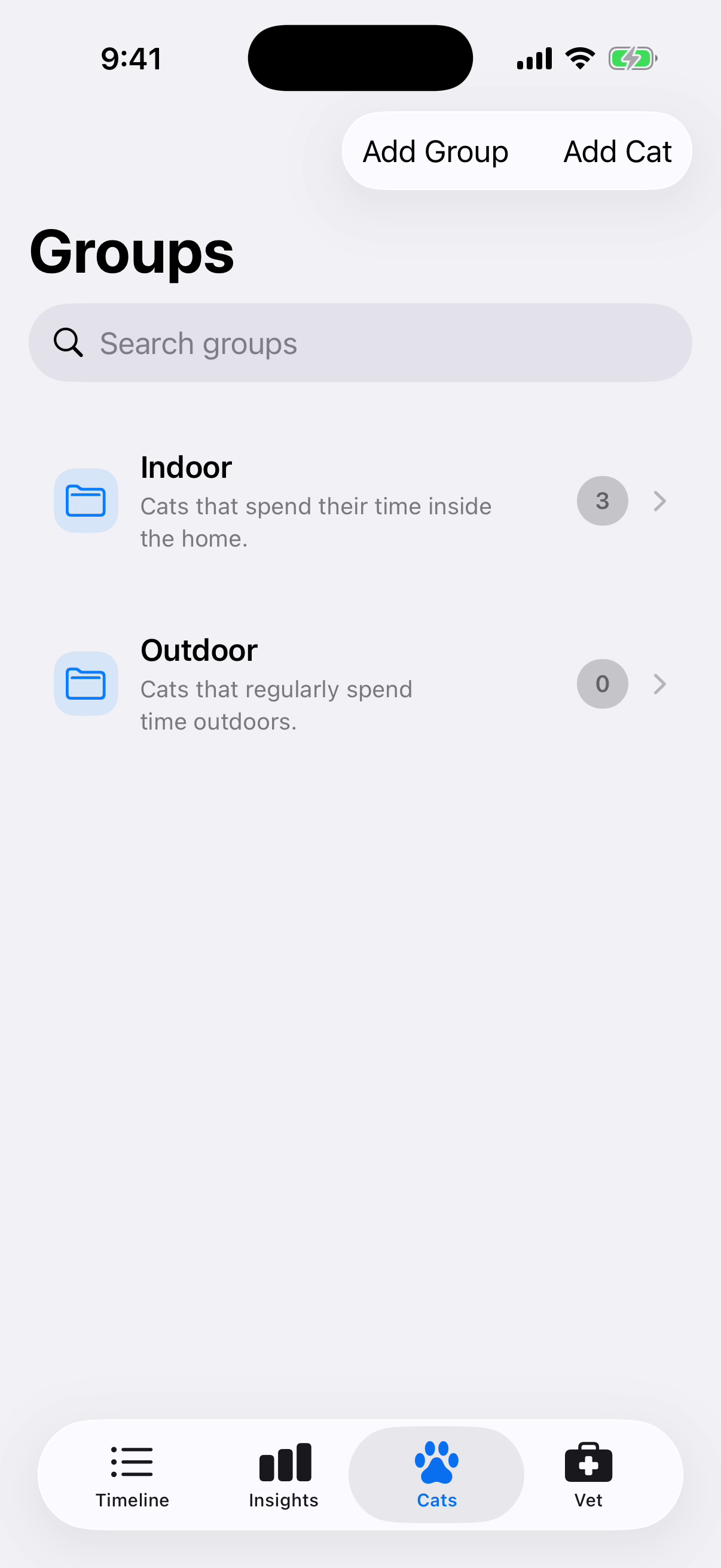
Groups organise several cat profiles, for example by whether they live indoors or outdoors. Each group shows its animal count and opens the corresponding list of profiles.
BATT 4DAT compares recorded battery stock with the needs of registered devices, including shortages and expiry information. Its separate Circuit Lab lets users explore battery-bank configurations and calculated results in guided learning scenarios.
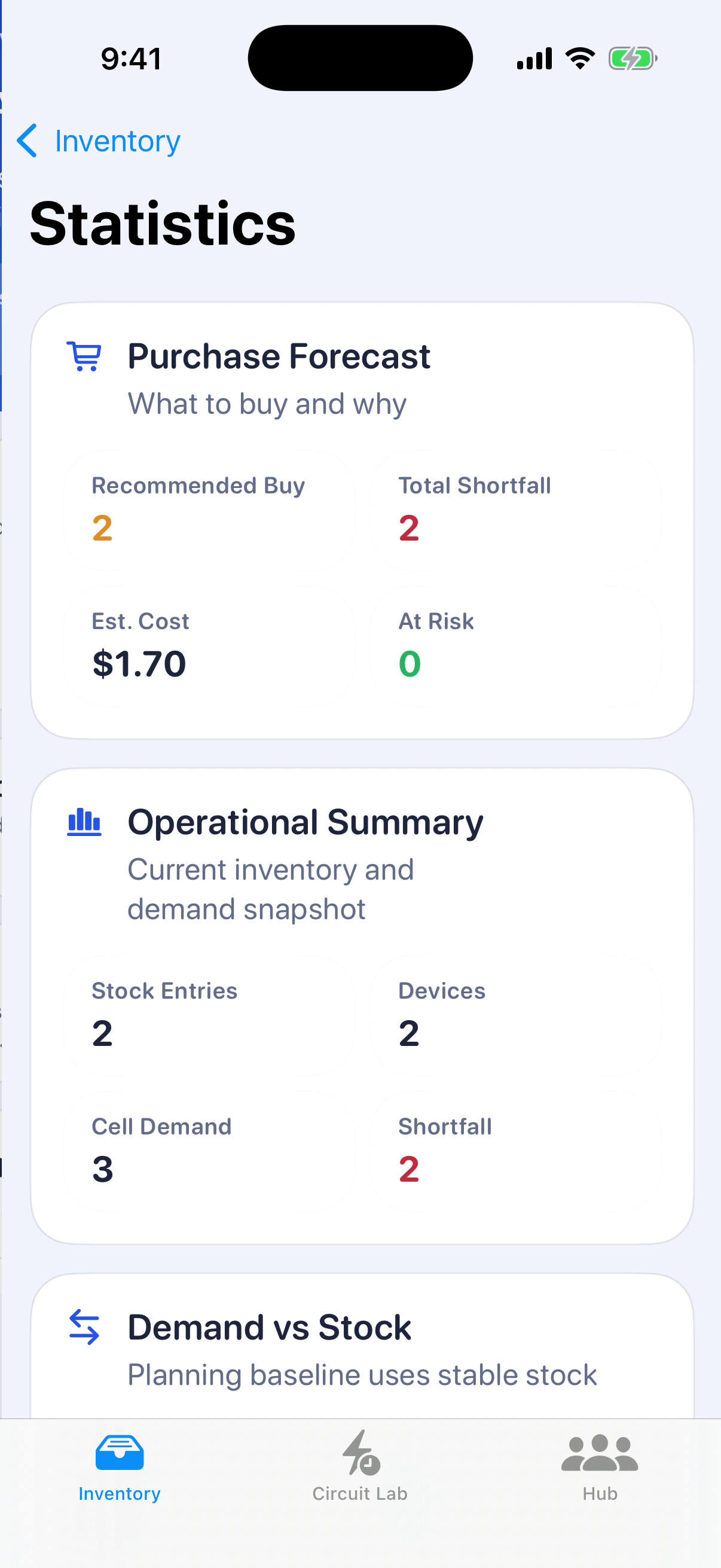
The purchase forecast compares device demand with recorded stock, then shows the shortfall and estimated purchase cost. Users can trace a recommendation to the inventory and devices behind it.
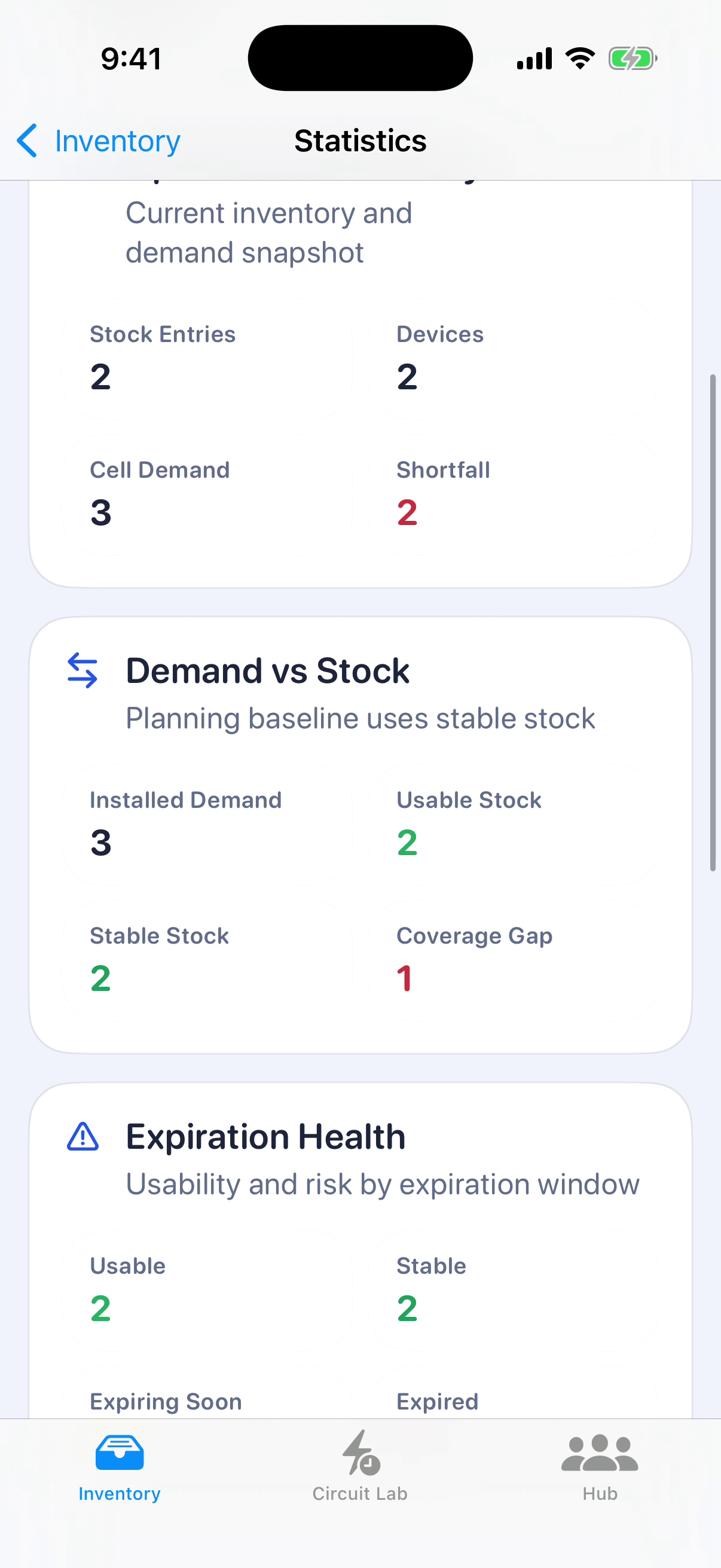
Statistics distinguish usable stock, stable stock, items nearing expiry and expired batteries. The demand comparison uses these categories to show the remaining coverage gap.
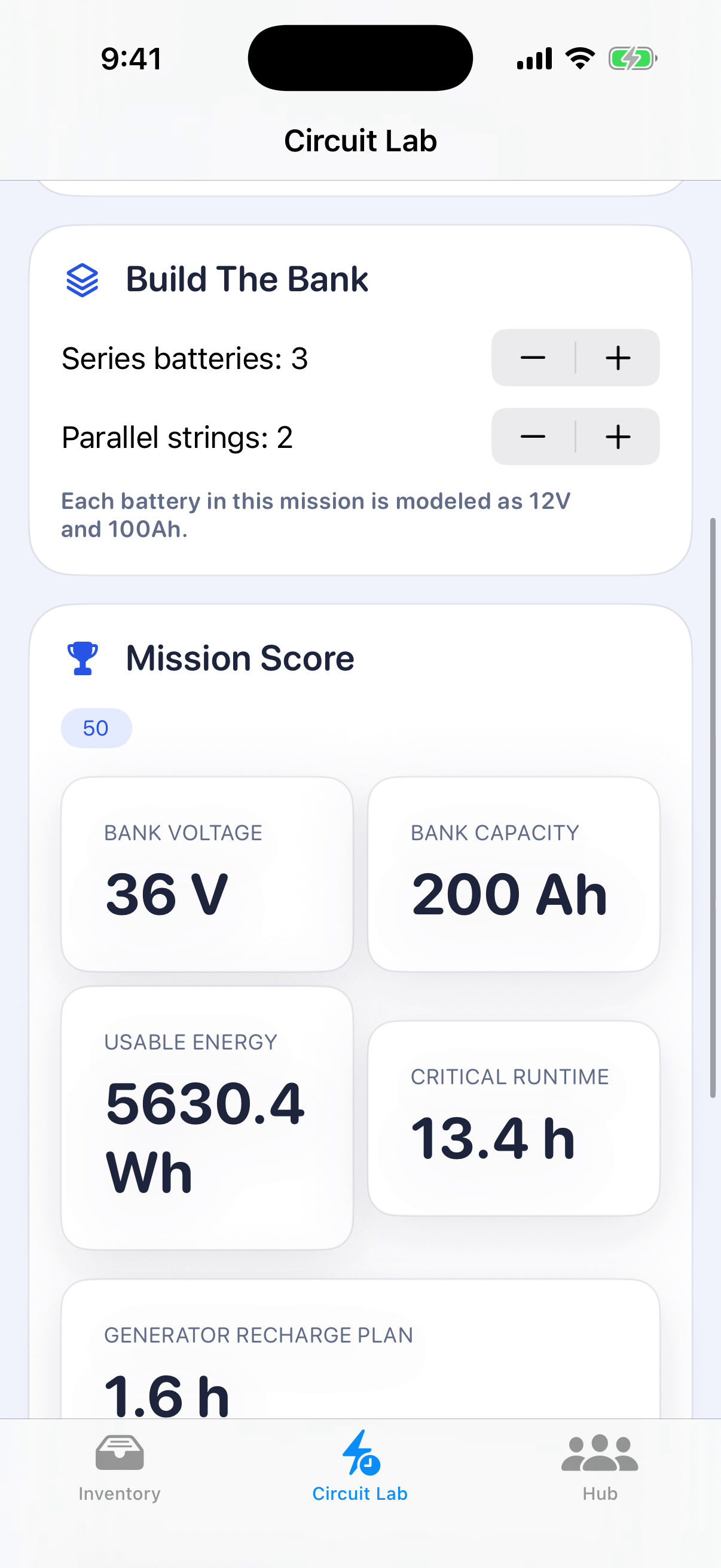
Circuit Lab calculates voltage, capacity, usable energy and estimated runtime for the selected series and parallel arrangement. A scenario score and recharge estimate make the effect of the inputs visible.
Interface components, photo viewing and image preprocessing are maintained as separate packages. Applications reuse these modules while retaining their own data models, screens and device integrations.
Photo import and organisation by category and tag, with text recognition and a File Provider extension for file access.
A book companion for memories, reflection and chapter content. The native implementation includes speech tools, CryptoKit and Keychain.
Model training in Python and an iOS Core ML test application for recognising values on a medical monitor display.
Shared native components and application-specific integrations.
SwiftUI implements the interfaces, with shared UI and photo packages. HW and PVC use Swift 6; Cat 4DAT Health has a separate package for processing observation patterns.
SwiftData stores local records in most of the applications. BATT uses SQLiteData from Point-Free with CloudKit for its data layer.
RF uses CoreBluetooth for discovery and CoreLocation with MapKit for scan locations. Swift Charts builds the reporting views in Boat, RF, BP and Cat 4DAT Health.
PhotosUI supports photo workflows. PVC uses Vision and AVFoundation; PHOTO includes OCR and a File Provider extension. Spartan Code Red integrates Speech, CryptoKit and Keychain.
BATT and PHOTO integrate Sign in with Apple, with Google Sign-In also in PHOTO. StoreKit supports purchase flows in BATT and BP. BP uses local notifications; Cat Health, BATT and PHOTO include mobile advertising integrations.
VitalDisplayOCR combines Python model training with an iOS Core ML tester. VisionPipeline handles image preprocessing through Core Image, Core Graphics and ImageIO.
We help define the user workflow, data storage and device integrations, then agree the implementation scope. For several related products, we identify which components can be shared and which need their own design.
Discuss your iOS product