

Capture the order
Add the customer, products, quantities and delivery terms.
We build custom ERP software for teams that buy, stock and ship goods. For truck parts importer CONCORD, we moved sales, warehouse and finance onto one order record while trading continued.
A customer places an order. Some items are in stock; others need purchasing. Sales and warehouse teams track what can ship now and what is still due.
Add the customer, products, quantities and delivery terms.
Reserve available goods and send shortages for purchasing approval.
Record what was shipped, attach delivery documents and keep undelivered items open.
Send the agreed order and dispatch records to your accounting system. Check that the transfer completed.

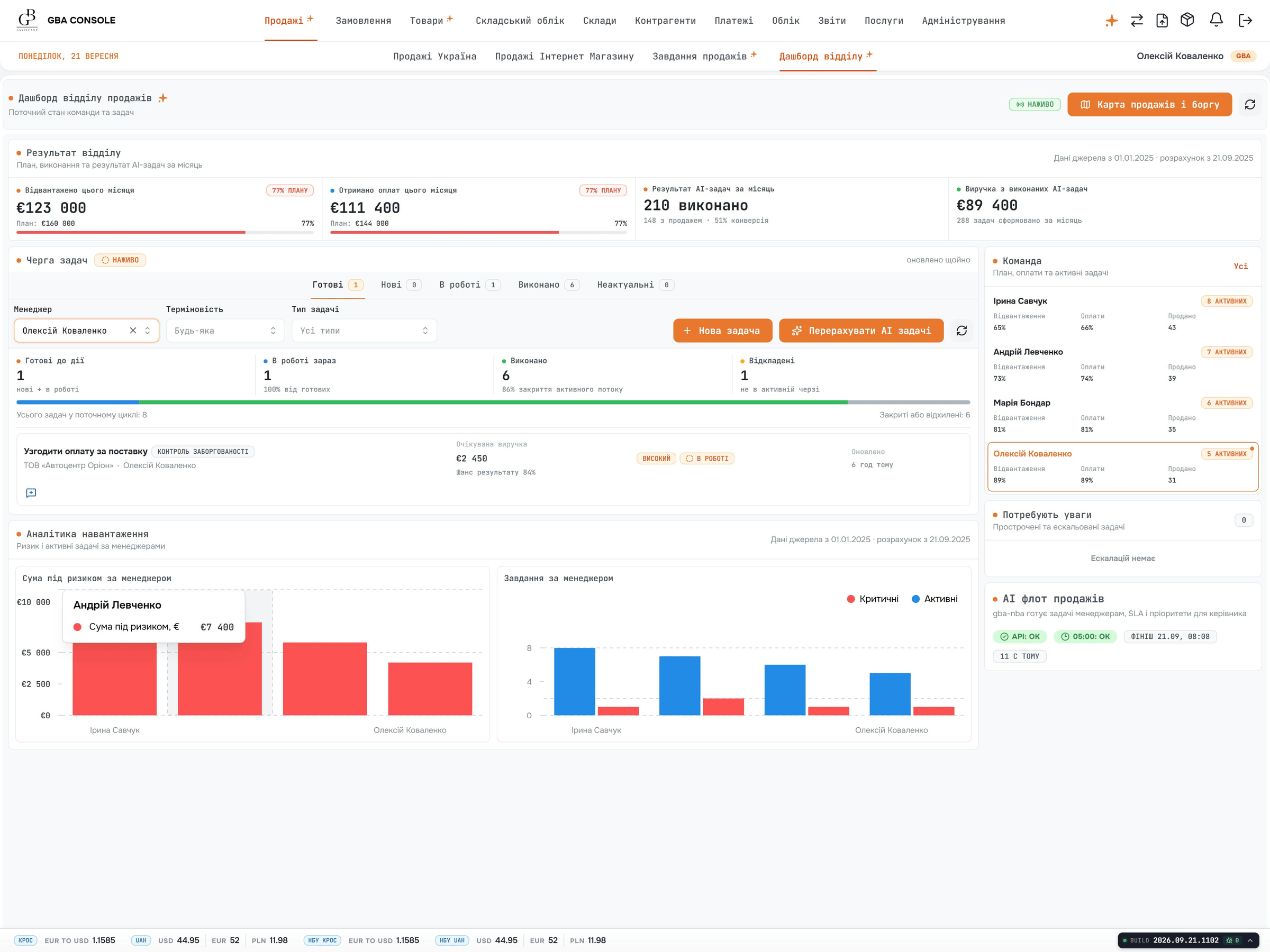
An ERP and CRM that replaced a legacy system at CONCORD, an importer of truck, trailer and bus parts. Sales, warehouse and finance work on the same order. AI writes tasks for sales managers and analyses warehouse data for purchasing.

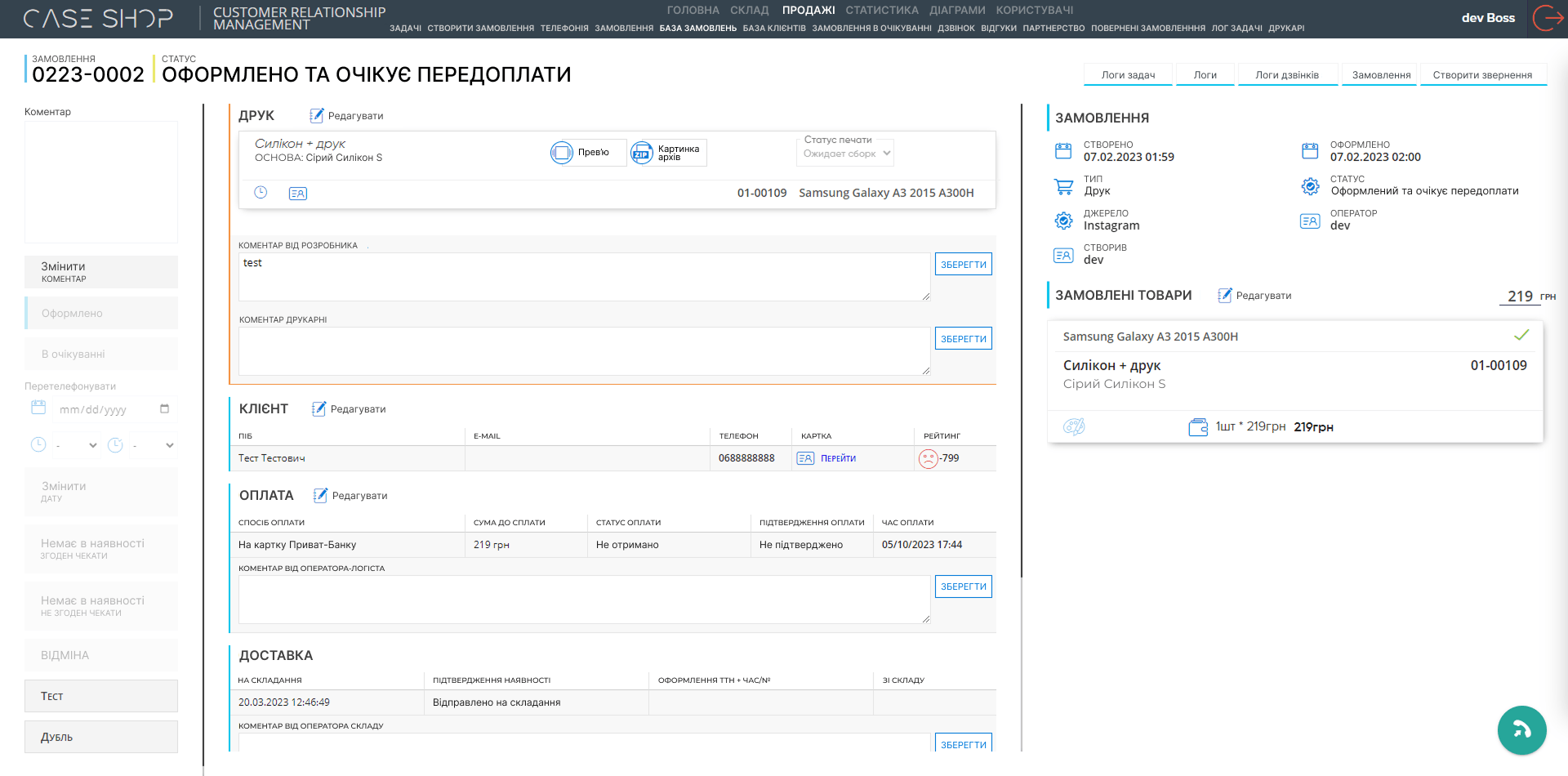
Operators handle orders with customer history, stock levels, calls, returns and defect records in one CRM.
Start with the tools you already use. We compare their limits, integration costs and licence fees with a custom build.
We run a trial import of products, suppliers, open orders, stock balances and counterparty history from spreadsheets, 1C or an older ERP. Before switching, we reconcile totals and linked records with your warehouse and accounting teams.
See overdue orders, stock after reservations and purchases waiting for approval in built-in views or your BI reporting tool, with each figure checked against the source records.
Reservations, partial deliveries, returns and purchasing approvals the ERP must handle.
The locations, user roles and transfers between warehouses included in the first release.
Connections to existing systems, opening balances and checks that orders and totals match.
Yes. Your accounting system can keep the ledger, payments and tax reports. We agree which records the ERP exchanges with it and test that exchange before launch.
Yes, if we can access the source data. Together we decide which periods and records to keep, then test an import and compare totals. Before the final move, we fix data issues and set a recovery plan.
Often. We check how your reports calculate their figures and where the data comes from. Then we reconnect them or rebuild the parts that need to change, comparing the results before the switch.
A ready-made ERP like NetSuite, Odoo or SAP Business One is usually the faster choice when standard modules match how you buy, stock and invoice. A custom ERP makes more sense when per-user and add-on module licensing grows faster than the features you use, when multi-warehouse reservation, partial-delivery or approval rules require constant customisation, or when maintaining workarounds and external connectors costs more than owning the core workflow.
Timeline depends on the workflows, locations and integrations in the first release. We start with discovery and a written scope covering what moves first and what stays in existing tools, then confirm a phased schedule before development begins. Starting with one core flow, such as order processing and stock reservation for one team or warehouse, lets you put working software into daily use before adding purchasing, multi-site transfers or extended reporting.
Yes. We plan a staged rollout so warehouse picking, invoicing and deliveries continue while teams move over. We run trial imports of products, open orders and stock balances, run parallel checks where old and new systems stay in sync, and reconcile every total before cutover, as we did during CONCORD’s staged transition from 1C to Global Business Assistant.
For a scope like our distributor example, with orders, stock, a customer portal and one accounting interface, the first release usually takes four to six months. The proposal confirms the timeline for your agreed scope.
Yes. We can start with one process, such as order to delivery, if it can run alongside your current tools. One team tests it first. We fix the issues they find before adding other teams or sites.
You decide who may adjust stock, approve purchases and view financial records. We build those permissions, log changes and test allowed and blocked actions. We also check backups, monitoring and infrastructure access before launch.
Yes. We prepare walkthroughs, instructions and an administrator guide for each role. Before rollout, staff practise typical tasks and we fix the steps that confuse them. Training and launch help are listed in the delivery plan.
Yes. Before release we agree a support plan: what it covers and how to report issues. We do the agreed maintenance, investigate problems and review user feedback with you. Support and new features are priced separately, and you see the terms before the system goes live.
Compare total licensing, module customisation, warehouse rules and integration maintenance before choosing NetSuite, Odoo or a custom ERP.
Verify product catalogues, stock balances, open orders and rollback checks before switching off a legacy ERP.
Migration worksheetSee how CRM and ERP share orders, handle failed updates and avoid conflicting records.
See what a first release for orders and stock includes, what stays in accounting and which costs sit outside development.
Budget planning workbookCompare adapting an existing ERP, connecting your tools and building custom software.
Agree where each figure comes from, how it is calculated and when reports update.
Reporting definition templatePlan a pilot with one team, agree launch checks and decide when to add the next warehouse or department.
ERP pilot acceptance sheetReview what each proposal includes and which assumptions can change the cost.
Proposal comparison workbook