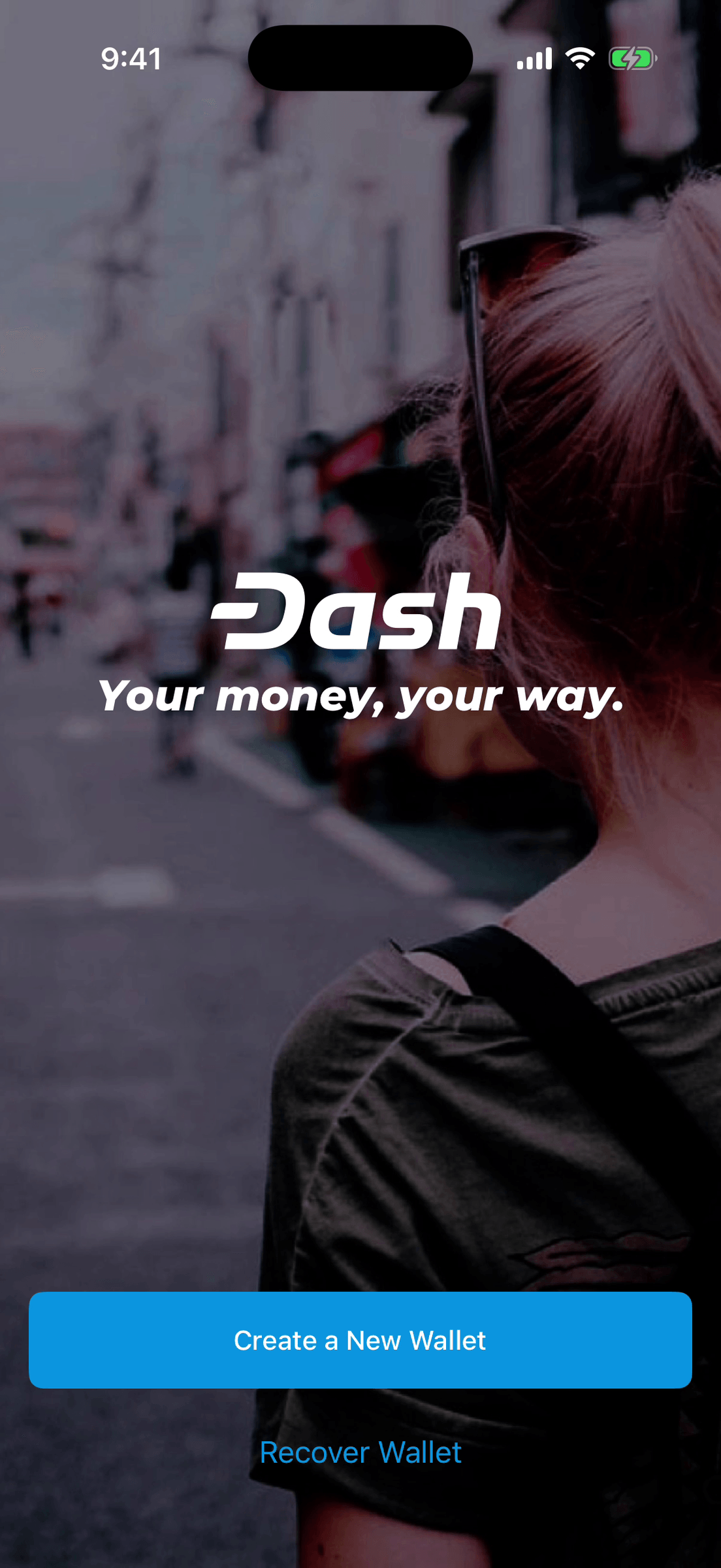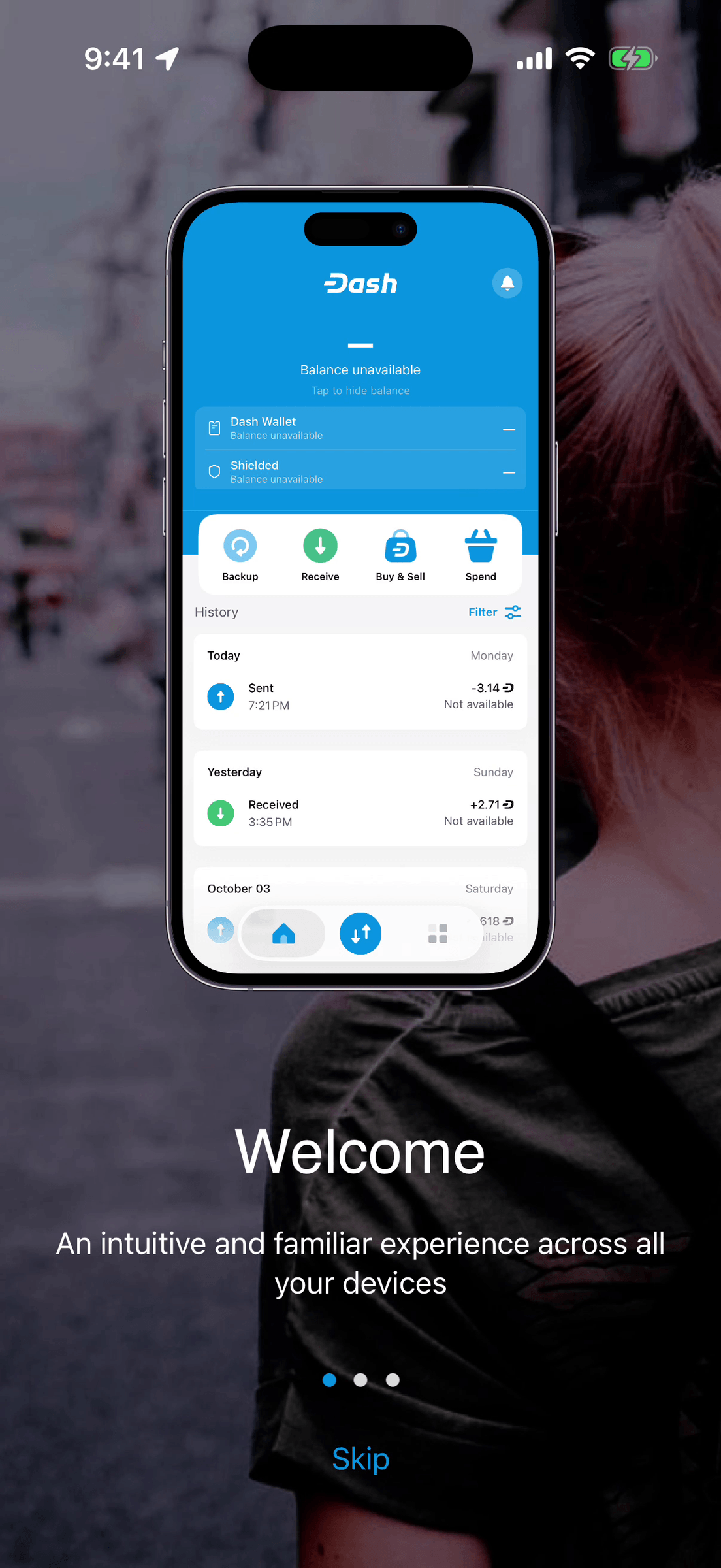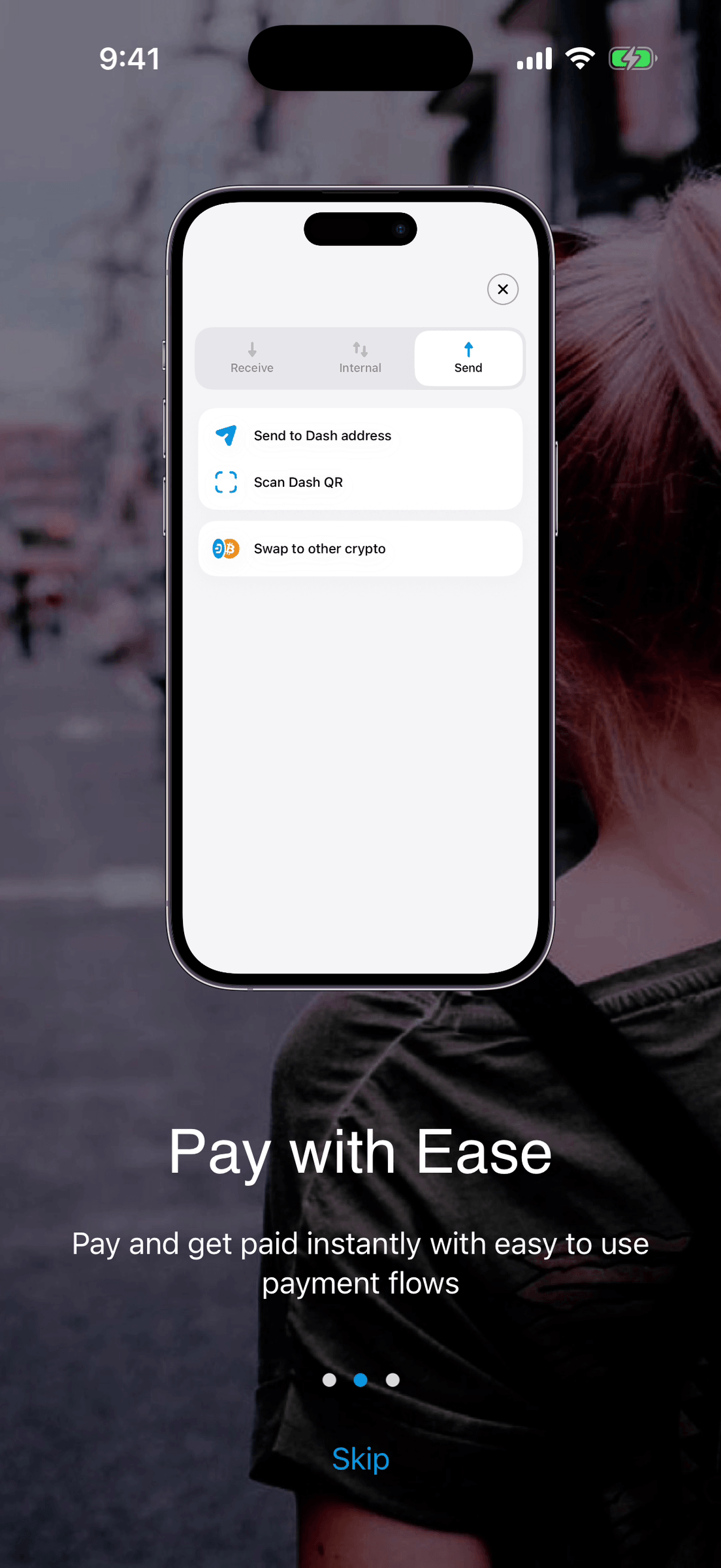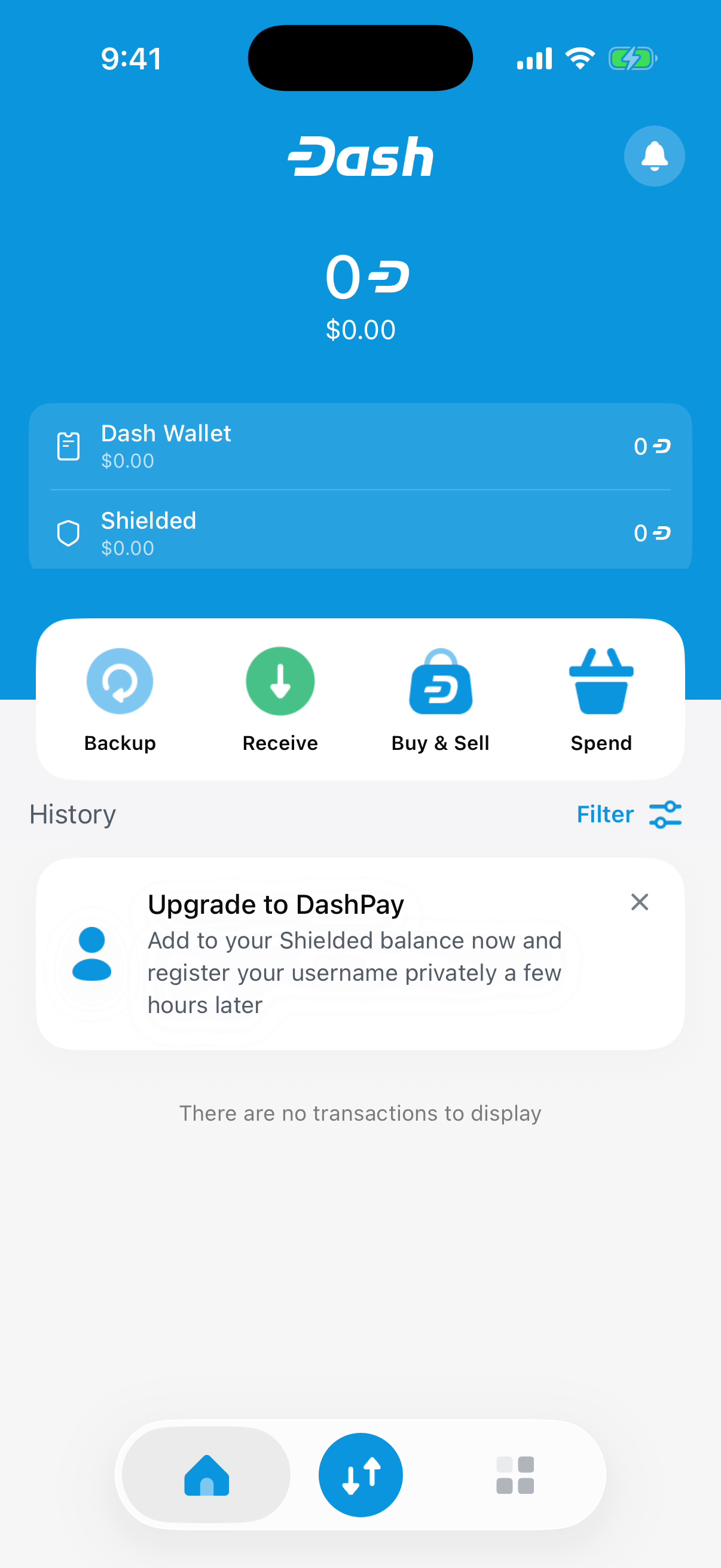
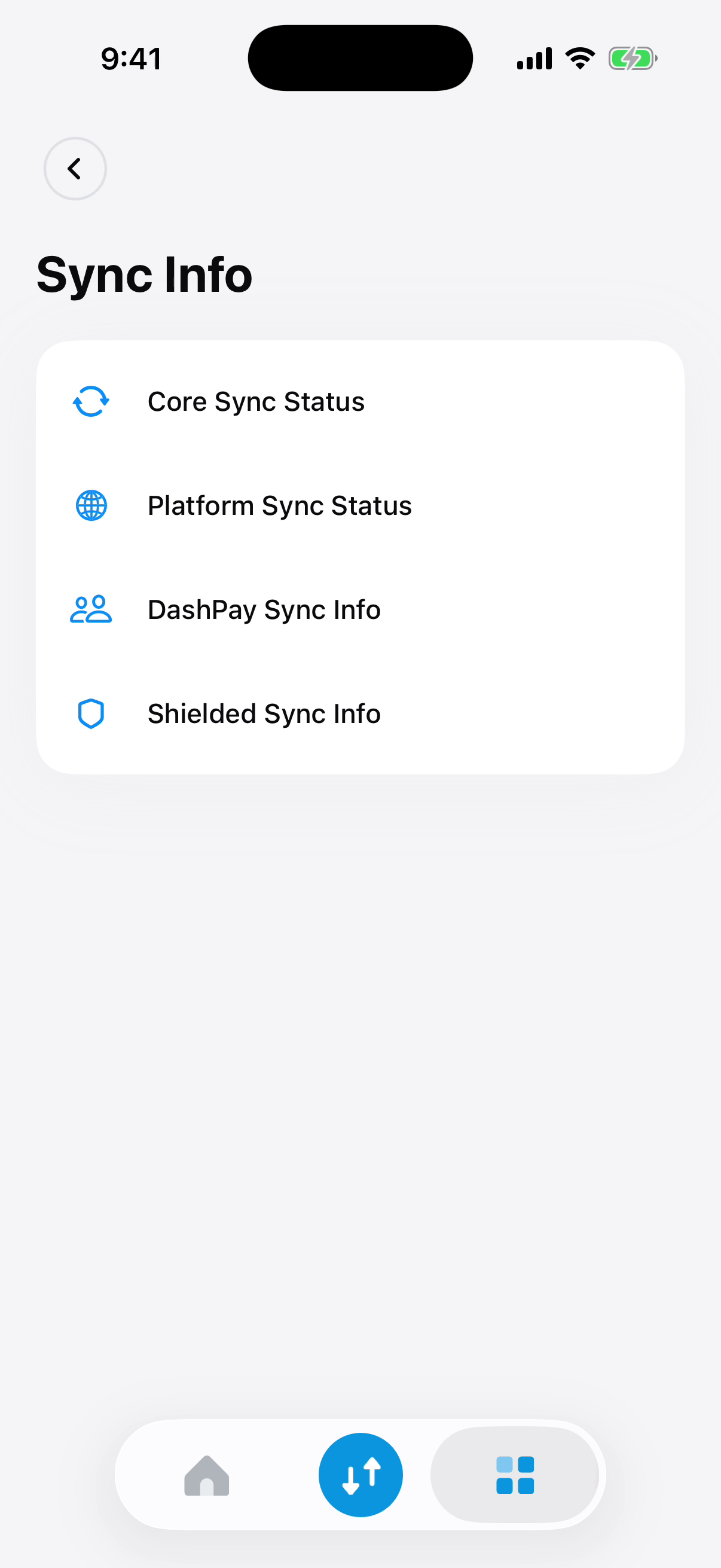
The wallet state is visible before a payment
Balances, the selected network and a separate sync status for Core, Platform, DashPay and Shielded are on screen before the user starts a payment.
Wallet and syncWe developed native iOS screens for Dash Core Group on top of its wallet SDK, SwiftDashSDK, with UI tests in Maestro. The screens cover balances and sync status, sending and receiving, merchants and ATMs, DashPay usernames and governance. Repository commits run from April to October 2026.
What a wallet user doesDeveloped from April to October 2026
A mobile wallet has to explain more than the balance. Users need to know which network is selected, whether wallet components are synchronised and what state a payment is in.
SwiftDashSDK reports these states. Our screens show them: a sync status for each component, a flag on an invalid address, a notice that the wallet is watching for a payment.
iOS development on the wallet for Dash Core Group: native screens on top of SwiftDashSDK, with UI tests in Maestro.
A user creates a wallet or recovers one, then receives, sends and spends Dash.
Balances, the selected network and a separate sync status for Core, Platform, DashPay and Shielded are on screen before the user starts a payment.
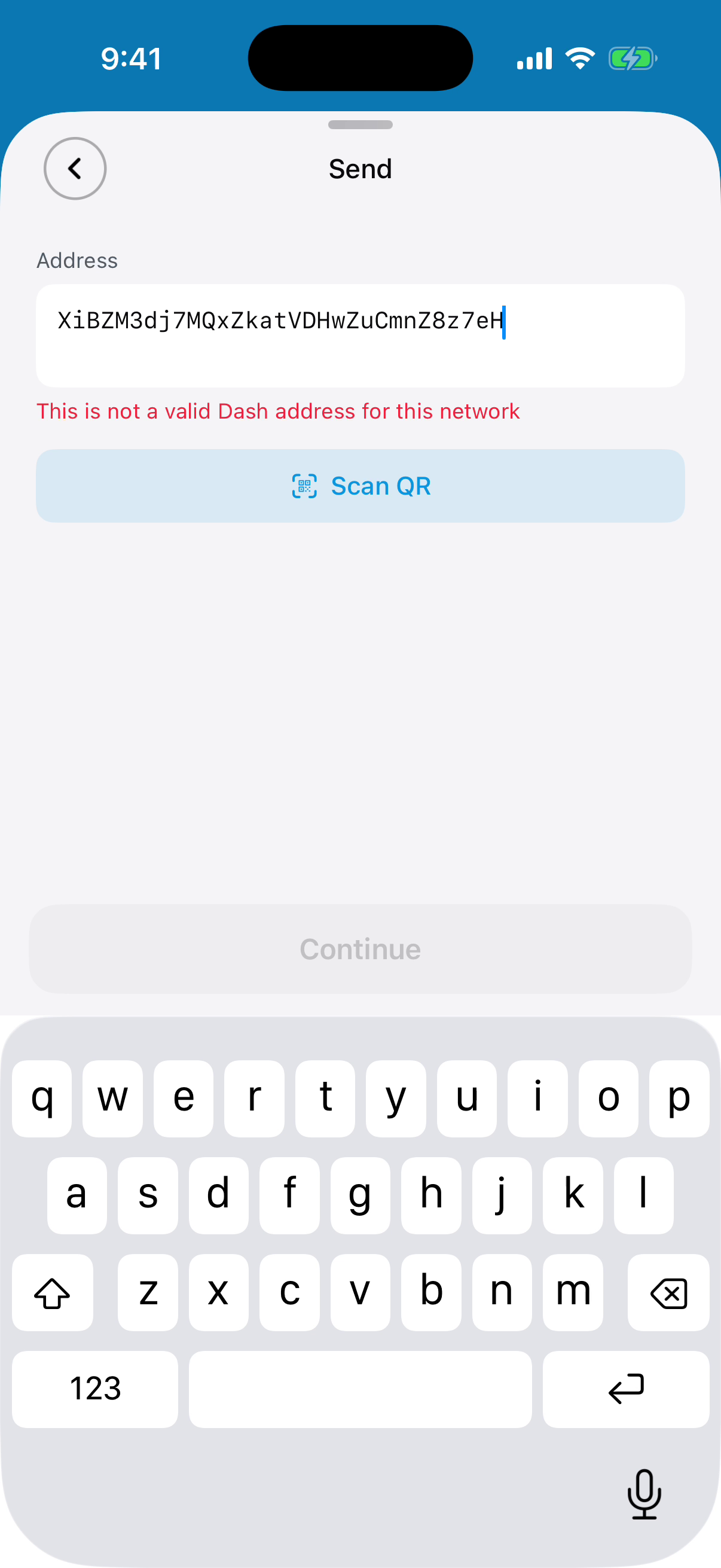
Wallet and syncThe send form flags an address that does not match the selected network. Continue remains disabled until the input passes that check.
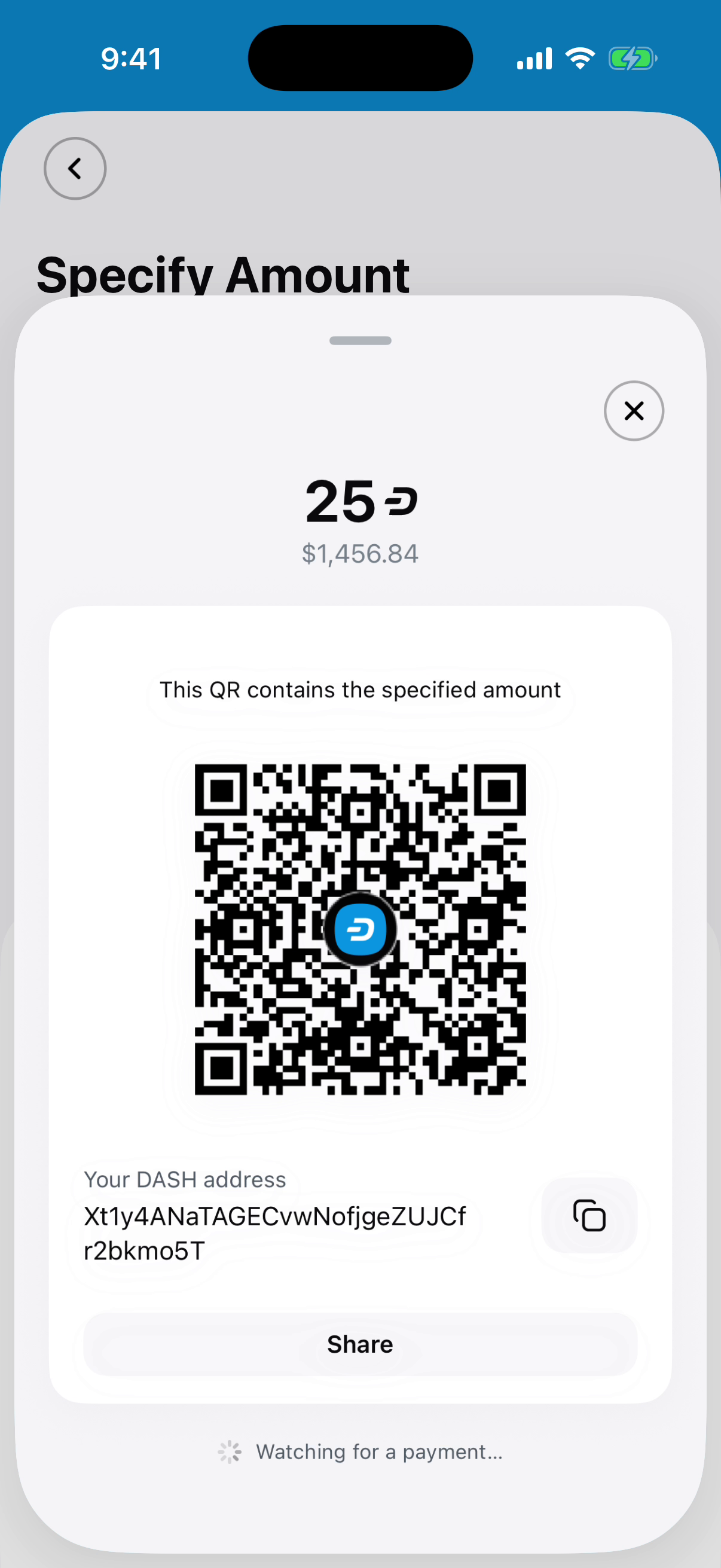
Payment requests and address checksThe QR code contains the requested amount, which the payer’s wallet can read. The request screen shows that it is waiting for payment.
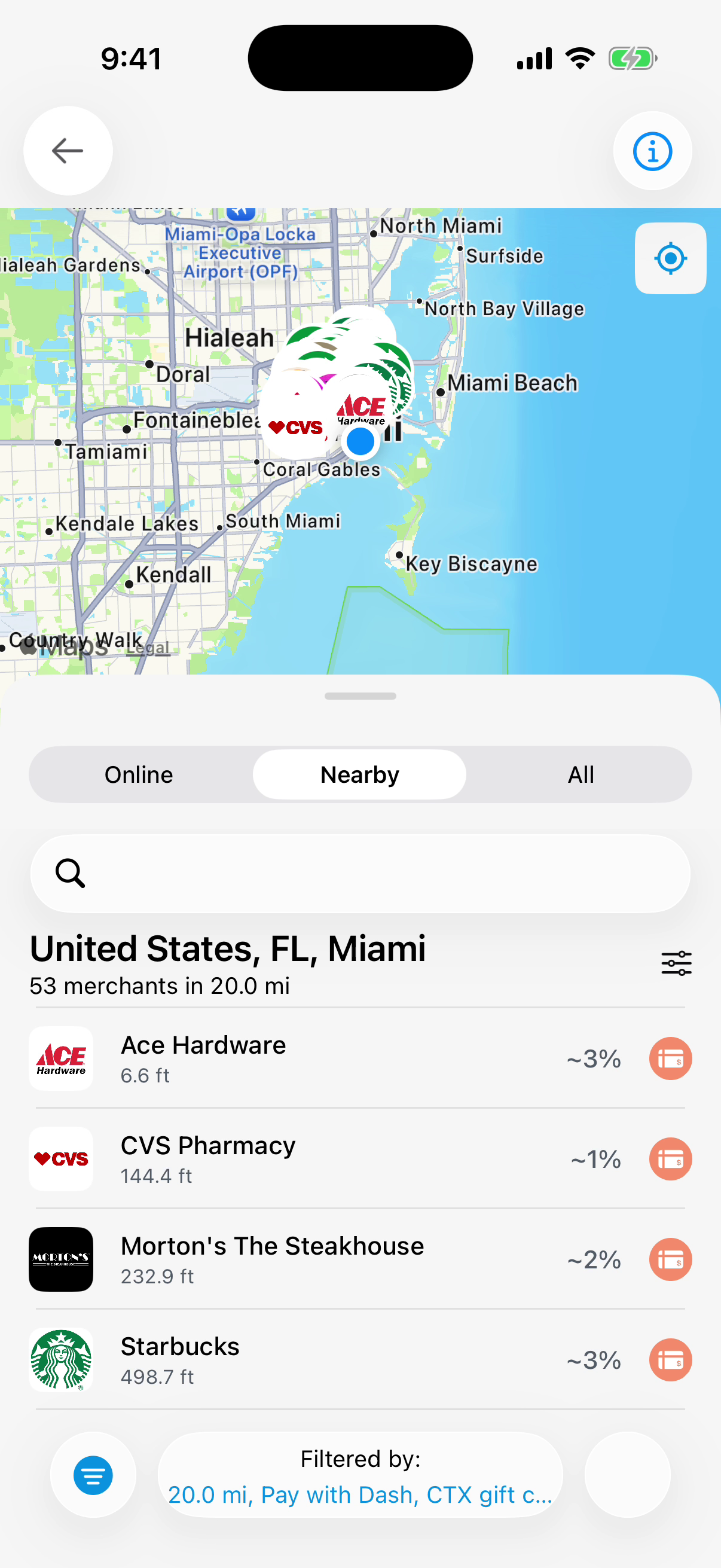
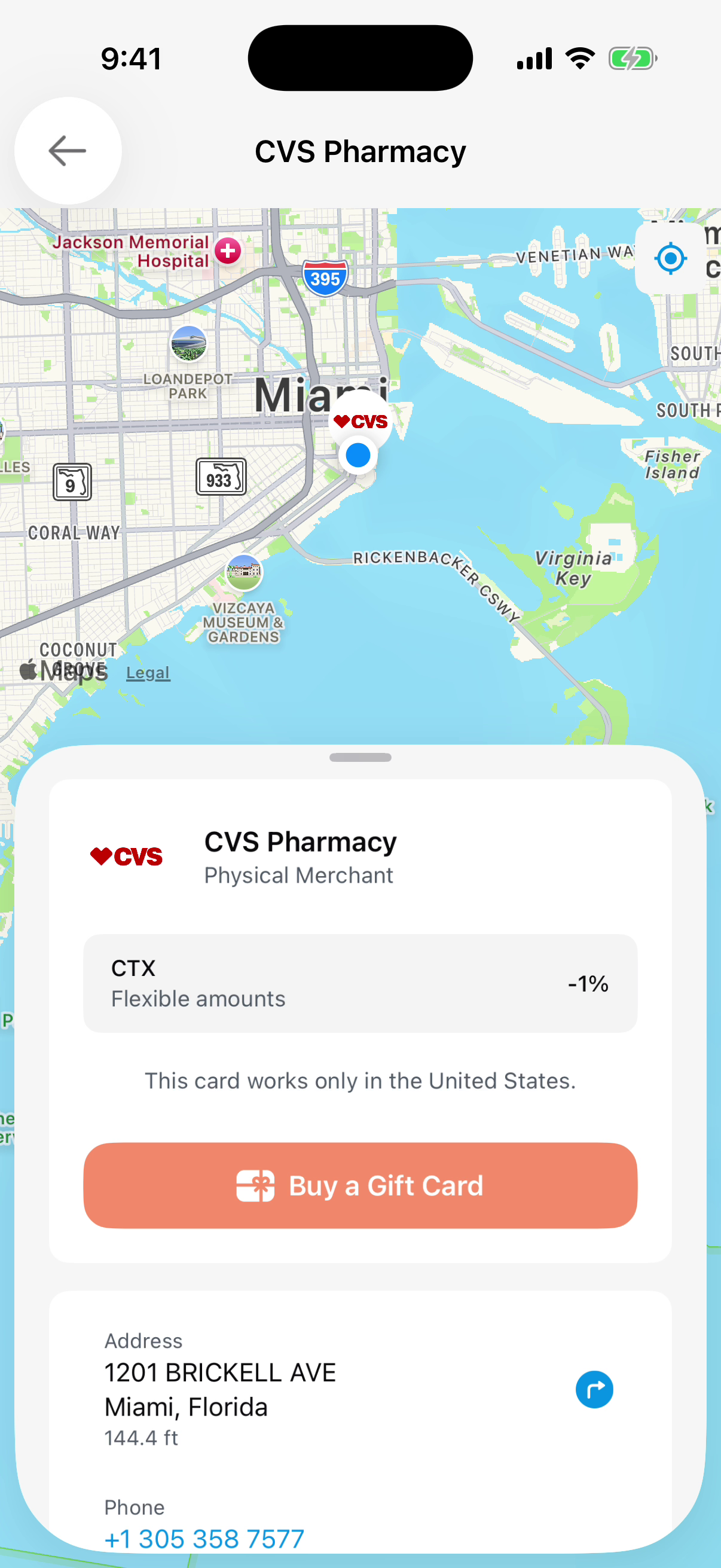
Payment requests and address checksMerchants and ATMs are listed by distance, with filters. A merchant page says how the place takes Dash: directly or through a gift card.
Merchants that accept DashA sender can enter an address that is invalid for the selected network. The payment form has to say so before the user goes further.
The send form checks the address against the selected network. A wrong one gets the message “This is not a valid Dash address for this network” under the field, and Continue stays disabled. A QR scanner reads the address from a code instead of typing.
Inspect the address check and payment requestSend us the errors your SDK returns when a payment is prepared. We will tell you which need their own screen state and which a form check can stop.
A user opens the wallet to pay and needs to know what is there and whether the app is ready: the balance in each account and whether every component has caught up with the network.
The home screen shows the regular and shielded balances in Dash and local currency with the transaction history. Sync Info lists Core, Platform, DashPay and Shielded with their own status, and preferences set the local currency, notifications and network.
A recipient needs to request a specific amount.
The request screen takes the amount, shows its currency equivalent and produces a QR code that carries it, with the address to copy or share and a watcher for the incoming payment.
Someone with Dash in the wallet wants to know where to spend it nearby and how each place accepts it.
The merchant list is sorted by distance with search and filters, switchable between online, nearby and all. A merchant page shows the address, phone and payment options: direct Dash or a gift card with its terms and country restriction.
Beyond payments, a user manages a DashPay username, finds an ATM to buy or sell Dash and takes part in governance.
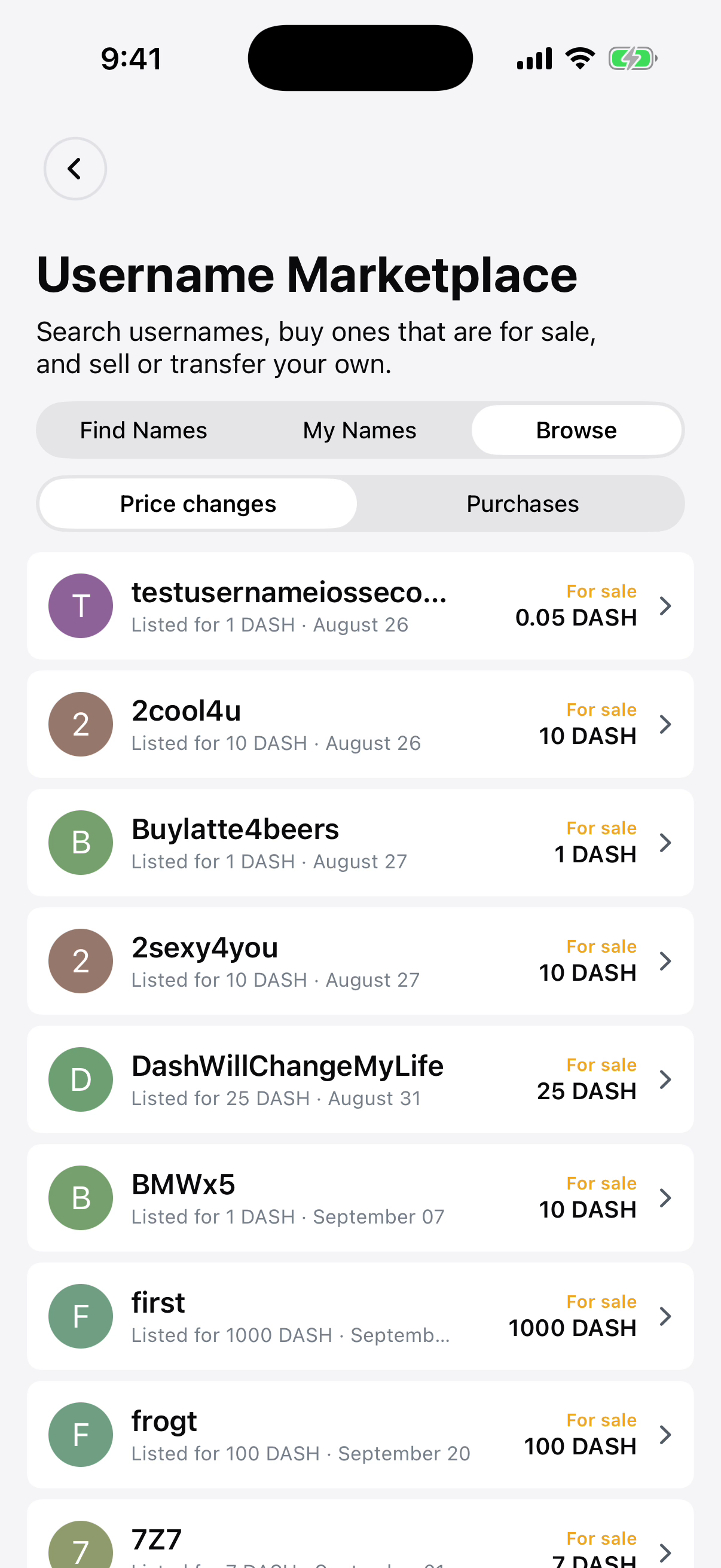
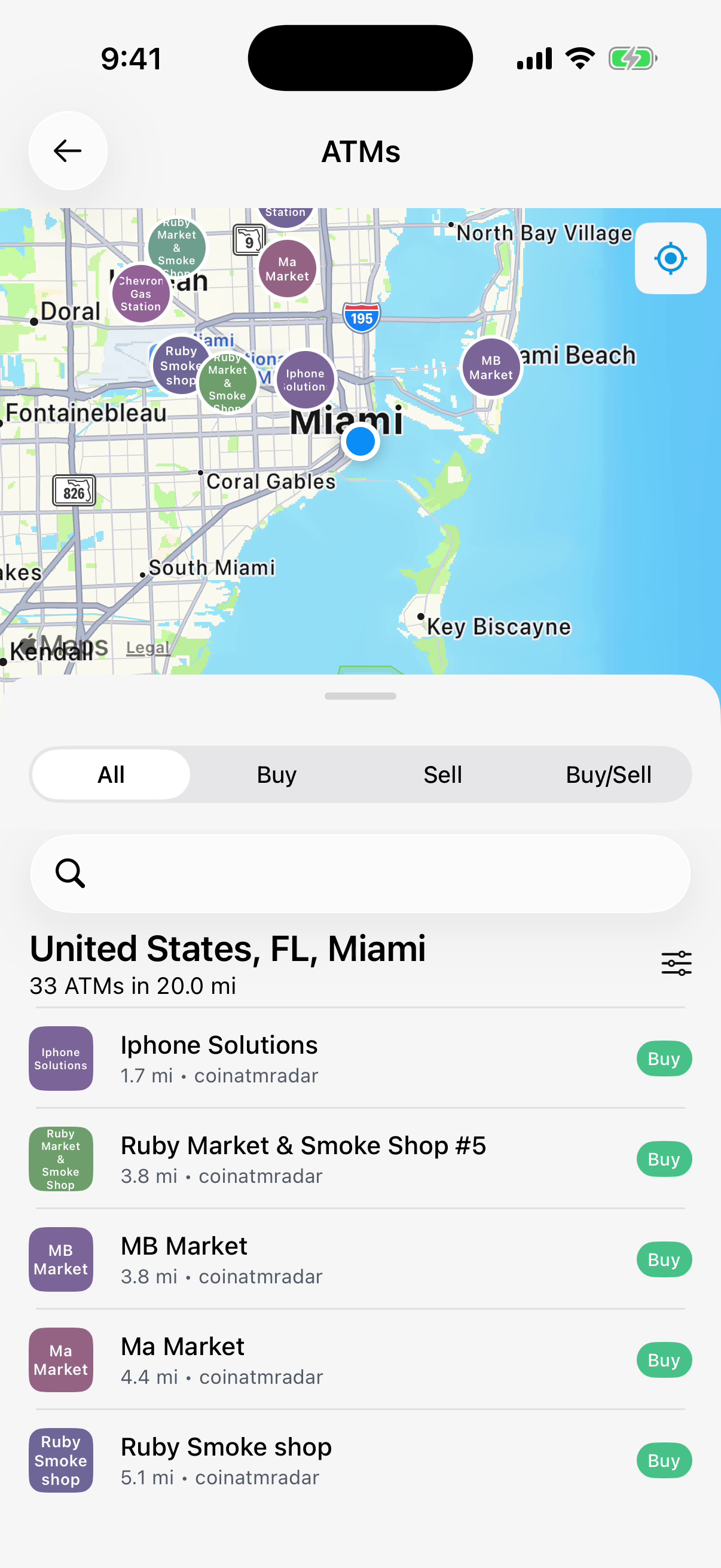
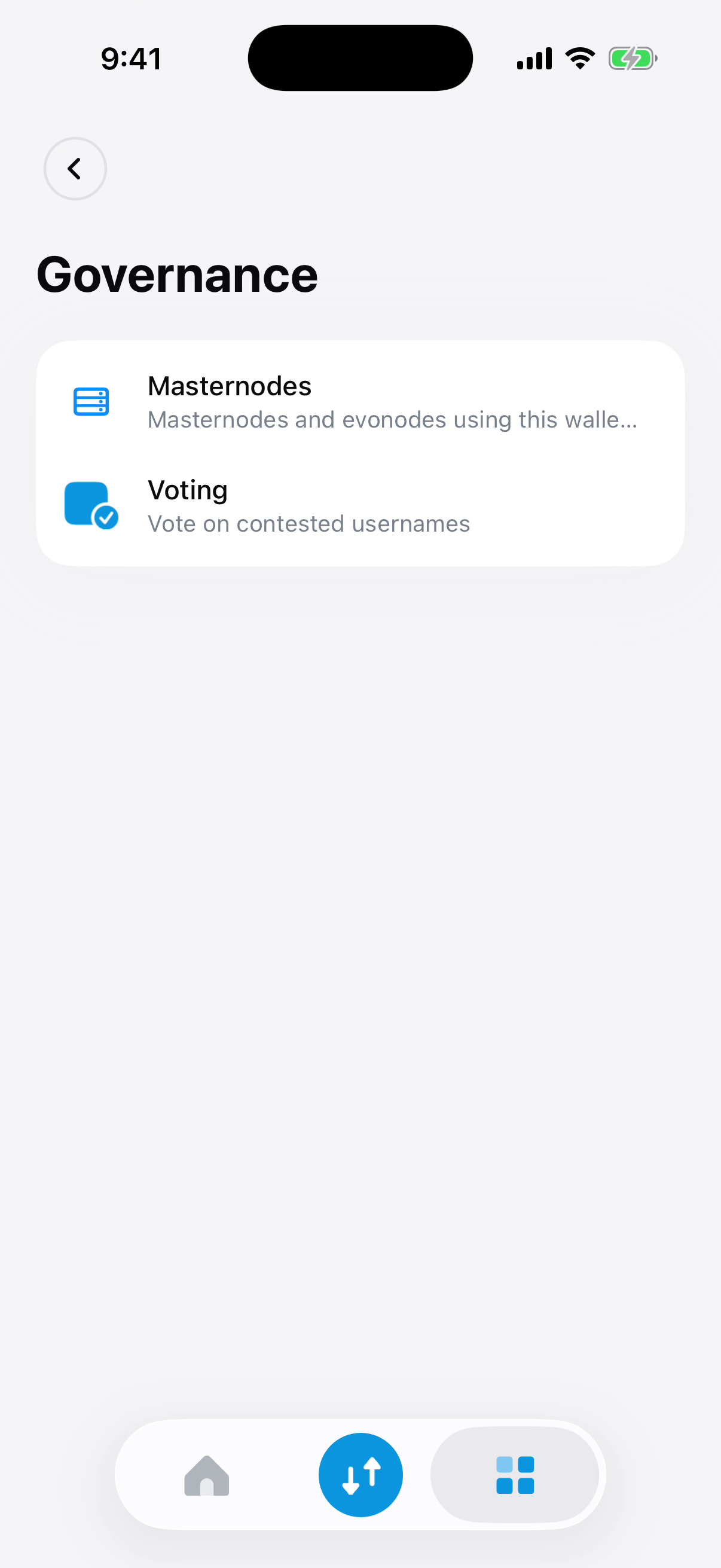
The marketplace lists usernames for sale with price and listing date, with tabs for finding names and the user’s own. The ATM map filters by Buy, Sell and Buy/Sell with distance and provider. Governance separates masternodes from voting on contested usernames.
New and returning users have separate paths to create a wallet or recover one. Introduction screens preview the main actions, the send flow and the security controls before setup.
The home screen shows the regular and shielded balances in Dash and local currency, with Backup, Receive, Buy & Sell and Spend buttons and a filterable transaction history. A tools menu holds sync status, security, settings and support; Sync Info lists Core, Platform, DashPay and Shielded separately.
A payment request takes an amount, shows its currency equivalent and produces a QR code that carries the amount; the address can be copied or shared, and the screen watches for the payment. On the send form an address that is invalid for the selected network is flagged and Continue stays disabled until it is corrected. A QR scanner reads the address instead of typing.
Explore separates merchants, ATMs and the username marketplace. The merchant map pairs locations with a list switchable between online, nearby and all, with distance, search and filters. A merchant page shows the address, phone and how to pay: direct Dash or a gift card with its terms and country restriction. ATMs are listed by distance and provider with Buy, Sell and Buy/Sell filters.
Usernames for sale are listed with price and listing date. Users search names, see their own, follow price changes and purchases, buy, sell or transfer.
Governance separates masternode management from voting on contested usernames; voting is enabled in the wallet settings. Preferences cover local currency, notifications, network selection and advanced settings.
Native iOS interfaces connected to wallet storage, maps and the Dash SDK.
Swift and Objective-C with SwiftUI, UIKit and Combine on the iPhone, and WatchKit for the watch interface.
Local data is stored with SwiftData, Core Data and SQLite.
SwiftDashSDK connects the Rust wallet core through FFI. Moya handles networking, MapKit and CoreLocation the merchant and ATM maps, and LocalAuthentication device authentication.
CocoaPods manages dependencies; Maestro is used for UI tests.
The wallet was built for one network, but the same screen rules apply to any app that moves money:
Crypto and fintech wallets that have to show balances, sync state and pending payments on a phone.
Payment apps with QR-based requests, address or account validation and in-person merchant payments.
Products whose core library is written in Rust or C and needs native iOS screens on top of it, connected through FFI.
Networks and marketplaces with user-facing extras: username registries, merchant directories, governance votes.
We can start with receiving and sending through your existing SDK, with address checks and UI tests for valid input, rejected actions and pending payments.
Show us your SDK and the actions your users do most. We will reply with the native screens we would build first and how we would test them.
Discuss your iOS application