Claim forms with labelled fields and buttons
On the claim screens TalkBack and VoiceOver read out the field labels, the options and what each button does. The forms read out their instructions and confirm each step.
Request a reimbursementWe made AIG’s existing travel-insurance app usable with TalkBack on Android and VoiceOver on iOS. We changed the labels, focus order, contrast and form guidance on its assistance and claim screens.
What changed for screen-reader usersAccessibility work carried out in 2022–2023
A traveller opens the app abroad to find medical help or to claim expenses. A customer who relies on spoken screen content needs to do the same.
The task was to remove navigation barriers for people with visual and motor impairments inside the existing Xamarin application, so that they reach assistance and manage claims on their own.
Accessibility and UX refurbishment of the existing Xamarin app with WCAG 2.1 as the reference: screen-reader semantics, reading order and focus, contrast and form guidance on the assistance and claim screens.
These changes are for customers who use TalkBack or VoiceOver.
On the claim screens TalkBack and VoiceOver read out the field labels, the options and what each button does. The forms read out their instructions and confirm each step.
Request a reimbursementIn the provider search and on the assistance controls a TalkBack or VoiceOver user hears what each control does and reaches the next one in order.
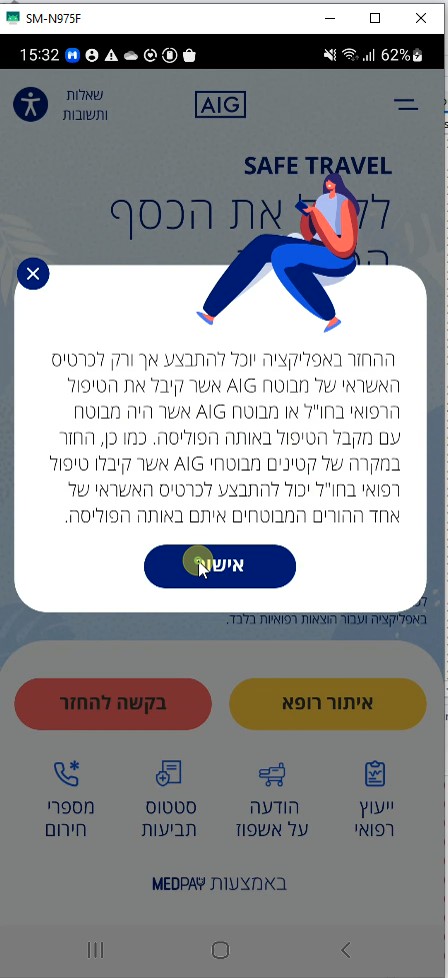
Find help nearbyThe refund conditions appear as a dialog the screen reader announces before the request starts. The customer knows which card a refund can go to before filling anything in.
Request a reimbursementThe team went through the changed journeys with TalkBack on Android and VoiceOver on iOS. In the claim flows it checked the reading order and the confirmation steps.
AIG’s app already had its features, business logic and integrations. The accessibility work had to fit inside it without changing any of them.
We changed the screens, the components and the navigation, and nothing else. Controls now use semantic components with labels, focus navigation and contrast adjusted for visually impaired users. WCAG 2.1 was the reference.
See the reimbursement journey covered by the workTell us what your app is built with and which journey has to work with a screen reader. We will say what we would change in the existing code and what we would leave alone.
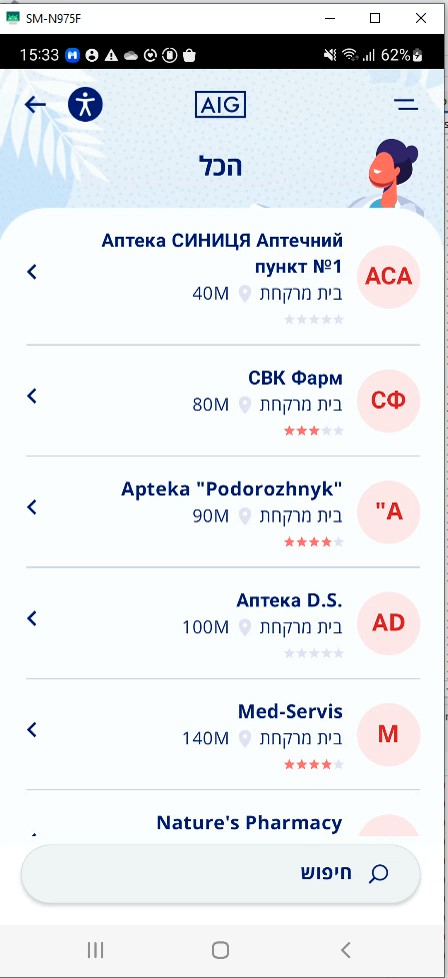
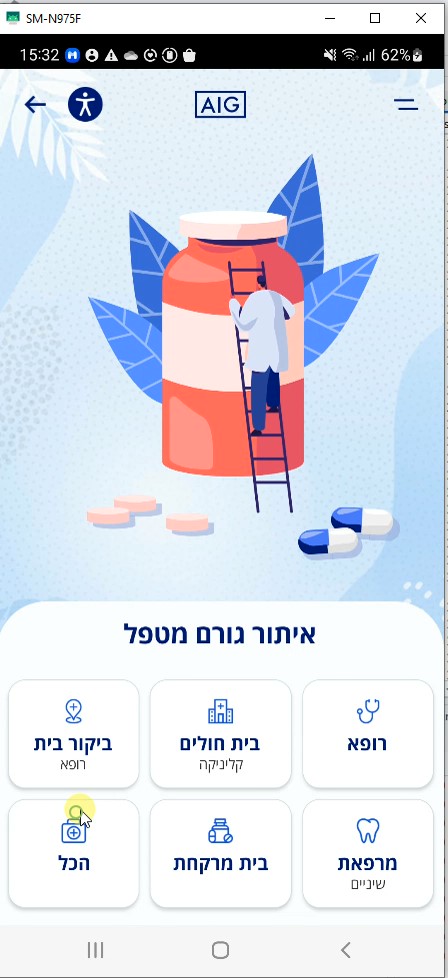
The app already let a traveller choose a type of help and see nearby providers by distance, with a rating and a search field. We changed how a screen reader labels and reaches these choices, and the order in which it reads the search and the results.
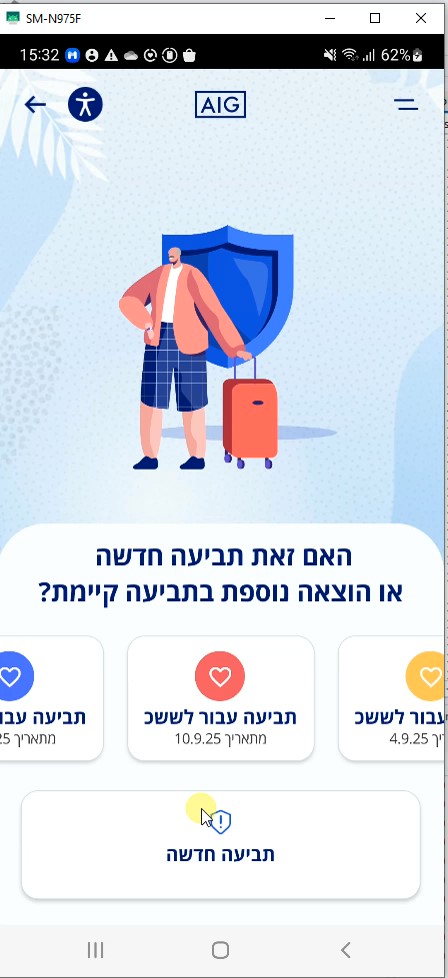
The traveller chooses between a new claim and an additional expense on an existing one, then reads the refund terms. Our part was what TalkBack and VoiceOver say along the way: field labels, instructions and confirmation steps.
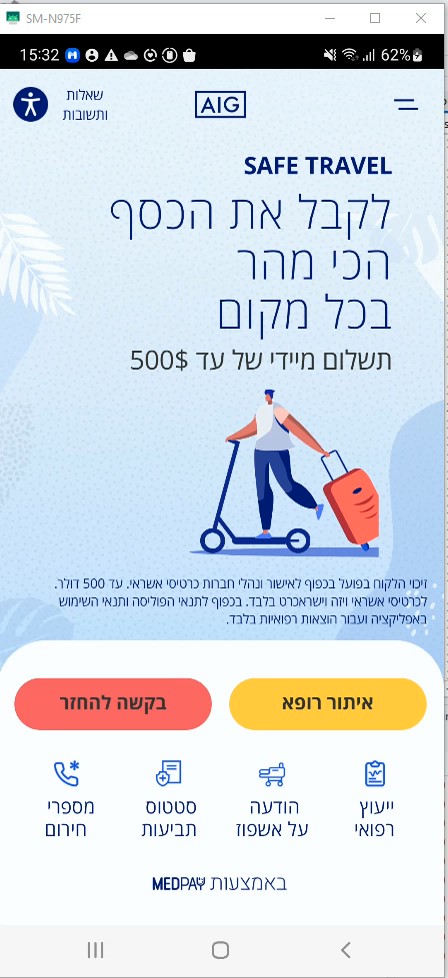
The home screen holds the two main actions, a reimbursement request and a doctor search, with emergency numbers, claim status, a hospitalisation notice and medical advice below them. The screen reader goes through them in that order.
A traveller picks the kind of help: home-visit doctor, hospital or clinic, doctor, pharmacy, dental clinic or all providers. Results list nearby providers with distance and rating, on a map or in a list, with a search field. When no provider is within reach, the screen says so and points to the reimbursement route.
The claim screen separates a new claim from an additional expense on an existing one and lists earlier claims by date. Forms read out their instructions and confirm each step. The refund terms, including which card the money can go to, are shown before the request starts.
Existing features the work also covered: consultations over WhatsApp and built-in audio channels, quick-call buttons for emergency numbers and embassies.
Semantic UI components that work with assistive technologies: control labels, focus navigation and element contrast adjusted for visually impaired users, with WCAG 2.1 and ARIA as the references.
One Xamarin application for Android and iOS. Its screens are in Hebrew and read from right to left.
The existing app: C# and Xamarin on .NET Framework. We made the accessibility changes in this code.
WCAG 2.1 and ARIA were the references for control labels, focus navigation and contrast.
The app reaches its services through REST APIs with authentication. We did not change this part.
The work was done for one insurer, but the same rules apply to any customer app that has to meet accessibility requirements:
Insurers and banks whose customer apps must meet accessibility rules such as WCAG 2.1.
Travel, health and assistance services whose customers use the app in an emergency, often abroad.
Companies with an existing Xamarin, .NET MAUI or native app that cannot be rewritten but has to pass an accessibility audit.
Public-facing apps built around forms: claims, applications, bookings and payments.
A first release usually covers one journey your customers must complete, such as a claim or a booking. We test it with TalkBack and VoiceOver, fix what fails and retest on the devices you name.
Send us one task your customers must complete in the app and the devices they use. We will reply with what we would test first.
Discuss application accessibility