Shared controls across 120 configuration pages
Selectors, date fields and tables were built once in Angular and are used on all 120 pages. Each page keeps its own rules.
Pricing and accumulator pagesWe migrated 120 benefit-configuration pages of DARWIN from Web Forms to Angular and .NET. The claims engine and the rest of the application kept running during the migration.
What changes for the teamMigrated pages in use, work continues
DARWIN staff configure the rules used when processing prescription claims. Each setting belongs to a client, plan or group and must retain its dates and business meaning.
The configuration area ran on legacy Web Forms pages. The same controls were repeated from page to page, each time with page-specific logic.
We migrated the screens section by section and replaced the repeated controls with shared components.
Migration of the benefit-configuration area from ASP.NET Web Forms to Angular 15 and ASP.NET Web API on .NET 6, with a review of the architecture and deployment process, shared frontend components and backend refactoring.
The migrated pages have two kinds of user: benefit analysts who edit the settings and developers who maintain the pages.
Selectors, date fields and tables were built once in Angular and are used on all 120 pages. Each page keeps its own rules.
Pricing and accumulator pagesAn analyst opens a client setting once, sees its effective and termination dates, and moves between pricing, accumulators, DAW and DUR without leaving the record.
A configuration recordSearch by section, field name or tooltip opens the right part of a long settings page. The help icon on each field states what the value means.
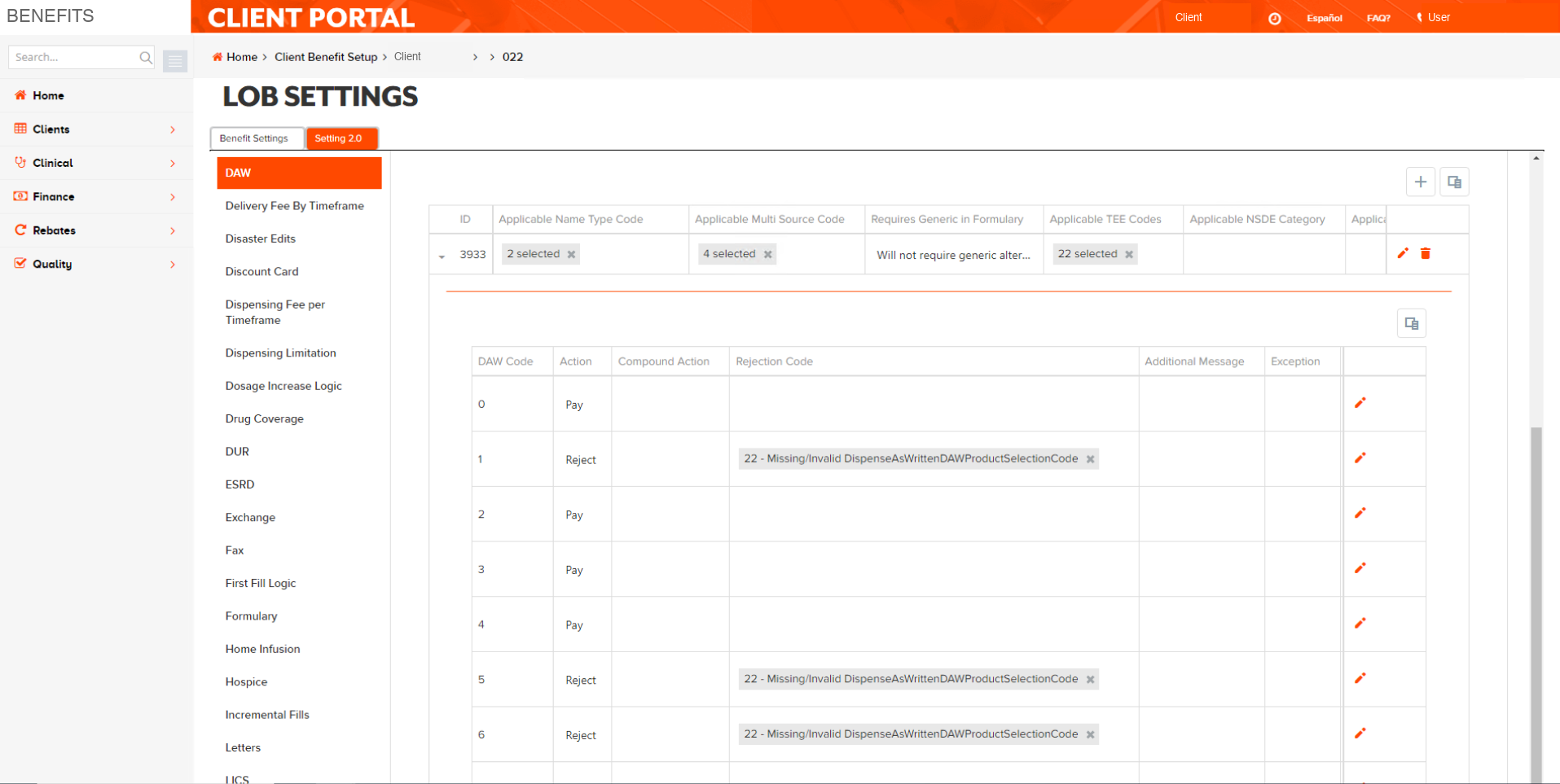
Pricing and accumulator pagesAn expanded DAW record lists each code with its Pay or Reject action and rejection code. The legend explains the patient payment rule, so analysts can review the configured values before saving.
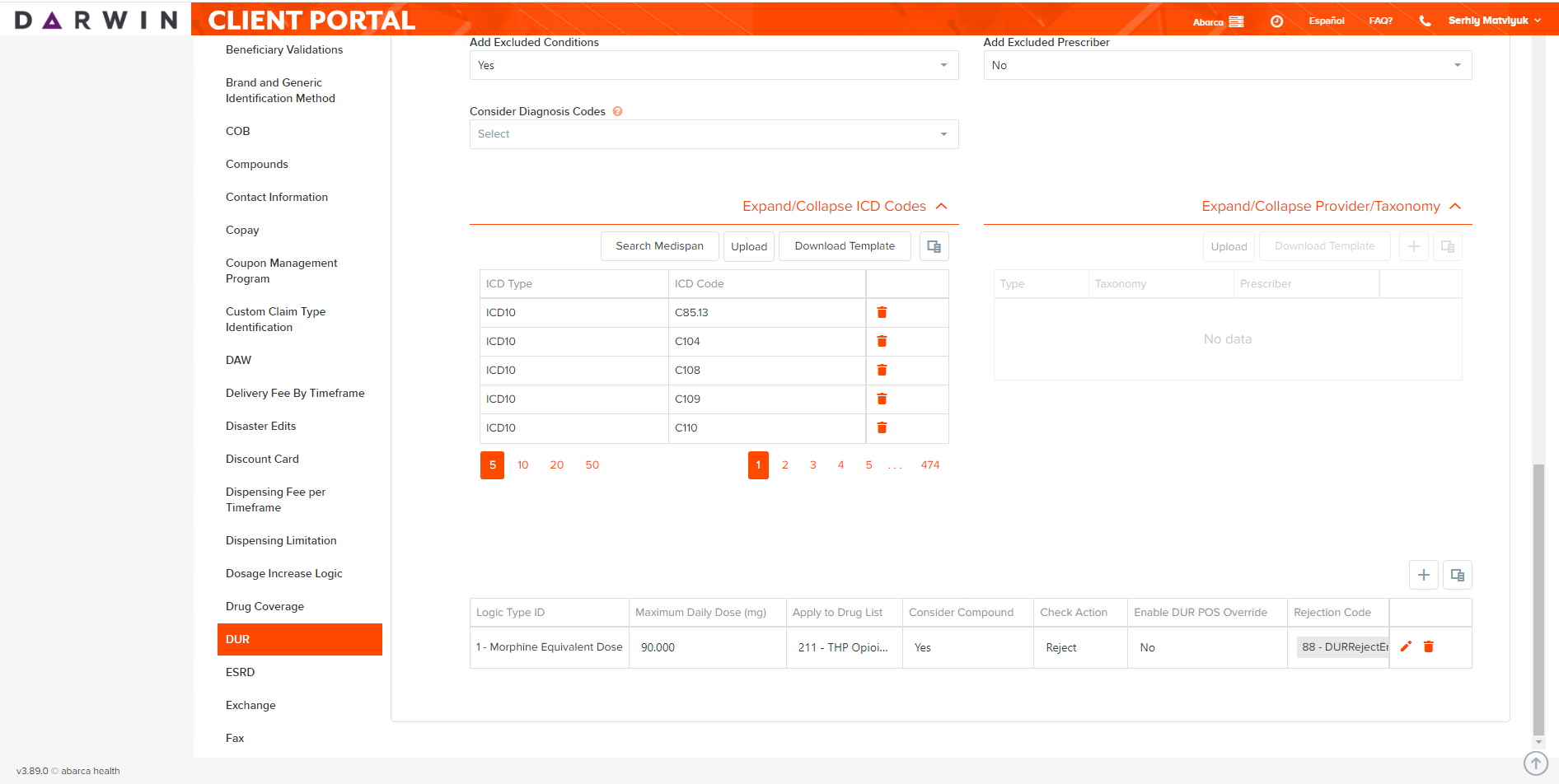
A configuration recordAnalysts pick ICD diagnosis codes through Medispan search or upload them from a template. Long code lists are paged.
Medication benefit settings carry client-specific rules and effective dates, and prescription claims are processed by them. A migrated page had to keep the meaning of the old one.
We migrated one section at a time. Each section has its own page built from the shared controls and saves on its own, with the rules it had before.
See the shared controls on two pagesSend us one legacy screen and the rules it must keep. We will tell you where we would draw the boundary of a first migration.
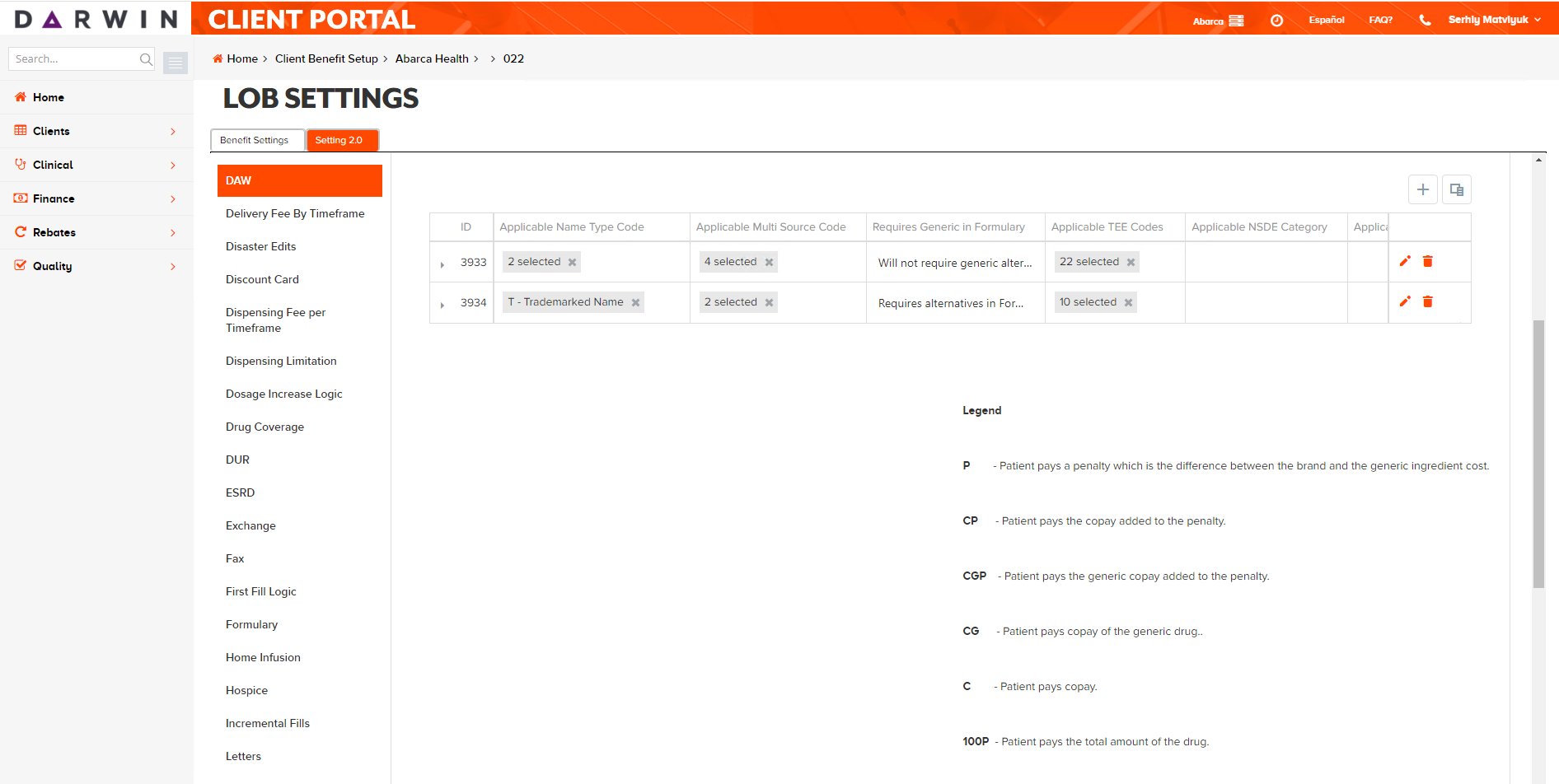
This is the DAW section of one settings record. The analyst switches sections in the left column and edits the DAW records in the table.
Settings are grouped by benefit category. The selected configuration stays on screen while staff move between its rules.
Each rule shows whether it applies to a client, a plan or a group.
Expanding a record shows each code with its action and rejection details.
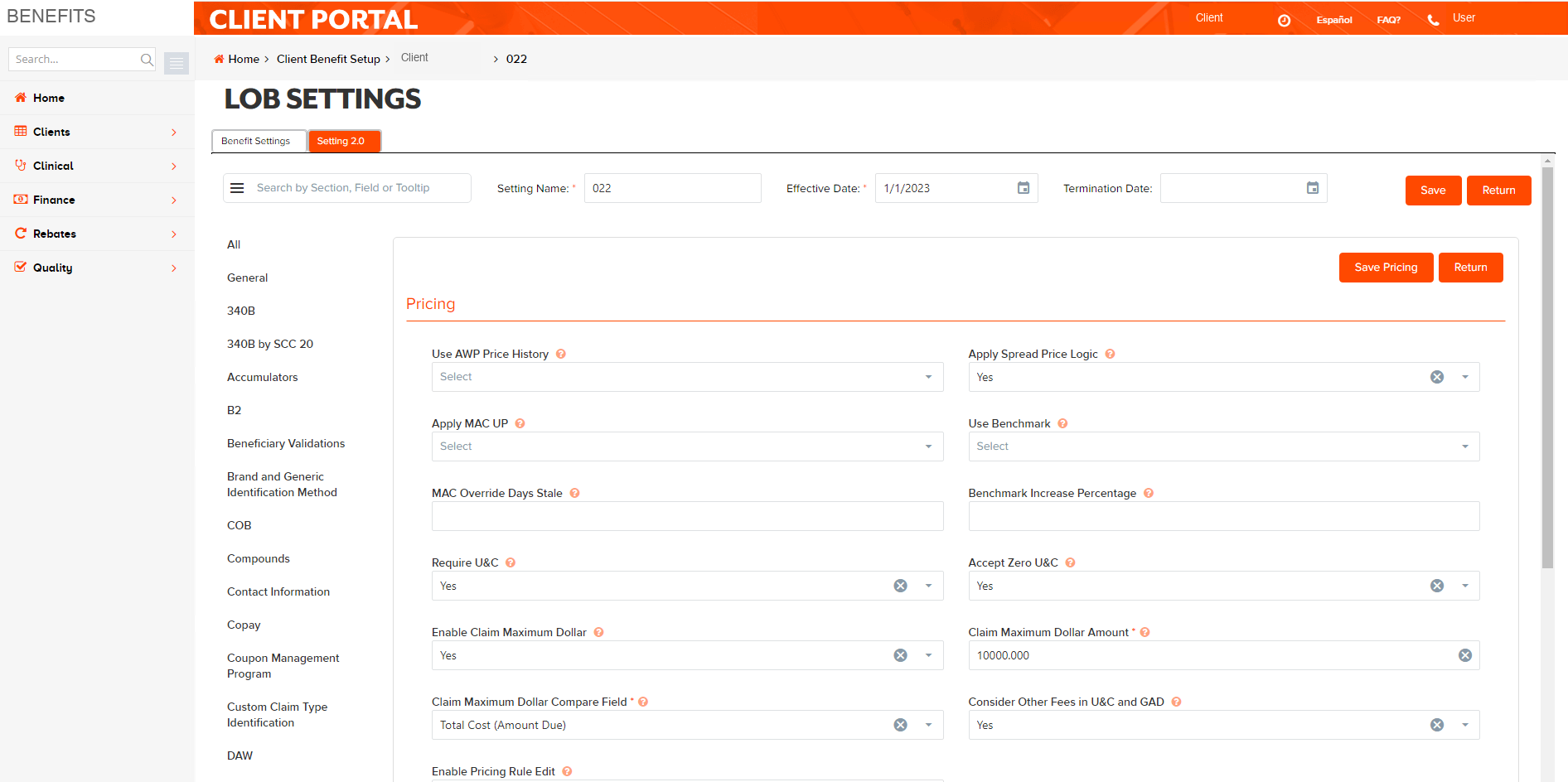
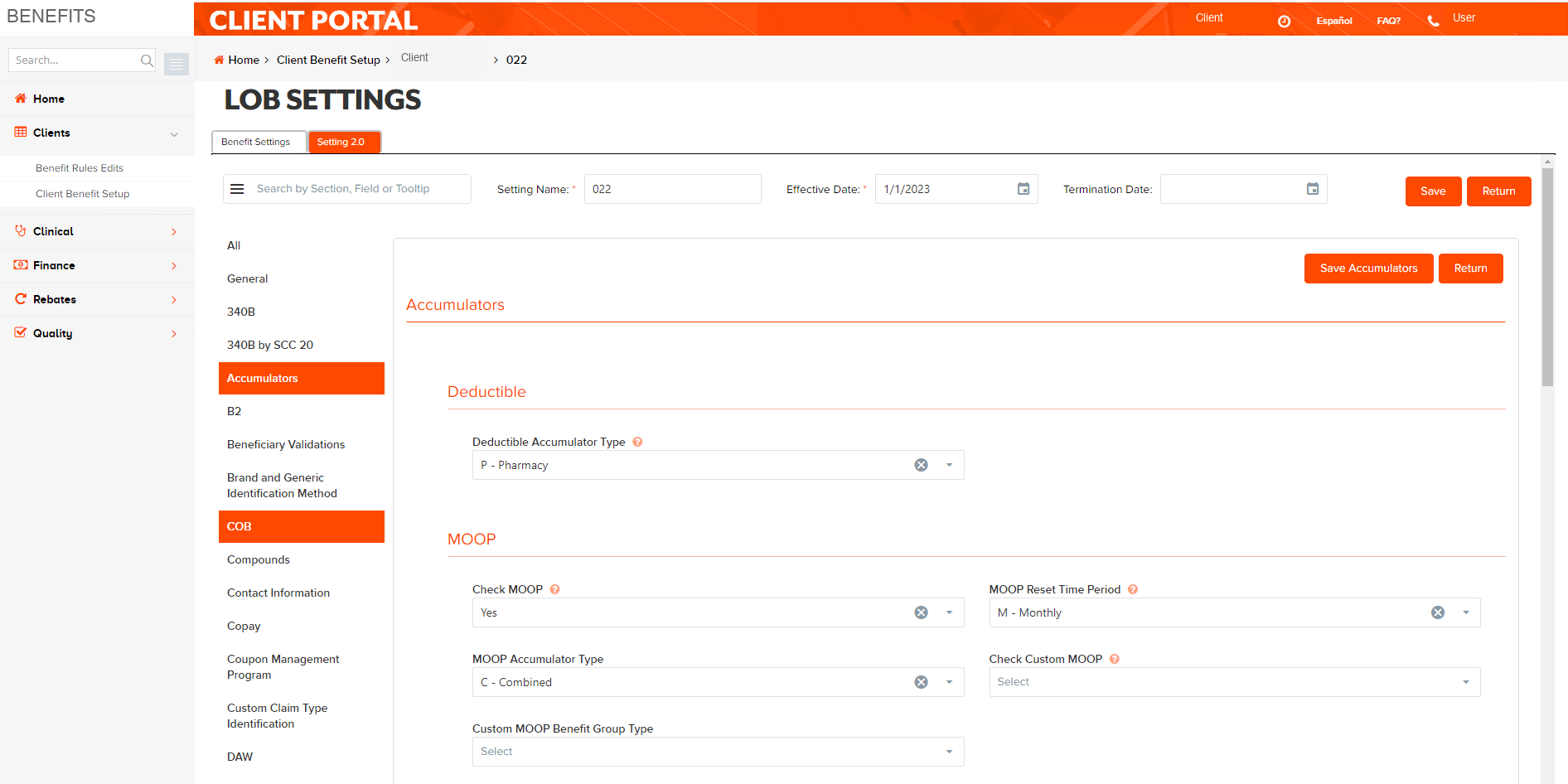
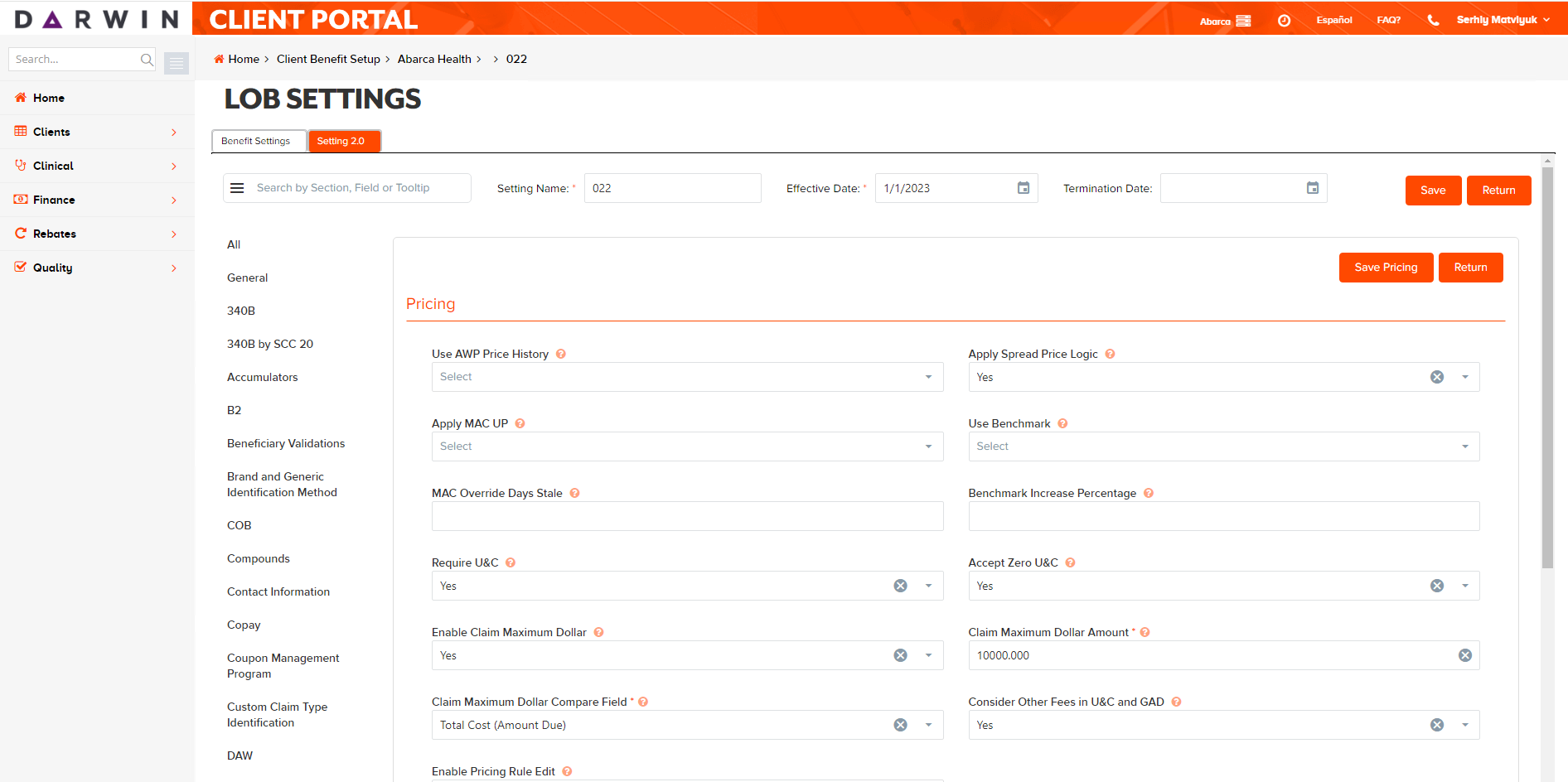
One settings record per client line of business, with its name, effective date and termination date. A left column lists every section, from General and 340B to Accumulators, Copay, DAW, DUR, Formulary and Drug Coverage. A search box finds a field by section, field name or tooltip. Each section saves on its own.
AWP price history, spread price logic, MAC and the days a MAC override stays valid, the benchmark and its increase percentage, U&C requirements, the claim maximum dollar amount and the field it is compared against. Every field carries help text.
Deductible accumulator type, the MOOP check with its reset period and accumulator type, and a custom MOOP with its benefit group type, in the same form layout as pricing.
A table of DAW records with name type codes, multi-source codes, the generic-in-formulary requirement, TEE codes and NSDE category. A record expands into DAW codes 0 to 9, each with Pay or Reject, a compound action, the rejection code, an additional message and an exception. A legend explains what the patient pays under each option.
Excluded conditions and prescribers, diagnosis codes, a paged ICD code list filled from Medispan search or an uploaded template, a provider and taxonomy list, and dose rules such as a maximum daily morphine-equivalent dose with its drug list, check action, POS override and rejection code.
Selectors with a clear button, date pickers, multi-select fields that show how many values are chosen, help icons and expandable tables with add, copy, edit and delete, built once and used on all 120 pages. Behind them, restructured request handling and a refactored backend on ASP.NET Web API.
From ASP.NET Web Forms to Angular 15 and ASP.NET Web API on .NET 6.
Configuration pages and their shared controls in Angular 15 and TypeScript.
ASP.NET Web API in C# on .NET 6. The database is MS SQL Server.
The project migrated one configuration area of a healthcare platform, but the approach fits any internal system that is old, rule-heavy and cannot stop:
Health plans, pharmacy benefit managers and insurers whose benefit, claim or coverage rules are maintained in an internal system more than ten years old.
HR, payroll and benefits administrators with configuration screens built in ASP.NET Web Forms or another framework that is no longer developed.
Back-office systems with hundreds of settings pages that share the same fields, dates and lookups.
Companies that need to replace the interface section by section while the database and the business keep running.
A first release usually covers one section of the system. We review the architecture and deployment process, build the shared controls and migrate the first group of pages, checking data and rules against the old screens before they are switched off.
Show us the screens you want to replace and the systems they depend on. We agree which part moves first, which components are shared and how we check the new screens before the old ones are switched off.
Plan a focused migration