
APIs and application services
Three versioned APIs use CQRS, relational access and resilient service calls.
Client tasks, document reviews and project delivery in one portal.
Projects, documents and tasks come together in a client portal for BDO. Contributors see their next actions; engagement managers can follow the work across teams and workspaces.
Project period · June 2023 - April 2026
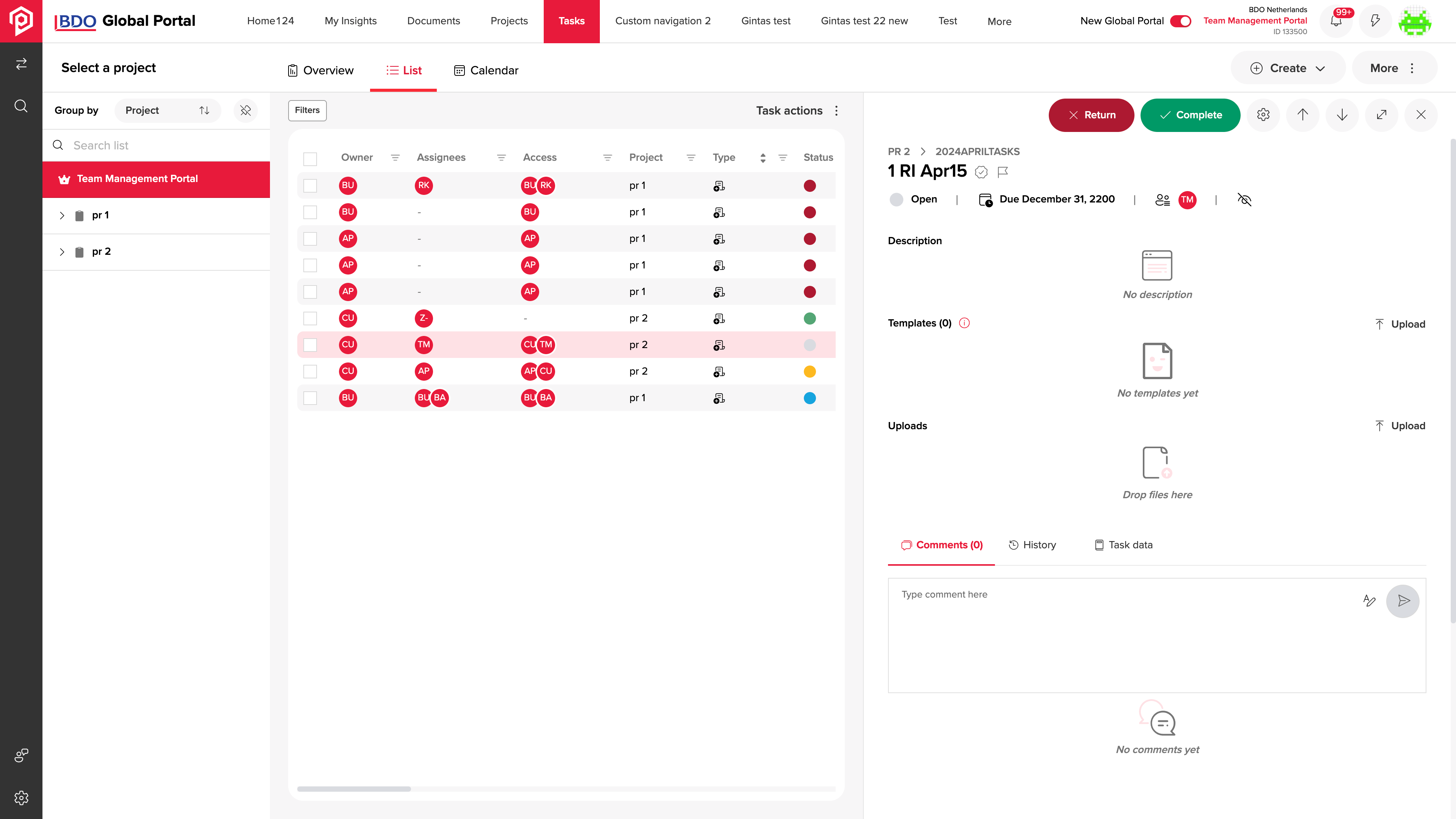
Project context, participants and documents stay attached to the task, so the next person can pick up the work.
Owner, assignees and access settings define participation in the task.
The description, task group and attachment give the action its working context.
Start and due dates, reminders and project stages make the schedule explicit.
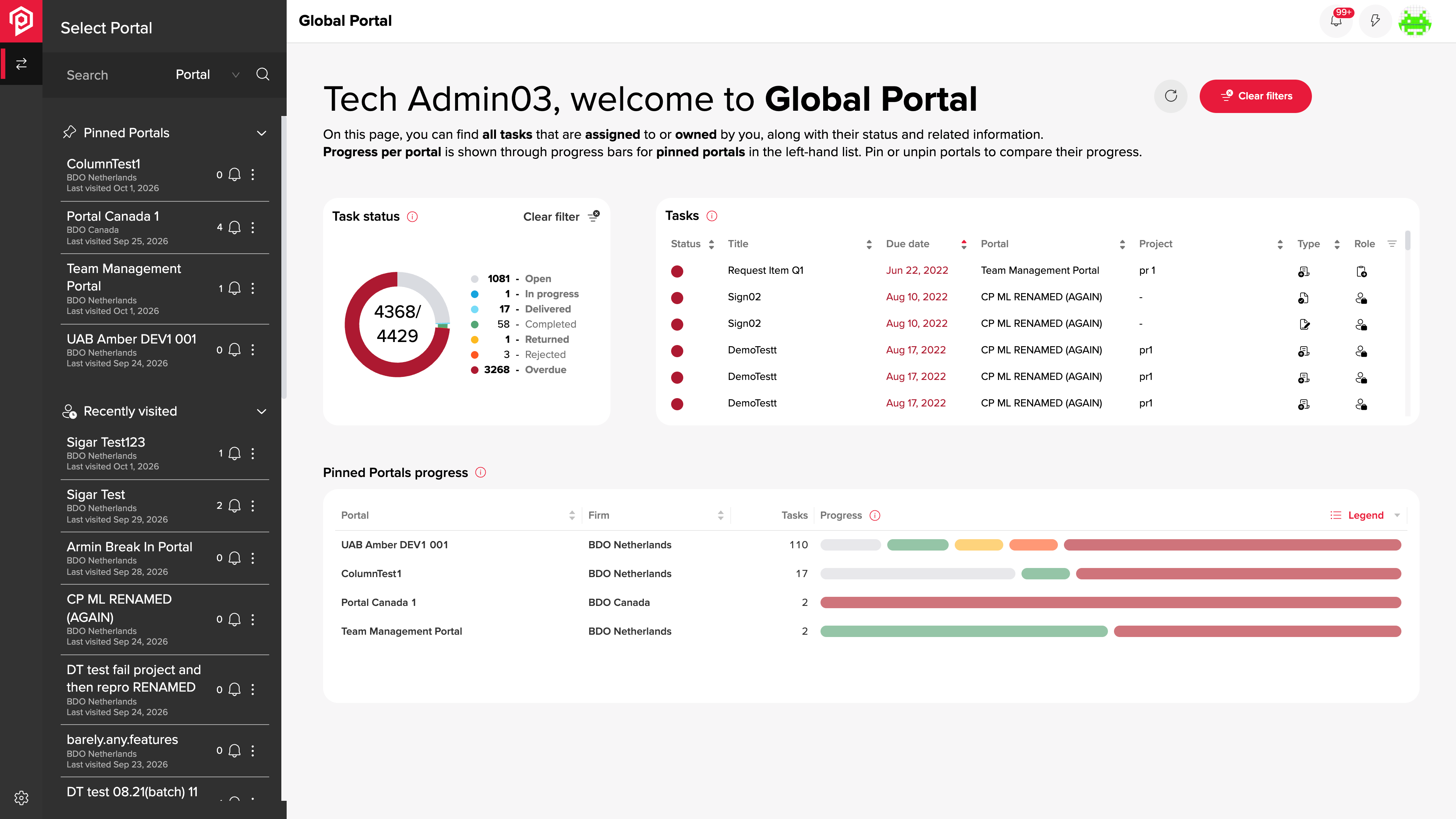
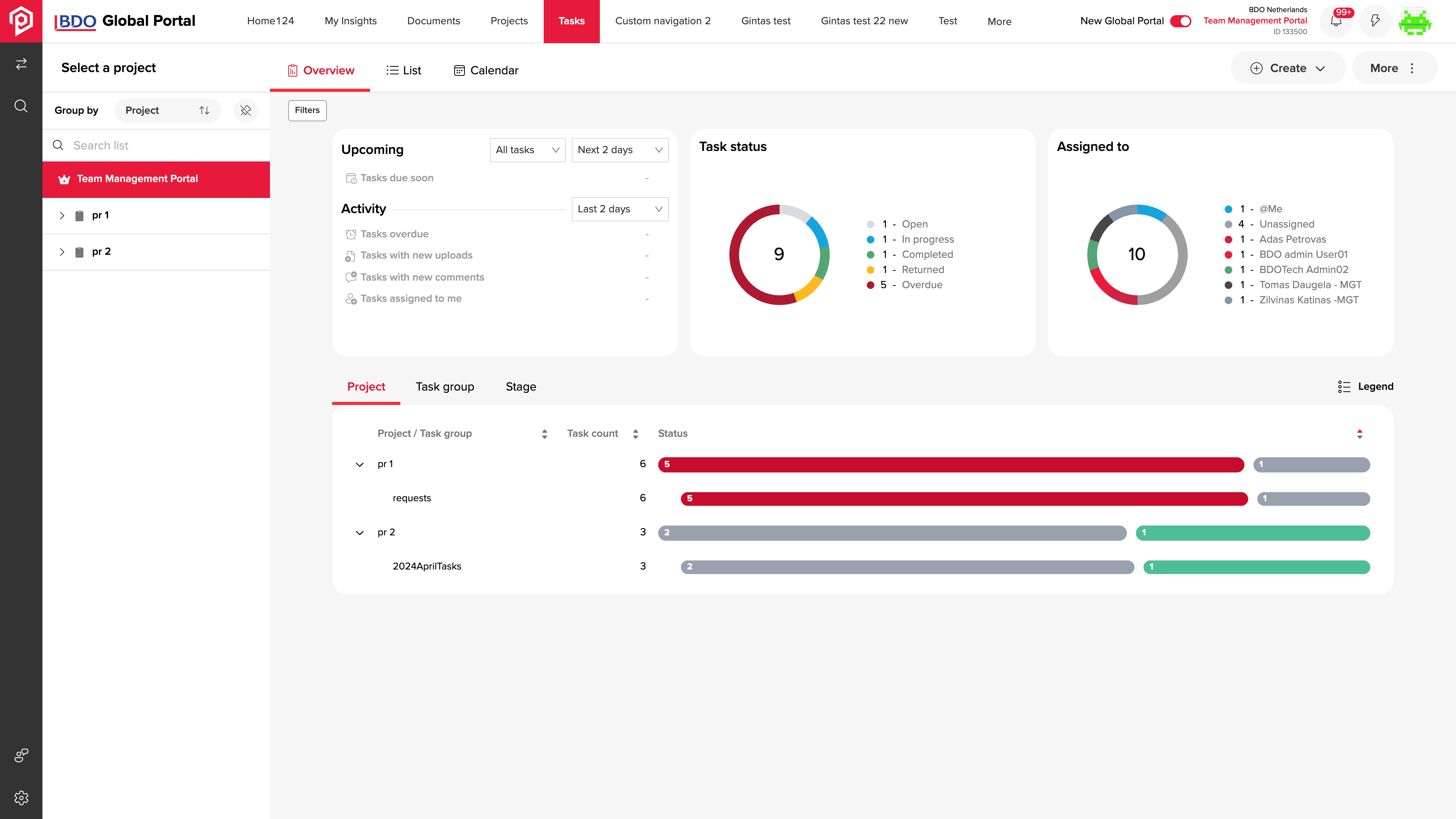
Task status, assignee distribution and project progress give the team a common reference before a client meeting. Managers can review the overview and return to the individual records that need attention.
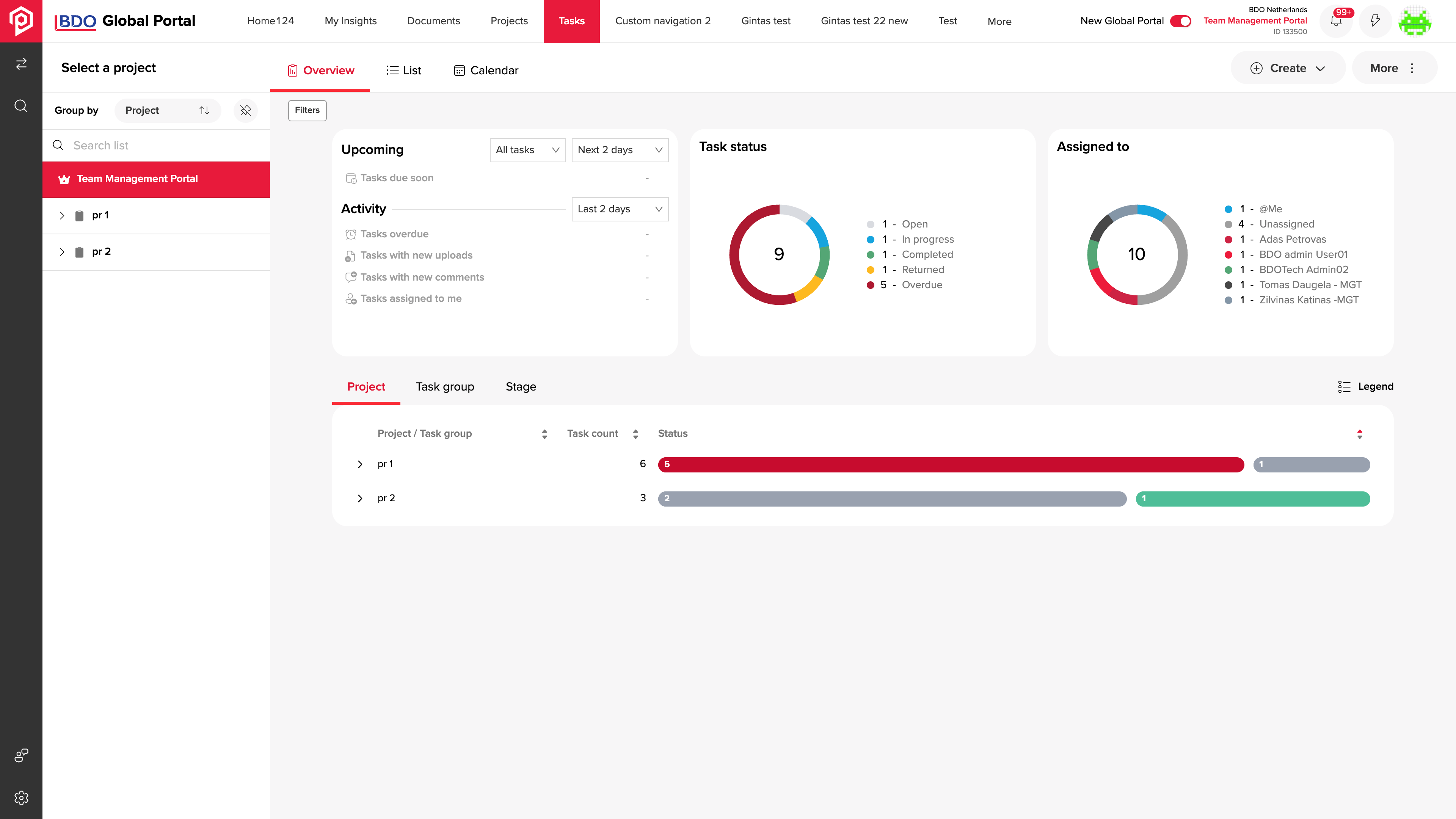
The portal supports both individual tasks and recurring sets of work. Templates, batch creation, project roles and document activity provide the tools for coordinating multiple client engagements.
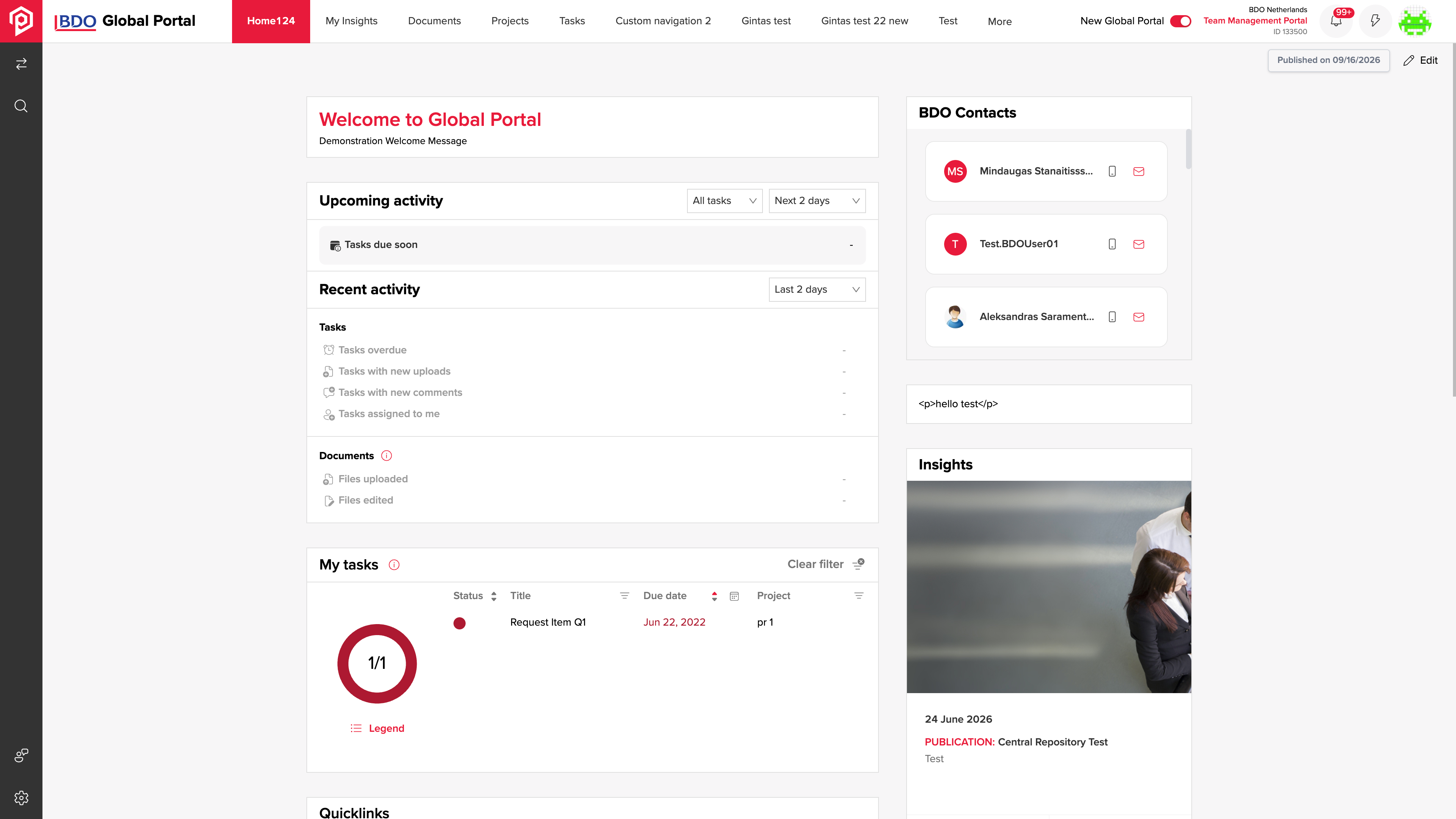
The client home brings recent activity into the context of that client’s projects.
An engagement manager needs to understand current activity, task status and progress before deciding which part of the client work needs attention.
The portal and client home pages lead into engagement and task-group overviews, connecting the overall picture with the work being monitored.
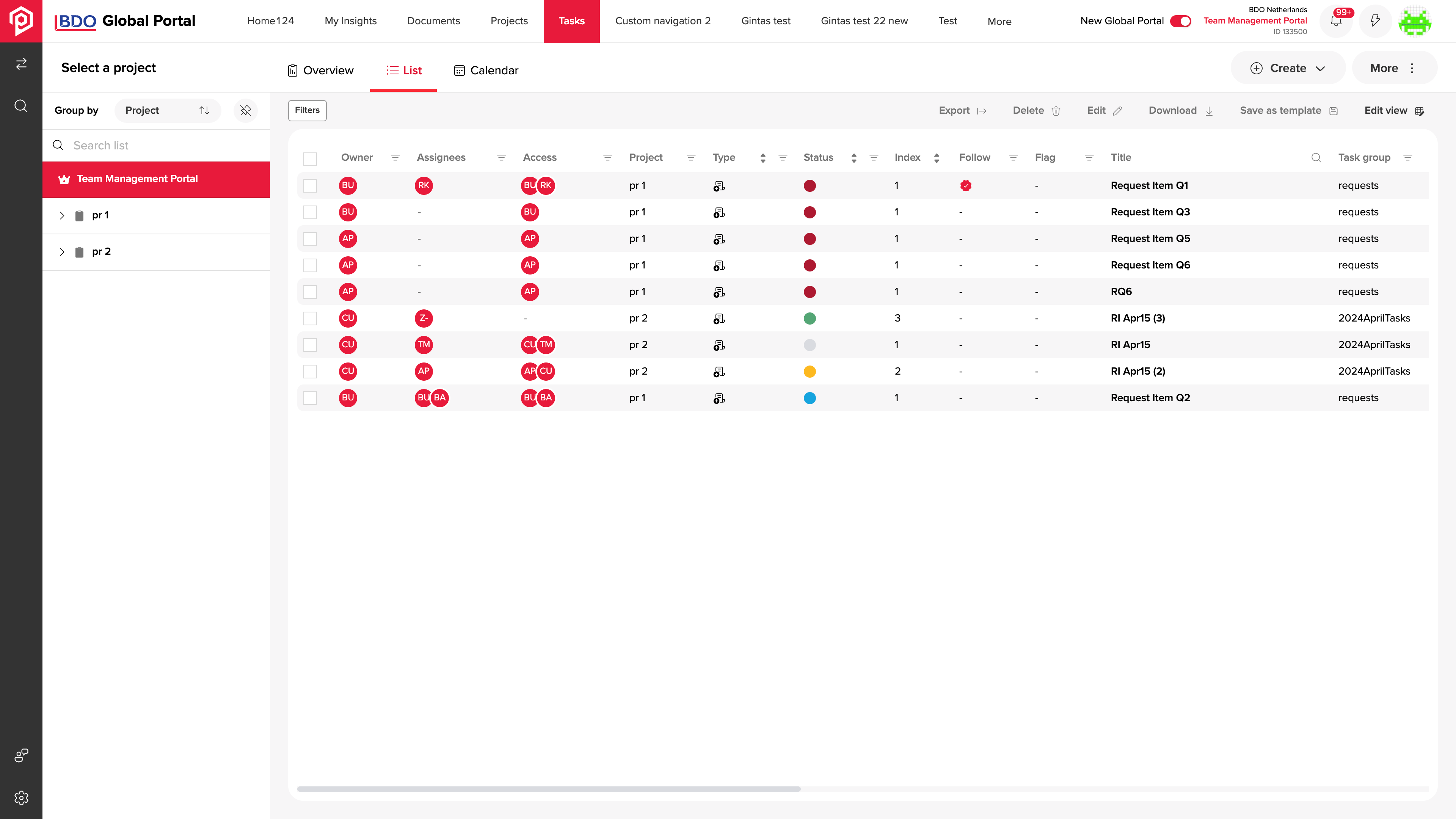
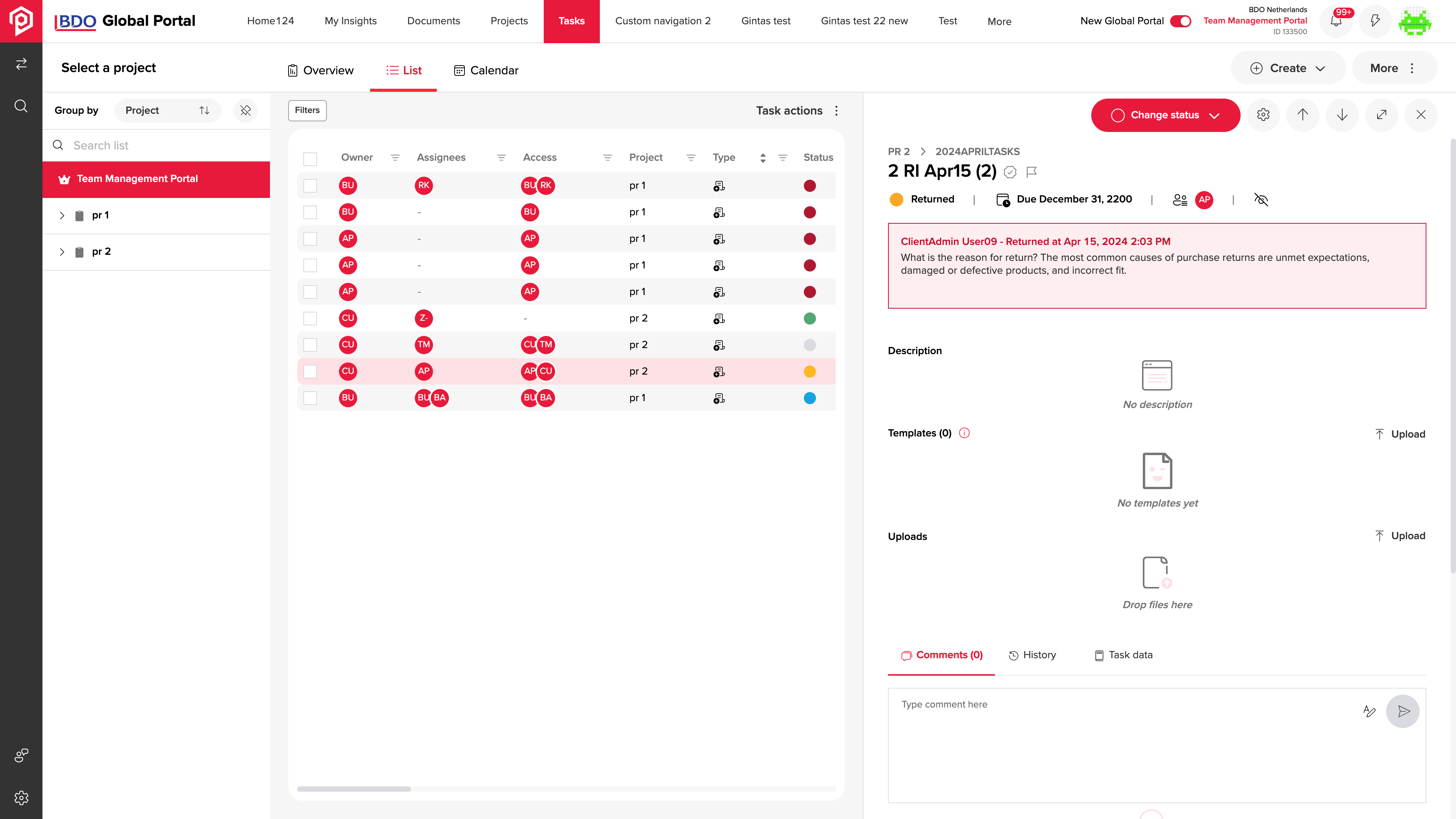
Ownership and status can be compared across tasks before opening a record.
A contributor needs to see who owns a task, why a reviewer returned it and which action is available next.
The register and task detail connect status and ownership with reviewer comments and actions, keeping the follow-up beside the work itself.
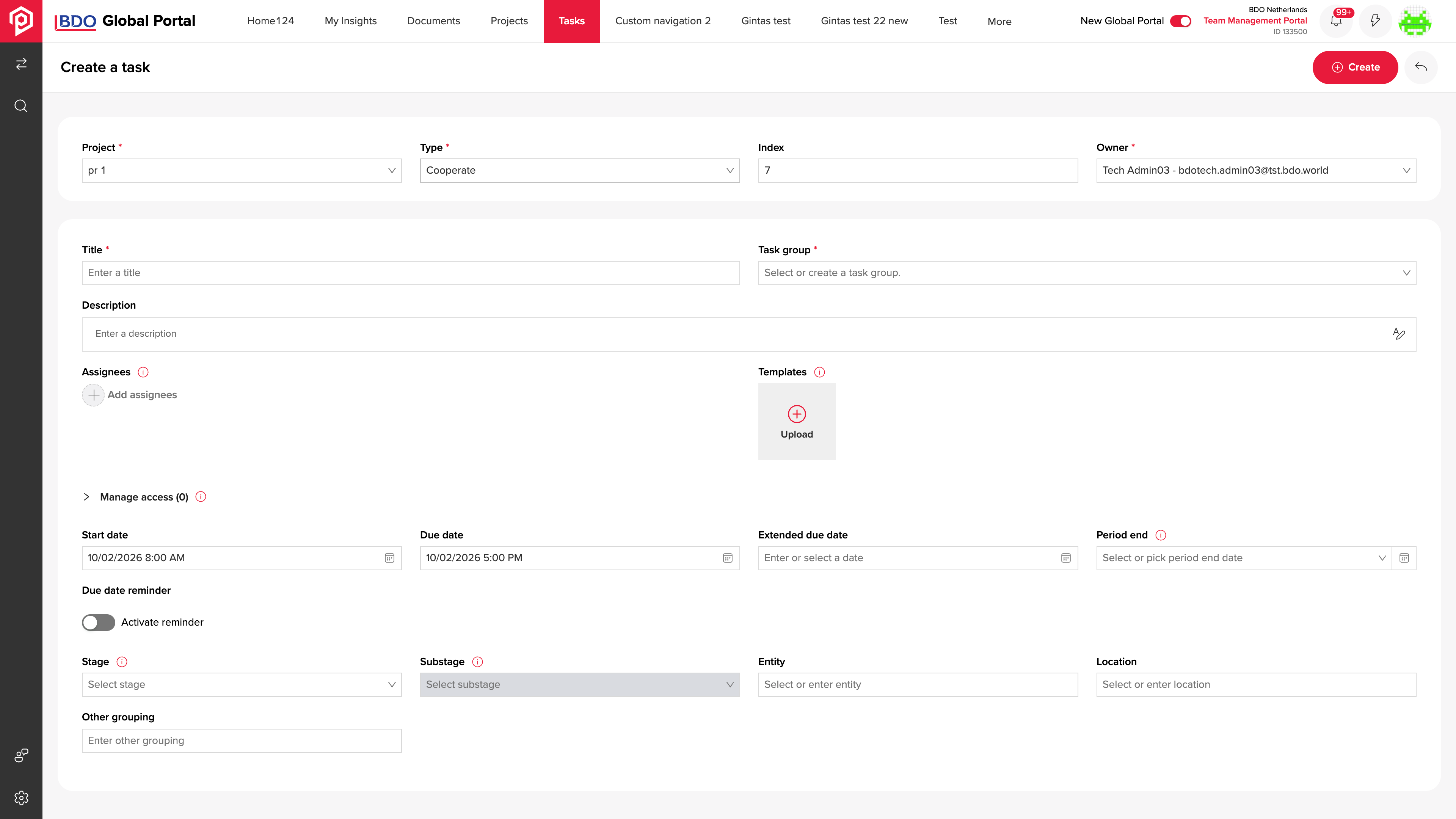
New tasks are created within a project, with the details needed to begin work.
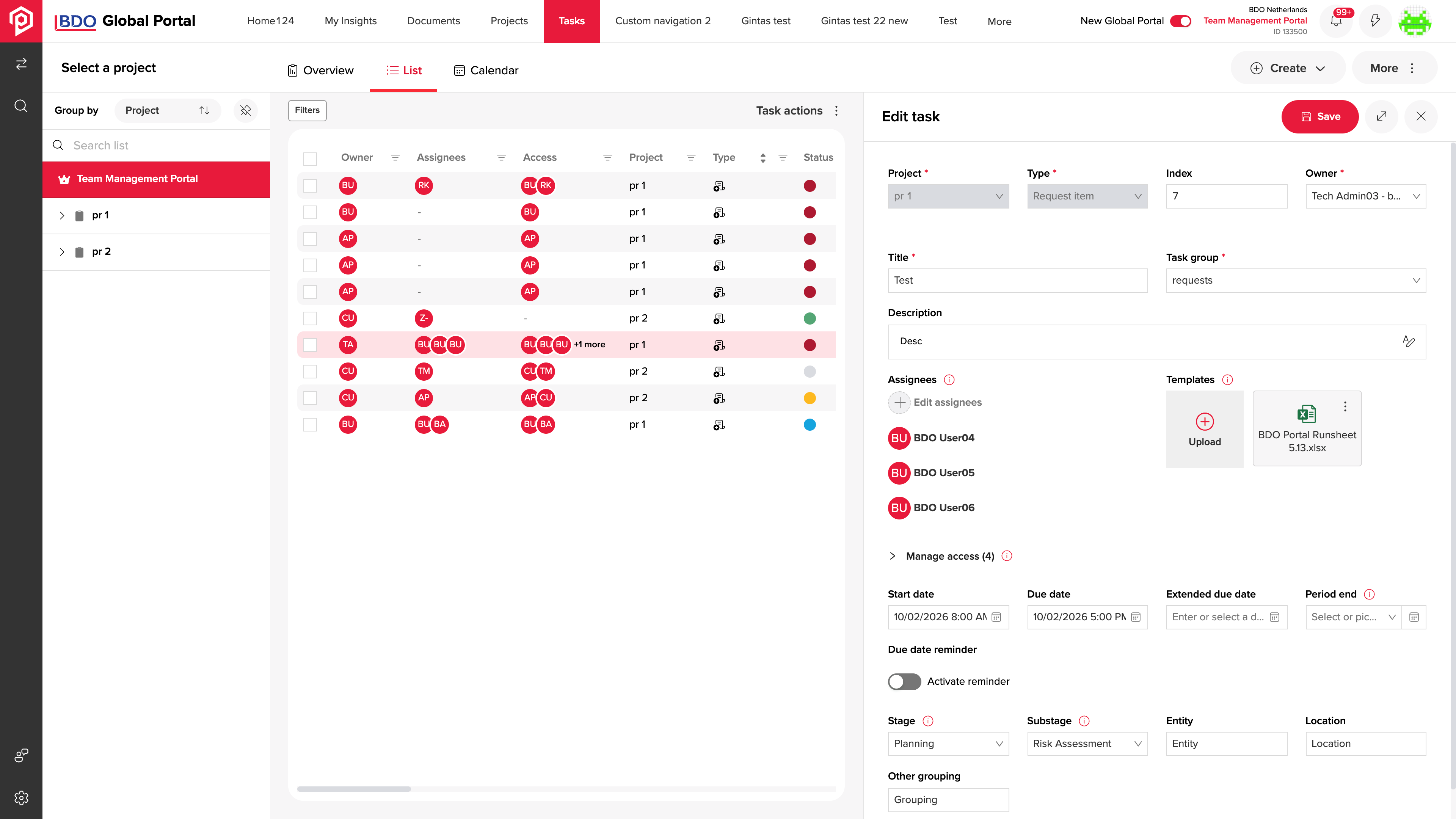
A new client task needs its participants, dates, templates and supporting material defined before the team can work from it.
Task creation and detail views collect those inputs and uploaded files, then keep the resulting task available in the shared register.
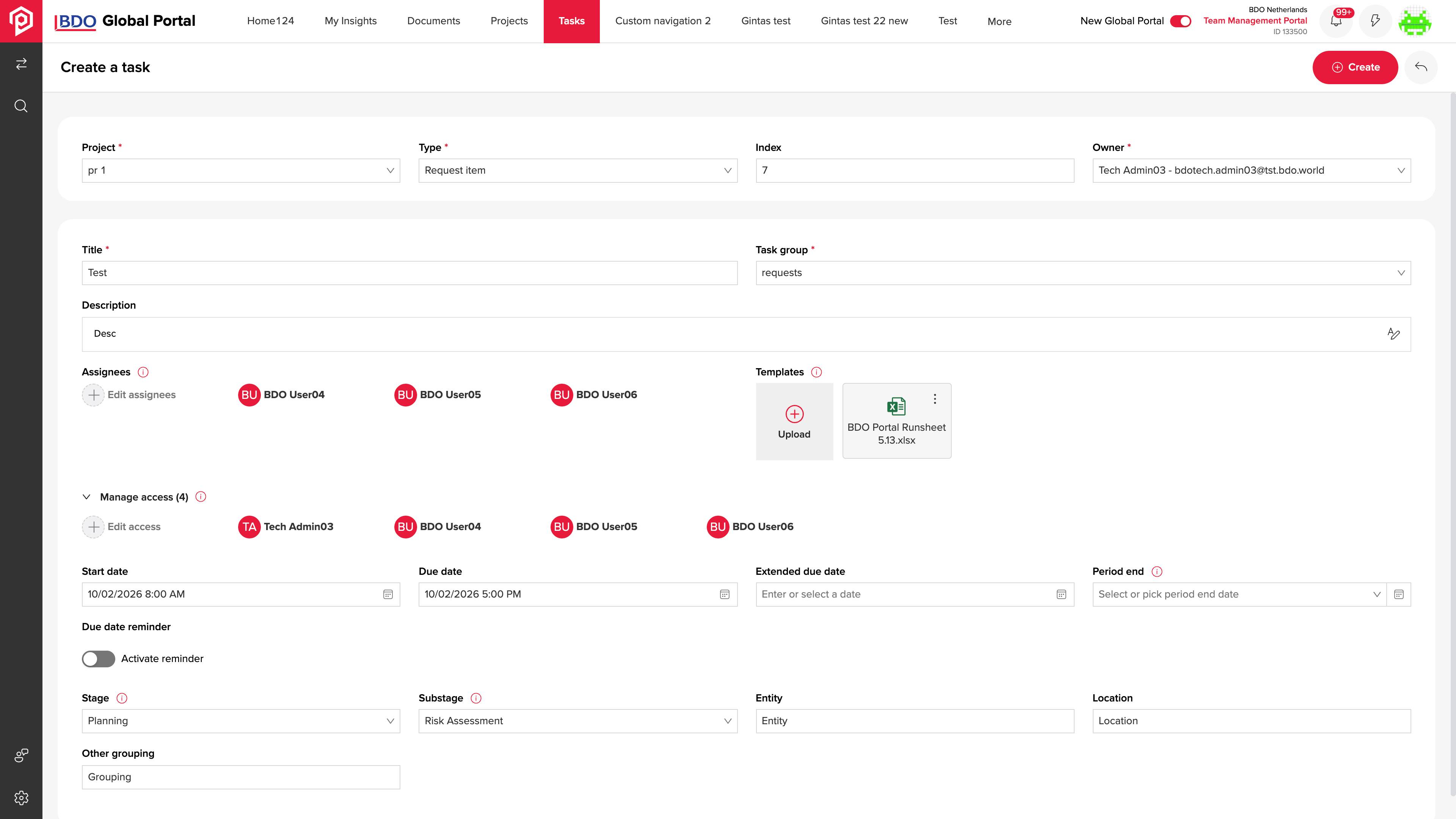
Participants, templates and dates are configured before the task is handed over.
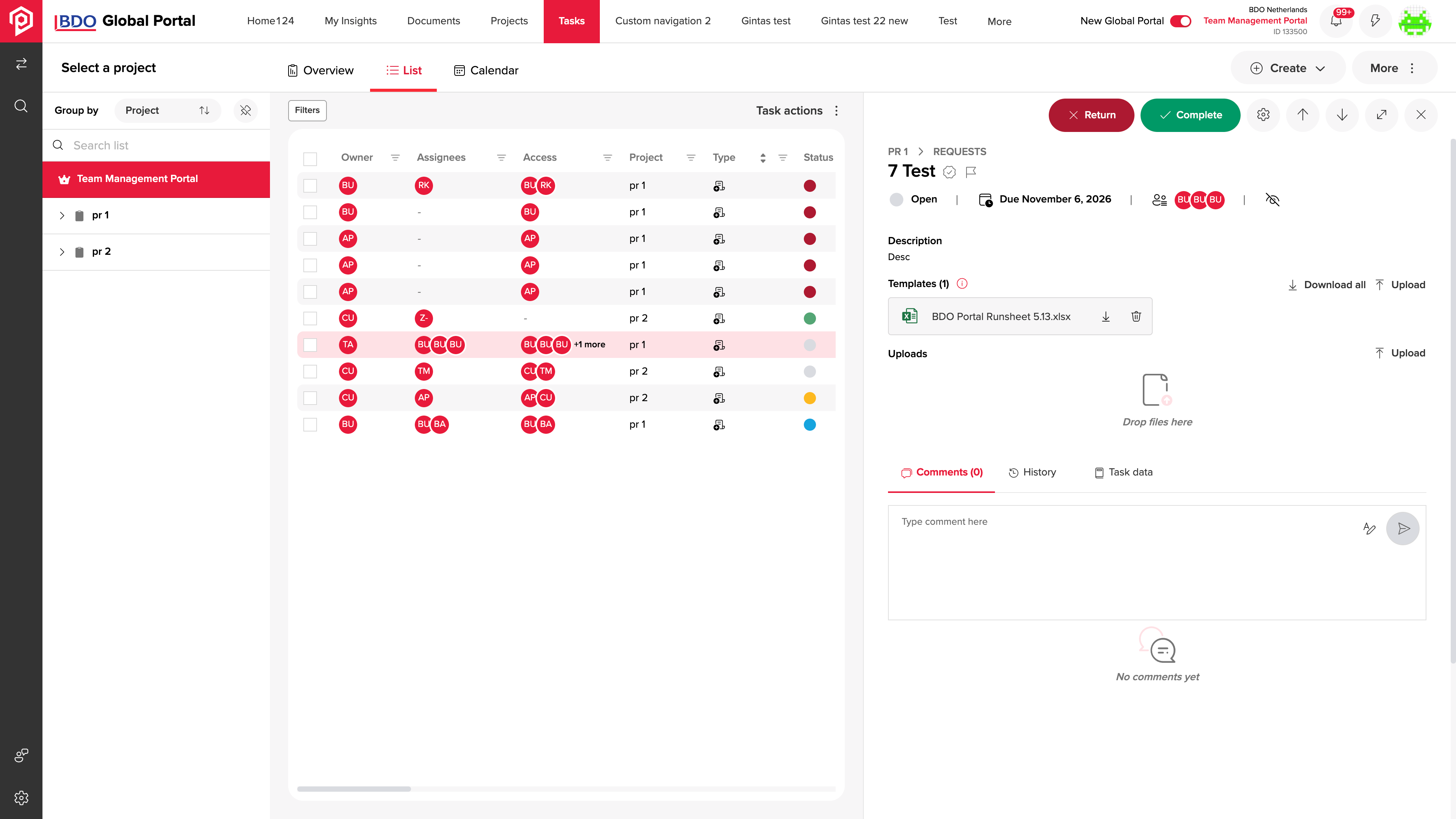
Uploaded material remains attached to the task for the next review.
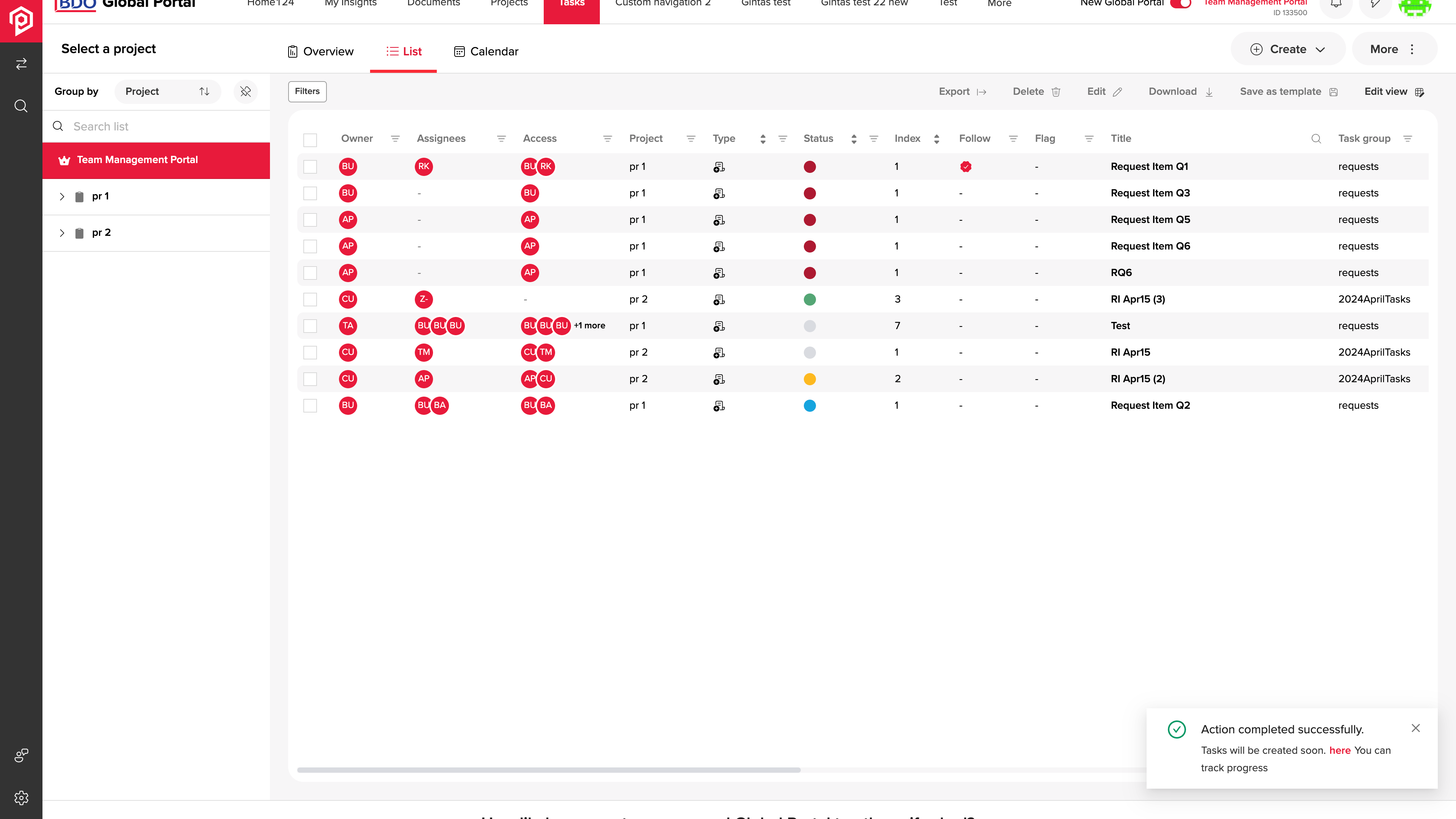
The register keeps project references, participant roles and task statuses in one view.
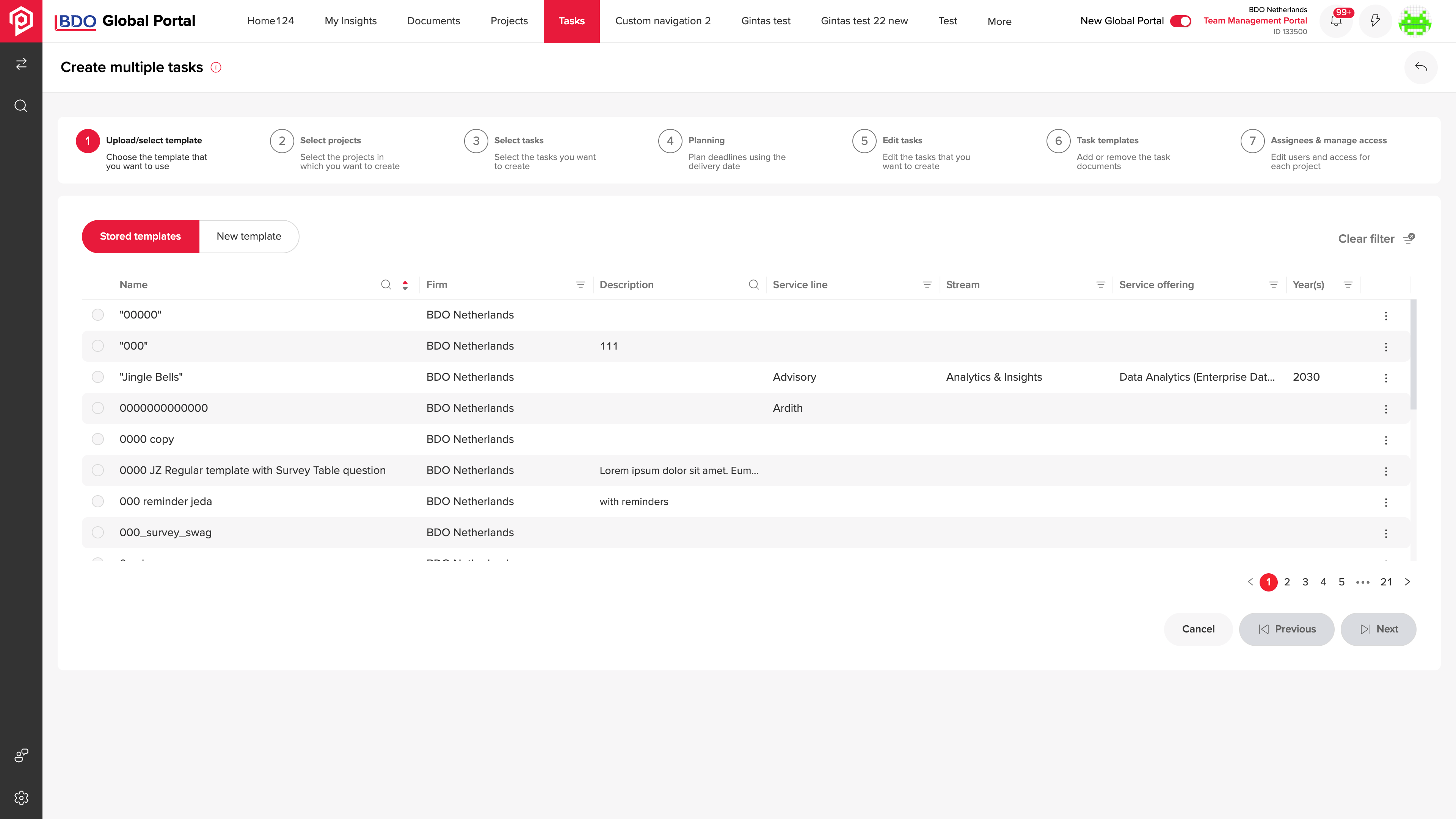
Stored templates provide a reusable starting point for recurring client work.
Recurring client work needs a reusable set of tasks that can be prepared for selected projects without defining each task from scratch.
Stored templates lead into project and task selection, establishing which work belongs in the batch before detailed scheduling.
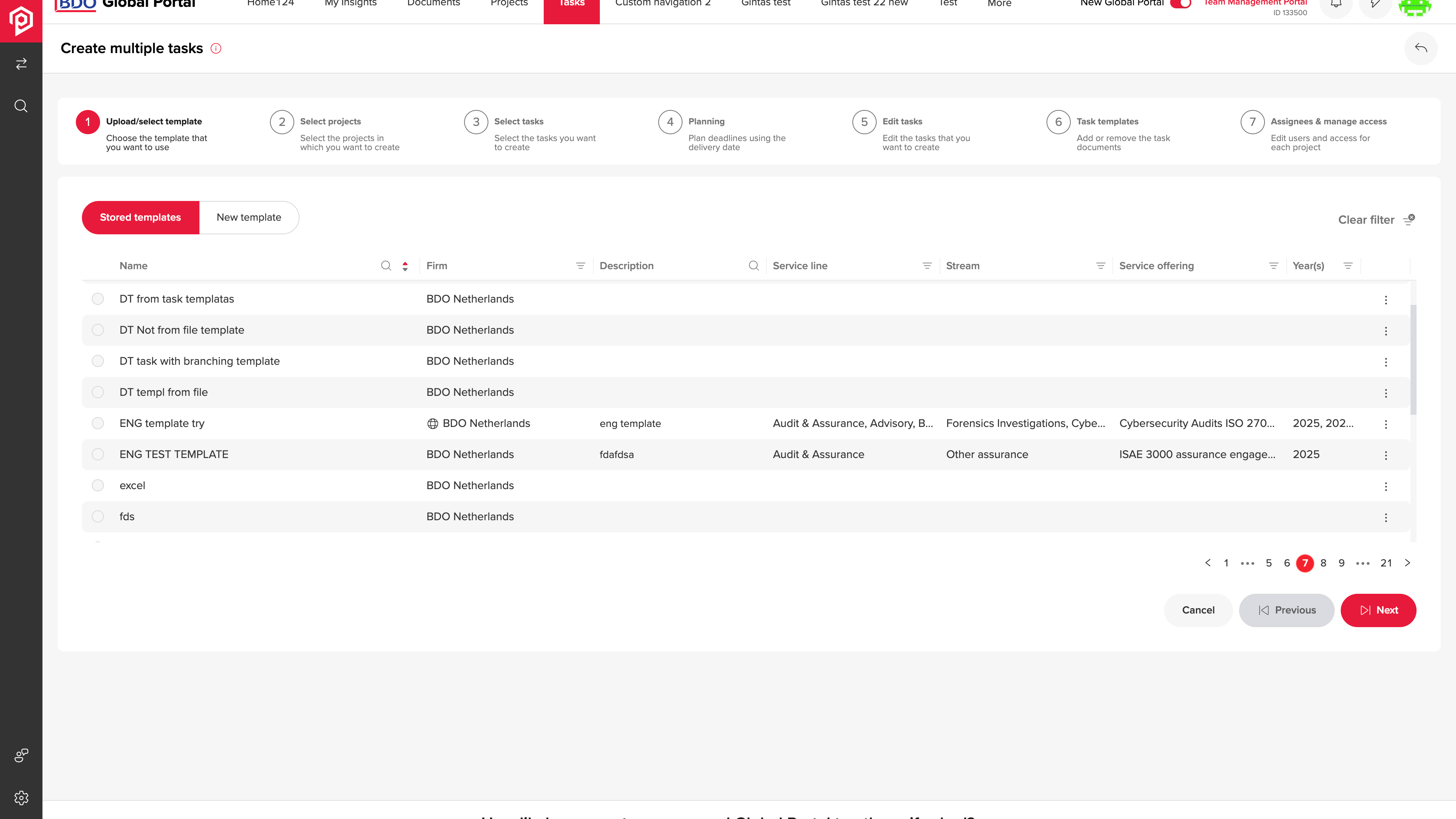
The selected template supplies the task set for the next preparation steps.
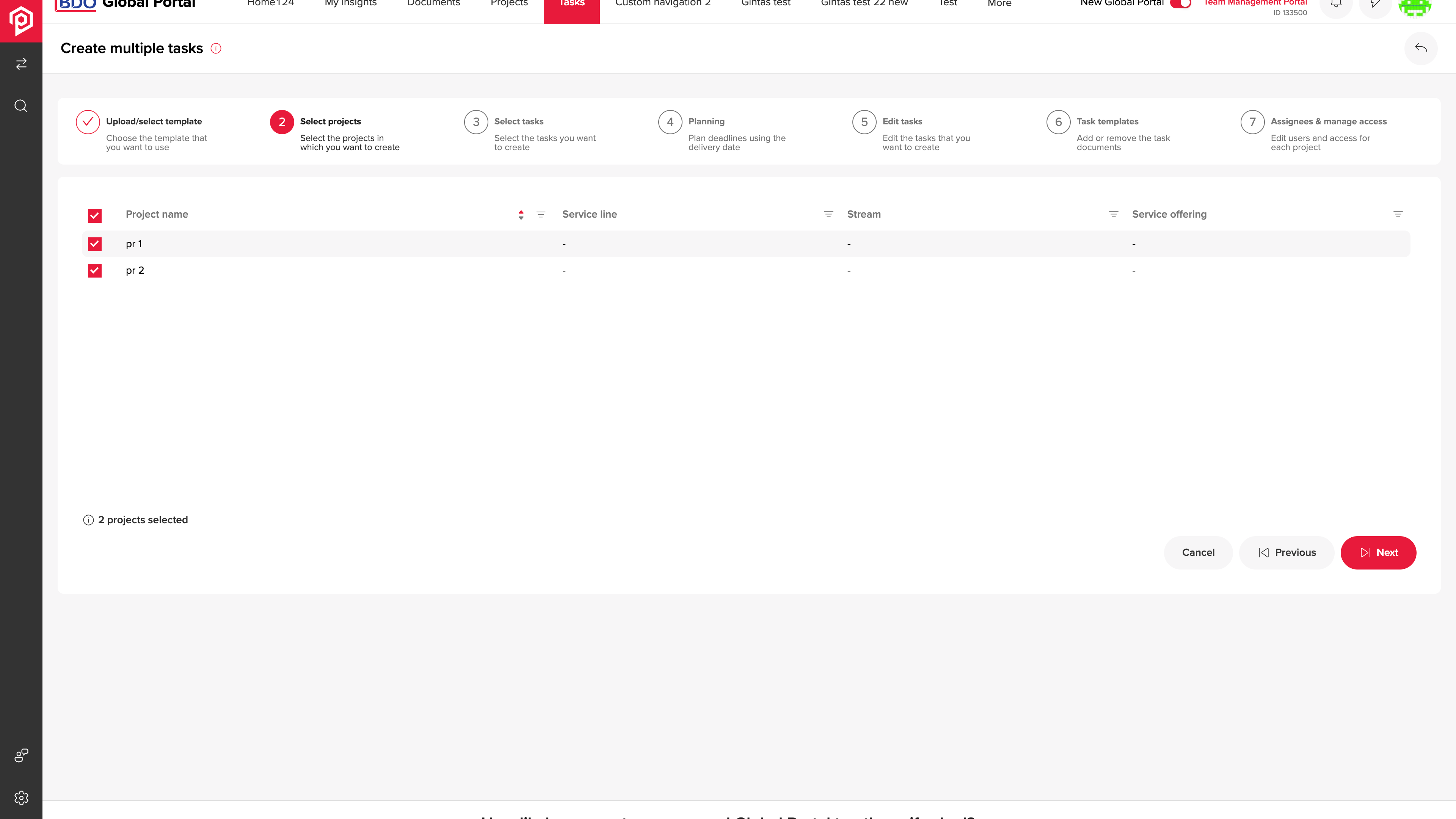
Project selection determines where the prepared task batch will be created.
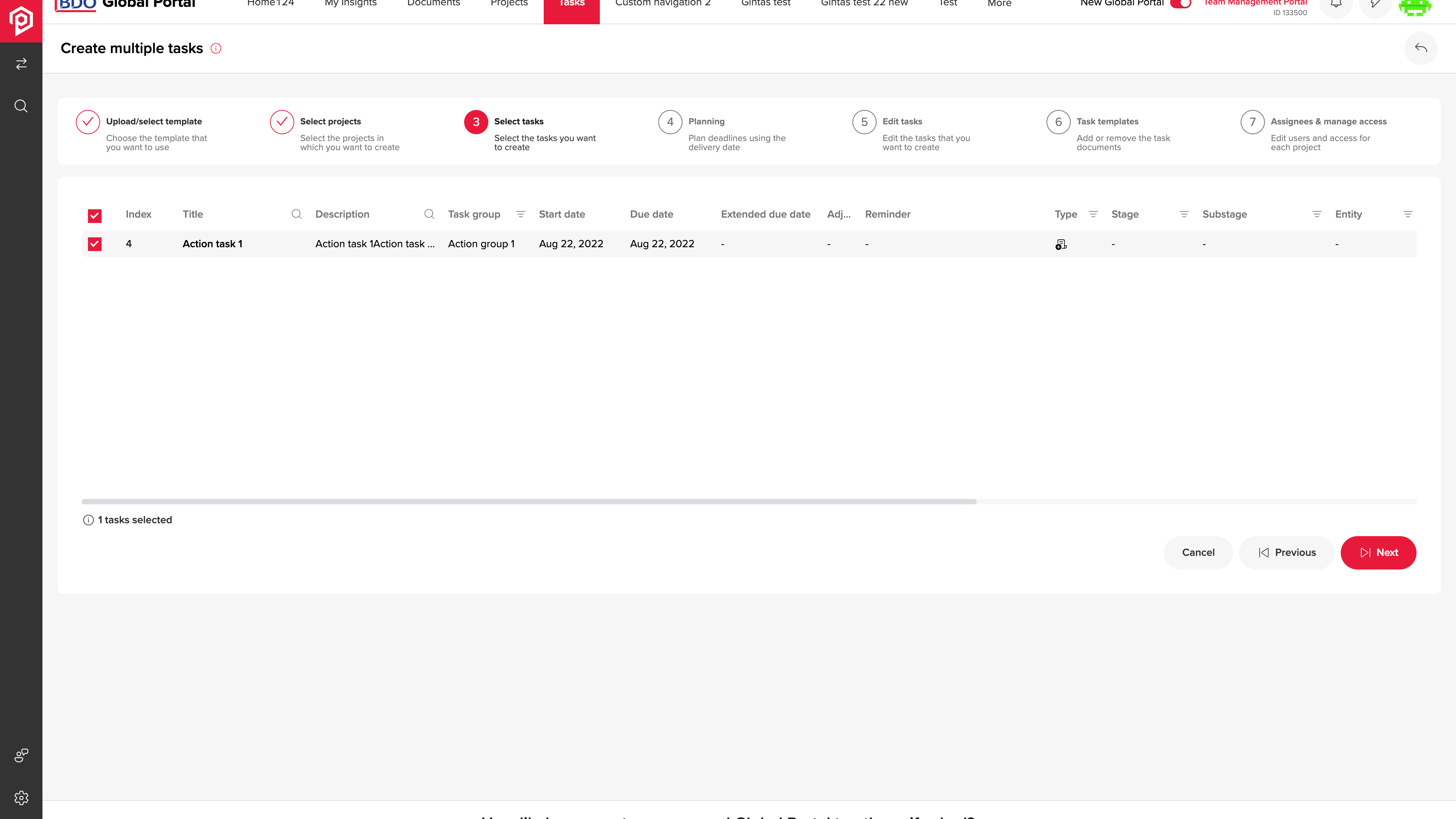
The organiser chooses which template tasks belong in this batch.
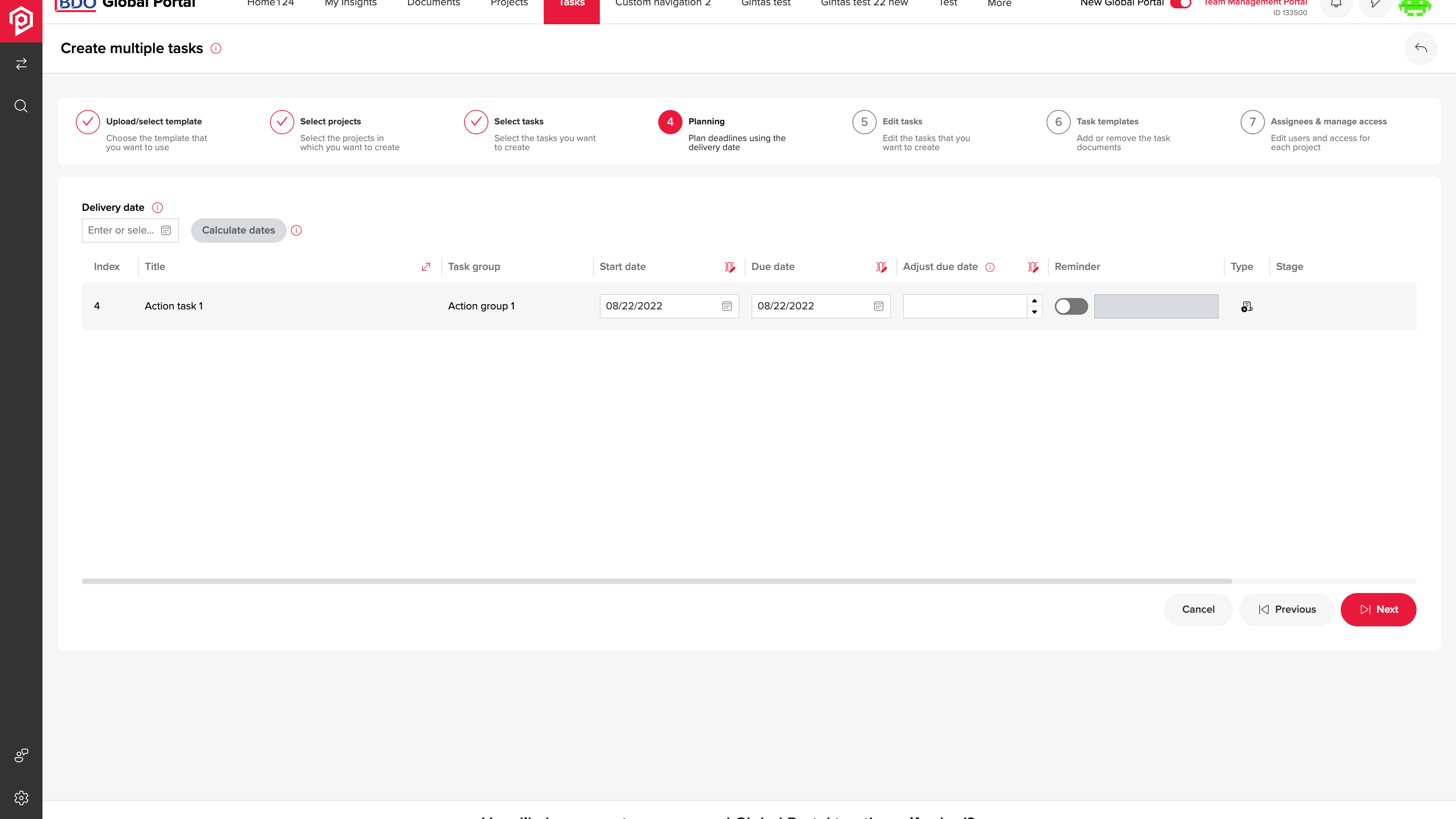
Dates and reminders are reviewed across the selected tasks before creation.
A selected task batch still needs dates, reminders, documents and owners aligned before it is created across projects.
The guided steps expose scheduling, field edits, attachments and assignment, followed by a progress view for the task-creation operation.
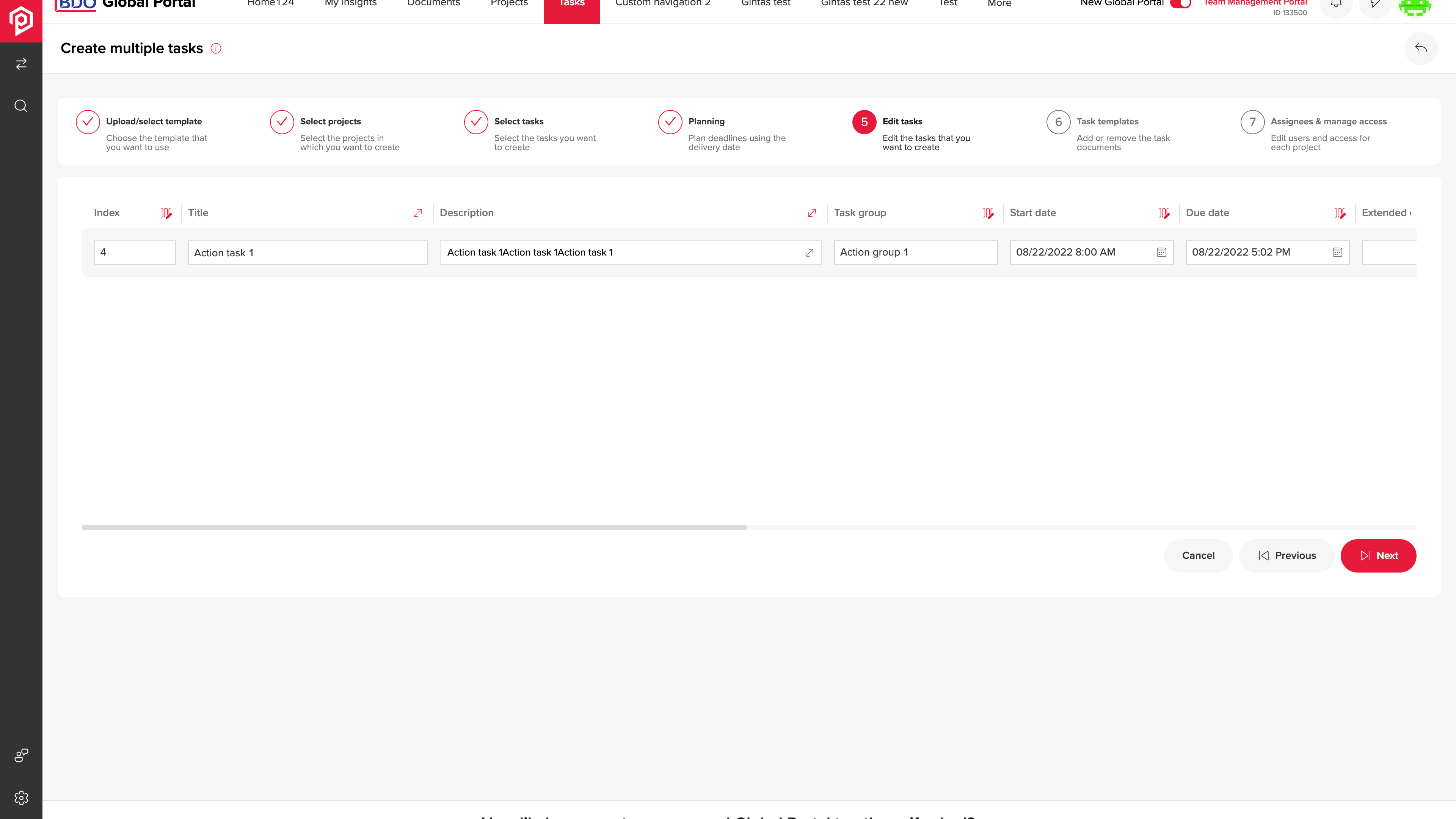
Task fields can be adjusted within the batch preparation workflow.
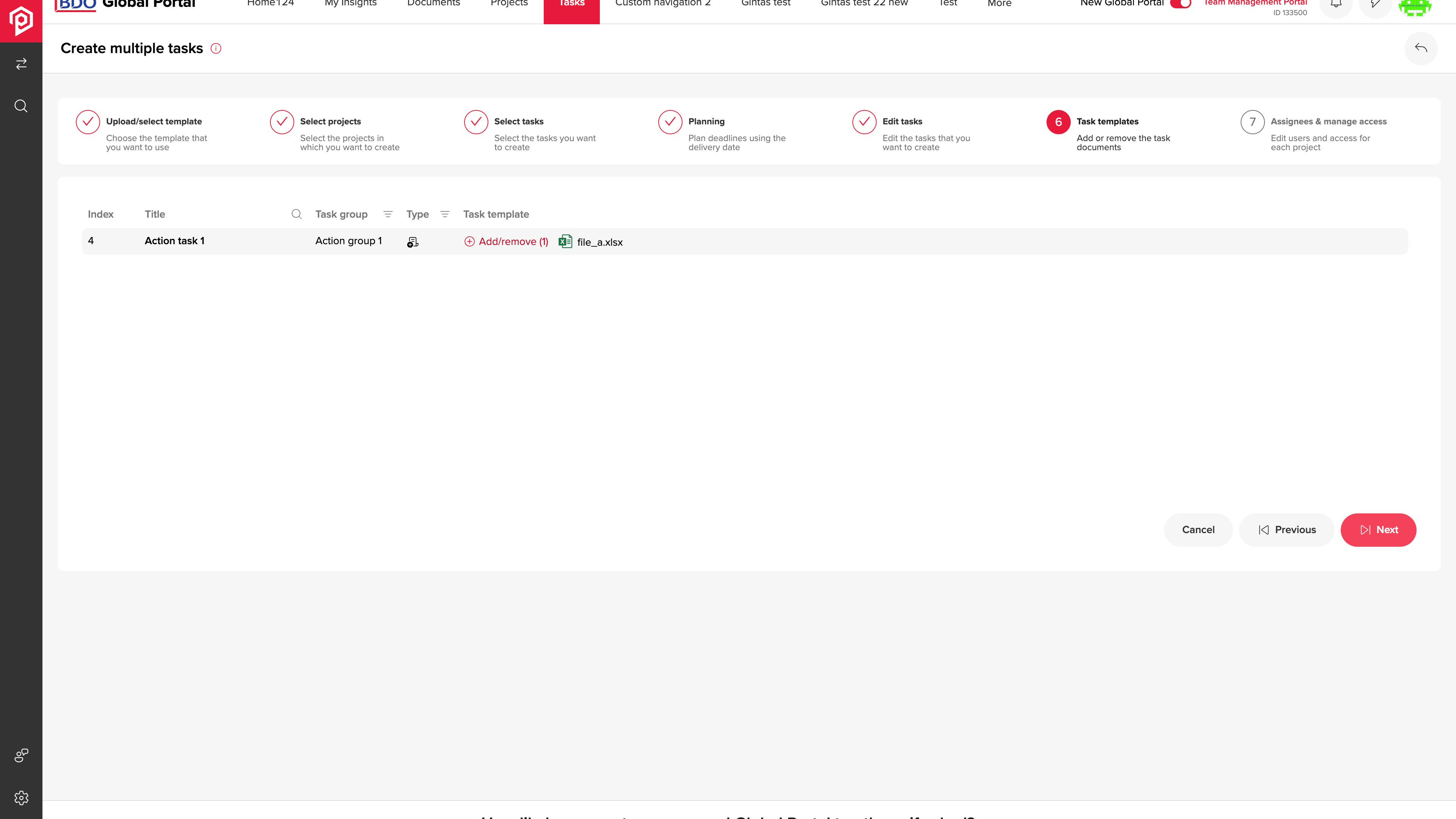
Template attachments give contributors the material required for their tasks.
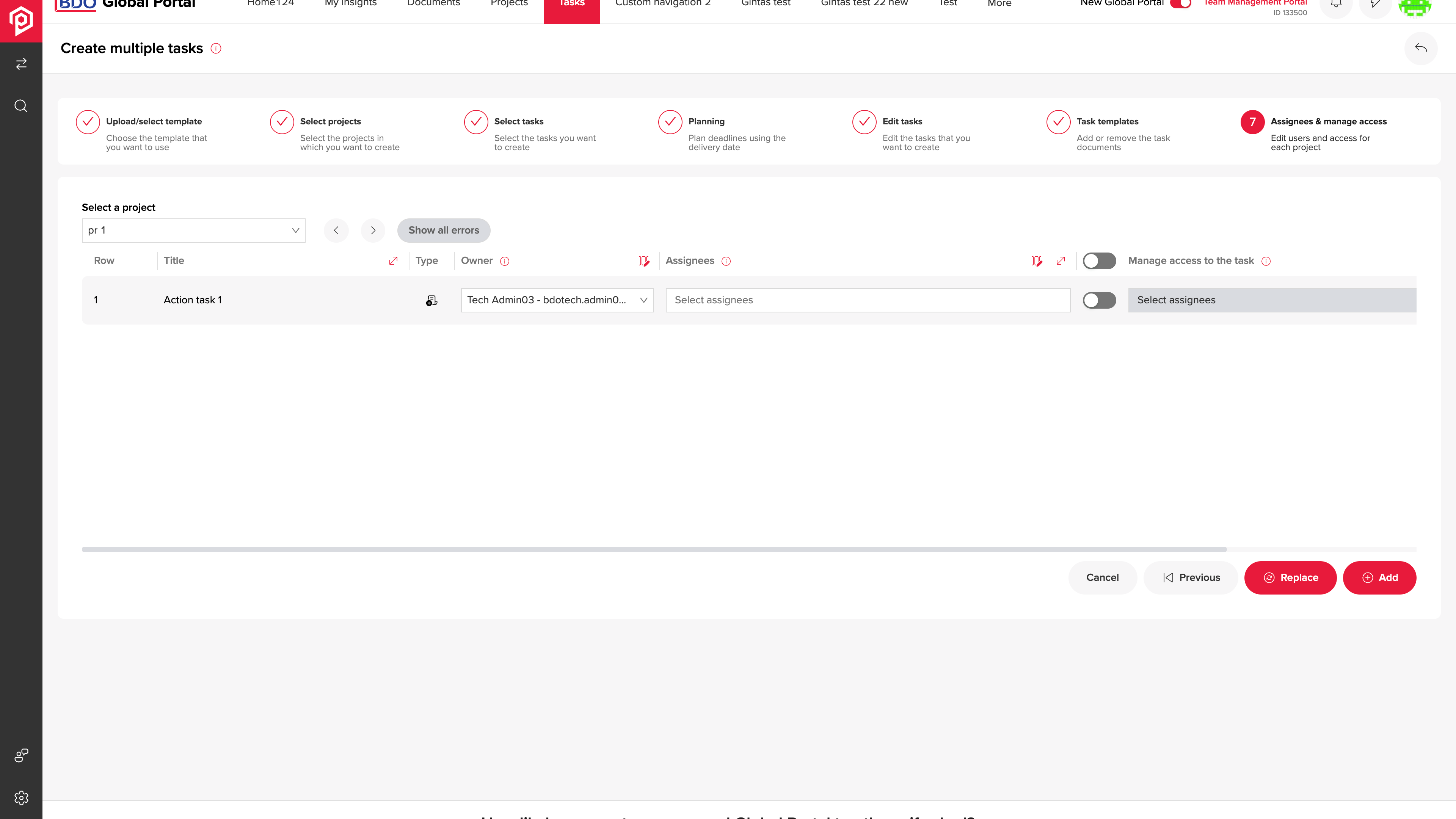
Assignment connects each task to its owner and access settings.
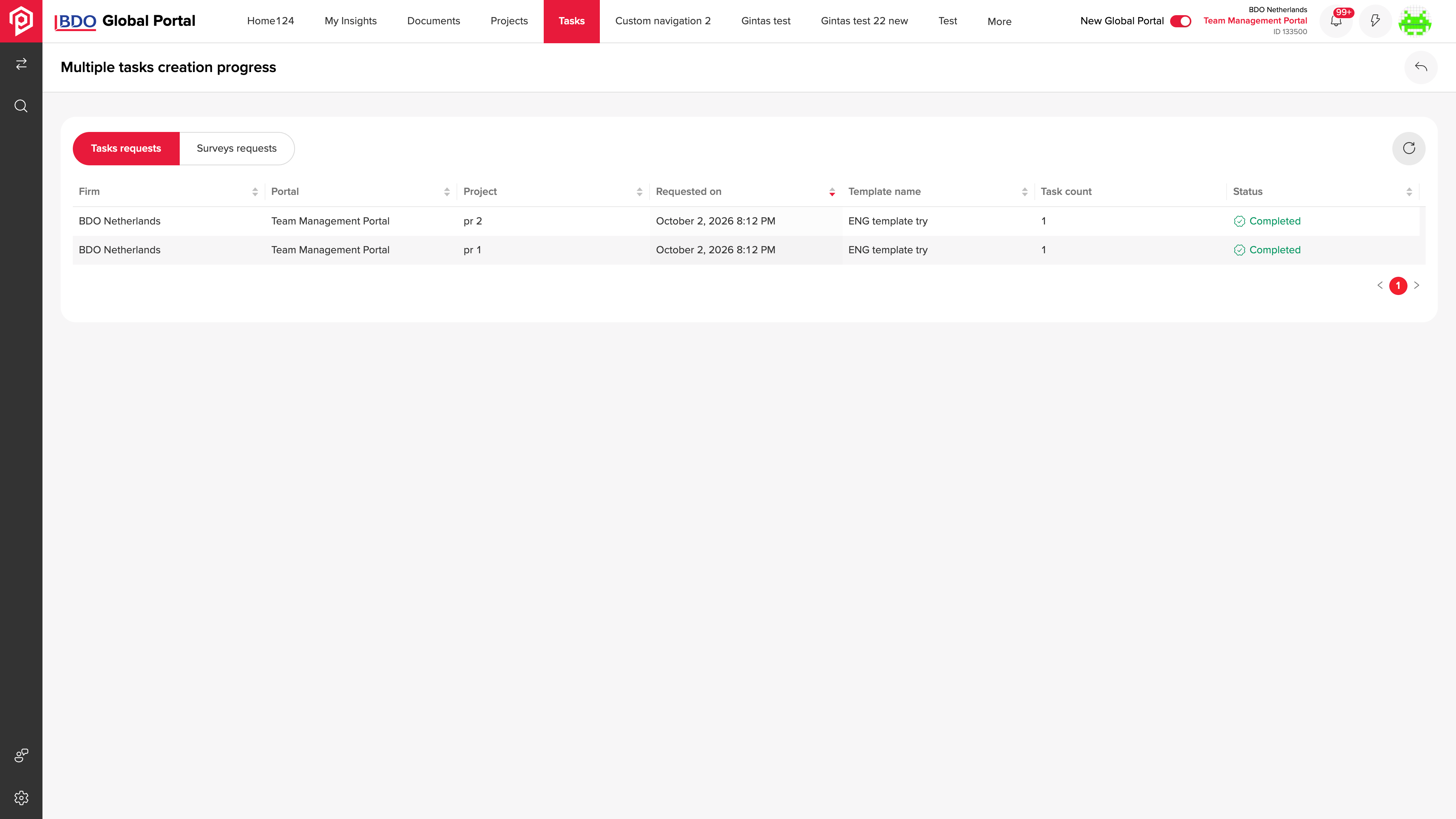
A progress view reports the status of the multiple-task creation operation.
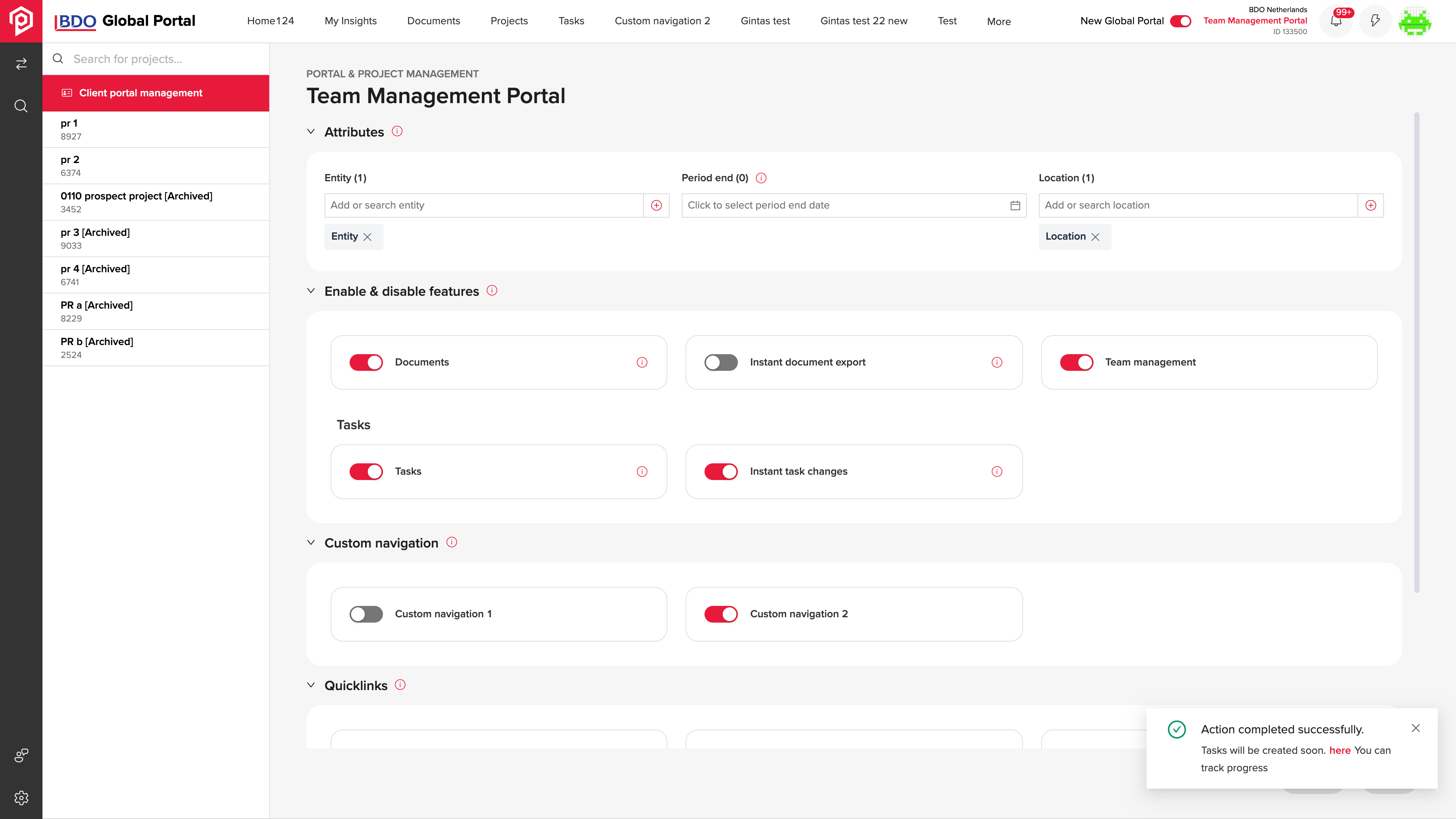
Portal attributes and enabled features establish the client workspace configuration.
A portal administrator needs to establish the client workspace, project attributes and team roles before operational work begins.
Portal setup and project forms provide feature and role configuration, with an Excel-based project-creation path for preparing multiple records.
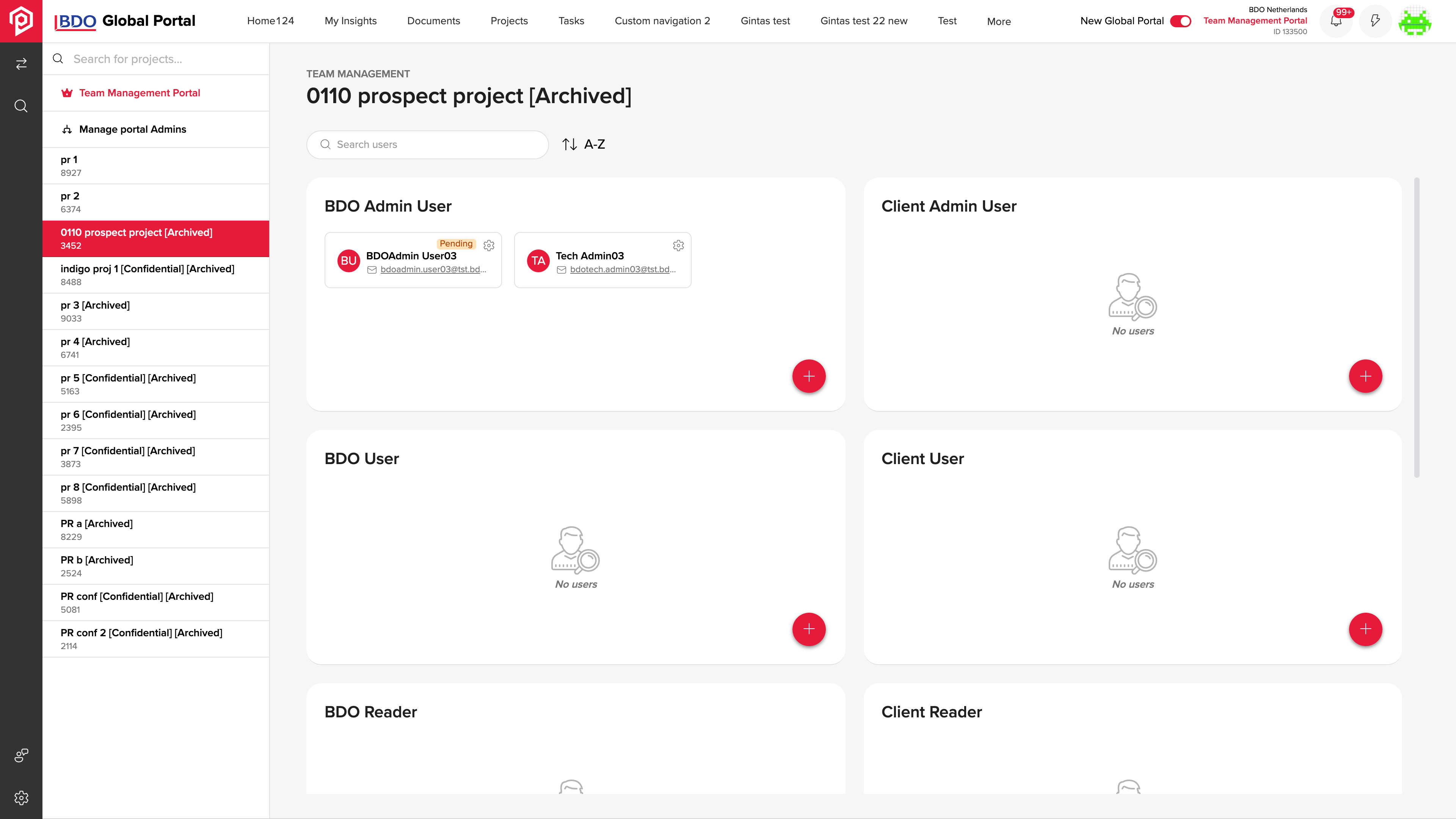
Project roles make each team member’s assigned participation explicit.
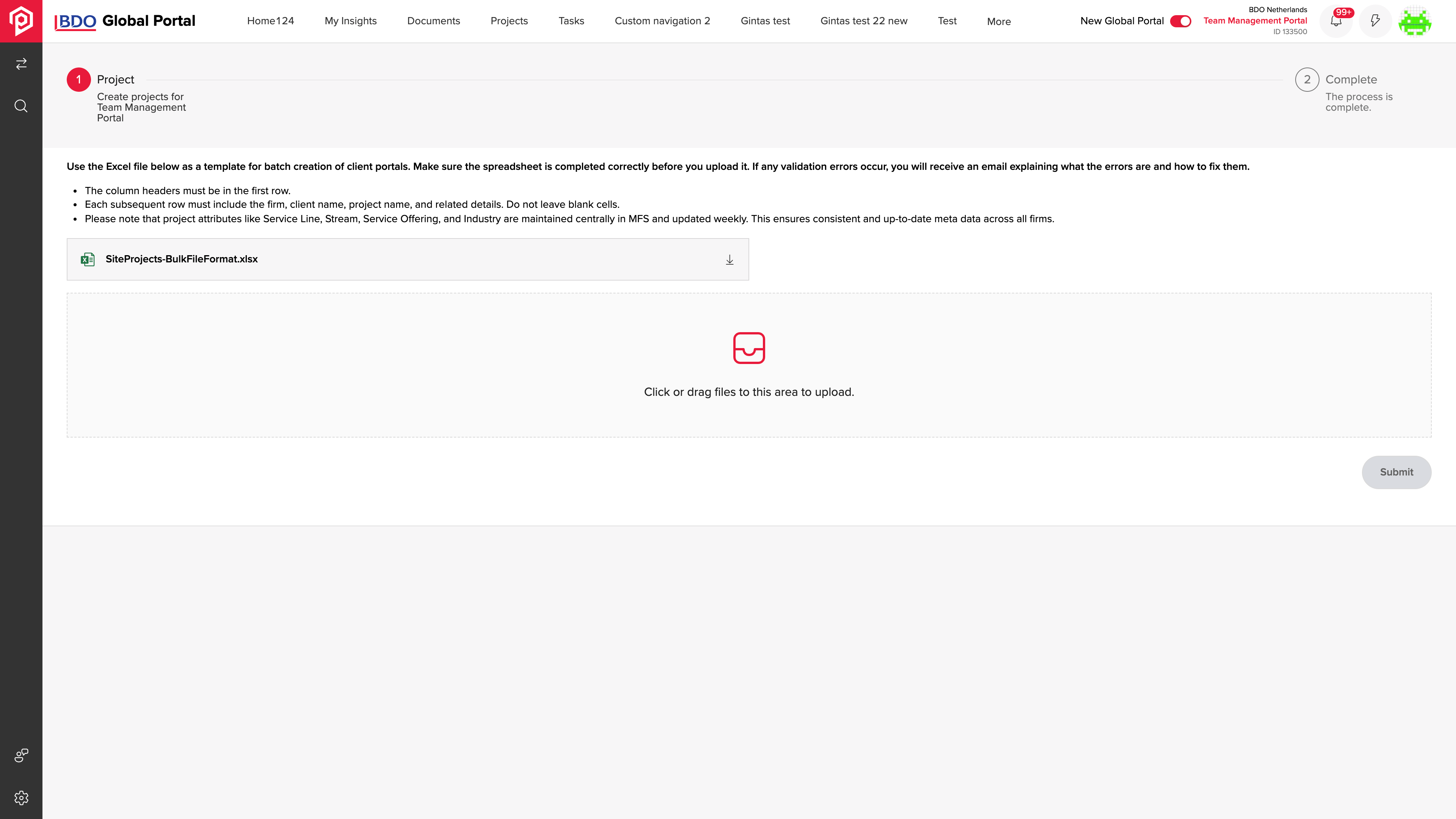
Excel import supports preparing multiple project records from a file.
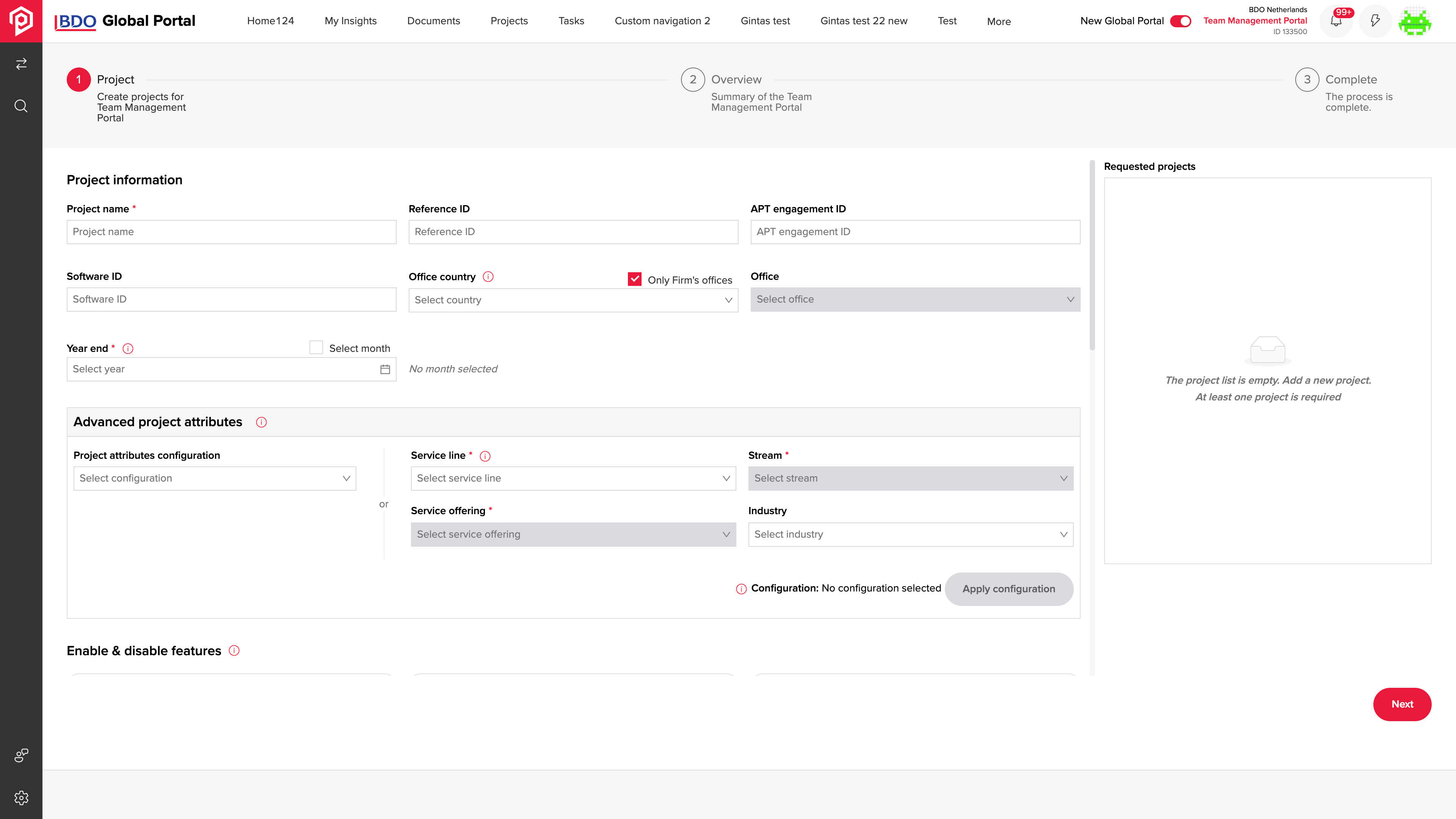
Project details are entered with the attributes used to organise the work.
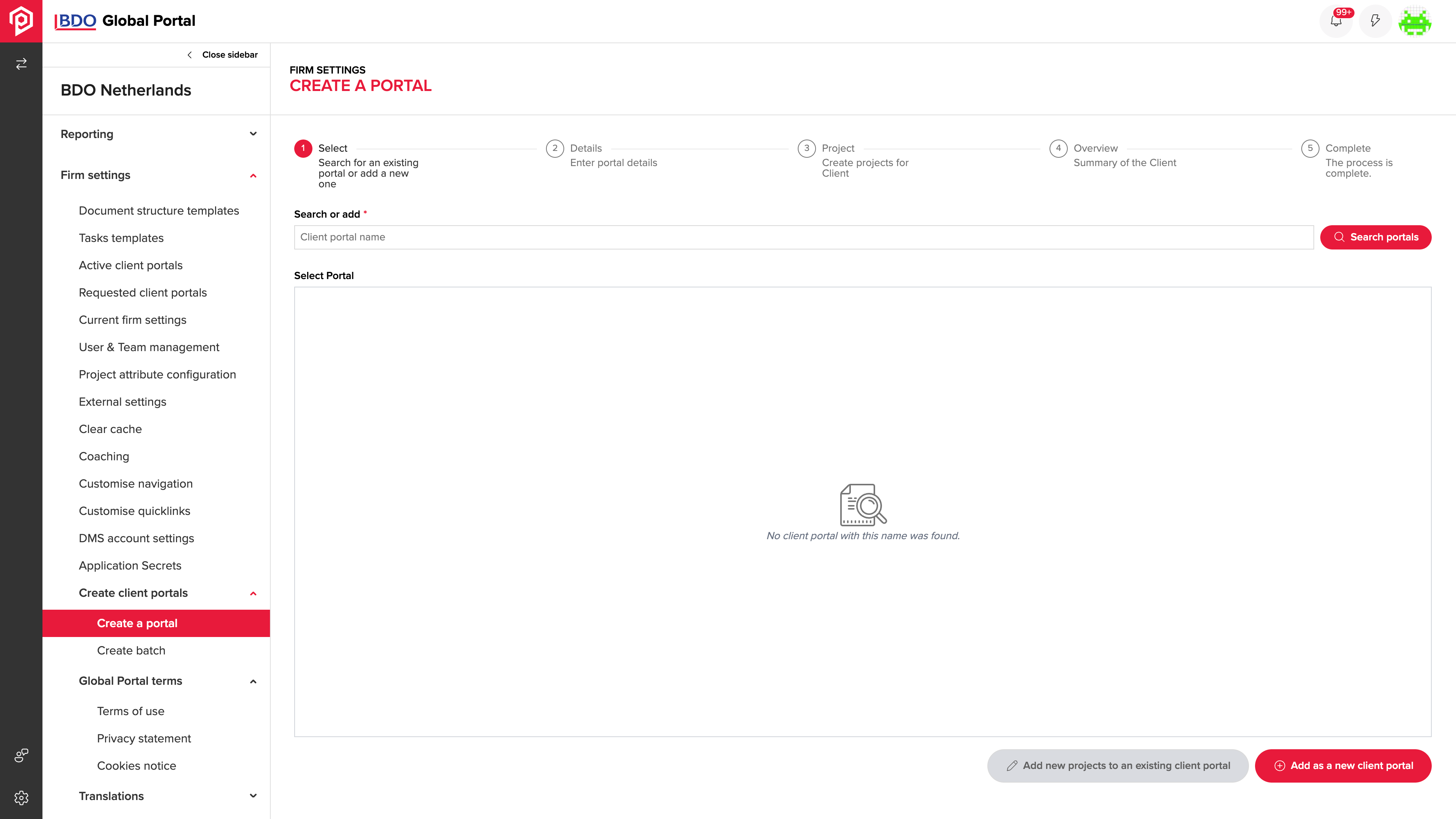
Administrators can locate an existing client portal or begin setting up another.
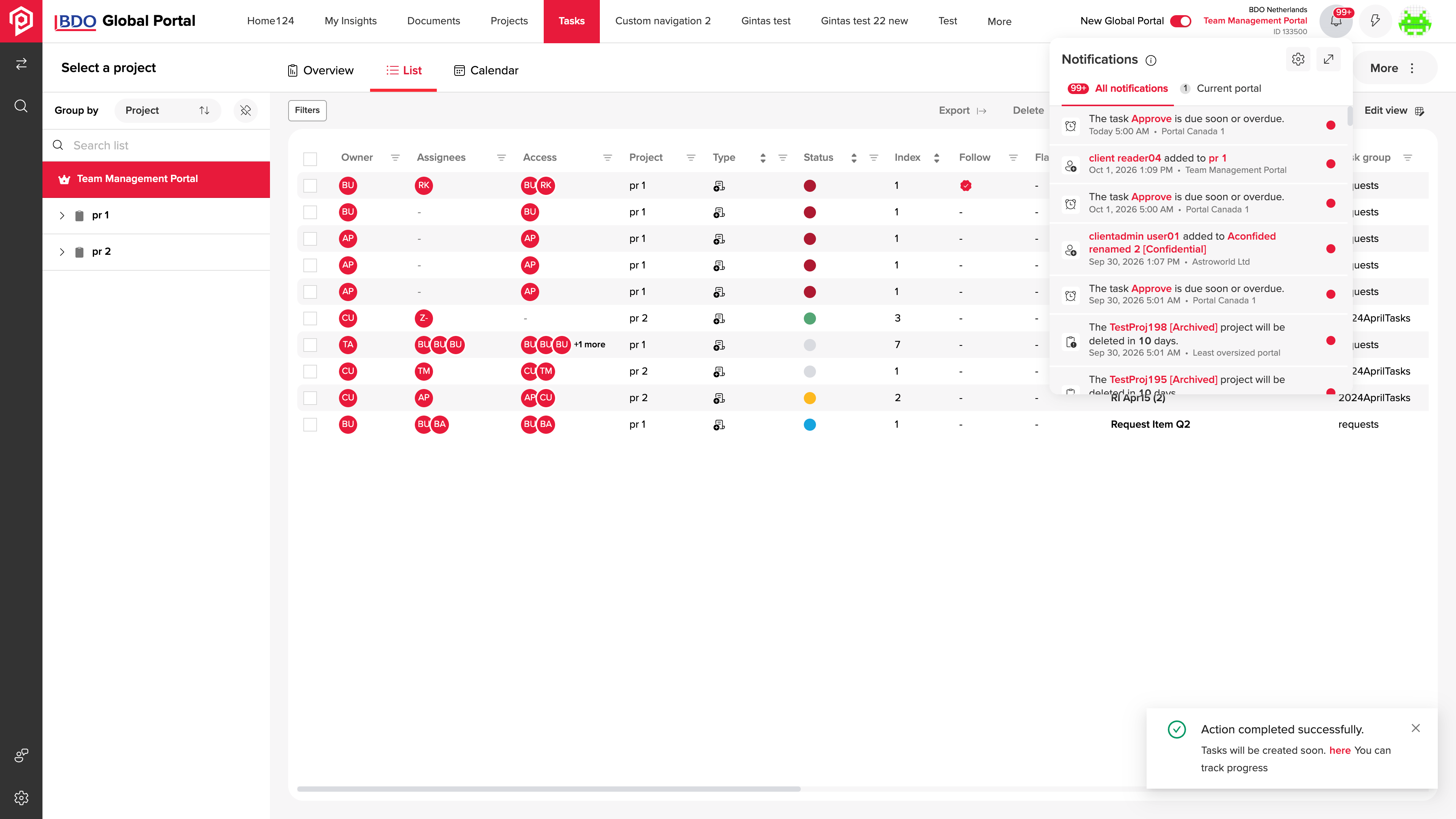
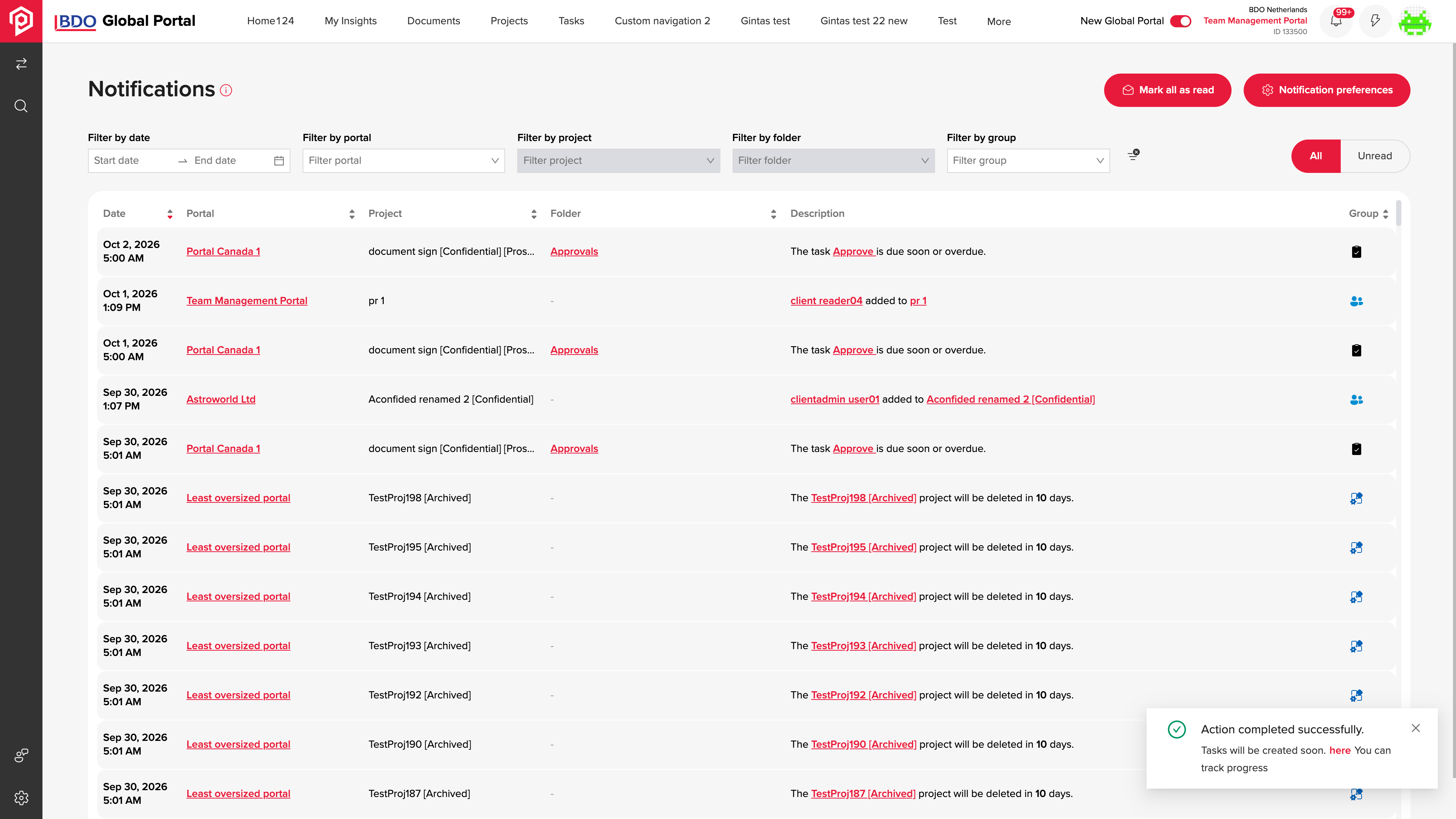
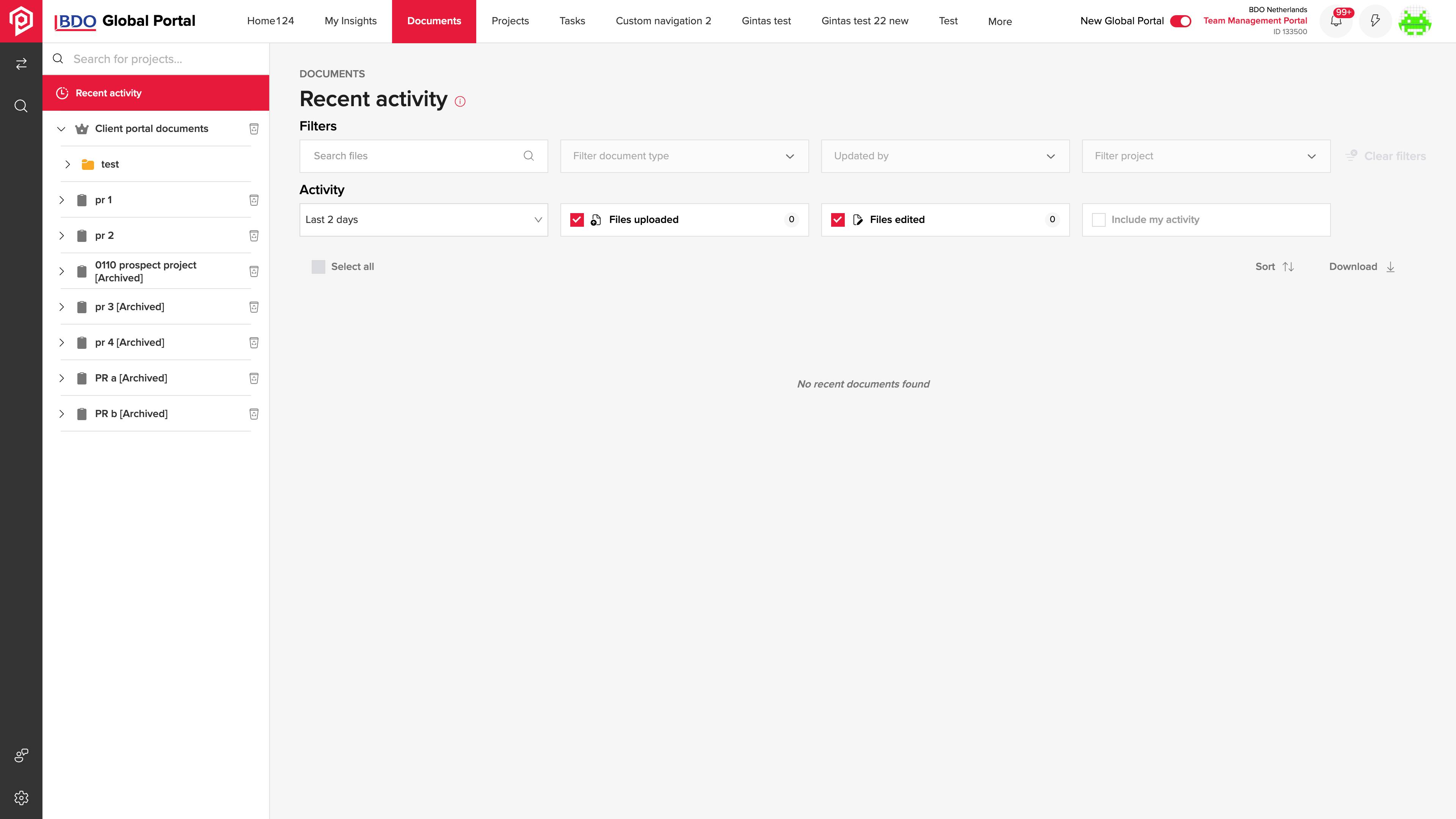
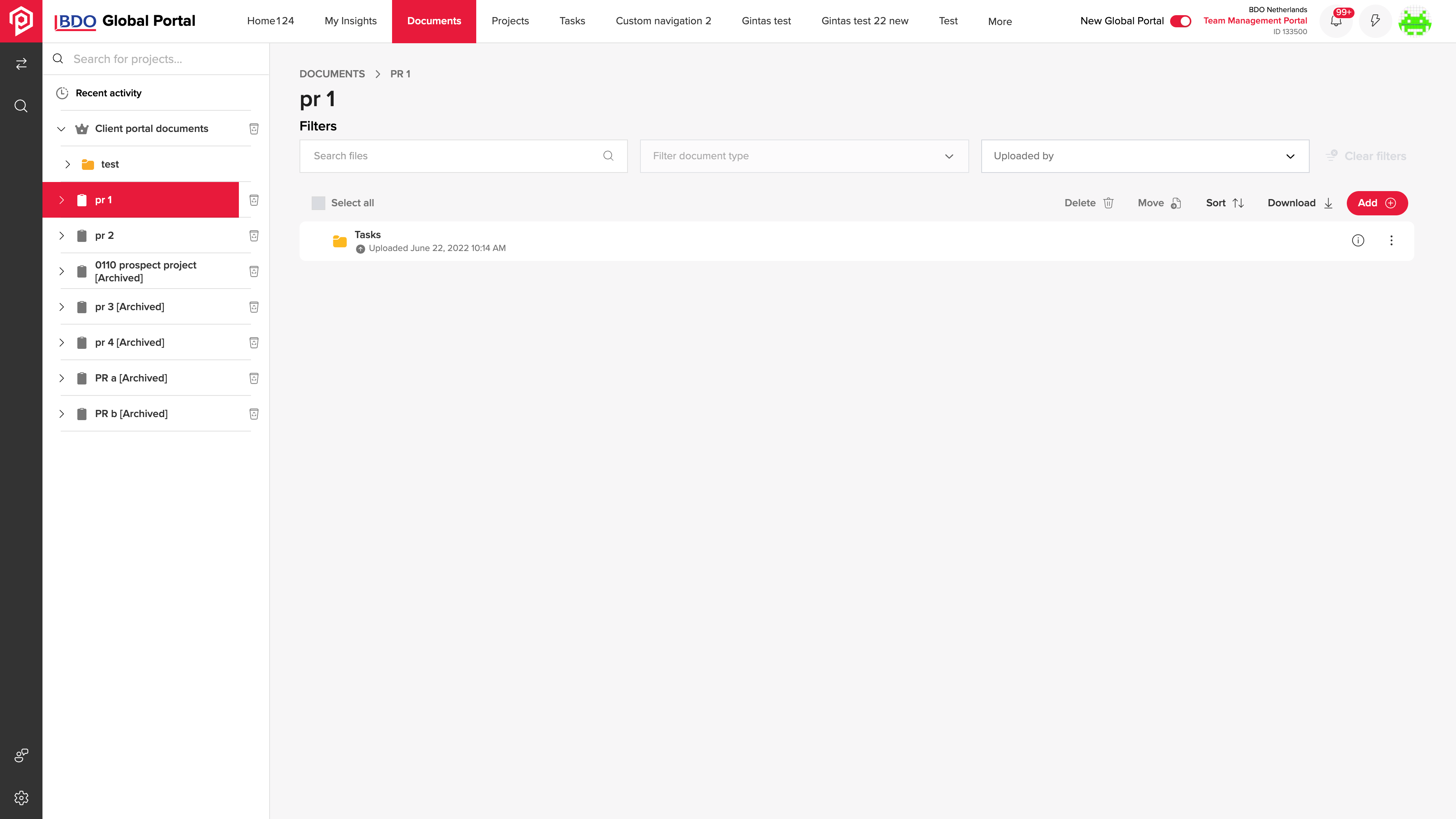
Updates open beside the task list, preserving the context of active work.
A team member needs to find relevant updates and project files while keeping the task or engagement requiring follow-up in view.
Notifications can be reviewed beside tasks and filtered, while document activity and project folders provide routes back to the shared material.
Versioned APIs, Microsoft 365 integrations and a modular frontend support client engagements.
Three versioned APIs use CQRS, relational access and resilient service calls.
Functions, event delivery and scheduled jobs coordinate work outside the user session.
Document and relational stores work alongside caching and distributed locks.
Microsoft 365 and third-party integrations connect documents, signatures and service workflows.
SPFx web parts and a standalone SPA share a monorepo with more than 20 feature packages and an internal design system.
Entra ID provides identity; API management and Key Vault support access and configuration.
Cloud infrastructure and tenant-specific releases are managed through automation and deployment pipelines.
Unit, browser and load tests are complemented by static analysis and quality checks.
We can connect your project workspaces, document reviews and task responsibilities around the way your team delivers client work.
Discuss your project portal