A comparison that starts without an energy bill
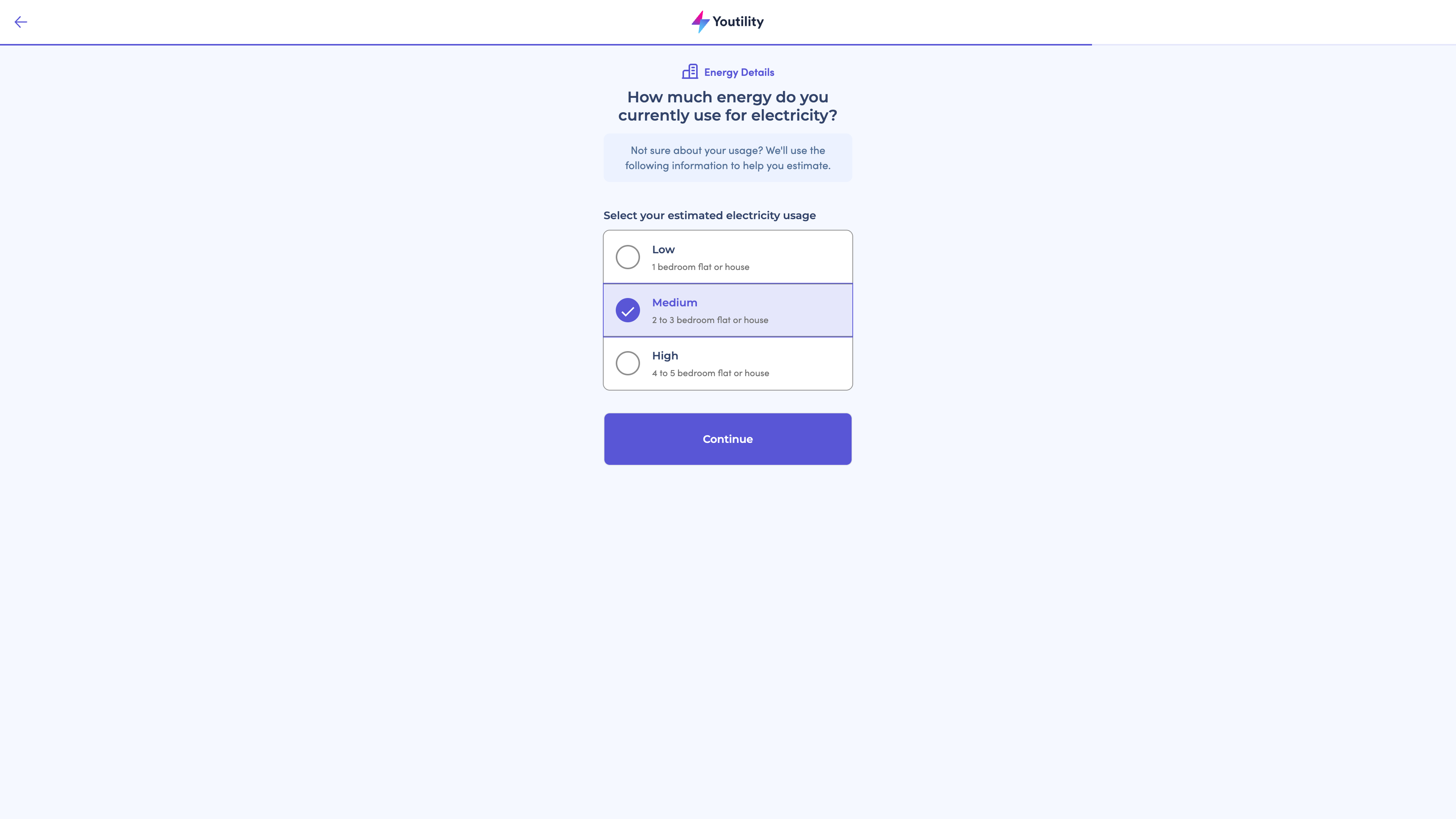
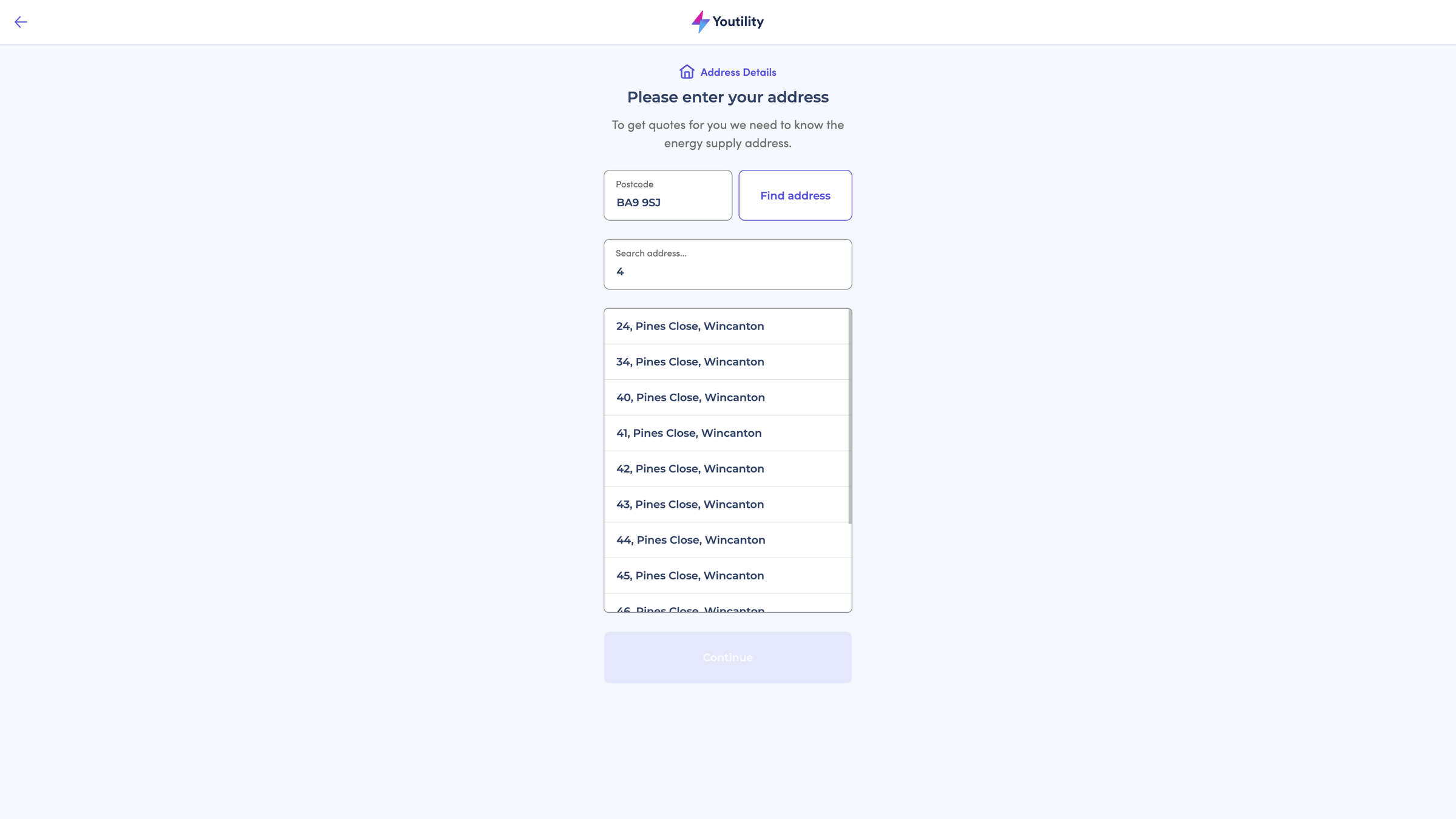
Postcode lookup returns the address, a household size replaces a missing bill, and the current plan is estimated and shown with an Update button.
Energy: the household’s detailsWe developed the comparison journeys and supplier integrations of Youtility, a UK comparison and switching service. Households compare energy, broadband and mobile offers and apply to switch energy supplier in the same journey.
What the customer getsIn development since January 2024
Each household service needs different information before offers can be compared. Energy depends on supply and usage; broadband depends on the address; mobile depends on the device or SIM preference.
So each service has its own guided journey, and all three run on one platform.
Custom software development: the comparison journeys, supplier integrations and cloud services.
Households use the comparison journeys. Youtility’s staff manage suppliers and offers in an internal portal.
Postcode lookup returns the address, a household size replaces a missing bill, and the current plan is estimated and shown with an Update button.
Energy: the household’s detailsExit fee, contract length, scheduled price rises and included equipment sit on the card next to the monthly price.
Energy: choosing an offer and applyingAfter selecting an energy plan, the customer submits contact, billing and Direct Debit details through Youtility for the chosen supplier.
Energy: choosing an offer and applyingOffers load through integrations and scheduled jobs, so staff do not re-enter tariffs.
To start a switch, the chosen supplier needs more than a selected offer: who the account holder is, how long they have lived at the address and how they will pay.
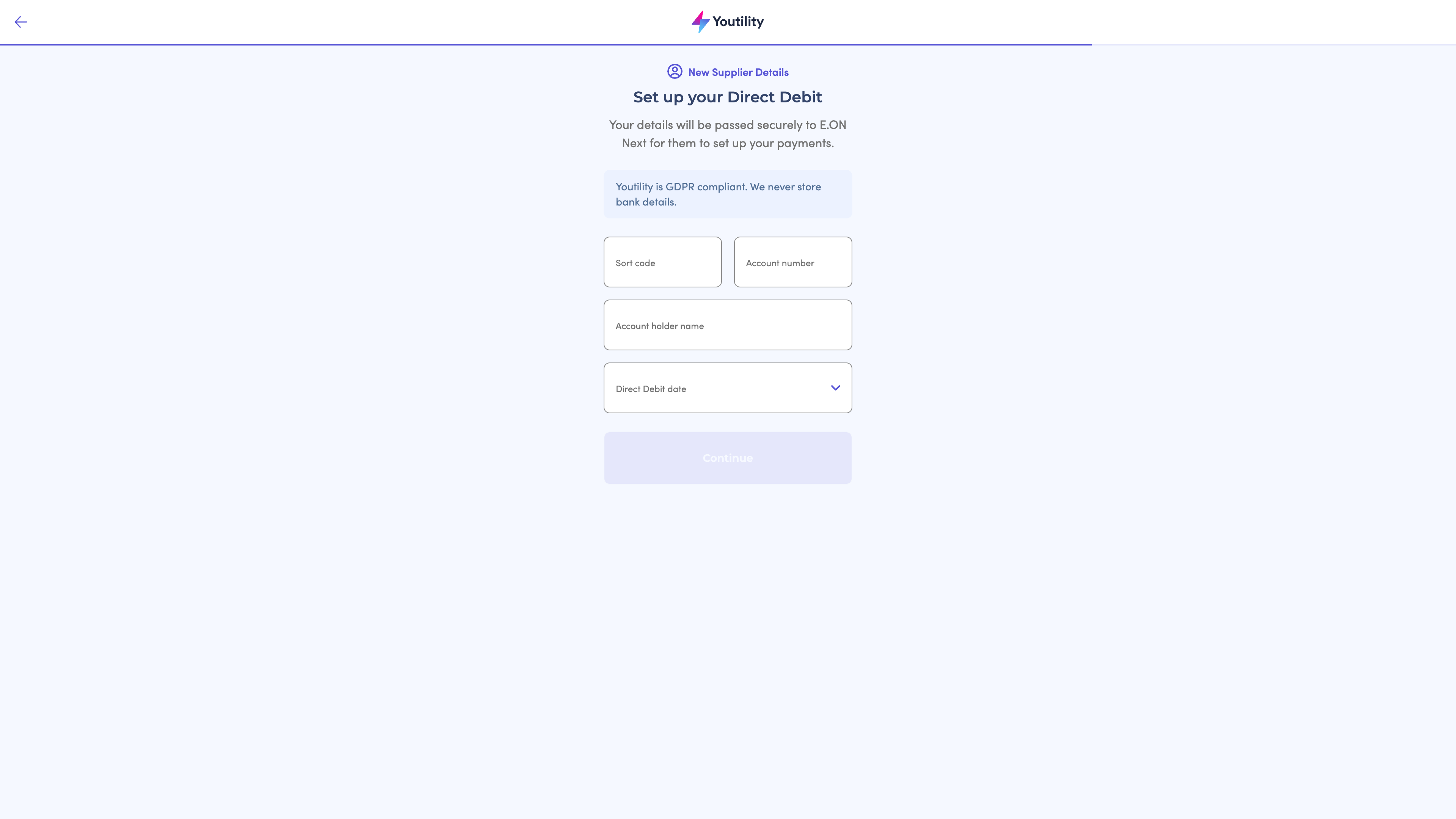
Start your Switch opens the application for that supplier. It asks for email and phone, the account holder’s name and date of birth, time at the address, employment and residential status, the billing address and Direct Debit details with a payment date. One screen has the customer confirm that a smart meter may lose its smart features after switching.
See offer comparison and the switching applicationSend us one supplier’s application form and one of its offers. We will tell you which questions belong in the comparison and which in the application.
The customer gives the address, energy type, current supplier, tariff and payment method.
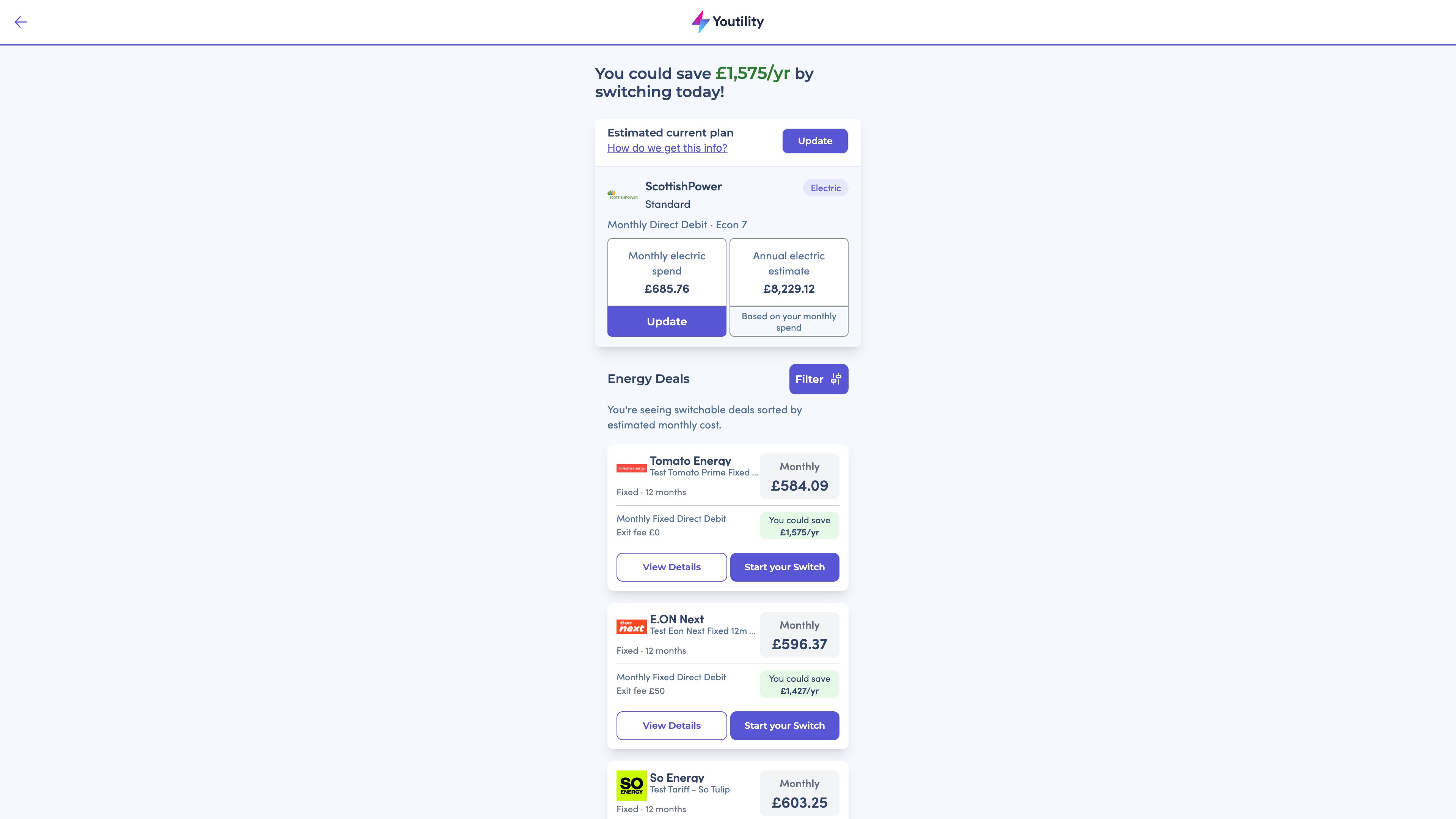
The estimated current plan sits at the top, and the deals under it are sorted by estimated monthly cost. Start your Switch on a deal opens the application.
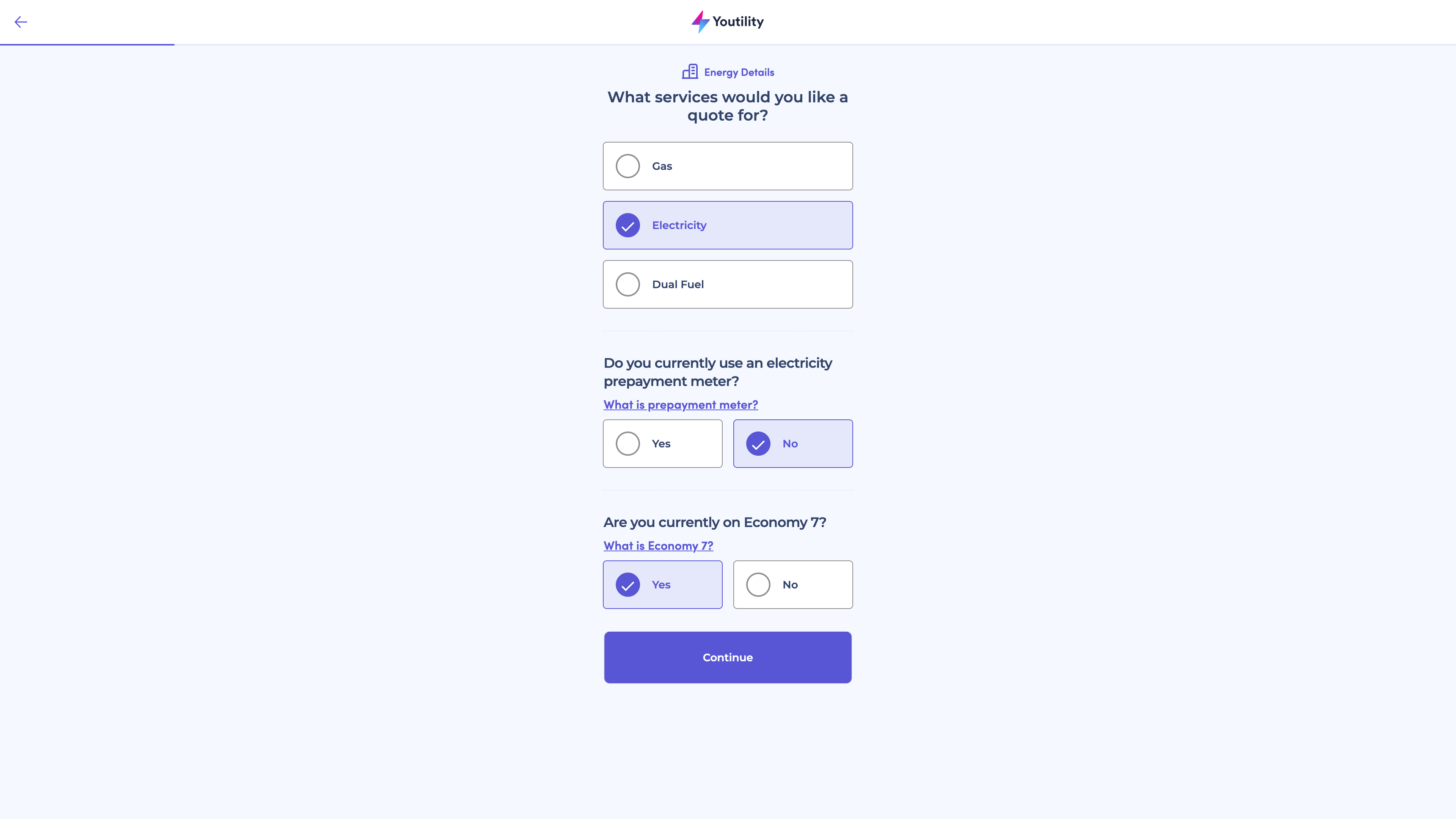
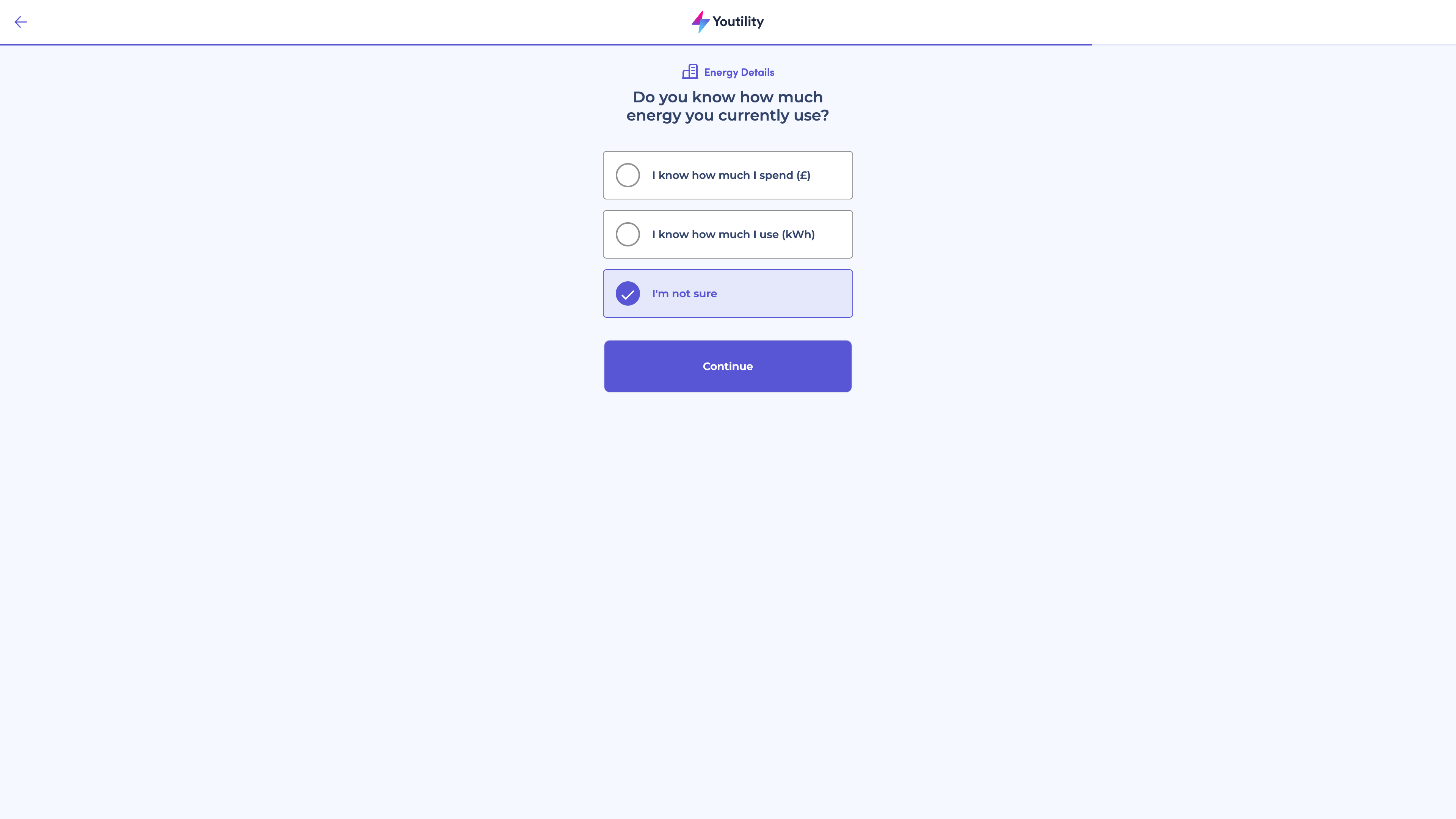
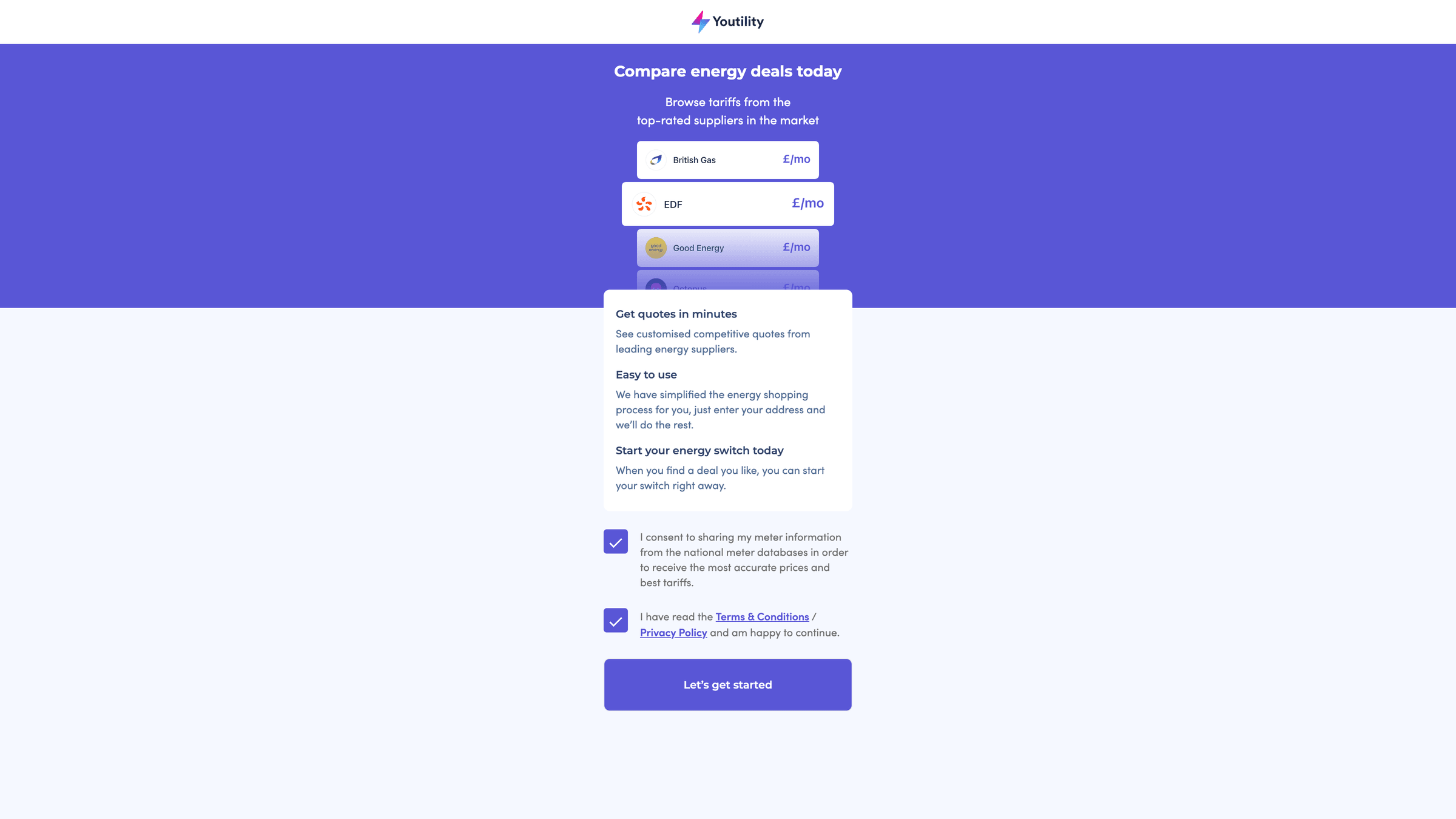
Consent, postcode and address lookup, gas or electricity or both, prepayment and Economy 7 meters, current supplier and tariff, current and preferred payment methods. Usage comes from a bill amount, kWh figures or an estimate by household size.
The estimated current plan with supplier, tariff, payment method, monthly spend and annual estimate. Switchable deals sorted by estimated monthly cost, each with tariff type, term, exit fee and the difference against the current plan, with View Details and Start your Switch.
The switching form collects the identity, address and billing information required by the selected supplier. Direct Debit details and the preferred payment date travel with the application.
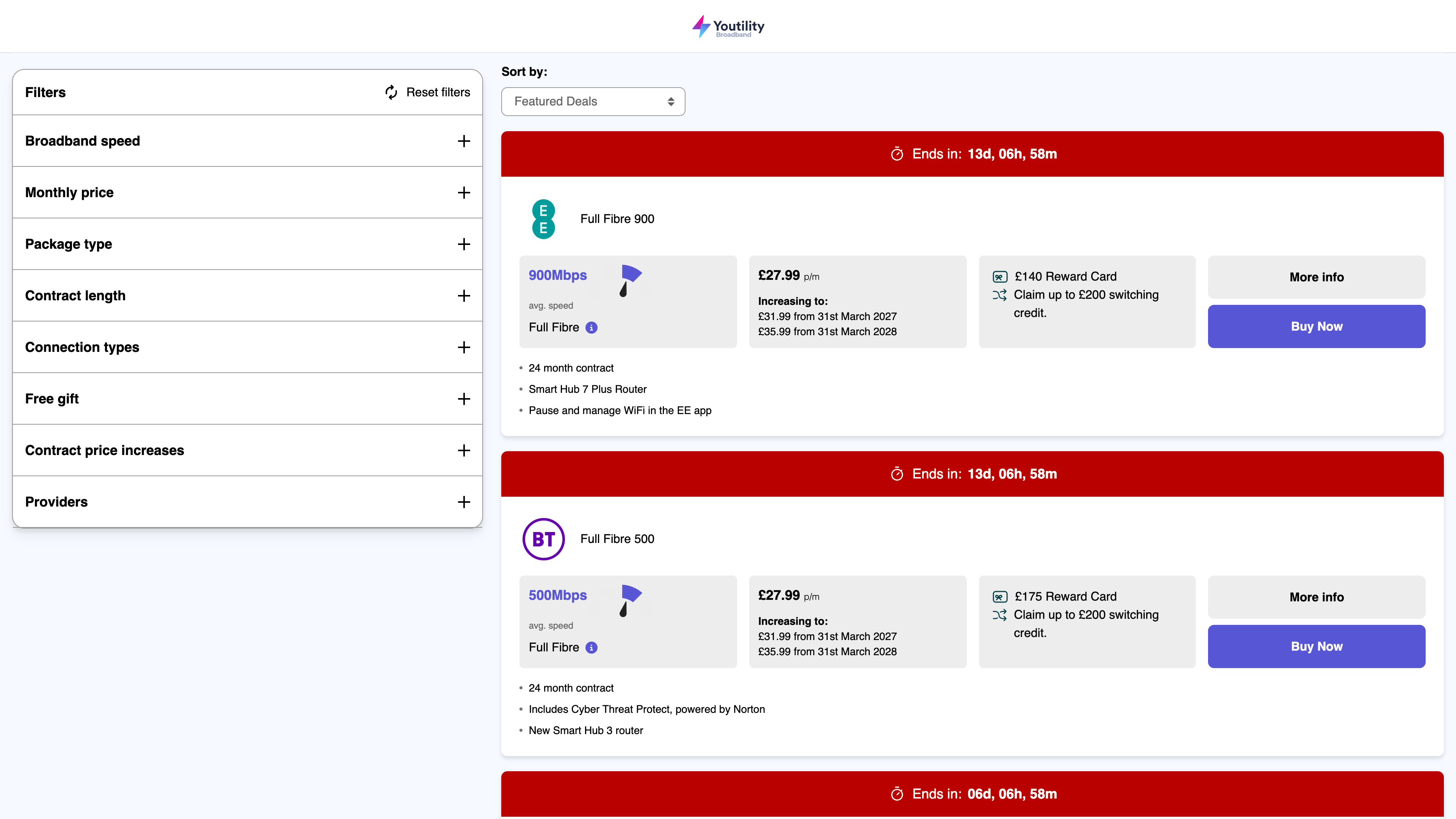
Postcode, address and current provider, then offers with average speed, connection type, monthly price and the increases written into the contract, reward cards, contract length and the included router. Filters for speed, price, package type, contract length, connection type, free gift, price increases and provider.
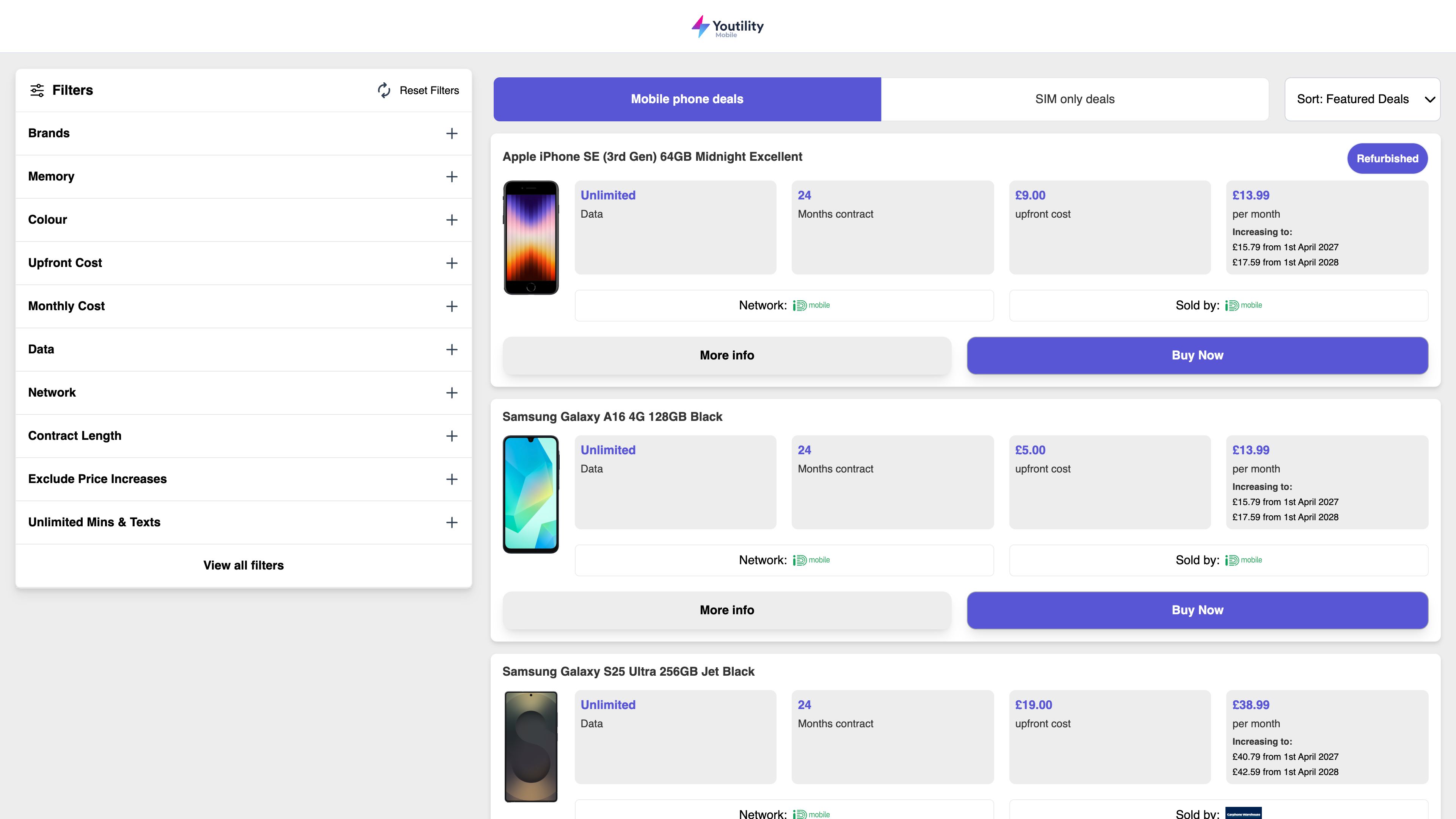
Separate tabs for phone deals and SIM-only plans. Each offer shows the handset, data allowance, contract length, upfront cost, monthly cost with its scheduled increases, network and seller. Filters for brand, memory, colour, upfront and monthly cost, data, network, contract length and unlimited minutes.
The .NET services connect supplier APIs, file exchange over SFTP and scheduled jobs. Service Bus carries messages between the application services, and offers are updated in the background.
Comparison journeys and supplier data run across more than 15 containerised microservices.
React 18 with TypeScript and Redux Toolkit, a legacy SPA and an internal ASP.NET Core MVC portal.
ASP.NET Core Web APIs on .NET 8, with legacy services on .NET 6. Kubernetes CronJobs run supplier synchronisation and exports.
Relational, document and geospatial stores, with Redis and KeyDB caches and Power BI reporting.
Supplier APIs (REST, GraphQL), files over SFTP, Azure Service Bus between services, SendGrid for email.
Identity moved from IdentityServer4 to Microsoft Entra ID. Services use workload identity, and the APIs are rate-limited.
Argo CD releases to Azure Kubernetes Service. Terraform and OpenTofu define the environments.
Monitoring in Datadog, Prometheus and Azure Monitor. Tests in xUnit, Jest and Playwright, load tests in JMeter.
The platform was built for one comparison service, but the pattern fits businesses that match a customer’s details to offers from several providers:
Comparison and switching services for energy, broadband, mobile, insurance or finance.
Utilities and energy retailers that want a guided sign-up and switching application on their own site.
Brokers and affiliates that resell provider offers and need supplier feeds kept current.
Any service where a multi-step form must collect what a third party requires before an application is sent.
A first release usually covers one service: its question flow, the offer comparison and one supplier integration.
Pick one service and send us the supplier feeds and the questions customers answer. We will plan the comparison rules and how the application reaches the supplier.
Discuss your comparison platform