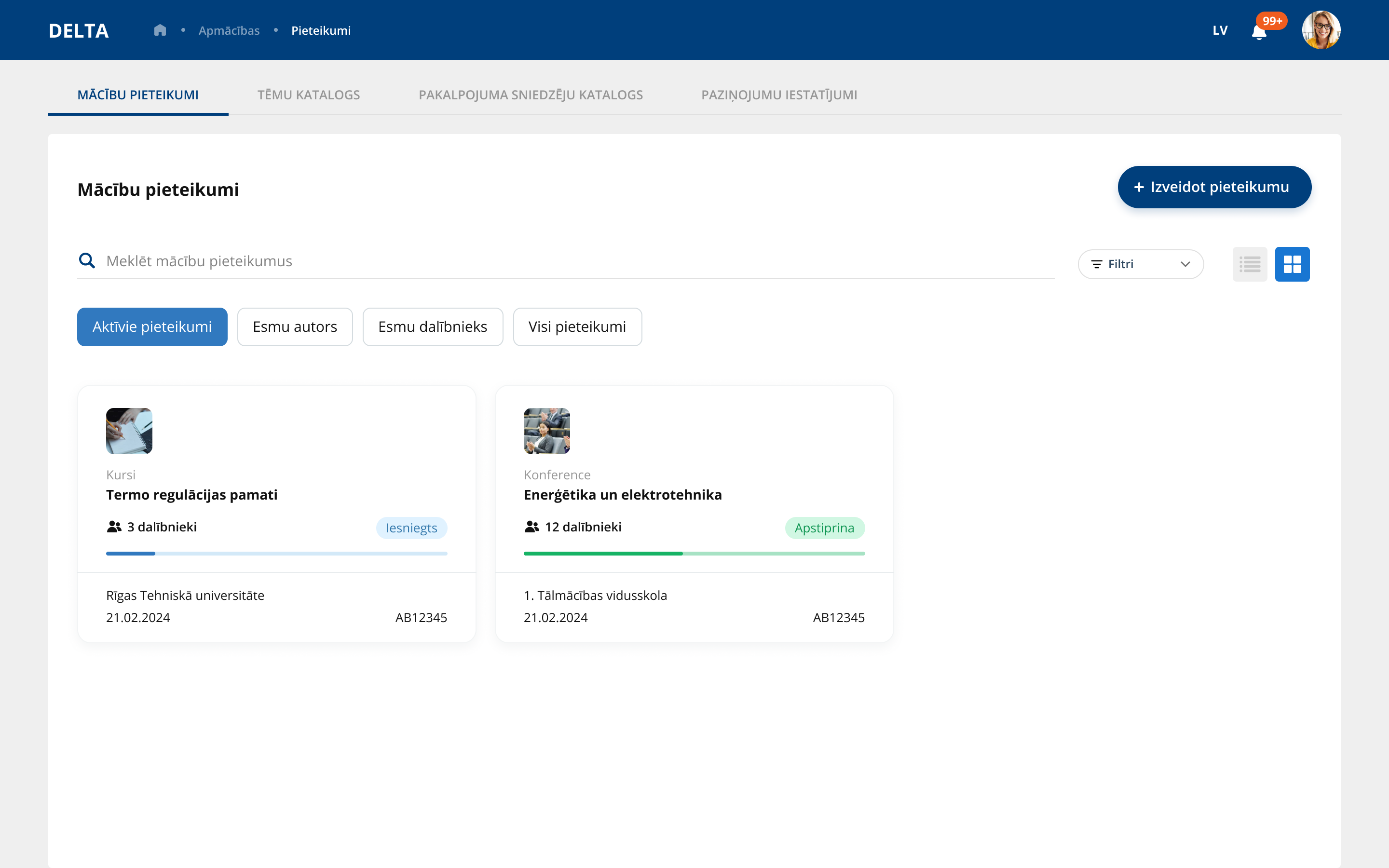
A request shows the stage it has reached
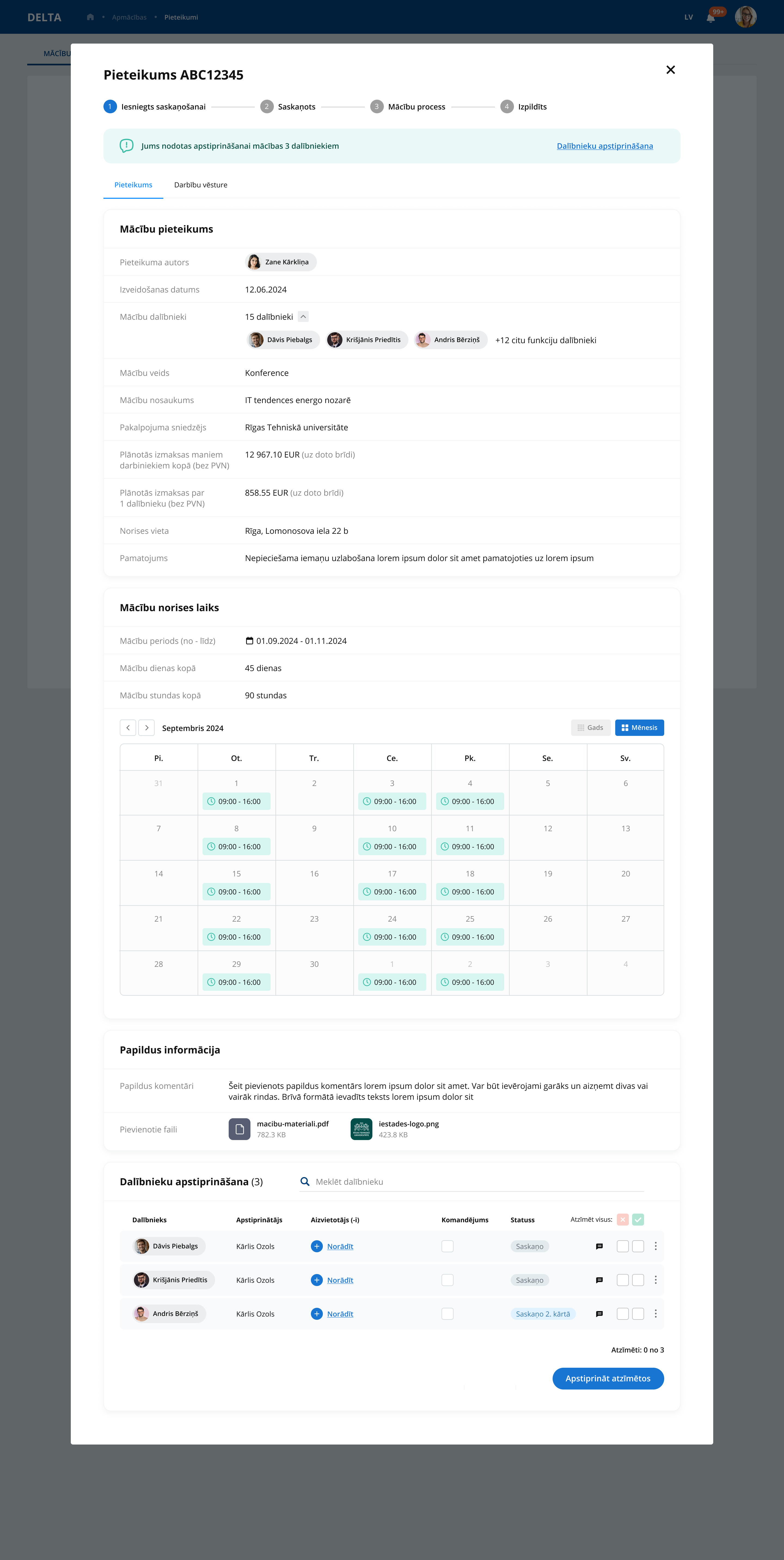
A training request shows which of four stages it has reached: submitted for approval, approved, in training or completed. A leave application is marked approved or rejected.
Training requests and approvalsWe developed Delta, the employee self-service portal of Latvenergo, Latvia’s state-owned energy company. Employees apply for leave and training, see how far each request has got, and confirm the equipment and protective gear issued to them.
What changes for the teamDeveloped in 2021–2026
Employee requests involve several people: the person applying, their manager and HR. Leave and training decisions also depend on team availability, costs and the employee’s role.
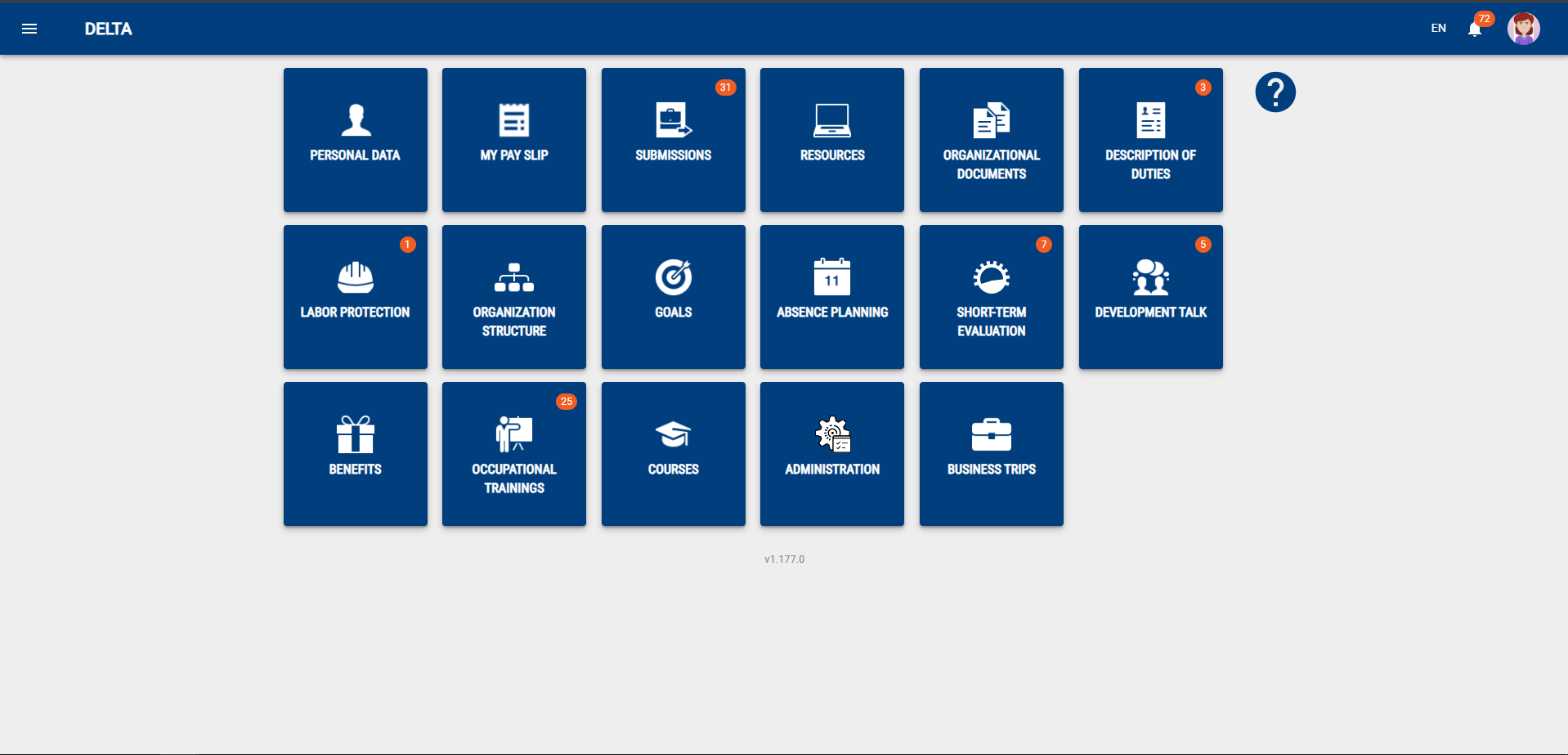
The portal’s start screen has seventeen sections, among them personal data, payslips, absence planning, training, resources, labour protection, development talks and business trips.
Development of the self-service portal: ASP.NET Core services and a React front end.
Employees, managers and HR administrators each see their own part of the portal.
A training request shows which of four stages it has reached: submitted for approval, approved, in training or completed. A leave application is marked approved or rejected.
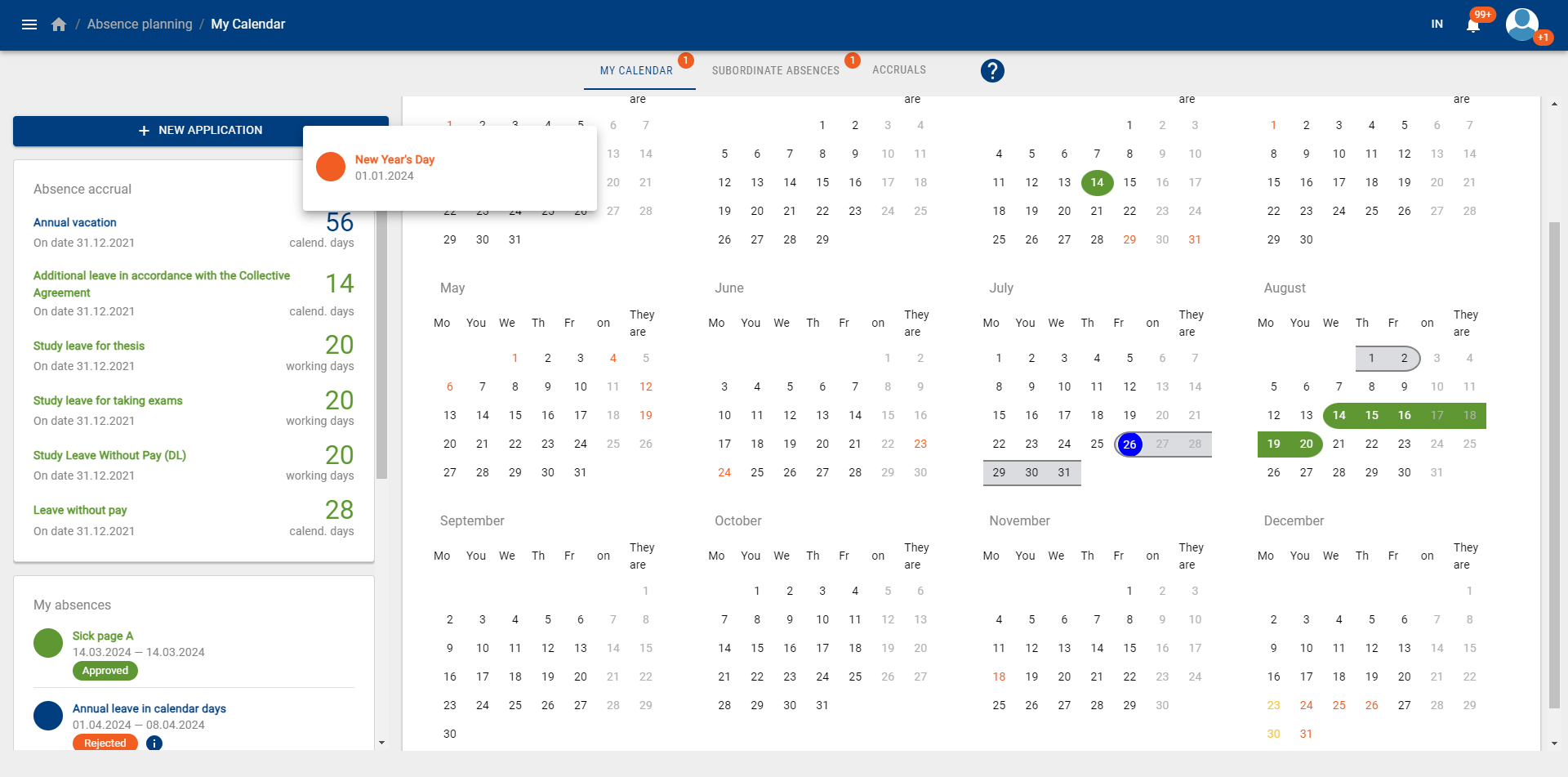
Training requests and approvalsBefore deciding on a leave request, the manager opens the team’s absences and the employee’s accrued days on the same page.
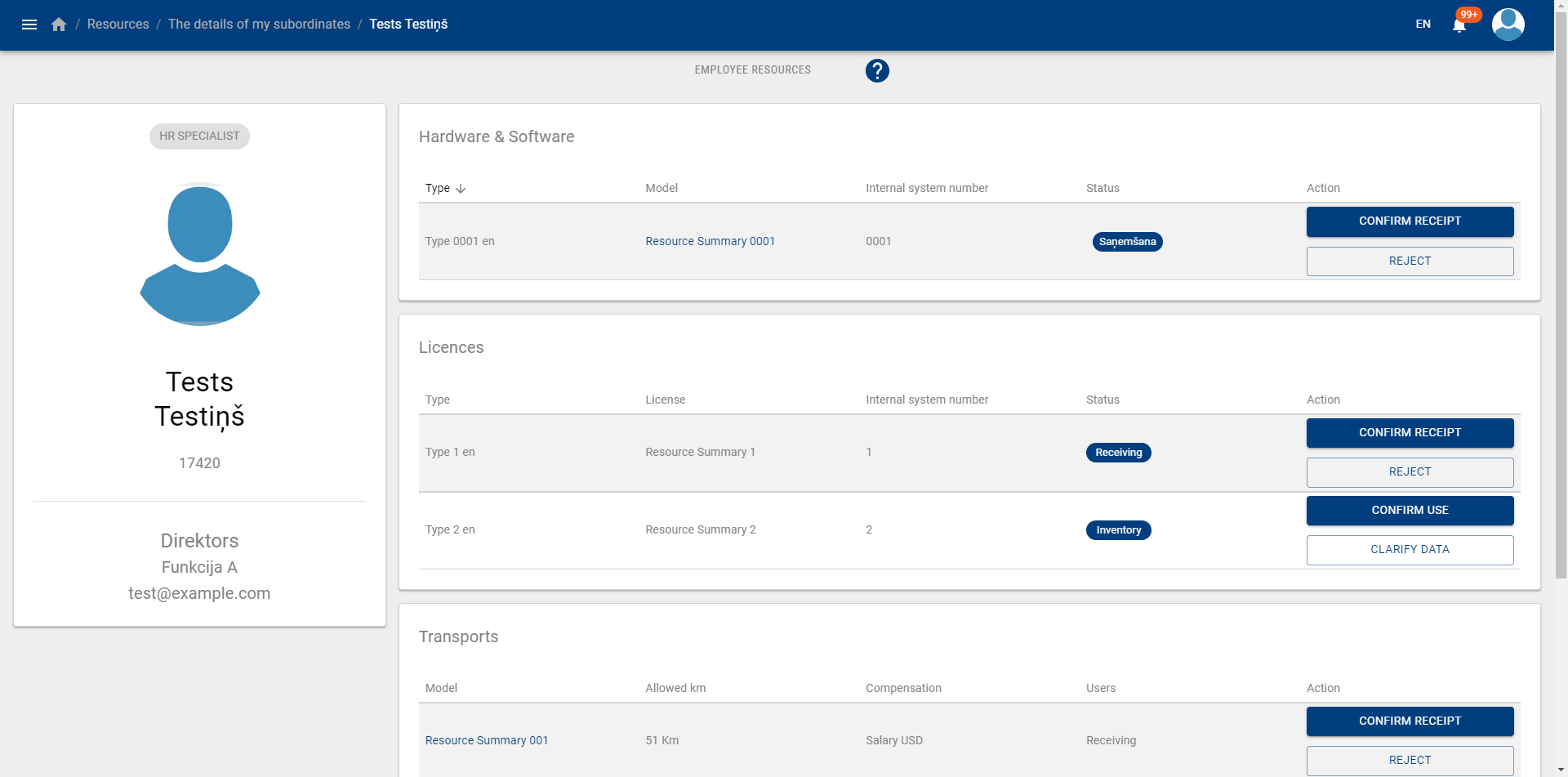
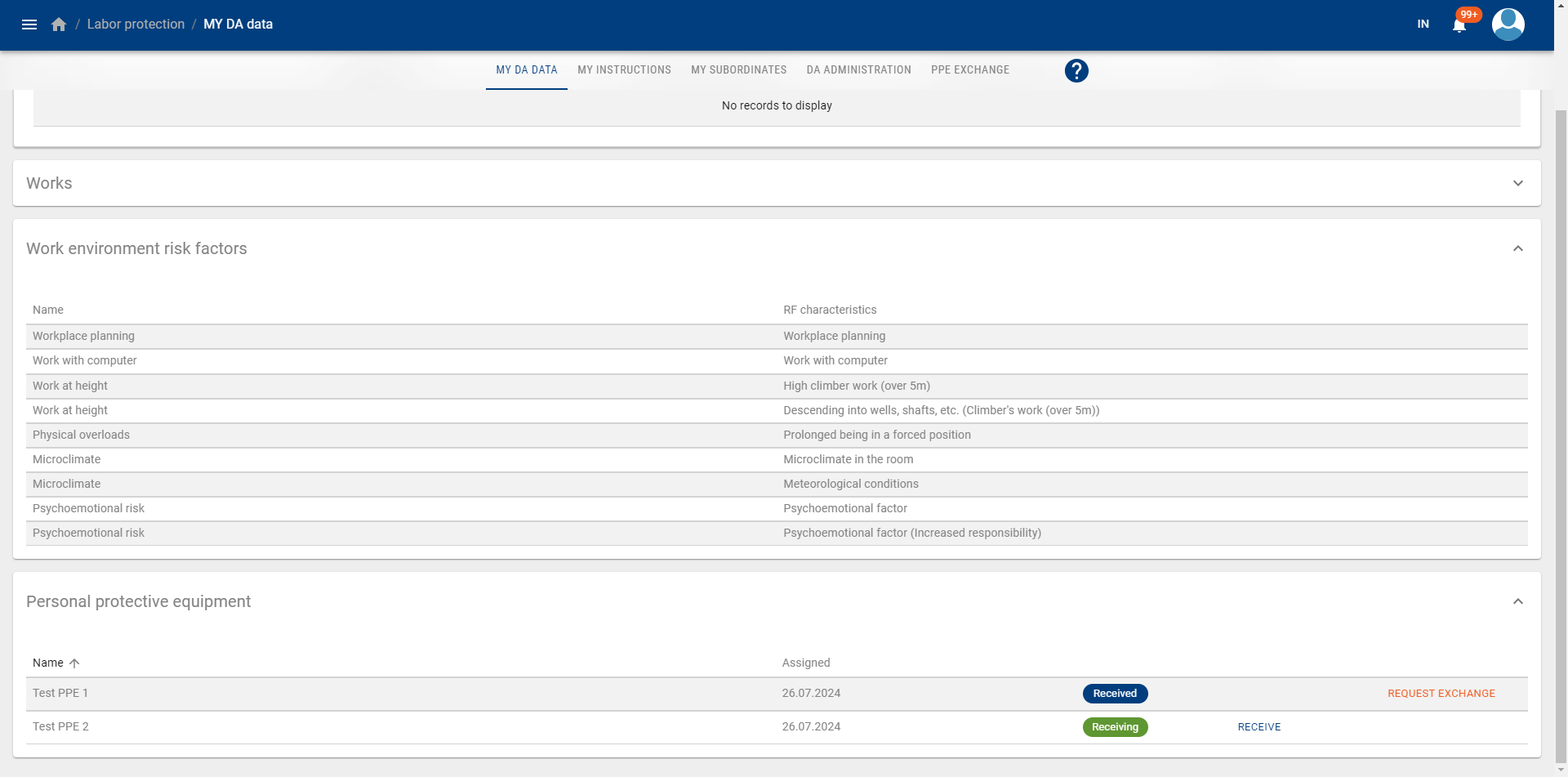
LeaveAn employee confirms receipt of assigned hardware, licences and transport, rejects an item or asks to clarify its data. For protective equipment the employee confirms receipt or requests an exchange.
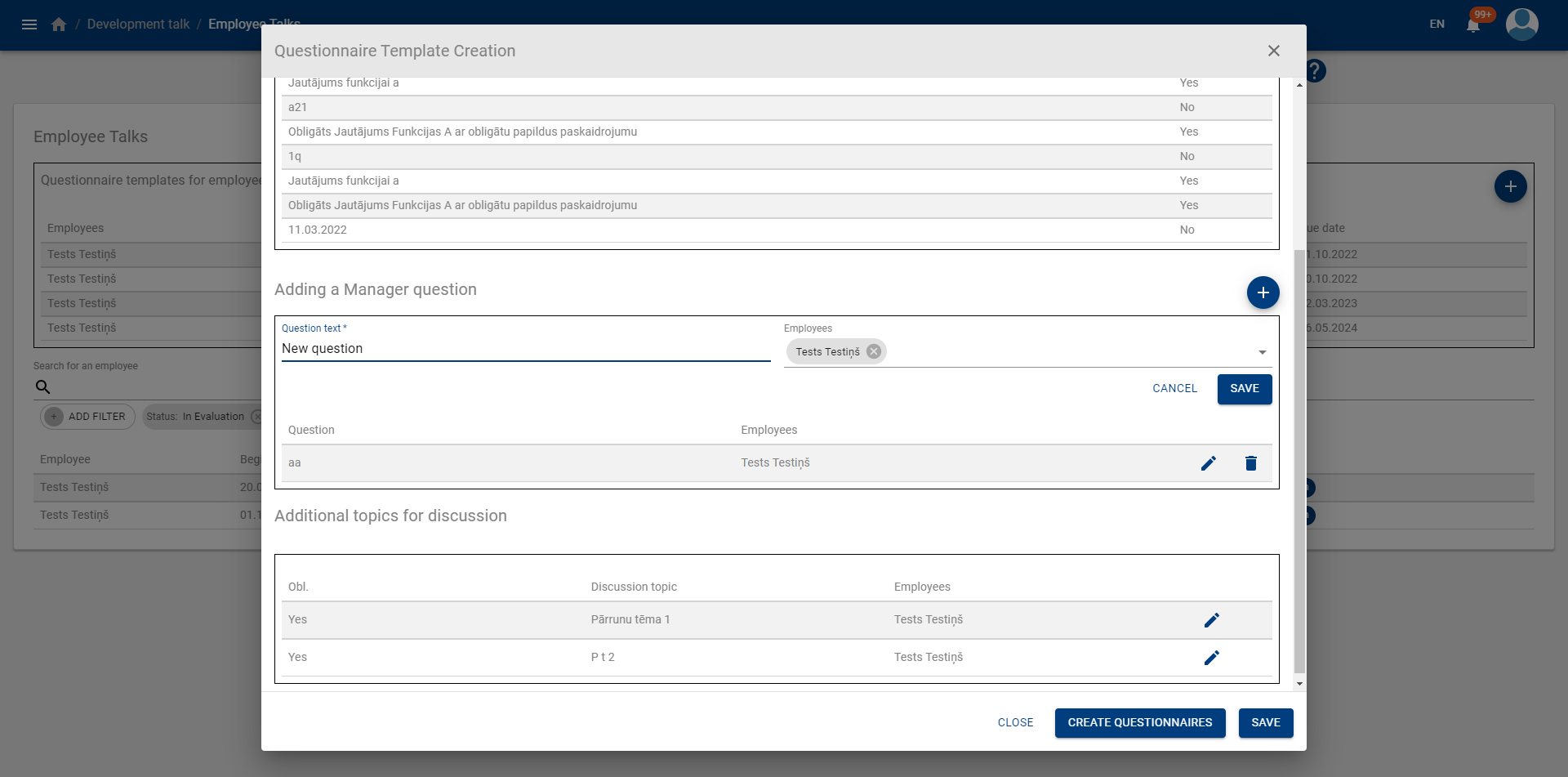
Equipment, licences and safetyHR changes both in administration forms. Questionnaires are then created from the template for the employees in evaluation.
HR administrationA training request can involve several participants, costs and dates. Employees, managers and HR need to see the request and the decisions already made.
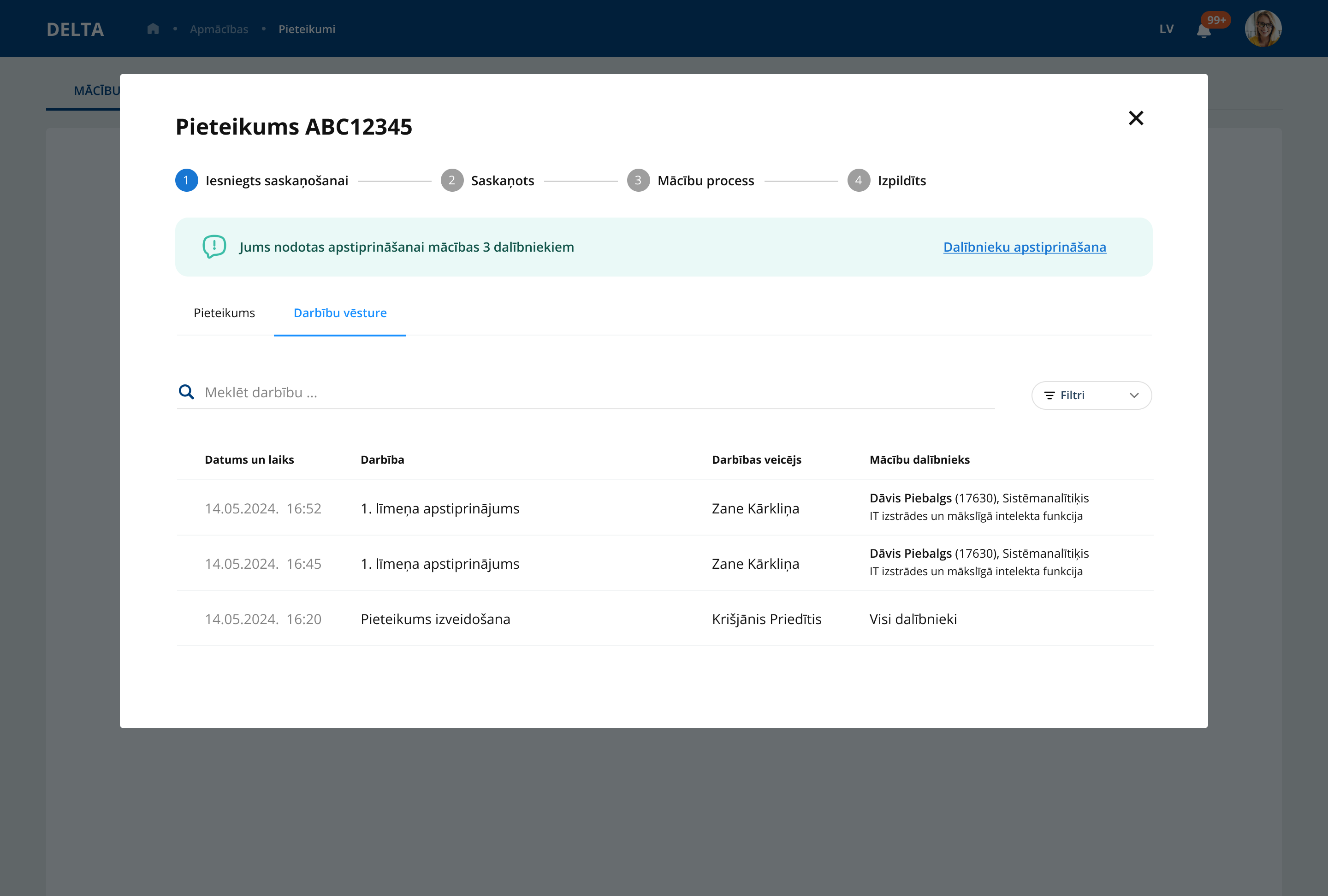
Approval is recorded for each participant separately. The approver sees how many participants are waiting for a decision, and the history tab lists every action with its date, the person who took it and the participant it concerns.
Follow a training request and its approval historyIf one of your requests covers several people or needs several approvals, tell us how it is decided today. We will tell you how we would record each decision and who would see it.
The list shows every training request with its participants and status. A request records the training type and name, provider, venue, justification, dates with a session calendar, and the planned cost in total and per participant.
Each assigned item is listed with its model, internal number and status. The labour-protection page lists the risk factors of the post, the works performed and the protective equipment with its assignment date.
A request holds the author, participants, training type and name, provider, planned cost in total and per participant, venue, justification, dates, days and hours with a session calendar, attachments and comments. Stages run from submitted for approval through approval and the training itself to completed; each participant’s approval is recorded, and the action history is on a separate tab.
The employee sees accrued leave by type (annual, collective-agreement, study and unpaid leave), a year calendar with public holidays and the status of each application, approved or rejected. Managers open subordinate absences and accruals on the same page.
Hardware and software, licences and transport assigned to an employee, each with model, internal number and status. The employee confirms receipt, confirms use, rejects the item or asks to clarify the data. Managers open the details of their subordinates.
Work environment risk factors for the post, the works performed and the personal protective equipment with its assignment date and status. The employee receives an item or requests an exchange; tabs cover instructions, subordinates and PPE administration.
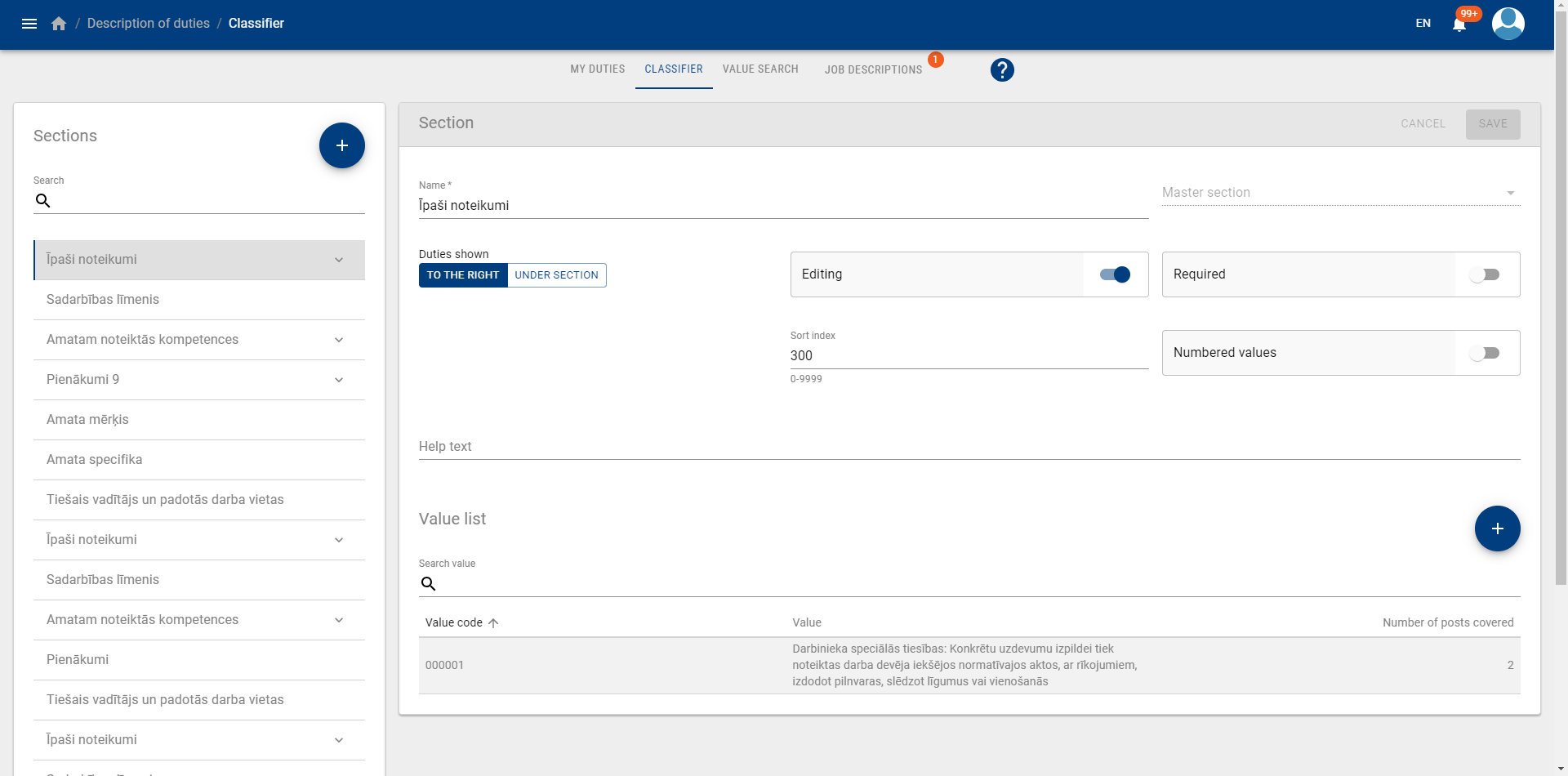
Administrators maintain the classifier: sections with a master section, where duties are shown, whether a section is required, sort index, help text and a value list with codes and the number of posts covered. Job descriptions and value search have their own tabs.
Questionnaire templates with questions marked as mandatory, manager questions for selected employees and additional discussion topics. Questionnaires are created from the template for the employees in evaluation.
A React and TypeScript interface, ASP.NET Core services and a MariaDB database.
The interface: React and TypeScript with Redux, RxJS and MaterialUI.
C# services on ASP.NET Core, with Entity Framework, SQL and MariaDB for data.
The portal was built for one energy company, but the processes in it are common to large employers:
Utilities, industrial and infrastructure companies with field staff who hold equipment and protective gear.
Large employers where leave, training and business trips pass through a manager and then HR.
HR departments that maintain job descriptions, classifiers and development-talk questionnaires for every post.
Organisations with labour-protection obligations: risk factors per post, instructions and PPE issue to confirm.
A first release usually covers one request with its approval chain, such as leave with the team calendar or training with participants and costs, connected to the HR system you already use.
$62,100–$103,600Typical full first release
A first release with these modules, priced with our published budget model. Prices in USD, excluding VAT.
Example budget, not a quote. Your proposal will include the cost of your agreed scope, integrations, data work and support.
Pick one employee request and the people who approve it. We design the form, who sees it and the approval steps, then build it into your portal.
Plan your employee portal