Projects / Agriculture & service operations

ASQ / DeLaval

Service built around the equipment on the farm.

ASQ connects customers, dairy equipment, compatible components and service contracts. The office and the field team can work from the same installation context.

Explore the service workflow
Client
DeLaval
Project period
2020–2025
Equipment scope
Milking, feeding and cooling systems
The installation record

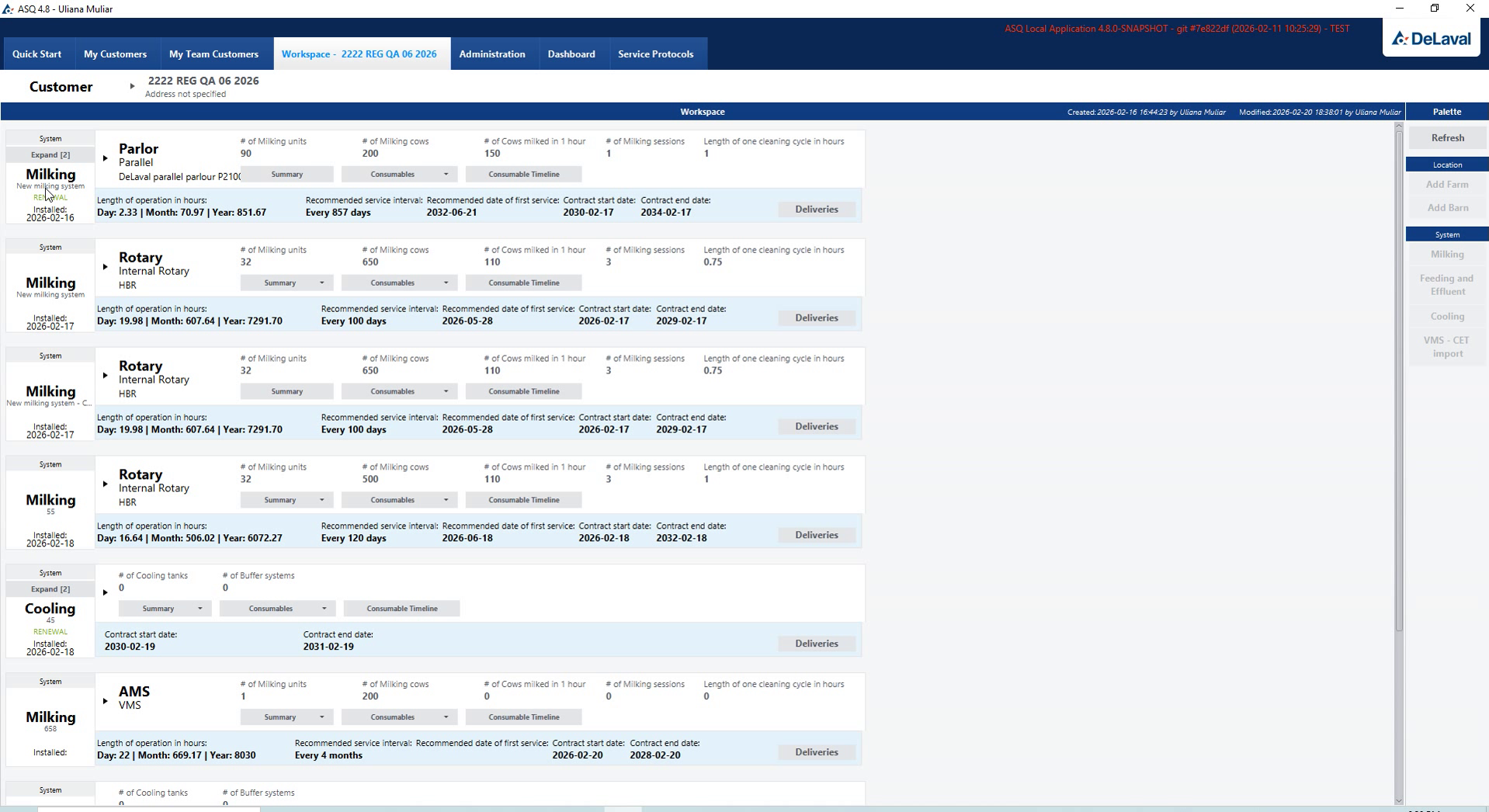
The service record follows the installation hierarchy.

One customer may operate several farms, barns and different types of equipment. ASQ keeps those levels separate, so components and maintenance can be discussed in the right context.

  1. Customer

    Customer and contact details connect the service records to the owner of the farms and equipment.

  2. Farm

    Each farm belongs to a customer and brings its barns and installed equipment into one location record.

  3. Barn

    The barn identifies where equipment is installed, so service planning refers to the right part of the farm.

  4. Installed system

    Milking, feeding, cooling and robotic systems have their own components, maintenance needs and service records.

From equipment to service

Component selection, service terms and documents.

Select components for the installation

Select compatible parts for a specific installed system, review quantities and plan consumable deliveries. Favourites and visual identification support repeated selection, while replacement intervals connect the list to the maintenance plan.
Carry service terms into the documents

Turn the agreed service scope into quotations, signed agreements and renewal records. Maintenance schedules, service protocols and PDF or TXT exports keep the planned work connected to the documents used by the office and field team.

Field access

Offline access and synchronisation for field work.

The desktop client keeps essential service data available offline and synchronises the workspace after reconnection.
Field workspaceAvailable local data
Sync after reconnection
Service officeShared operational records
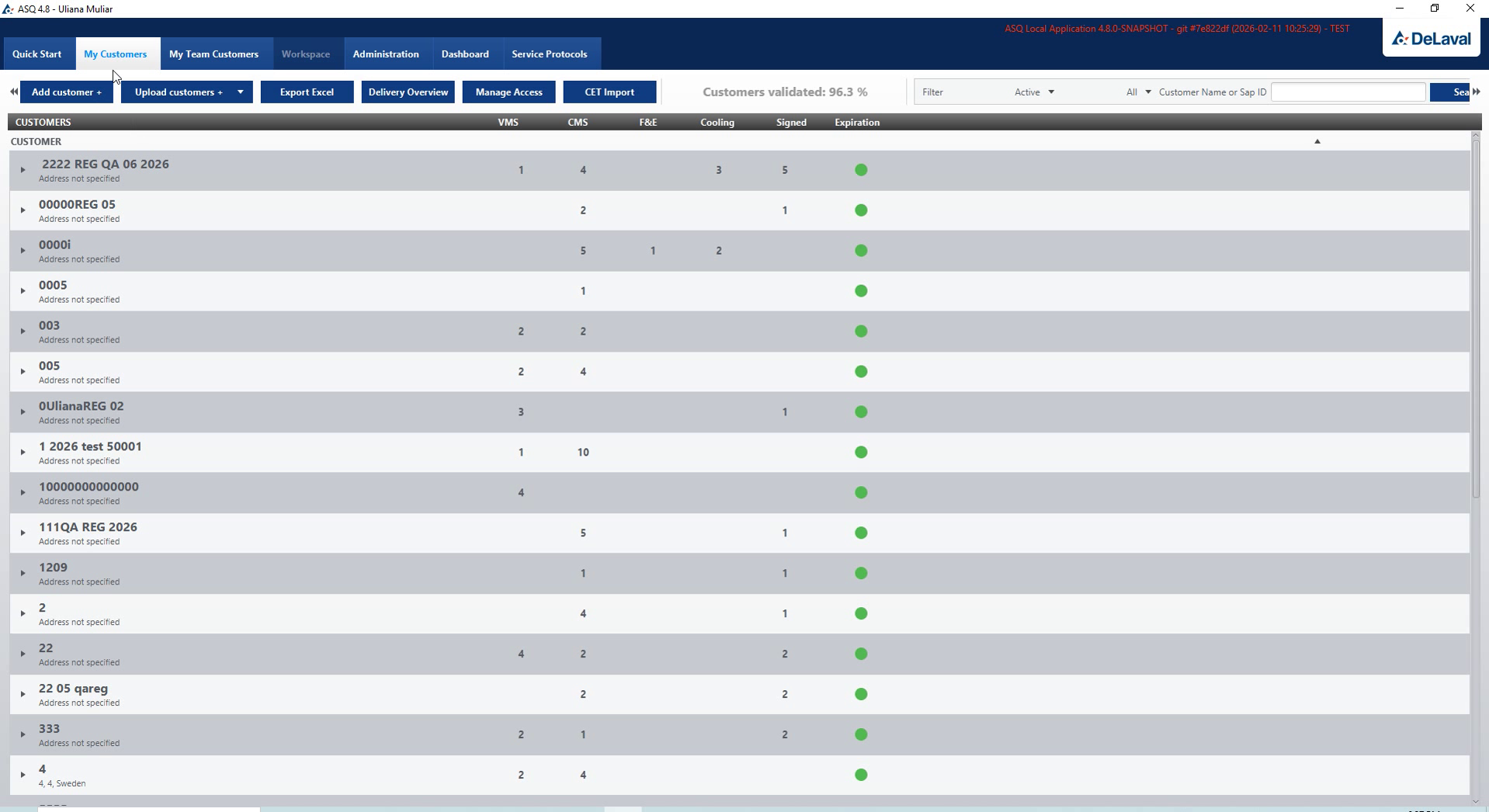
Customer register with installed systems
Customer information

Customer records, Excel import and account status.
The customer register supports record creation, search and editing, Excel import and active or inactive status. Validation checks the data that links the customer to farms and installed systems.

Inside the project

The service workflow, inside ASQ.

The desktop workspace connects equipment configuration, maintenance plans and service documents. Administration views cover customer access, data publication and installed-equipment statistics.

Equipment records

Installed systems and their technical configuration.

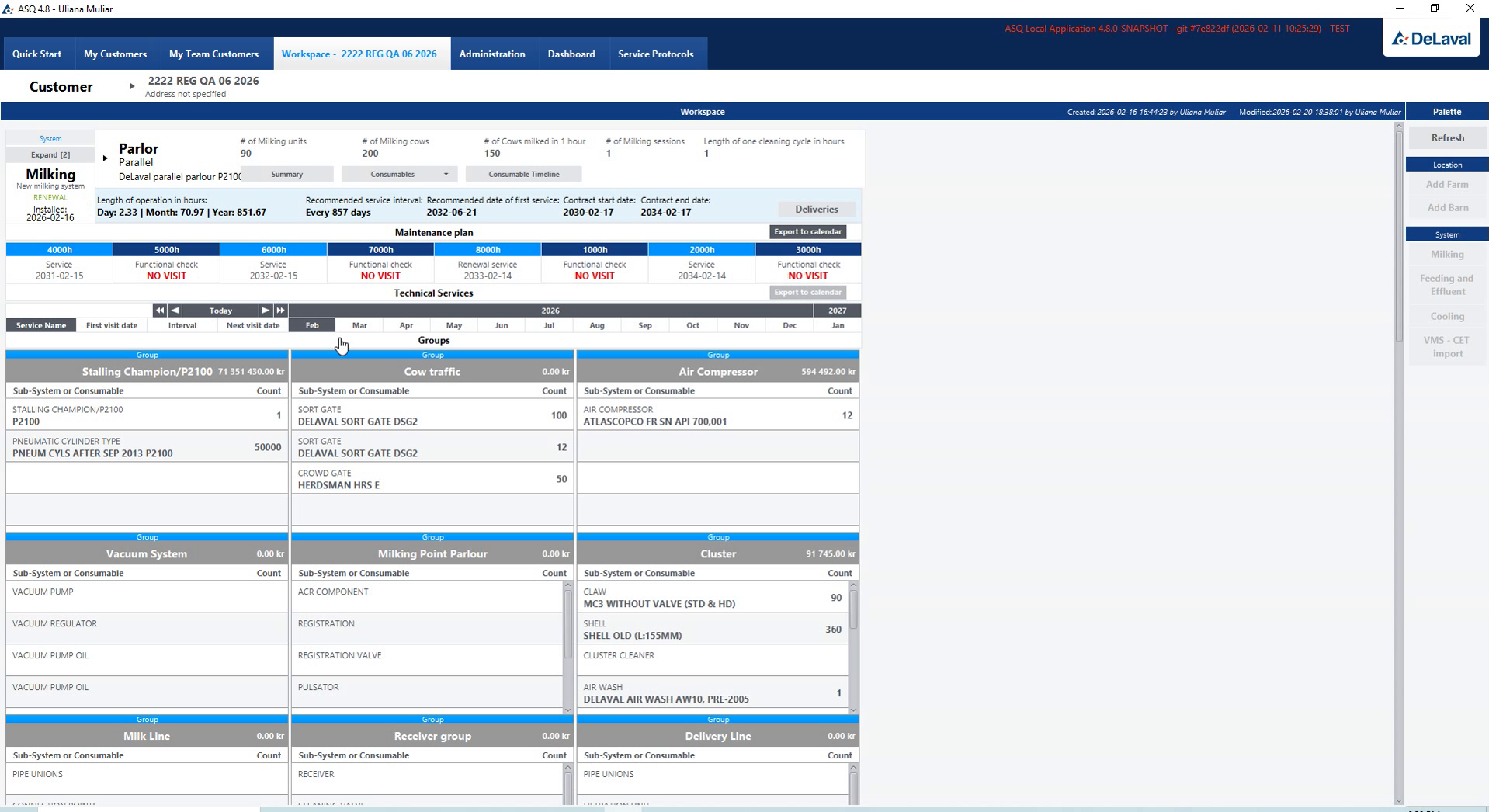
Farm equipment and installed systems

Farm equipment and installed systems

The working challenge

A service specialist needs to establish which installation and subsystems are on the farm before choosing maintenance work.

The product solution

The equipment hierarchy connects installed systems to technical details, subsystem configuration and component replacement settings in the desktop workspace.

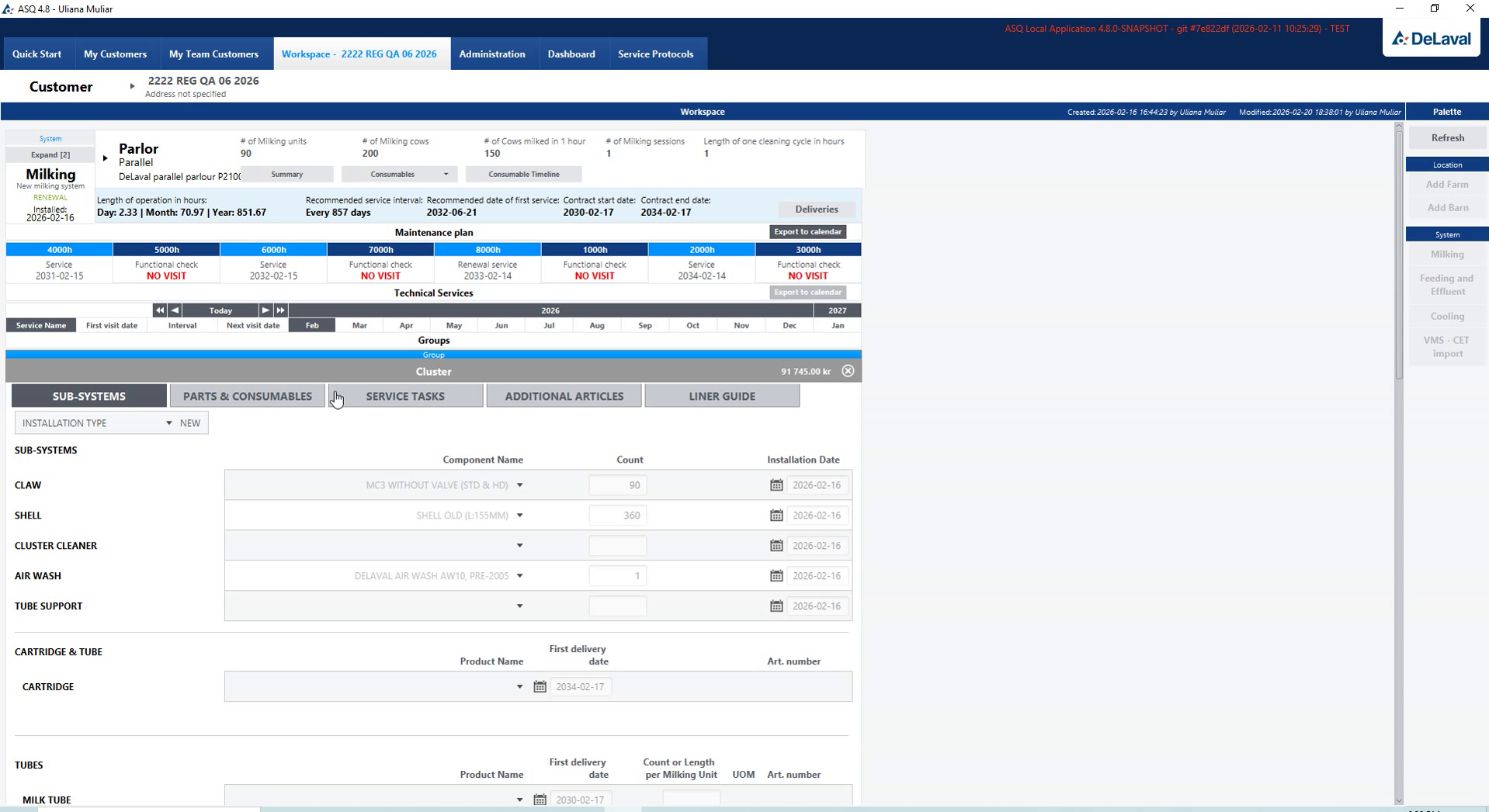
Technical details of an installed system

Technical details of an installed system

Technical parameters describe the selected installation before its subsystems and components are configured.

Subsystem configuration

Subsystem configuration

Subsystem settings keep the equipment hierarchy connected to the configuration of each installed unit.

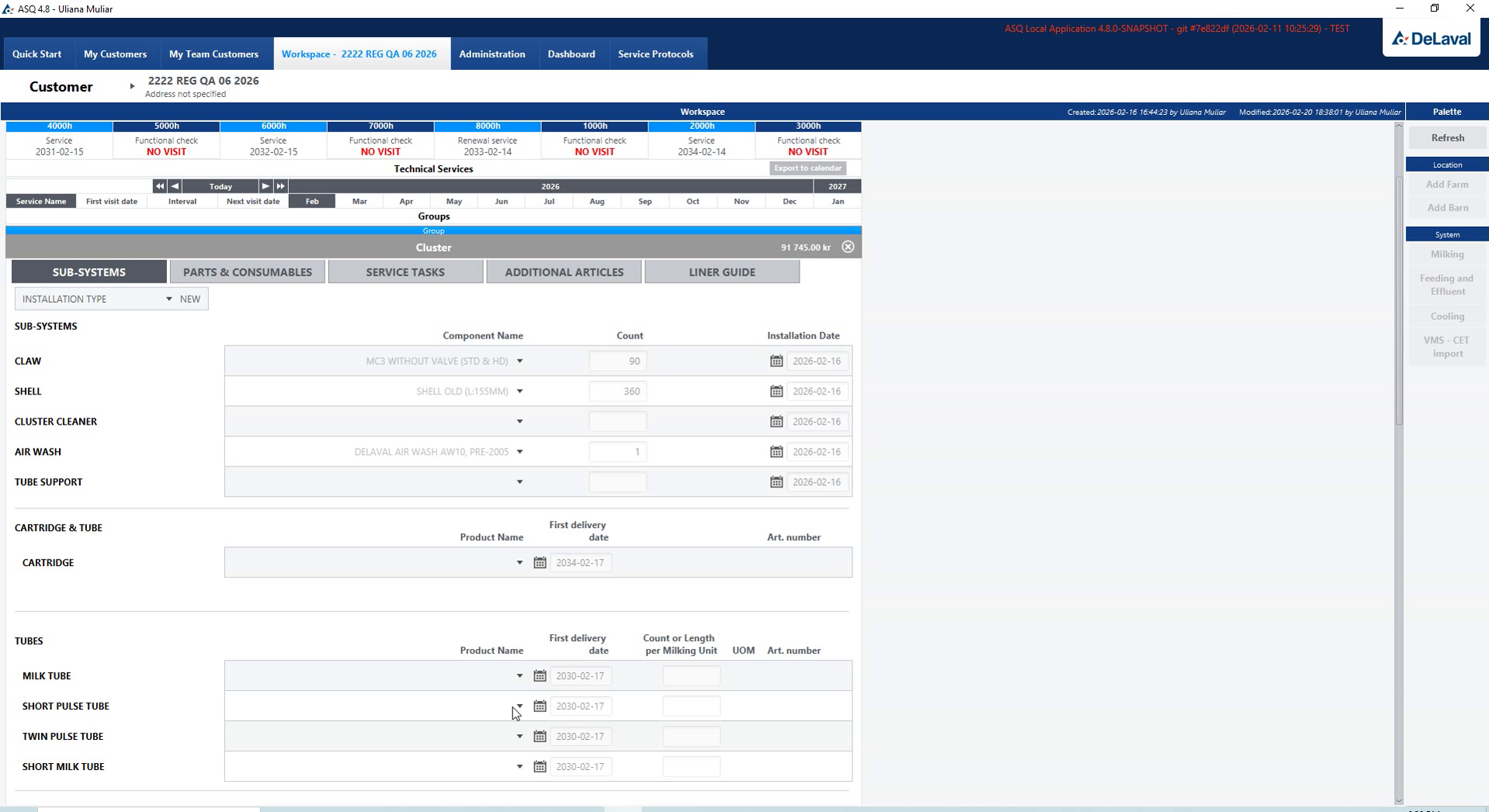
Component settings and replacement details

Component settings and replacement details

Component and replacement details give the service specialist a reference for maintaining the selected system.

Equipment records

Component quantities, subsystem choices and validation.

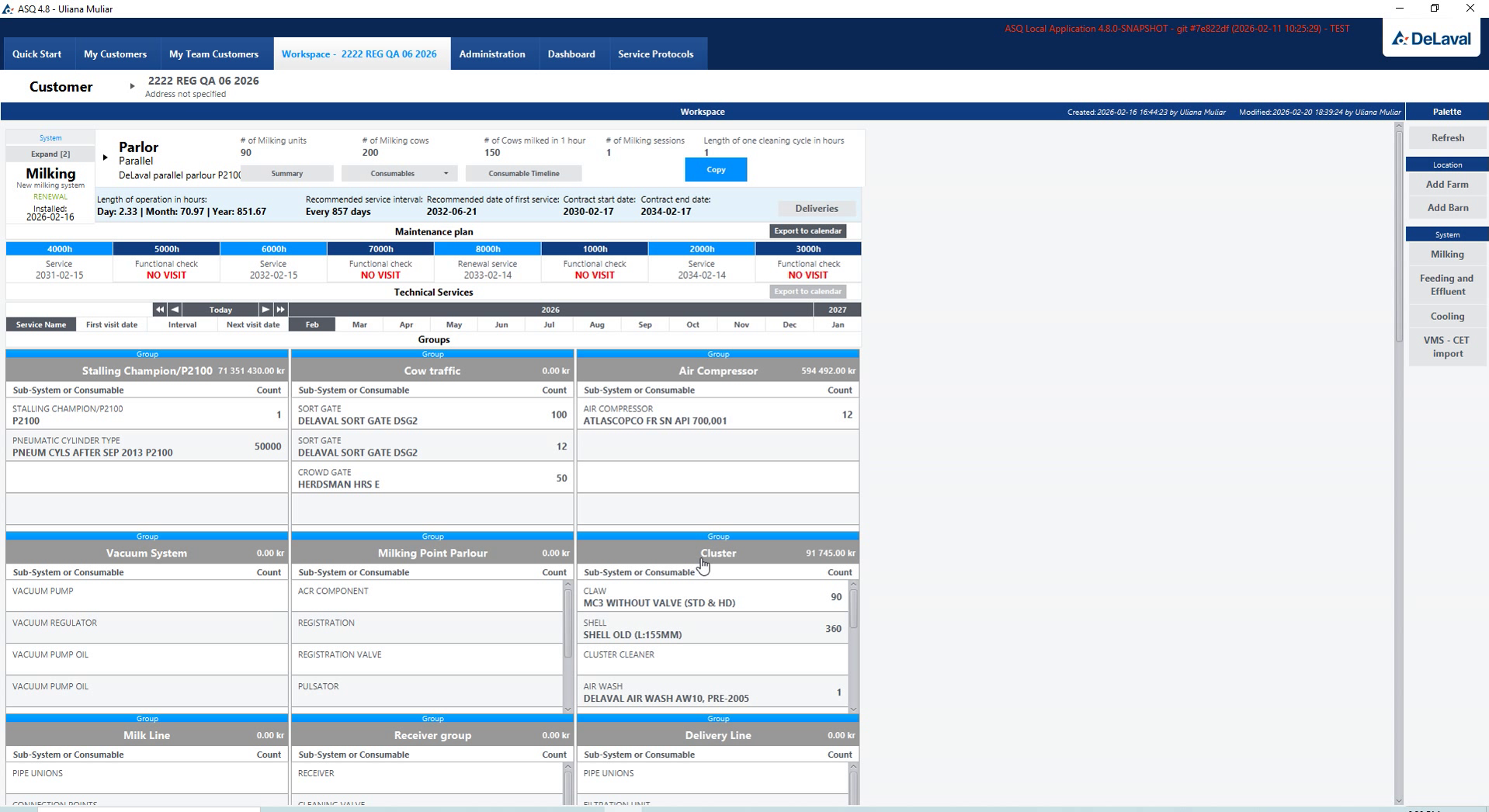
Equipment overview with component details

Equipment overview with component details

The working challenge

The equipment record needs the correct components and quantities so that subsequent service planning refers to the actual configuration.

The product solution

Component editing, subsystem selection and validation views let the specialist review and adjust those choices within the equipment record.

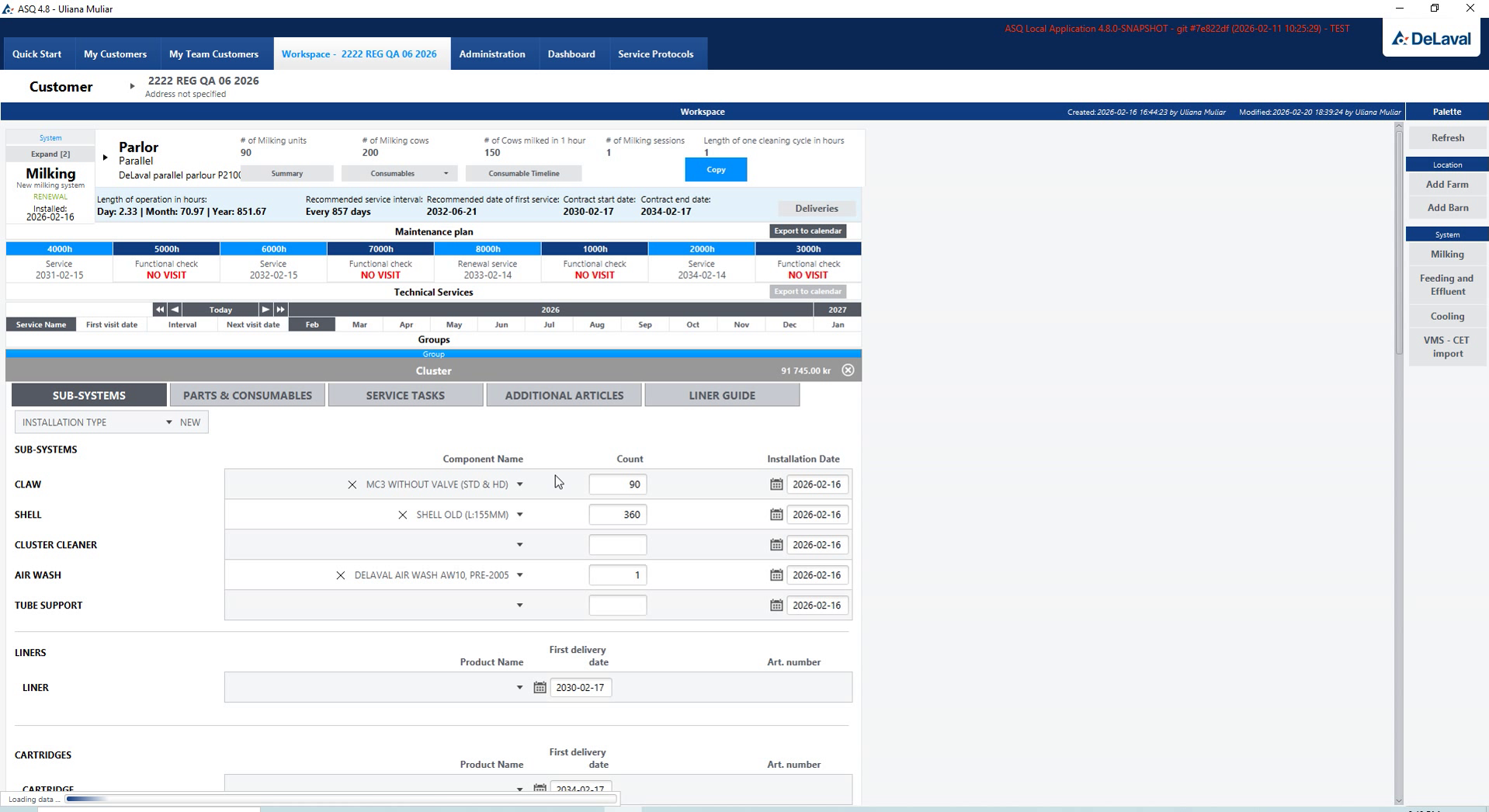
Editing components and quantities

Editing components and quantities

Component selection and quantity fields define the recorded composition of the installation being serviced.

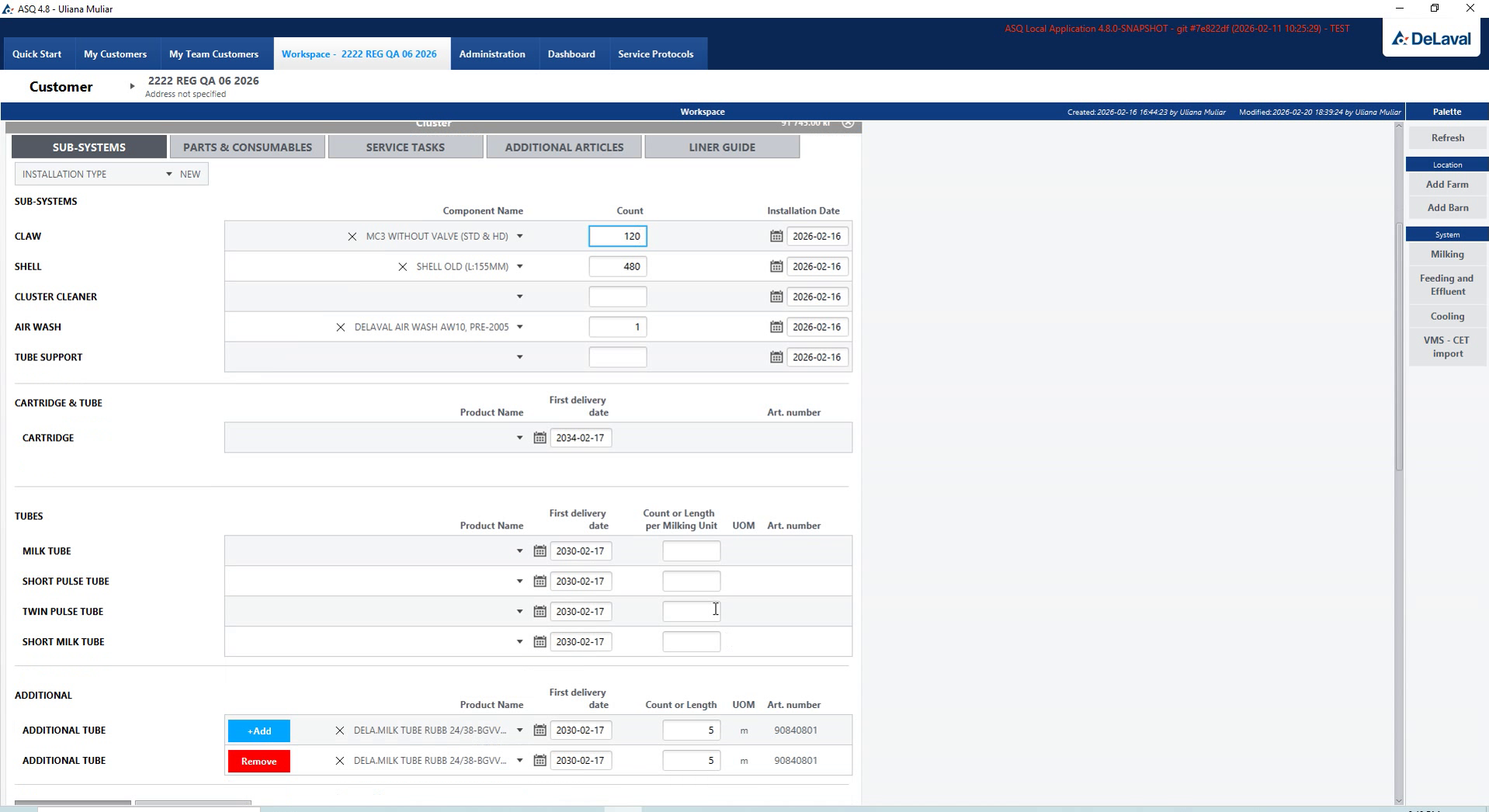
Additional subsystem components

Additional subsystem components

Additional subsystem components extend the equipment record while preserving its connection to the parent installation.

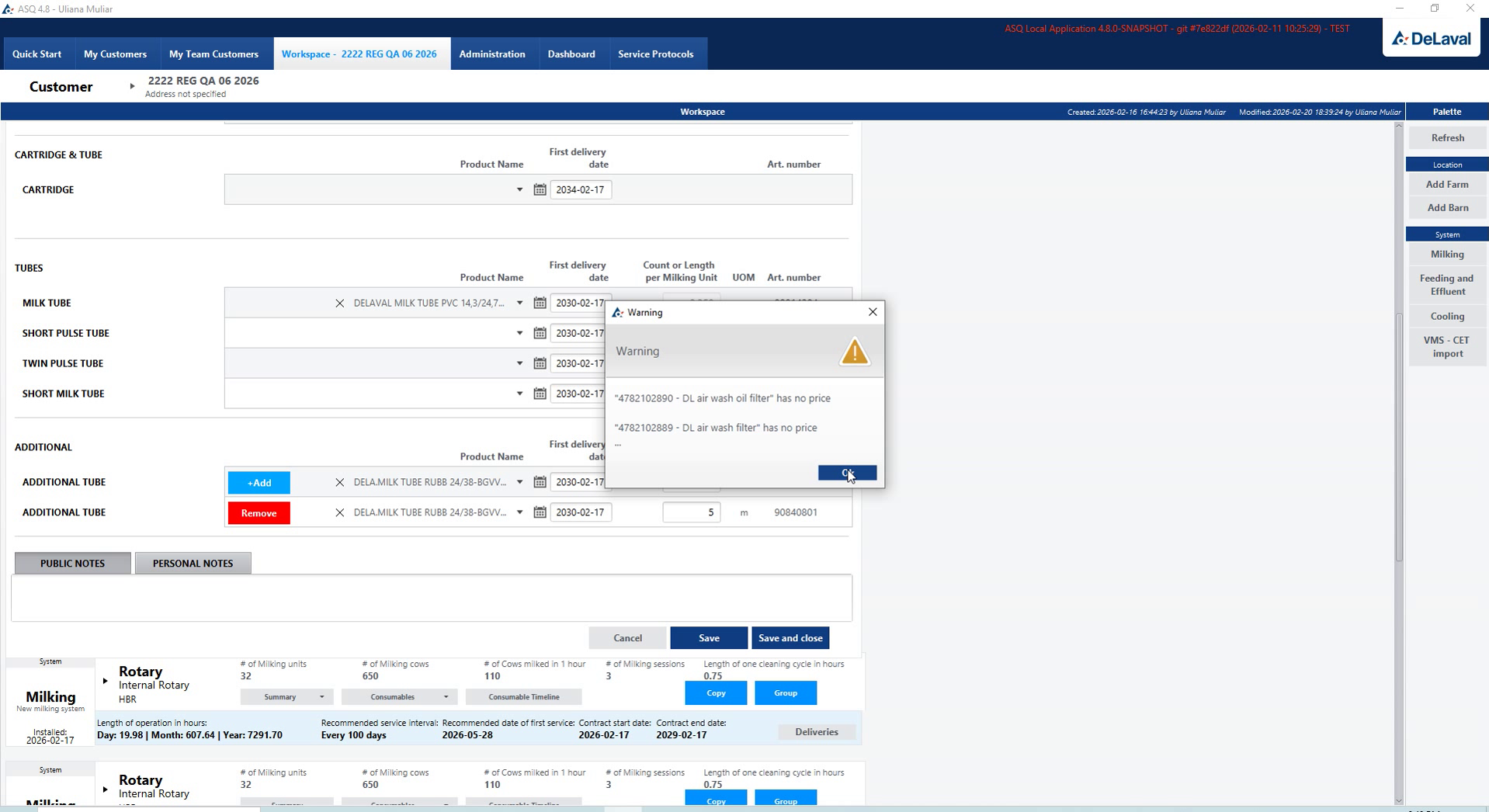
Component selection validation

Component selection validation

Validation identifies incomplete component selections before the specialist continues with the equipment configuration.

Parts & service planning

Parts, recurring tasks and maintenance intervals.

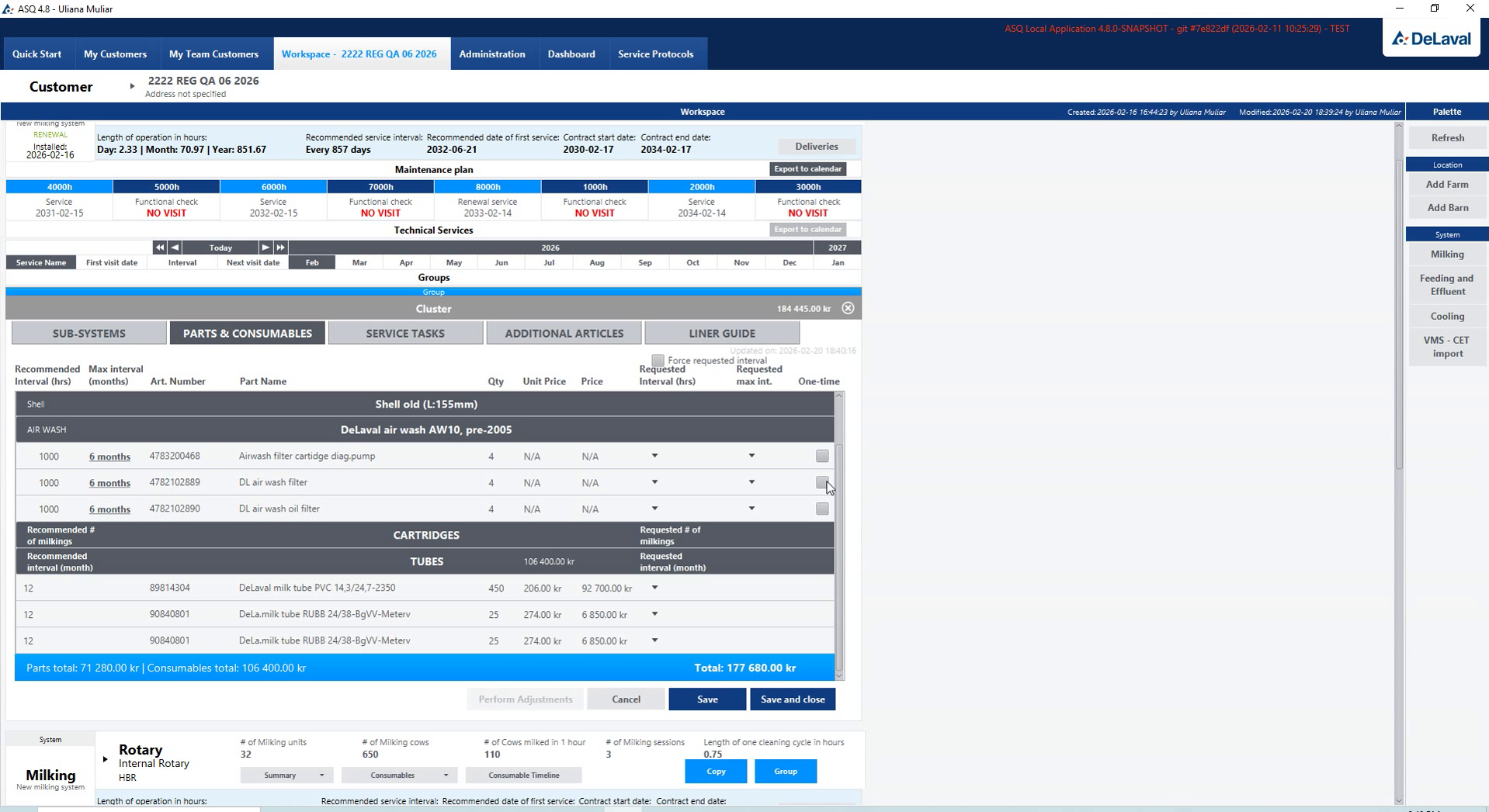
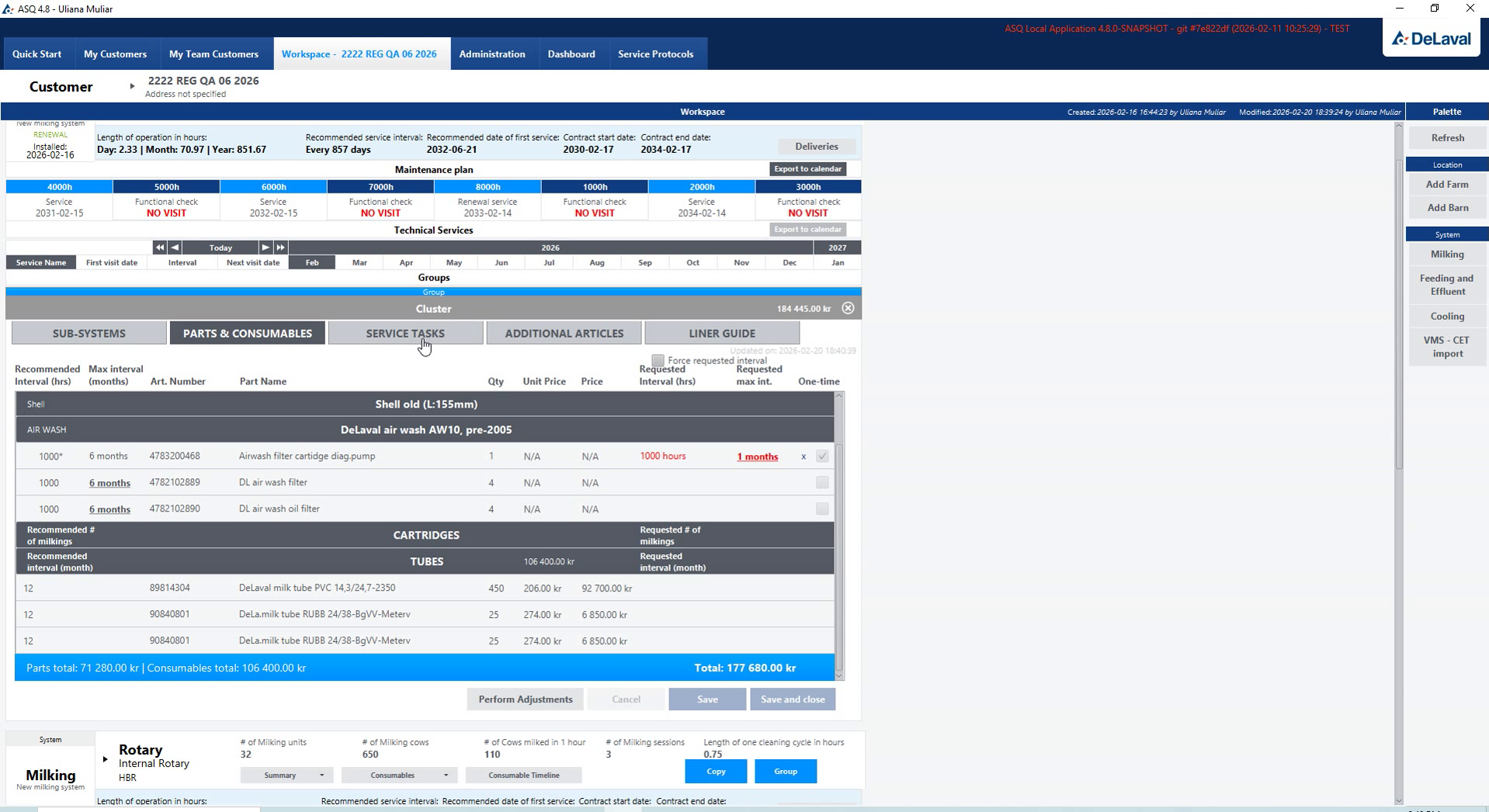
Parts, consumables and replacement intervals

Parts, consumables and replacement intervals

The working challenge

A maintenance plan needs to account for both replacement materials and recurring tasks for the selected equipment.

The product solution

Parts, consumables and task lists include quantities and service intervals, allowing the team to prepare the recurring maintenance scope together.

Configuring service materials

Configuring service materials

Materials are configured as part of the service scope, connecting the parts list to the planned maintenance.

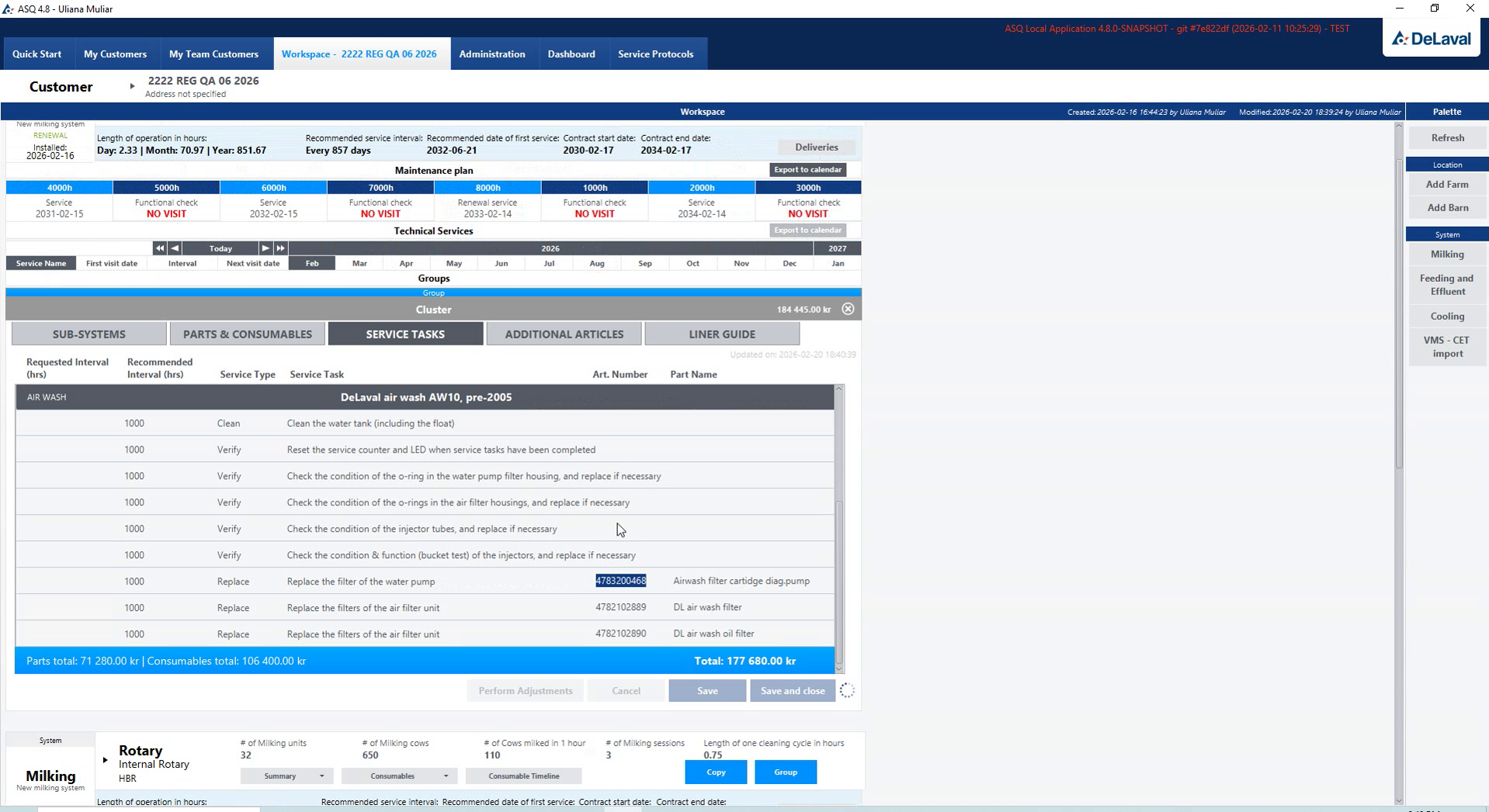
Service tasks and recurring intervals

Service tasks and recurring intervals

Recurring tasks and their intervals describe what needs to be done and how often the equipment requires attention.

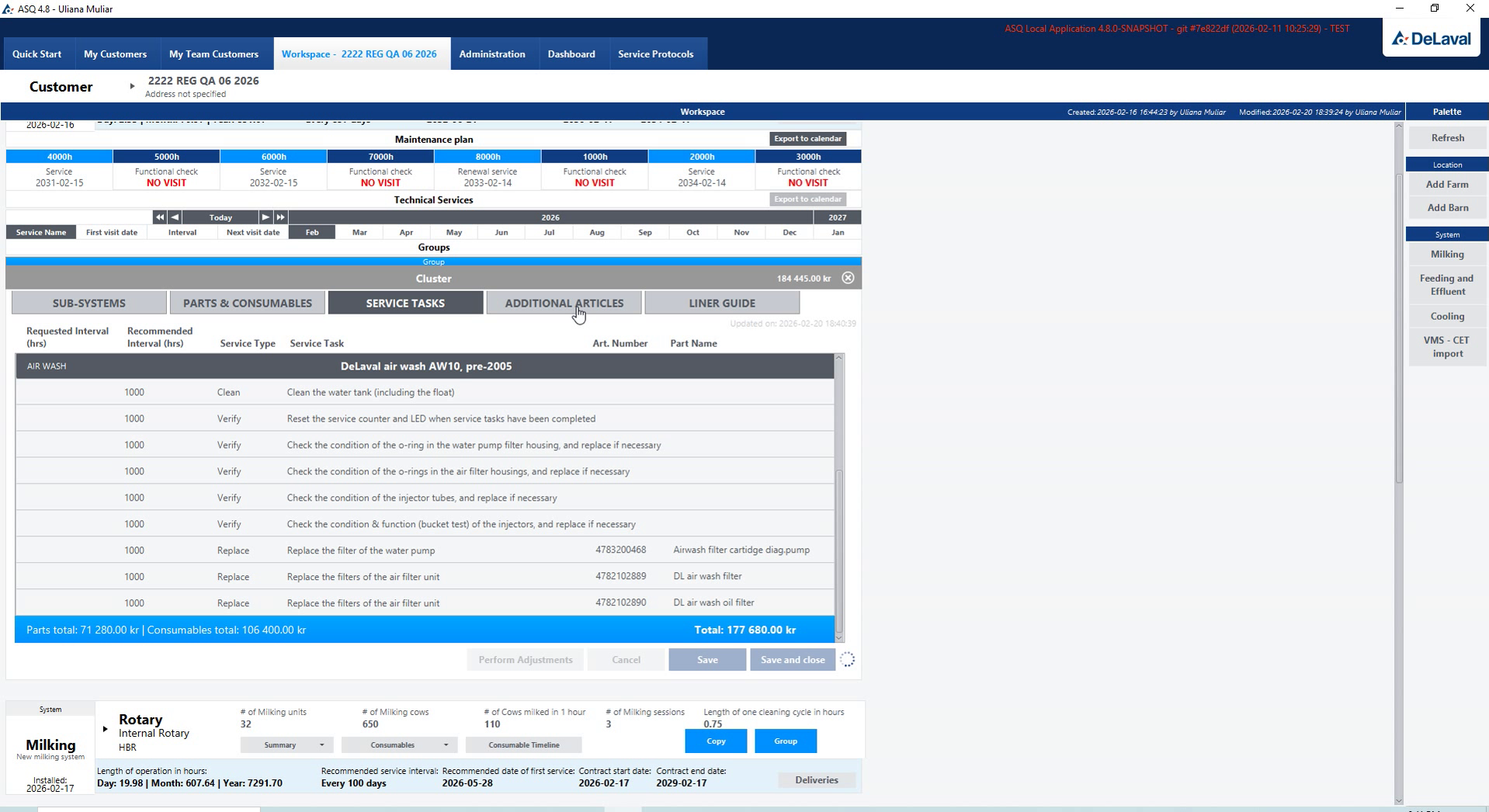
Reviewing the maintenance task list

Reviewing the maintenance task list

The task list provides a combined view of the maintenance work before service documents are prepared.

Parts & service planning

Additional service items and contract settings.

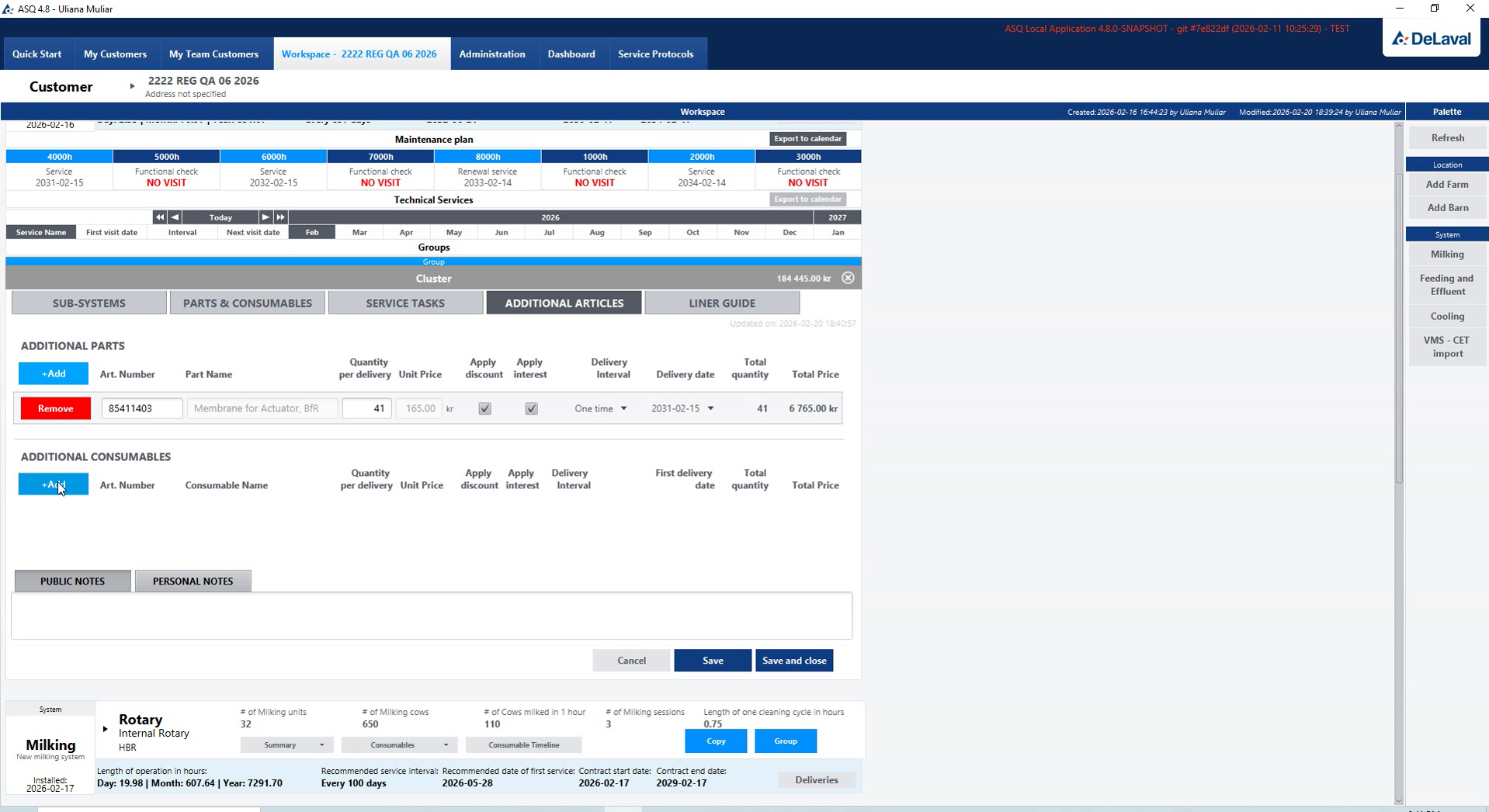
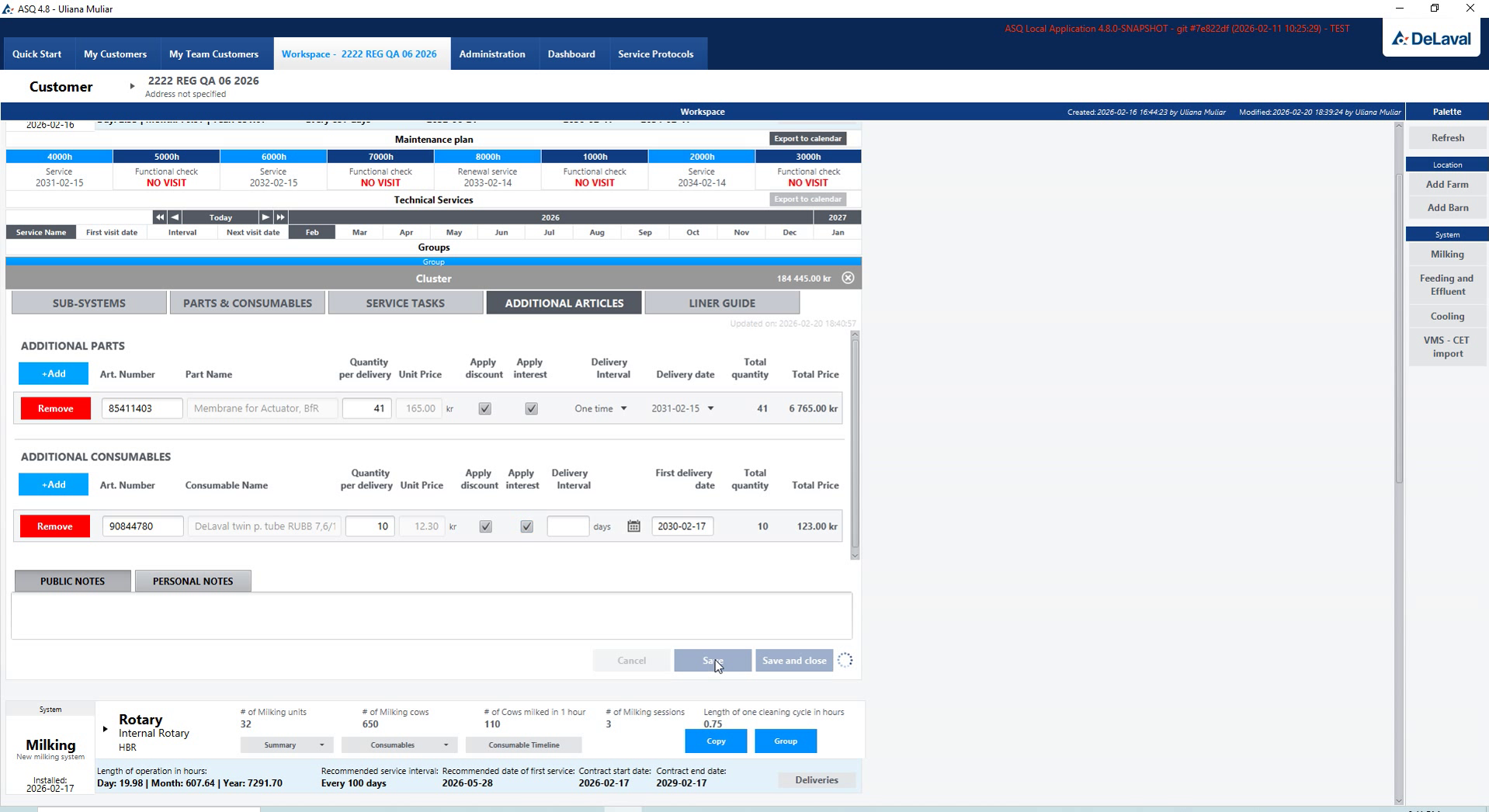
Adding articles to the service plan

Adding articles to the service plan

The working challenge

A standard maintenance list may need additional articles and contract settings to describe the service being prepared for a customer.

The product solution

Additional-part selection and service-contract configuration keep those adjustments within the same service-planning workflow.

Additional parts and consumables

Additional parts and consumables

Additional parts and consumables adapt the service list to the needs of a particular installation.

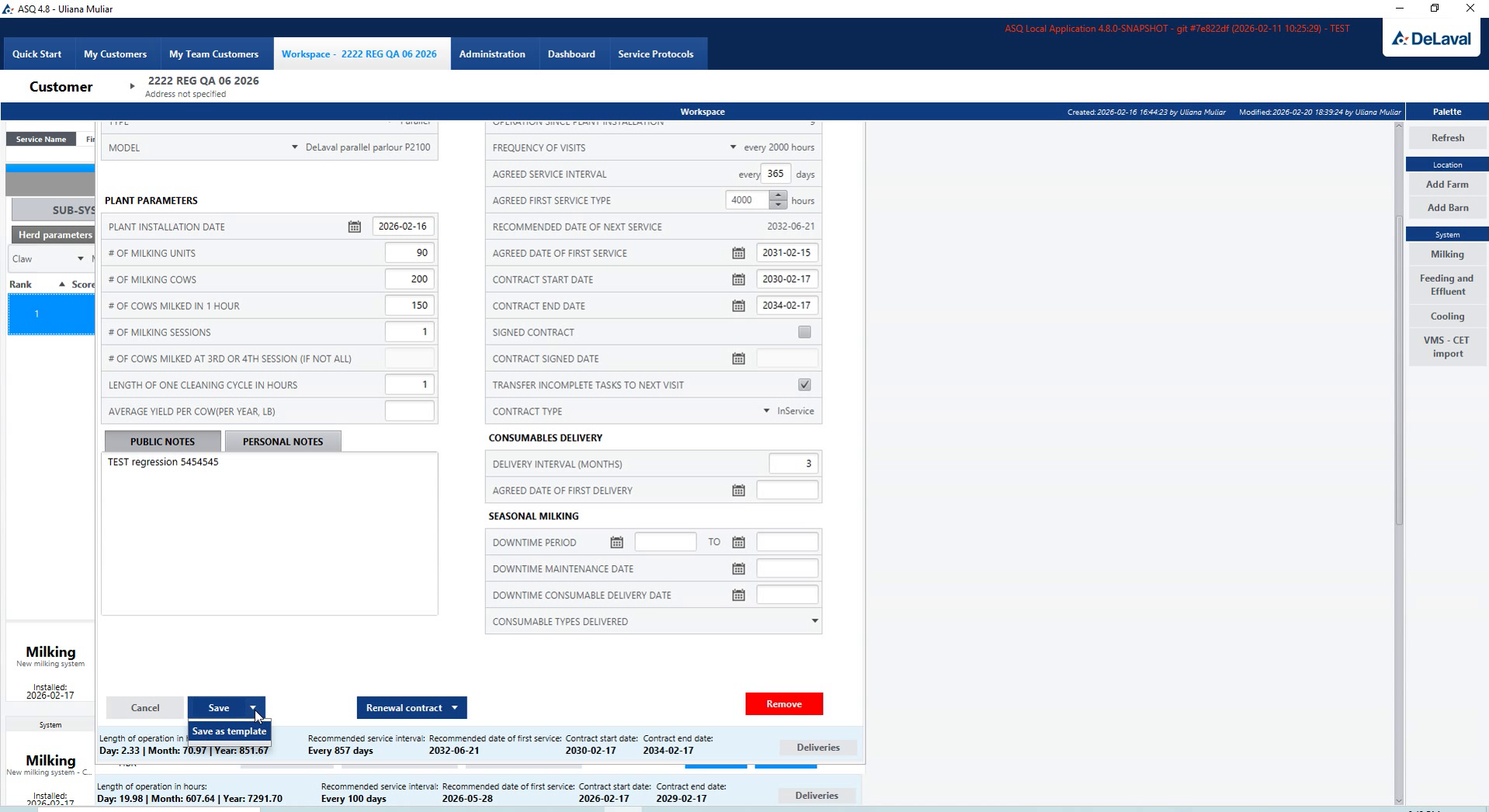
Service contract configuration

Service contract configuration

Contract settings bring the selected service scope into the agreement prepared for the customer.

Measurements & recommendations

Liner Guide: measurements, comparison and replacement settings.

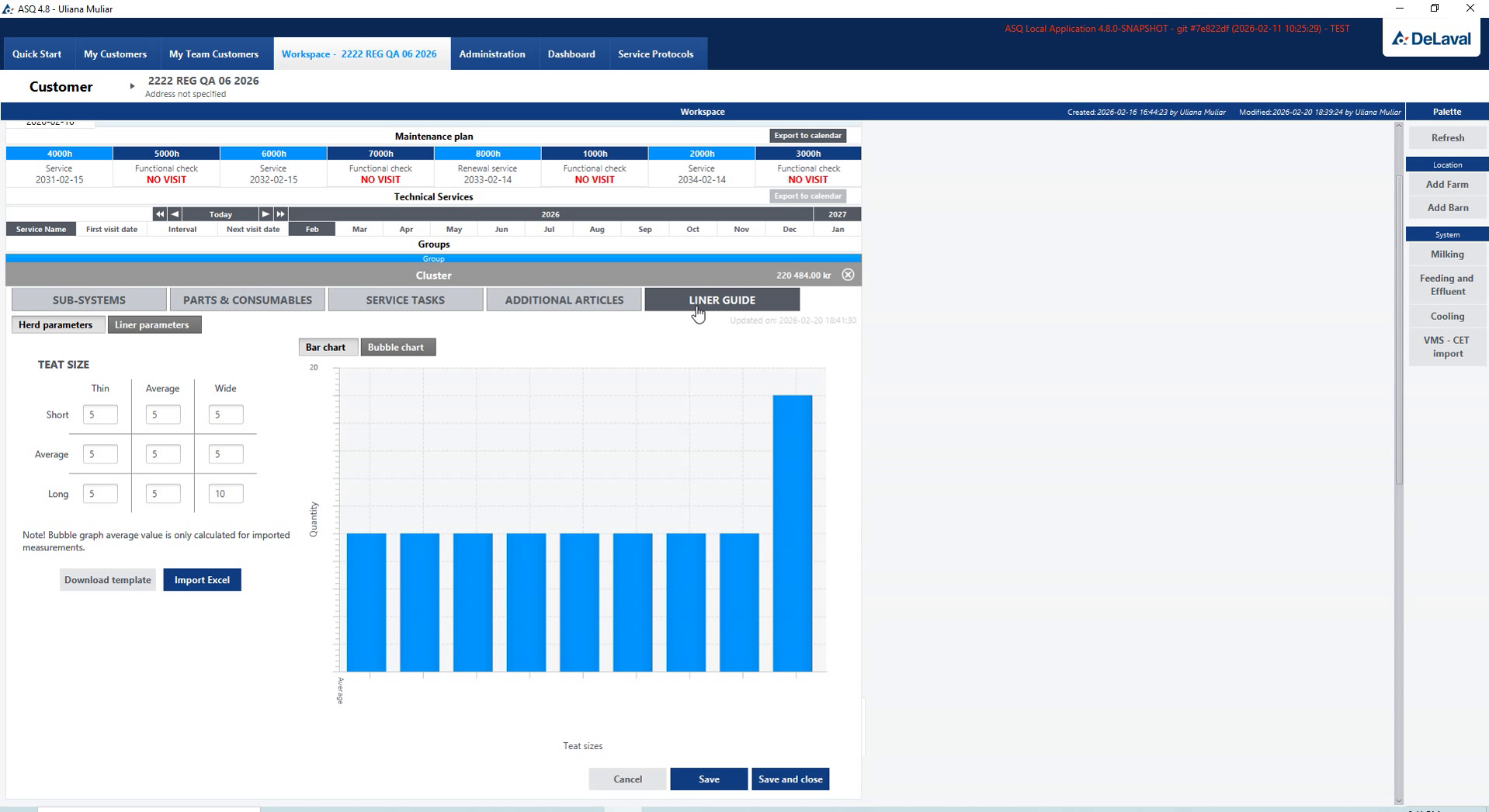
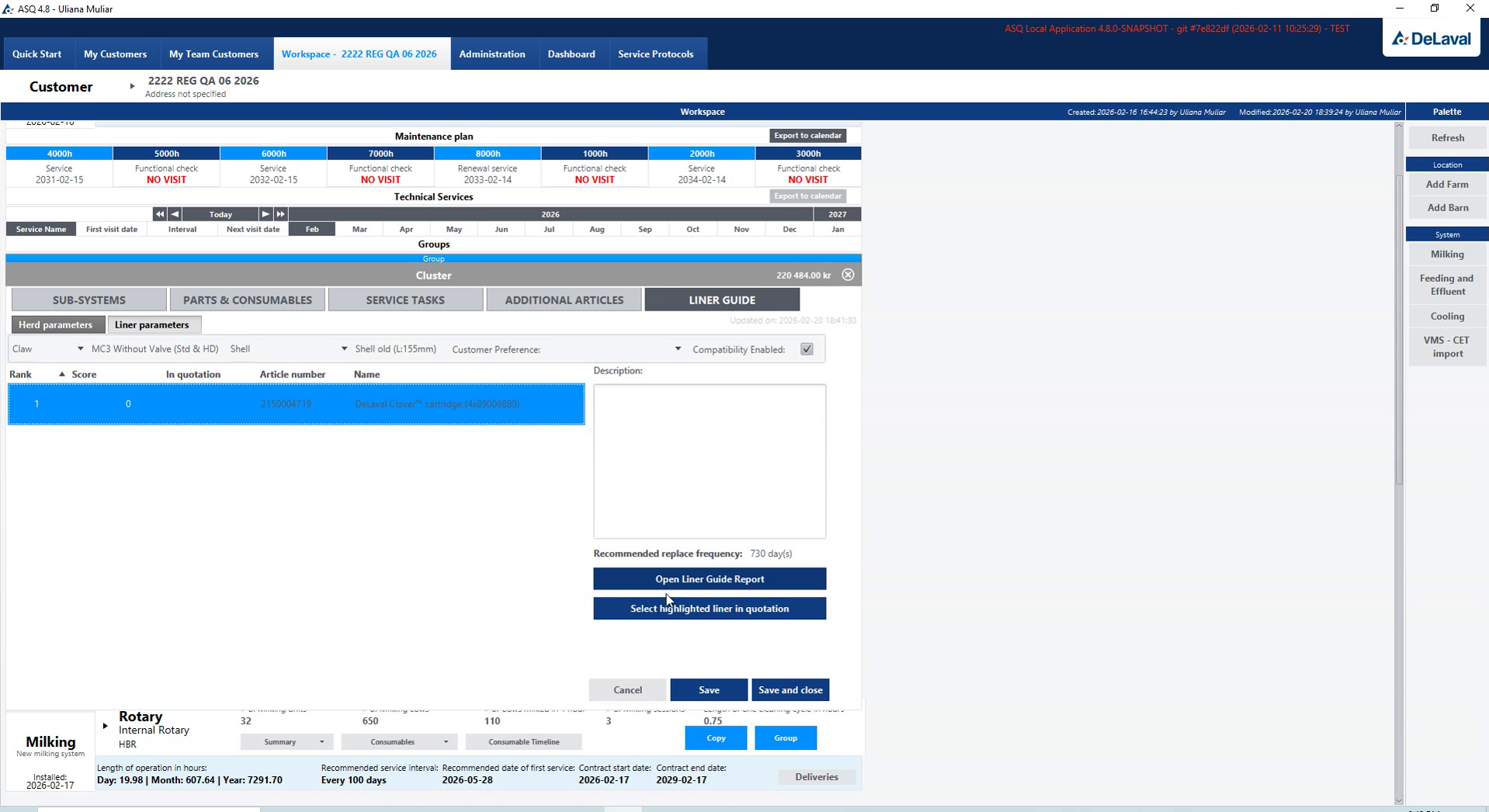
Liner Guide measurement overview

Liner Guide measurement overview

The working challenge

A service discussion needs to relate recorded liner measurements to replacement settings and a report that can be reviewed.

The product solution

Liner Guide presents measurements, distribution and comparison charts alongside replacement frequency, carrying the recorded information into the report.

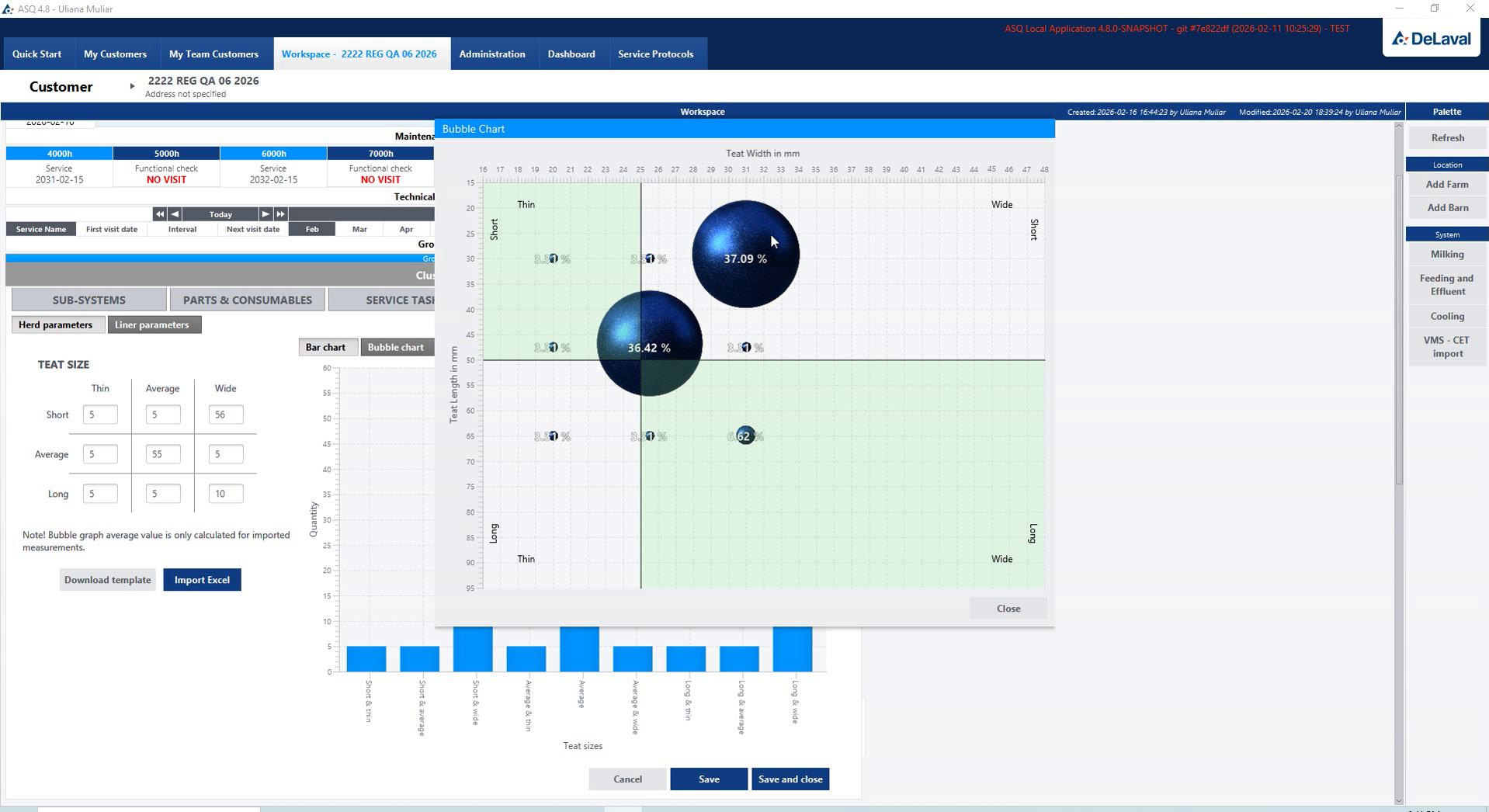
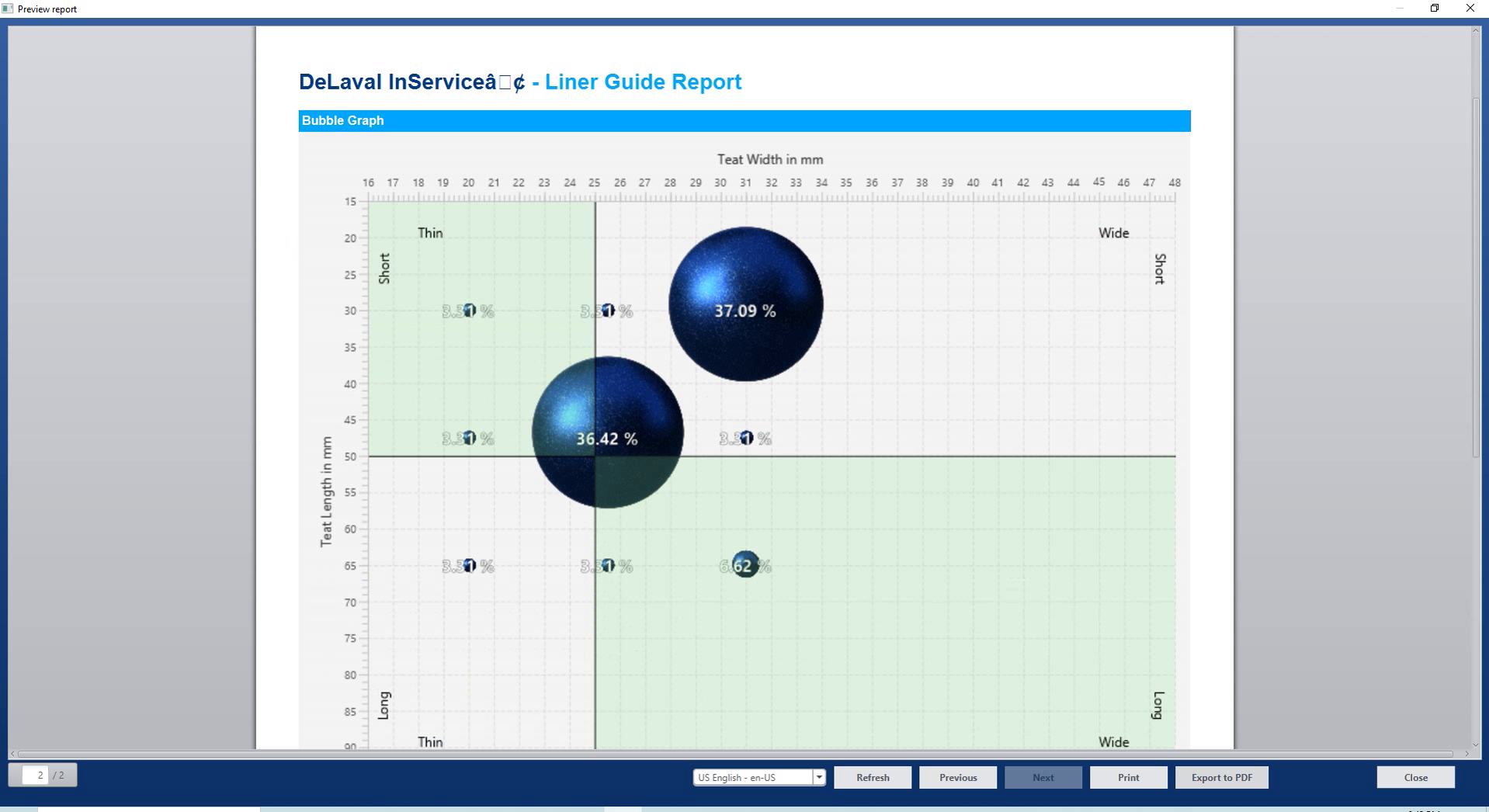
Measurement distribution chart

Measurement distribution chart

The distribution chart makes measurement differences visible before the team reviews replacement settings.

Liner configuration and replacement frequency

Liner configuration and replacement frequency

Configuration and replacement frequency connect the measured condition with the planned service interval.

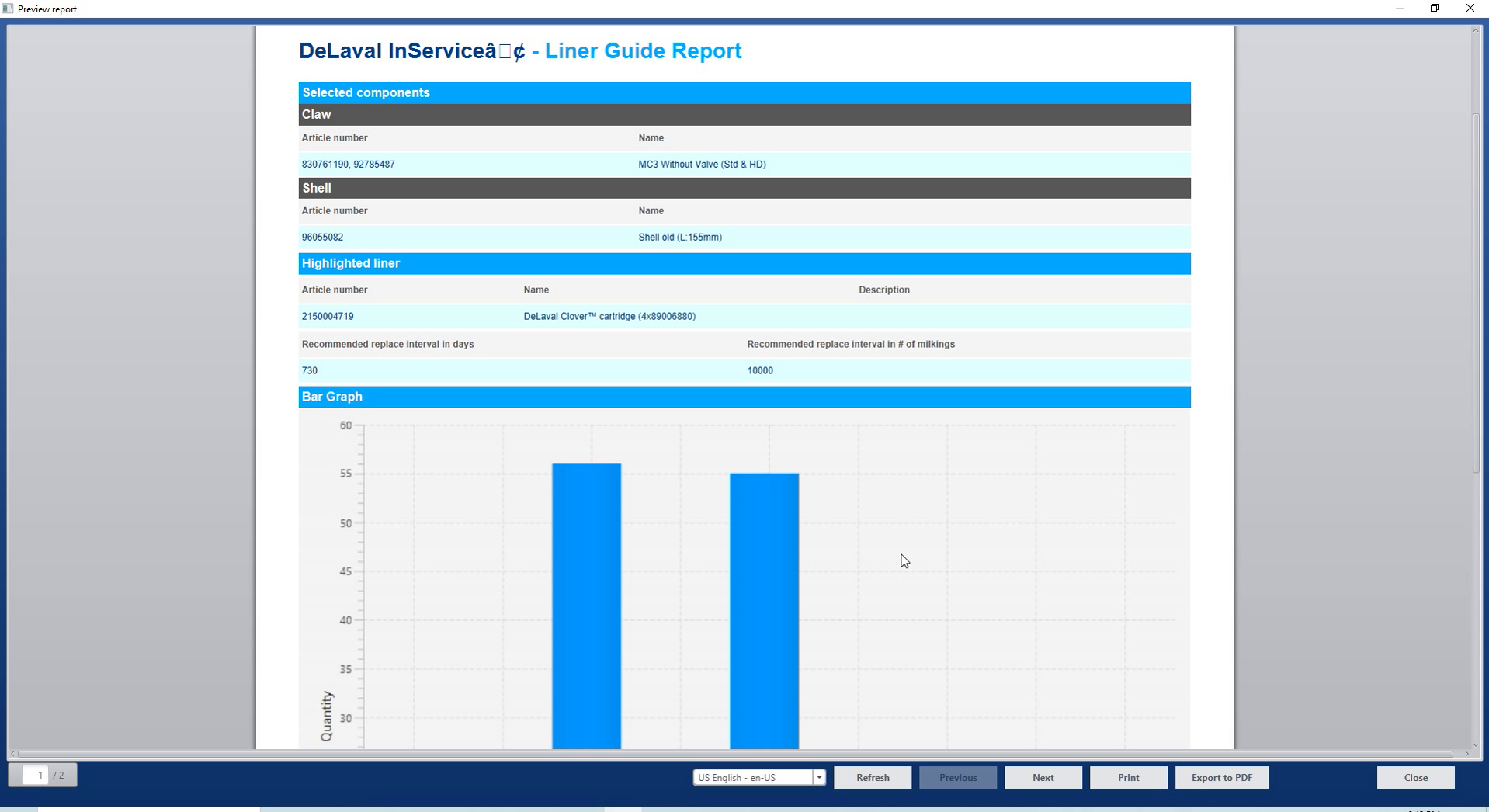
Liner Guide report and measurements

Liner Guide report and measurements

The report keeps measurements available as a document the specialist can review during the service workflow.

Liner Guide report with comparison chart

Liner Guide report with comparison chart

The comparison chart sits alongside the recorded measurements in a report for reviewing the service assessment.

Service documentation

Service dates, protocols and quotation copies.

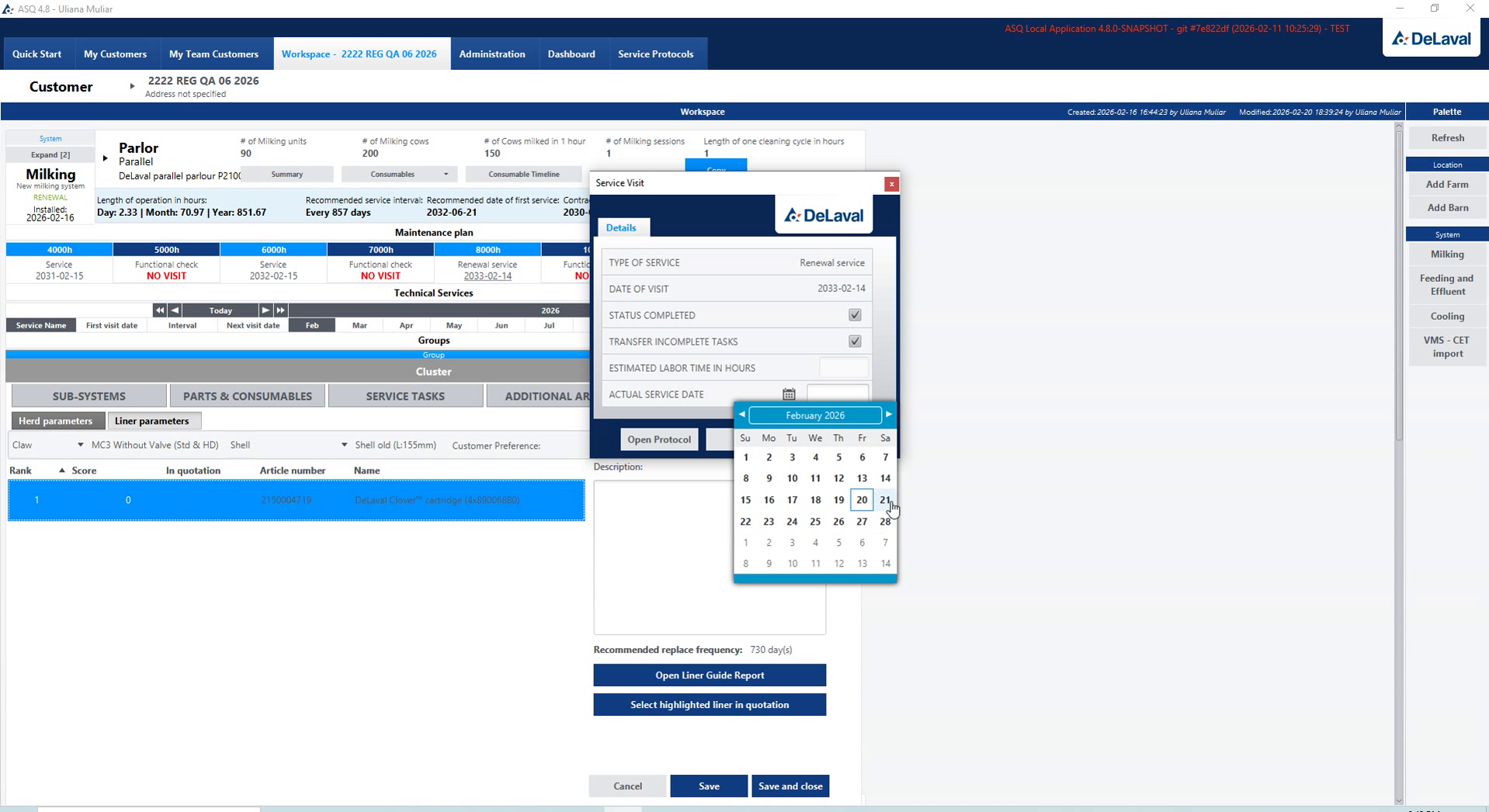
Selecting the service date

Selecting the service date

The working challenge

Planned service work needs a date, a reviewed task checklist and the documents used by the service team and customer.

The product solution

Date selection, service protocols, confirmation and quotation-copy preparation connect the planned work with its document output.

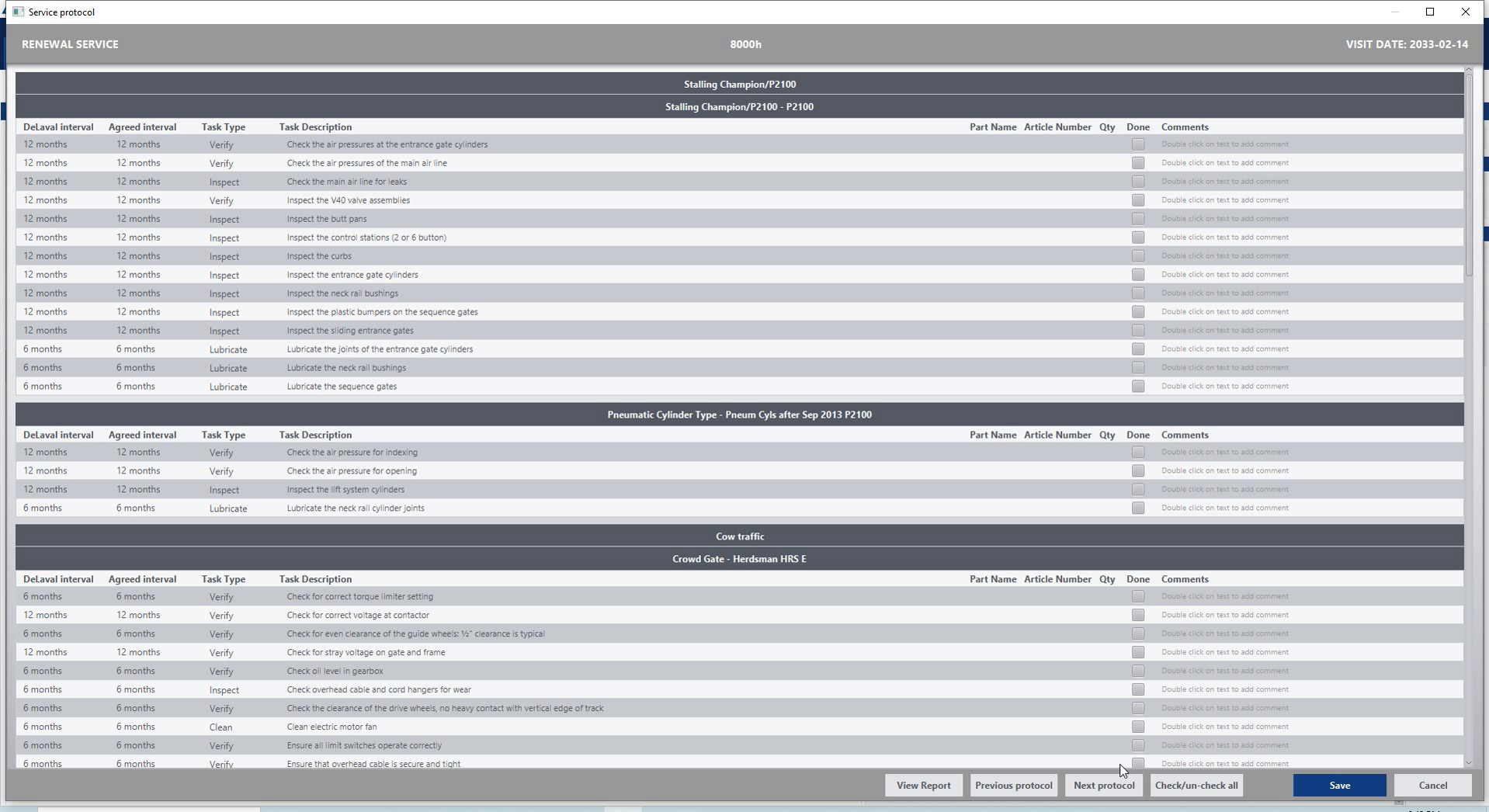
Service protocol and task checklist

Service protocol and task checklist

The protocol brings the selected tasks into a checklist the team can review as one service document.

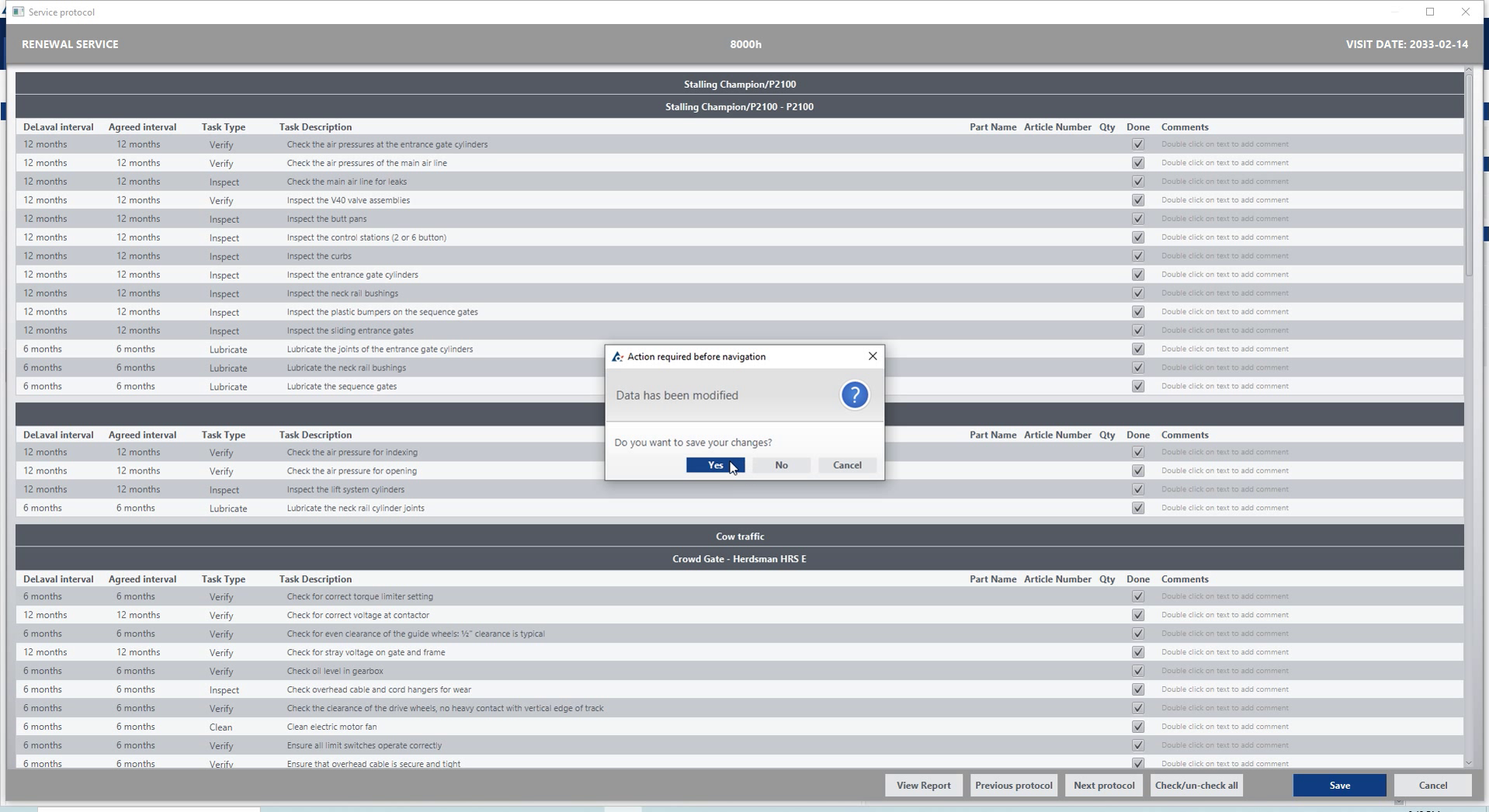
Confirming a service protocol action

Confirming a service protocol action

The confirmation step asks the specialist to review the requested action on the service protocol before proceeding.

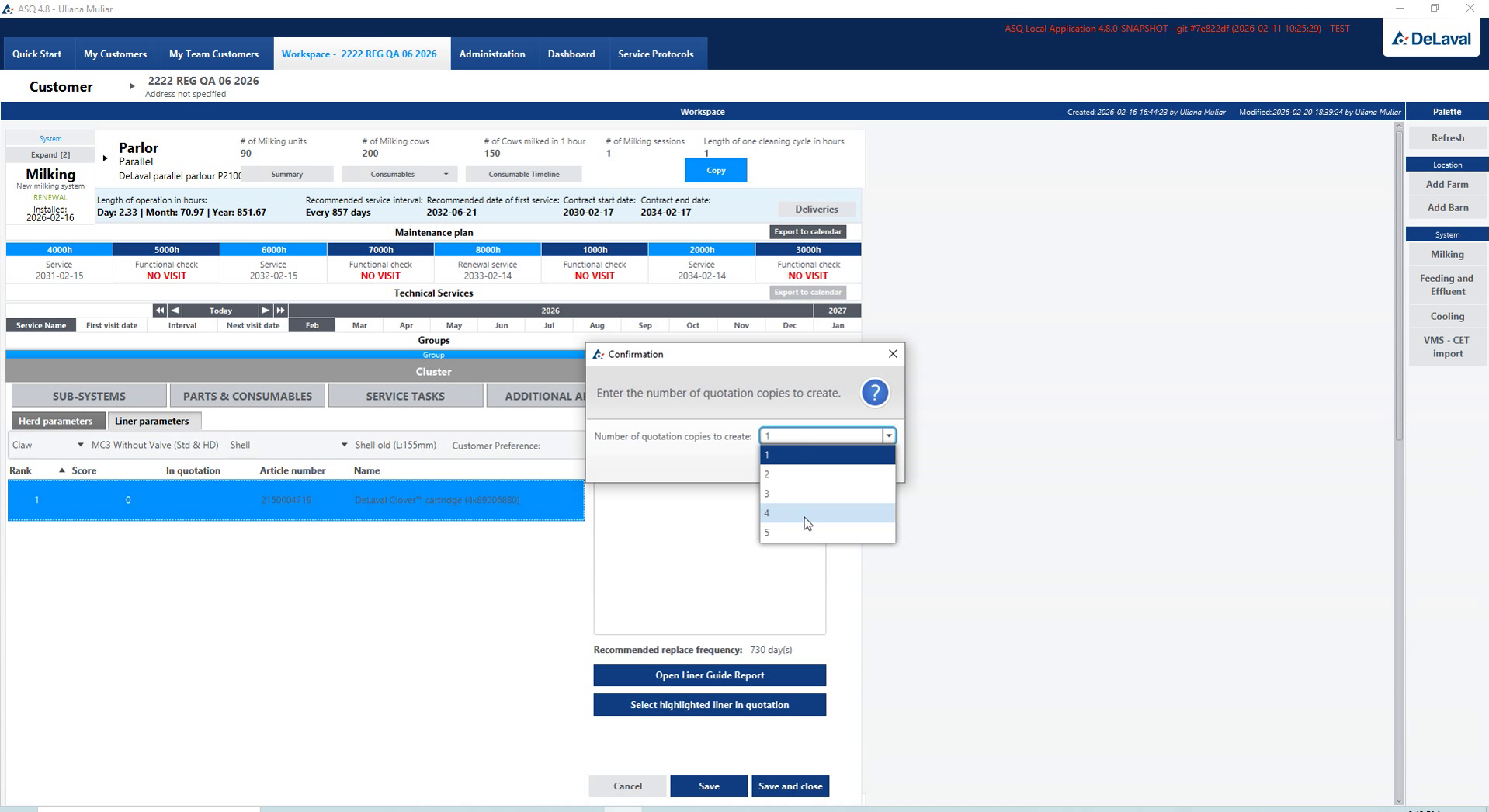
Preparing quotation copies

Preparing quotation copies

Quotation-copy preparation connects the service offer with the document copies needed for the next step.

Customers & synchronisation

Customer selection and farm records.

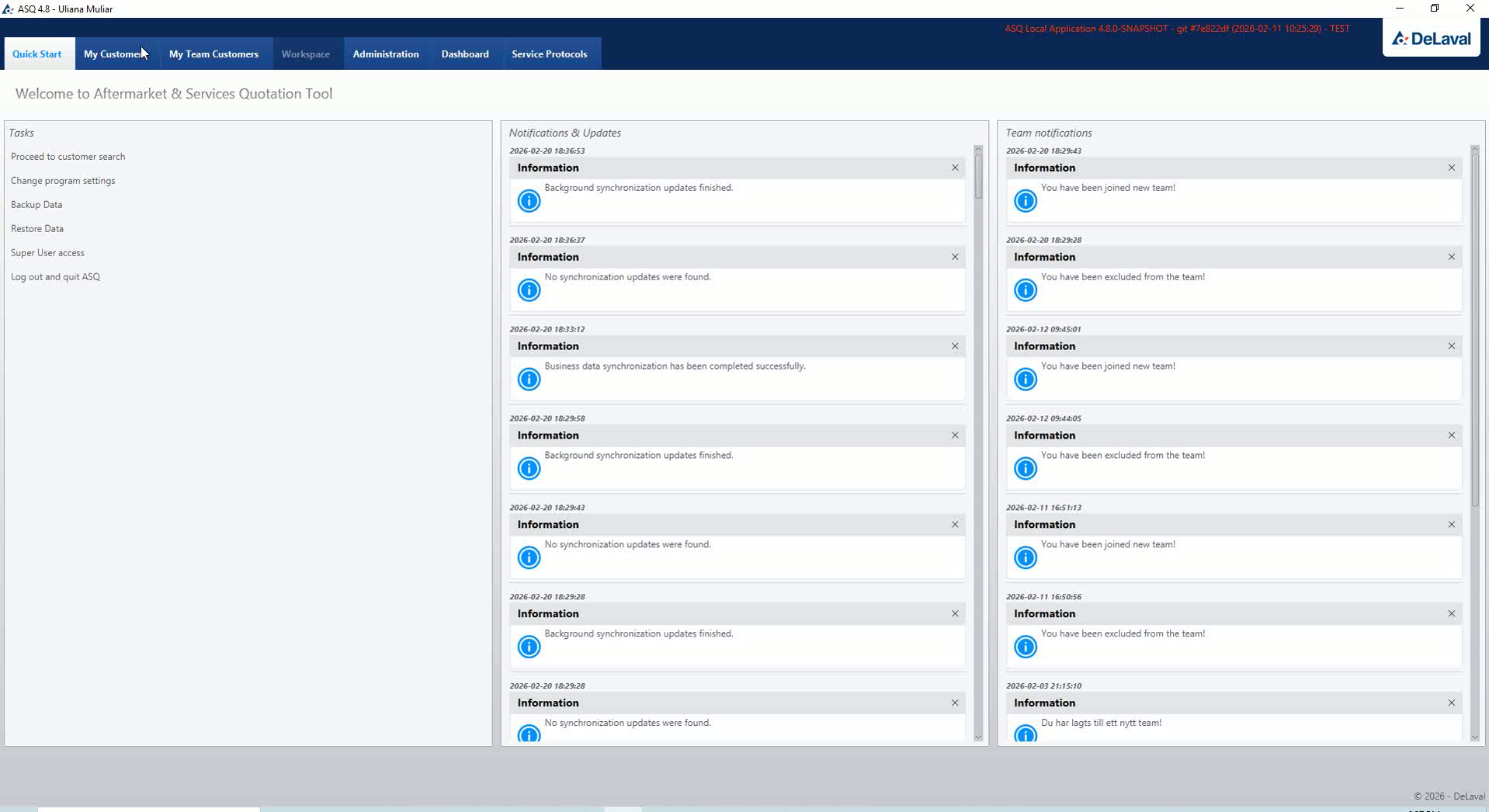
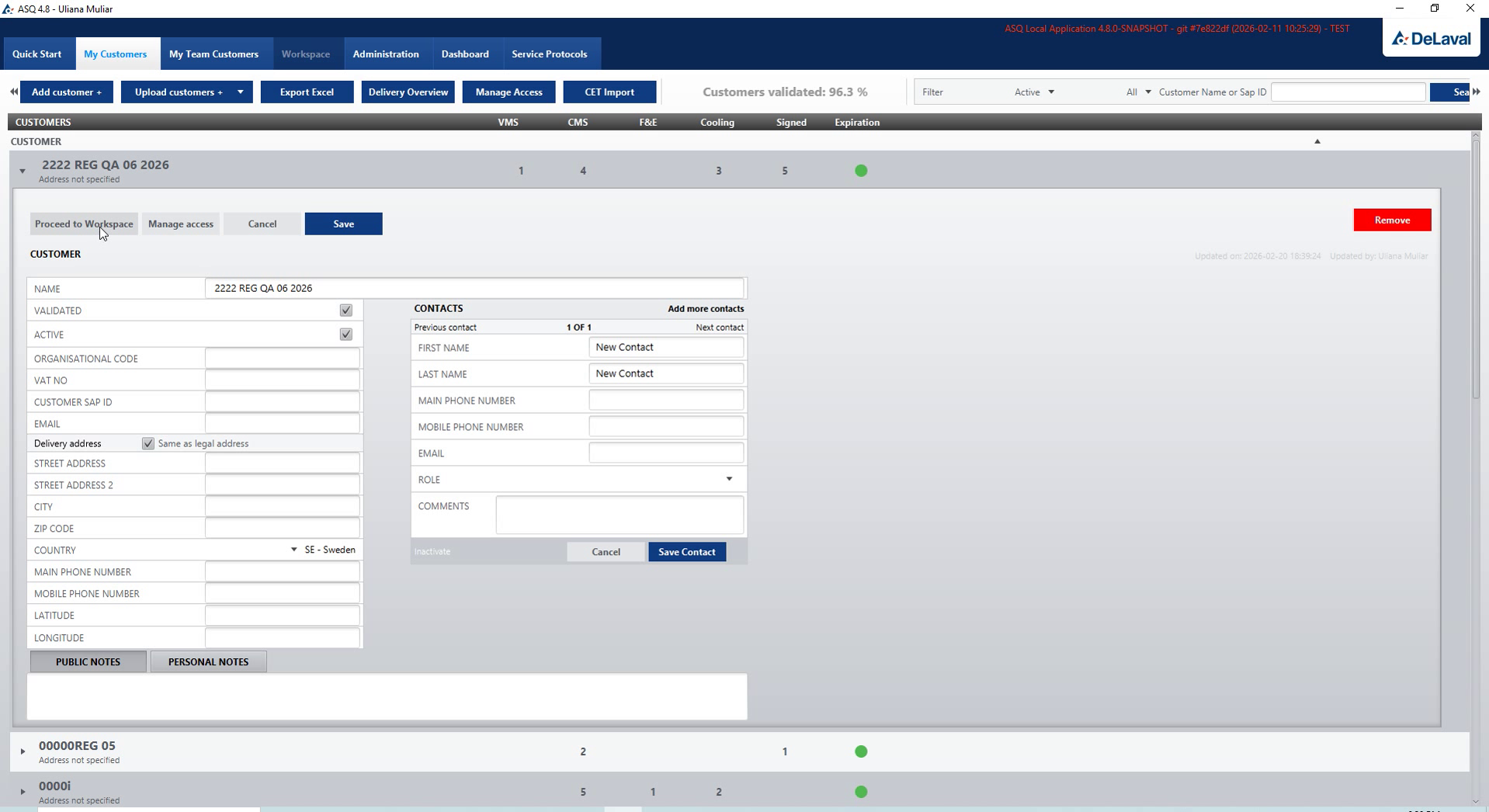
Service workspace and quick actions

Service workspace and quick actions

The working challenge

A field-service team needs to find the right customer and farm, then work with the contact details and systems belonging to that record.

The product solution

The customer register connects contact editing with farm and installation selection, establishing the context for the service workspace.

Editing customer contact details

Editing customer contact details

Contact details are edited within the customer record used throughout the equipment and service workflow.

Selecting customers and farms

Selecting customers and farms

Customer and farm selection establishes which installation records the specialist will work with next.

Customers & synchronisation

Farm access and workspace synchronisation.

Choosing farm access

Choosing farm access

The working challenge

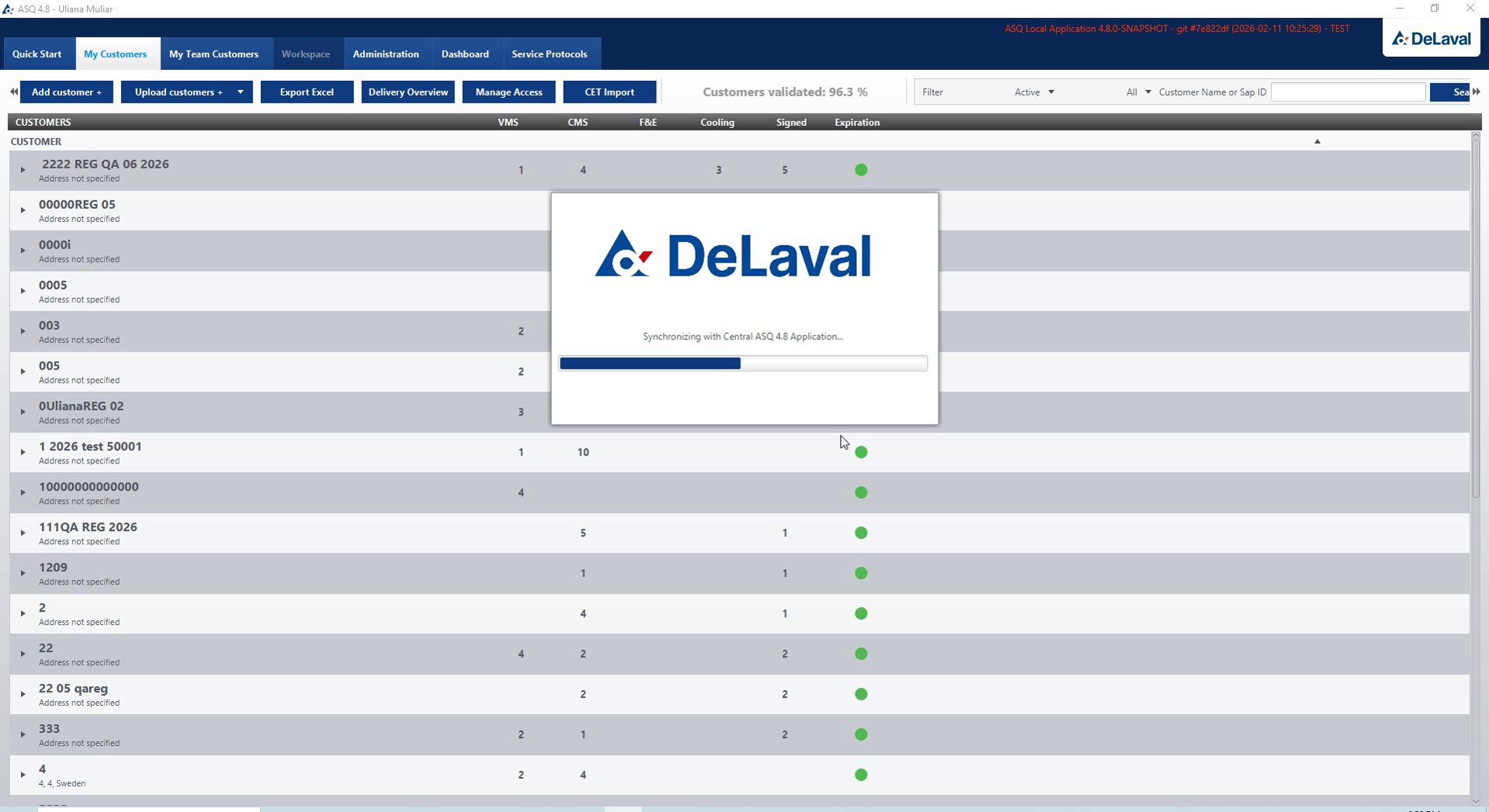
Field work needs an explicit selection of farm access and a visible way to follow synchronisation of the working data.

The product solution

Farm-access selection, synchronisation progress and confirmation expose the steps used to update the service workspace for online and offline work.

Synchronising the service workspace

Synchronising the service workspace

Visible synchronisation progress lets the team follow the update of its local service workspace.

Synchronisation confirmation

Synchronisation confirmation

The confirmation step makes the outcome of workspace synchronisation visible to the specialist.

Team & access

Customer assignments and team permissions.

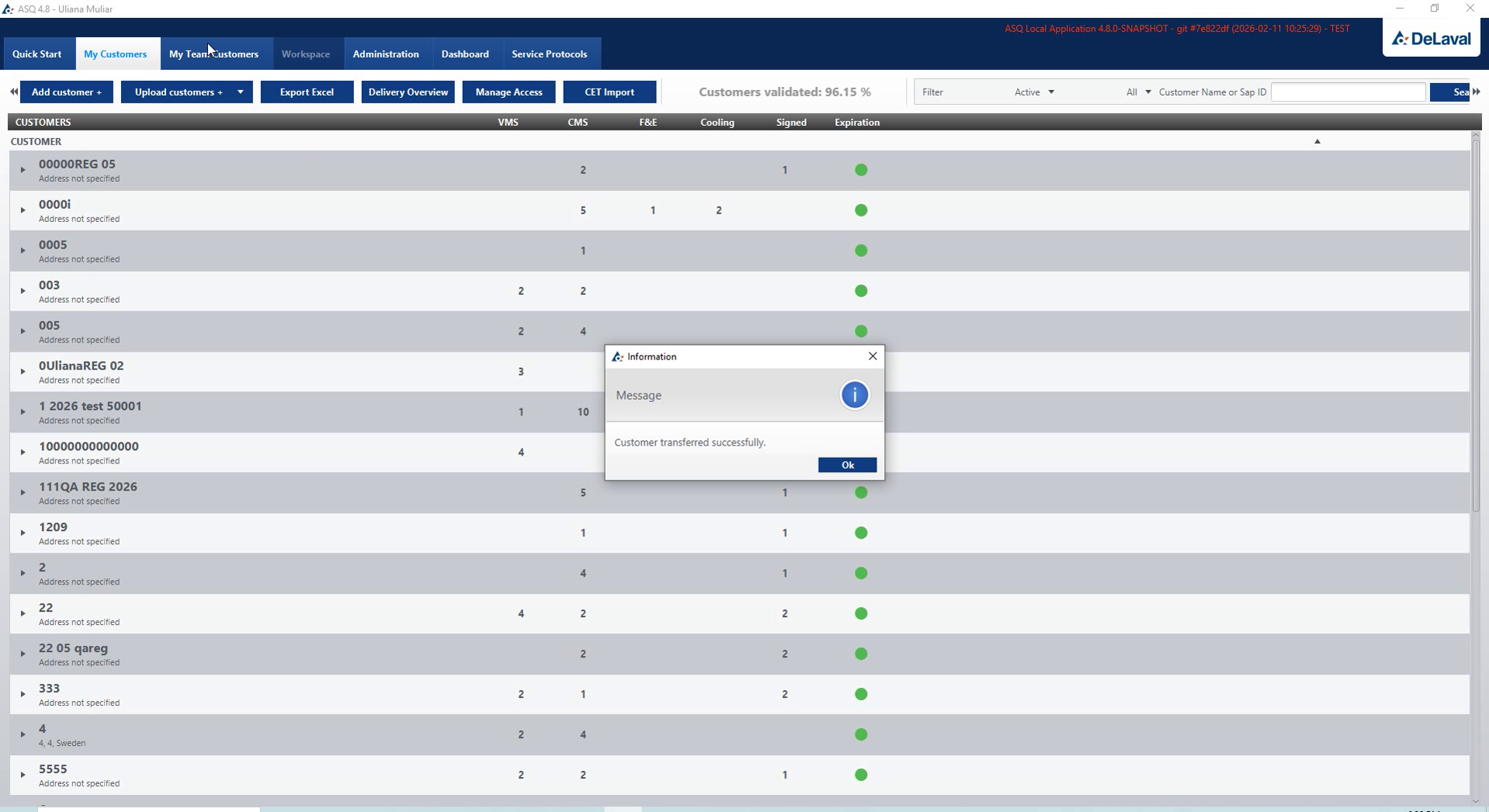
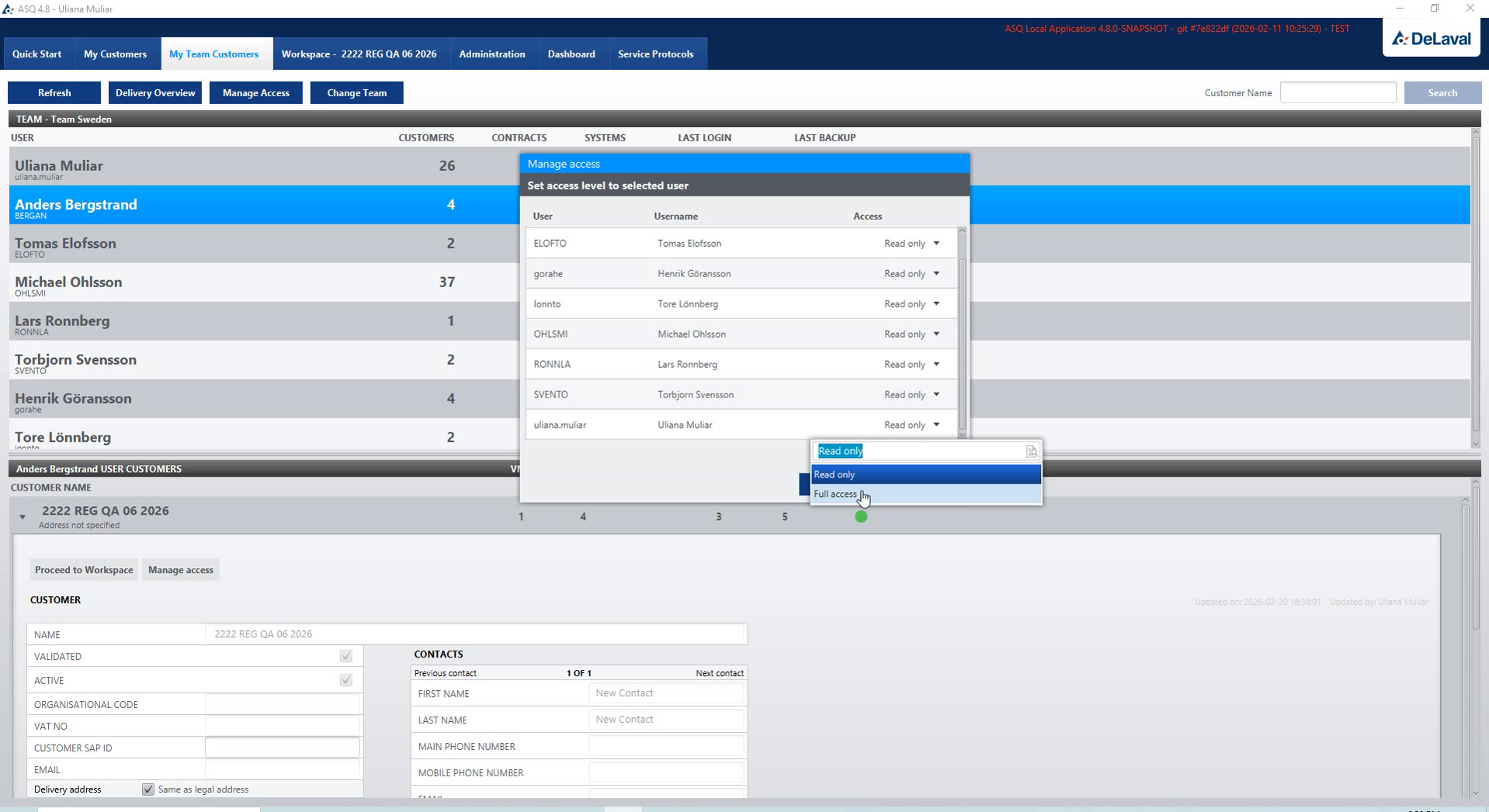
Team members and customer coverage

Team members and customer coverage

The working challenge

A service manager needs to know which team member covers each customer and set the access appropriate to that responsibility.

The product solution

Team and customer views expose coverage, while member selection and permission-level controls support configuring access to the working records.

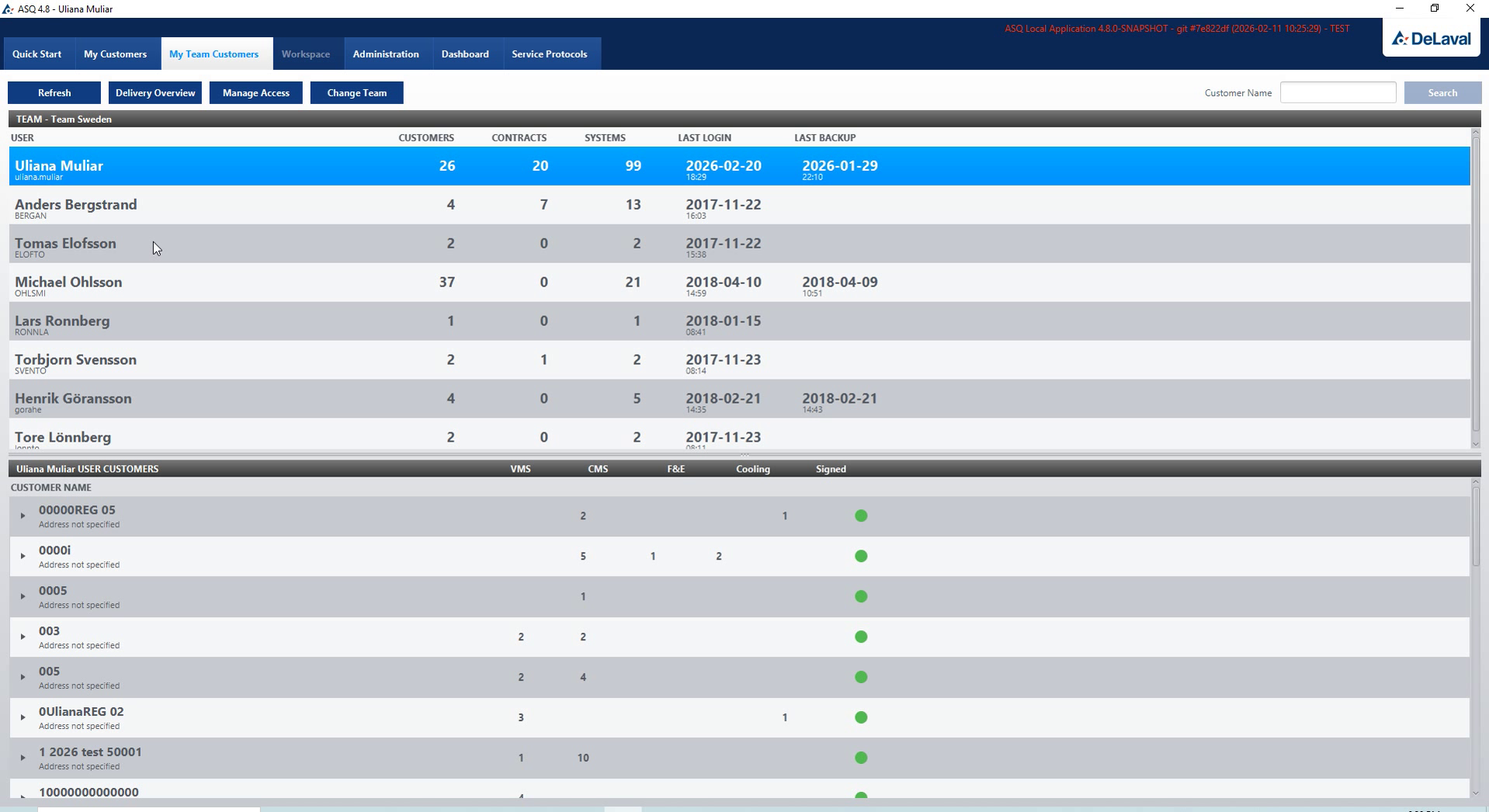
A team member’s customer records

A team member’s customer records

The customer list shows which working records are associated with the selected team member.

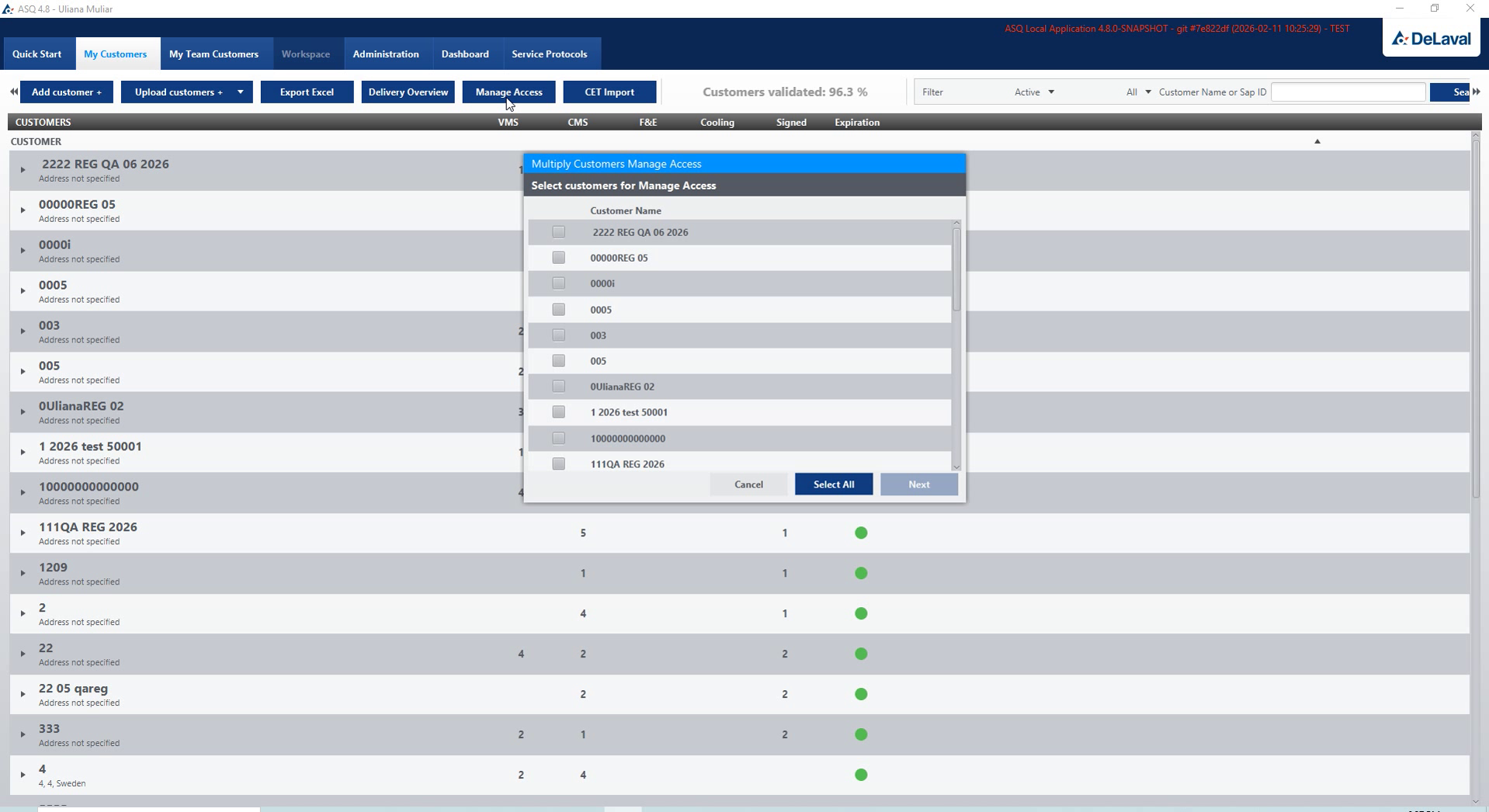
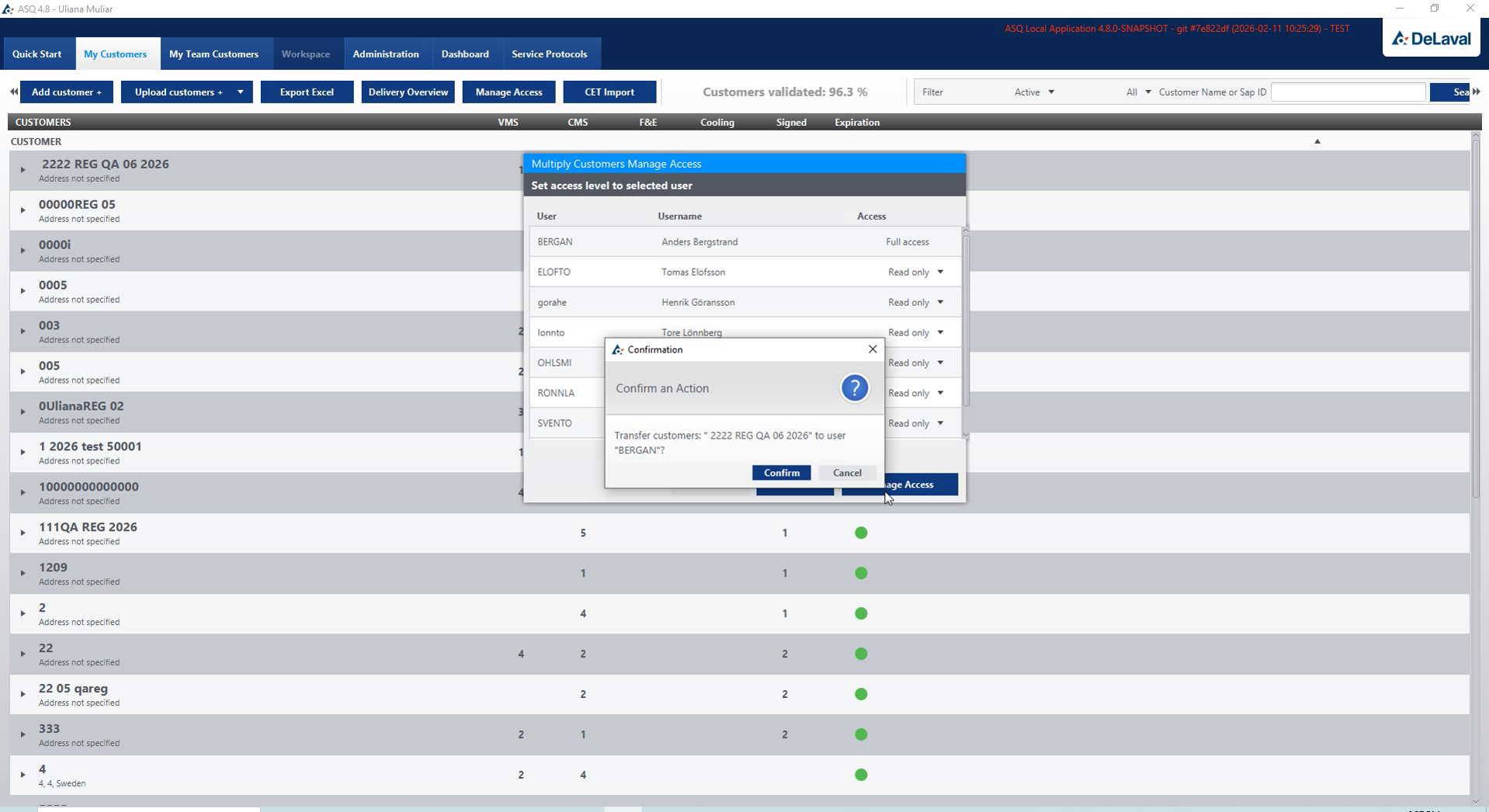
Managing access to customer records

Managing access to customer records

Customer-access settings connect working records with the people responsible for servicing them.

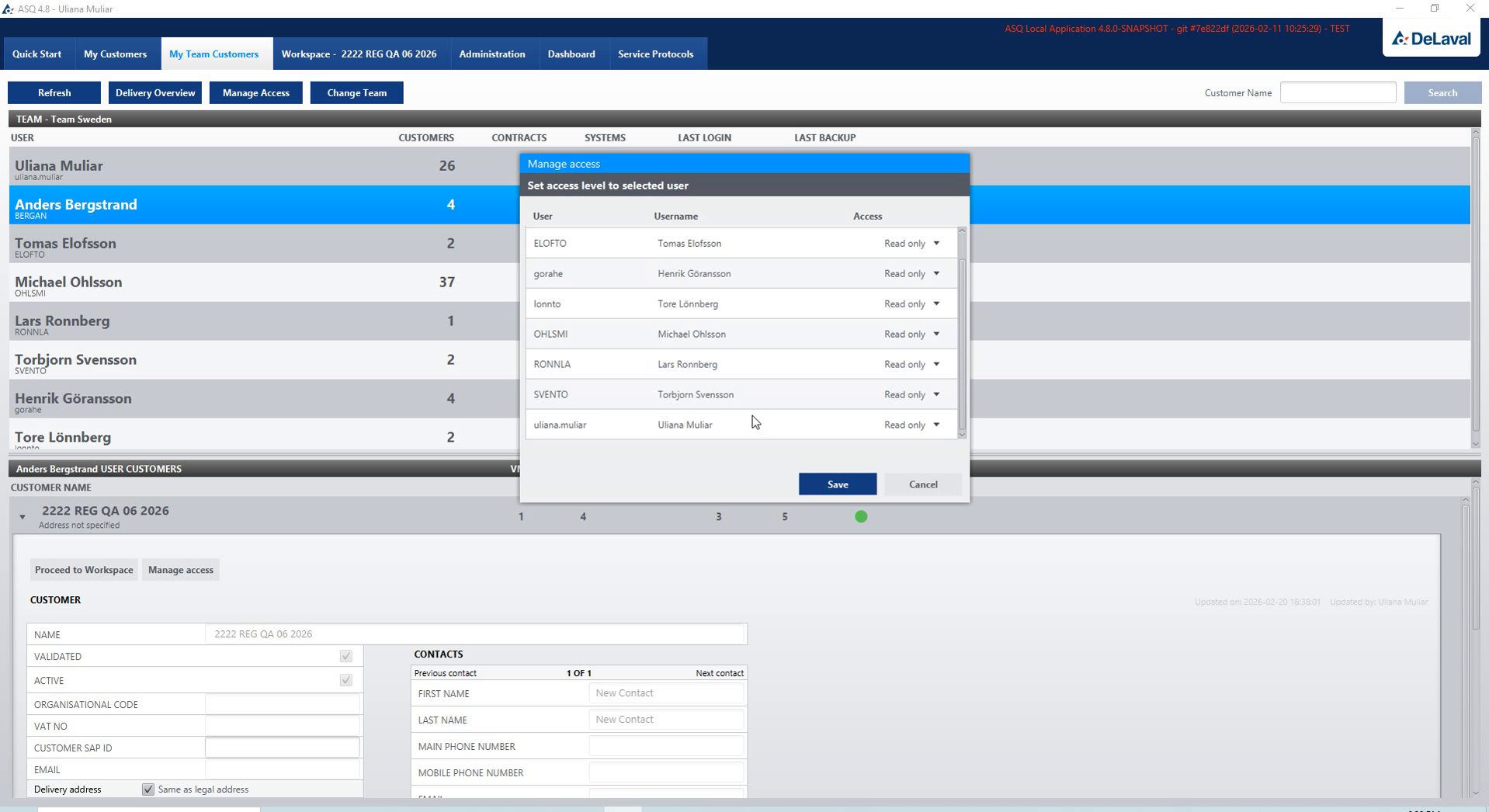
Selecting a permission level

Selecting a permission level

Permission-level selection lets the manager configure access for the selected team member.

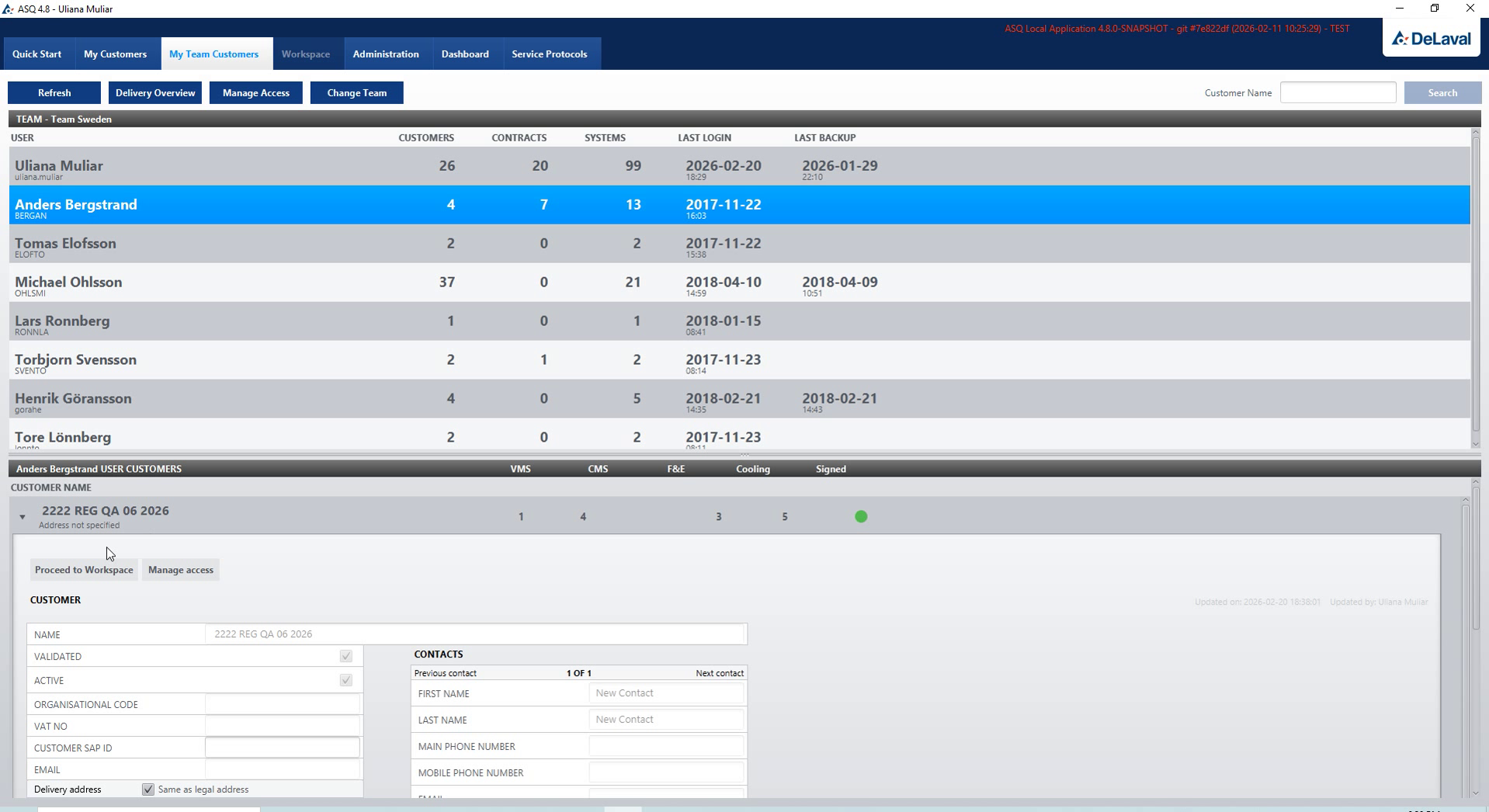
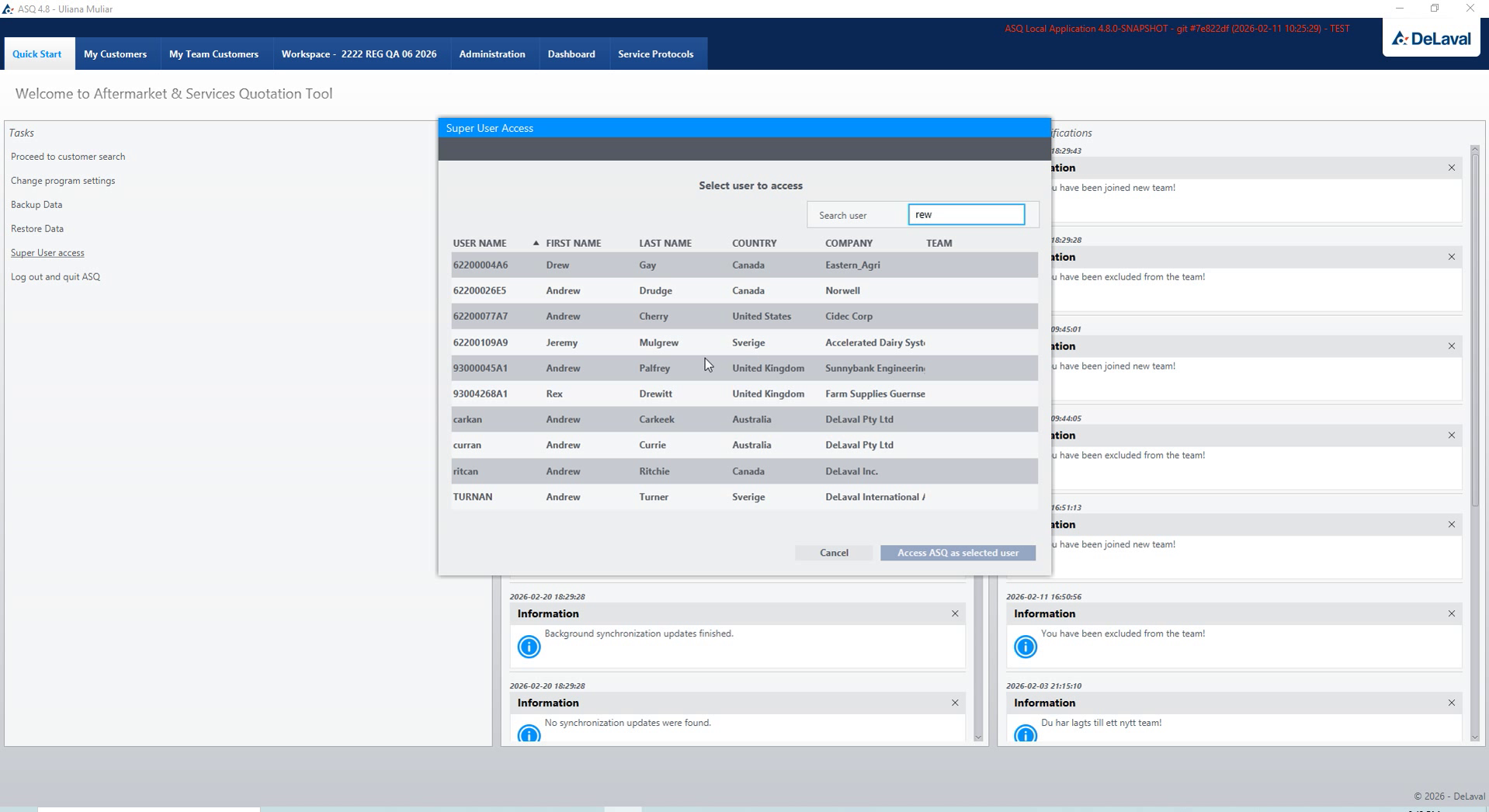
Selecting a team member

Selecting a team member

Member selection identifies whose customer coverage and access settings are being reviewed.

Central administration

Central data publication and equipment statistics.

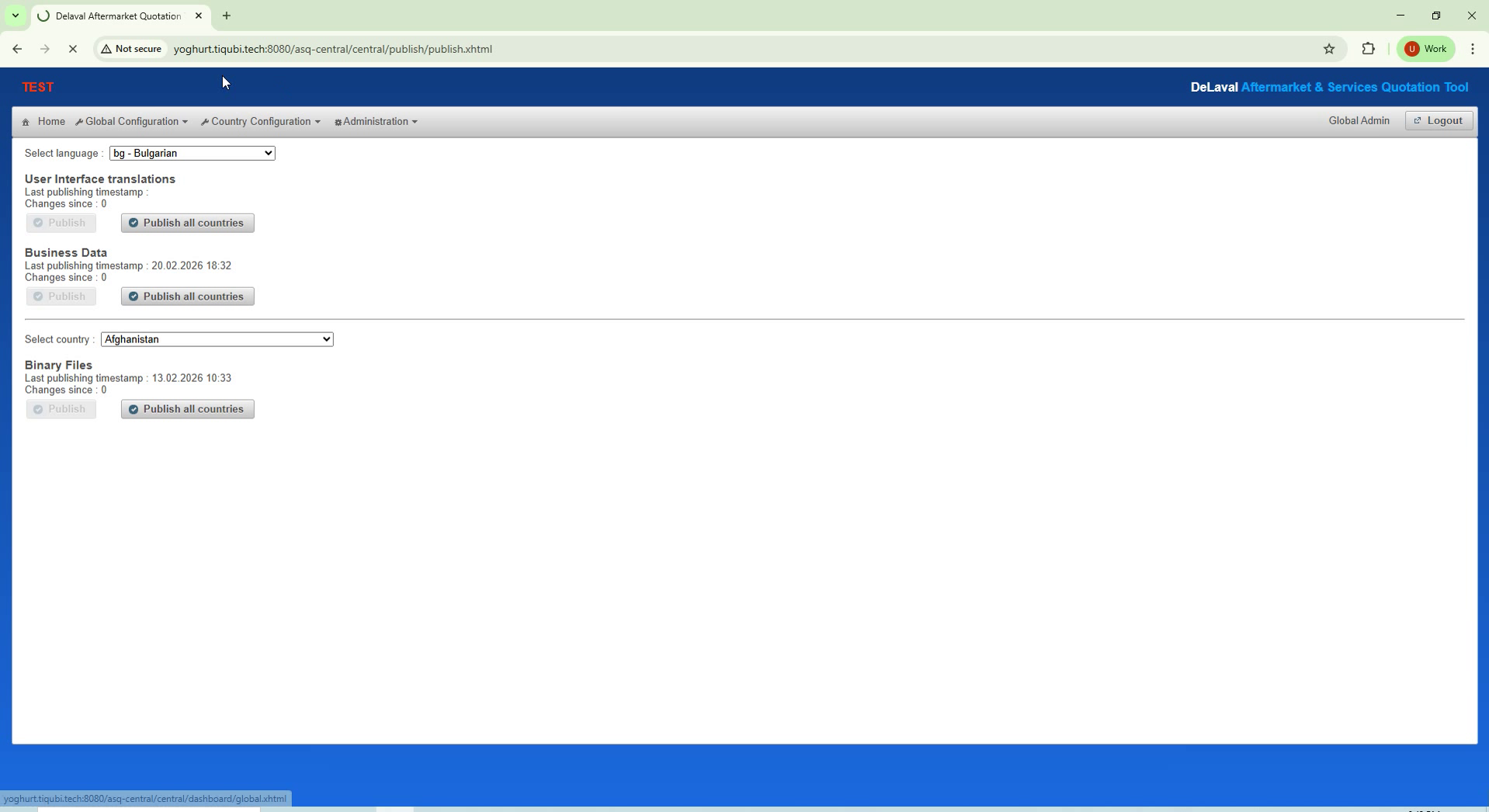
Central web settings and data publication

Central web settings and data publication

The working challenge

Central administrators need to publish service data and inspect customer and equipment statistics within the selected country and language context.

The product solution

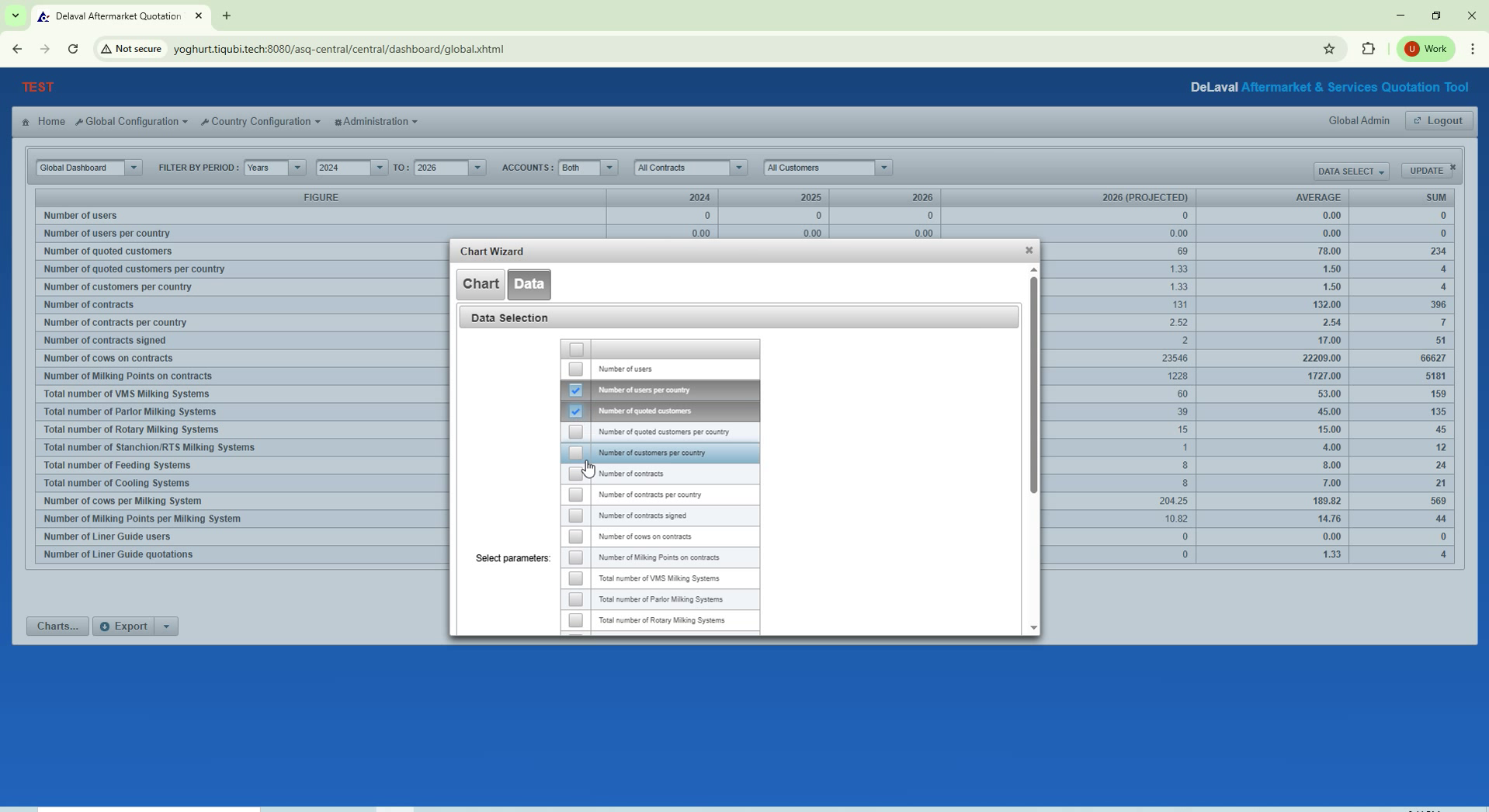
The central web application combines publication settings with configurable tables, filters and charts for reviewing the selected data scope.

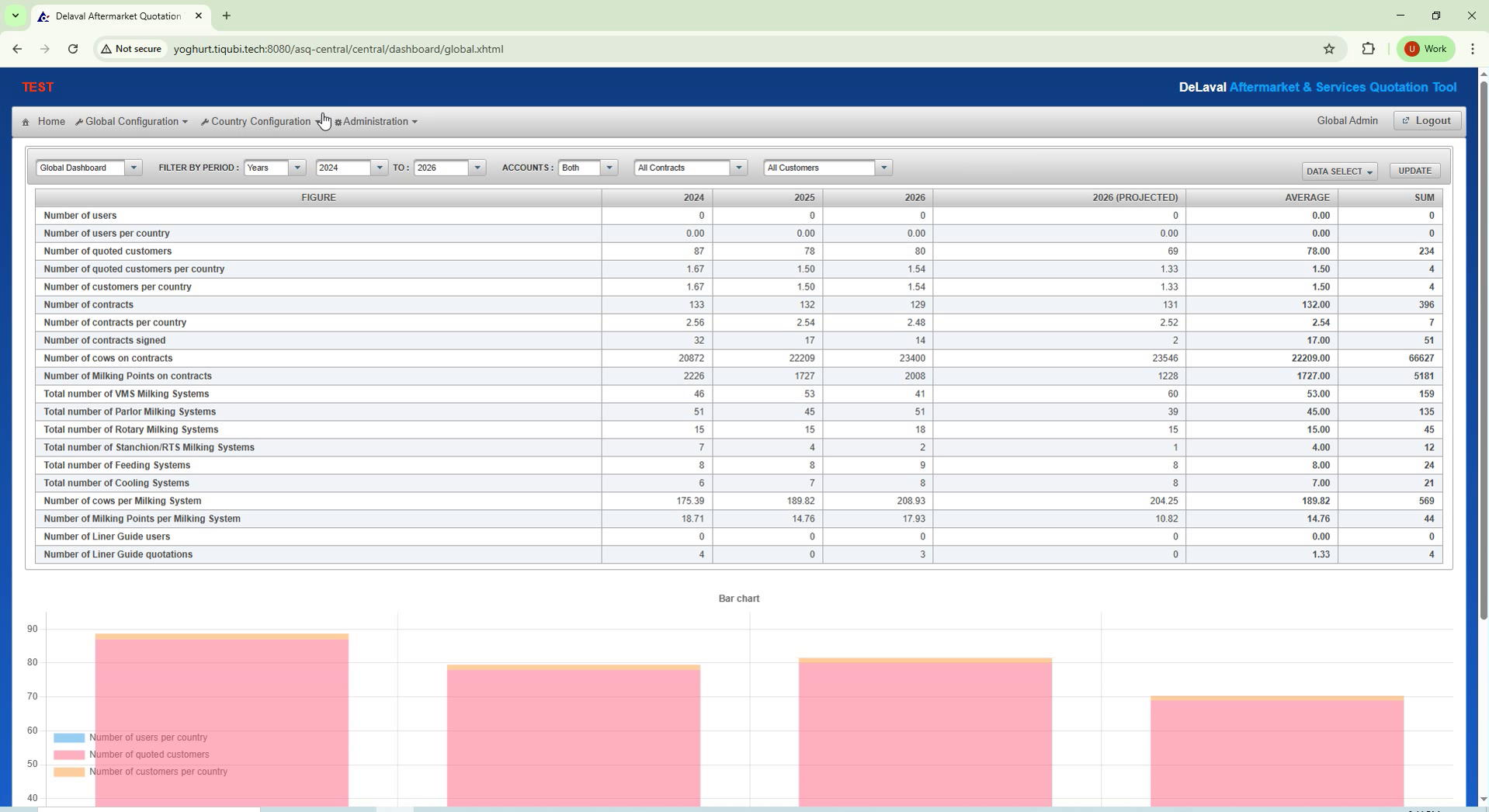
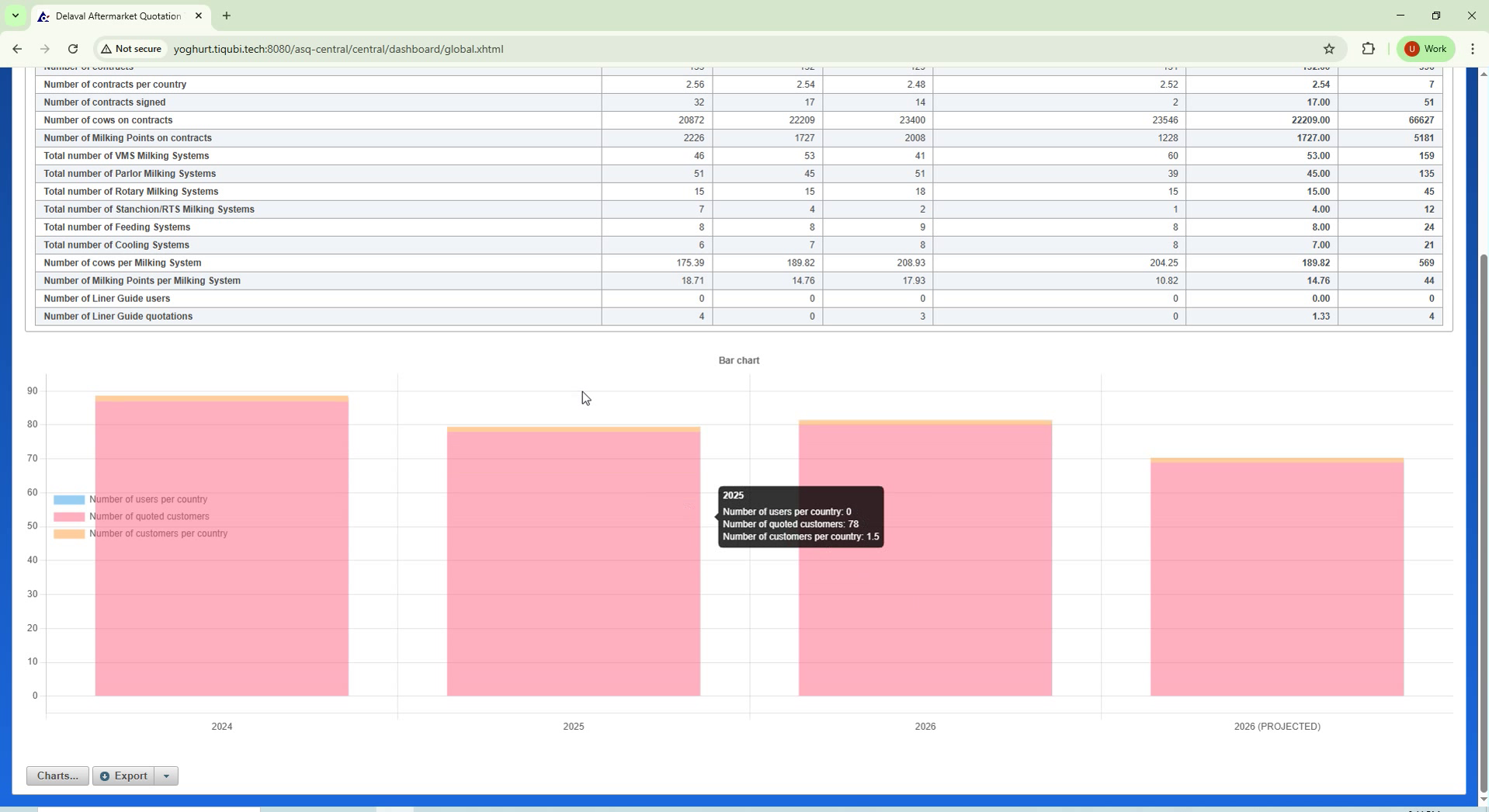
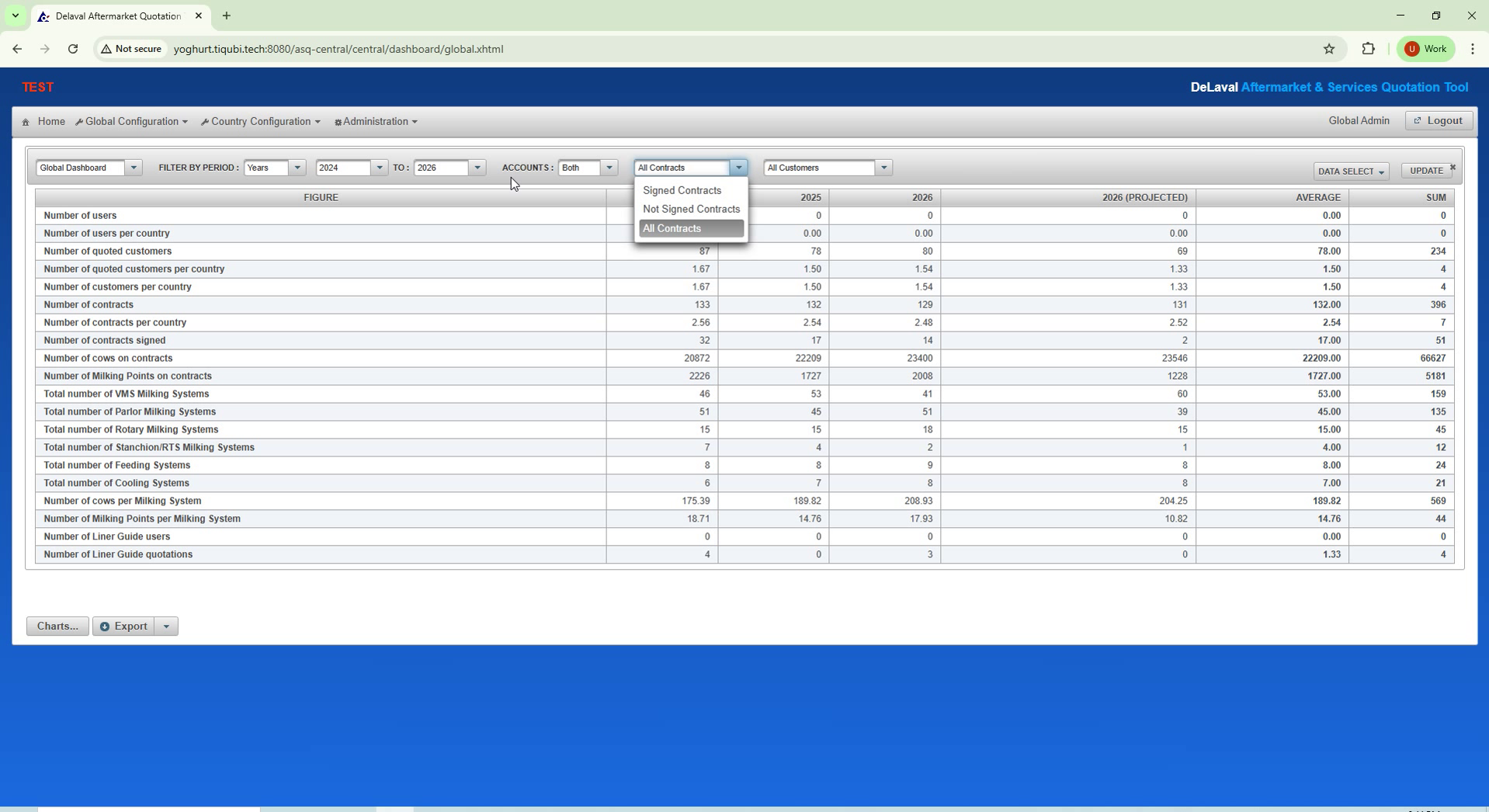
Customer and equipment statistics

Customer and equipment statistics

Shared statistics bring customer and installed-equipment records into a central overview.

Configuring a statistics chart

Configuring a statistics chart

Chart settings let the administrator adjust the statistical view to the scope being examined.

Statistics table and chart

Statistics table and chart

The table and chart offer complementary views of the selected customer and equipment statistics.

Exploring the equipment statistics chart

Exploring the equipment statistics chart

The equipment chart gives administrators a visual overview of the installed base in the selected scope.

Technology stack

The technology behind ASQ / DeLaval.

Central Web App, Authentication Proxy App (APA), a JavaFX desktop client and a web application make up the system.

Desktop & web

The desktop client uses JavaFX 21. A separate web application is also part of the project.

  • JavaFX 21

Application services

Central Web App and Authentication Proxy App (APA) are the named application components. The server stack uses Java 21/25, WildFly 36.0.1 and REST.

  • Java 21/25
  • WildFly 36.0.1
  • REST

Database & migrations

MS SQL Server 2012 stores application data. Liquibase manages changes to the database schema.

  • MS SQL Server 2012
  • Liquibase

Development & delivery

The team used NetBeans and IntelliJ IDEA for development, Maven 3.6.3 for builds, Git and GitLab for source control, and WiX Toolset for installation packages.

  • Maven 3.6.3
  • Git
  • GitLab
  • WiX Toolset
  • NetBeans
  • IntelliJ IDEA
Your service operation

Connect the installation, the agreement and the next visit.

Show us one installed system, its component list and a typical service document. We will map the office and field workflow, including the information that must remain available without a connection.

Discuss your service platform