Projects / Course posting compliance

CPS

Automated checks of partner course postings, with evidence for follow-up.

CPS checks partner course postings for American Red Cross: prices, registration links and competitor mentions across more than 10,000 courses. A shared workspace connects each finding with the course, partner and history of automated checks.

Our contribution

From scheduled page checks to partner review and reporting.

Course-page inspection

The checking service inspects partner pages, compares prices and registration links, and identifies competitor mentions. New postings enter the same process as courses scheduled for another check.

Recovery from a saved checkpoint

Background processing records its progress and resumes from a checkpoint after a server interruption. This supports recurring inspection of a large course catalogue without restarting the entire scan.

Findings linked to the partner

Search, violation filters and course details give reviewers the source URL, account contact and recorded finding. A partner view brings affected courses together for a focused follow-up.

Checking history and reports

Stored results feed account and course analytics, date-range comparisons and Excel reports. The team can examine changes across checking cycles alongside the underlying postings.

01 / Checking overview

Scan status gives the summary its context.
Accounts and course postings

Accounts and course postings

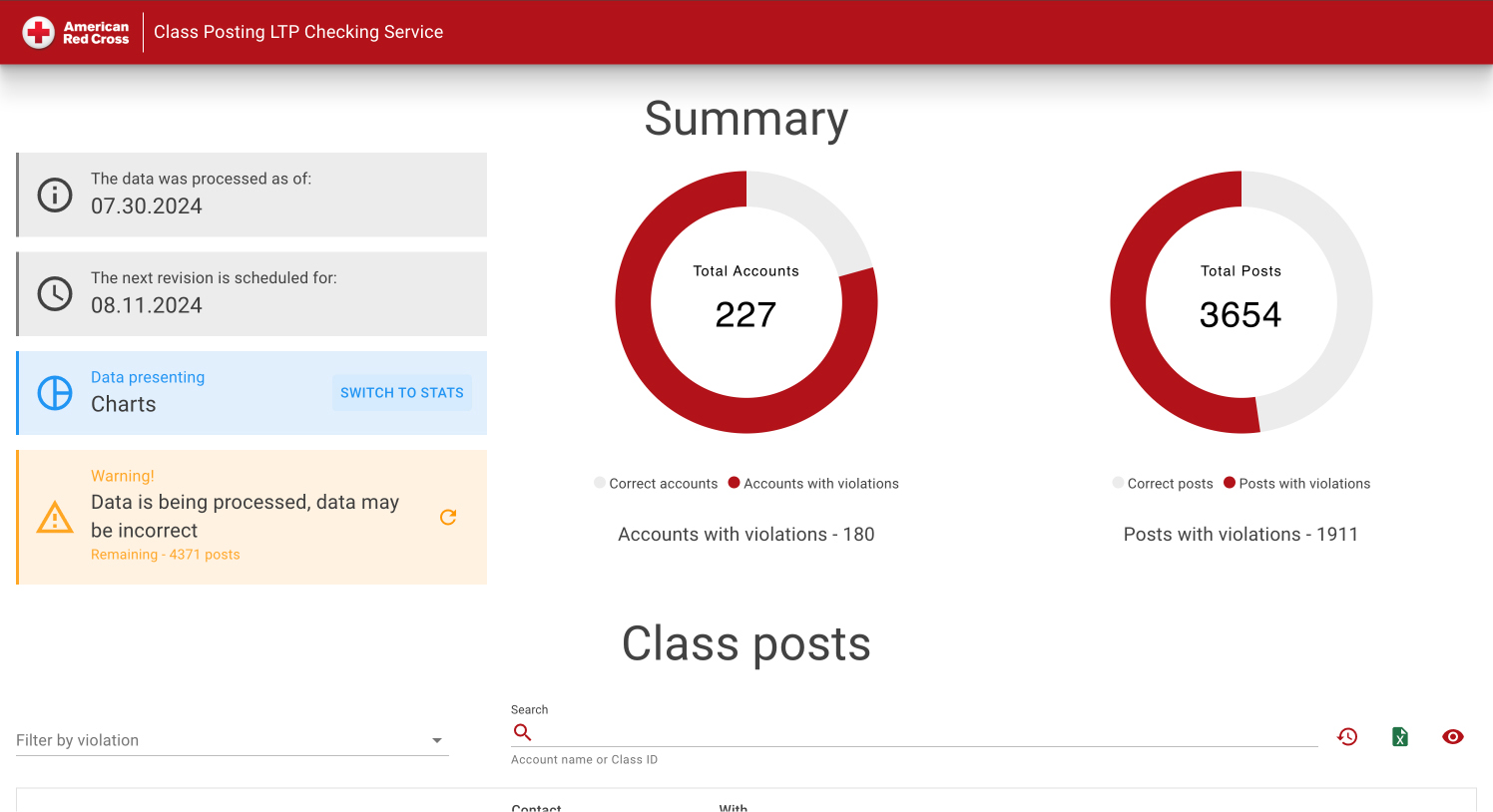
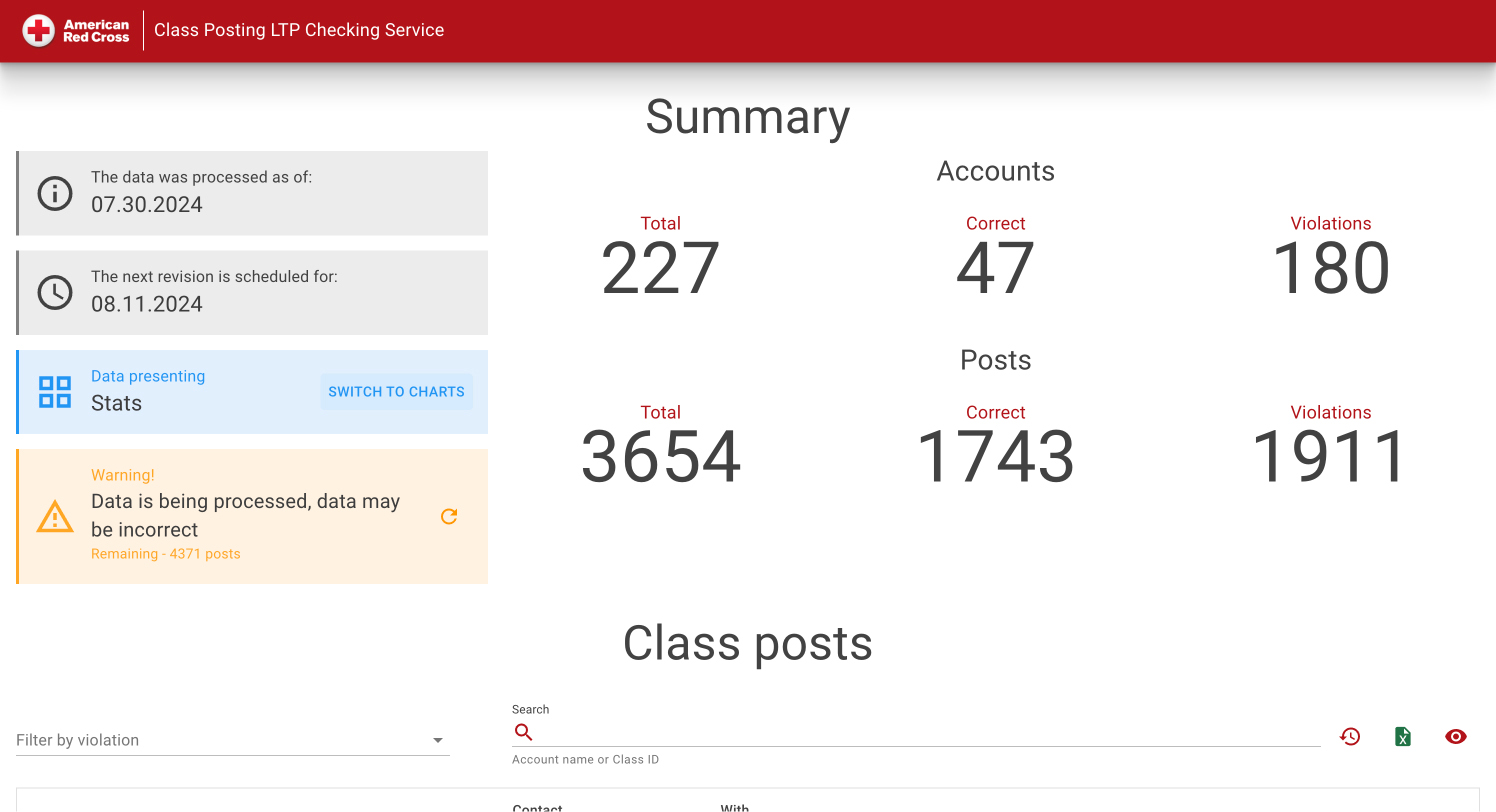
The summary separates accounts from course postings and shows totals, compliant records and violations for each. The processing date, next revision and active-processing notice establish which scan the figures describe. These captures show historical results from 2024.

The same scan in charts

The same scan in charts

Chart mode presents the proportions of compliant and affected accounts or postings. The processing information remains beside the charts, so an in-progress scan is not mistaken for a completed result.

02 / Review queue

A review queue organised by course, partner and issue.
Course and partner search

Course and partner search

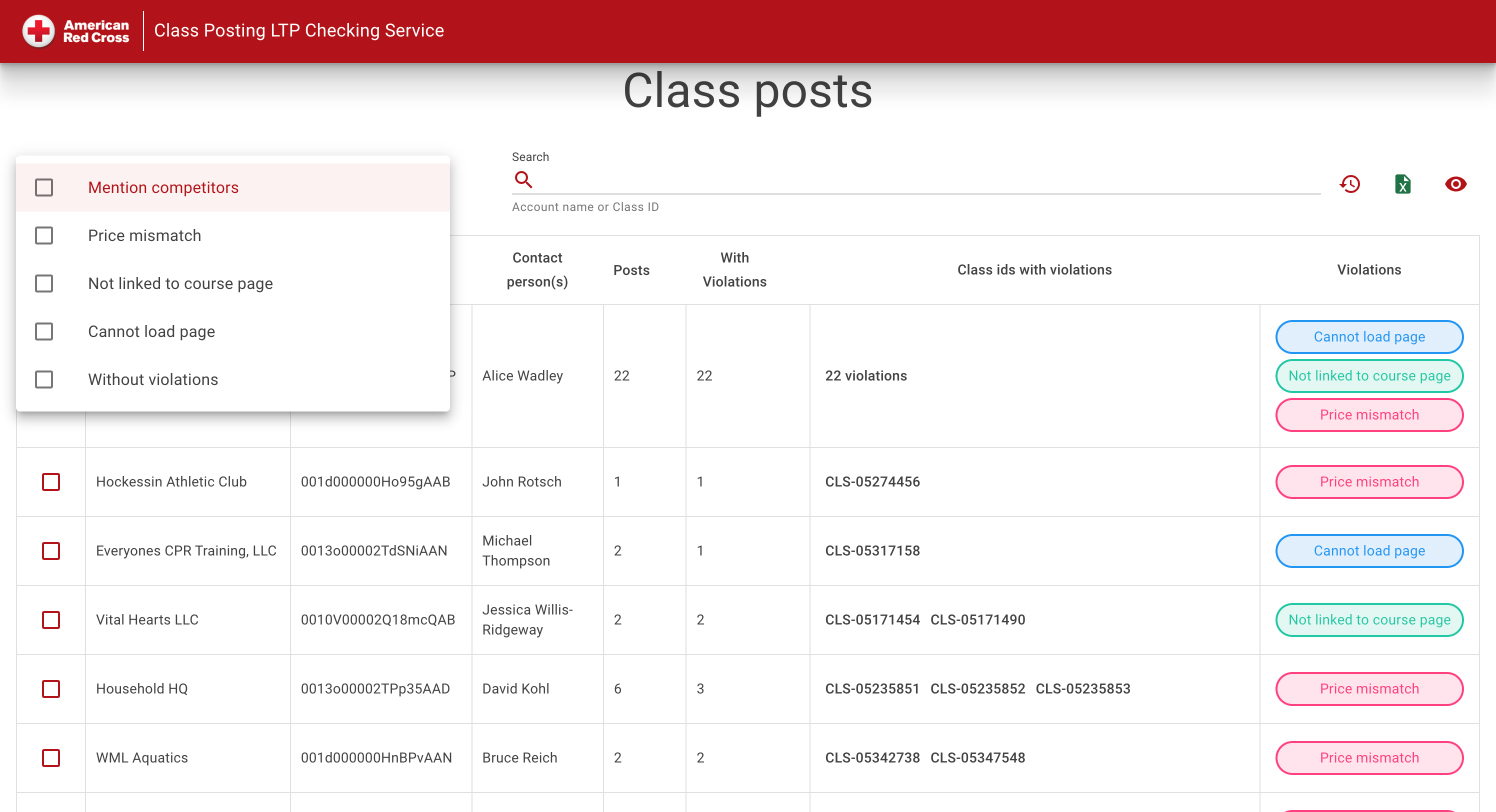
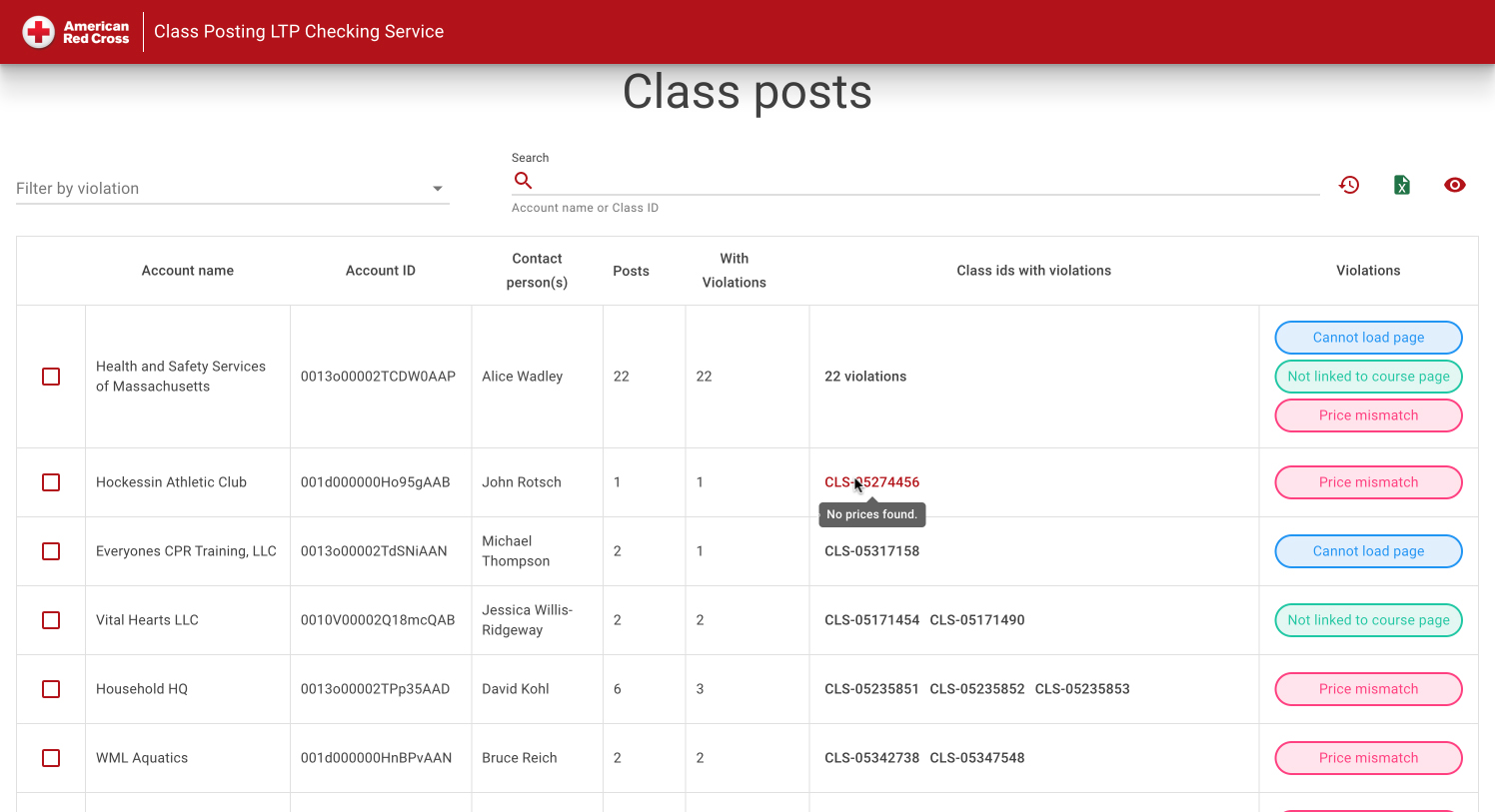
The list connects account names and contacts with class IDs, posting counts and detected violations. Search by account or class ID narrows the work to a known partner or course, while issue labels identify what needs review.

Filters by violation type

Filters by violation type

Filters distinguish competitor mentions, price mismatches, incorrect course links and pages that could not be loaded. Reviewers can also select postings without violations to examine the checked catalogue beyond the problem list.

03 / Finding and source

Every finding has a source page and a responsible partner.
The posting and its recorded finding

The posting and its recorded finding

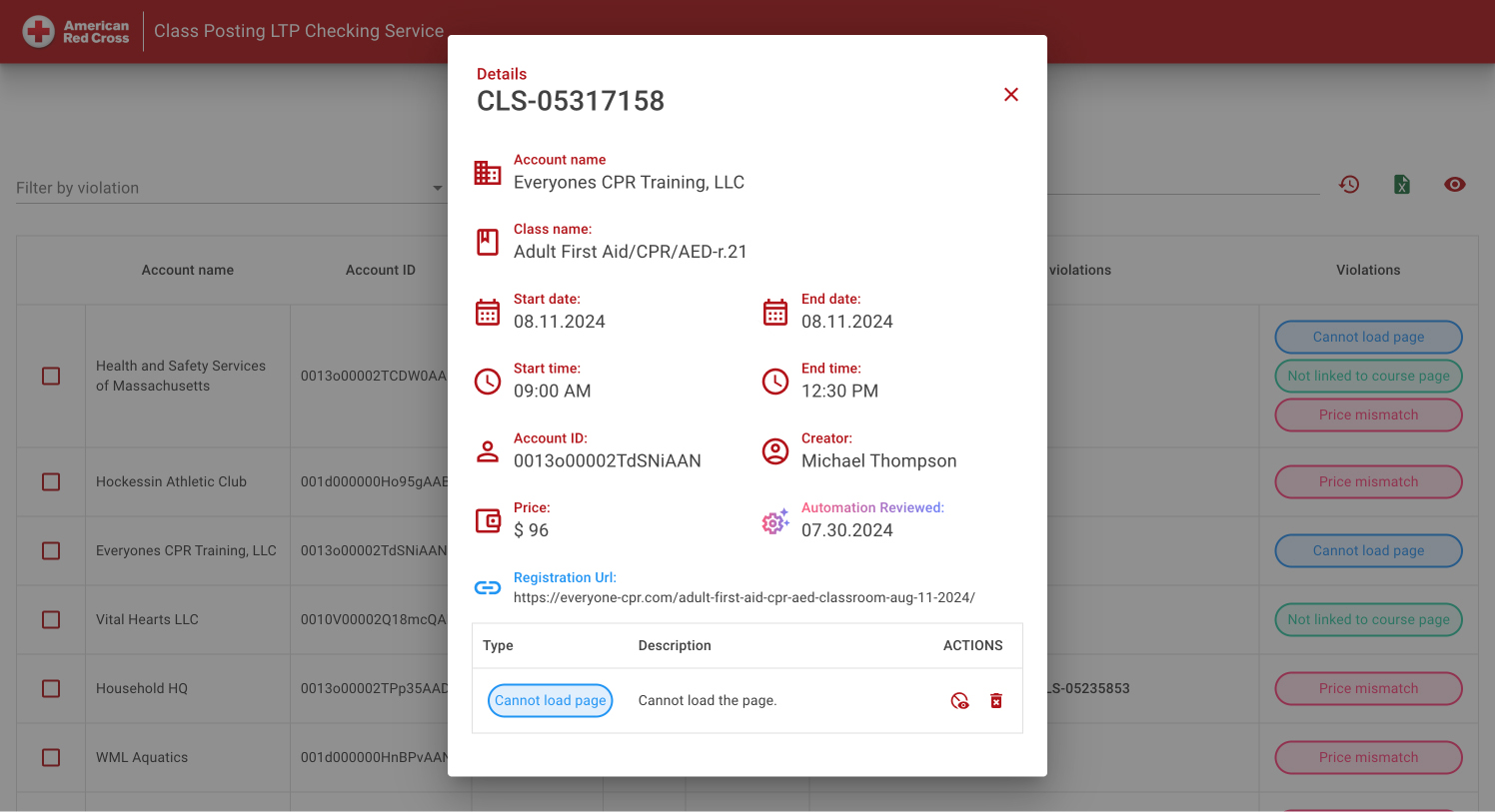
The course card combines dates, price, account and registration URL with the automated review date and finding. A reviewer can inspect the original destination and the exact issue before requesting a correction.

Affected courses for one partner

Affected courses for one partner

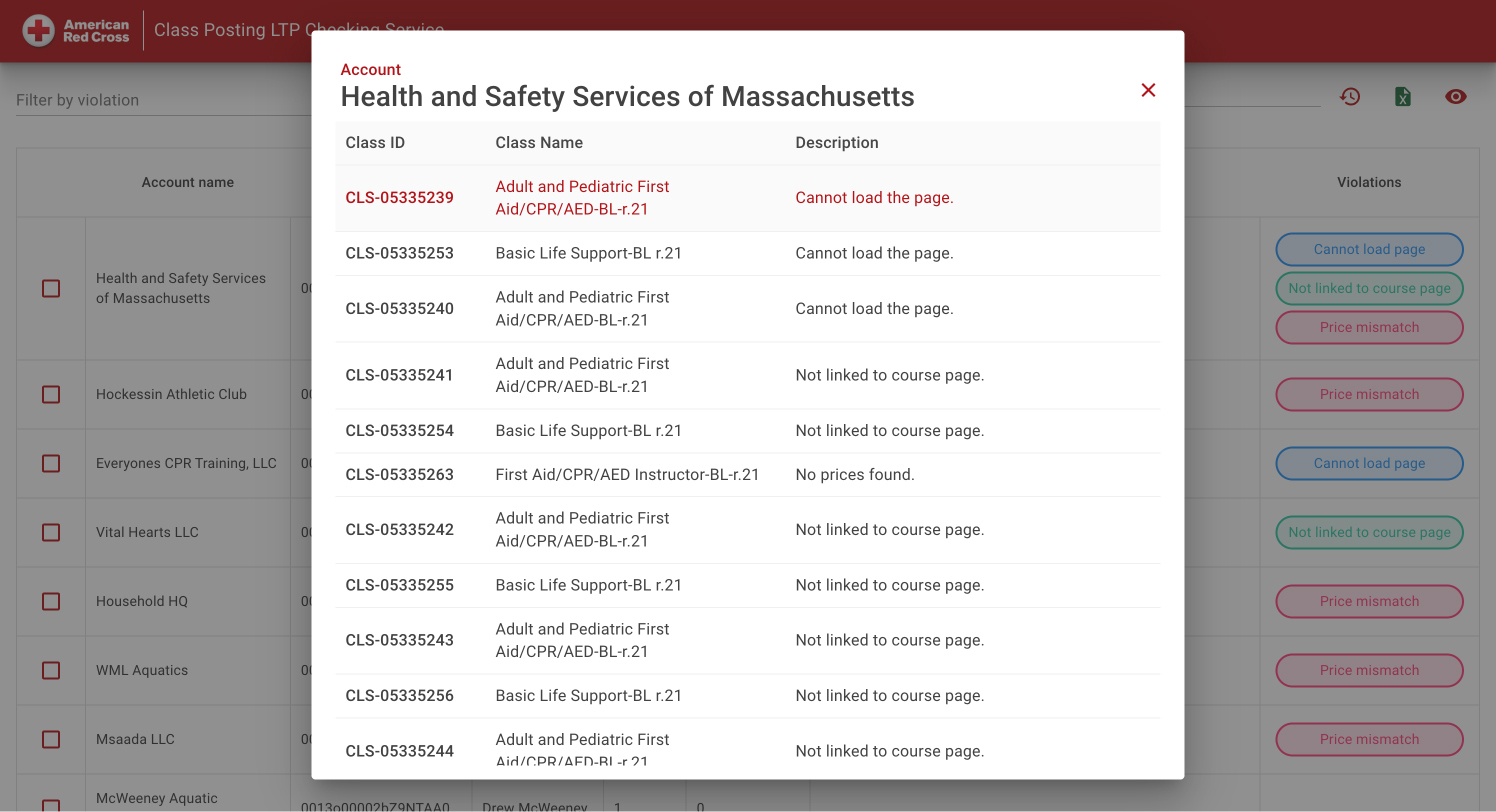
The account dialog gathers affected class IDs, course names and findings in one table. It makes recurring issues across a partner’s postings visible without opening every course separately.

04 / Repeated checks

Checking cycles compared against catalogue size.
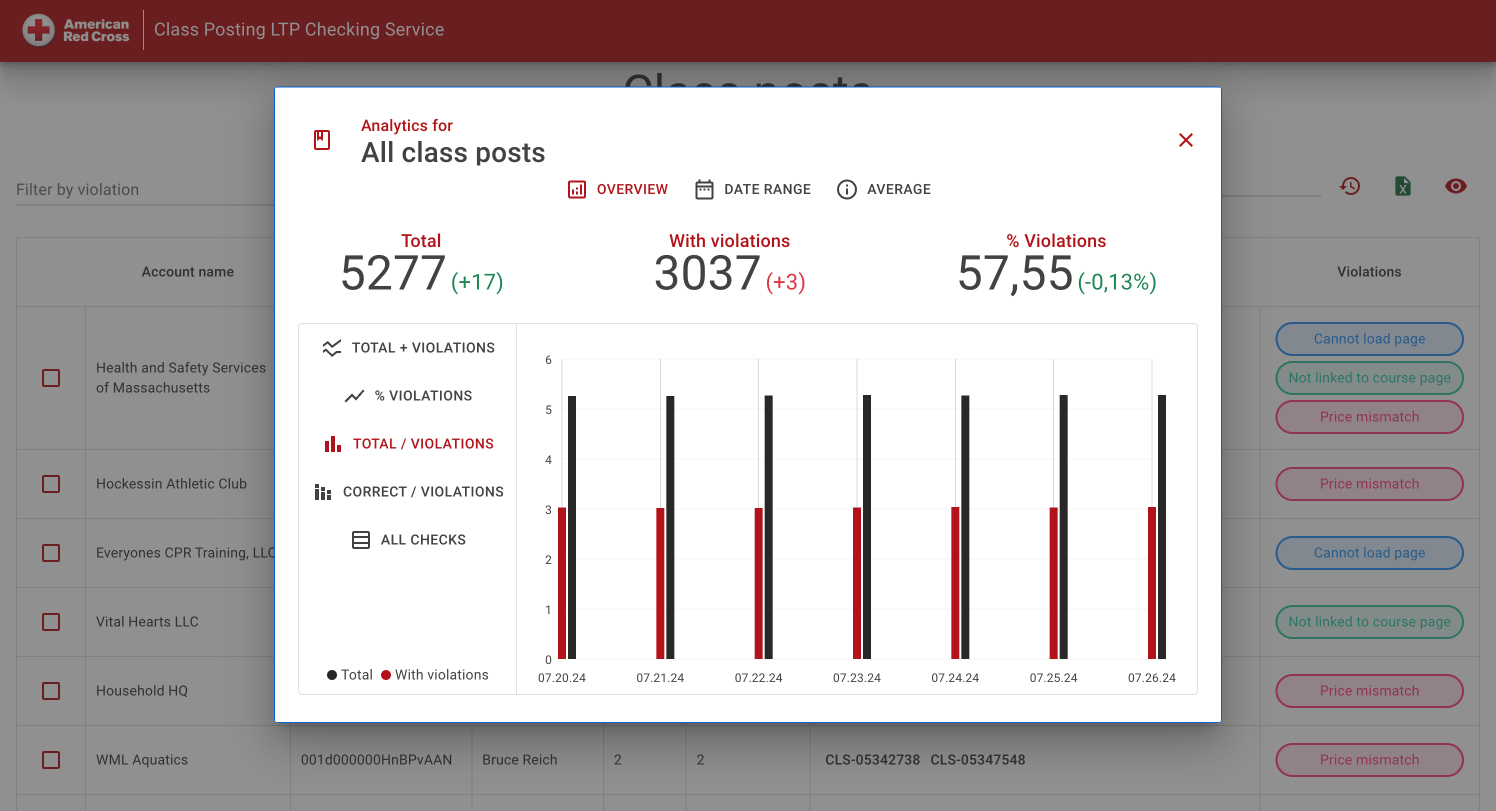
Results by checking cycle

Results by checking cycle

Paired bars show all checked postings and those with violations for each cycle. Totals and changes appear above the chart, allowing reviewers to distinguish a change in findings from a change in catalogue size.

Course-checking trends

Course-checking trends

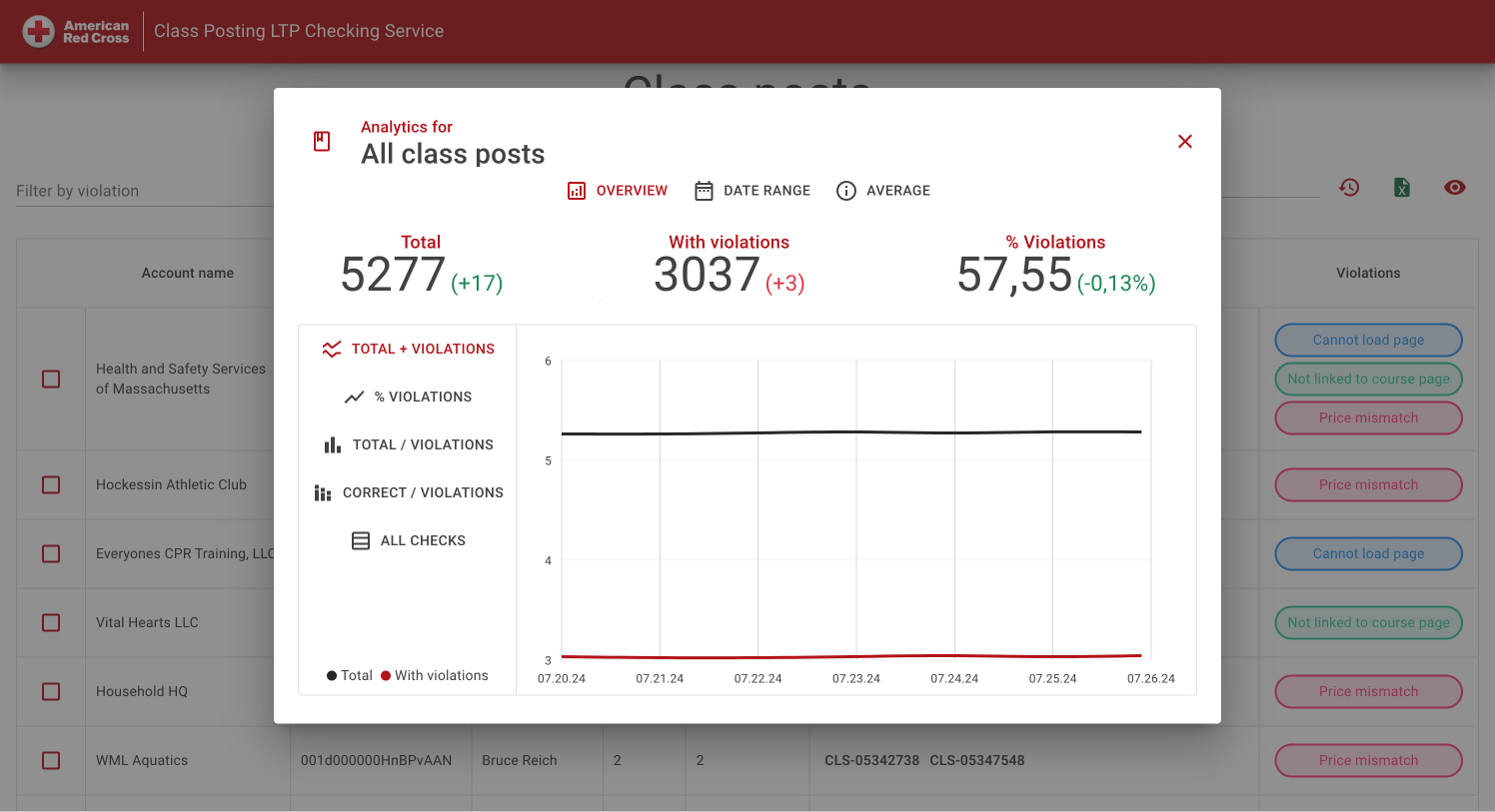
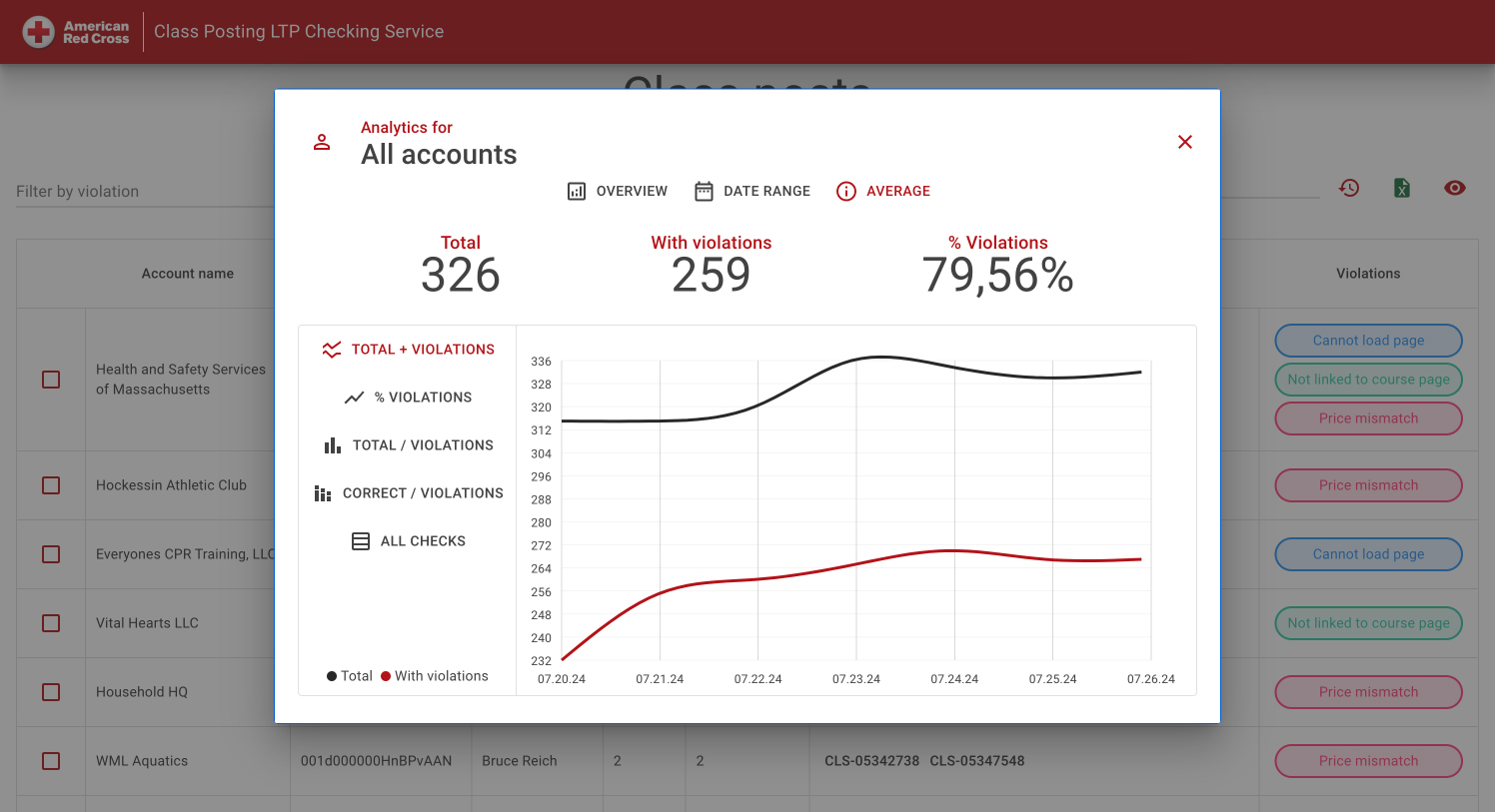
The line view follows total and affected postings through successive dates. Both series share a time axis, keeping the comparison tied to the same checking history.

05 / Period and partner analysis

Trends by period and at partner level.
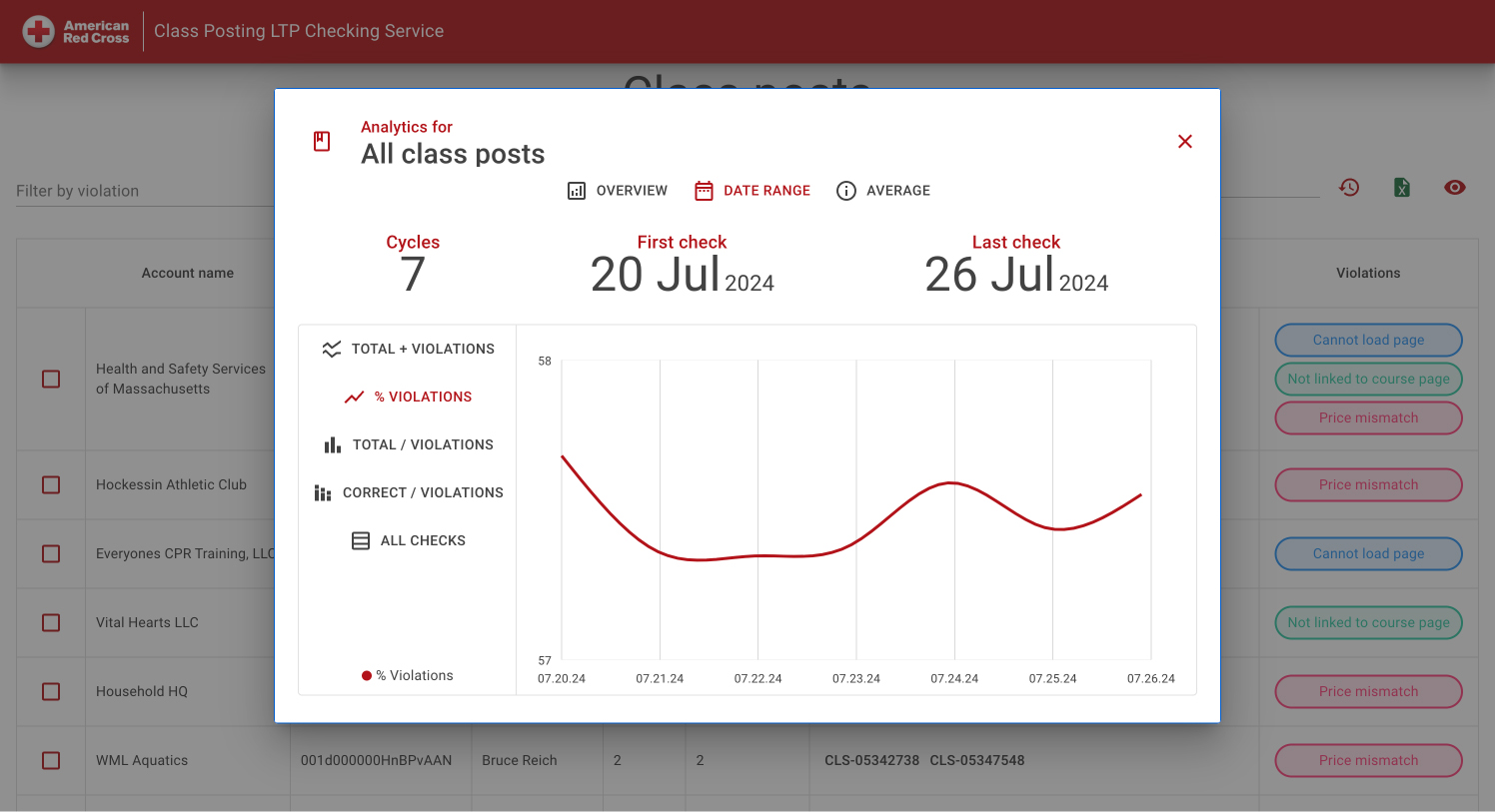
Checks within the selected period

Checks within the selected period

The date-range view identifies the number of checking cycles and the first and last check dates. The violation-rate curve can then be read within a defined period, rather than as an isolated percentage.

Partner-level analysis

Partner-level analysis

Account analytics shift the unit of comparison from course postings to partners. The average view shows total accounts, accounts with violations and their share across the selected history.

Technology stack

Technology behind CPS.

Automated inspection and a review workspace for more than 10,000 course postings.

User interfaces

Server-rendered Blazor screens provide search, filtering and violation review.

  • .NET 8
  • ASP.NET Core
  • Blazor SSR
  • MudBlazor

Page checks and records

Page inspection checks prices, competitor mentions and course links; SQL stores the findings.

  • HTML Agility Pack
  • Selenium
  • T-SQL
  • Dapper
  • Azure SQL

Identity and configuration

The application uses PingFederate for identity and Key Vault for secrets.

  • PingFederate
  • Azure Key Vault
Your compliance workflow

Give repeated checks a traceable result.

We can connect your checking rules, source pages and review team in one workflow: from background inspection to evidence, follow-up and reporting.

Discuss your checking process