
Projects / Native iOS

Dash Wallet iOS

Dash payments and services in a native iOS wallet.

Native iOS development for Dash Core Group, covering wallet and shielded balances, payment requests, recipient validation, DashPay and merchant discovery. The application also exposes synchronisation, network settings and governance tools.

01 / Wallet state

Balances and synchronisation have separate controls.

Users can create or recover a wallet. Its settings cover local currency, notifications, network selection and an advanced mode.

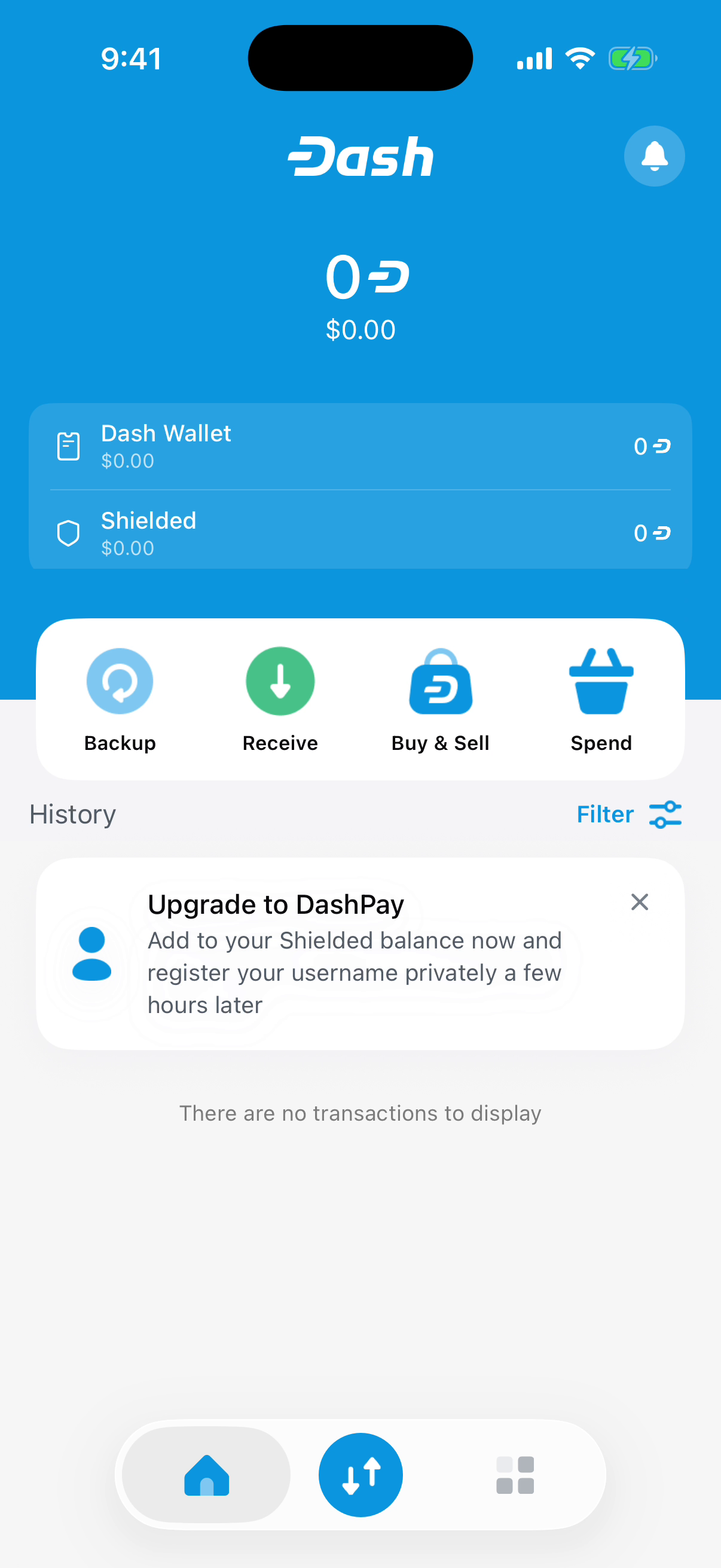
Dash Wallet iOS: Wallet balance and history.

Wallet balance and history

The home screen separates wallet and shielded balances, with entry points for backup, receiving and spending. Transaction history includes an explicit empty state for a wallet without activity.

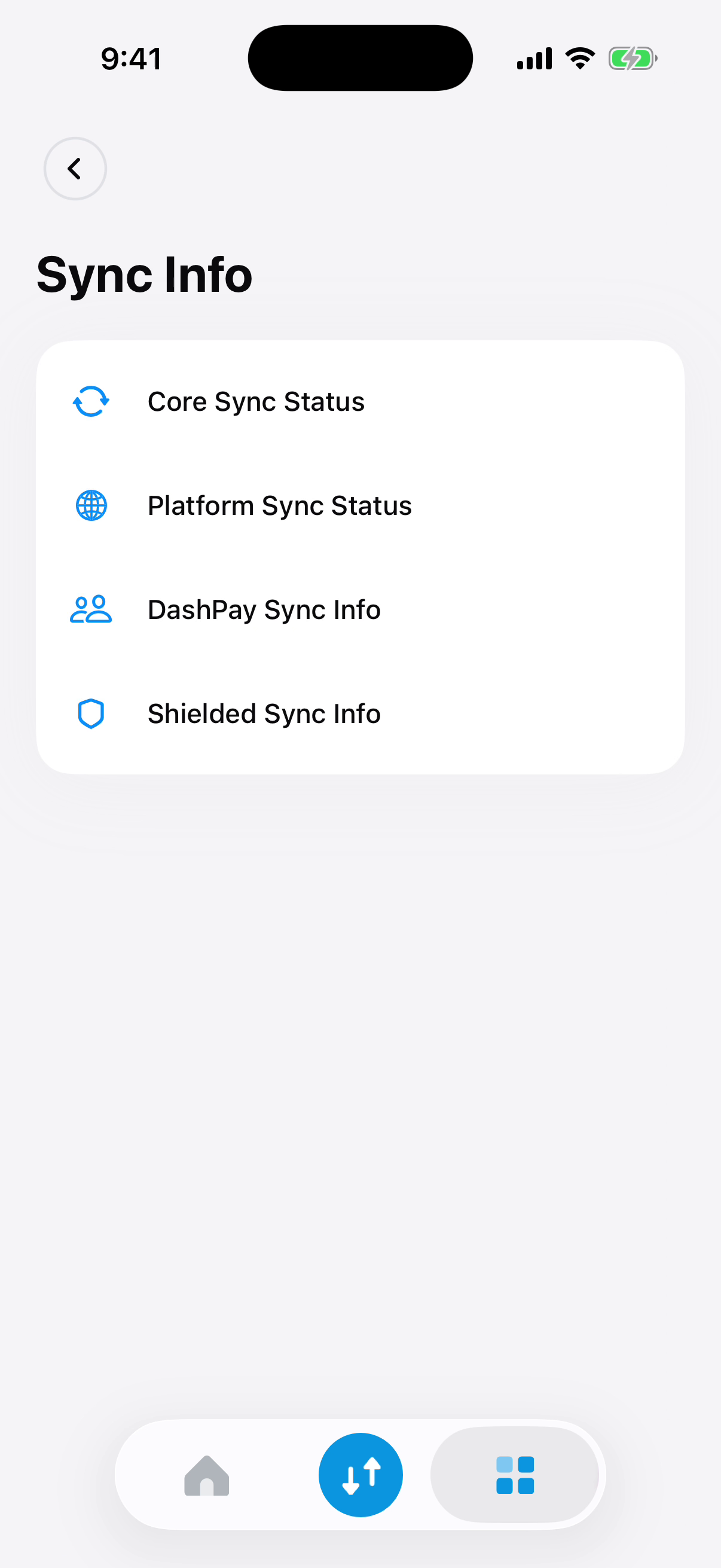
Dash Wallet iOS: Wallet synchronisation status.

Wallet synchronisation status

Core, Platform, DashPay and Shielded have separate synchronisation entries. This distinguishes the data sources involved in the wallet instead of presenting one undifferentiated sync status.

02 / Payment preparation

Payment requests and address validation are explicit steps.

Receive, Internal and Send are separate actions in the payment panel. Request creation and recipient entry use different forms.

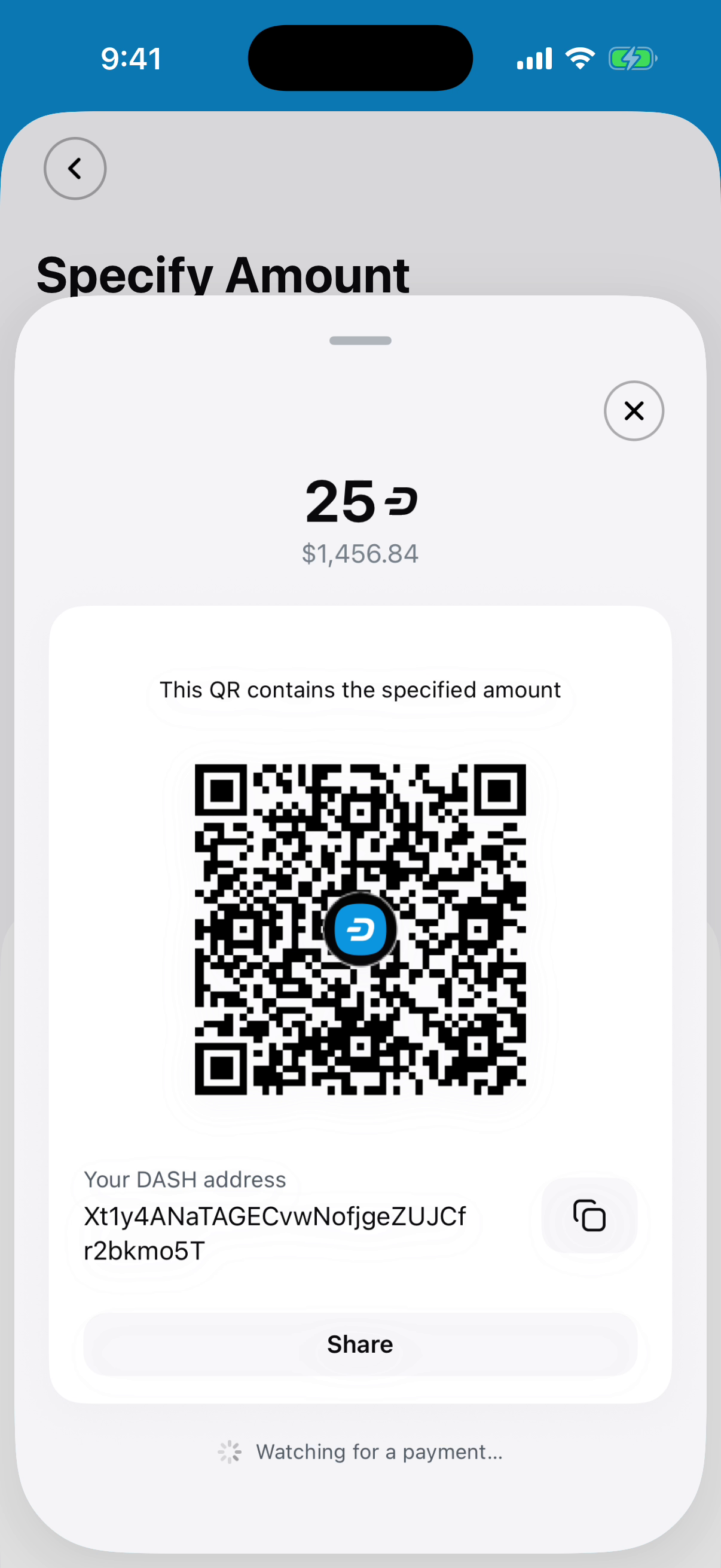
Dash Wallet iOS: QR code with a requested amount.

QR code with a requested amount

The generated QR code includes the specified amount. The receiving address remains visible and can be copied or shared while the wallet waits for the payment.

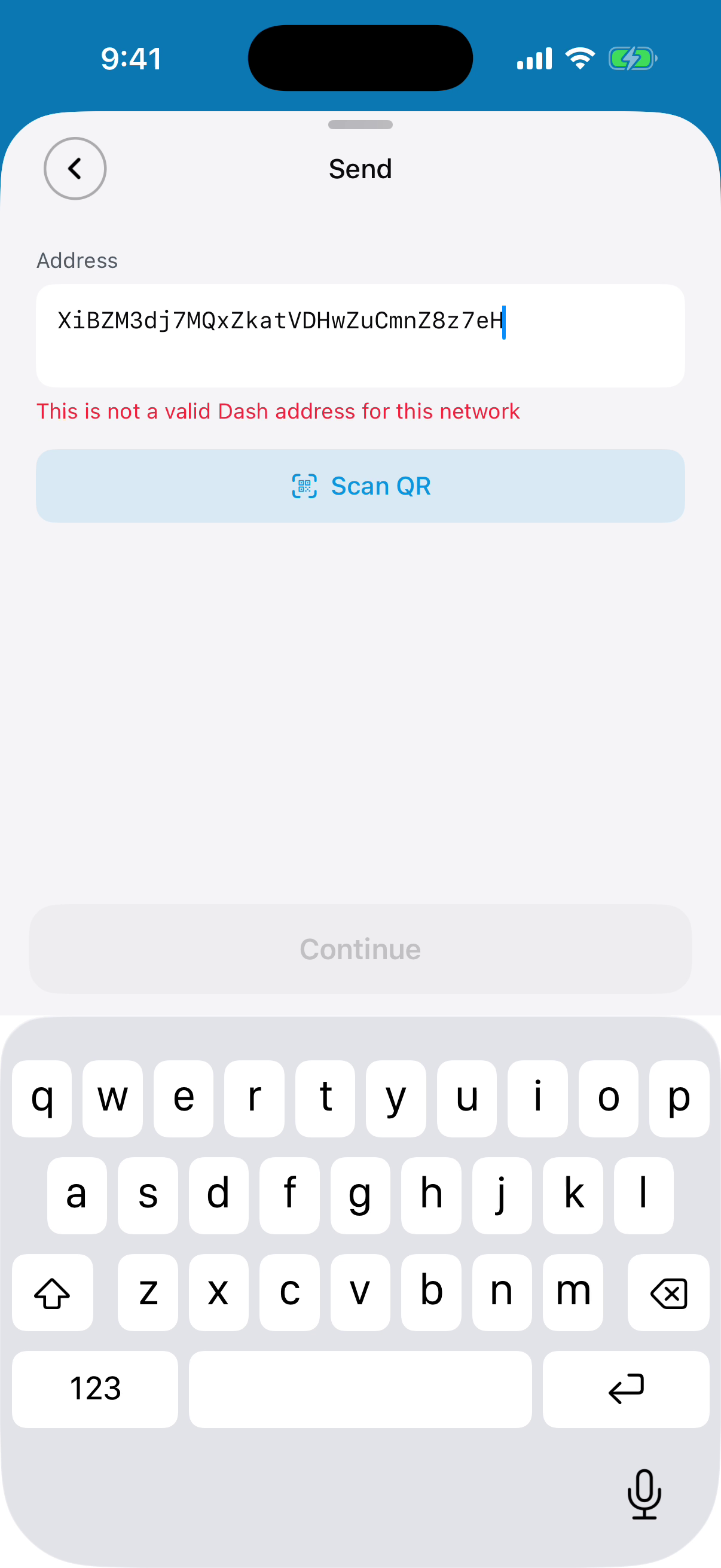
Dash Wallet iOS: Recipient address validation.

Recipient address validation

The send form flags an address that is invalid for the selected network and disables Continue. The user can correct the address or scan a QR code before proceeding.

03 / Merchant discovery

Map results lead to merchant details and payment options.

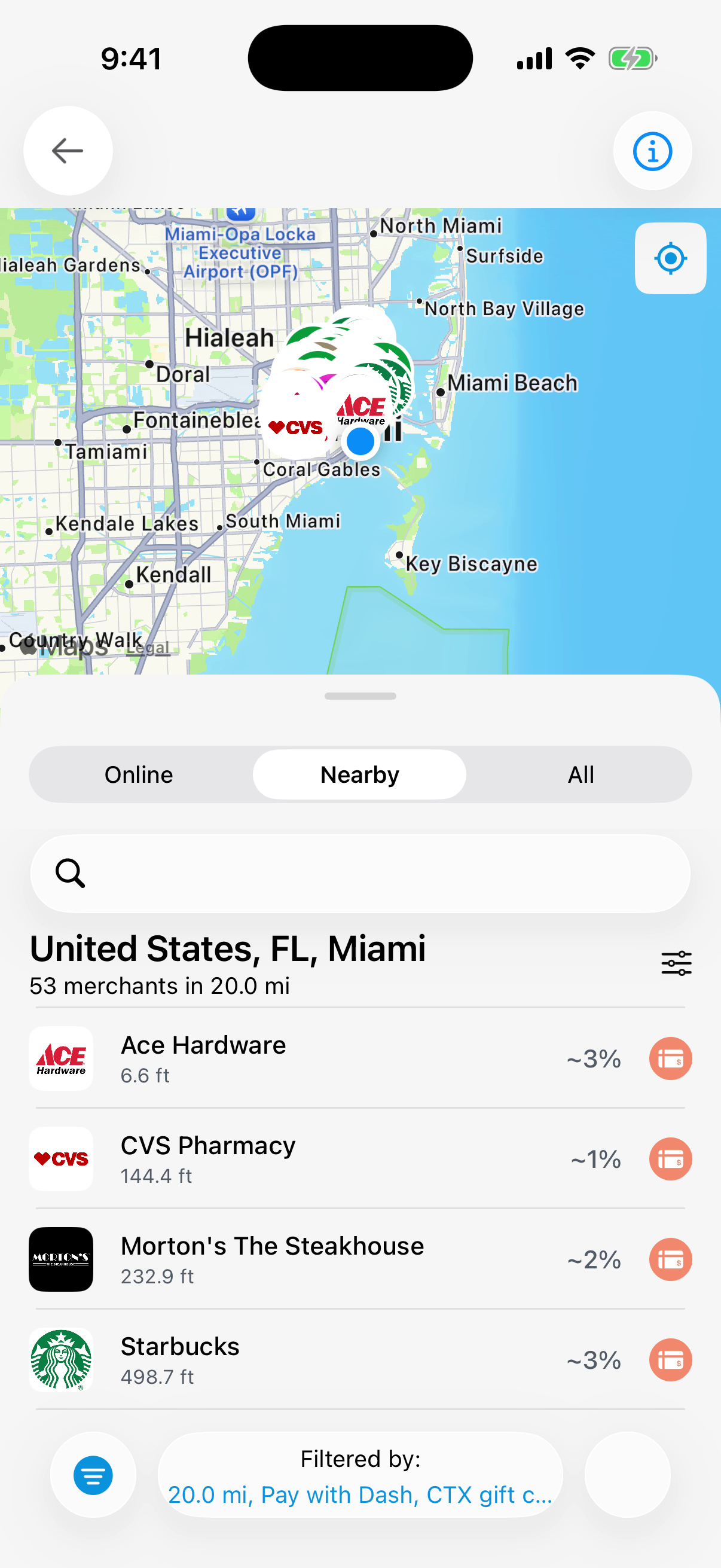
The directory distinguishes direct Dash payments from gift-card offers. Users can switch between online, nearby and all merchants before opening a business.
Dash Wallet iOS: Nearby merchant list.

Nearby merchant list

The nearby view lists businesses with distances and payment indicators alongside the map. Search and filters narrow the results by location and supported payment options.

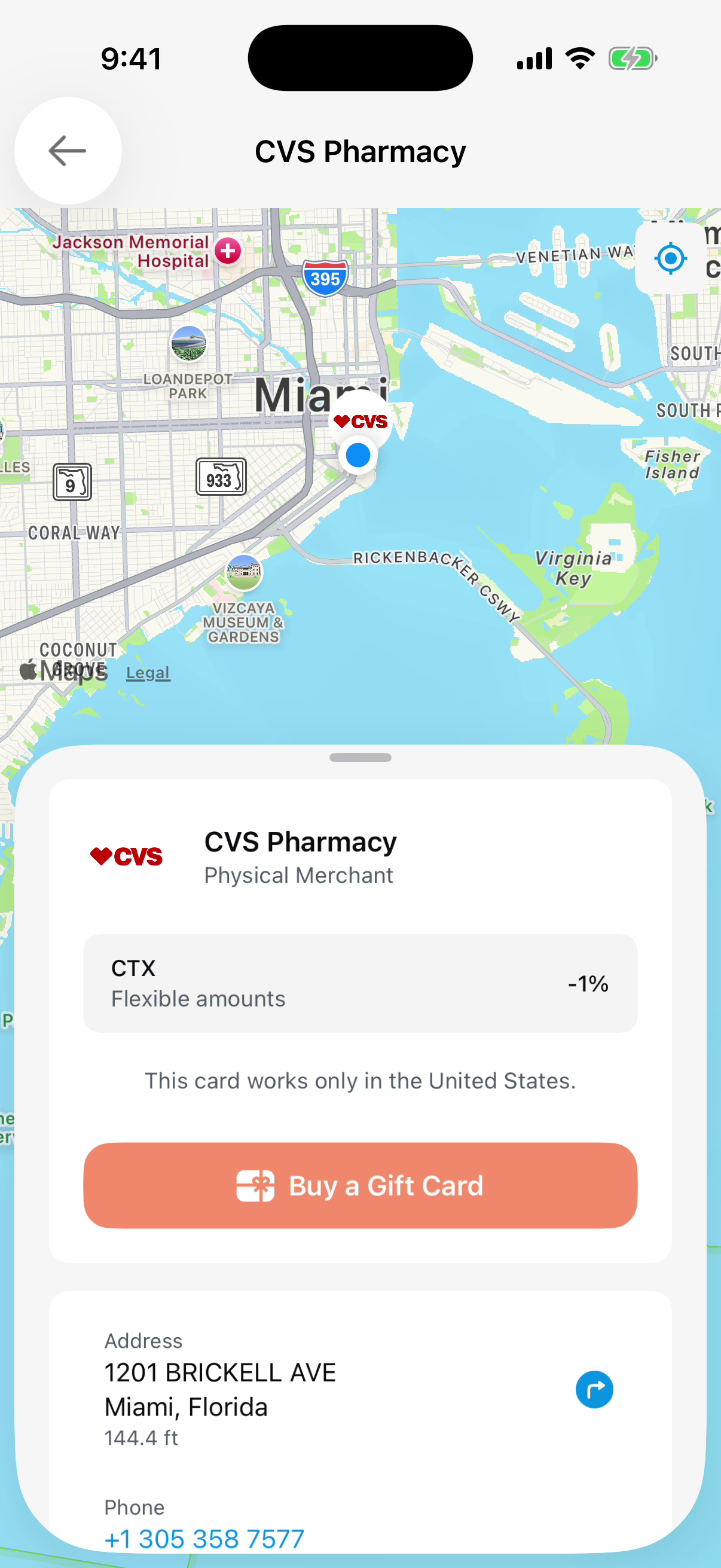
Dash Wallet iOS: Merchant details.

Merchant details

The merchant card combines location, contact details and the available payment route. This example offers a gift card and states its country restriction before the purchase action.

04 / Dash services

DashPay, ATM discovery and governance extend the wallet.

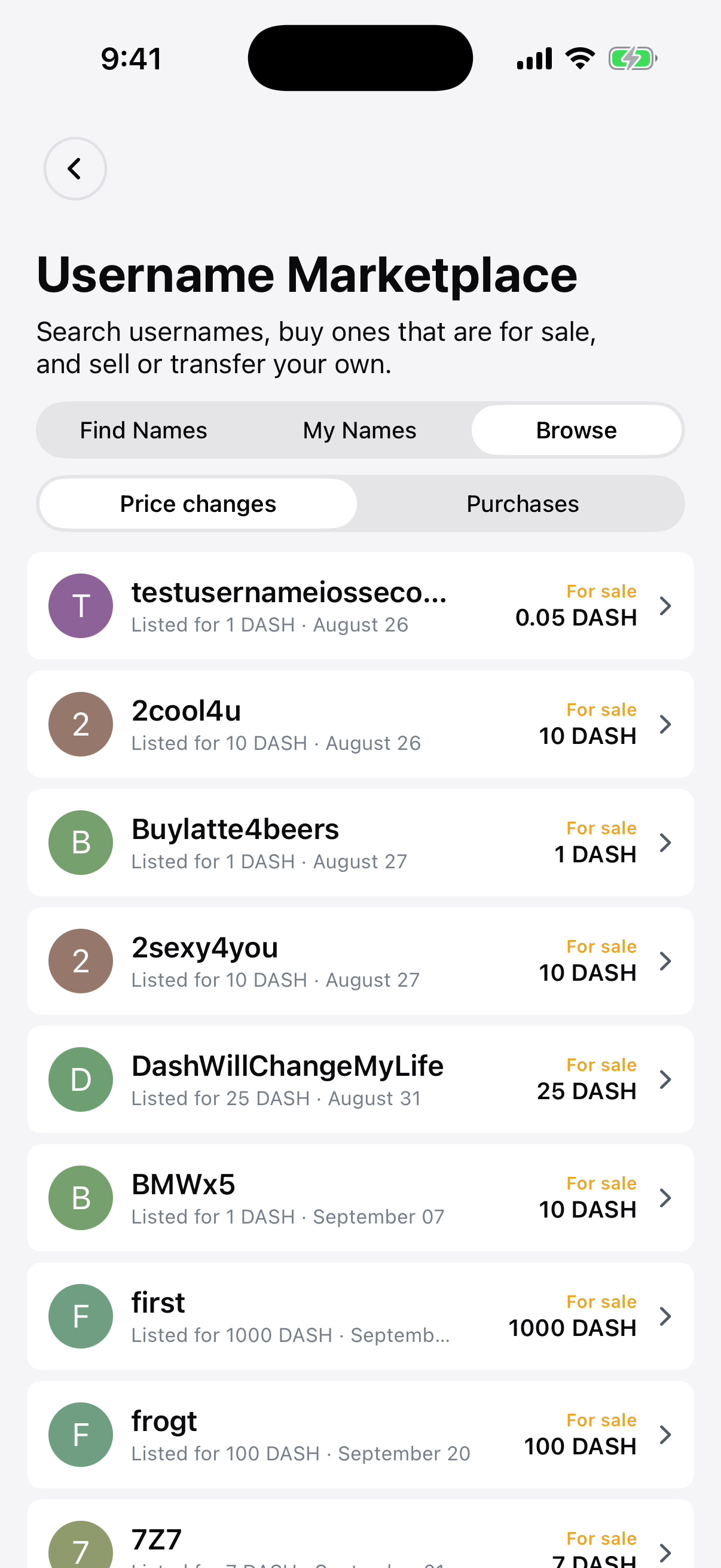
Dash Wallet iOS: DashPay username marketplace.

DashPay username marketplace

The username marketplace shows names offered for sale, listing prices and dates. Separate controls cover finding names, owned names, purchases and price changes.
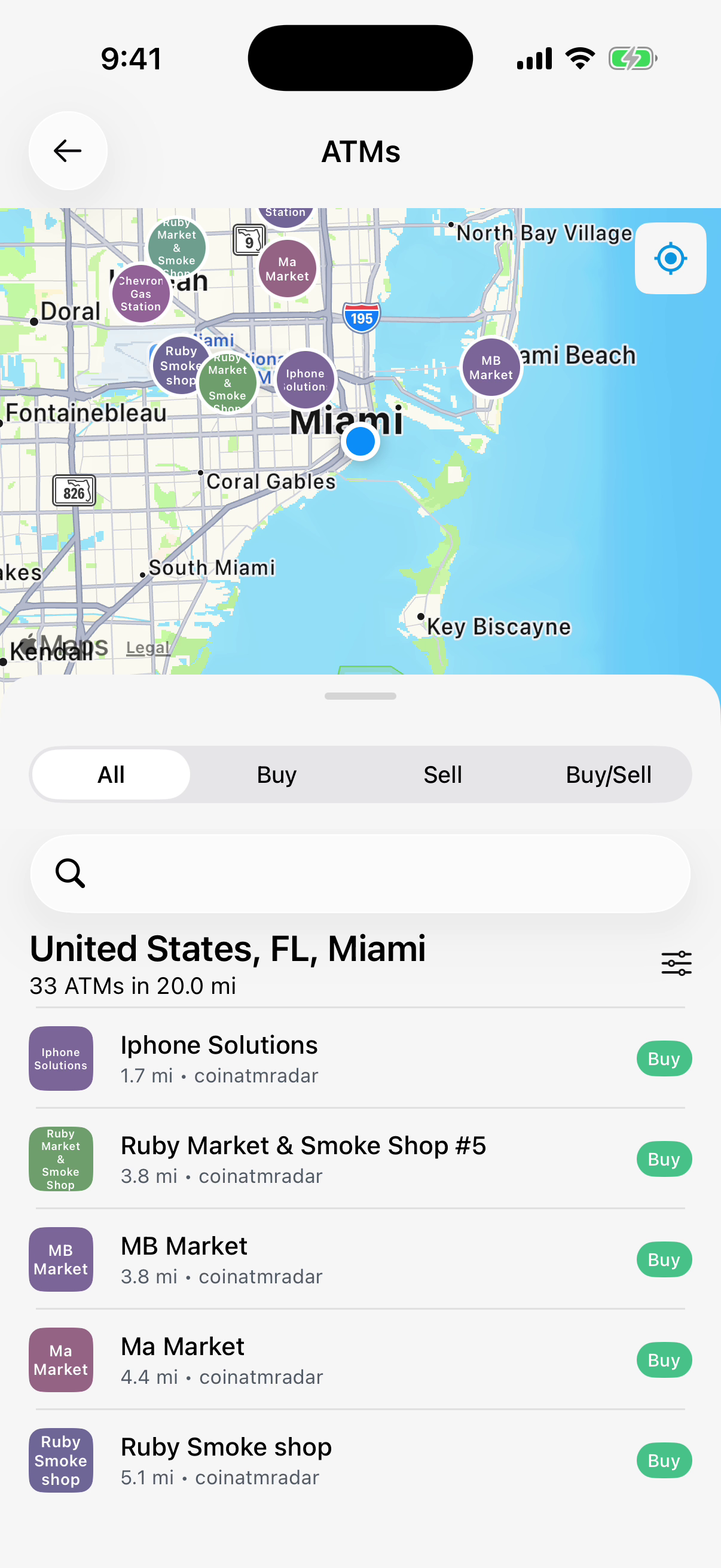
Dash Wallet iOS: Dash ATM map.

Dash ATM map

The ATM directory pairs a map with distances and provider details. Buy, Sell and Buy/Sell filters distinguish the services offered at each location.
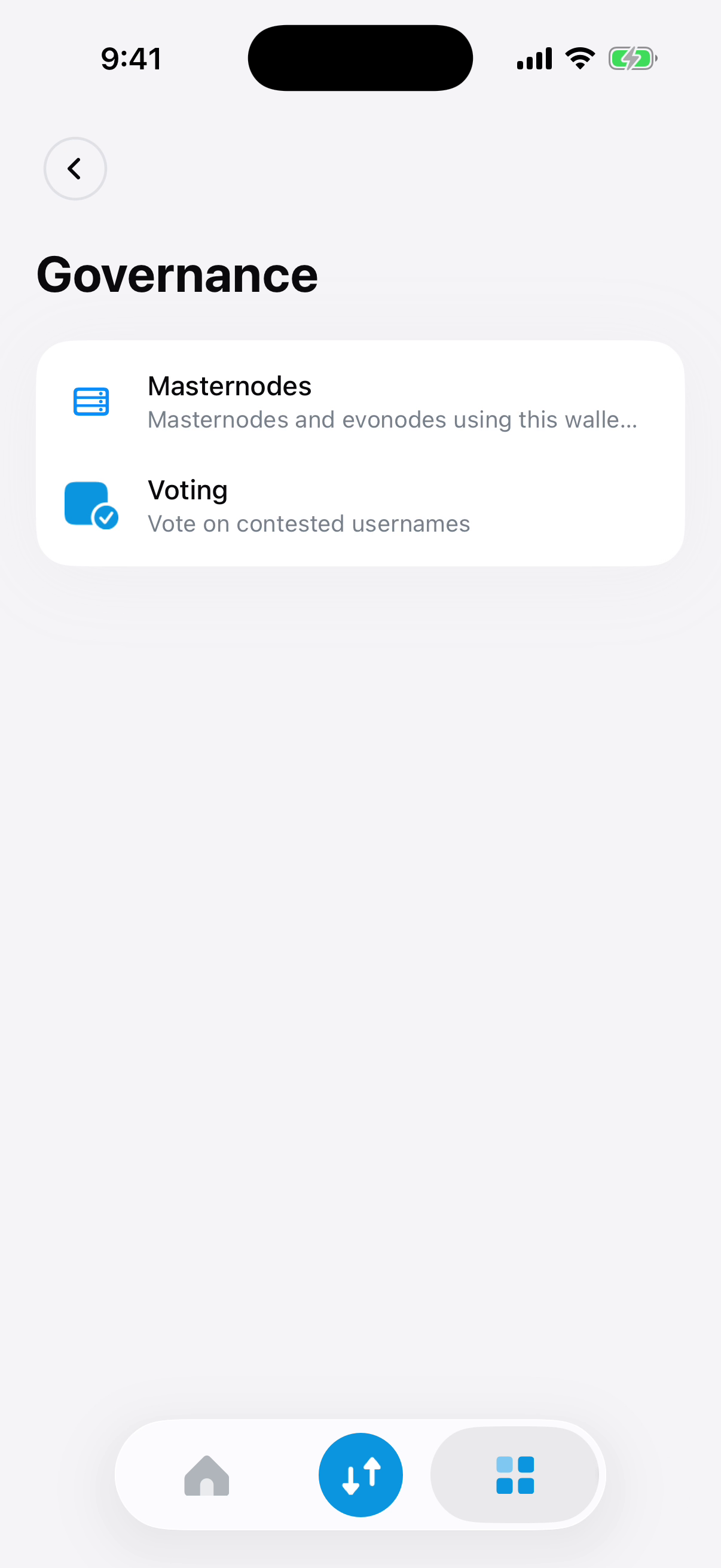
Dash Wallet iOS: Governance and voting.

Governance and voting

Governance separates masternode management from voting on contested usernames. Voting can be enabled in the wallet settings.

Technology stack

The technology behind Dash Wallet iOS.

Native iOS interfaces connected to wallet storage, maps and the Dash SDK.

Native iOS and watch interfaces

Swift and Objective-C work alongside SwiftUI, UIKit, Combine and WatchKit.

  • Swift
  • Objective-C
  • SwiftUI
  • UIKit
  • Combine
  • WatchKit

Local persistence

The recorded storage stack includes SwiftData, Core Data and SQLite.

  • SwiftData
  • Core Data
  • SQLite

Wallet SDK and native services

SwiftDashSDK connects Rust through FFI. Moya, MapKit, CoreLocation and LocalAuthentication support networking, maps, location and device authentication.

  • SwiftDashSDK
  • Rust
  • FFI
  • Moya
  • MapKit
  • CoreLocation
  • LocalAuthentication

Dependencies and UI tests

CocoaPods manages dependencies; Maestro is used for UI tests.

  • CocoaPods
  • Maestro
Your mobile product

Build the transaction journey around its real states.

We can help connect native screens, account data and SDK integrations, with a test plan for valid input, rejected actions and pending states.

Discuss your iOS application