Products are identified from the shelf
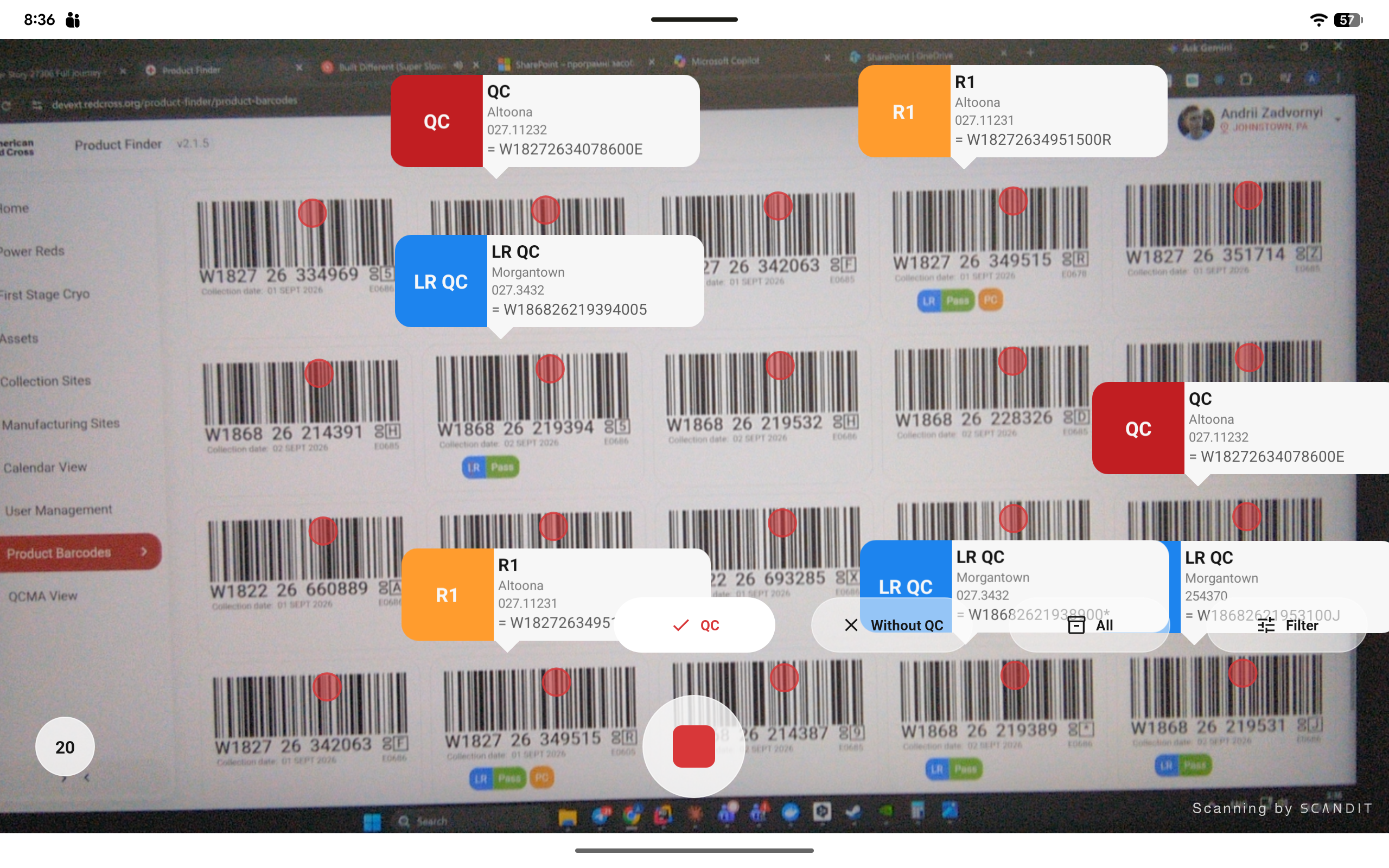
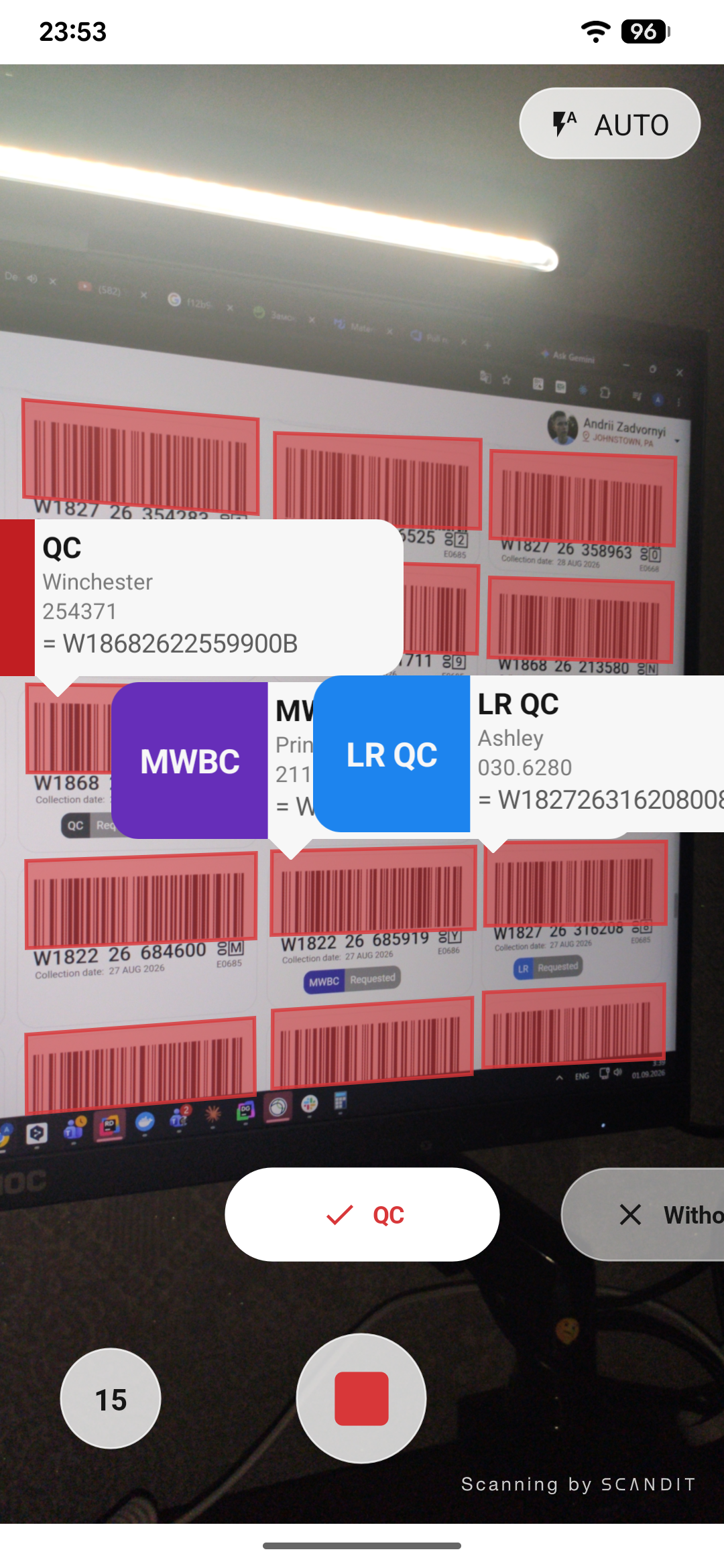
A technician scans a tray with a phone or tablet. The app recognises several labels in one camera view and shows the QC category of each.
Phone appWe built Product Finder for American Red Cross laboratories at more than 20 manufacturing sites. An Android scanner labels each blood product on the shelf with the check it needs. In a web register, staff review QC records and plan checks against the site’s monthly target.
What changes for the teamDeveloped May–September 2024, again since December 2025
Each month a laboratory picks blood products for scheduled quality checks. The checks differ by product, and each site has a monthly target to meet.
With paper logs and separate desktop tools, finding a product on the shelf and checking its record were two unconnected steps. Access to records also had to follow each person’s site assignment.
We linked camera scanning to the web register. The technician at the shelf and the supervisor planning the month now work with the same product records.
Design and development of the Android scanner app and the web register, including the move of the web client from Blazor WebAssembly to React.
Technicians scan with the Android app. QC codes, the monthly plan and site access are managed in the web register.
A technician scans a tray with a phone or tablet. The app recognises several labels in one camera view and shows the QC category of each.
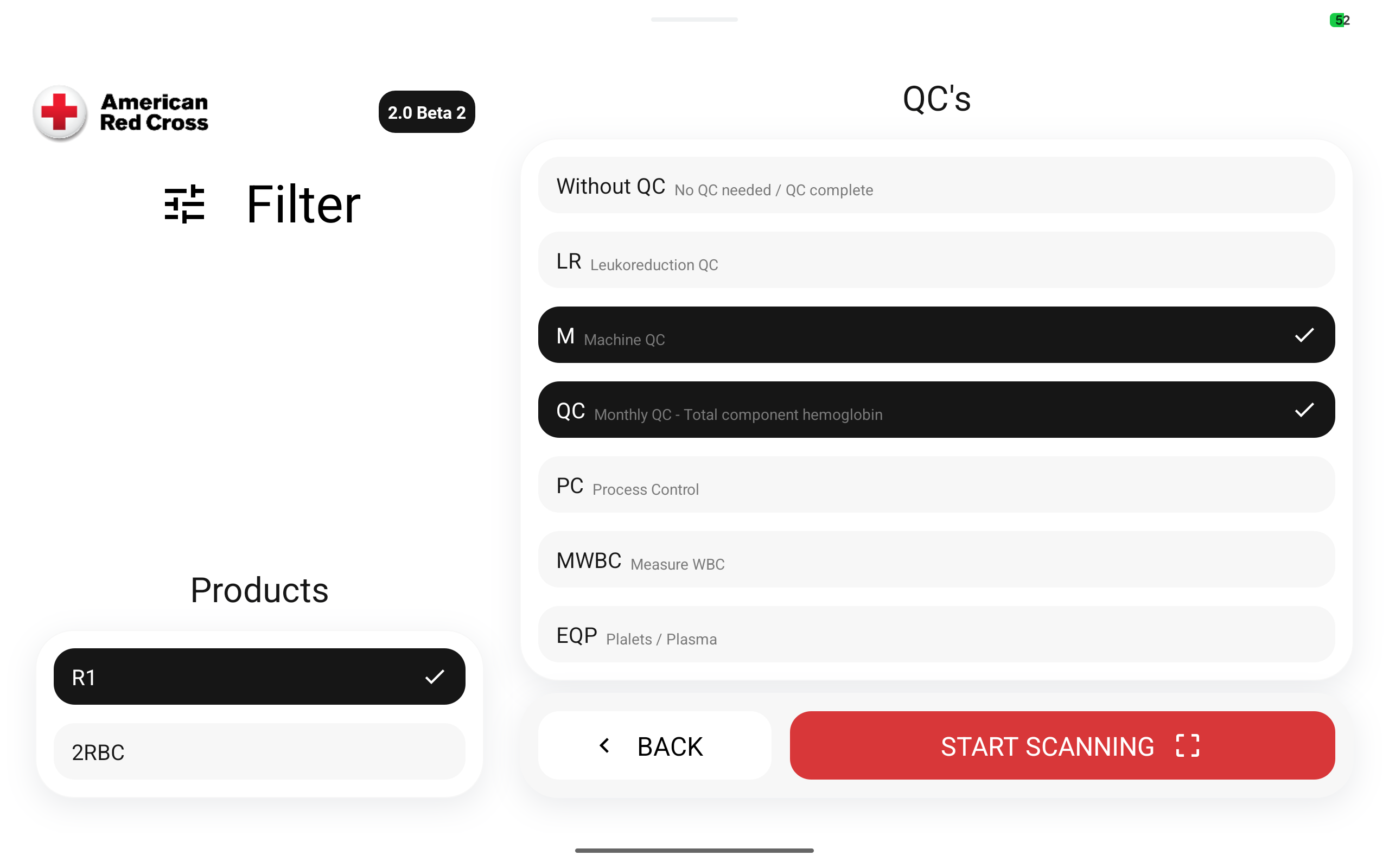
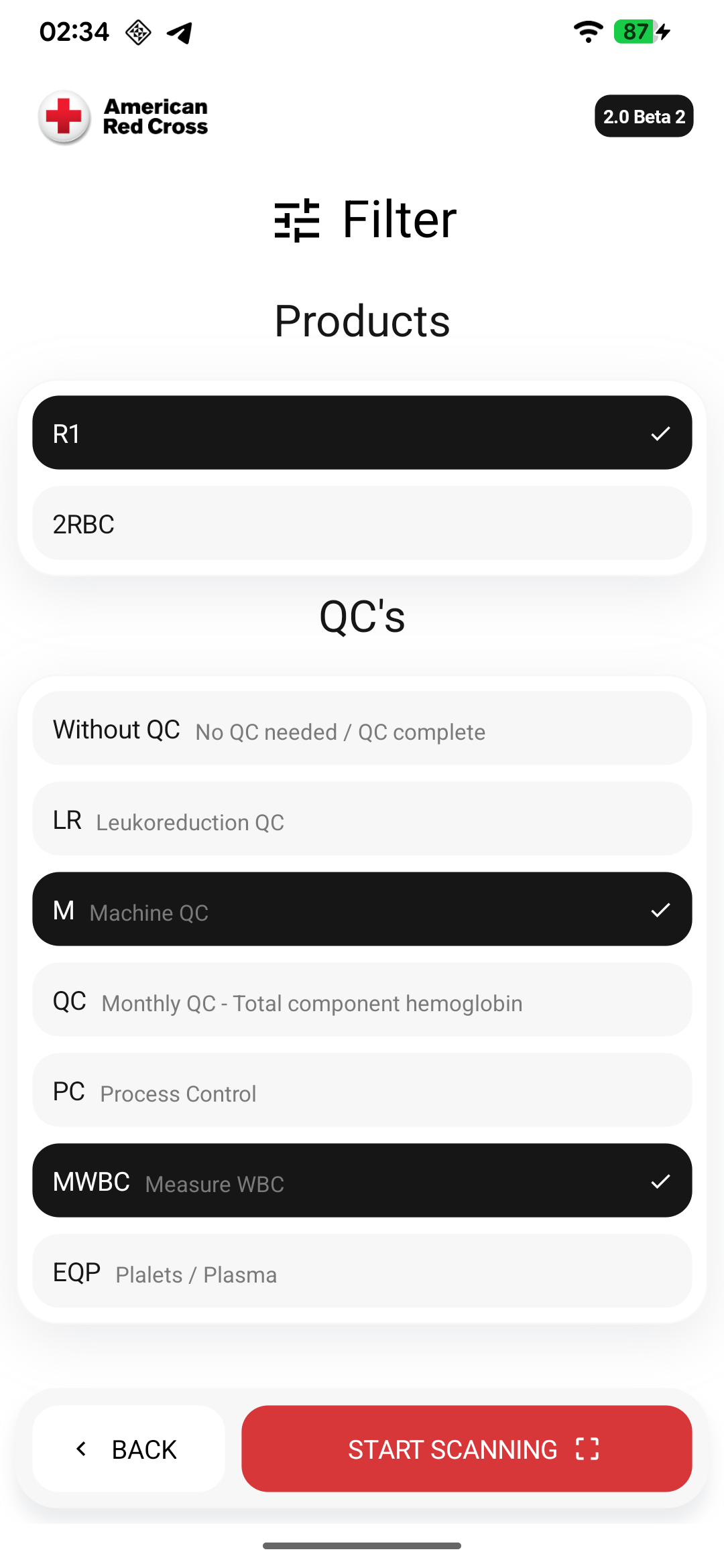
Phone appThe filter limits the scan to the product types and QC categories the technician is working on, so a product that needs a leukoreduction check or a monthly haemoglobin check stands out from those that need none.
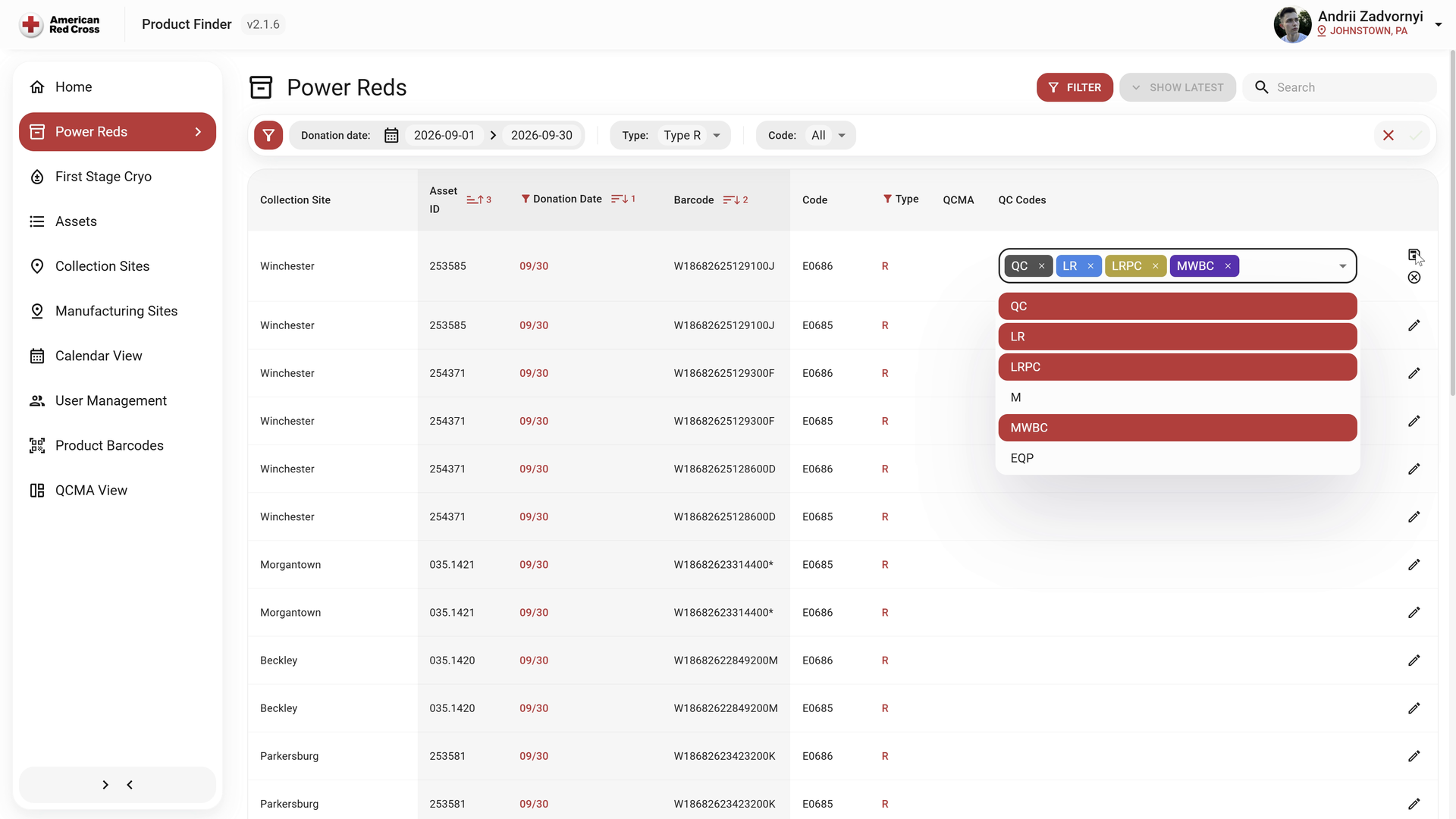
Tablet appEach register row shows a product’s collection site, donation date and QC codes. An authorised user edits the codes in that row.
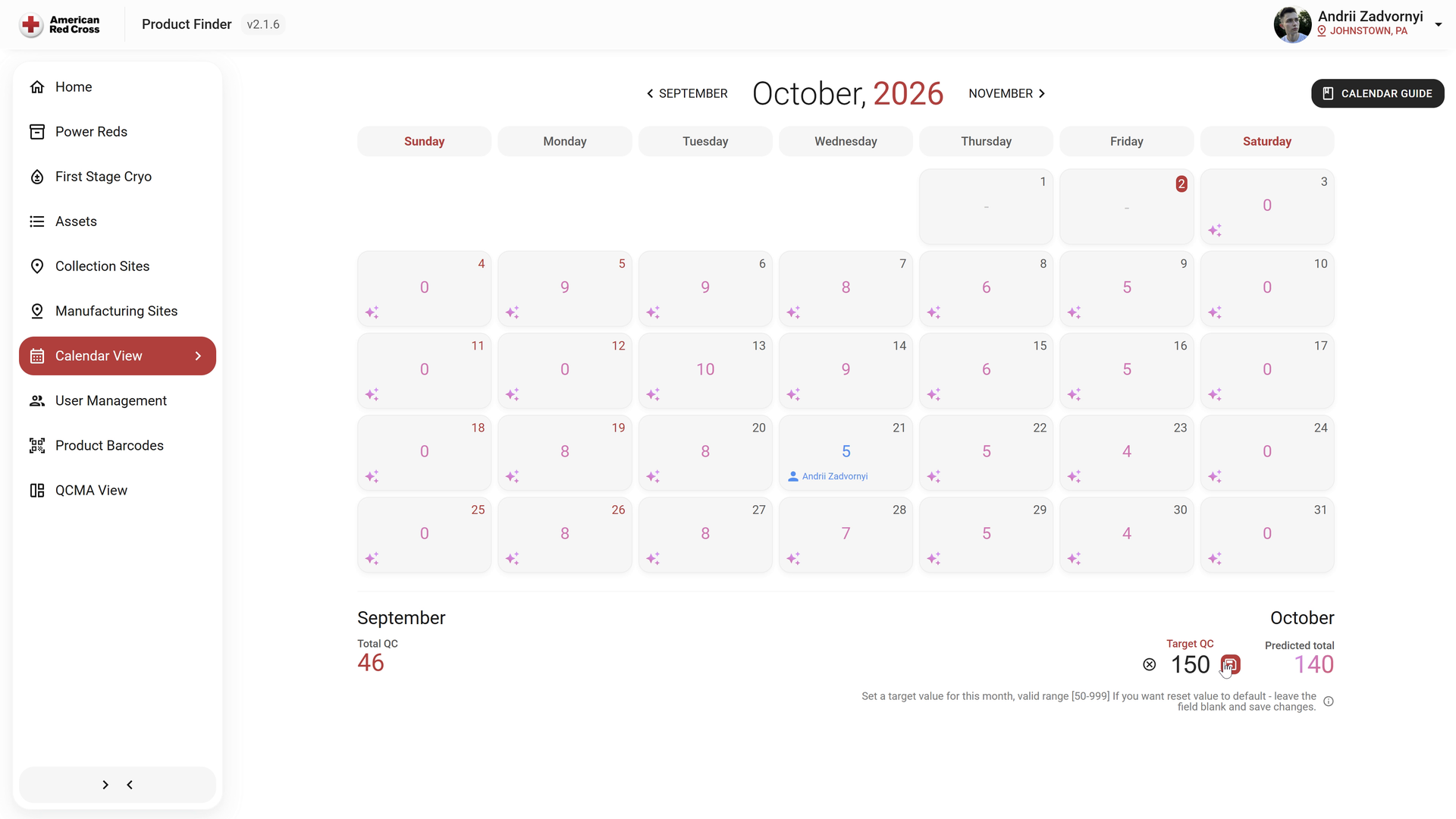
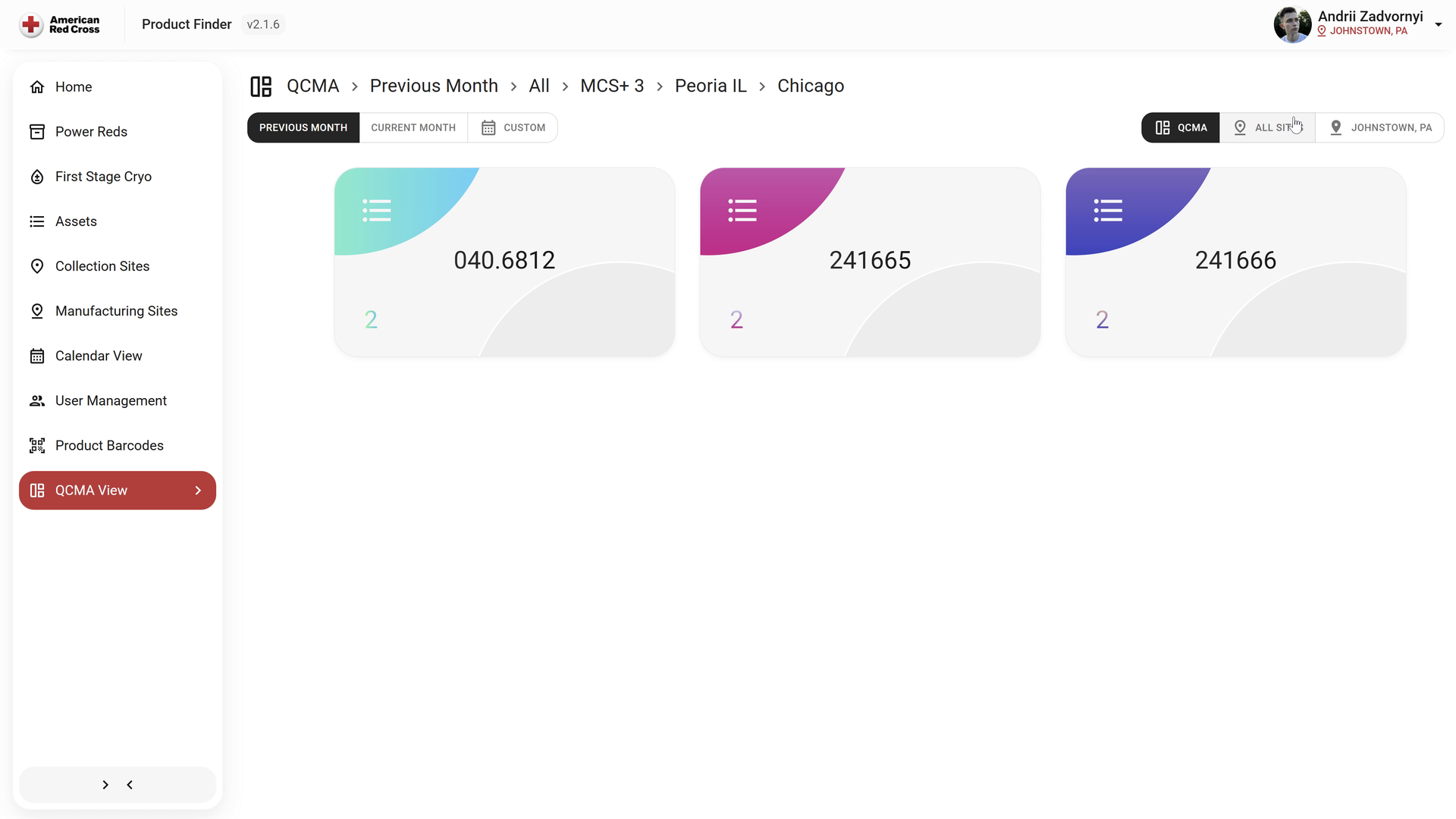
Product registerThe calendar shows how many checks were done each day, last month’s total, this month’s target and where the month is heading. The QCMA view answers which site and which assets the figures come from.
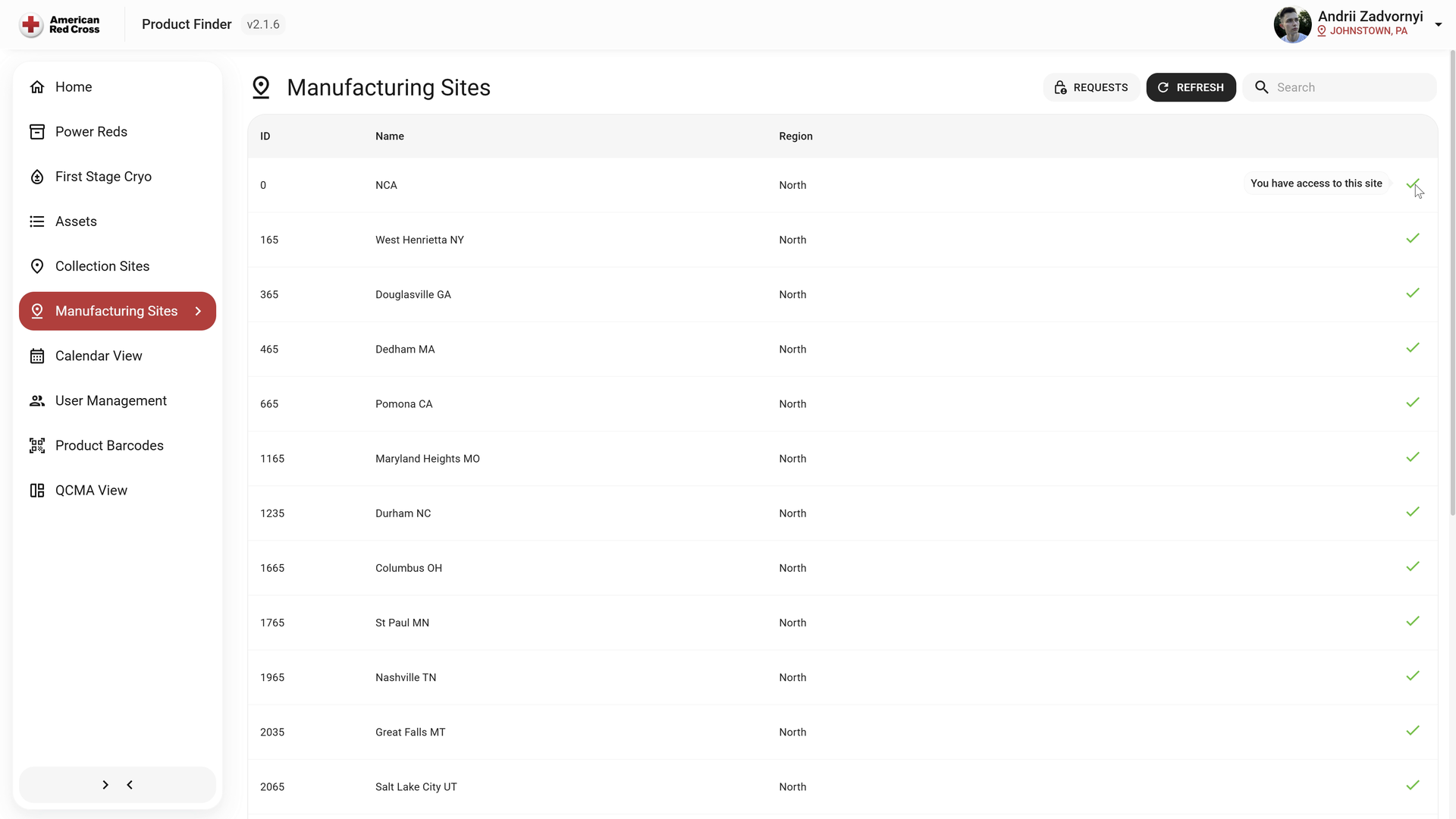
QC planningEach user signs in with the organisation’s credentials and sees the sites they are assigned to. Access to another site is requested from the site register.
Sites and accessThe scanner checks barcodes against a product list cached on the device. The list is only as current as its last refresh, and records differ from site to site.
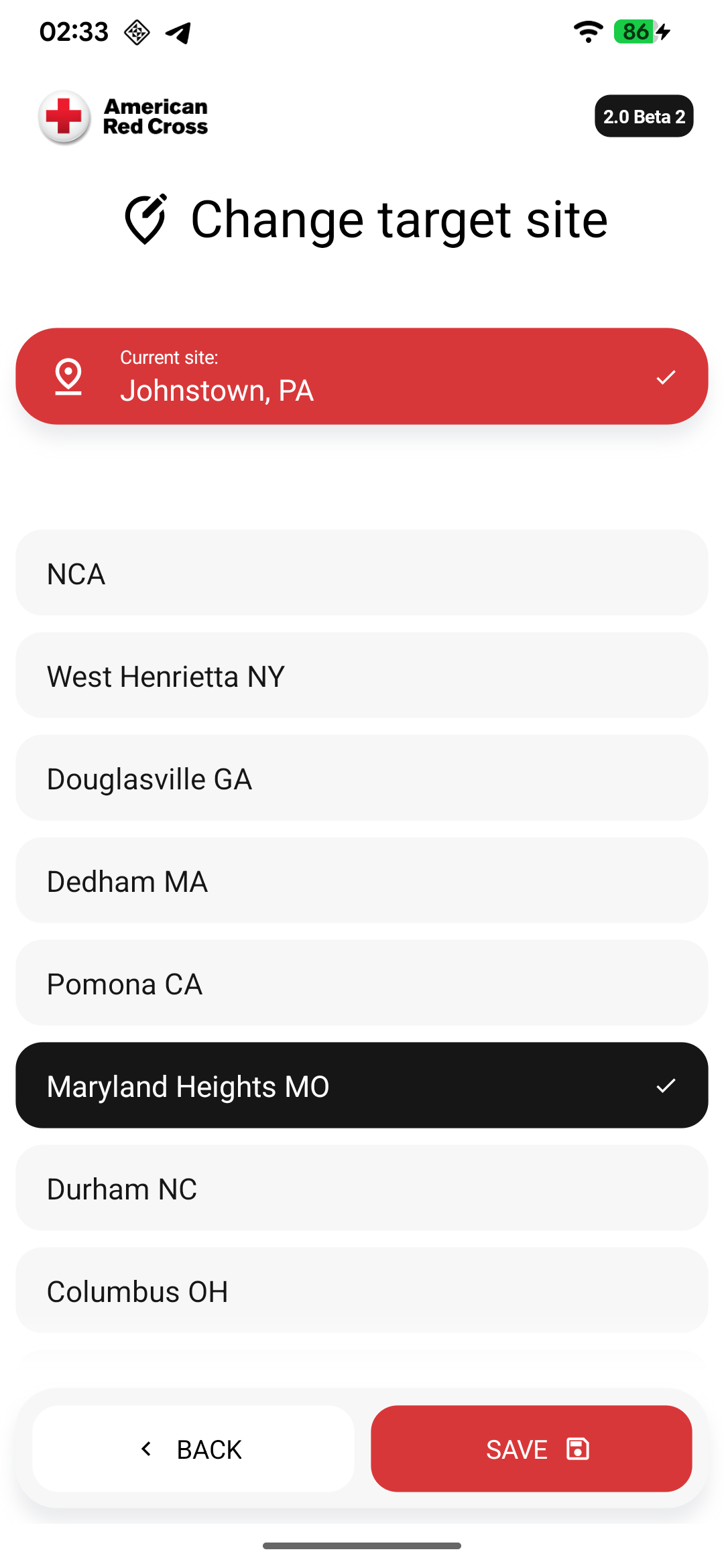
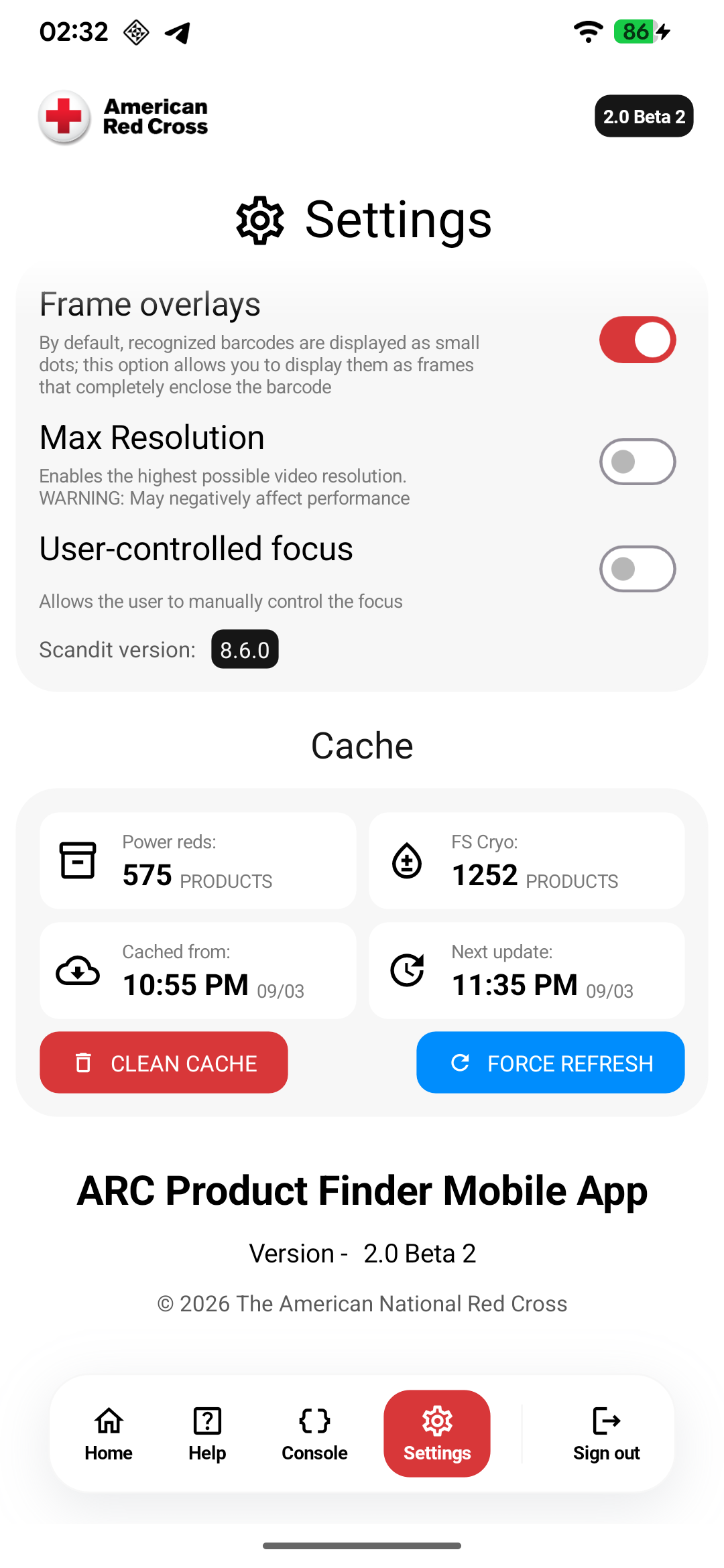
Settings show how many Power Reds and First Stage Cryo products are cached, when the list was loaded and when the next update is due. Buttons refresh or clear it. The technician saves the site on a separate screen, from the same list as in the web register.
Inspect site and product-cache settingsShow us one label and the register behind it. We will tell you what the scanner should show beside the barcode and how often the device should refresh its data.
A technician stands at a tray of labelled products and needs to know which of them still need a quality-control check this month.
The technician selects a site, product types and QC categories, then scans. Each recognised barcode is framed, and the label beside it names the QC category, the site, the asset ID and the DIN. A counter shows how many products have been recognised.
On a tablet the same scan has to leave the camera view free while the filter and the counter stay within reach.
Scan controls run along the lower edge of the camera view: QC, Without QC, All and Filter, with the count of recognised products. Product and QC choices sit side by side on the filter screen.
First Stage Cryo products are selected by blood group.
The filter offers O, A, B and AB with Rh positive and negative, plus an unknown-type option. Scanner settings cover frame overlays, maximum camera resolution and manual focus.
A reviewer needs the products collected in a period at a given site, with their QC codes, and has to correct a code without leaving the list.
The Power Reds register filters by donation date range, type and code. Each row shows collection site, asset ID, donation date, barcode, product code, type and QCMA mark; the QC codes are edited in the row from a fixed list.
Each site has a monthly QC target, set between 50 and 999.
Supervisors compare the checks done so far with the target and the predicted total. To see what stands behind a figure, they narrow the QCMA view to one site and open its asset references.
The Android app recognises several DIN barcodes in one camera view and displays the QC category beside each recognised label. Technicians filter by QC status and use the count to see how many products the scanner has identified.
Before scanning, the technician picks the product types, R1 or 2RBC for Power Reds, and the QC categories to look for: without QC, leukoreduction, machine QC, monthly total component haemoglobin, process control, white-cell measurement and EQP for platelets and plasma. First Stage Cryo adds ABO group, Rh and an unknown-type option.
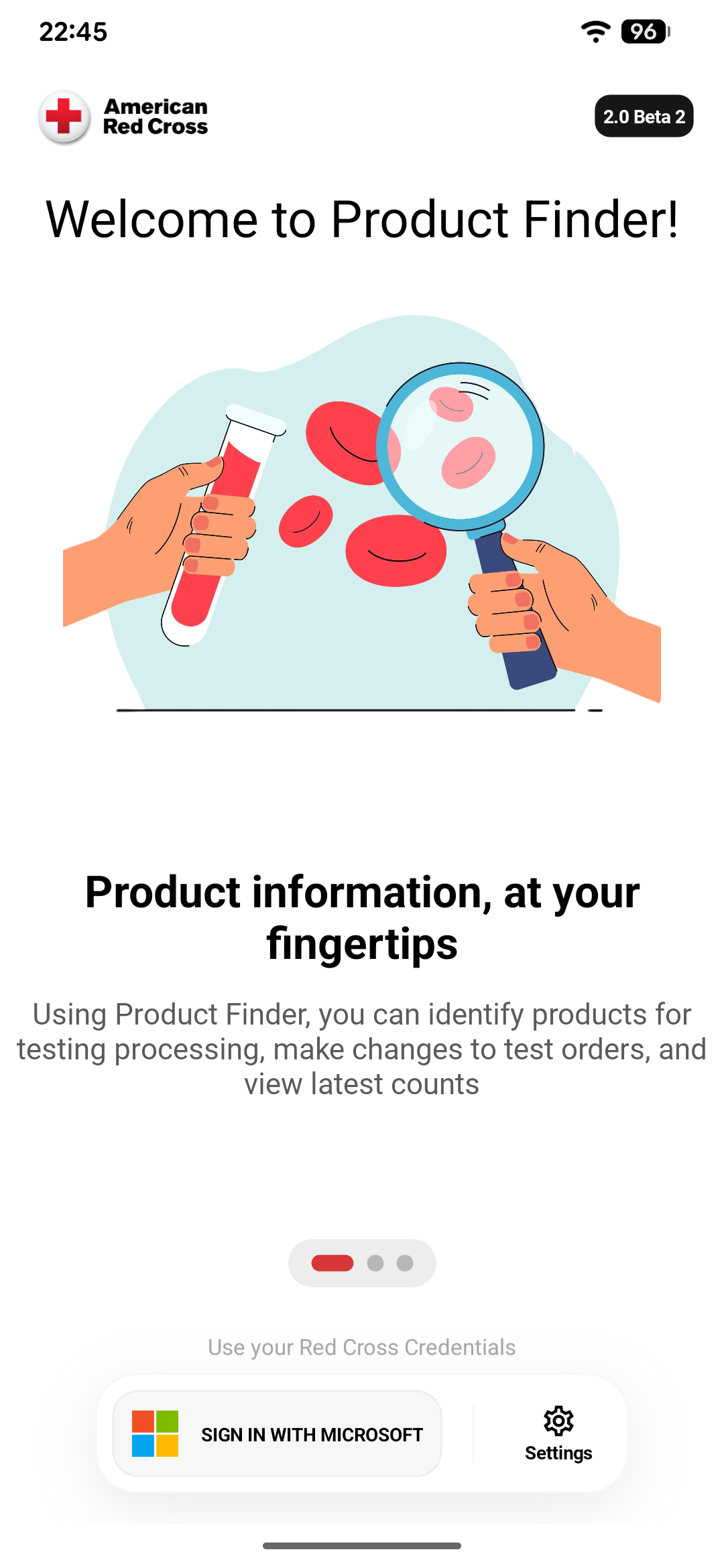
Staff sign in with their Red Cross Microsoft account and save the site they work at; the list is the same as in the web register. Settings show how many Power Reds and First Stage Cryo products are cached on the device, when the cache was loaded and when the next update is due, with buttons to clear or refresh it. Scanner options cover frame overlays, maximum camera resolution and manual focus.
Power Reds and First Stage Cryo each have a register. A row shows the collection site, asset ID, donation date, barcode, product code, type, QCMA mark and QC codes. Staff filter by donation date range, type and code, search, show the latest records and edit the QC codes in the row from a fixed list: QC, LR, LRPC, M, MWBC and EQP. Assets, collection sites and product barcodes have registers of their own.
A month view with the number of QC checks per day. Below it, last month’s total, this month’s target and the predicted total. The target is set per month between 50 and 999, and a calendar guide explains the figures.
Checks for the previous month, the current month or a custom period, for all sites or the user’s own site. The view opens from all sites through a group and a site down to individual asset references with their counts.
The manufacturing-site register lists each site’s ID, name and region and marks the sites the current user can access. Users request access to further sites from the same screen, and administrators manage users in the web register. Access is checked against the organisation’s Microsoft Entra ID.
A React web register and an Android app built with .NET MAUI and Kotlin, on Microsoft SQL Server with Microsoft Entra ID sign-in.
The web client migrated from Blazor WebAssembly to React; the mobile app combines MAUI and a Kotlin scanner activity.
AR scanning overlays product information on DIN barcodes. Dapper replaced EF Core in the data layer.
Staff sign in through Microsoft Entra ID, and access is limited to assigned sites.
Pipelines deploy the web application to IIS and sign the Android app for its download page.
The application was built for blood laboratories, but the pattern is the same wherever barcoded items need scheduled checks:
Blood services and blood-component laboratories that sample products for quality control each month.
Clinical, testing and research laboratories with QC schedules per method, instrument or product category.
Medical device, pharmaceutical and food manufacturers that track regulated products by batch and keep QC records for inspection.
Organisations with many sites where staff may only see and change the records of their own site.
A first release usually covers one product family: the scanner app with its filters, the register with editable QC codes and the monthly calendar, connected to the sign-in your staff already use.
Tell us what your staff scan, how many sites you have and who may change a record. We will describe the scanner and the register we would build first.
Discuss your product-tracking workflow