
Projects / Course authoring

LCMS

Lesson authoring and course-version management.

A course-authoring workspace for Commonwealth Charter Academy. Authors organise the curriculum, compose lesson pages and choose which child templates receive an update.

01 / Course structure

Course structure and targeted updates.

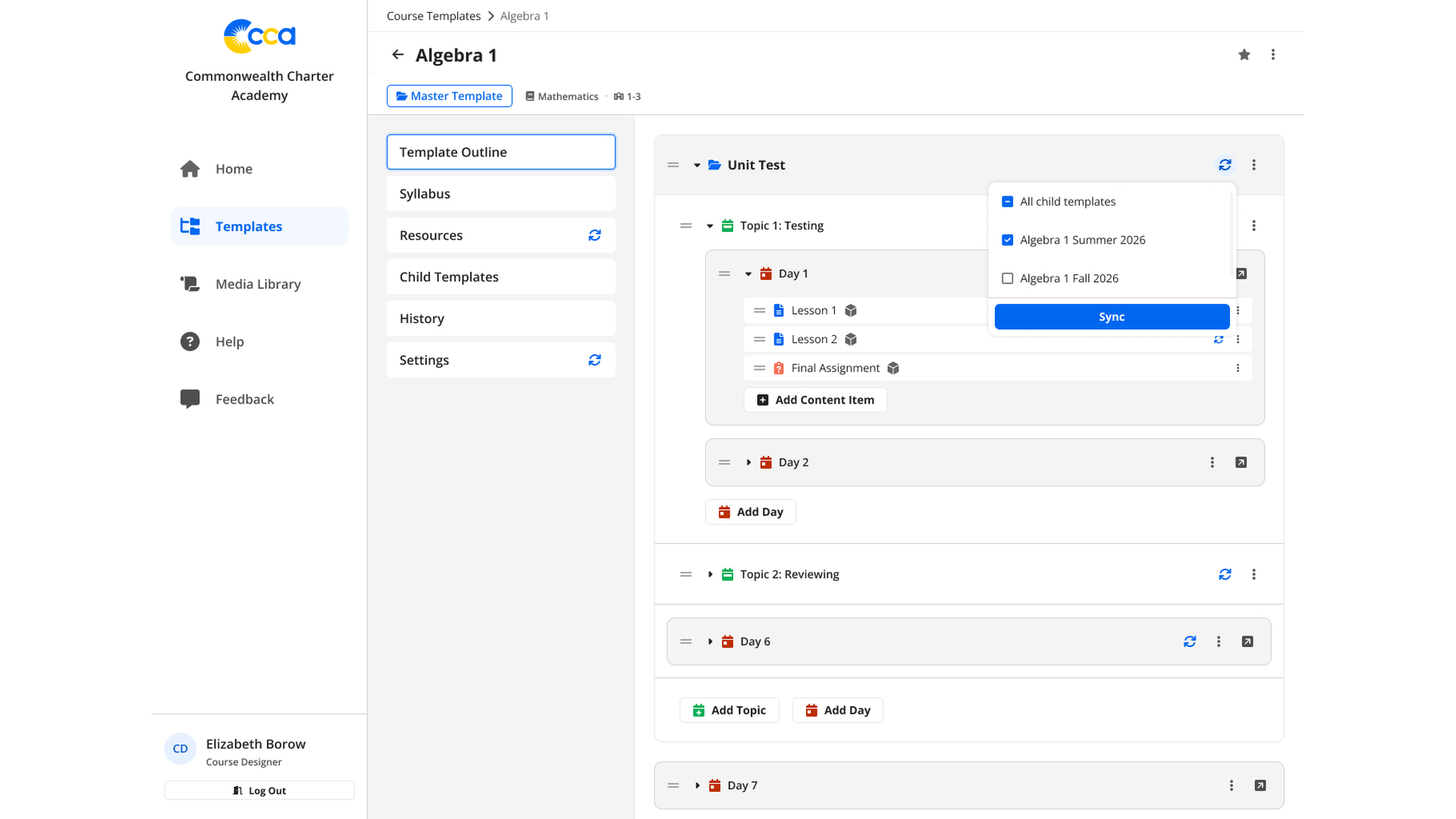
A course tree organises units and lessons, with a selection of child templates for synchronisation.

Course outline and sync selection

Units, topics and teaching days organise lessons and assignments. The sync menu selects the child templates that receive an update; the example targets a summer course while leaving the autumn version unselected.

02 / Visual lesson editing

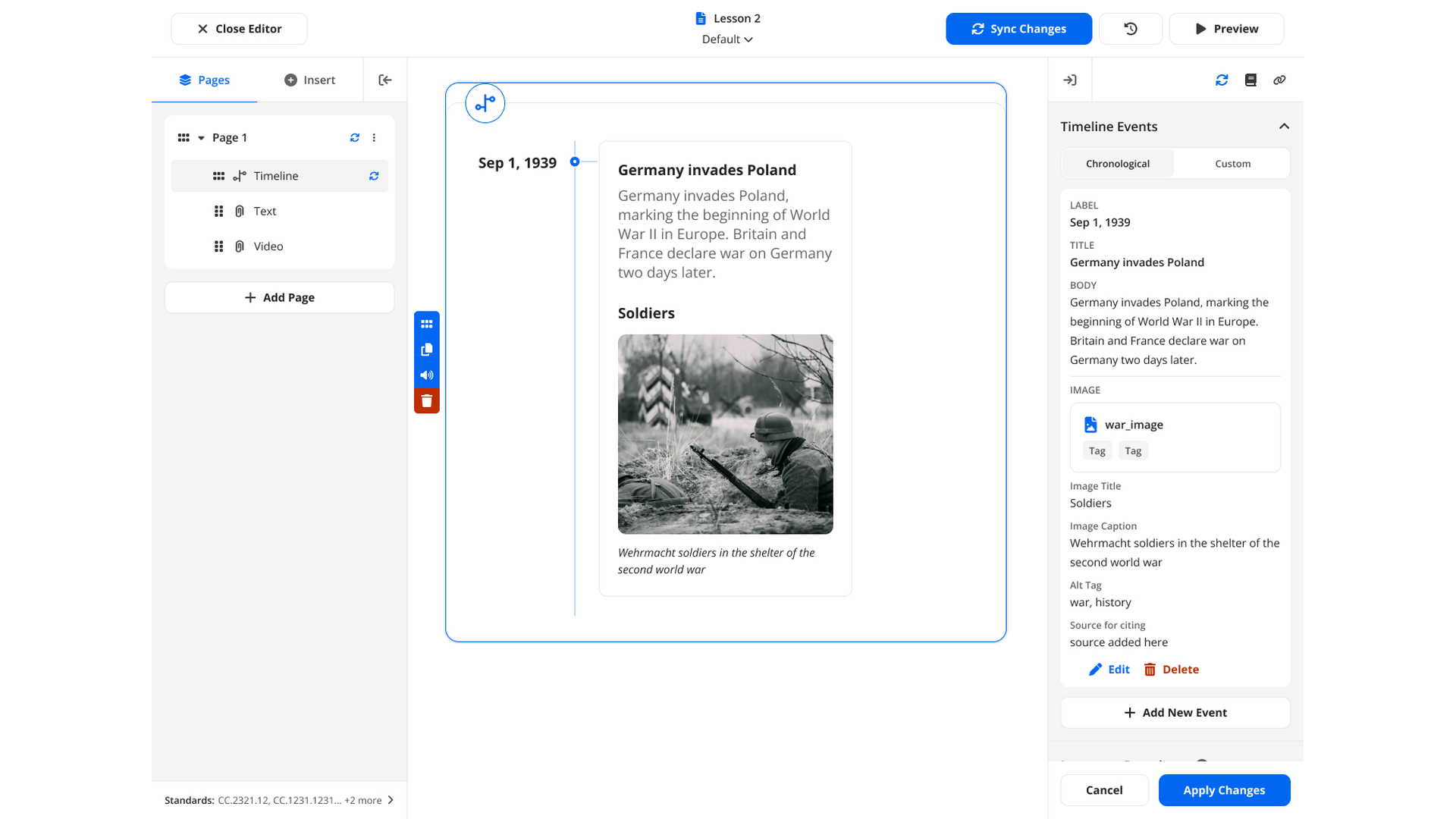
A visual editor for lesson pages and components.

The lesson editor places pages and content elements beside a visual canvas and the selected element’s properties.

Visual lesson editor

The page tree organises timeline, text and video components. Selecting an element opens its properties beside the canvas, where authors edit the content and preview its placement in the lesson.

03 / Media and timeline events

Media descriptions, sources and reading settings.

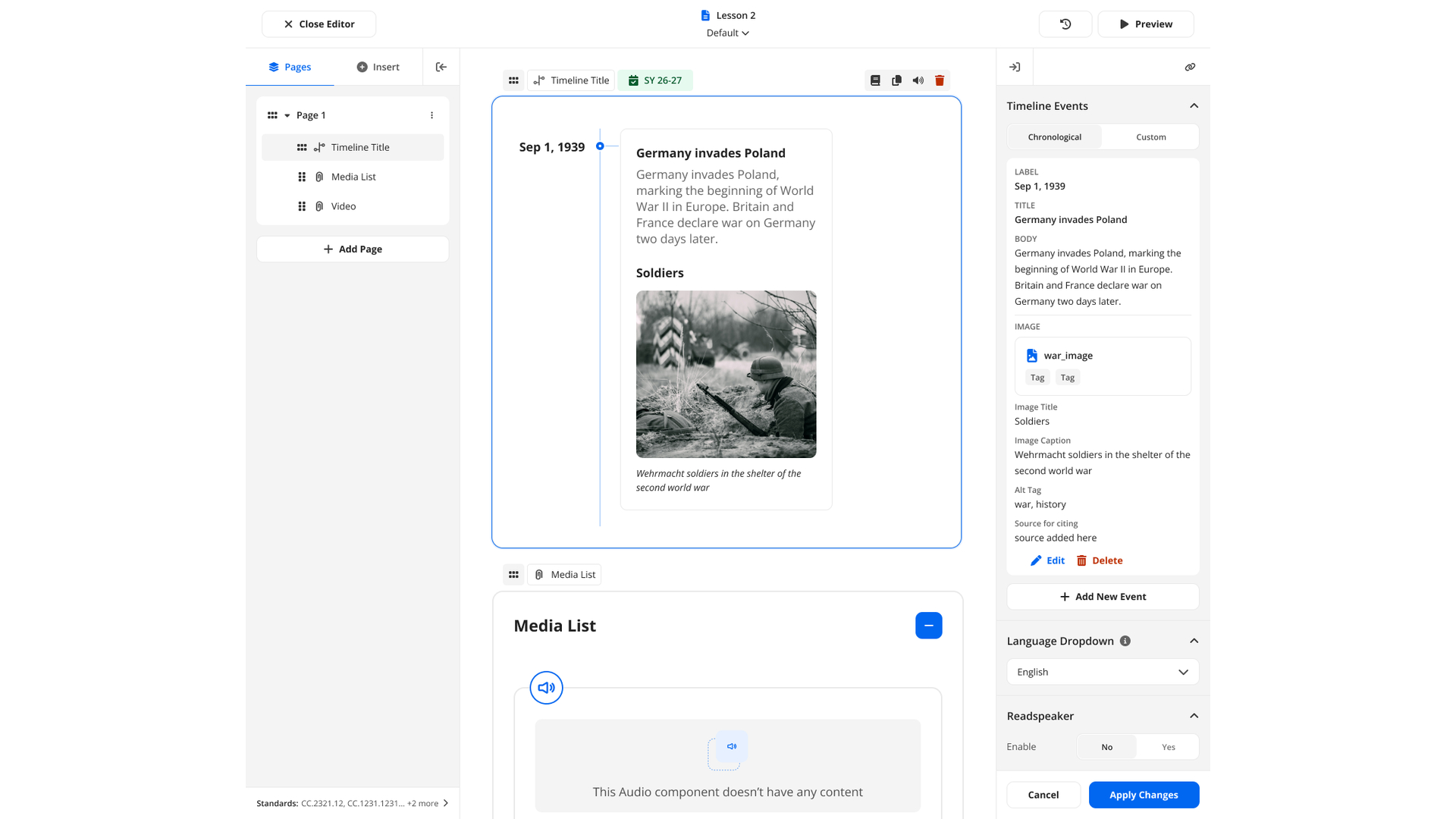
The lesson editor shows a historical timeline, a media list and properties for the selected content.

Timeline events and media content

Timeline events include text, image captions, alternative text and source references. A separate media-list component holds lesson media; language and Readspeaker controls are available in the properties panel.

04 / Related course templates

Master templates and their course variants.

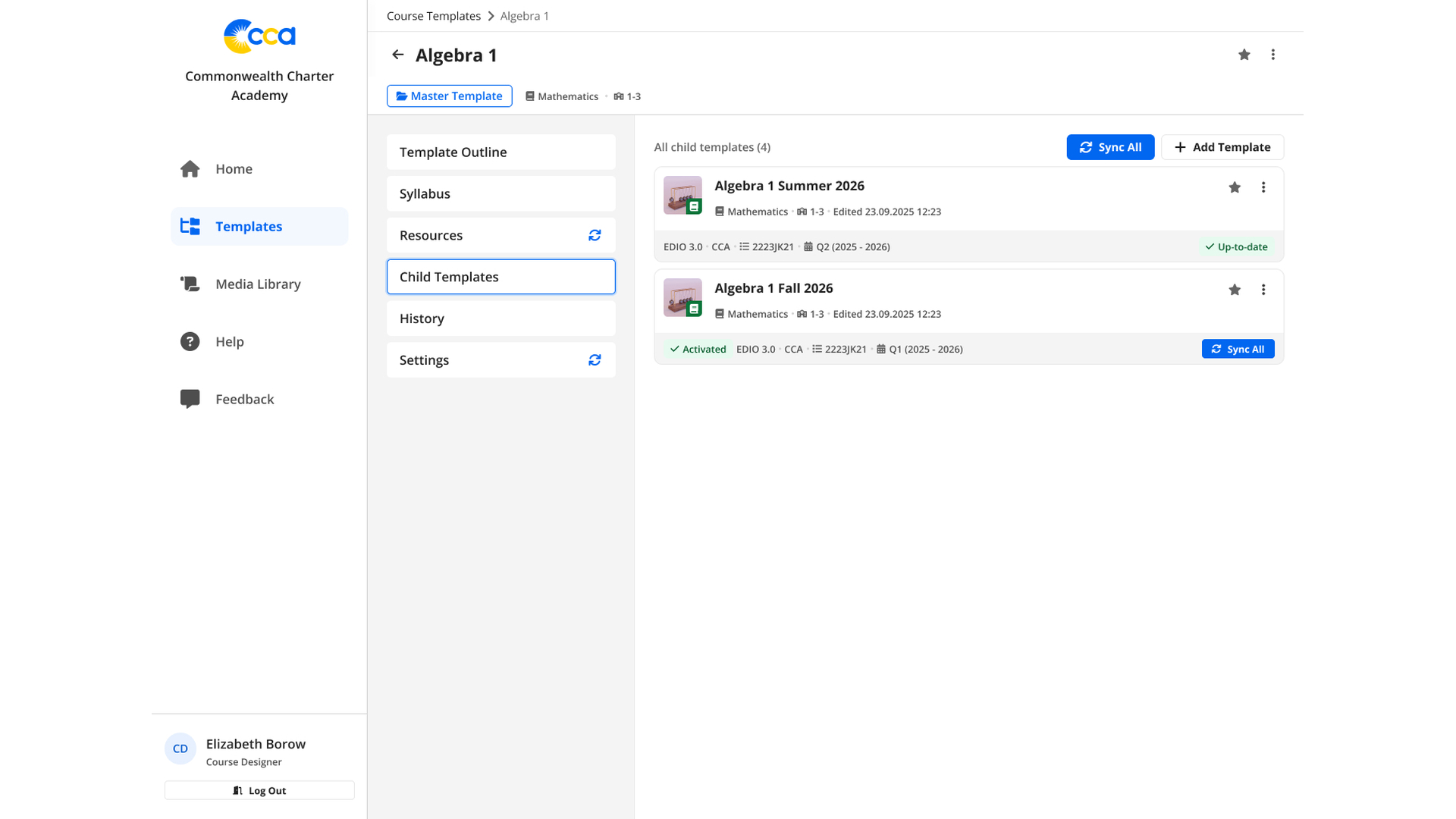
The LCMS course overview connects a master template to child templates and their synchronisation states.

Master and child templates

The master template lists related course variants with edit information and activation or synchronisation status. Authors can identify an up-to-date version and trigger an update for the relevant child template.

Technology stack

Technology behind LCMS.

A modular workspace for authoring and synchronising learning content.

User interfaces

Typed screens, shared query state and validated authoring forms.

  • React
  • TypeScript
  • Redux Toolkit
  • RTK Query
  • React Router
  • React Hook Form
  • Zod
  • Tailwind CSS
  • DaisyUI

Modules and live communication

A monorepo and federated modules organise the application; WebSocket and Auth0 support live communication and access.

  • Nx
  • Rspack
  • Module Federation
  • WebSocket
  • Auth0
  • Vitest
Your authoring workflow

Build the editor around the courses your team maintains.

Bring a real lesson, its content types and the versions that reuse it. We can connect the course structure, editing controls and synchronisation rules in a workspace designed for your authors.

Discuss your learning platform