
Patient workspace
ReactJS, TypeScript and Tailwind CSS provide the interface. React-Router connects its views, with React-Joyride for guided use.
Patient assignments, clinical assessments and a shared record.
A web application for nurses caring for infants with Neonatal Abstinence Syndrome. The patient roster connects staff assignments with dated assessments, previous entries and patient QR-code printing.
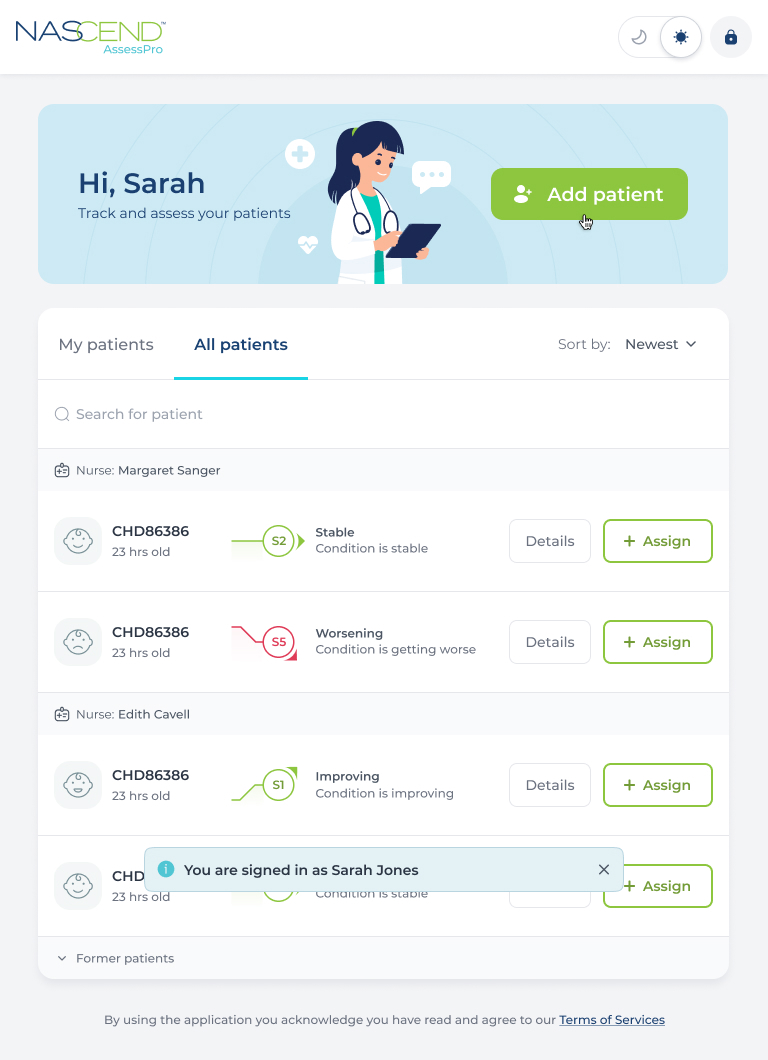
The roster combines My patients and All patients tabs with search and sorting. Records are grouped by nurse, with patient identifiers, status descriptions and Details or Assign actions. Former patients have a separate entry point, keeping the current working list focused on active care.
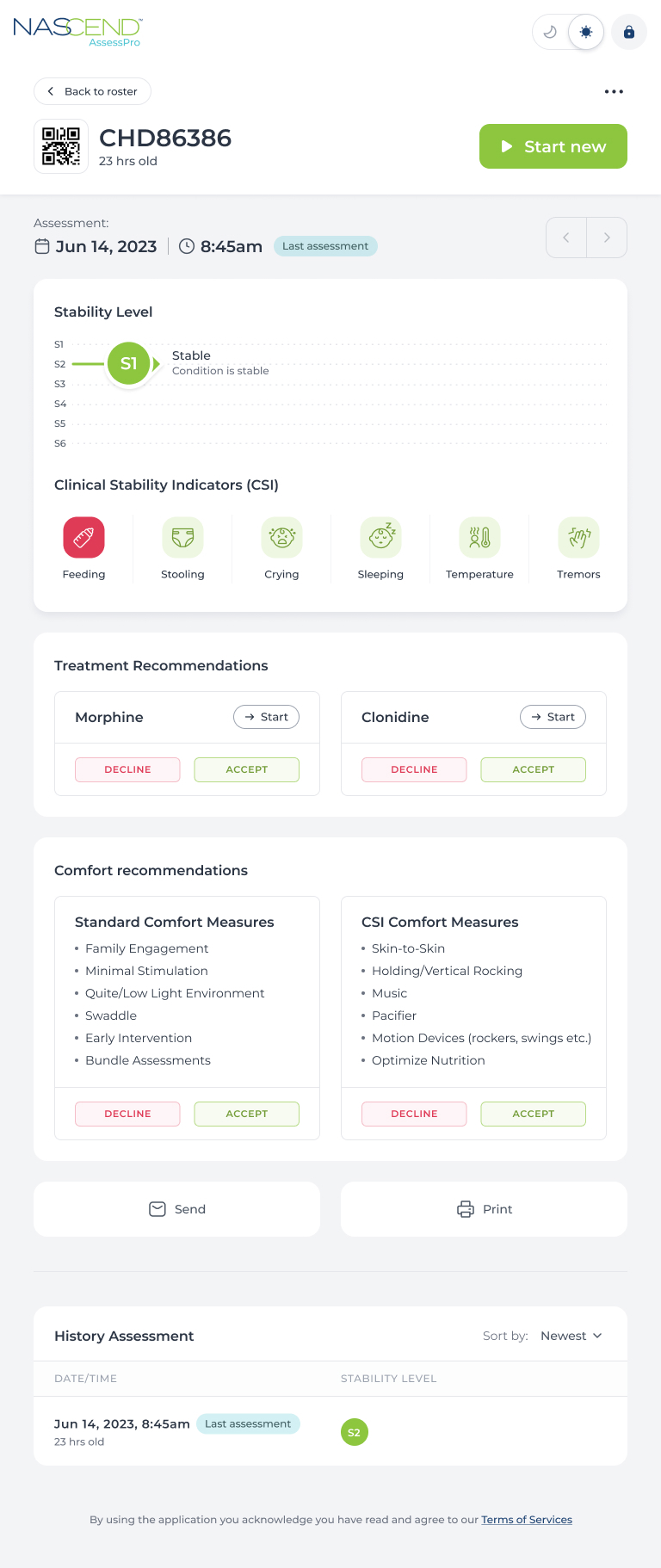
The patient identifier stays above the selected assessment. Date, time and the latest-entry marker establish its place in the history; stability and clinical indicators organise the recorded observations. Recommendation areas include accept or decline controls, and earlier assessments remain listed below for review.
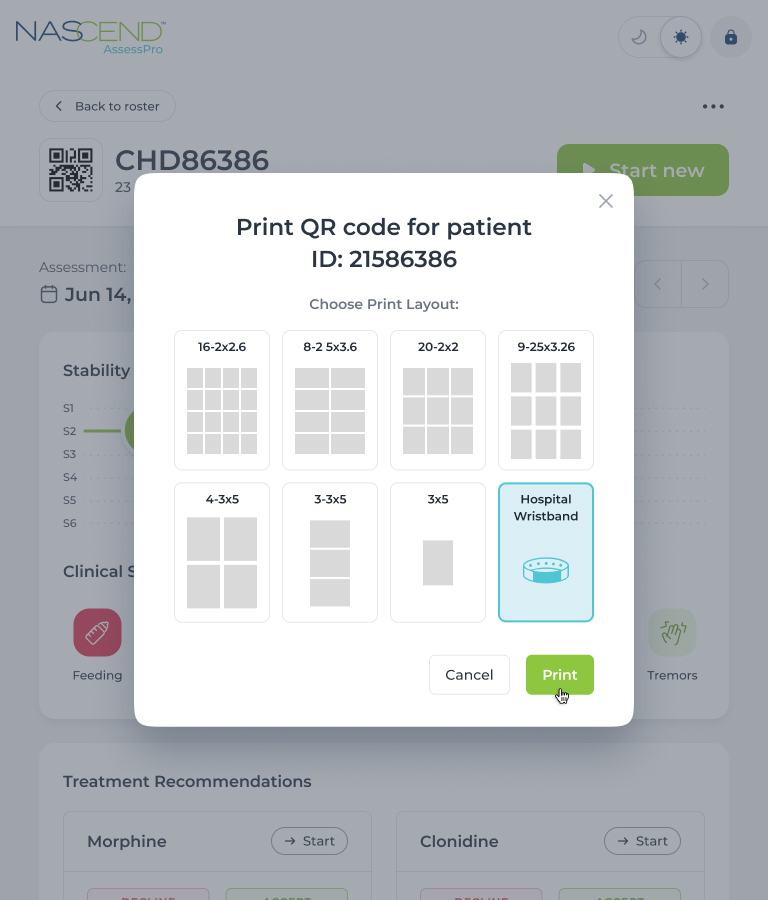
The print dialog opens over the patient record and displays the identifier being printed. Staff choose a sheet-label layout or a hospital wristband, then print or cancel. Keeping these choices within the record connects the physical label with the patient already selected in the application.
The patient workspace, assessment forms and interface tools used in the clinical application.
ReactJS, TypeScript and Tailwind CSS provide the interface. React-Router connects its views, with React-Joyride for guided use.
Formik and Yup support forms and validation. DayJS handles dates and Chart.js supports charts.
Axios handles interface requests. JWT Authentication is part of the application’s access stack.
We can connect staff roles, patient records, assessment forms and document outputs. We start with the information each role needs, the review steps and the access rules your organisation defines.
Discuss your clinical application