Projects / Property operations

NLM

Property search and investor relationships in one platform.

NLM connects commercial property discovery with brokerage operations. Investors define acquisition criteria and follow selected listings; brokers manage the offers, contacts and communication behind them.

Two roles, connected work

One property. Two connected workspaces.

An investor’s search and shortlist.

Investors combine location, property type and price filters, record investment preferences and save properties for further review.

A broker’s listings and follow-up.

The broker workspace covers listing publication, contact management, document signing and campaigns. It connects the offer being promoted with the people and communication around it.

Property discovery

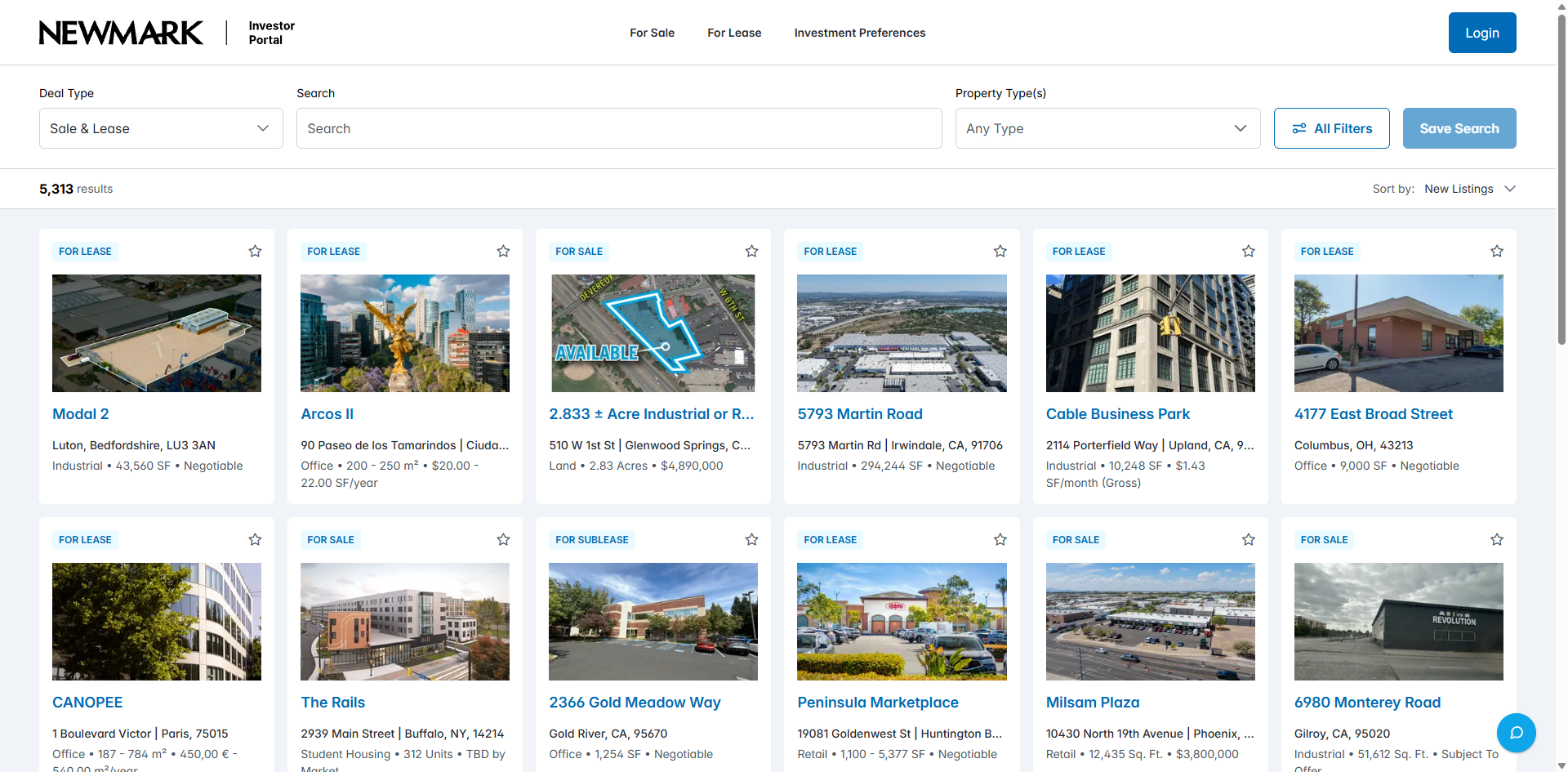
Property cards with deal type, location and commercial terms.

Property cards for sale and lease

Property cards for sale and lease

Sale and lease labels distinguish the deal before the investor opens a property. Cards combine an image, address, asset type and available price or area, while sorting and result counts frame the selection.

Location and search context

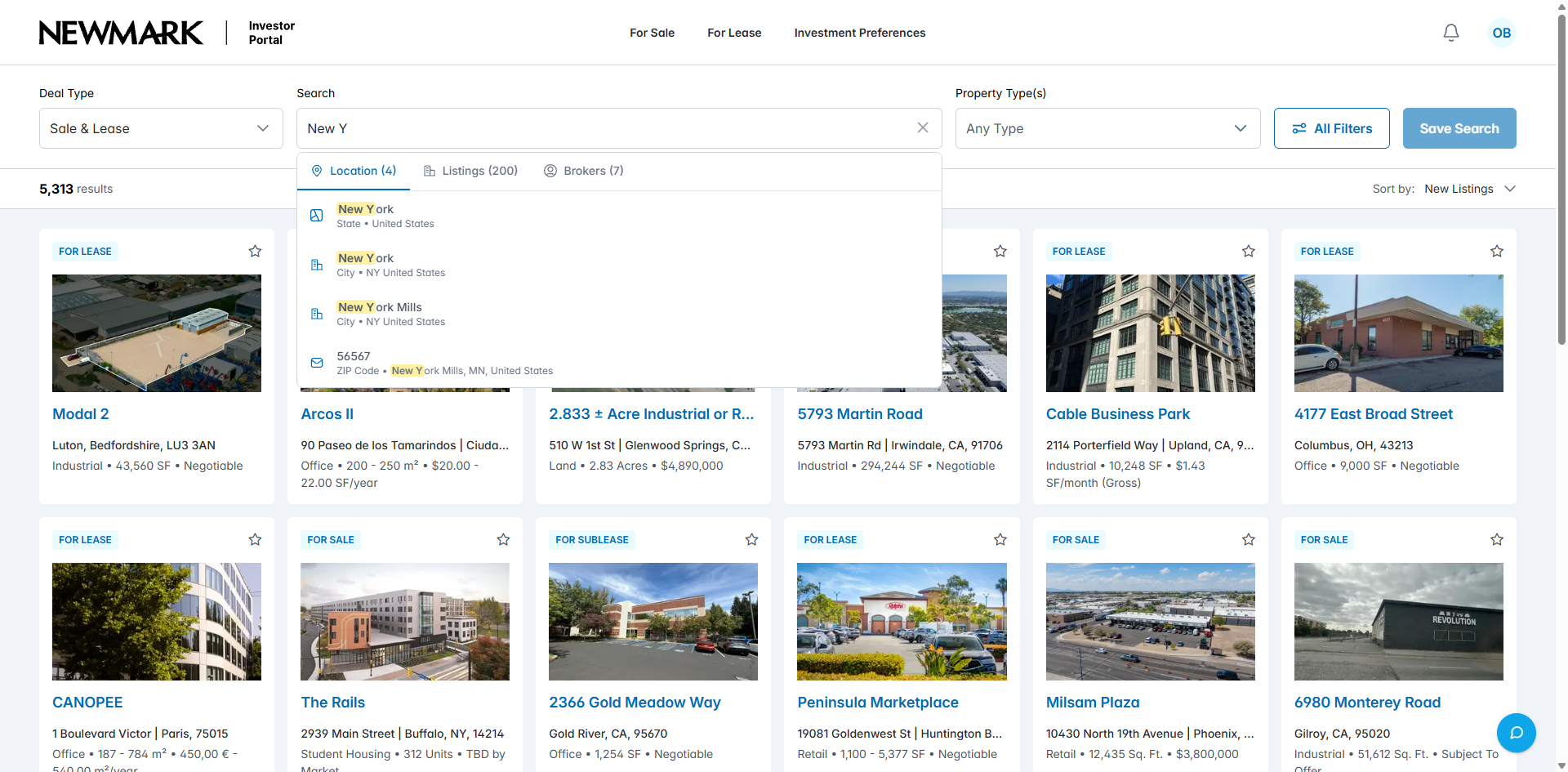
Location suggestions distinguish places, listings and brokers.

Location suggestions in property search

Location suggestions in property search

Search suggestions distinguish locations from listings and brokers. A partial place name can be resolved to a state, city or postcode before it becomes a search criterion.

Search & filters

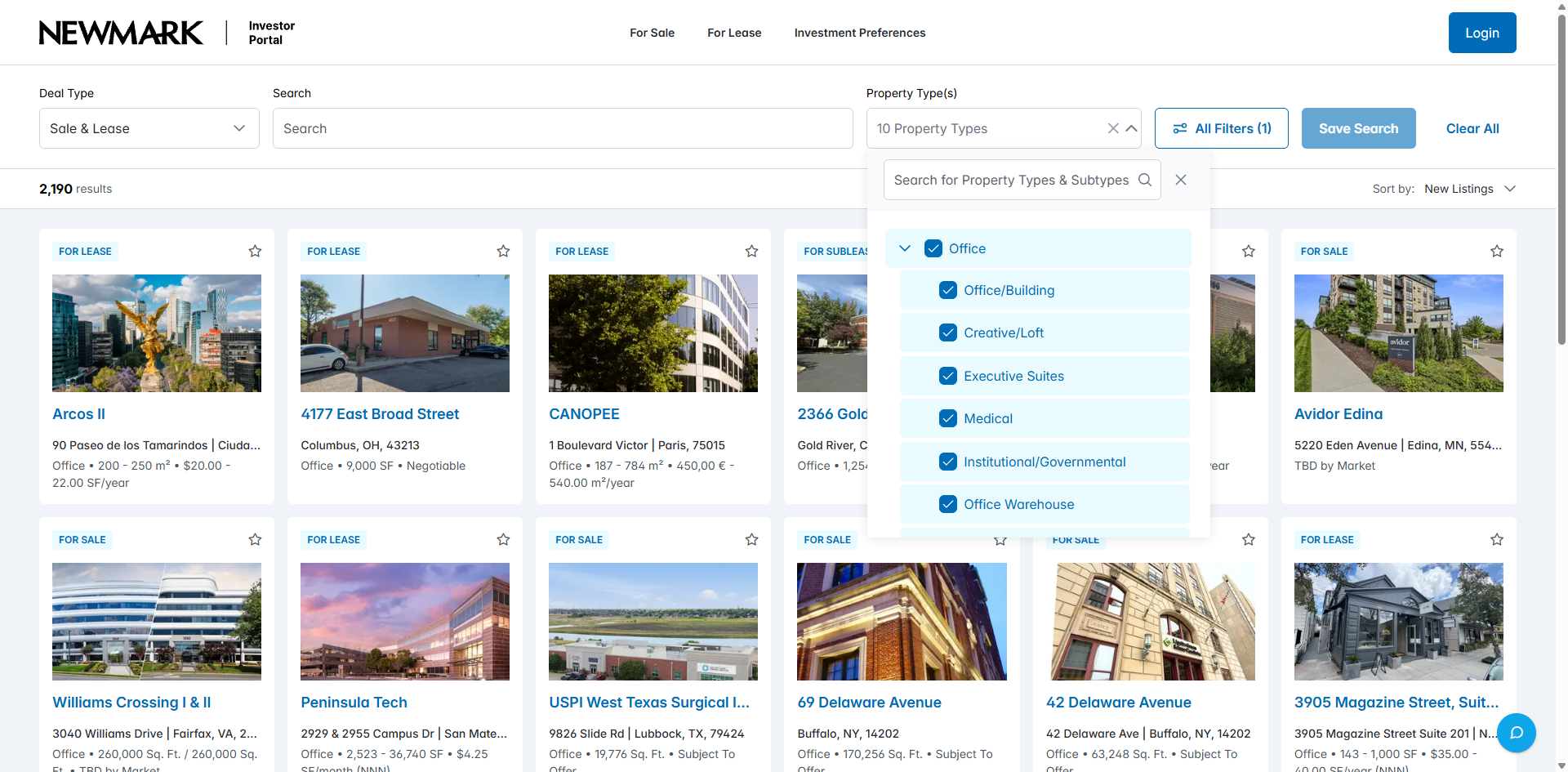
Property subtypes and listing criteria define the search.

Selecting property types and subtypes

Selecting property types and subtypes

Property types expand into subtypes such as office buildings, medical premises and coworking. Investors can choose the relevant branches rather than treating every commercial property as the same asset.

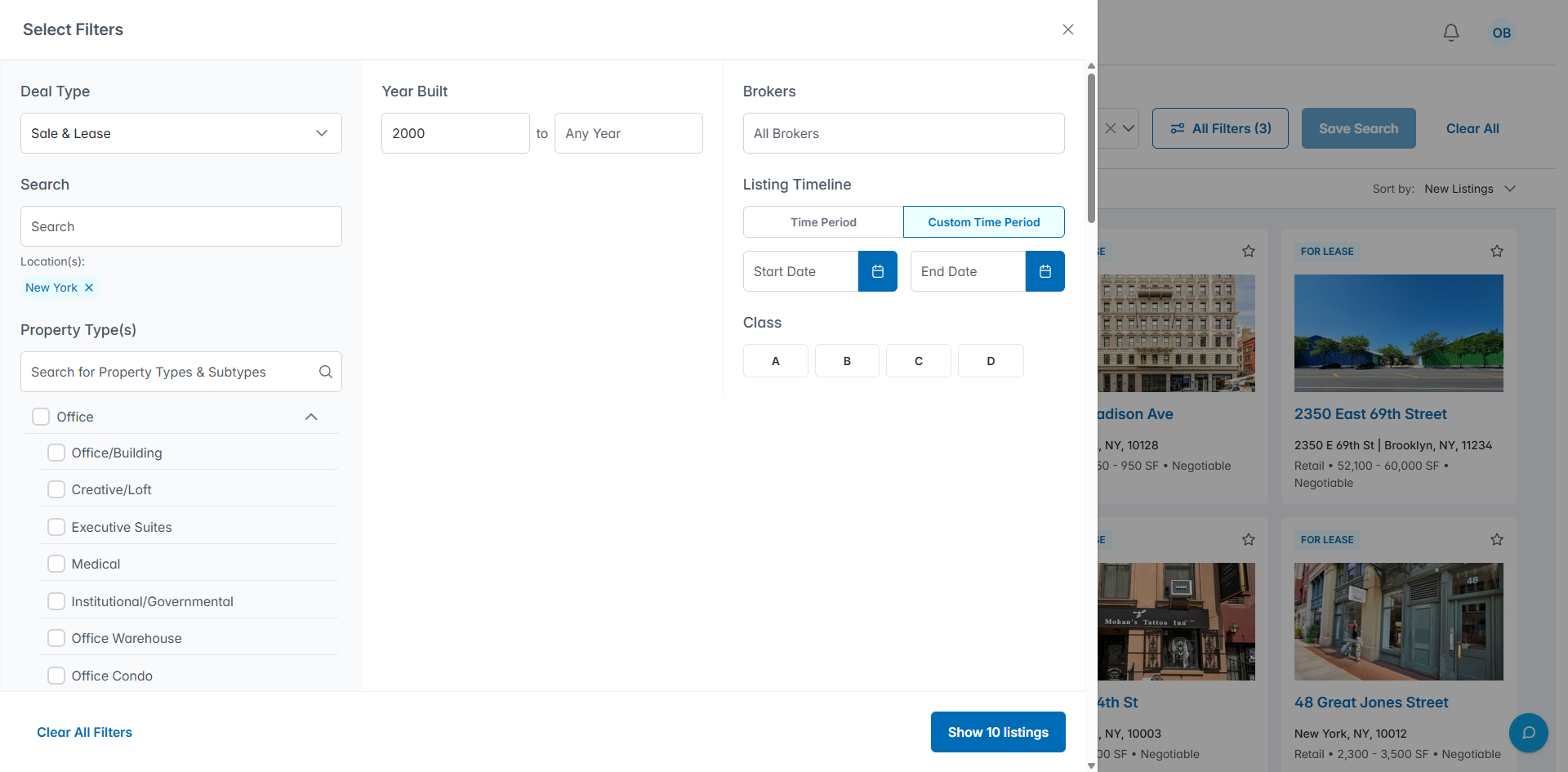
Combining location and detailed criteria

Combining location and detailed criteria

A selected location can be combined with a minimum construction year and a custom listing period. The panel keeps those conditions visible before applying the refined search.

Budget & deal criteria

A purchase budget that remains visible with the results.

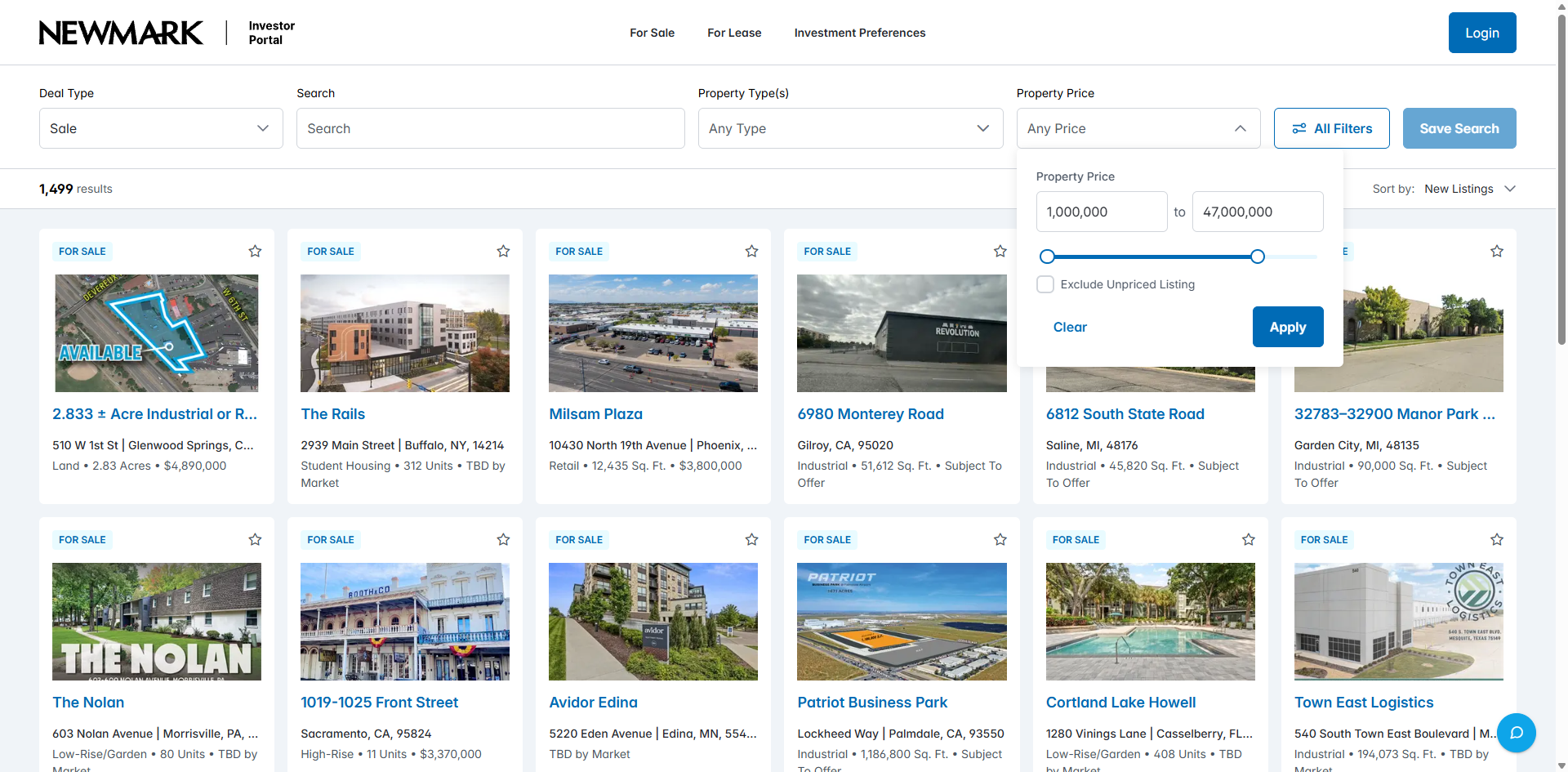
Setting the minimum and maximum property price

Setting the minimum and maximum property price

Minimum and maximum values and a range slider set the purchase budget. An additional option excludes listings without a price before the filter is applied.

Sale listings within a selected budget

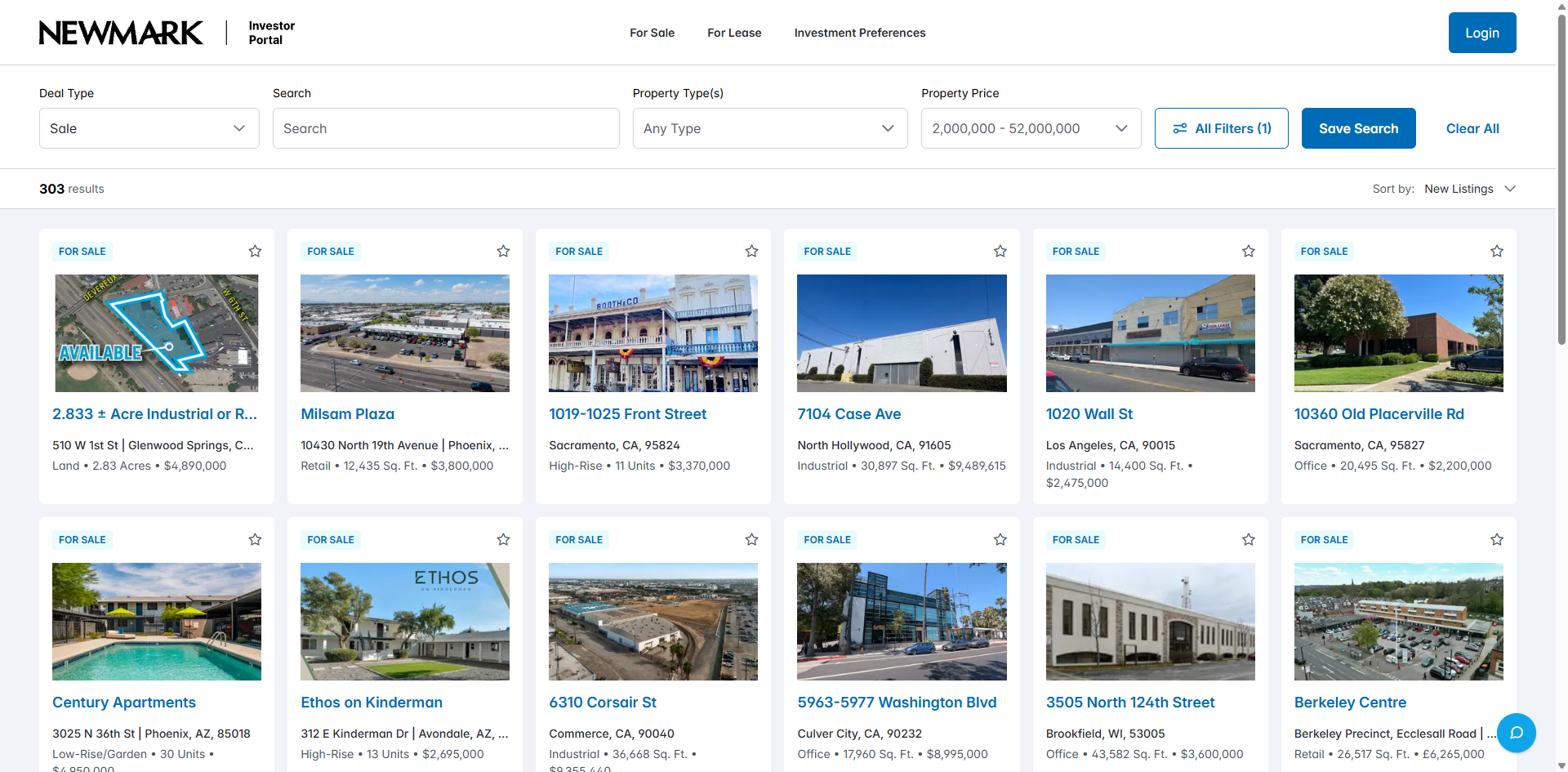
Sale listings within a selected budget

After a price range is applied, the sale catalogue keeps the selected budget above the results. Each offer still carries the property details needed for the next comparison.

Investment preferences

An investment profile with financial, property and location criteria.

Investment preferences with selected criteria

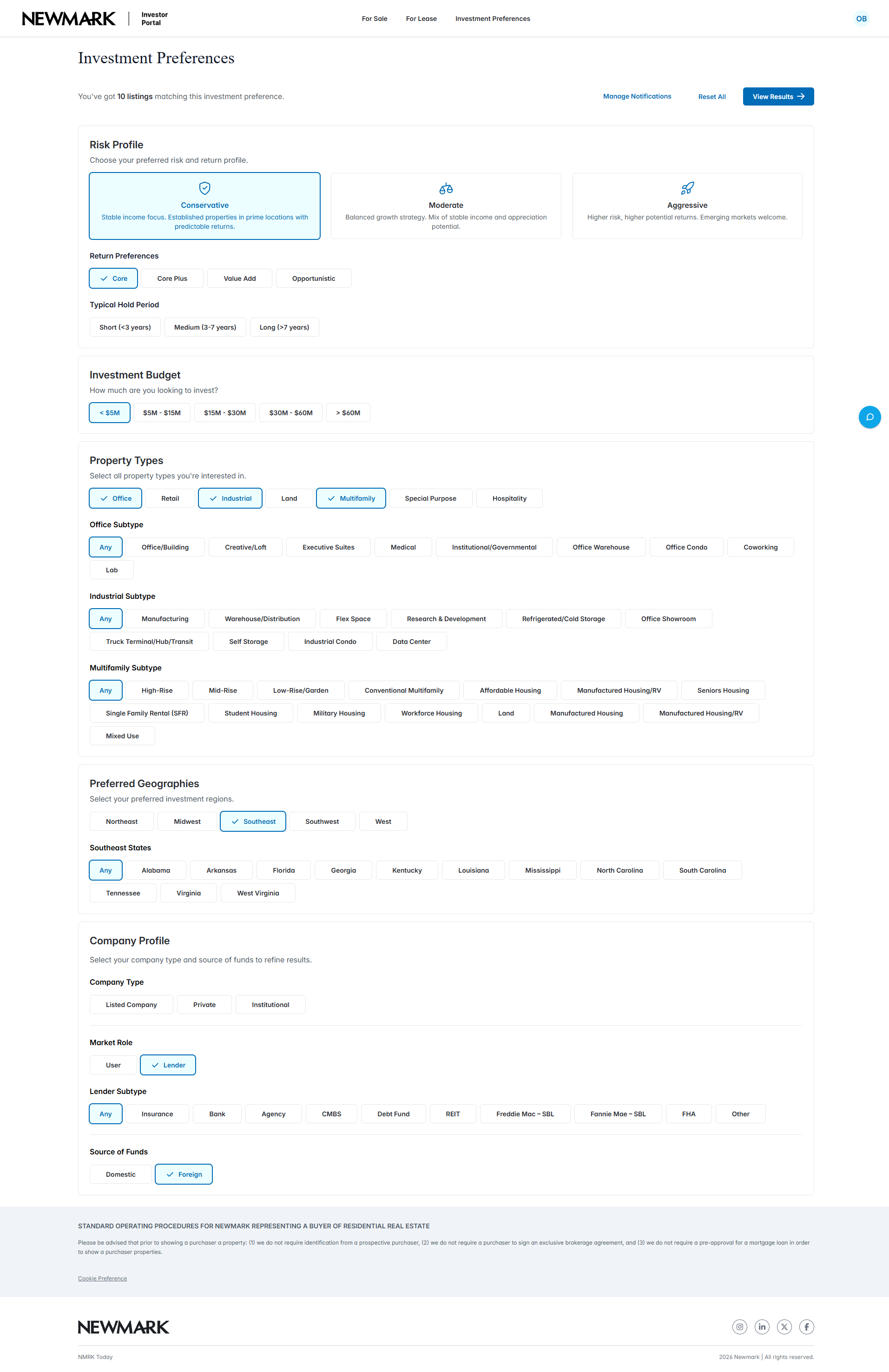
Investment preferences with selected criteria

Expanded preferences add property subtypes, geography and company information to the financial criteria. Selected options remain visible across the form for a complete review of the investment brief.

Account & watchlist

Saved properties with a separate choice to receive alerts.

Adding a property to the watchlist with alerts

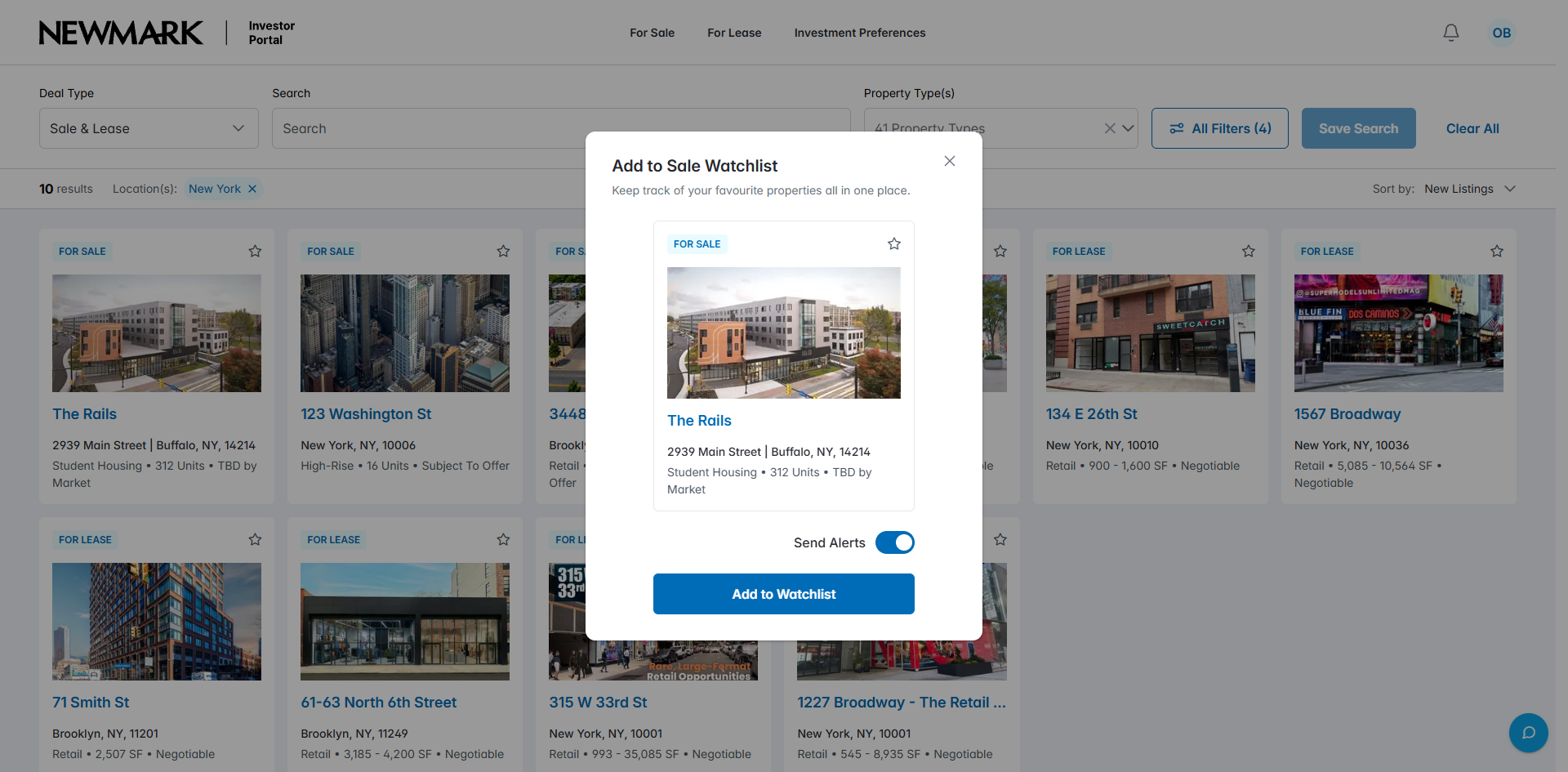
Adding a property to the watchlist with alerts

A watchlist dialog keeps the selected property in view and offers a separate alert toggle. Saving a shortlist and subscribing to updates are explicit choices in the same step.

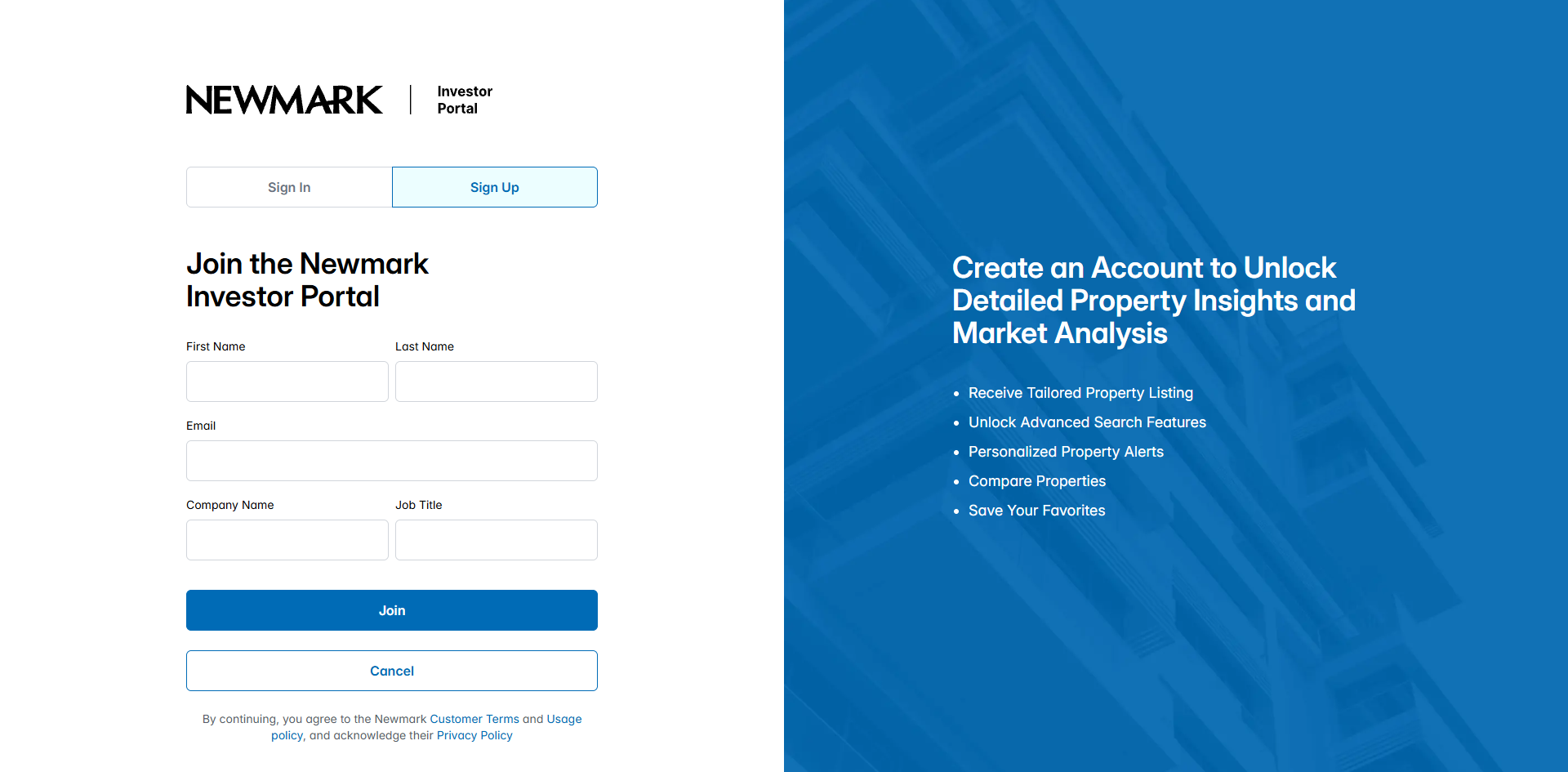
Investor account registration

Investor account registration

Registration collects the investor’s name, email, company and job title. These fields establish the professional profile used in the personal workspace.

Behind the property update

Saved interest becomes a scheduled property update.

Interest defines which changes matter.

Saved searches and watchlists establish the properties and criteria the investor follows. Matching listings and changes in price or status supply the events for the notification workflow.

Delivery follows a managed schedule.

Azure Durable Functions groups notification events into digests and schedules delivery. Email and in-app channels carry the relevant changes back to the investor’s workspace.

Technology stack

The technology behind NLM.

The property workspace, search services, notification engine and cloud delivery stack.

Property workspace

ReactJS and Next.JS provide the web interface for property and contact workflows.

  • ReactJS
  • Next.JS

Services & notifications

.NET 9 supports application services. Azure Durable Functions, React Emails and SendGrid support the notification workflow.

  • .NET 9
  • Azure Durable Functions
  • React Emails
  • SendGrid

Property search & data

Azure AI Search provides search. Azure SQL Server, Azure CosmosDB and Azure Blob Storage form the data and file-storage stack.

  • Azure AI Search
  • Azure SQL Server
  • Azure CosmosDB
  • Azure Blob Storage

Container delivery

Docker and Azure Container Registry support container packaging and storage.

  • Docker
  • Azure Container Registry
Your property platform

Which property changes deserve your investor’s attention?

Tell us how your team publishes listings, qualifies investor interest and follows up today. We can define the search, account and notification workflows your platform needs.

Plan your property platform