
Projects / Industrial systems

Padnos Scale Kiosk

A weighing transaction connected to the truck and its load.

A PADNOS driver kiosk connects transaction references, vehicle and material details, live scale readings and receipt printing, with a separate workspace for scale operators.

01 / Transaction and measurement

The reference and scale reading share one workspace.

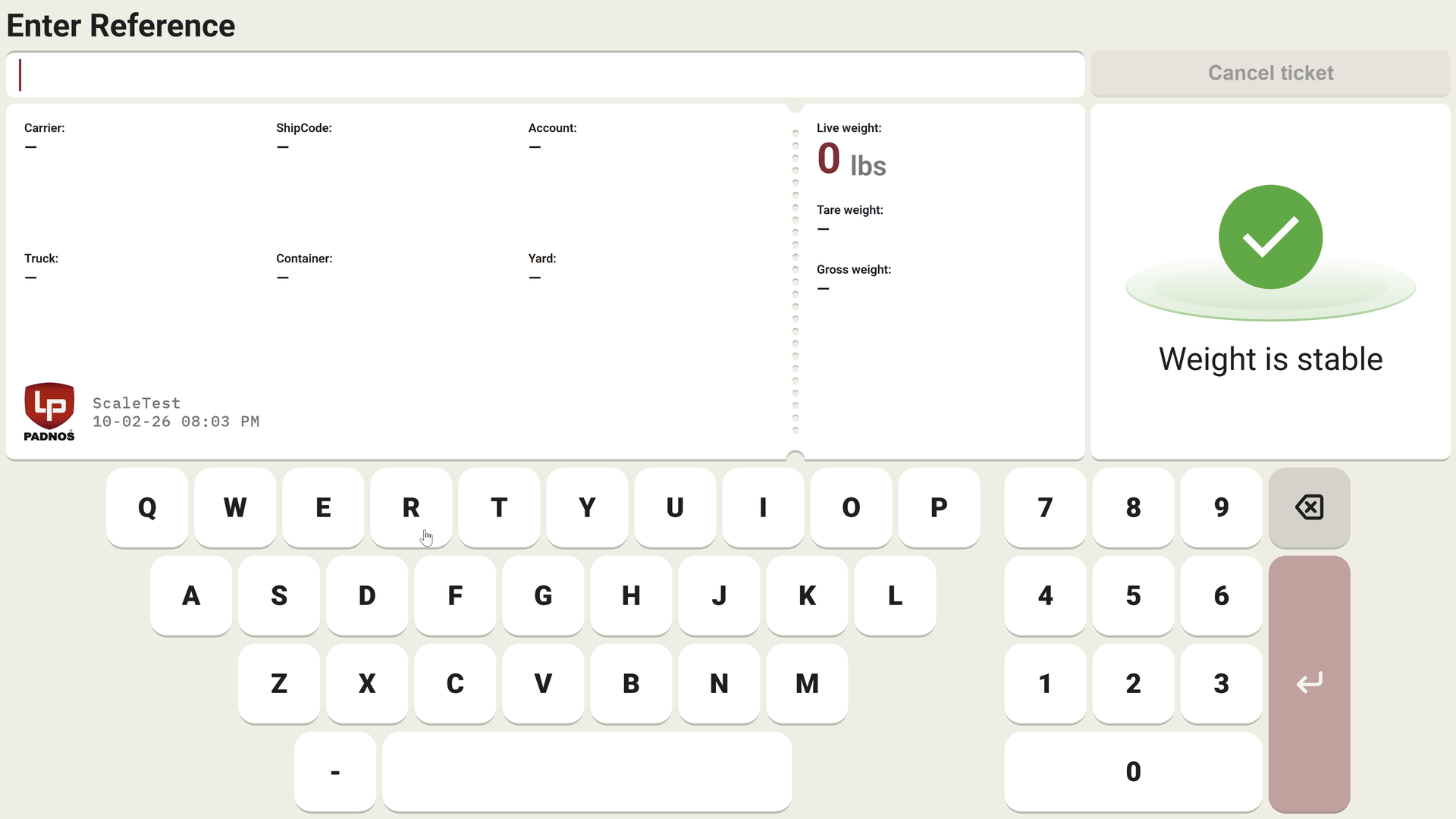
At a yard scale, the measured weight needs a transaction context. The kiosk brings reference entry together with carrier, account, truck, container and material fields. The current reading and stability indicator stay visible while the driver enters information.

The on-screen keyboard supports reference entry beside the current weight, stability indicator and transaction fields. Vehicle, carrier and container information belong to the same operation.

Transaction reference and live weight

The on-screen keyboard supports reference entry beside the current weight, stability indicator and transaction fields. Vehicle, carrier and container information belong to the same operation.

02 / Completion and exceptions

Accepted and already closed are distinct transaction states.

The driver needs to know whether the current operation completed or the entered reference belongs to a closed record. The interface gives each state its own message and action while retaining the weighing details behind it.

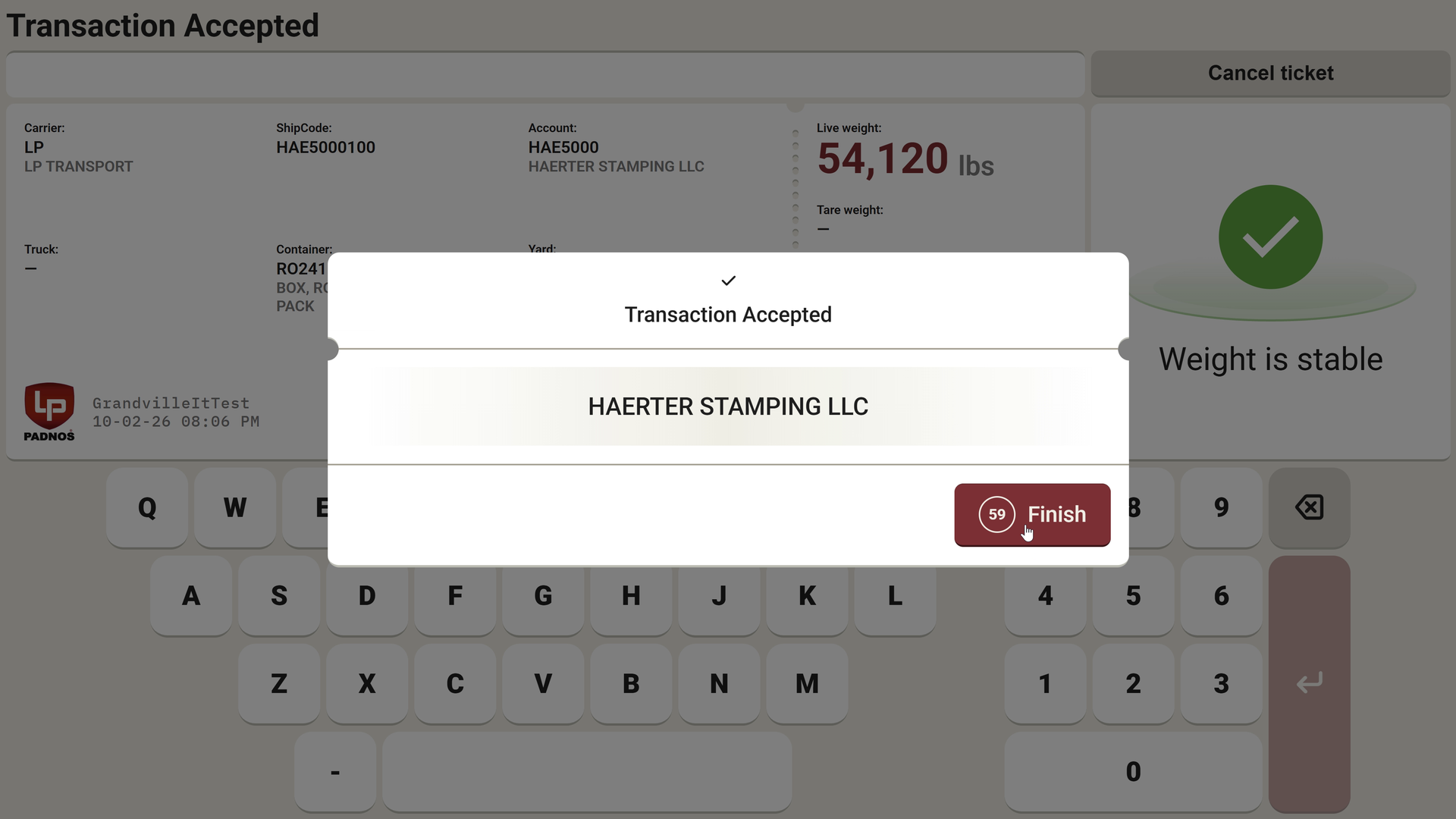
The confirmation identifies the account and shows a Finish action with a countdown. The live reading and filled transaction fields remain visible behind the message.

Transaction accepted

The confirmation identifies the account and shows a Finish action with a countdown. The live reading and filled transaction fields remain visible behind the message.

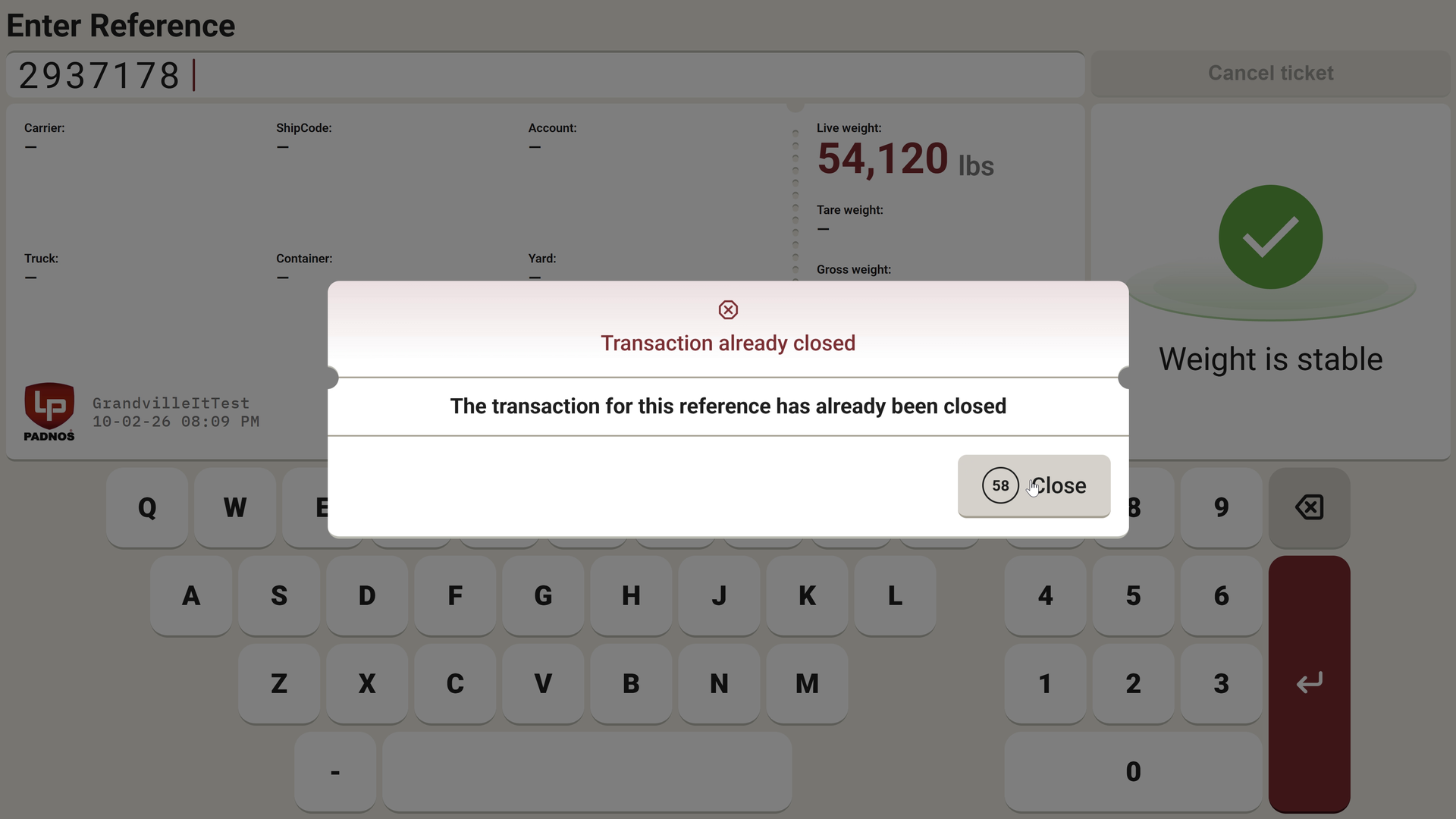
An entered reference that has already been closed produces a separate message. This makes its status explicit instead of displaying a new acceptance confirmation.

Previously closed transaction

An entered reference that has already been closed produces a separate message. This makes its status explicit instead of displaying a new acceptance confirmation.

Technology stack

Technology behind Padnos Scale Kiosk.

A touch interface links truck weighing, transaction processing and receipt printing.

User interfaces

Interactive Server components and SignalR connect the kiosk and operator interfaces with live weight data.

  • C#
  • .NET 10
  • ASP.NET Core
  • Blazor Server (Interactive Server)
  • SignalR
  • Minimal API
  • Hosted services
  • Health checks
  • Razor components
  • JavaScript interop
  • SCSS
  • Bootstrap Icons

Hardware and integrations

Typed API clients connect business services; ESC/POS printing works over TCP and serial ports.

  • HttpClient
  • OAuth2 client credentials
  • Microsoft Entra ID
  • Azure.Identity
  • OpenAPI
  • Scalar
  • Polly
  • Microsoft.Extensions.Http.Resilience
  • ESC/POS
  • System.IO.Ports
  • QuestPDF

Infrastructure and delivery

Aspire supports local orchestration; automated releases deploy to Windows Server and kiosk PCs.

  • .NET Aspire
  • Docker
  • Docker Compose
  • GitHub Actions
  • Self-hosted runner
  • IIS
  • Windows Server
  • Self-contained publish
  • PowerShell
  • 1Password
  • .NET user-secrets

Testing and code quality

Telemetry, component tests and browser load tests cover the connected kiosk workflow.

  • OpenTelemetry
  • OTLP
  • Serilog
  • Cronitor
  • xUnit v3
  • bUnit
  • NSubstitute
  • Playwright
  • WebApplicationFactory
  • Coverlet
  • dotnet-counters
  • StyleCop
  • Meziantou.Analyzer
  • .NET analyzers
Your connected kiosk

Start with the equipment and one complete transaction.

Bring the scale and printer models, API documentation and driver steps. We can define the integration and test unstable readings, printing errors and interrupted sessions before a rollout.

Discuss a kiosk integration