The answer comes with its document
A reader checks a policy answer by opening the cited handbook or bulletin, instead of taking a chat reply on trust.
Questions and source documentsWe built a chat assistant for American Red Cross staff and volunteers, embedded in an existing intranet page. It answers their questions from OneSource documents and links every answer to its sources.
What changes for the teamIn development since January 2025
Staff ask about a situation, such as how to request paid time off, and rarely know which handbook or bulletin covers it. The assistant has to find the guidance and show the reader where it came from.
We developed the chat widget and the services behind it.
Development of the embedded chat widget and its services: a React widget with Material UI and Redux added to a host page by a JavaScript embed; .NET 9 services with AWS Lex, AWS Bedrock, AWS Cognito Identity, the Salesforce Enhanced Chat API, SignalR and Redis; Docker Compose for deployment.
Staff and volunteers ask the questions. The service team reviews the conversations.
A reader checks a policy answer by opening the cited handbook or bulletin, instead of taking a chat reply on trust.
Questions and source documentsEmployees and volunteers type or dictate a question in the embedded widget.
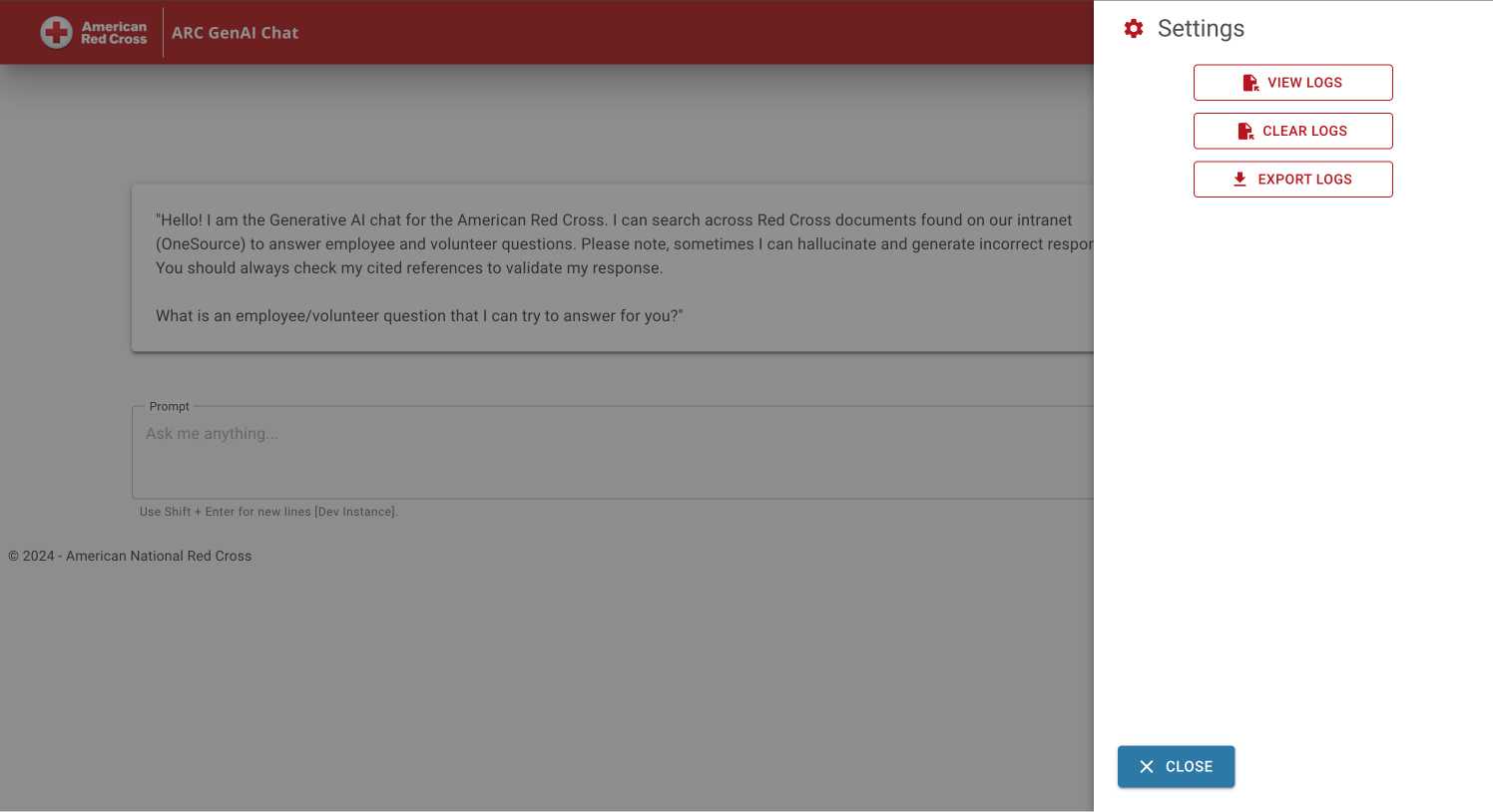
Questions and source documentsThe history keeps each question with its time and sources. The service team views, clears or exports the logs.
Conversation history and logsIt is added to the host page with a JavaScript embed, and the conversation services run behind it.
The answer is generated text, and people act on it. The reader has to see which document each statement comes from.
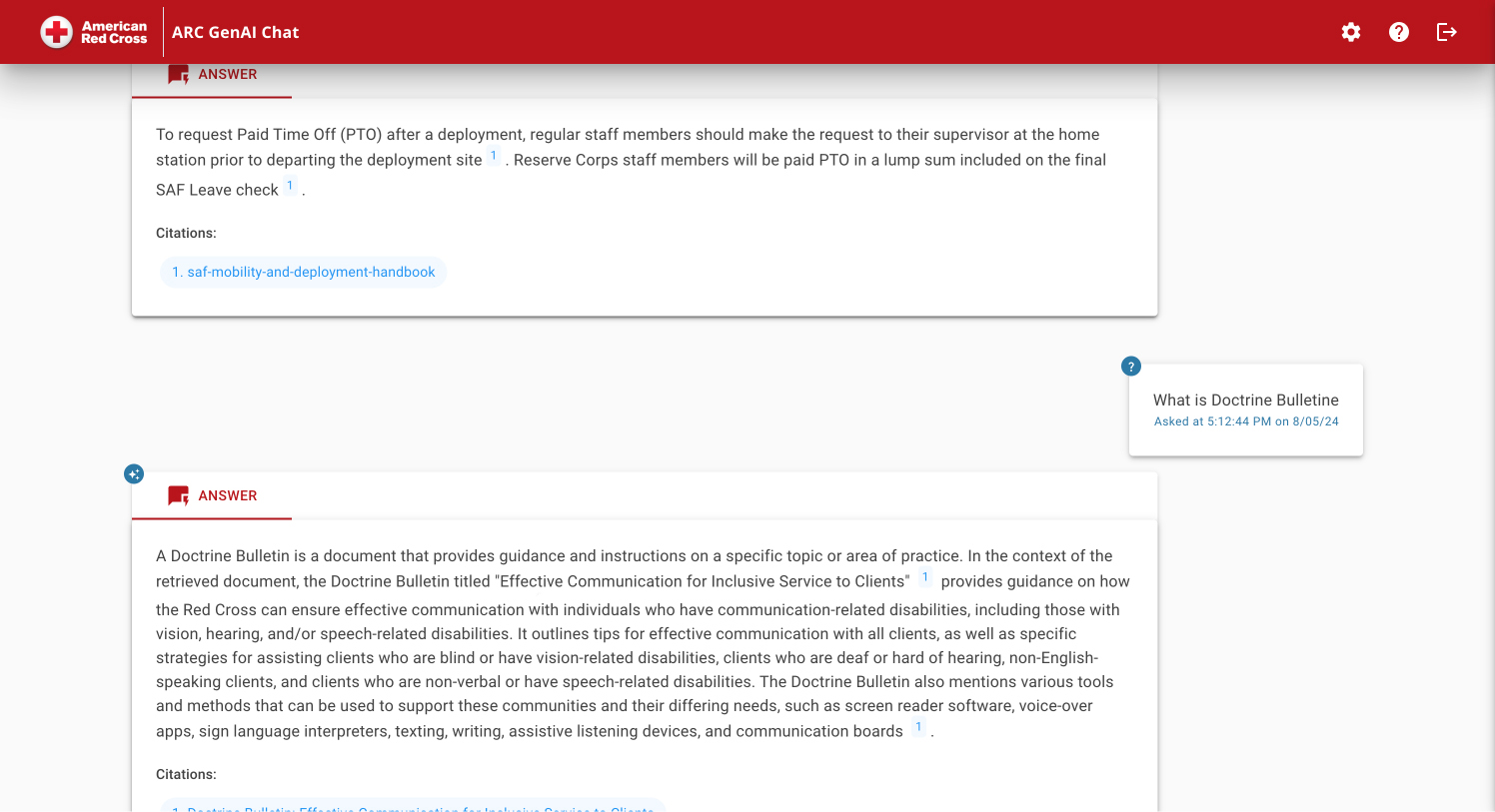
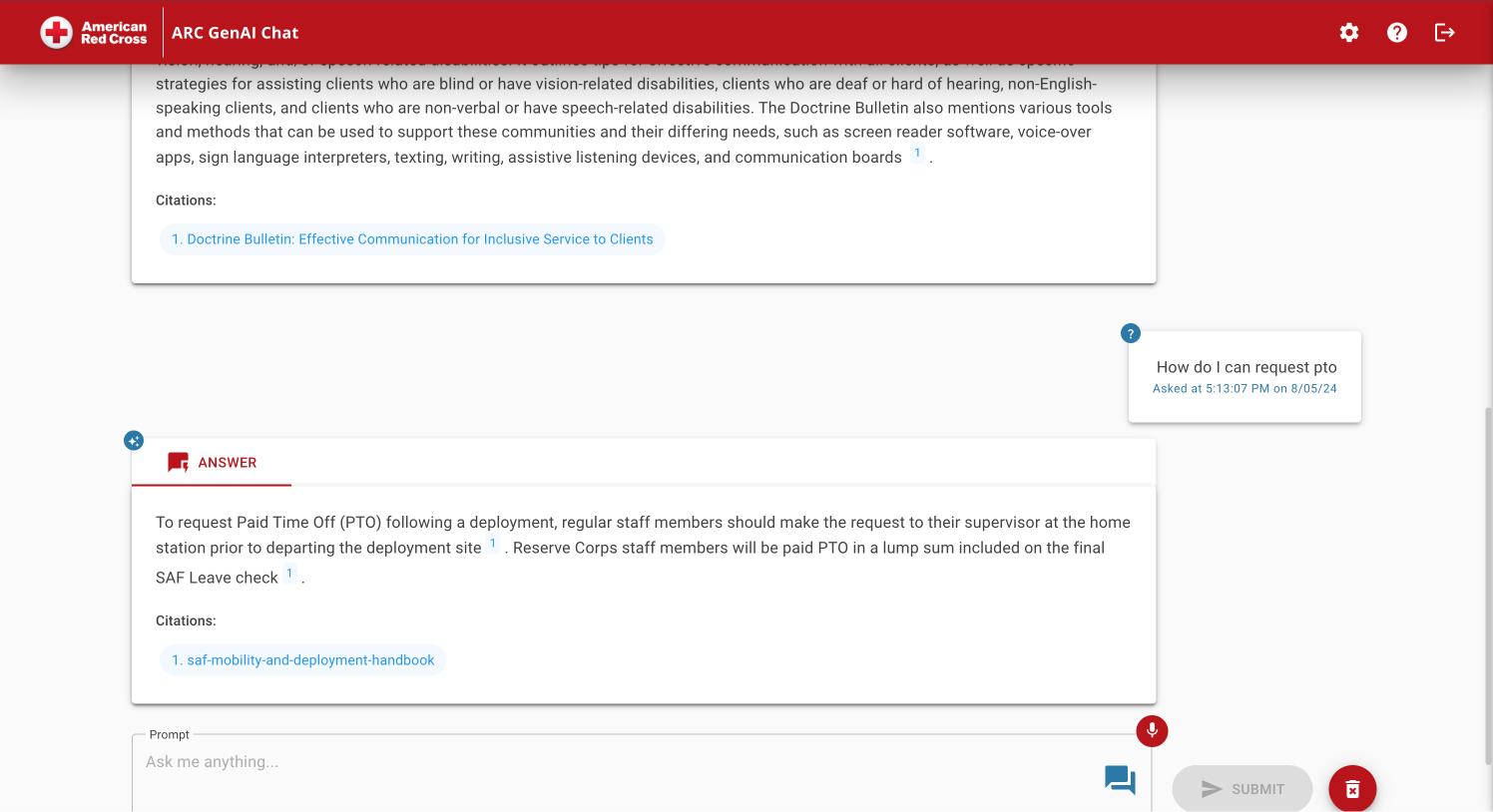
Each answer carries numbered references in the text. A Citations list links them to the source documents, such as a doctrine bulletin or the mobility and deployment handbook. Opening a reference takes the reader to the original document.
See an answer and its source documentsShow us one document your staff rely on and a few questions they ask about it. We will describe how an answer would cite it and where the reader would open the source.
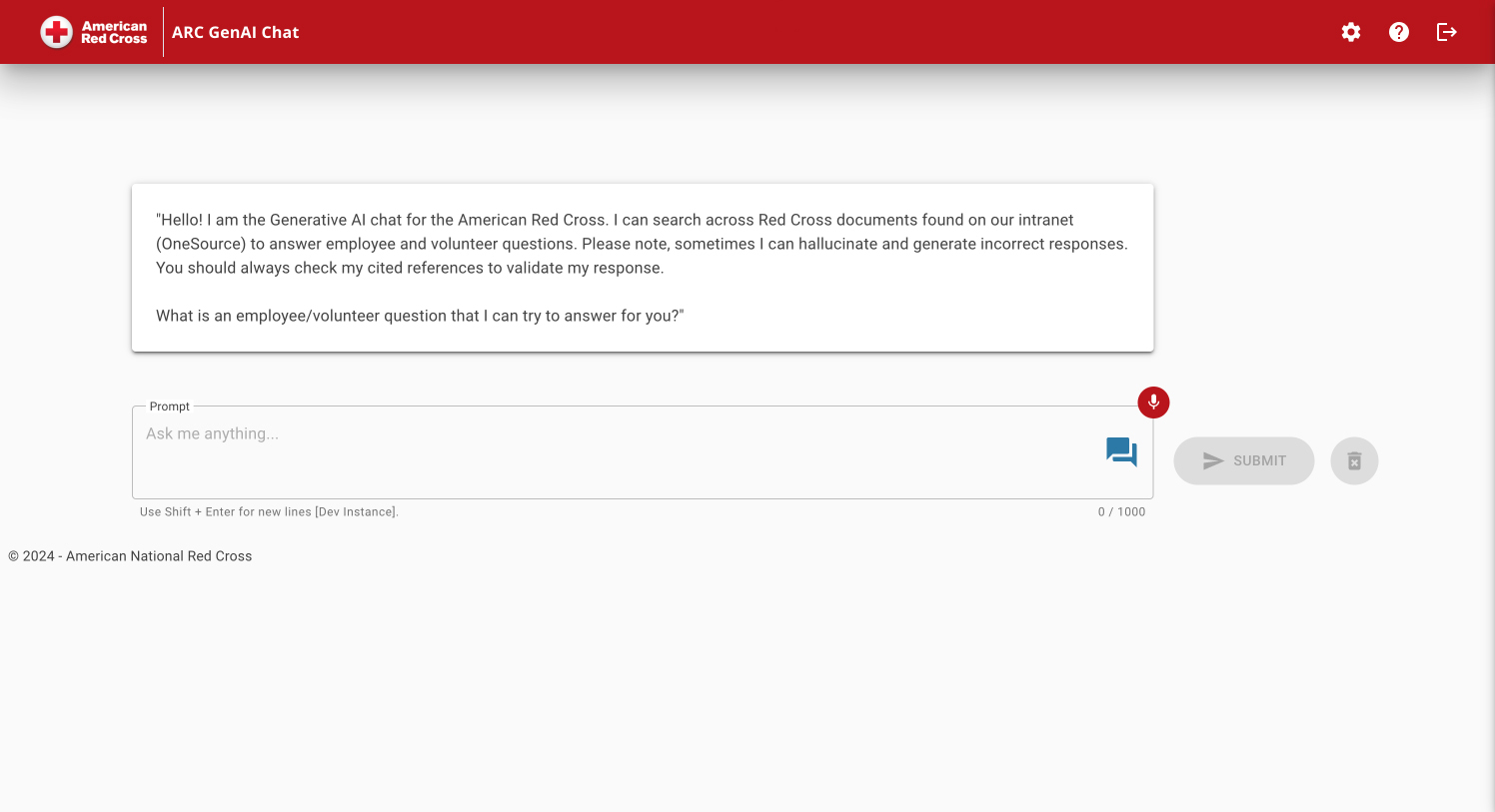
The welcome message says what the assistant searches and asks the reader to check the references it cites.
The question field takes up to 1,000 characters, typed or dictated through the microphone. The answer comes back in the same conversation with its references.
A second question follows the first, and the service team needs a record of what was asked and answered.
Earlier answers and their citations stay above the new question with the time it was asked. The settings drawer lets the team view, clear or export the logs.
A welcome message explains what the assistant searches and asks the reader to check the cited references. The prompt field takes up to 1,000 characters, with Shift and Enter for new lines, a microphone for voice input and a clear button.
Each answer carries numbered references inline, and a Citations list links to the source documents, such as a doctrine bulletin or the mobility and deployment handbook.
Questions are shown with the time they were asked. Earlier answers and their citations stay above the next question, so a follow-up is read in context.
A settings drawer offers View Logs, Clear Logs and Export Logs. The header also carries help and sign-out.
The React widget is added to a host page with a JavaScript embed. .NET 9 services connect it to AWS Lex and AWS Bedrock for the conversation, Cognito for identity, the Salesforce Enhanced Chat API, SignalR for live updates and Redis for caching, packaged with Docker Compose.
A React chat widget, .NET 9 services, AWS Lex and AWS Bedrock.
A JavaScript embed integrates the React widget into a host page.
AWS Lex and AWS Bedrock run the conversation. Cognito handles identity, SignalR live updates and Redis caching.
The services are packaged with Docker Compose.
The assistant was built for intranet guidance, but the same pattern — a document set, an answer with citations and a log — fits any team that answers the same questions from internal documents:
Customer service and support desks whose agents look up policies, procedures and product documentation during a call.
Healthcare supply, logistics and field-service organisations with handling procedures and compliance manuals staff must follow.
HR and operations teams at companies with many employees or volunteers asking about leave, deployment and benefits.
Organisations that need the assistant embedded in an existing portal or help desk, with every conversation logged.
A pilot covers one document set and one group of users: we connect the documents, agree how answers cite their sources and which questions go to a person, embed the widget in your page and review the logged conversations with you before widening access.
Tell us which documents your staff search and which questions they ask most. We will propose a pilot for one document set and one group of users.
Discuss an embedded assistant