
ARC GenAI
Turn internal documents into answers people can check.
Two assistants help American Red Cross staff ask questions about Supply Chain and Service Delivery documentation. Answers come with document references, follow-up questions and a way to report problems.
Project period · October 2025 - February 2026
Choose the knowledge behind the conversation.
Each team starts with its own documentation. The shared interface keeps questions, references and feedback in a familiar place across both assistants.
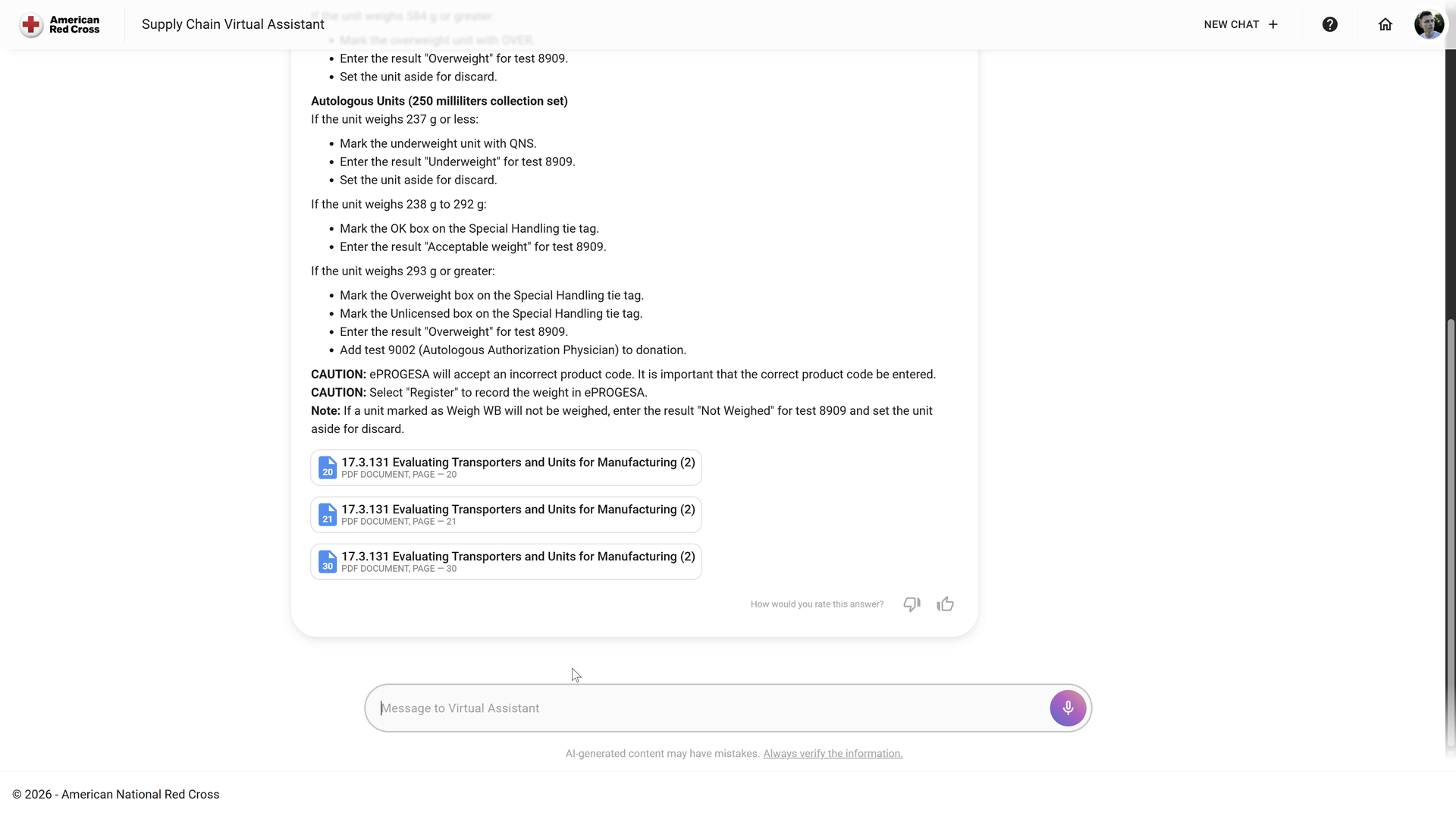
Supply Chain questions with document references.
The Supply Chain workspace brings the question, generated response and supporting documents together. Staff can inspect the referenced material and continue the conversation when the procedure needs clarification.
Enlarge image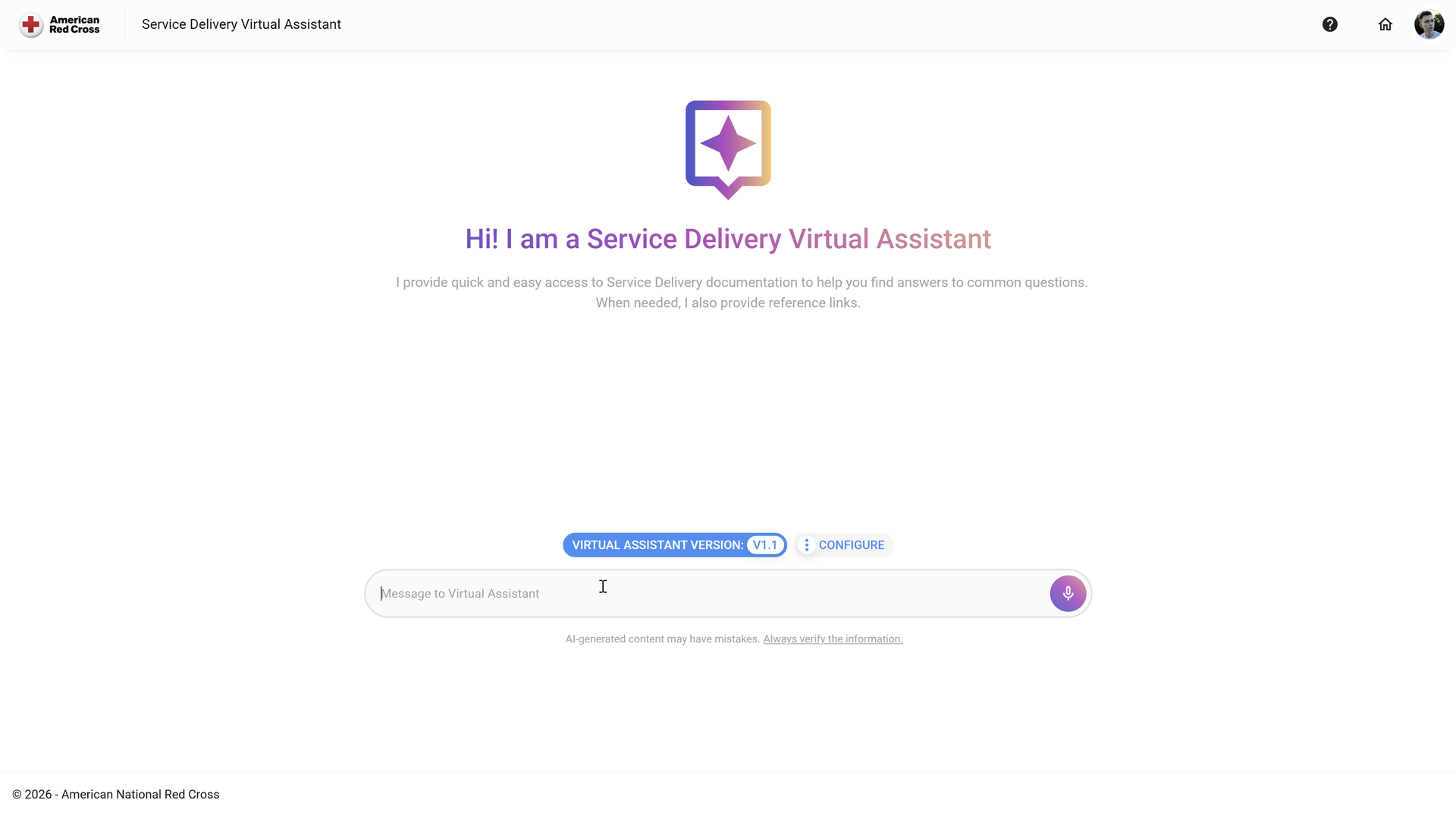
A separate knowledge scope for Service Delivery.
A dedicated Service Delivery assistant introduces the guidance it works with. Separating the two workspaces helps staff start with the relevant body of documents instead of an undifferentiated chat.
Enlarge imageKeep the original document one step away.
The conversation shows document names and page references directly below the response. A colleague can continue the question or open the source to check the answer in context.
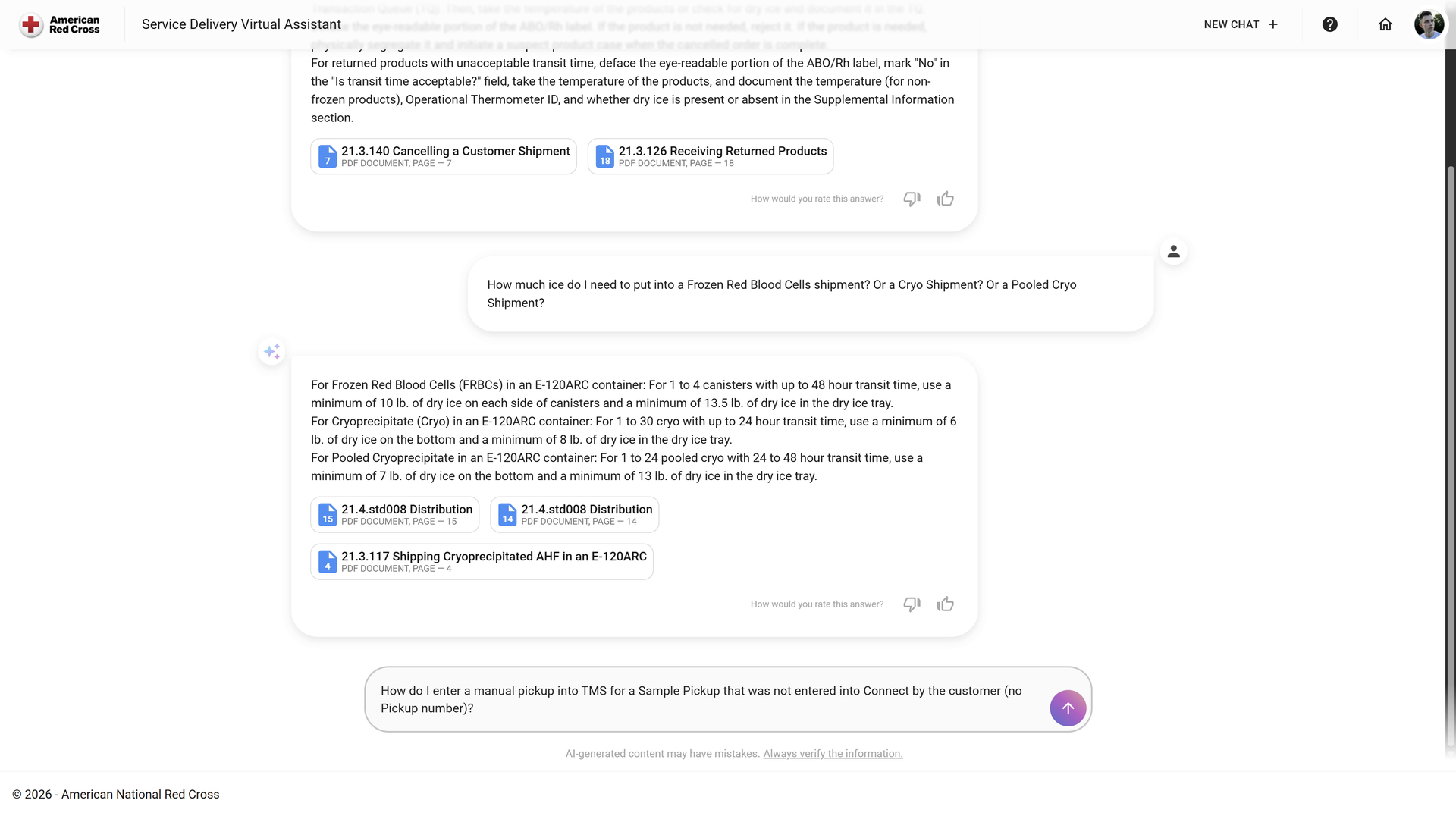
Follow-up answers retain their document references.
The Service Delivery conversation keeps follow-up answers and PDF references in one record. Staff can move from an explanation to the cited page and return to the same discussion with a more specific question.
Enlarge imageResponse feedback gives the team a specific answer to review.
Staff can rate an answer and explain missing or incorrect information. The recorded conversation also shows how the assistant handles a question outside its documentation scope.
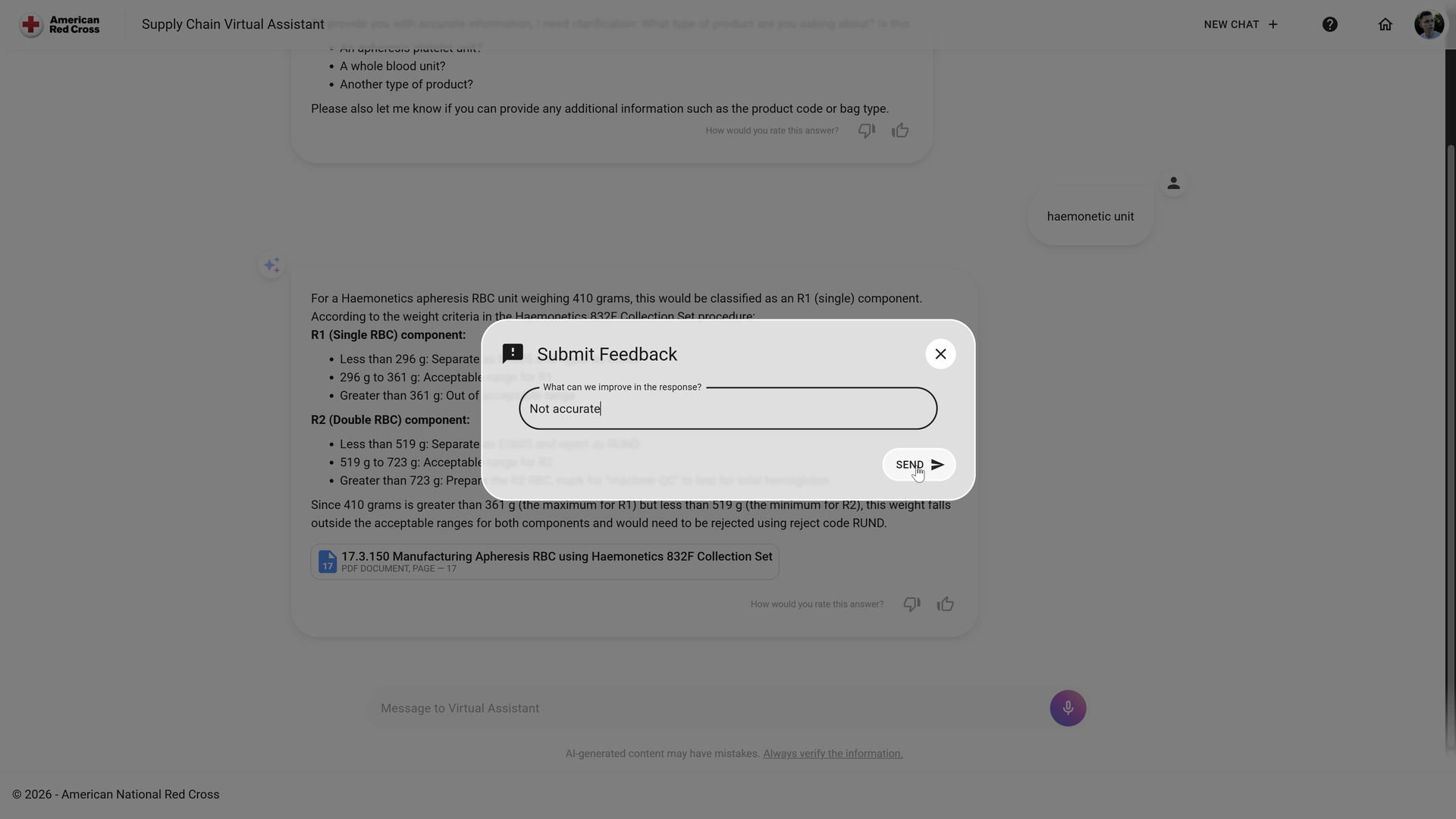
Feedback tied to an individual answer
A rating identifies the response that needs attention; a written explanation adds the missing context. This gives the team a concrete answer to review as the assistant is updated.
Enlarge image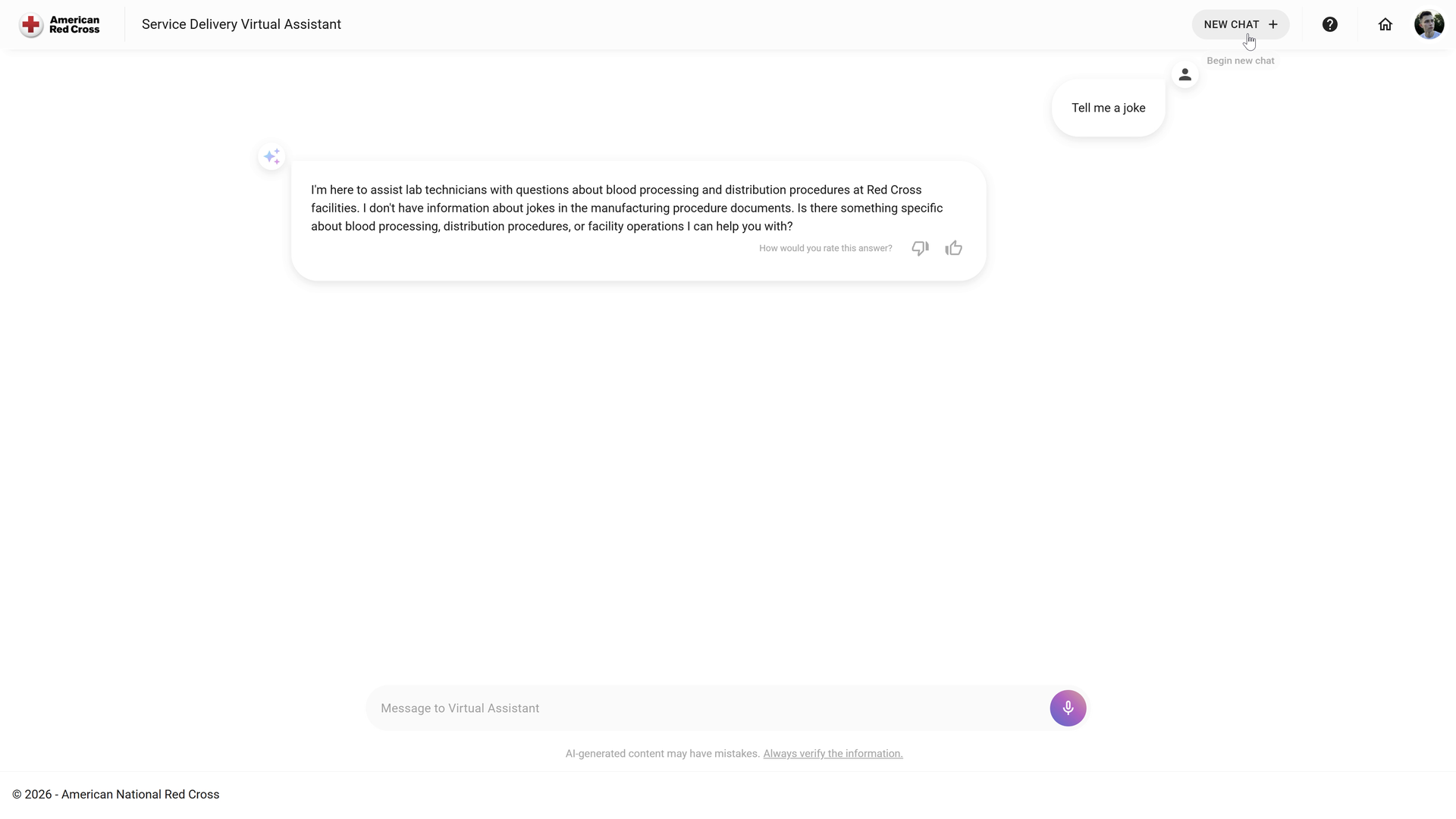
Handling an out-of-scope question
This recorded conversation shows an unrelated question being redirected to the assistant’s supported topic. The interface makes that limit visible instead of presenting every question as an appropriate use of the knowledge base.
Enlarge imageTechnology behind ARC GenAI.
We connected the React workspace and Fastify services with Bedrock Agents, Knowledge Bases and source files in S3. The implementation includes response feedback, assistant version management, corporate sign-in and container deployment.
User interfaces
React provides the assistant workspaces and feedback controls.
APIs and application services
Fastify services connect the interface with data, identity and AWS infrastructure.
Agents and source documents
Bedrock agents and knowledge bases use documents stored in S3; assistant versions support controlled updates.
Infrastructure and delivery
Container images and pipelines deliver the application to Azure Container Apps.
Put your documents to work in daily questions.
Start with one team, the documents it relies on and the questions it asks repeatedly. We can build a source-backed assistant and the review tools around it.
Discuss your document assistant