



Projects / Mobile applications

Photomatic

Document-photo capture, processing and output in a mobile application.

Photomatic connects document selection, guided capture and photo review in a mobile workflow. The user chooses the country and document, frames the shot and checks the result before continuing.

01 / Account and licence

Account access and licence updates before the photo workflow.

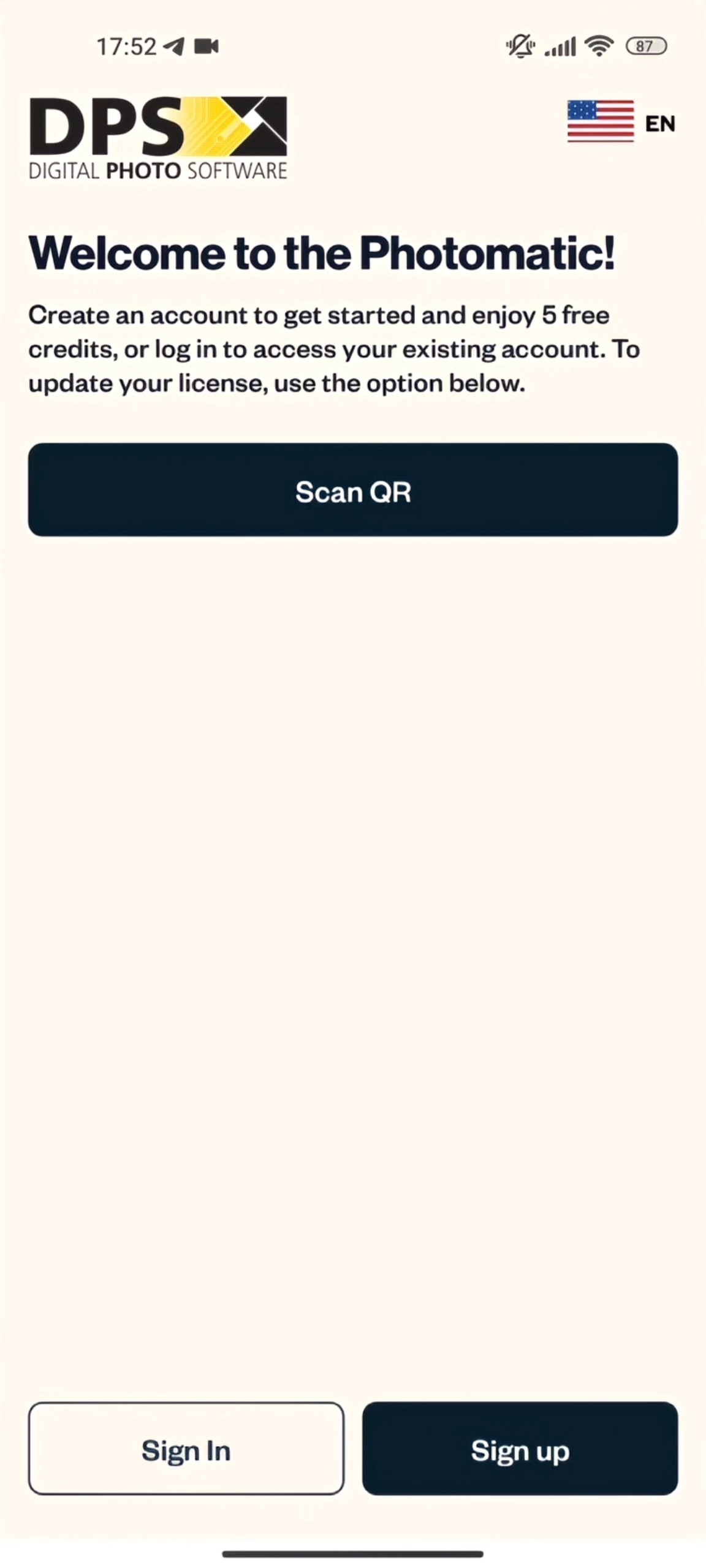
Photomatic: Account and licence options

Account and licence options

The entry screen separates sign-in and account creation from licence updates. The QR scanner is provided for updating the licence.

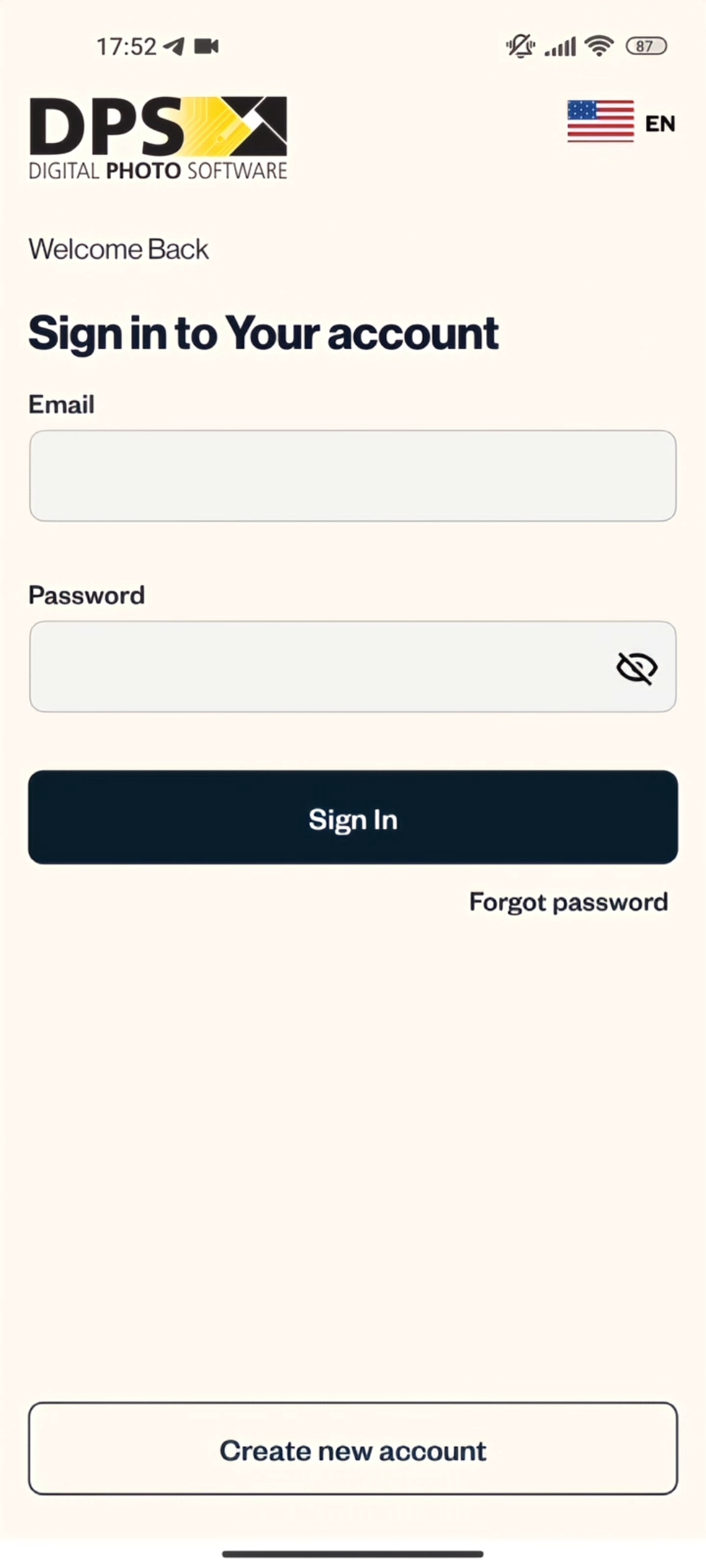
Photomatic: Sign in

Sign in

Email and password fields sit beside password recovery and account creation.

02 / Document requirements

Document formats organised by country and application type.

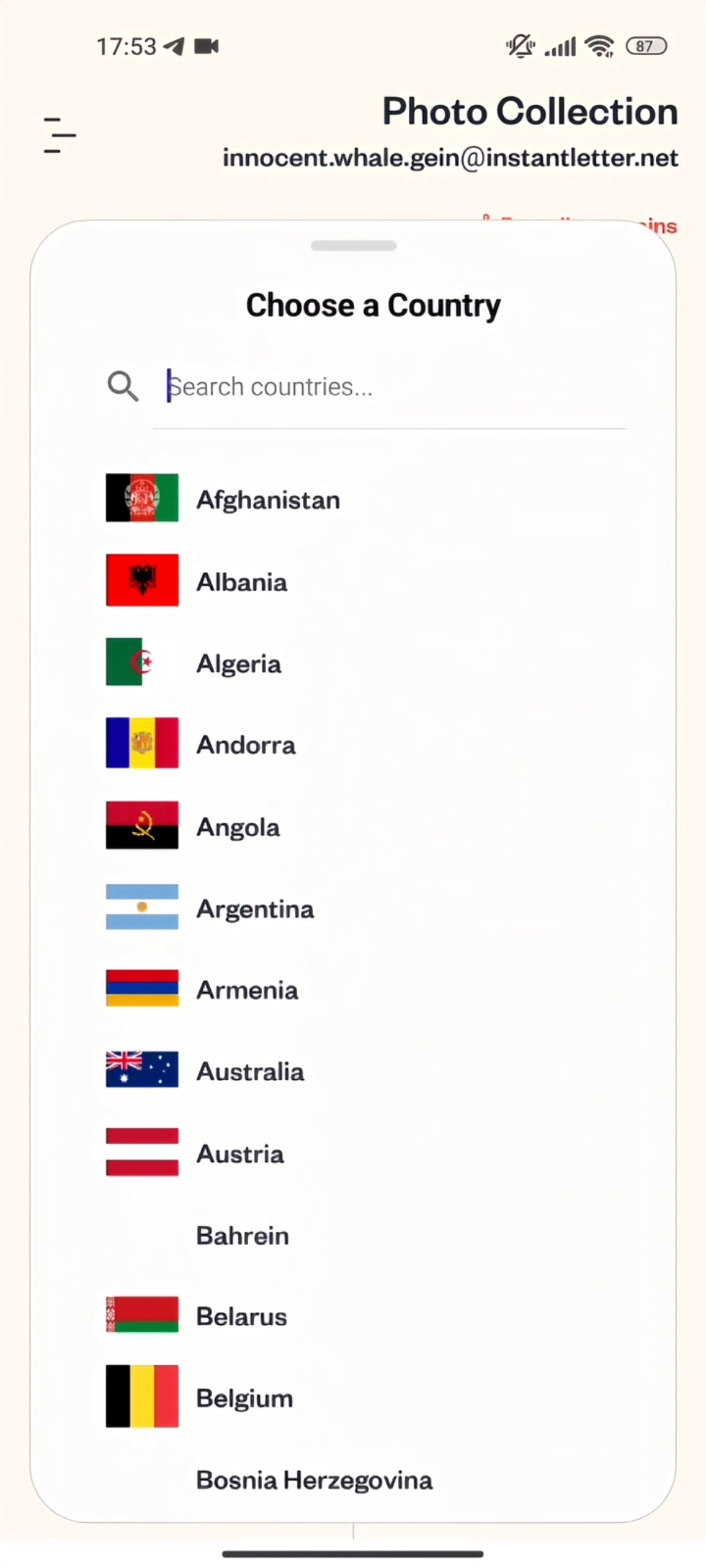
Photomatic: Select a country

Select a country

A searchable country list sets the context for document selection. The application then presents the photo formats available for that country.

Photomatic: Citizenship photo

Citizenship photo

The selected document is highlighted in the country’s catalogue. Separate entries distinguish online and other document-photo formats; the user can take a new photo or open the collection.

03 / Capture and review

Framing guidance and a review step before continuing.

Photomatic: Capture your photo

Capture your photo

A head-and-shoulders outline provides a positioning guide in the camera view. The capture controls remain below the frame.

Photomatic photo preview with Retake Photo and Continue actions.

Captured photo preview

The captured image appears before the next step, with separate Retake Photo and Continue actions. The user can replace the shot without restarting document selection.

Technology stack

The technology behind Photomatic.

The .NET MAUI and Swift stacks support document-photo capture, image processing and output, with their own interface, storage and development tools.

MAUI · Platform and architecture

C# and XAML define the application on .NET 7/8. MVVM, dependency injection and Shell navigation organise its screens and services.

  • .NET MAUI
  • C#
  • XAML
  • .NET 7/8
  • MVVM
  • CommunityToolkit.Mvvm
  • Dependency Injection
  • Shell navigation

MAUI · Interface and camera

Toolkit components, data binding and custom handlers connect the interface with camera capture and media selection.

  • CommunityToolkit.Maui
  • Data binding
  • Custom handlers and renderers
  • MediaPicker
  • CameraView

MAUI · Photo processing and output

A third-party SDK connects through native bindings. SkiaSharp supports image processing; native printing APIs and PDF/JPEG export provide output options.

  • Third-party photo SDK
  • Native bindings
  • SkiaSharp
  • Native printing APIs
Output formats
  • PDF
  • JPEG

MAUI · Network and storage

HttpClient and JSON serialization connect REST services. SecureStorage, Preferences and SQLite provide device-side storage.

  • HttpClient
  • REST API
  • System.Text.Json
  • SecureStorage
  • Preferences (MAUI)
  • SQLite

MAUI · Tests and tools

Testing uses xUnit or NUnit. Visual Studio or Rider, Git and App Store Connect support development and delivery.

  • xUnit or NUnit
  • Visual Studio
  • Rider
  • Git
  • App Store Connect

Swift · Interface and navigation

SwiftUI and UIKit define the interface. MVVM, coordinators, NavigationStack, deep links and Auto Layout organise presentation and navigation.

  • Swift
  • SwiftUI
  • UIKit
  • MVVM
  • Coordinators
  • NavigationStack
  • Deep links
  • Auto Layout

Swift · Network, access and offline work

Async/await and URLSession handle service communication. Codable processes JSON; caching, offline support, Keychain and session management cover local continuity and access.

  • Swift Concurrency (async/await)
  • URLSession
  • REST APIs
  • Codable / JSON
  • Caching and offline support
  • Keychain
  • Authentication and session management

Swift · Media and documents

AVFoundation, image processing and document workflows use the native iOS and macOS SDKs.

  • AVFoundation
  • Image processing
  • Document workflows
  • iOS SDK
  • macOS SDK

Swift · Tests and delivery

XCTest covers testing; Swift Package Manager and CocoaPods manage dependencies. Xcode, Git and App Store Connect support development and distribution.

  • XCTest
  • Swift Package Manager
  • CocoaPods
  • Xcode
  • Git
  • App Store Connect
From your service to a mobile product

Make a specialist task feel natural on a phone.

Have an image-processing service or a workflow that needs the camera? We can connect the device, the user guidance and your backend. We start by defining the input, the expected result and what the user should do if a new capture is needed.

Discuss a mobile product