
Projects / Staff scheduling

Staffing at Manufacturing Facilities

Staffing forecasts connected to individual shifts.

A scheduling workspace for American Red Cross manufacturing facilities. Planners compare forecast demand with scheduled hours, adjust individual shifts and maintain recurring employee schedules and facility activities.

01 / Demand and coverage

Forecast demand can be traced to people and hours.

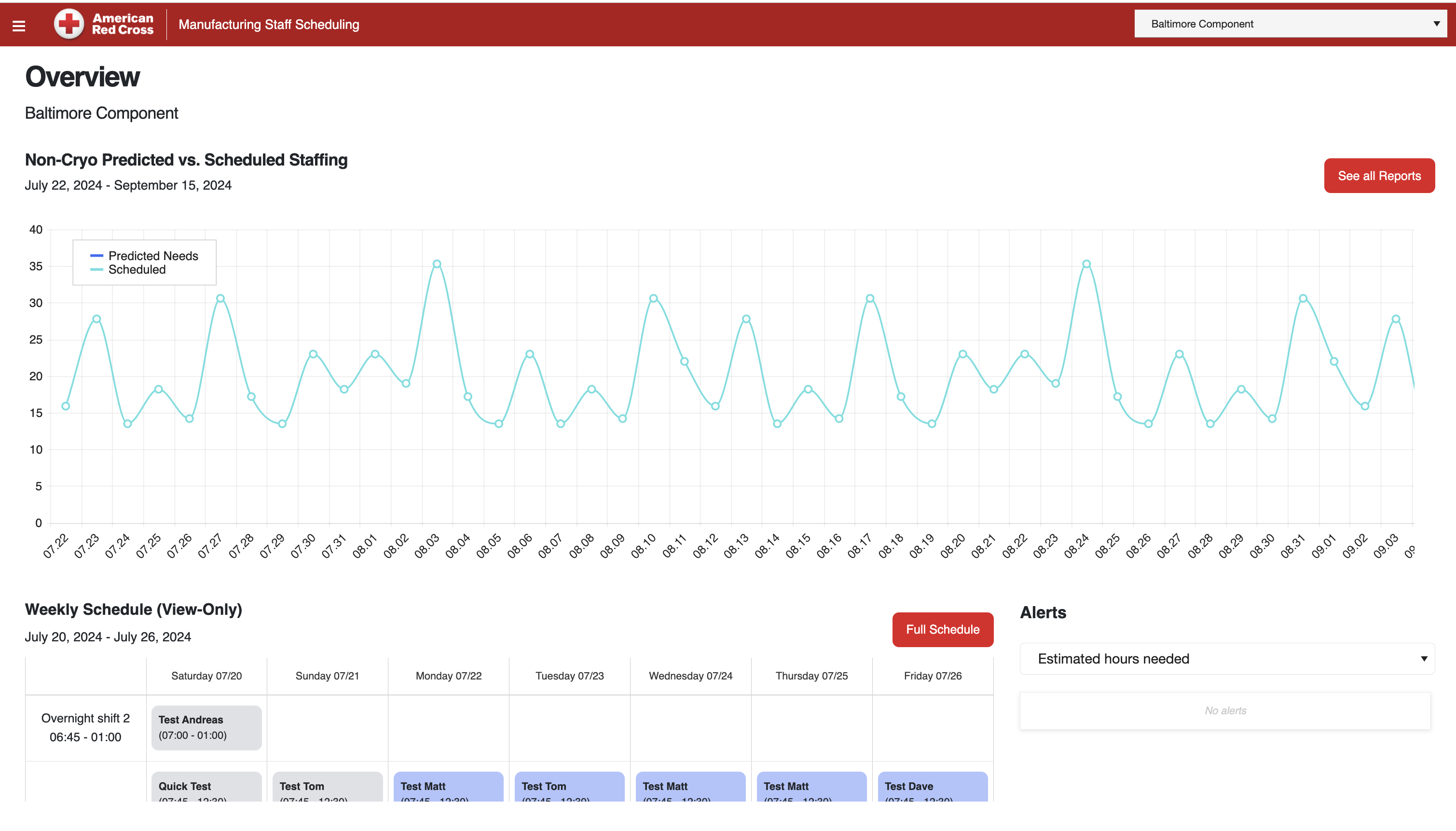
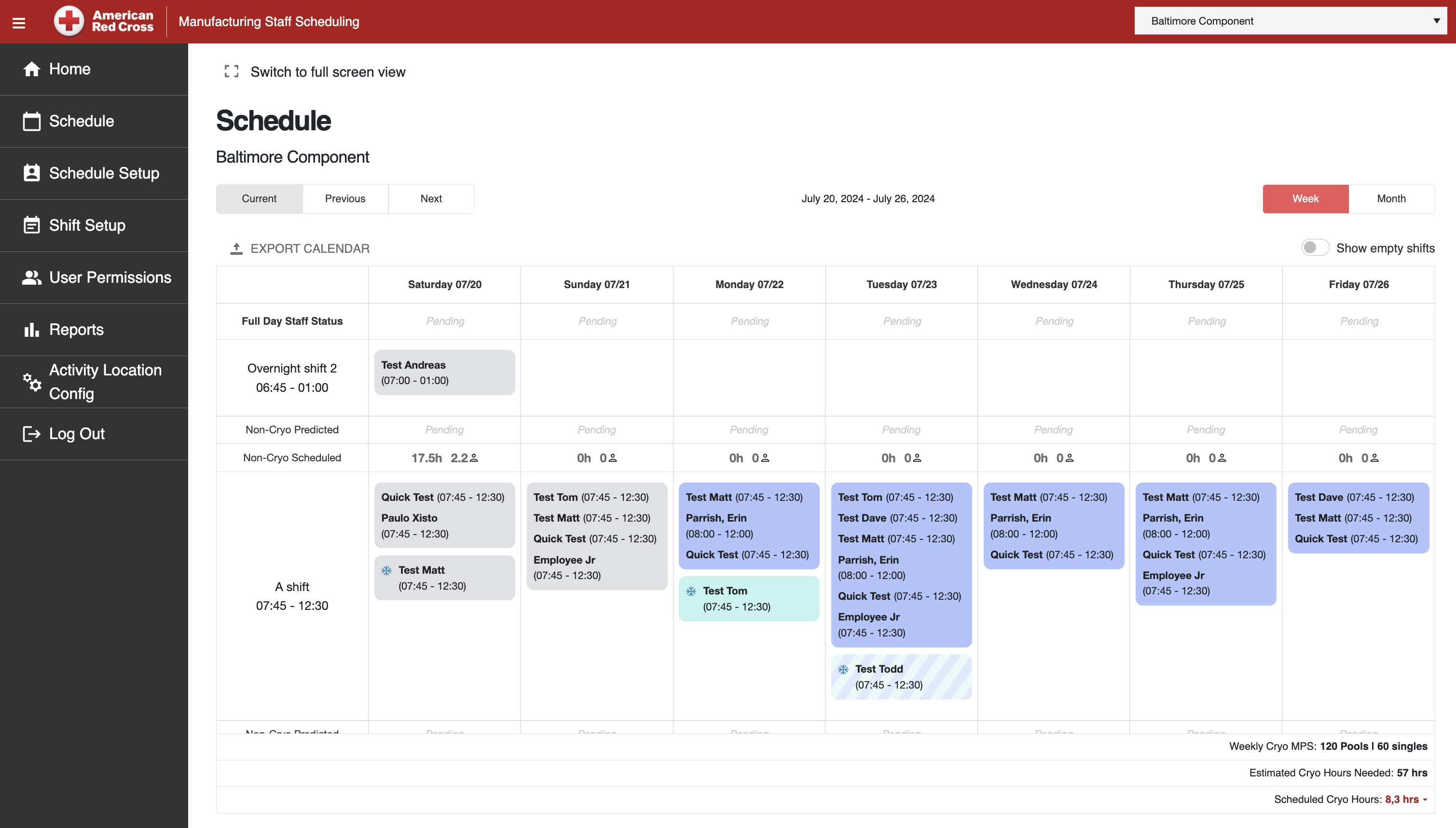
Planning starts with the selected facility. The overview compares predicted and scheduled staffing; the weekly calendar identifies the employees and hours behind that plan, with separate totals for cryo-related work.

The selected facility has a predicted-versus-scheduled staffing chart and a weekly calendar preview. The view connects the demand forecast with the schedule under review.

Staffing overview and forecast

The selected facility has a predicted-versus-scheduled staffing chart and a weekly calendar preview. The view connects the demand forecast with the schedule under review.

Shift rows list assigned employees and hours by day. Daily staffing totals and separate cryo planning figures accompany the weekly schedule.

Weekly shift schedule

Shift rows list assigned employees and hours by day. Daily staffing totals and separate cryo planning figures accompany the weekly schedule.

02 / Changes to a scheduled shift

Assignments, hours and work allocation are edited together.

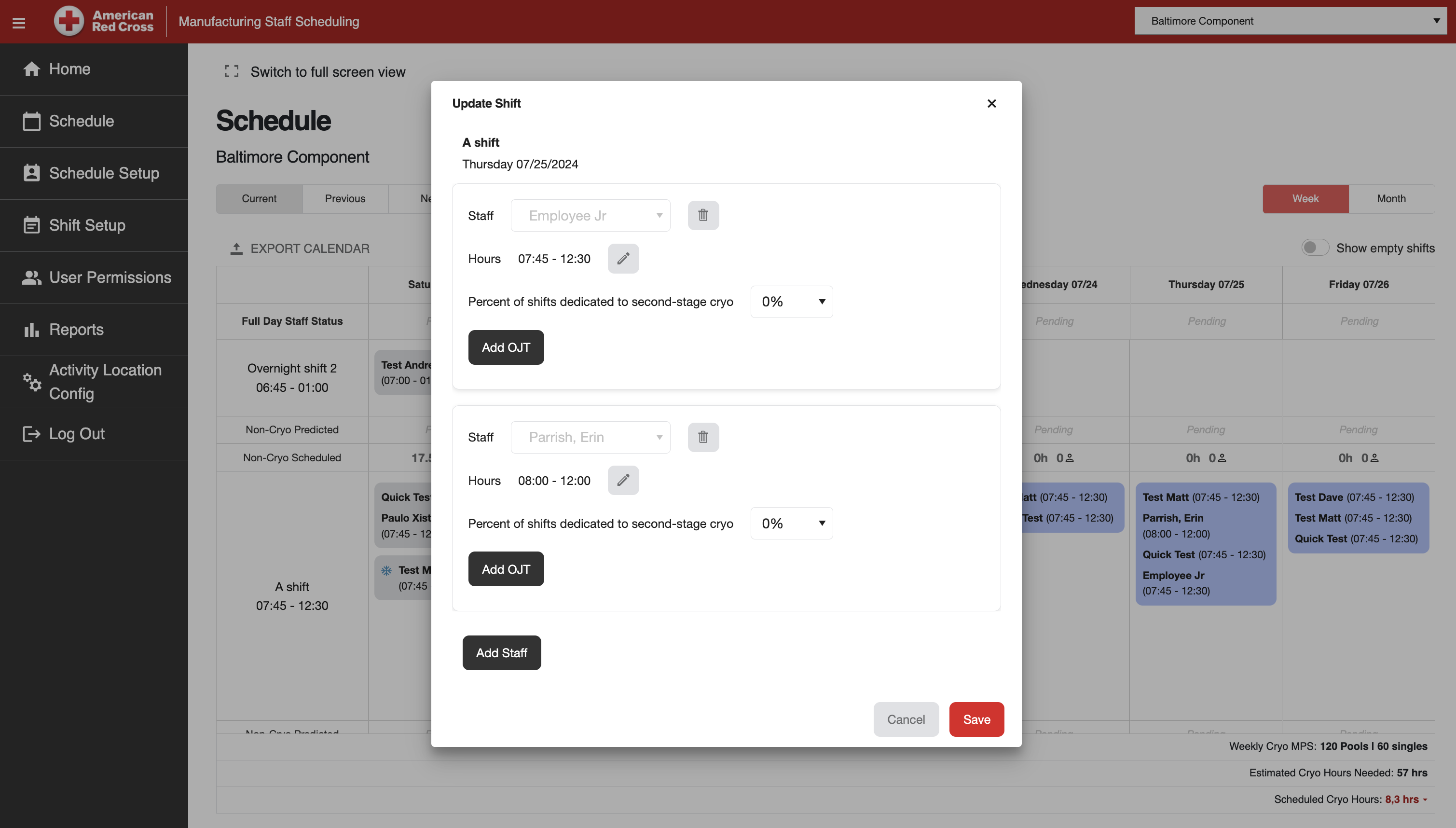
An individual adjustment belongs to a specific date and shift. Planners can edit the assigned team from the weekly calendar, then return to the same week to review its coverage.

The shift editor includes staff assignment, hours and the share of time for second-stage cryo work. Add OJT is the on-the-job training control.

Updating a scheduled shift

The shift editor includes staff assignment, hours and the share of time for second-stage cryo work. Add OJT is the on-the-job training control.

03 / Recurring schedules

Recurring patterns are separate from one-day changes.

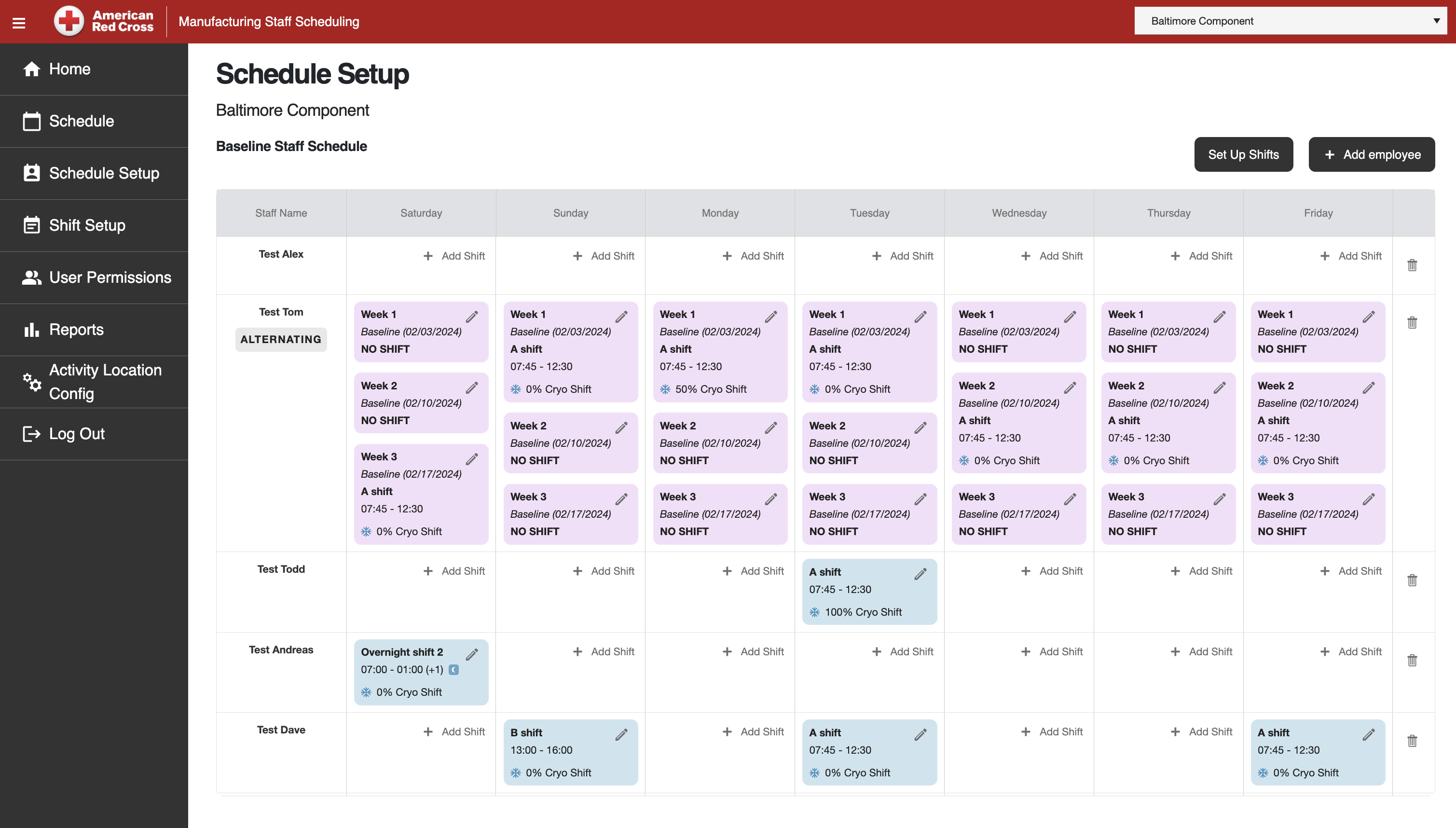
The baseline records employee assignments across weekdays and alternating weeks. Changes have an effective date, allowing planners to maintain the recurring pattern without treating every future shift as a separate entry.

Employee rows record weekday assignments and repeating week patterns. Effective dates and cryo allocation are part of the baseline record.

Baseline staff schedule

Employee rows record weekday assignments and repeating week patterns. Effective dates and cryo allocation are part of the baseline record.

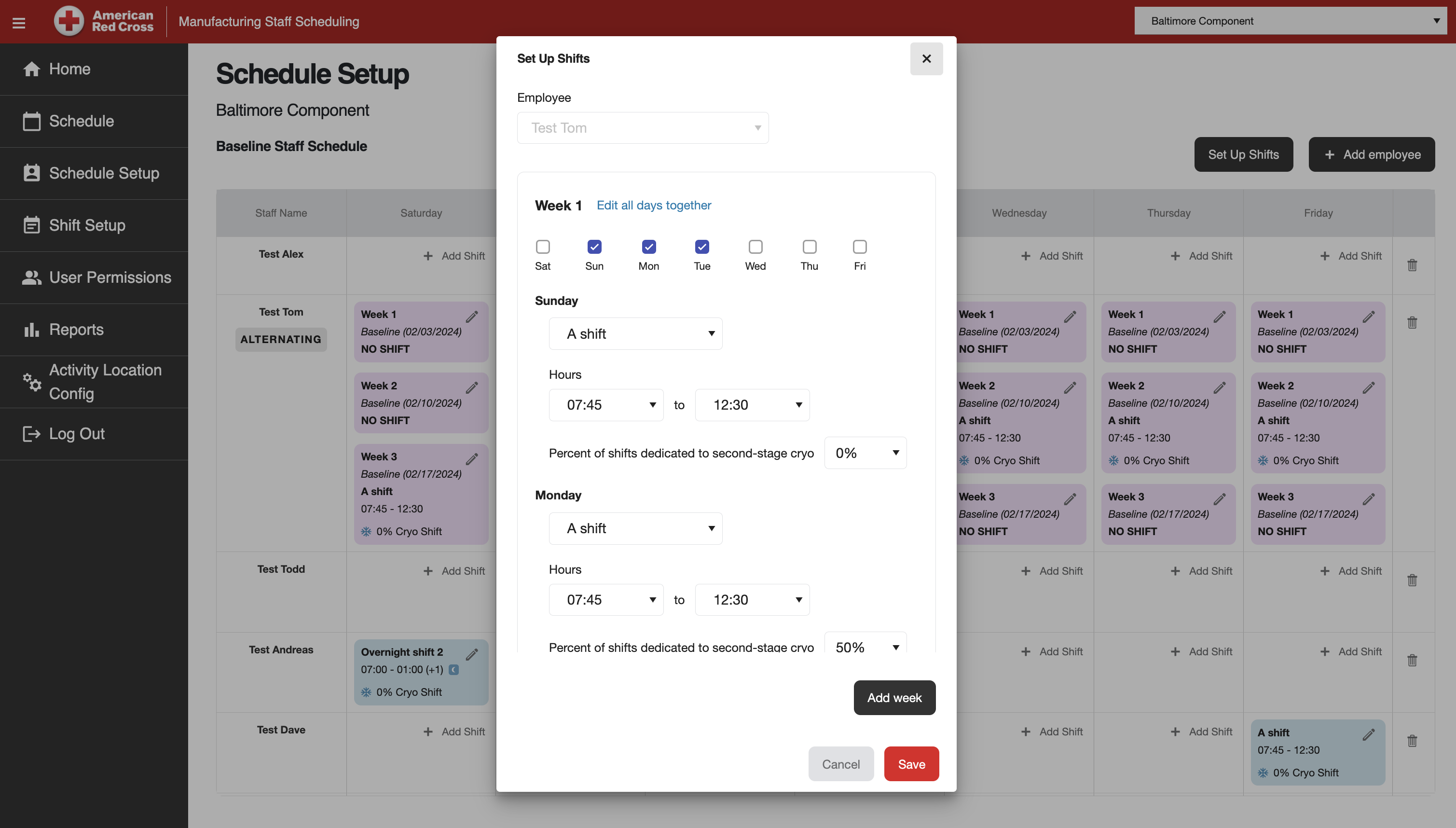
Each week in the employee pattern has its own working days, shift hours and cryo allocation. Another week can be added to the rotation.

Setting up alternating weeks

Each week in the employee pattern has its own working days, shift hours and cryo allocation. Another week can be added to the rotation.

04 / Facility configuration

Shift definitions and site activities give the plan its structure.

Named shifts define start and end times, including overnight work. A facility matrix records the manufacturing activities performed at each location, providing the context for staffing and hours reporting.

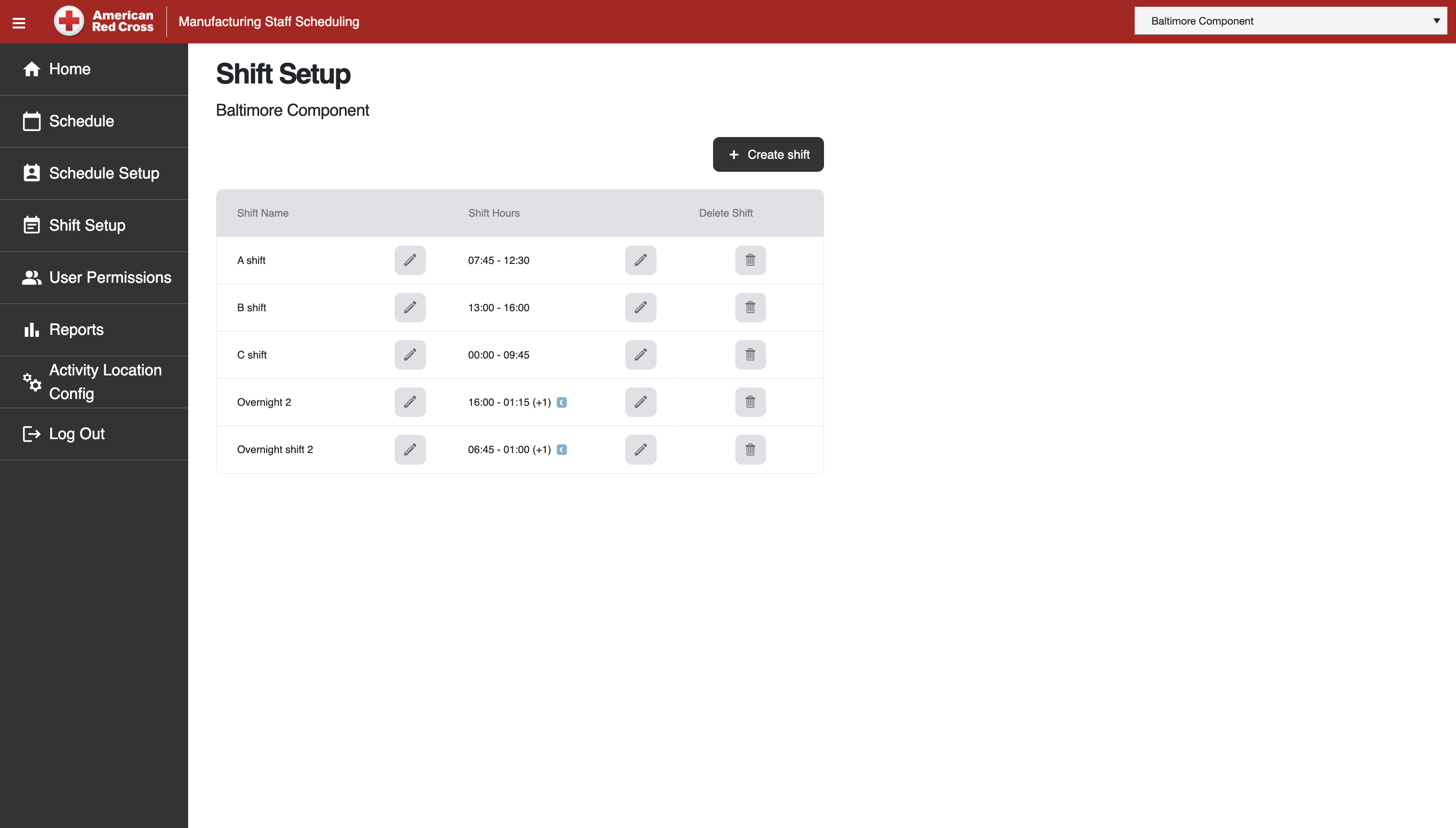
The shift register defines names and start and end times. Next-day markers distinguish overnight shifts.

Shift templates

The shift register defines names and start and end times. Next-day markers distinguish overnight shifts.

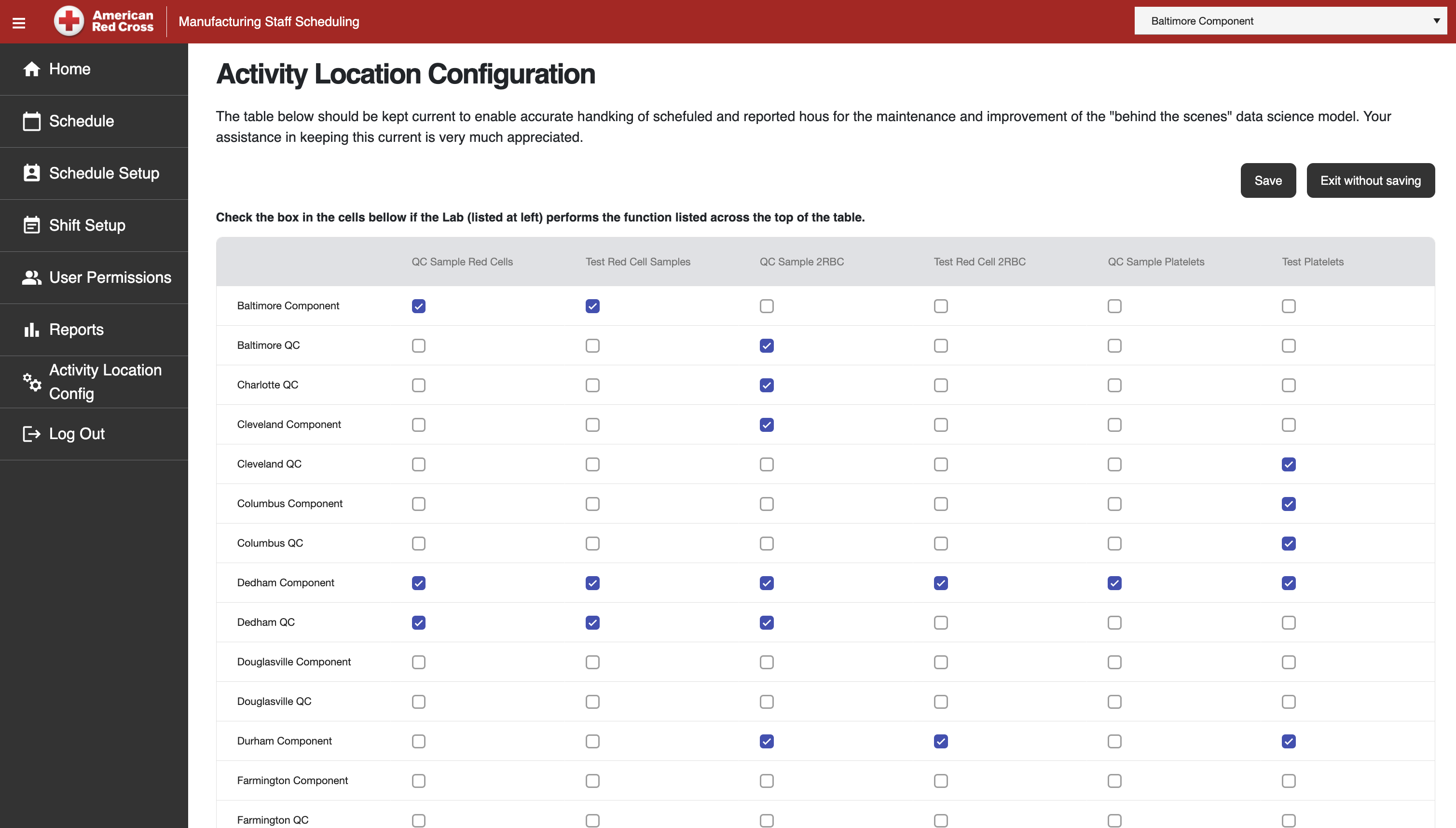
The matrix links locations with manufacturing activities such as sample processing and red-cell or platelet work. These selections provide context for scheduled and reported hours.

Facility activity configuration

The matrix links locations with manufacturing activities such as sample processing and red-cell or platelet work. These selections provide context for scheduled and reported hours.

Technology stack

Technology behind manufacturing staff scheduling.

A browser workspace and .NET services connected to Azure SQL.

Scheduling interface

Blazor WebAssembly and Telerik UI provide the scheduling screens.

  • Blazor WebAssembly
  • Telerik UI

Application services

ASP.NET Core provides the backend, with Dapper for data access.

  • ASP.NET Core
  • Dapper

Cloud and database

Azure Services and Azure SQL Database are part of the project infrastructure.

  • Azure Services
  • Azure SQL Database
Your next step

Plan the staffing workspace around your facilities.

Bring a typical week, your shift rules and the data used to estimate staffing needs. We will help define the workflow, build the application and support the team through rollout.

Discuss your scheduling system