

Custom Client Portal Development: Workflows, Permissions and Scope
On this page
Most B2B companies commission a custom client portal after hitting the same operational bottleneck: client document requests live in email threads, files sit in shared folders with uneven permissions, and managers assemble status updates by hand before every client call.
Generic ticketing tools and flat file-sharing links break down once engagements involve repeated document submissions, reviewer return loops, formal approvals and strict confidentiality between client accounts.
This guide covers how to architect and scope a custom client portal: designing external and internal workspaces, enforcing multi-tenant isolation and single sign-on, setting clean boundaries with CRM, ERP and billing systems, and scoping a practical first release.
Core portal architecture: external users vs internal operators
A common planning error is designing only the client screen while leaving internal staff to track overdue items and exceptions in spreadsheets. Every external action creates a corresponding internal review step.
Design the portal as two coordinated workspaces over one shared record model:
- The external client workspace shows only what the signed-in client is permitted to access: assigned tasks, due dates, template files, upload controls, order history, downloadable results and firm contacts.
- The internal operator workspace gives staff cross-client visibility: overdue queues grouped by project or client, reviewer assignments, bulk template tools, service error logs and role administration.
Build around the request, review and return loop
In accounting, advisory, legal and healthcare operations, work rarely moves straight from requested to completed. Clients submit partial files, reviewers return items for correction, contributors resubmit and managers approve.
Model each request or order as one structured record holding:
- Ownership and dates: internal owner, client assignees, start date, due date, extended due date and reminders.
- Explicit workflow states: statuses such as open, in progress, delivered, returned, rejected, completed and overdue, with strict rules on who can change state.
- Attached files and review history: template files, client uploads, reviewer return comments, return timestamps and resubmissions stored together on the task.
- Targeted notifications: alerts for due-soon tasks, returned items, uploaded results or new access, with per-user preferences so clients do not ignore portal emails.
When both sides act on the same record, managers stop chasing status updates across inboxes.
Multi-tenant isolation, RBAC, audit logs and SSO
External portals expose business records outside your corporate network. Data isolation and permission boundaries define the schema and API architecture from day one.
Enforce tenant isolation on the server
Never rely on hidden buttons or unguessable URLs to keep Client A away from Client B's files. Every API endpoint, search query, file download route and export job must enforce tenant scope and object-level permissions on the server using verified session claims.
Structure B2B permissions around three clear levels:
- Client tenant boundary: every project, document folder, order and notification belongs to one client organization.
- Project and task access lists: within a single client company, finance contacts may access tax filings while HR staff see only payroll tasks.
- Separate internal and external role groups: split firm roles from client roles (for example, internal admin, user and reader vs client admin, user and reader) so permissions never bleed across boundaries.
Single sign-on (SSO) and onboarding
Match authentication to your user base:
- Enterprise B2B clients usually require Microsoft Entra ID, Okta or SAML/OIDC single sign-on with multi-factor authentication (MFA), revoking portal access immediately when an employee leaves the client firm.
- Self-service or partner-programme users typically need email/MFA or invitation-based onboarding, versioned consent tracking and controlled password recovery.
Decide upfront whether one user can belong to multiple client portals or place orders for dependents, because retrofitting multi-tenant membership later impacts authentication tokens and query scoping.
Audit logging and negative security tests
Write security-relevant events to an append-only audit log: sign-ins, permission changes, file uploads, downloads, approvals, consent acceptances and denied access attempts. Before release, run automated negative authorization tests verifying that restricted roles cannot read another tenant's records, download unowned files or trigger admin endpoints. See our software and data security expertise for how we structure access control and verification.
Connecting CRM, ERP, billing and storage cleanly
A client portal should coordinate external collaboration without duplicating every back-office database. Assign one authoritative system of record for each domain:
- Identity provider (e.g., Microsoft Entra ID): authentication, MFA policies and directory claims.
- Document storage (e.g., SharePoint Online or Azure File Storage): encrypted file storage, retention and malware checks; the portal stores metadata, access rules and review state.
- CRM: company accounts, commercial contracts and relationship ownership.
- ERP or accounting system: posted invoices, credit notes and inventory records.
- Payment and signing providers (e.g., Stripe, DocuSign): card processing, signed webhooks and binding signature envelopes; the portal displays confirmed status.
Engineer exception queues for external syncs
External APIs time out, webhooks arrive twice and outside providers sometimes send files with mismatched order IDs. Build every asynchronous integration with idempotent handlers, scheduled reconciliation where push events are unreliable, and an internal exception queue so staff intervene only on unmatched or failed items.
Grounded examples from delivered portals
Two documented platforms show how these architectural rules apply across distinct B2B and self-service workflows.
B2B document and task collaboration: BDO Global Portal
The BDO Global Portal serves BDO engagement teams and their clients (documented across BDO Netherlands and BDO Canada) on SharePoint Online and Azure using React, SharePoint Framework and .NET APIs, with Microsoft Entra ID MFA sign-in and DocuSign signing.
- Six role groups per project: BDO admin, BDO user and BDO reader alongside client admin, client user and client reader, paired with per-project feature toggles and task-level access lists.
- Single-record review loops: each task holds its description, template files, due dates, client uploads, reviewer return comments and history across overview, list and calendar views.
- Bulk administration: a seven-step wizard deploys recurring year-end task templates across multiple projects with dates calculated from each delivery date, while bulk Excel project import emails validation errors directly to staff.
Customer accounts, partner rules and fulfillment: GrassrootsLabs
On GrassrootsLabs, a US laboratory-testing platform, one Angular application serves the public storefront, customer accounts and internal operations console over .NET services and a scheduled background worker.
- Customer accounts and dependent profiles: customers pay upfront via Stripe Payment Element (with itemised test, physician oversight and lab draw fees), order tests for themselves or dependents and download requisitions and lab results next to each order, with every download logged.
- Automated lab matching with an exception queue: orders go to the partner laboratory API; the background worker fetches result reports on a schedule, matches them to orders and lists only unmatched files for staff in the operations console.
- Partner programmes: sponsored organizations manage their own branding, versioned consent text, member pricing and annual order caps, syncing member lists through a partner API while the portal enforces rules automatically.
Scoped first release and budget factors
Launching every bulk wizard, partner API and secondary report in release one delays real client feedback. Scope Release 1 around one complete client-to-staff loop, then expand once external adoption is proven.
| Portal capability | Recommended Release 1 | Phase 2 expansion | Primary engineering cost drivers |
|---|---|---|---|
| Authentication and tenancy | SSO or email/MFA sign-in, strict tenant isolation and 2 to 4 defined roles. | Delegated client self-admin, multi-org switching and partner API member sync. | Identity provider count, SAML/Entra ID setup and multi-tenant authorization rules. |
| Core client workflow | One primary loop (document review/return or order/result download) with status history. | Secondary service lines, dependent profiles, versioned consent or custom approvals. | Workflow states, return-loop edge cases and conditional field rules. |
| Document and file handling | Structured folders, secure uploads/downloads, file validation and download logs. | Embedded electronic signing (DocuSign), document templates and retention rules. | Storage backend integration, large files, malware scanning and signing webhooks. |
| Internal operator console | Cross-client status list, overdue filters, exception queue and access setup. | Bulk template wizards, Excel batch imports, scheduled email batches and analytics. | Number of admin views, validation rules and bulk-operation error handling. |
| System integrations | One authoritative link (storage, payment gateway or ERP handoff) with retry logs. | Two-way CRM sync, accounting reconciliation and automated partner fulfillment. | External API stability, sandbox access, field mapping and reconciliation logic. |
| Audit and compliance | Audit logs for uploads, downloads, status edits and roles, plus permission tests. | Compliance export packs, automated archival and tenant retention policies. | Regulatory obligations (HIPAA, SOC 2 alignment, GDPR deletion rules). |
Review our custom software development cost guide for how discovery, UX, engineering, QA and twelve-month operating budgets break down, and compare engagement structures on our pricing page. You can also model module combinations in our Solution Studio or see how we structure custom product development.
Five inputs for an accurate portal estimate
Before requesting vendor proposals, write a concise brief covering:
- External and internal roles: list each role and one record type it must never see.
- The primary back-and-forth workflow: trace one request or order through approval, rejection and resubmission.
- Retained systems: name your identity provider, storage, CRM, billing or ERP tools and confirm sandbox access.
- Pilot group: choose a small set of cooperative clients to validate onboarding and permissions first.
- Post-launch ownership: name who provisions new client portals, resets access and handles sync alerts.
If you are planning a B2B client portal or customer self-service platform, share your core client workflow and existing systems. We can help define the permission model, system boundaries and a practical first release.
Related project experience.

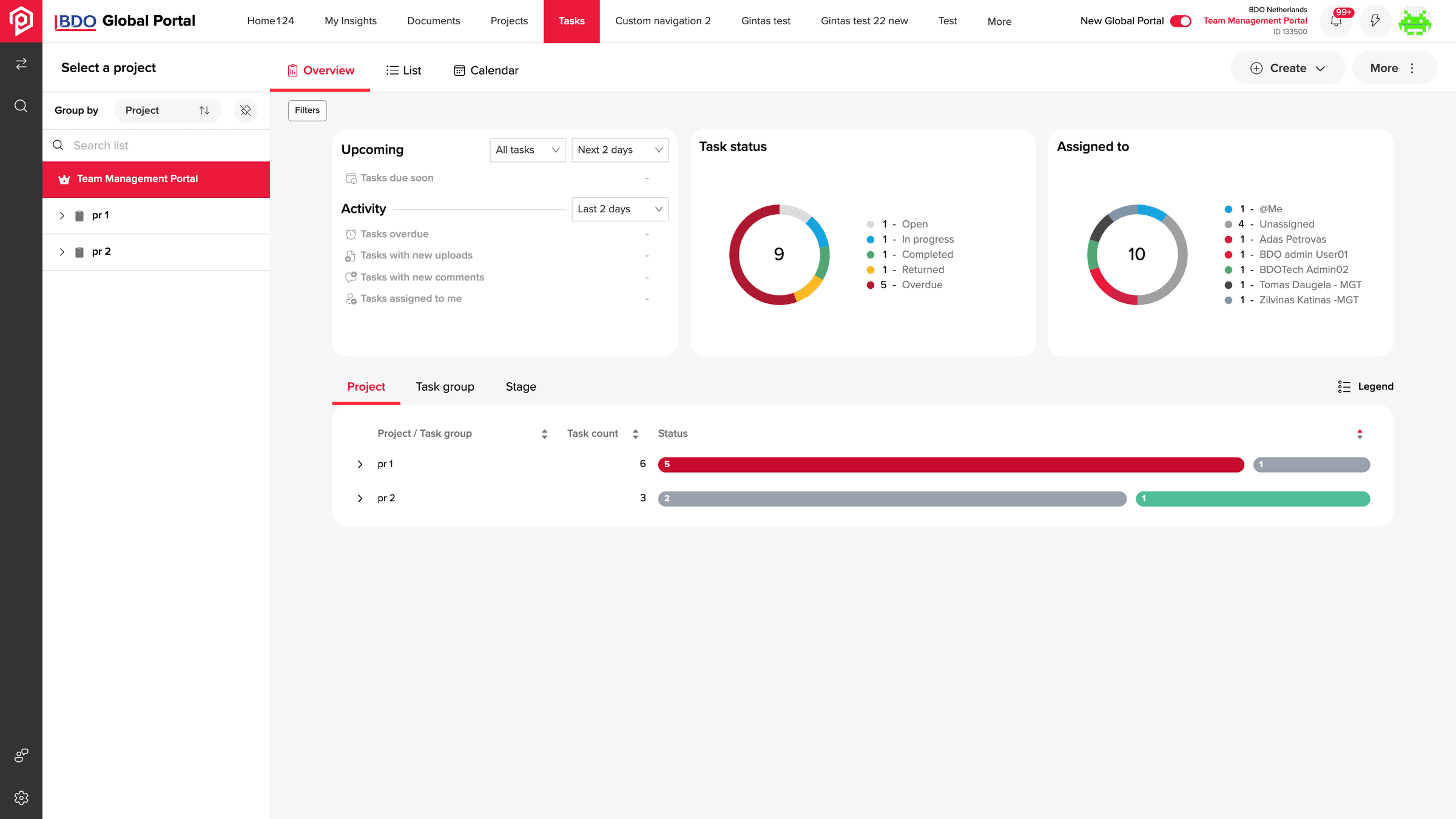
BDO Global Portal
Documents, reviewers, tasks and approvals in one working context.
View project
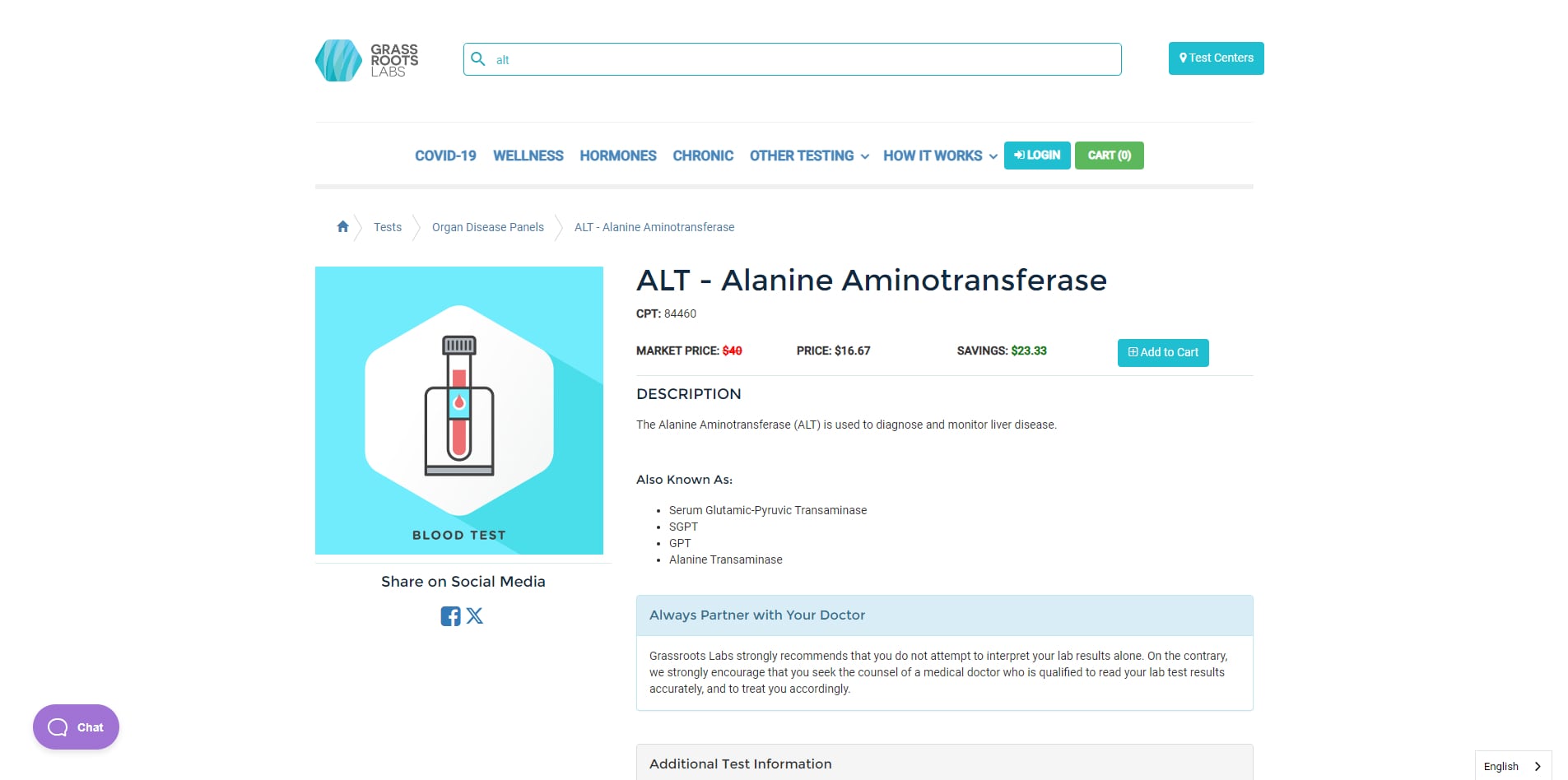
GrassrootsLabs
Lab-test ordering, payments, results and operational exceptions.
View project