Customers compose the design themselves
The customer places, rotates and resizes a photo on the chosen case. Stickers, quotes, collages and ready-made designs are in the tool panel.
Photos, stickers and textCaseShop prints phone cases to order. We designed and built the browser editor where its customers pick a phone model and a base case, lay out photos, stickers and text, and place the order.
What a customer does in the editorDeveloped in 2016–2019
A personalised case starts with the phone model and the printable base. The customer’s design must fit that shape before it reaches the print shop.
So the editor starts with the product. The phone model sets the case shape on the canvas before the customer uploads a picture.
Design and development of the browser editor, its application services and file storage.
Everything happens on one canvas with a tool panel beside it.
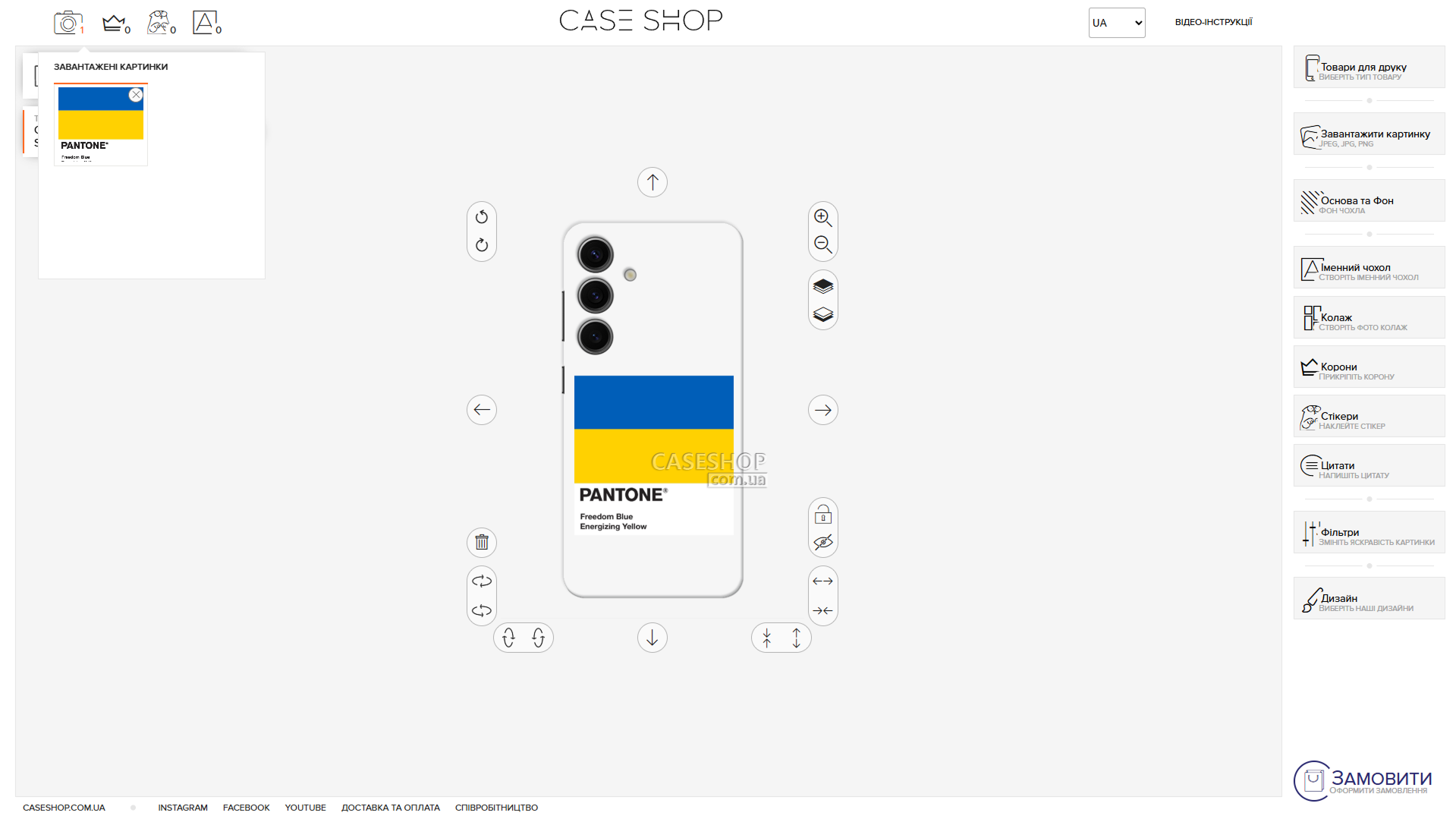
The customer places, rotates and resizes a photo on the chosen case. Stickers, quotes, collages and ready-made designs are in the tool panel.
Photos, stickers and textThe phone model and the base case are chosen before the canvas opens, so the print shop receives a design made for that case shape.
Phone model and case3D glass and a screen protector are offered next to the finished case, with their prices, before the order is placed.
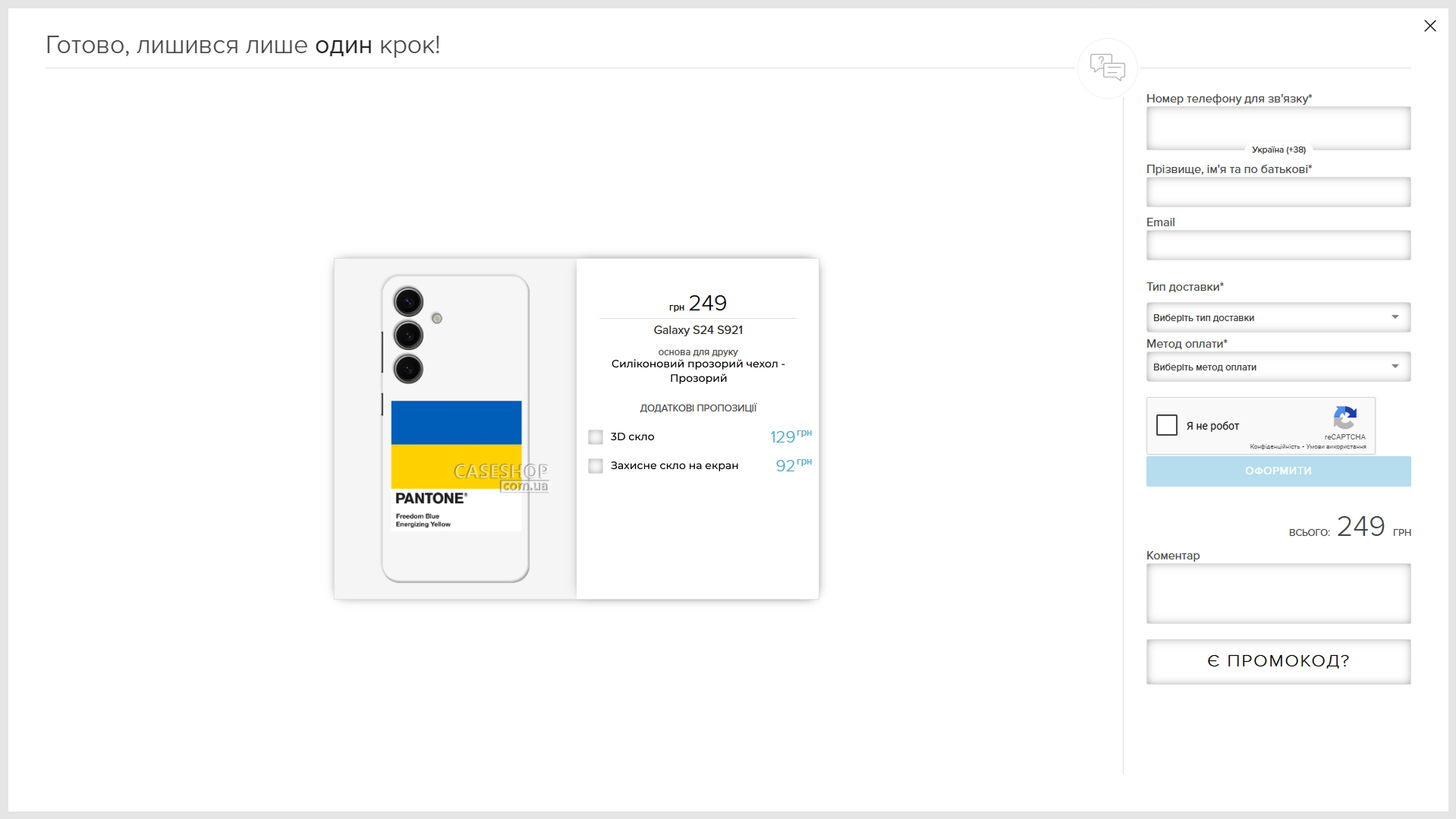
CheckoutA customer designs up to twenty products in one session and orders them together, with one delivery and one payment.
A layout fits one phone model and one base case. The print shop needs all three to print the order.
The chosen model and base stay listed next to the canvas and are shown again at checkout with the price. The submitted order holds the design together with that model and base, and the print shop reviews it.
See how the design becomes an orderTell us what your workshop needs with each order: the file, the product, its options. We will tell you what the customer must choose before the editor opens the canvas.
A customer wants a printed case but first has to tell the shop which phone and which base case, because the print area depends on both.
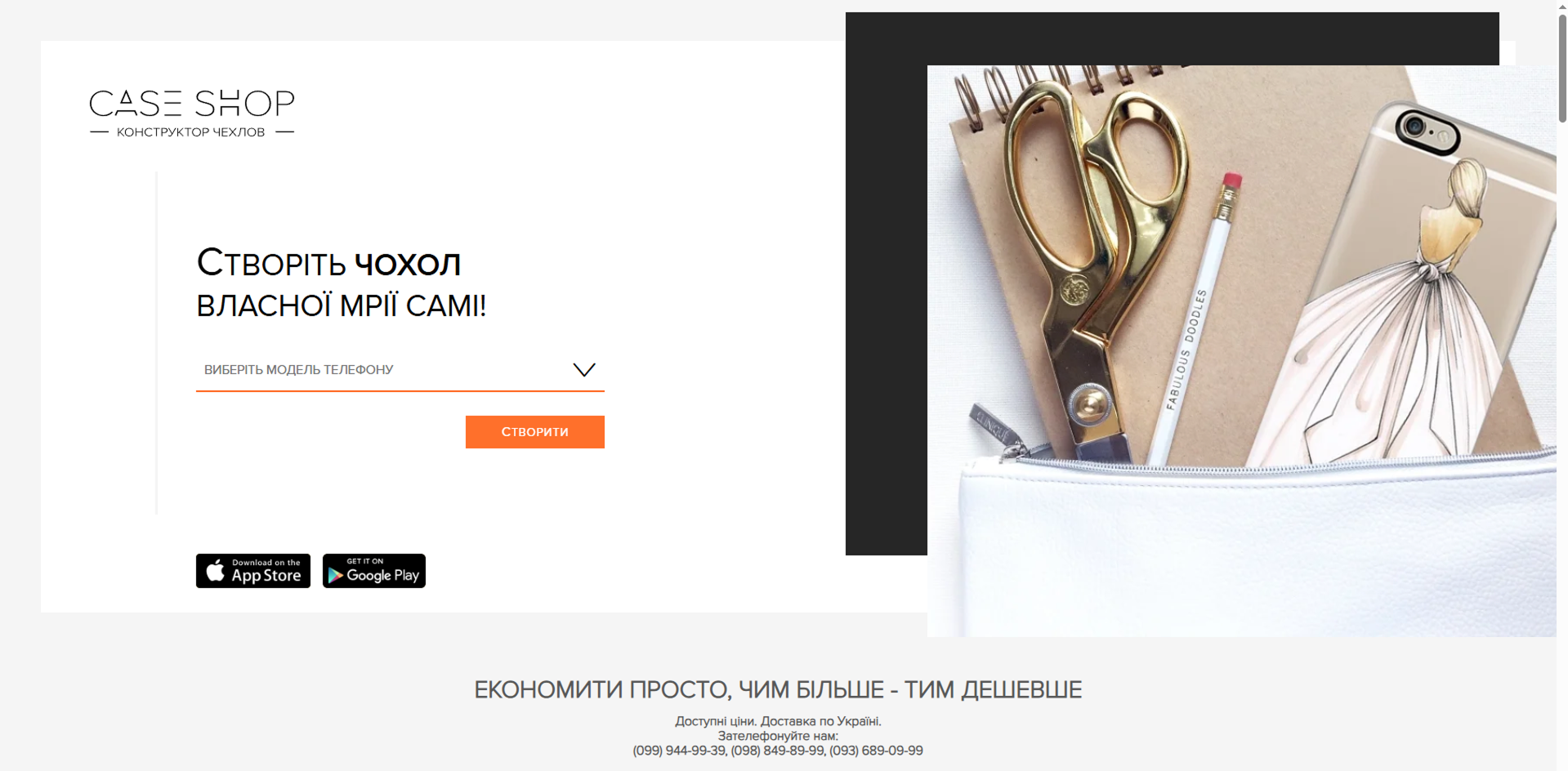
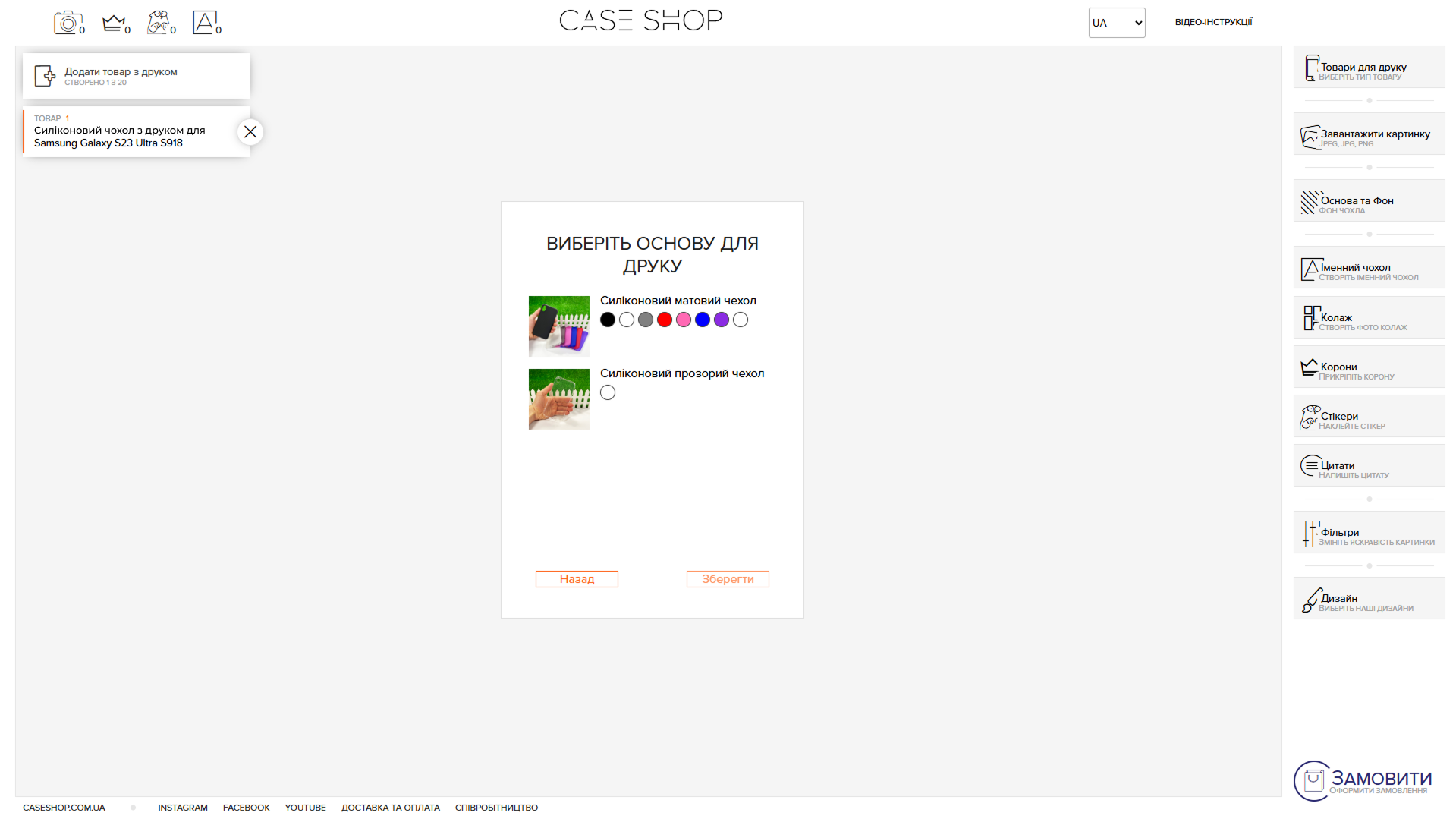
The start page asks for the phone model. The editor then offers the bases for printing, matte silicone in eight colours or transparent, and keeps the chosen product listed next to the canvas.
The customer wants to place a photo, a sticker or a name on the case and see it on the phone before paying.
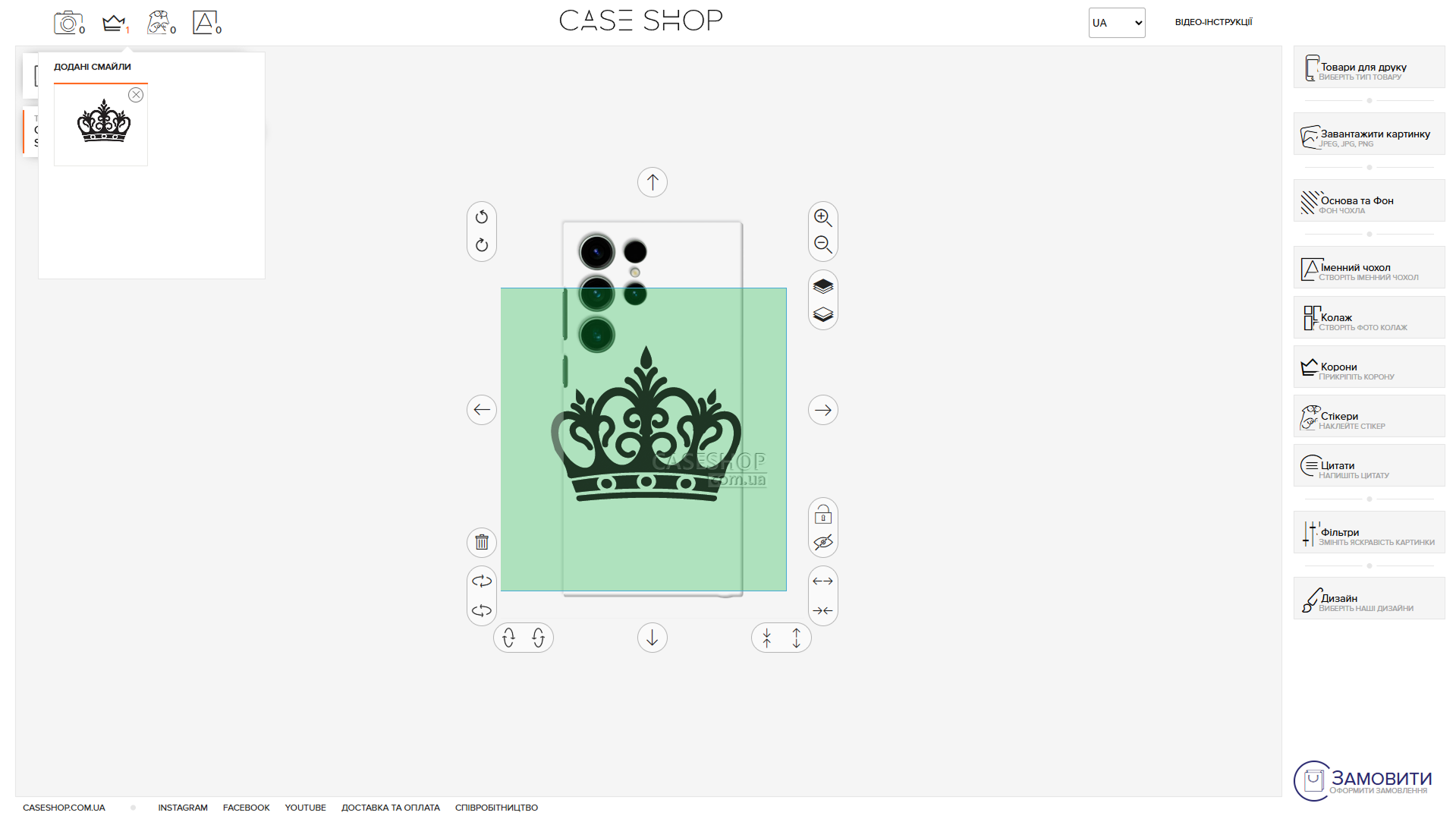
Photos, stickers and text share one case preview. Controls around the canvas move, flip, align, lock or hide an element and move it between layers.
Once the design is done, the customer needs to see the case, the price and the extras, and leave delivery details without starting over.
Checkout shows the finished case with its price and the optional accessories. On the same screen the customer leaves a phone number and a name and chooses delivery and payment.
The start page asks for the phone model, which sets the case shape on the canvas. The customer then picks the base for printing, a matte silicone case in one of eight colours or a transparent one. The chosen product stays listed next to the canvas; one order can hold up to twenty products.
JPEG and PNG pictures upload into a tray and go onto the case. Controls around the canvas move, rotate, zoom, flip and align the picture, lock or hide it, delete it and move it between layers.
The tool panel adds a background, a photo collage, crowns, stickers, quotes and ready-made designs, and adjusts picture brightness with filters. The selected element is highlighted on the canvas, and counters show how many pictures, stickers and texts are in the design.
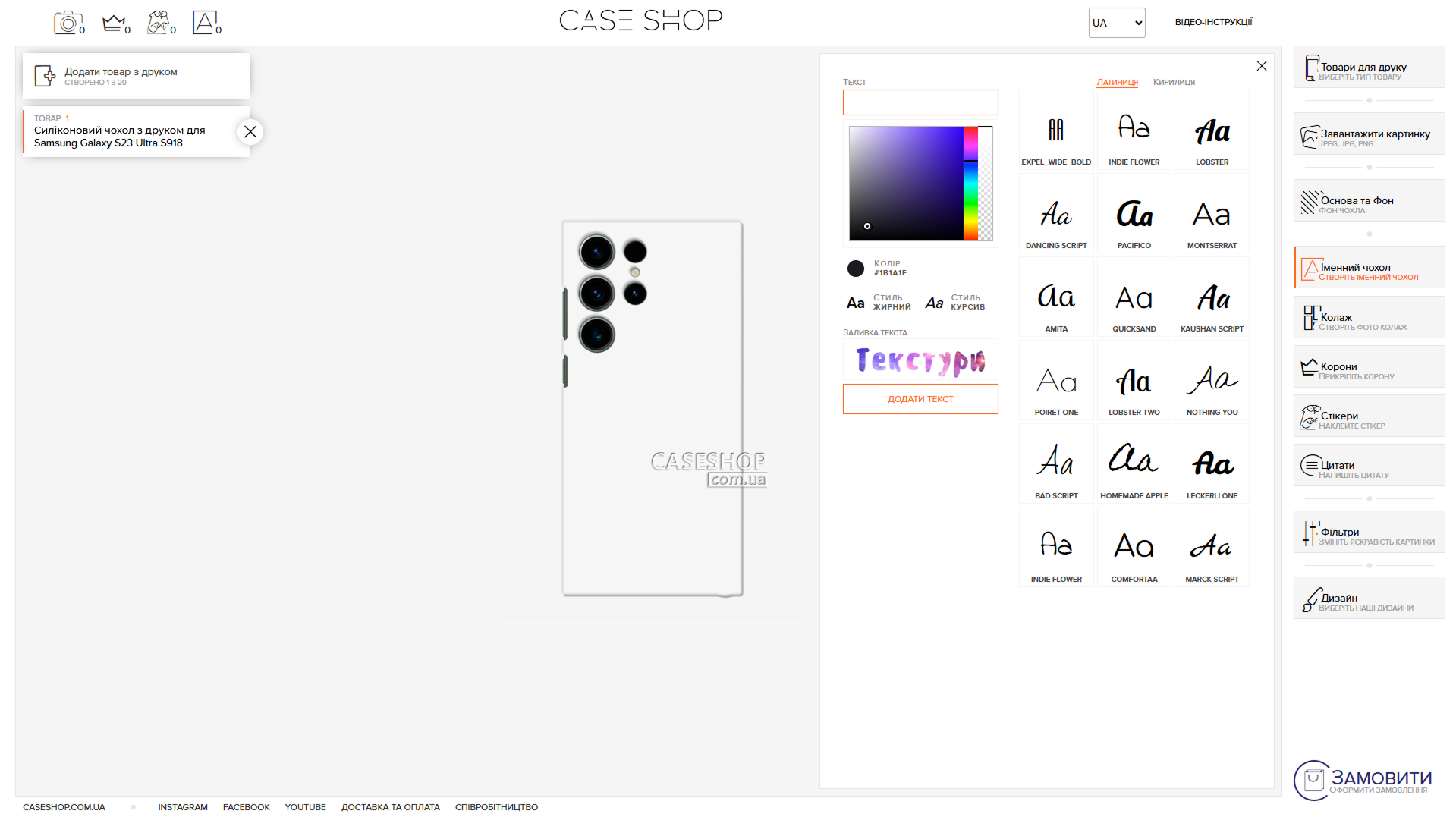
A text panel with Latin and Cyrillic font sets, a colour picker, bold and italic styles and a texture fill. The editor offers more than 600 Google fonts.
The last step shows the finished case, the phone model, the base and the price, with optional extras such as 3D glass and a screen protector. The form takes phone, name, email, delivery type, payment method, a comment and a promo code.
A browser editor, .NET application services and Azure file storage.
The editor runs in the browser on AngularJS and TypeScript, with styles in SCSS.
The server side is C# on Microsoft .NET with ASP.NET MVC.
Data access through Entity Framework, Dapper and T-SQL. Files are stored in Azure File Storage.
Hosted on Azure and released through Azure DevOps.
The editor was built for phone cases, but its rules are common to businesses that put a customer’s design on a product:
Print-on-demand shops: cases, mugs, T-shirts, posters, where the customer’s picture is placed on a product.
Brands with their own production that offer personalisation: engraving, embroidery, named goods.
Retailers whose products have a model-specific shape or print area, such as cases, covers and labels.
Gift and merchandise companies that take designs from customers and pass them to a workshop.
A first release usually covers one product type with model selection, a picture, text and checkout; collages, stickers and font libraries follow.
If customers put their own pictures or text on your products, name the product you would start with. We will suggest the tools for a first release of the editor and what can follow later.
Discuss your configurator