Inspectors record findings on site
Photos, description, voice note, area and type are saved together on the phone. The reviewer gets the full record.
Record a findingWe developed the mobile inspection app of an EHS platform for the EU and US markets. The inspector plans an inspection, records each finding on site and assigns a corrective action from the phone.
What changes for the teamIn development since 2022
A safety finding needs enough context for someone else to act: its location, supporting evidence and the work required. The team also needs an owner and a deadline for follow-up.
The app collects all of this from the inspector while they are still on site.
Development of the mobile app for inspections, findings and corrective actions.
A finding passes from the inspector to the reviewer and on to the person assigned to fix it.
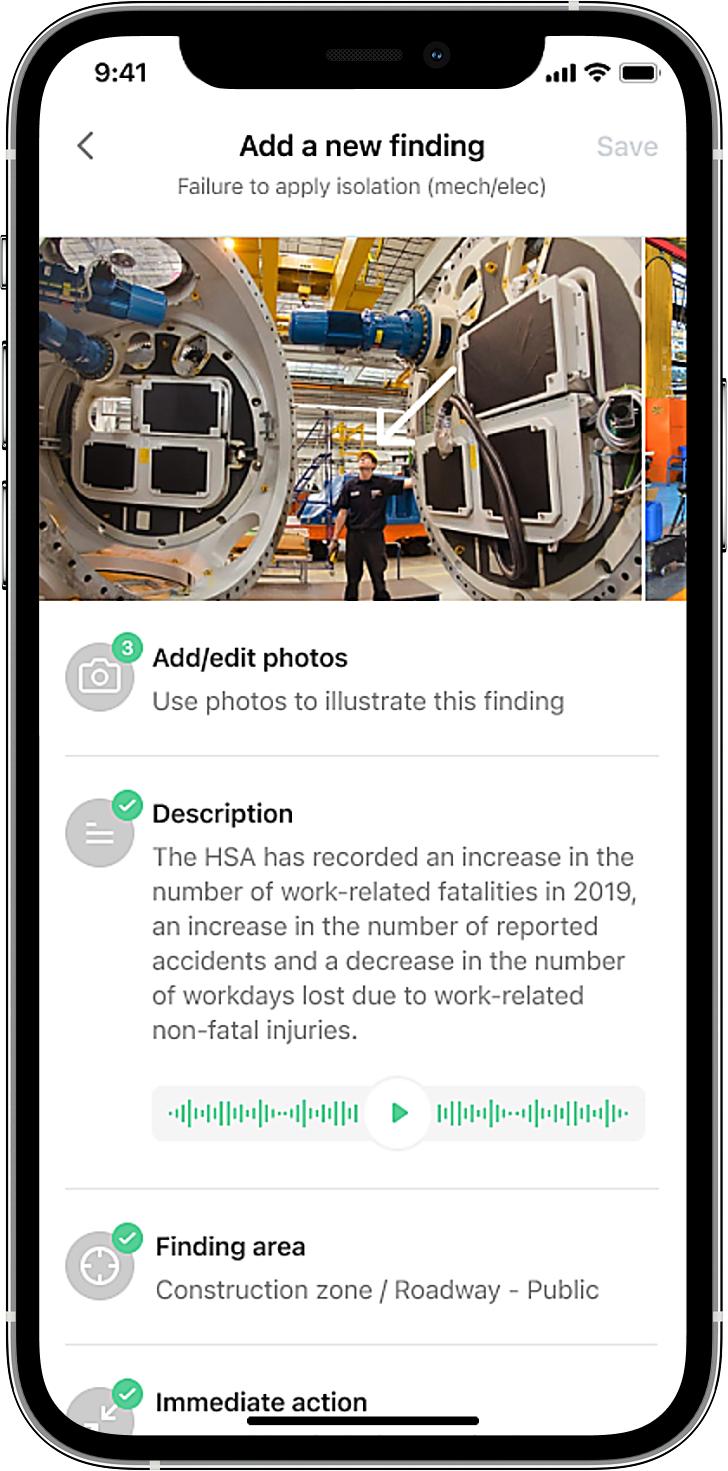
Photos, description, voice note, area and type are saved together on the phone. The reviewer gets the full record.
Record a findingEach corrective action names its assignee and a due date with a time.
Assign the corrective actionFinding types come from one shared list, and each inspector picks from it.
Classify the findingFindings and corrective actions from the phone go to the EHS platform, where managers see them next to incidents and risk assessments.
The person assigned to corrective work may not have seen the issue on site. They need to see what the inspector saw and be told exactly what to do.
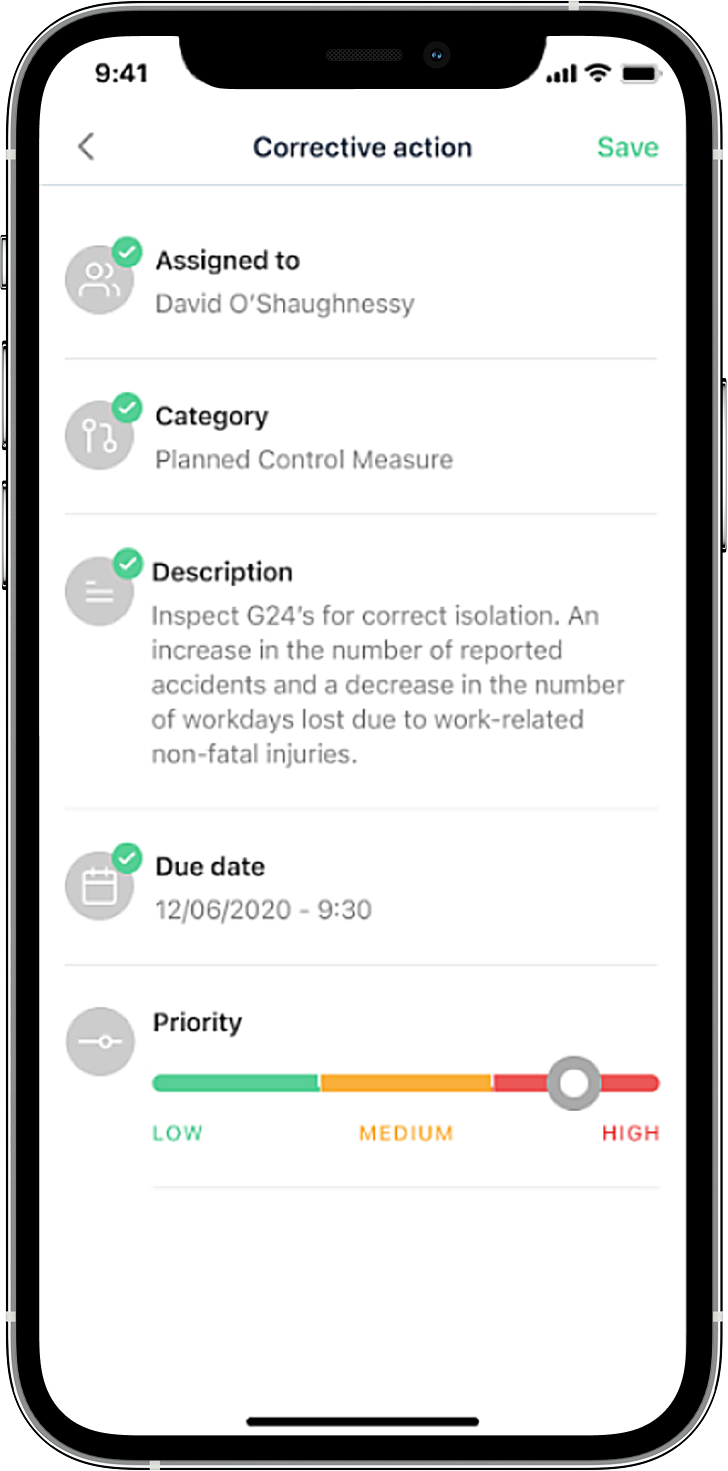
The corrective action is a separate form in the same record as the finding. It has its own description of the work, an assignee, a due date and a priority. The photos, the voice note and the area come from the finding.
See how corrective work is assignedDescribe how one finding travels today: who records it, who reviews it and who fixes it. We will tell you which of those steps we would put on the phone first.
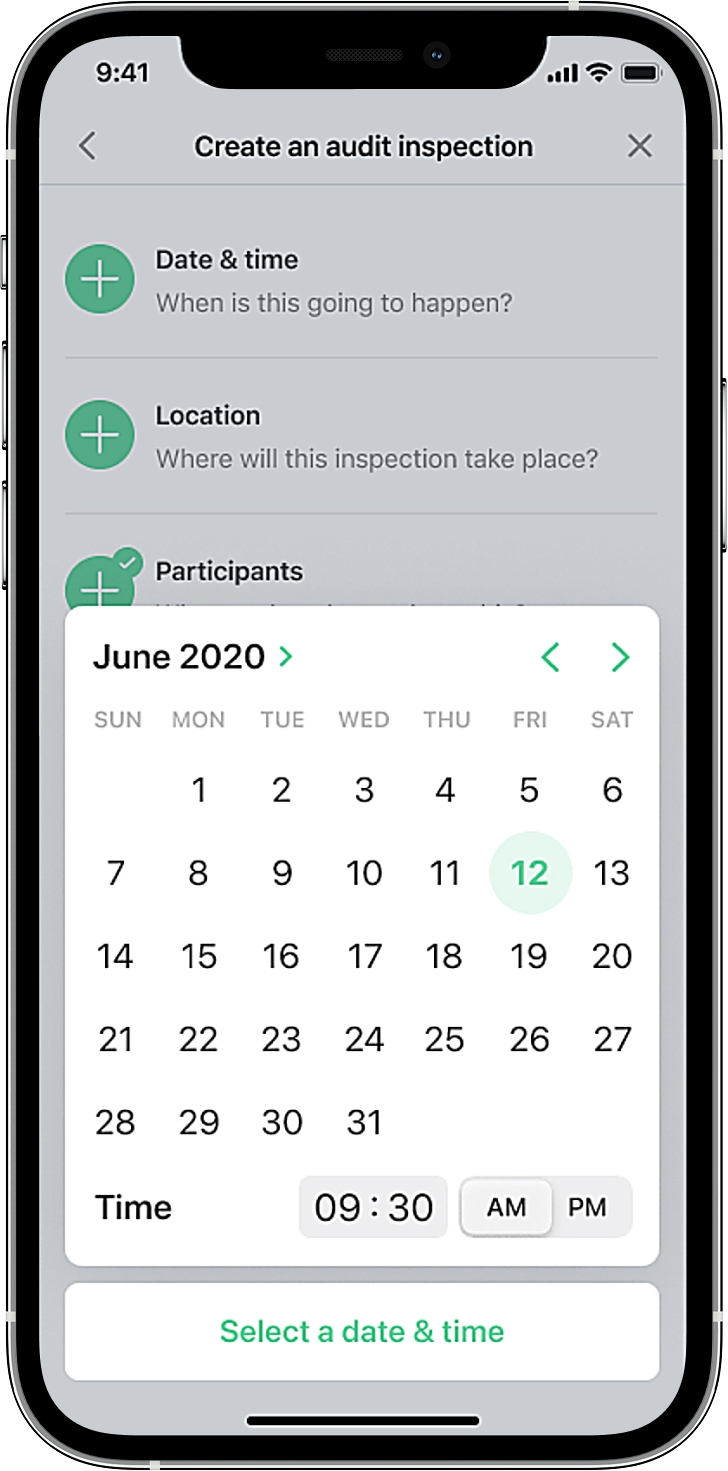
An audit inspection is created with its date and time, location and participants, chosen on the phone.
A new finding takes photos, a written description, a voice note, the finding area (for example a construction zone or a public roadway) and an immediate action. The reviewer receives all of it in one record.
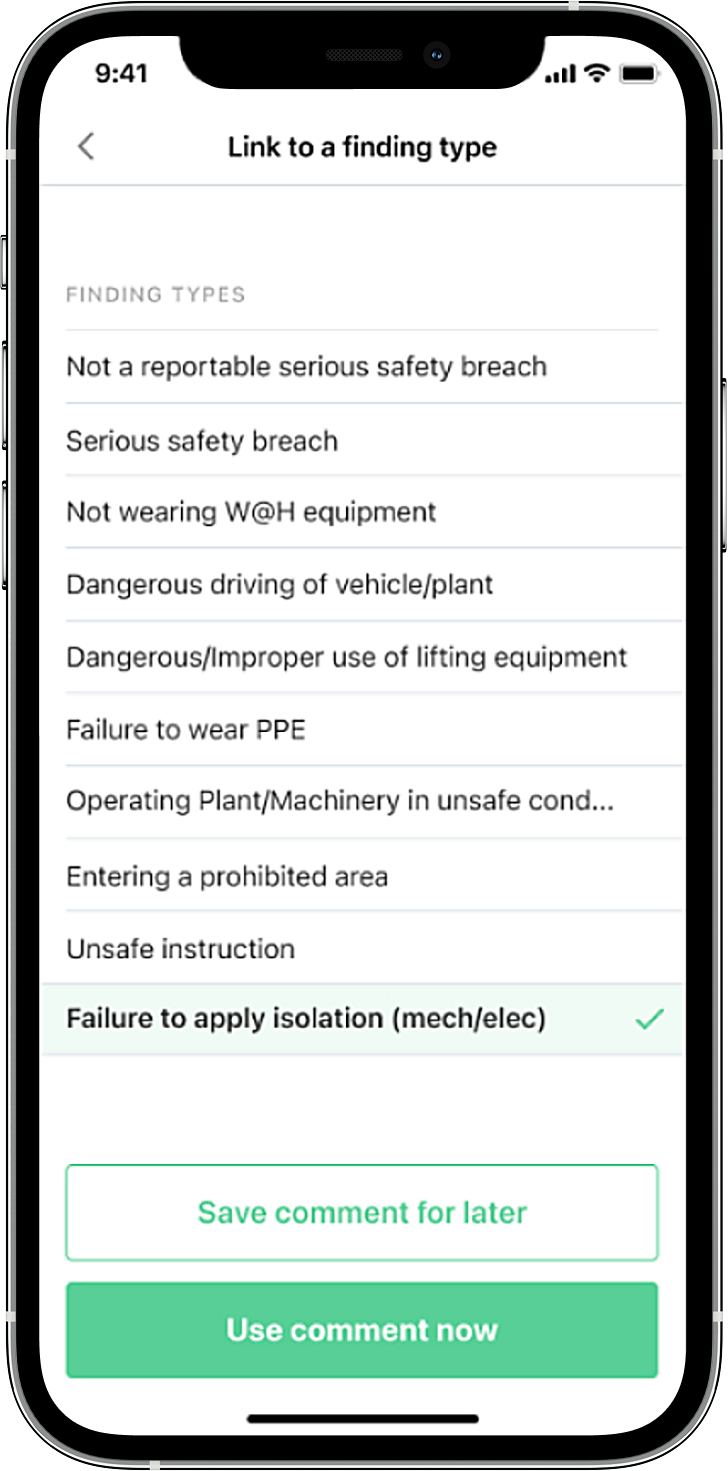
The inspector links the finding to a type from the shared list: serious safety breach, missing PPE or working-at-height equipment, dangerous driving, improper use of lifting equipment, entering a prohibited area, unsafe instruction, failure to apply isolation. A comment can be saved for later or used now.
Each action has an assignee, a category such as planned control measure, a description, a due date and time and a priority from low to high.
The platform also holds incident, risk, employee and contractor records. Our part is the mobile app.
Managers review the findings and corrective actions from the app in the platform’s dashboards.
The mobile app, its data and the tools used to test and release it.
The app is written in C# with .NET MAUI and Xamarin.Forms.
Data in MSSQL, accessed through Entity Framework Core.
Development and releases run through Azure DevOps. Automated tests use xUnit.
Built for EHS teams, the same approach fits any organisation that inspects sites and assigns corrective actions:
EHS and safety teams in manufacturing, construction and logistics that run audits and site inspections.
Companies with contractors on site whose training and compliance status must be checked.
Quality and maintenance teams whose inspections end in a finding, an owner and a deadline.
Organisations with sites in several countries that need one shared list of finding types and one review process.
A first release usually covers one checklist: the mobile form, the finding with photos and a type, the review step and the assignment of corrective actions.
Send us one checklist and tell us what happens after a finding today. We will reply with the list of screens for a first release.
Discuss an inspection app