The investor describes the plan once
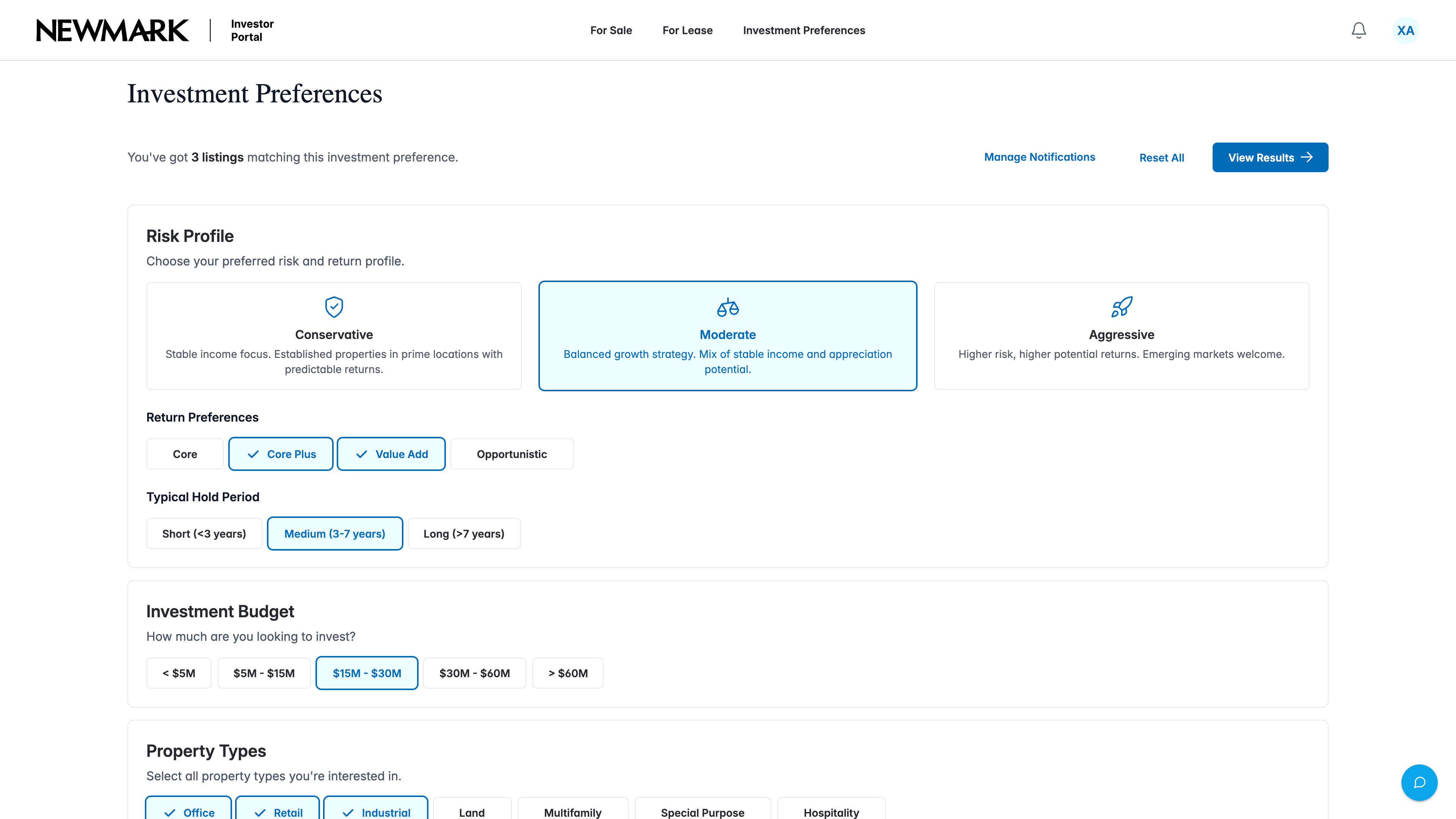
Risk, return, hold period, budget, property types and regions are stored in the account. Matching listings open from the preferences page.
Investment profileWe developed the Newmark Investor Portal. Investors enter their budget, risk profile and property types, see the commercial properties that match, and choose how often new listings reach them by email.
What investors can doDeveloped from April to December 2025
Newmark markets commercial properties for sale and lease. Investors approach that catalogue with a budget, risk profile and holding period, as well as preferred locations and property types.
The portal stores that plan in the investor’s account and shows the listings that match it.
Custom software development: the investor portal, application services and Azure infrastructure.
The listings come from Newmark’s brokerage teams. Each investor sees the ones that match the criteria saved in the account.
Risk, return, hold period, budget, property types and regions are stored in the account. Matching listings open from the preferences page.
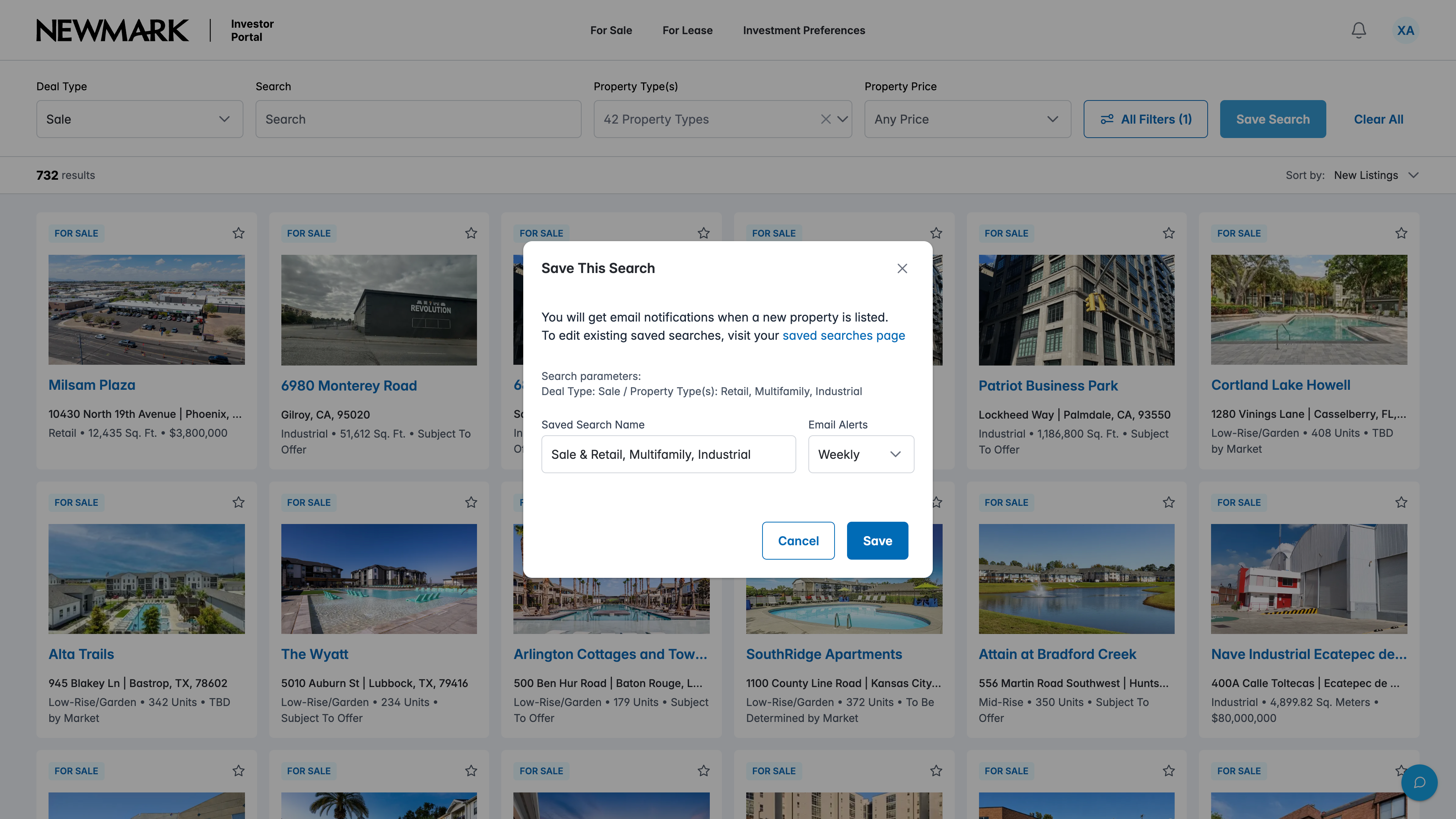
Investment profileInvestors choose how often a saved search emails them, for example weekly. The email lists the new listings that match.
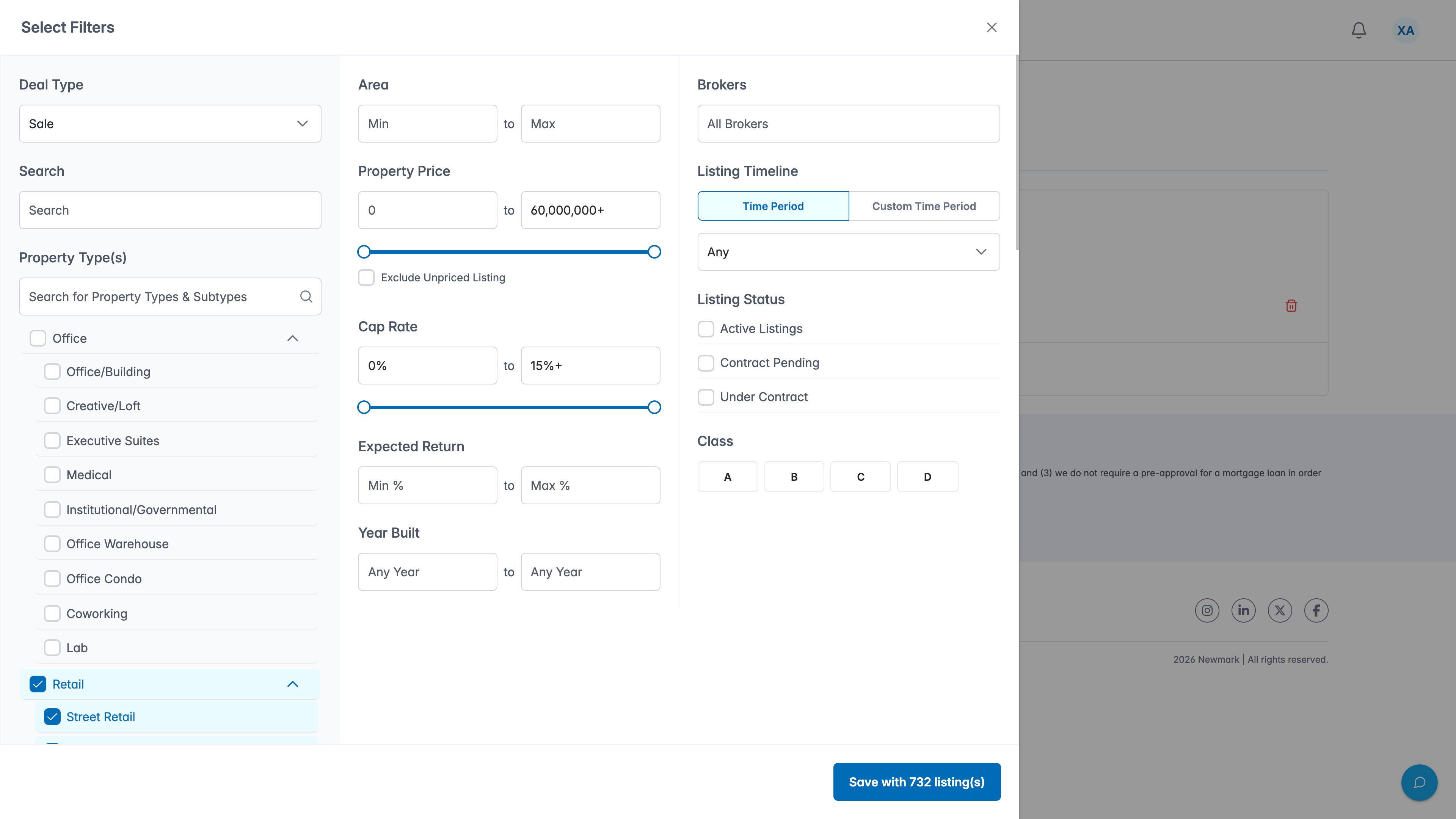
Saved searches and email alertsInvestors narrow the catalogue by financial and property criteria, including cap rate, expected return and building class. The filter panel shows how many listings match before they apply the selection.
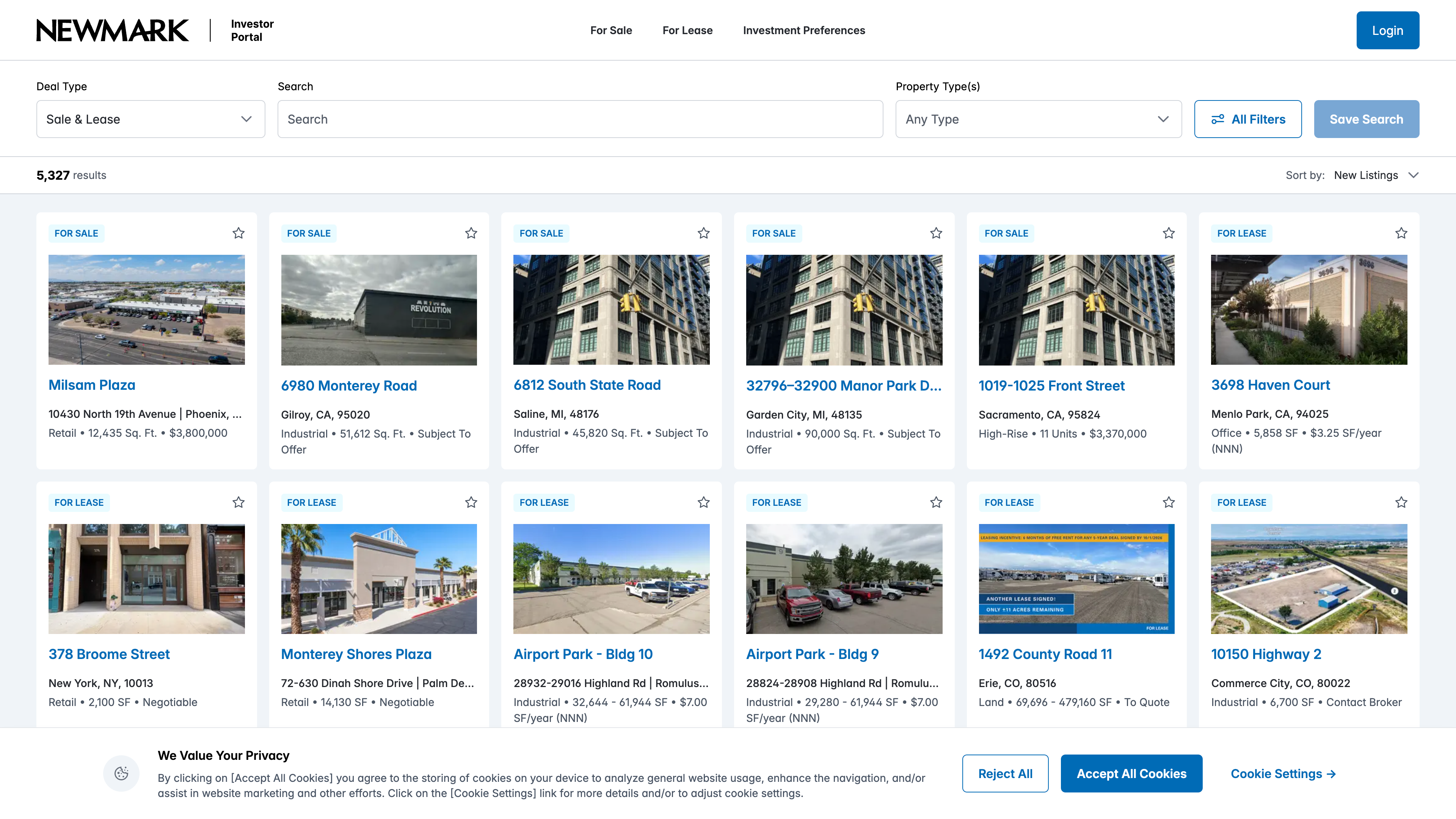
Search filtersBoth deal types share the same cards and filters, and the result count updates as the criteria change.
Property catalogueAn investor may follow a property search across several visits. The criteria need to stay available, with control over how often matching listings arrive.
Each saved search keeps its own name, its filter set and its own email frequency. The investor edits saved searches later on a separate page.
See a saved search and its email settingsDescribe one search your buyers repeat and what they want to hear about. We will tell you which criteria to save and which alert options to offer.
Listings for sale and lease with a photo, address, property type, area and the price or asking rent. Deal type, free-text search and property type sit above the results; the number of matching listings and sorting by new listings sit beside them. A star on each card marks a favourite.
Property types open into subtypes (office building, creative loft, medical, coworking and others). Ranges for area, price, cap rate, expected return and year built, a broker selector, a listing timeline, listing status (active, contract pending, under contract) and building class. The save button shows how many listings match before the filters are applied.
The account stores a risk profile (conservative, moderate, aggressive), return preferences (core, core plus, value add, opportunistic), a hold period, an investment budget band, property types with subtypes, preferred regions and states, and a company profile with market role and source of funds. The page shows how many listings match and opens them.
The investor names a search, sees its parameters and chooses how often to be emailed, such as weekly. New listings that match arrive by email; saved searches are edited on their own page.
A Next.js interface, .NET 8 services, SQL Server with Azure AI Search, hosted on Azure App Service.
Catalogue, account pages and forms in Next.js and React, with Zod validating input.
Minimal APIs with Entity Framework Core serve the data. Azure Functions and Service Bus run background work.
SQL Server for records, Azure AI Search for the index, Redis and an in-memory cache, Azure Blob Storage for files.
Semantic Kernel calls OpenAI chat completion. Emails use React Email templates.
JWT sign-in through Azure AD or a custom one-time-code provider. Settings sit in Azure Key Vault and App Configuration.
Linux containers on Azure App Service, defined in Terraform and released per environment by Azure DevOps Pipelines with EF migration bundles.
xUnit for the API, Vitest for components, Playwright in the browser, run on pull requests and releases.
The portal was built for one brokerage, but the pattern fits any business that matches a catalogue to a buyer’s stated criteria:
Commercial real estate brokerages and investment sales teams with listings across many markets.
Investor relations and capital markets teams that circulate opportunities to a registered investor base.
Property funds, developers and asset managers that publish sale and lease opportunities to known investors.
A first release usually covers the catalogue with filters and saved searches with email alerts, fed from the listing system you already use.
Tell us where your listings come from and what investors search for. We will propose the filters, accounts and alerts for the first release.
Discuss your property portal