One page per group
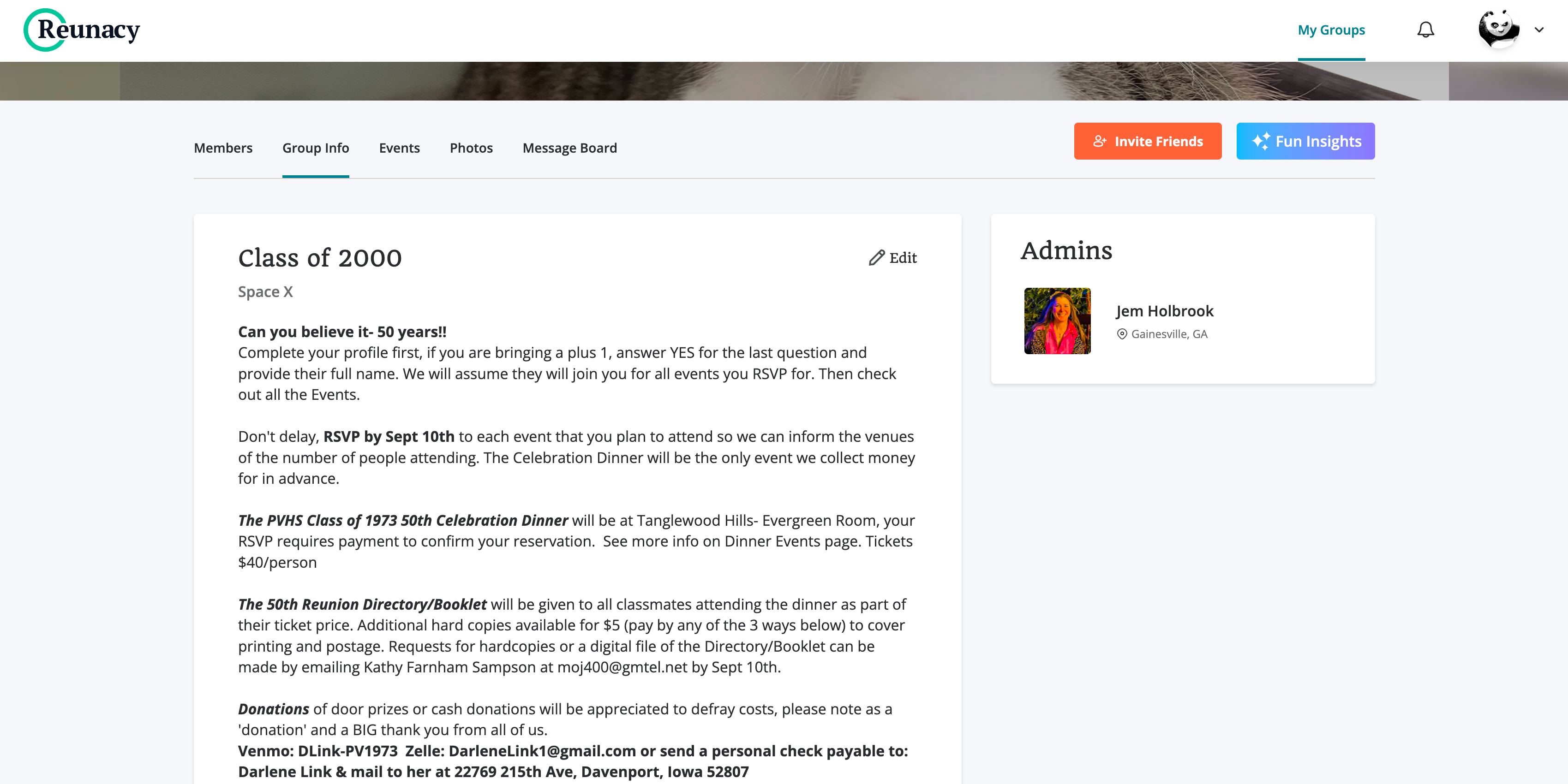
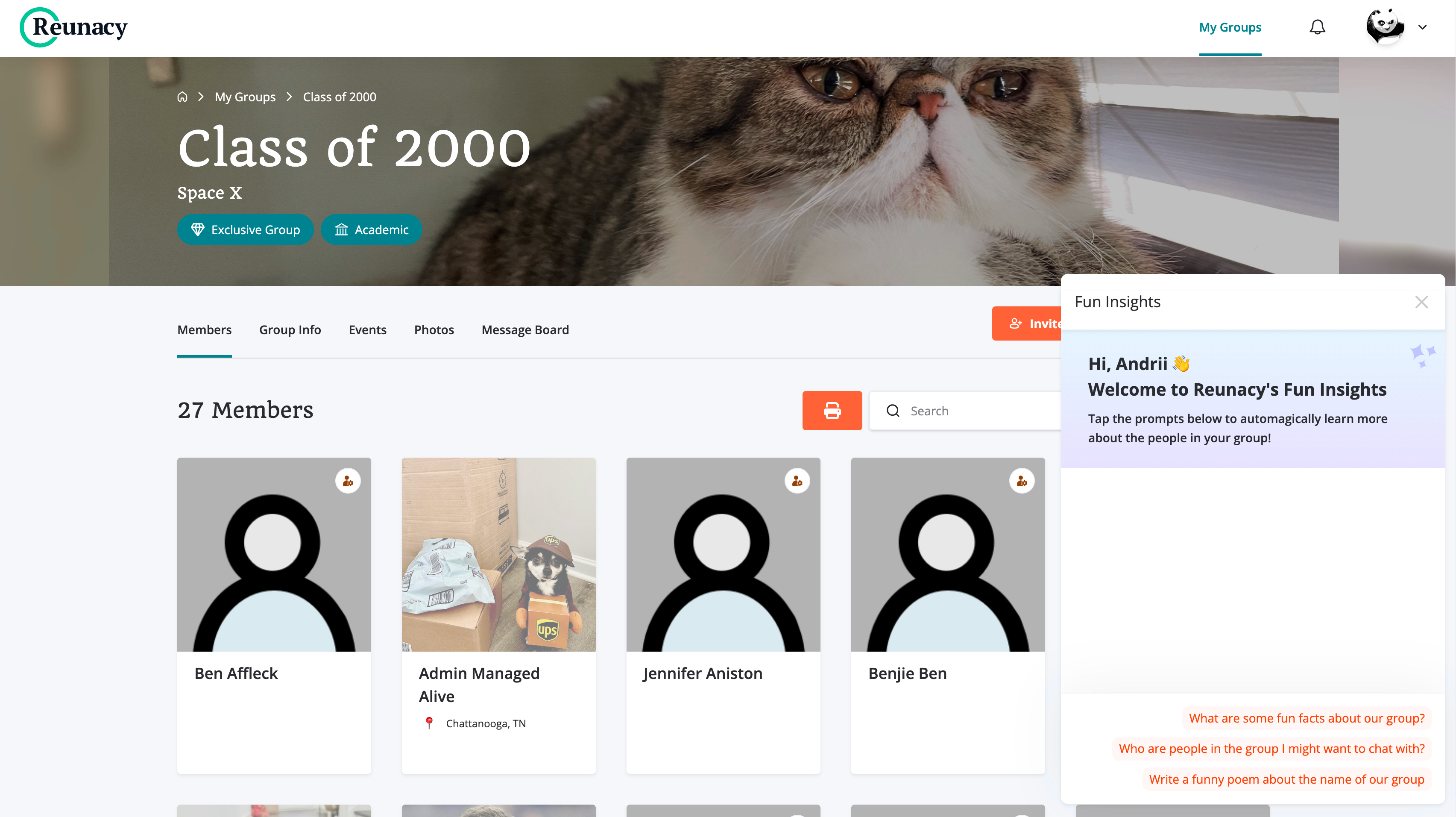
Members find the organiser’s instructions, the events, the photos and the message board under the tabs of one group page.
GroupsWe developed the web application of Reunacy, a platform of private groups for family gatherings, alumni reunions and social group events. Each group has its own members, events, message board and photo gallery. The project took six months in 2024.
What members can doDeveloped in 2024
A reunion needs a shared place for arrangements before the event and for photos afterwards. Organisers also need to know who has received an invitation and who plans to attend.
Reunacy keeps all of it in one private group, visible only to its members.
Development of the web application. The interface is built in Vue.js with TypeScript and Tailwind CSS.
Administrators set up the group and its events. Members answer invitations, post on the board and share photos.
Members find the organiser’s instructions, the events, the photos and the message board under the tabs of one group page.
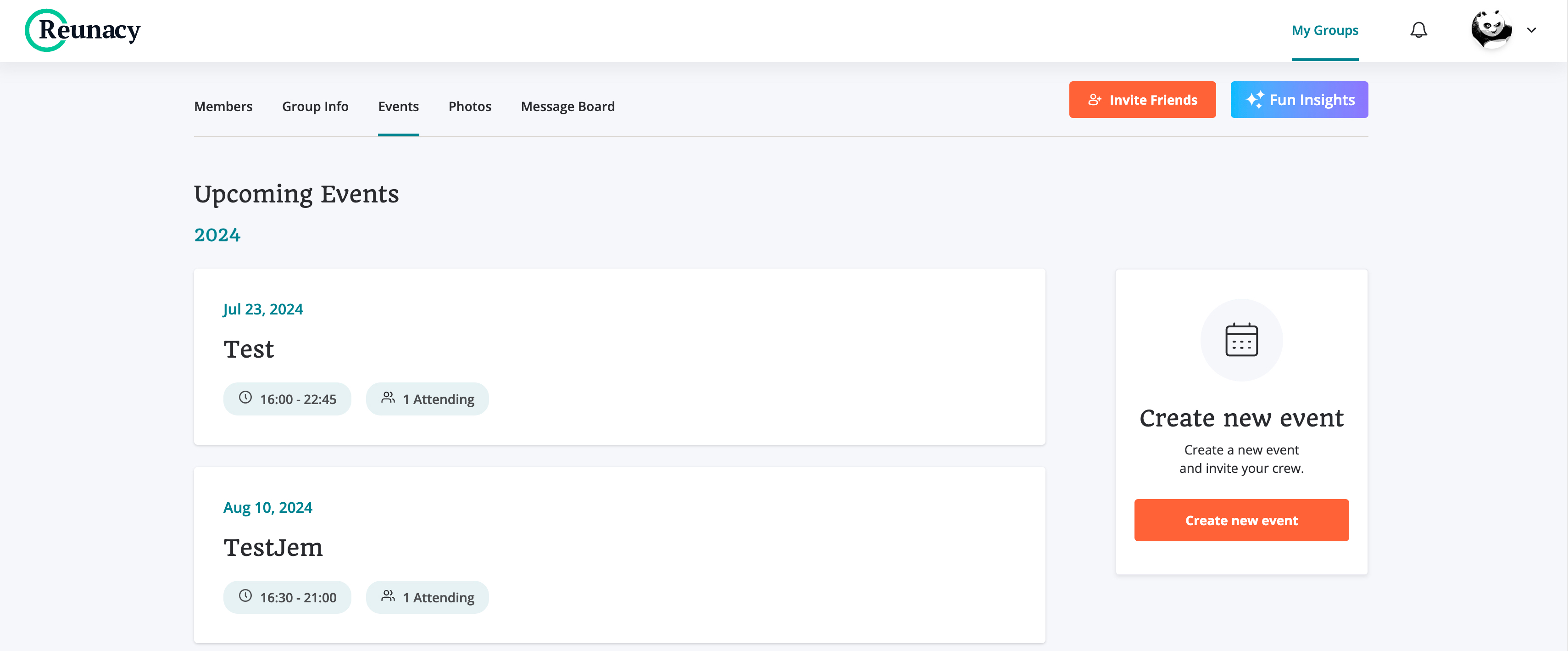
GroupsThe organiser sees how many members plan to attend next to each event’s date and time.
Events and attendanceOnly the group’s members see the board and the gallery. Each group has its own privacy settings and administrators.
Invite Friends sends invitations from the group page; the members list prints from the same tab.
An organiser needs to know who plans to attend each gathering. Members need event details and a way to update their response where they already read group news.
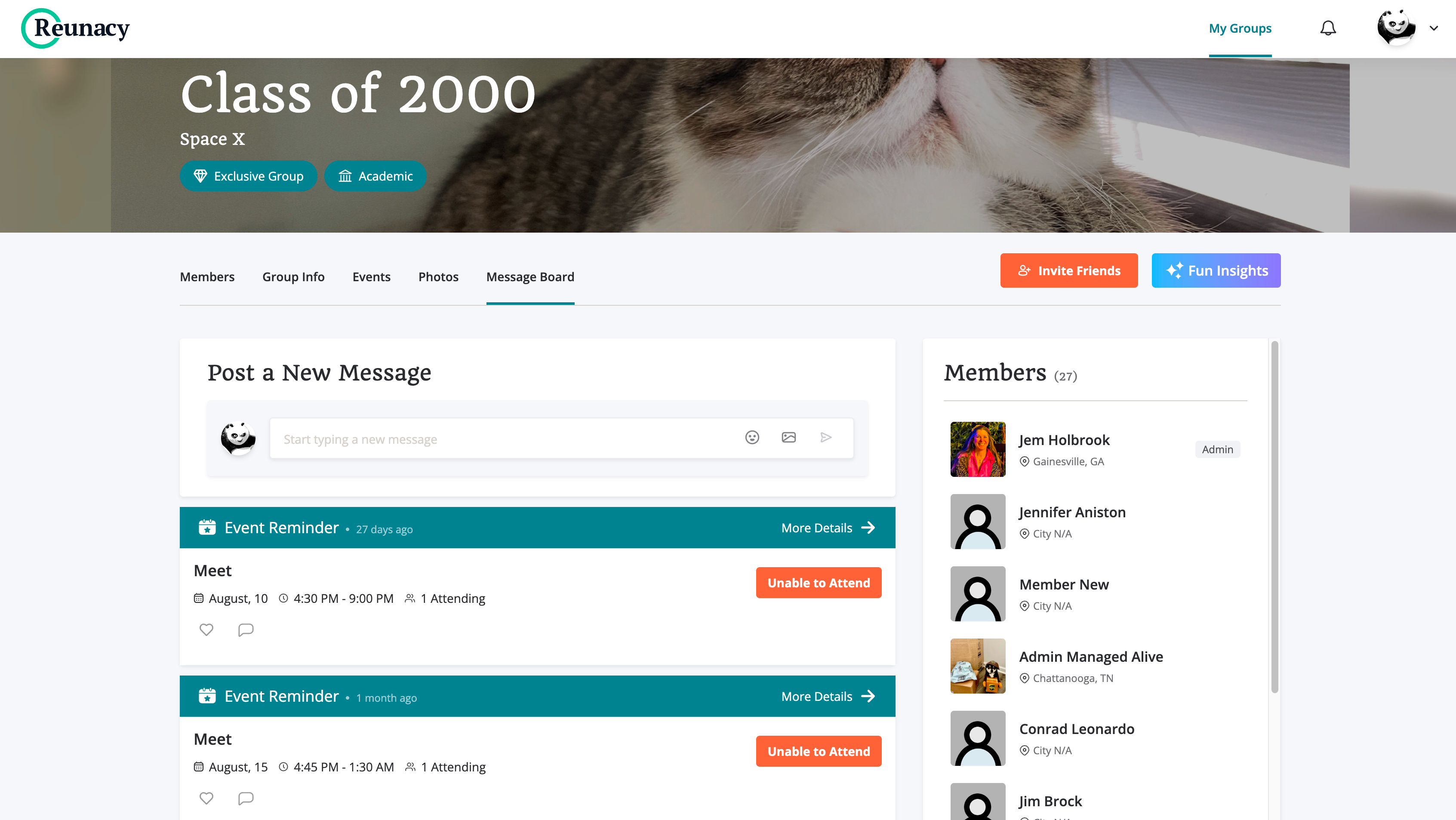
Each event is also posted to the group’s message board as a reminder with its date, time and attendance count. More Details opens the event. Unable to Attend declines the invitation from the board.
See events and invitation responsesDescribe one event your group runs and what a member has to answer before it. We will tell you which invitation, responses and reminders we would build first.
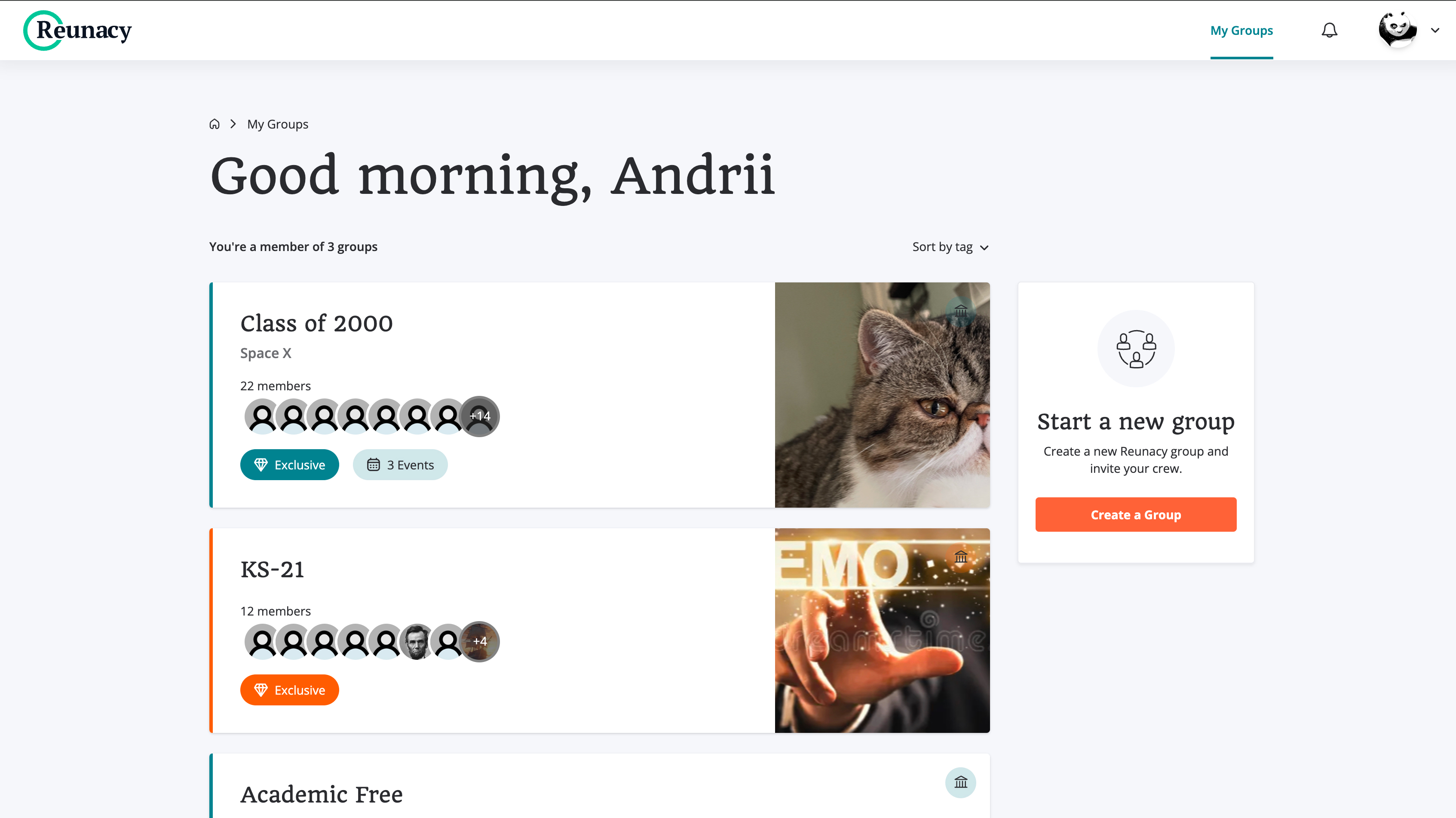
A member of several groups wants to see them at once and get into one group’s page.
My Groups lists each group with members, events and tags. The group page has tabs for members, information, events, photos and the message board, with administrators named beside the organiser’s instructions.
The Events tab is where the organiser plans the gathering.
Upcoming events are grouped by year, each with its date, time range and the number attending. Create new event sits beside the list.
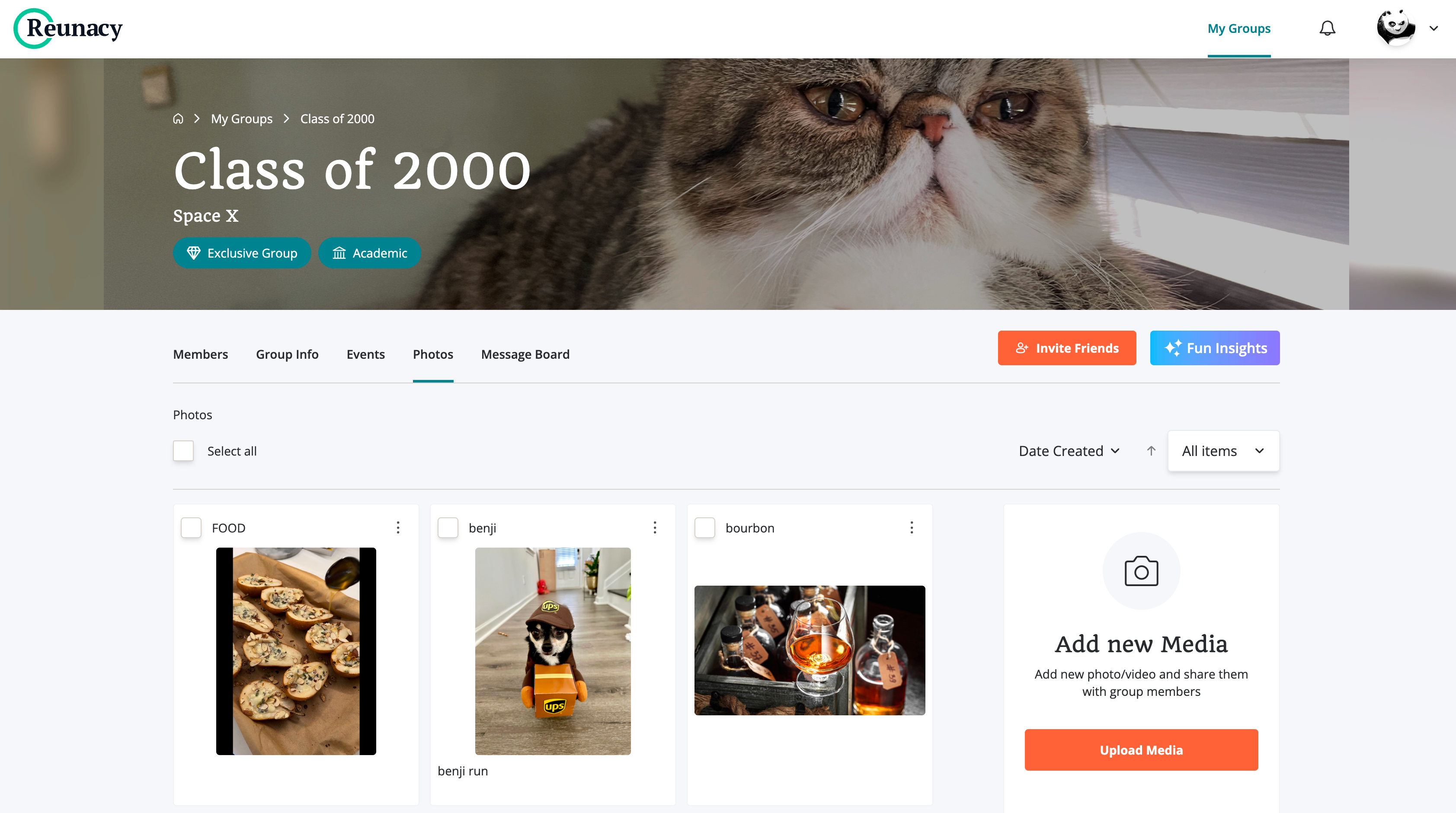
After the gathering, members can add photos and videos to the same group that holds the event plans.
Members upload media with a title and caption into the group’s gallery, sorted by date and filtered by type. Fun Insights offers AI prompts about the group and its people.
My Groups lists the groups a person belongs to with the number of members and events and tags such as Exclusive and Academic. Groups are sorted by tag, and a new group is created from the same page.
A free-text page for the organiser’s instructions with edit access, and a panel naming the administrators with their location. The Members tab shows each member with photo and city, an Admin badge, search, a print button and Invite Friends.
Organisers create events with dates and times, then review members’ invitation responses. Each event also appears on the message board with details and an option to decline.
Members post text, emoji and images. Posts and event reminders sit in one feed, with likes and replies on each.
Uploaded media with a title and caption, select-all, sorting by date created and a filter by type.
An AI panel inside the group with prompts: fun facts about the group, people you might want to chat with, a poem about the group’s name.
The group interface and the tools behind events, member forms and shared content.
Vue.js for the interface, Vuex for shared state, Vue-router for navigation. Written in TypeScript and styled with Tailwind CSS.
Vuelidate validates forms, Luxon handles dates and times, and Vue2-editor is the rich-text editor. Axios sends requests to the server.
The platform was built for reunions, but the same structure fits any closed group that meets:
Alumni associations, schools and family networks that organise reunions and gatherings.
Clubs, congregations and membership organisations that run events for a closed group.
Event organisers who need attendance, a message board and shared photos in one members-only place.
Communities that need private groups with their own administrators and privacy settings.
A first release usually covers groups with members and administrators, events with attendance and a message board. Photos, documents and AI prompts follow.
Tell us who organises your groups, who can join and what members do before and after an event. We will plan roles, events and shared content from that.
Plan a community platform