
Purchasing & suppliers
Supplier records, purchase approvals and expected receipts linked to the goods the business needs.
Connect purchasing, stock reservations, fulfilment and financial handoffs. We build the ERP workflows your business needs and integrate the systems you retain.
A custom ERP is worth considering when important workflows span departments, locations, or business units and cannot be supported by configuring existing software. We examine what to retain, integrate, and build before defining a replacement.
Supplier records, purchase approvals and expected receipts linked to the goods the business needs.
Available stock, reservations, fulfilment and returns connected to the same order, with shortages assigned for resolution.
Delivery records linked to orders and exchanged with accounting under agreed document, currency and reconciliation rules.
Roles, approval limits and action history that show who may change a record and who resolves an exception.
We map products, suppliers, stock, orders, balances and the history to retain. Trial transfers check records, relationships and totals before we agree the cutover, parallel operation and recovery steps.
We build reports on late orders, stock available after reservations and approvals awaiting action. Reports can run in the ERP or your BI environment; calculation rules and selected totals are checked against source records.
A distributor keeps customers in a CRM, orders in spreadsheets and stock in a warehouse tool. We start with one complete order workflow, connecting the systems the team keeps.
Customer, items and agreed terms in one record.
Allocate available quantities and assign any shortage for review.
Link shipped quantities and documents to the order.
Make open quantities, delays and responsible people visible.
We agree identifiers, record ownership and update frequency. Trial imports check totals, failed exchanges, restricted access and overdue-order reports before the pilot enters daily use.
The pilot starts with one team. Our delivery lead prepares checks and recovery steps; your operations owner accepts the scenarios and approves launch. Together we assign first-week support and decide when to retire the old workflow.
Before daily use, agree warranty fixes, paid support, hosting, access and documentation. Extra warehouse workflows and forecasting can follow in later releases.
A custom ERP is worth considering when a standard product cannot support your operations. We help you compare the options.
Explore purchasing, stock and financial workflows in GBA, and structured engineering records and reporting in LENS Data Explorer.
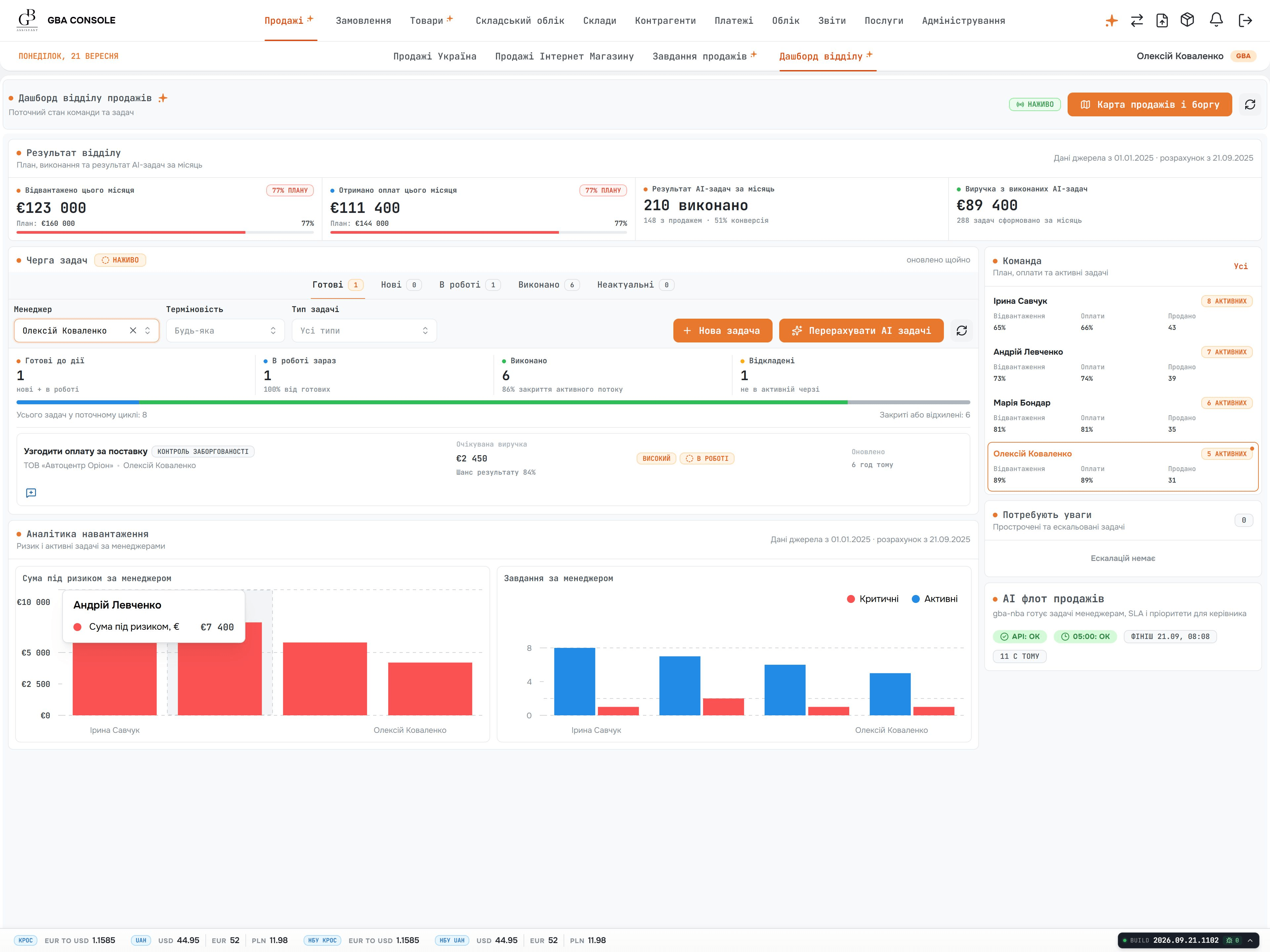
ERP and CRM for trading businesses, bringing purchasing, sales, warehouse operations, delivery and settlements into one system. Shared order, stock and payment records help teams coordinate their work, cross-border operations and multi-currency accounting.
Explore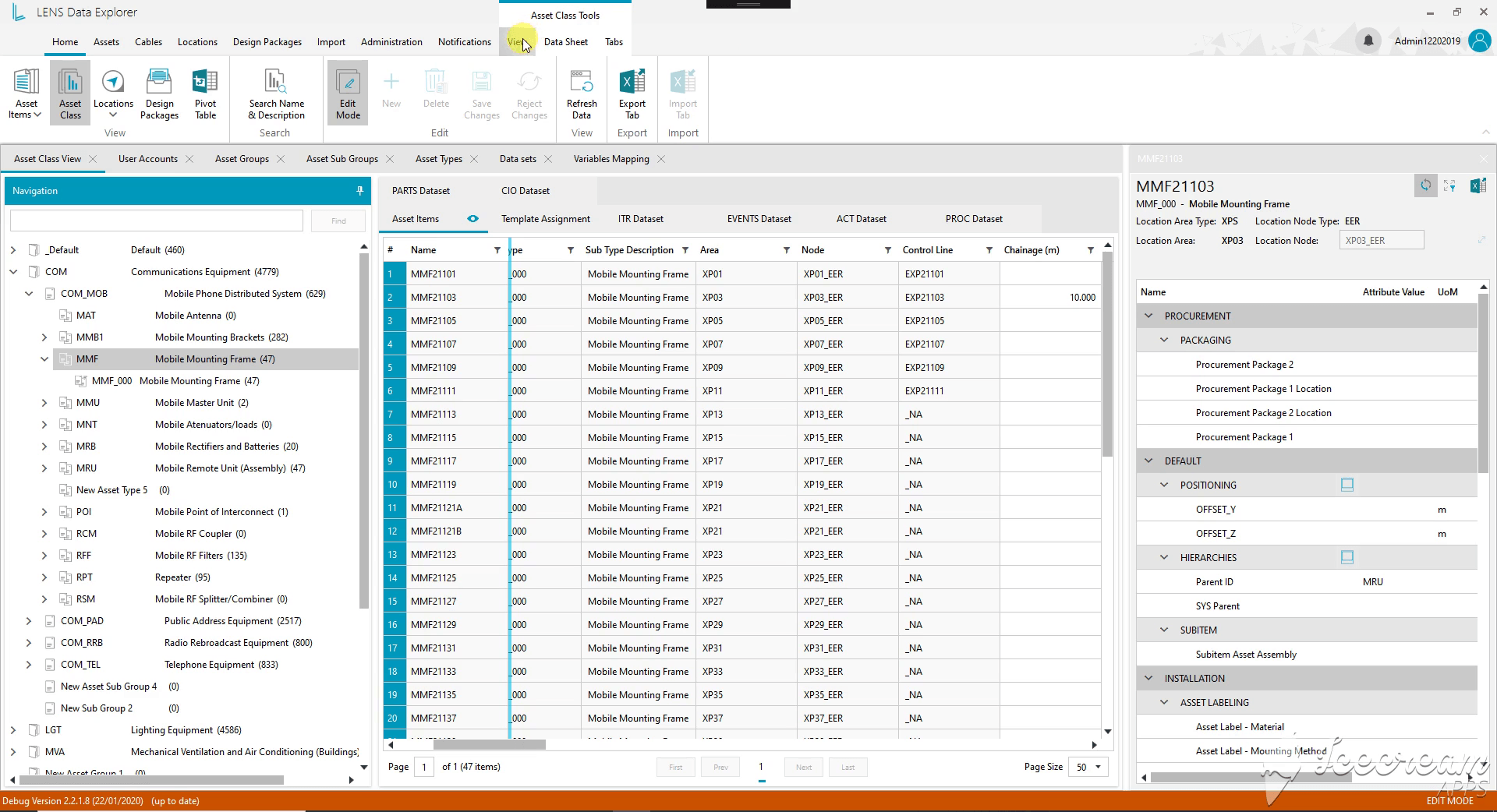
An engineering data platform for WestConnex New M4 Tunnels in Sydney. Asset hierarchies, equipment, cable networks, drawings and revision history share one working environment. Engineers locate components, inspect their connections and prepare reports from a common infrastructure model.
ExploreFollow one order through retries, late updates and conflicting data before defining your own exchange.
Compare order and stock modules, define the accounting boundary and include the work needed for rollout.
Compare configuring an existing product, connecting your systems, and building around distinctive operations.
Define sources, formulas, update times, and reconciliation for connected operational reporting.
Reporting definition templateDefine one operational loop, assign ownership and use evidence to decide when to launch or expand.
ERP pilot acceptance sheetReservations, partial deliveries, returns and financial handoffs change an ERP estimate even when the screen list stays the same. Scope the first order flow, the locations using it and the systems that remain. Include reconciliation and report acceptance alongside development.
For a full custom software project. We estimate your agreed scope before work begins.
An hourly team for evolving work, or a fixed price for a clearly defined module.
Paid support, hosting and third-party services are scoped separately from development.
Bring a normal order, one exception, stock rules and the accounting interfaces available. An operations or finance owner can help decide which results must agree before the new workflow enters daily use.
No. We assess which tools to retain, connect or replace around one complete operational process. The first release includes its required integrations and data checks. Other departments or locations can follow after the team has tested and accepted that workflow.
Yes, subject to source access and data quality. We agree the history to retain, run trial imports and reconcile records, relationships and balances with your data owners. Unresolved exceptions, cutover checks and recovery steps are recorded before the transfer enters daily use.
Often, yes. We inspect the report definitions and data connections, then decide whether to retain the tool, reconnect it or rebuild selected reports. Historical periods and control totals are compared before switching; any accepted changes to calculations or presentation are documented.
We agree each measure’s formula, dates and included records, then compare test results with underlying orders, stock movements or payments. Differences are investigated with finance or operations. Accepted examples become checks for later releases.
Yes, if it can operate with retained systems. We scope a complete process with its data, integrations, permissions and reports, pilot it with the affected team and resolve issues before rollout. Results from that release guide expansion to further departments or sites.
Operations and finance define who may change stock, approve exceptions and access financial records. We implement those permissions and action history, then test both allowed and blocked actions. Launch checks also cover infrastructure access, backups and monitoring.
Yes. We plan onboarding around the work each role needs to do, then prepare the agreed walkthroughs, instructions and administrator guidance. We help staff practise representative tasks before rollout and use their feedback to address confusing steps. Training and launch assistance are included explicitly in the delivery plan, so your team knows what help to expect.
Yes. We help arrange a support plan before release, with agreed coverage, a way to report issues and clear operating responsibilities. We can handle the agreed maintenance and help investigate problems, while reviewing user feedback with you for future improvements. Ongoing support and new features are priced separately, with the terms explained before the system enters daily use.
Share your processes, the systems you use today, and what you want to improve first. Our CEO normally leads the first discussion of possible approaches and what needs investigation before an estimate.
Europe, USA, Canada & Australia