Each review type uses an agreed questionnaire
Questions and score explanations are set once for each review type. Every company assessed with that review answers the same questions and is scored on the same bands.
Questionnaires and report textWe turned a consultancy’s assessment method into a web platform. A client company answers the questionnaire, receives a scored report and gets a list of actions, each with an owner and dates. The questions and the report wording are the consultancy’s own, and its staff edit them on the platform.
What changes for the teamDeveloped from March to July 2019
The consultancy uses structured reviews to assess how a business earns revenue, manages profit and develops its people. Each review type has its own questions and scoring explanations.
The platform keeps each client’s completed reviews, and every result shows how the score has changed.
Development of the web platform on ASP.NET Core and React.
Consultants set up and run the reviews. Client owners read the report and follow their actions.
Questions and score explanations are set once for each review type. Every company assessed with that review answers the same questions and is scored on the same bands.
Questionnaires and report textThe stored rules pick the text for each score band and fill the report’s charts. The consultant downloads the report for the client.
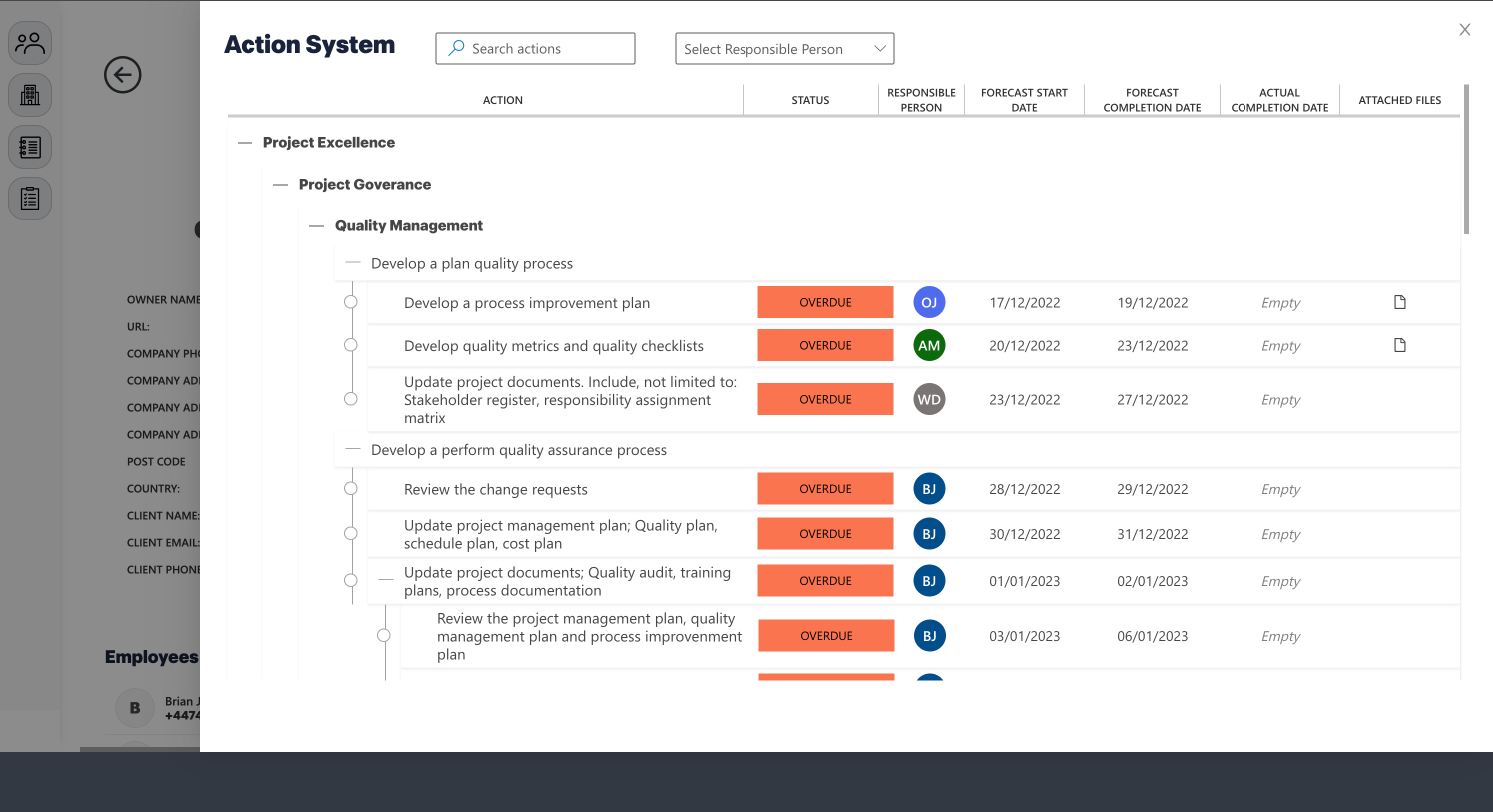
Results and actionsEach recommended action carries a responsible person, forecast and actual dates and files. Overdue items are marked, and the consultant filters the list by person.
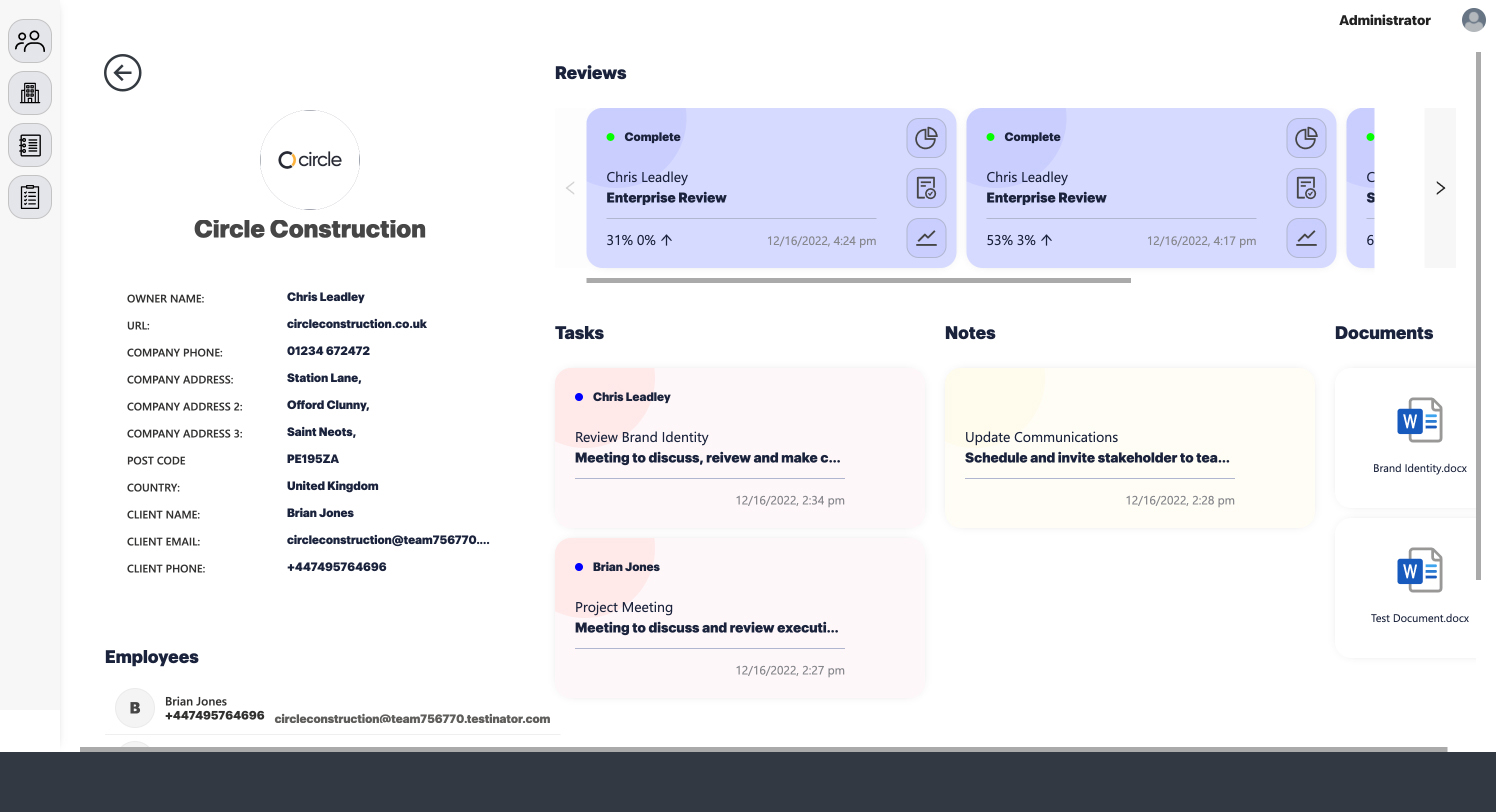
Results and actionsReviews, tasks, notes, documents, contacts and employees sit on the client dashboard, so a consultant sees the history of a client before opening a new review.
Client recordsA consultancy’s report leads to agreed work for the client. Consultants need to see who owns each action and how planned dates compare with recorded completion.
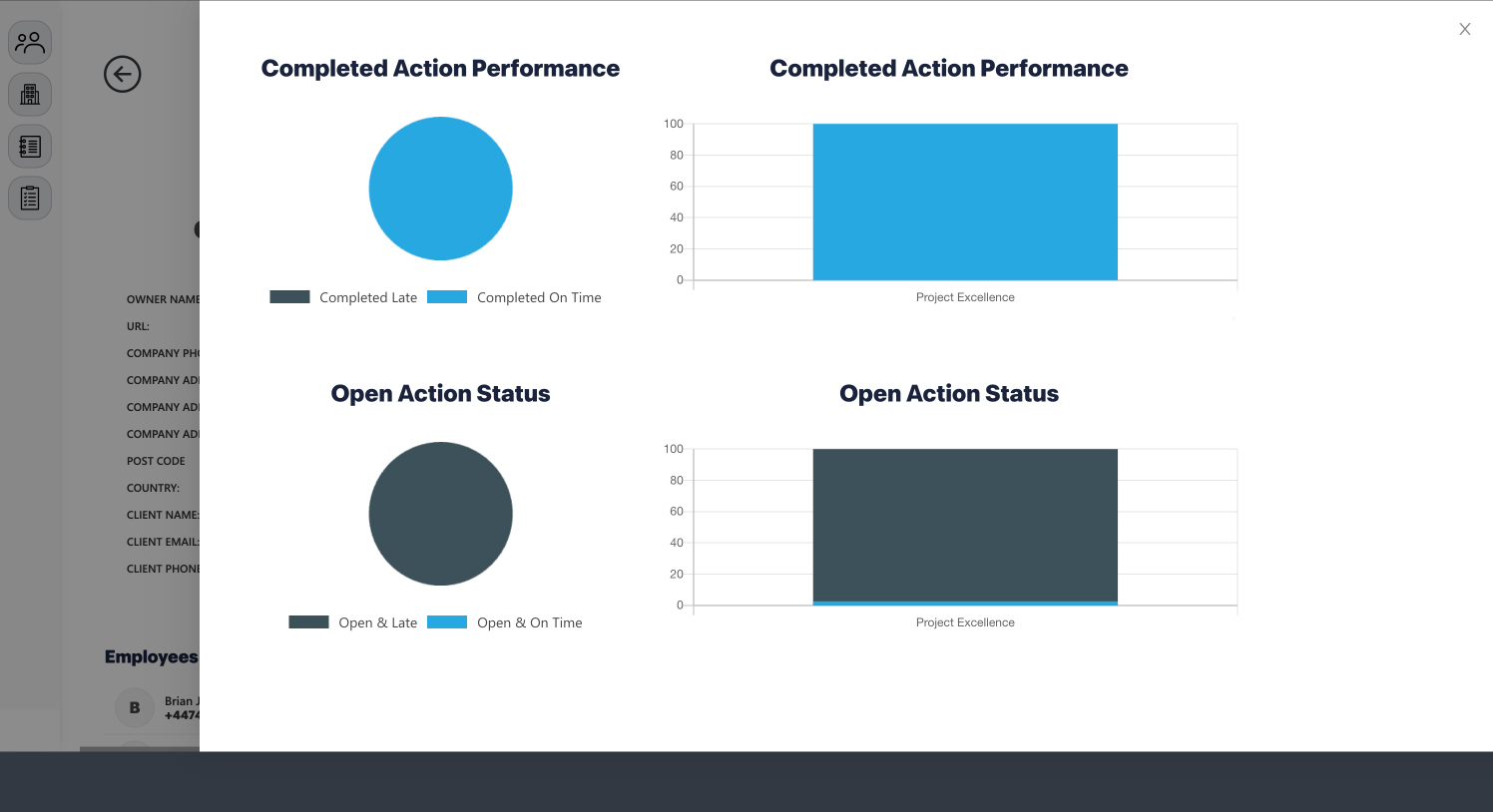
The action system keeps two sets of dates for every action: forecast start and completion, and actual completion. A performance view charts completed actions as on time or late and splits open actions by status.
See the report and assigned follow-upDescribe how you follow up after a report today: who owns each action and how you learn it is done. We will suggest the action record and statuses to start with.
The client dashboard shows company details, contacts and employees, completed reviews with their scores, tasks, notes and documents.
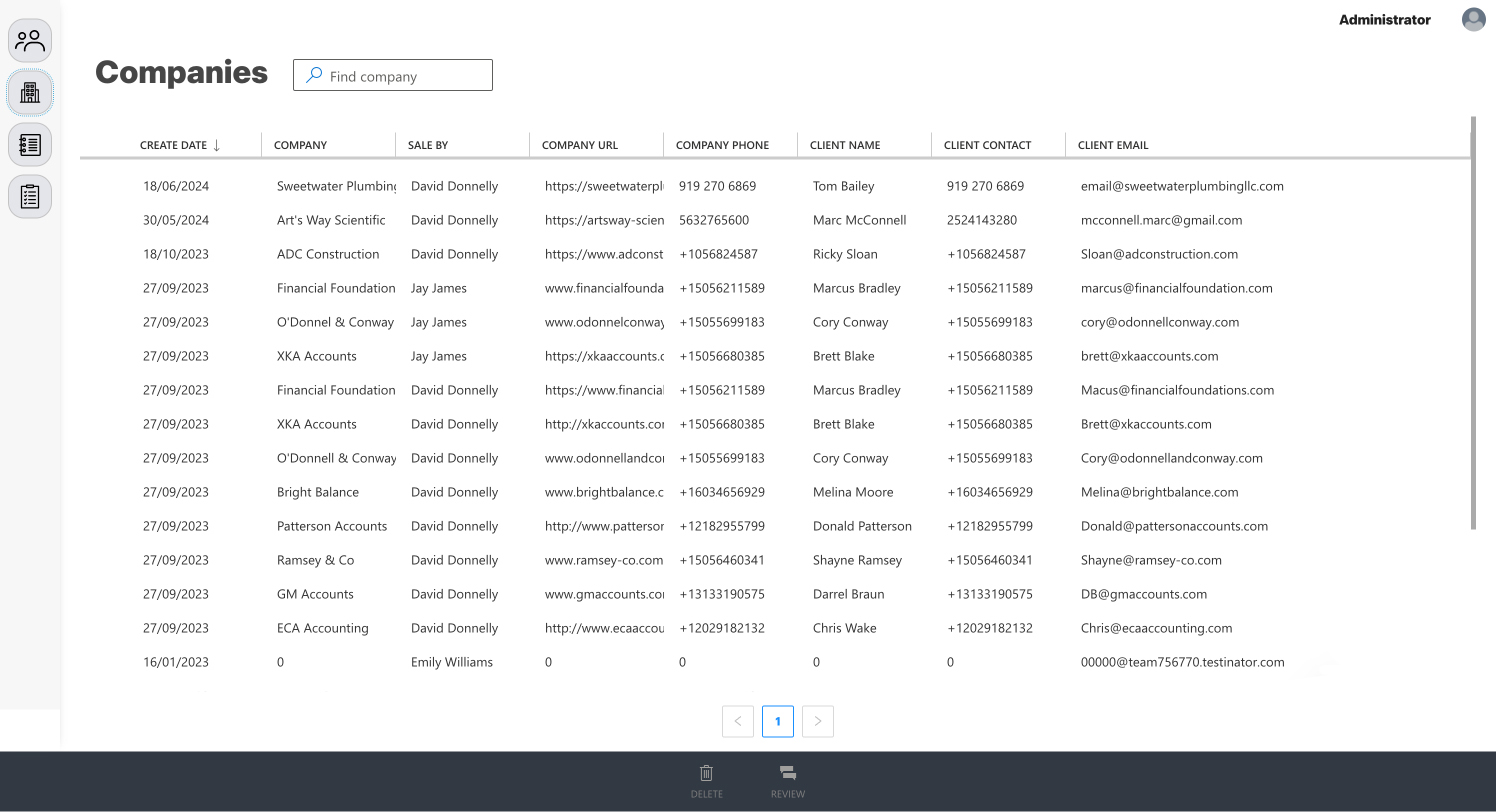
The company register lists every client with its creation date, the consultant who sold the review and contacts.
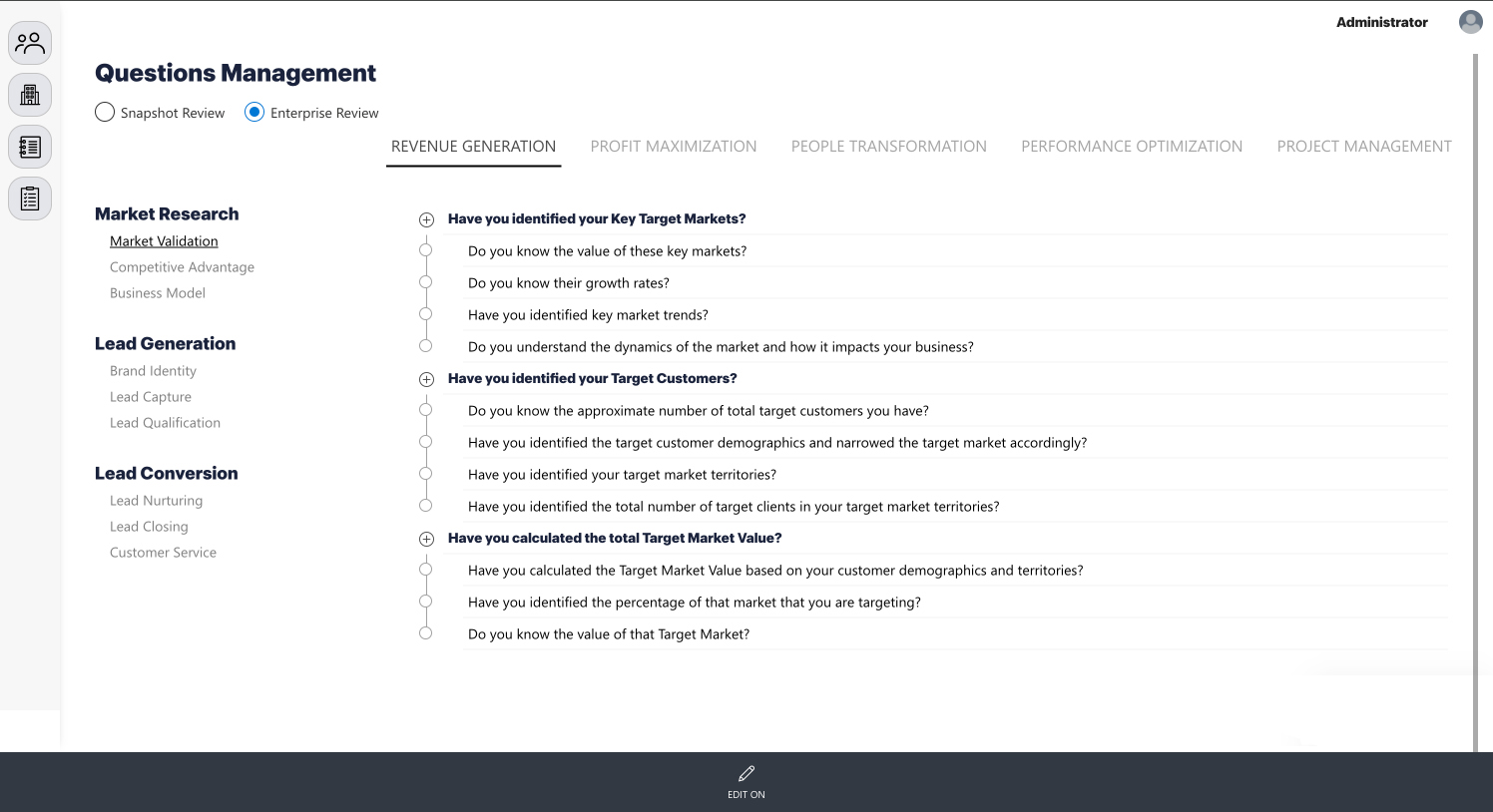
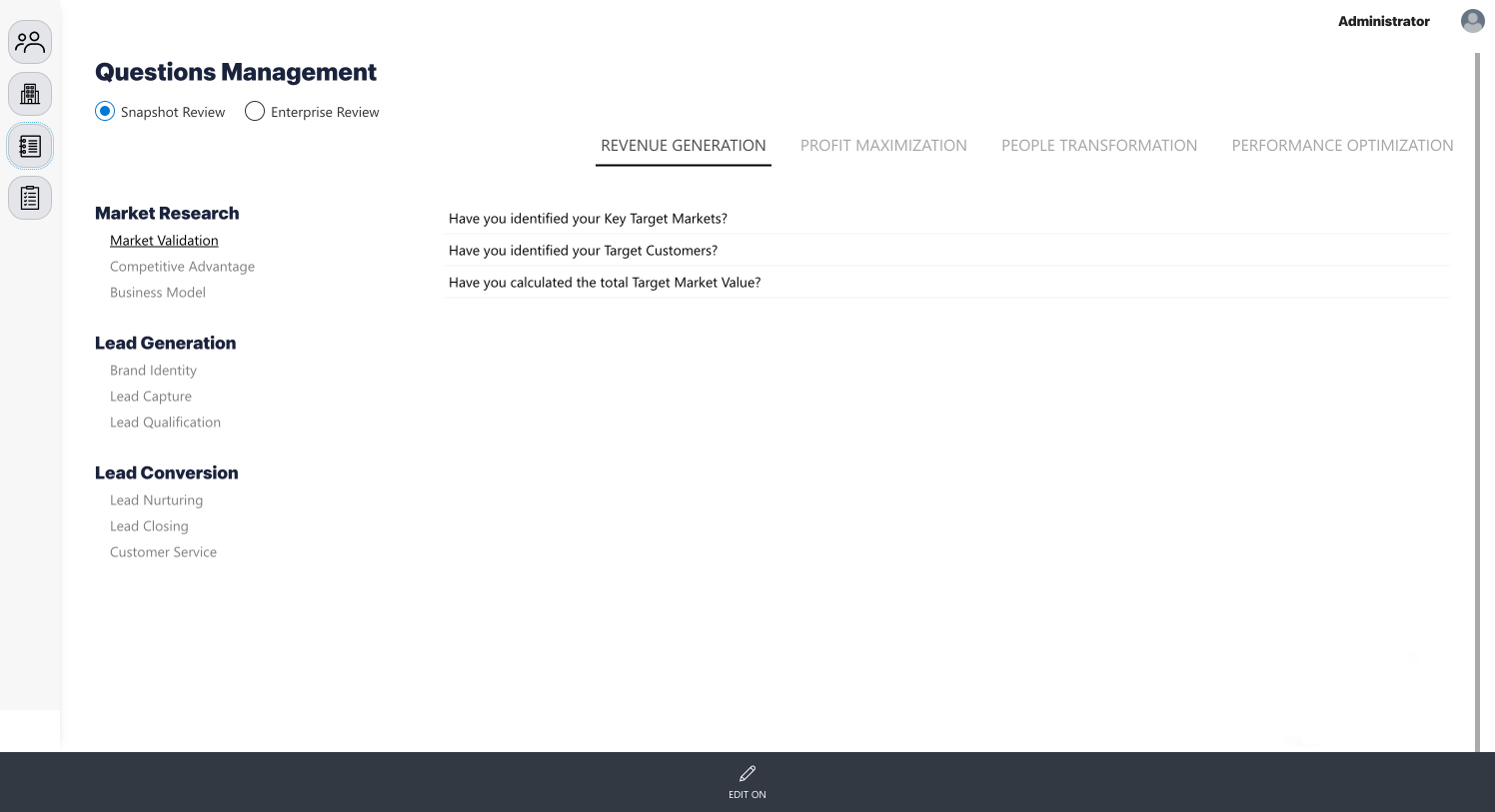
Questions are grouped in tabs by business area: revenue, profit, people, performance and project management. Enterprise Review adds supporting questions under each main one.
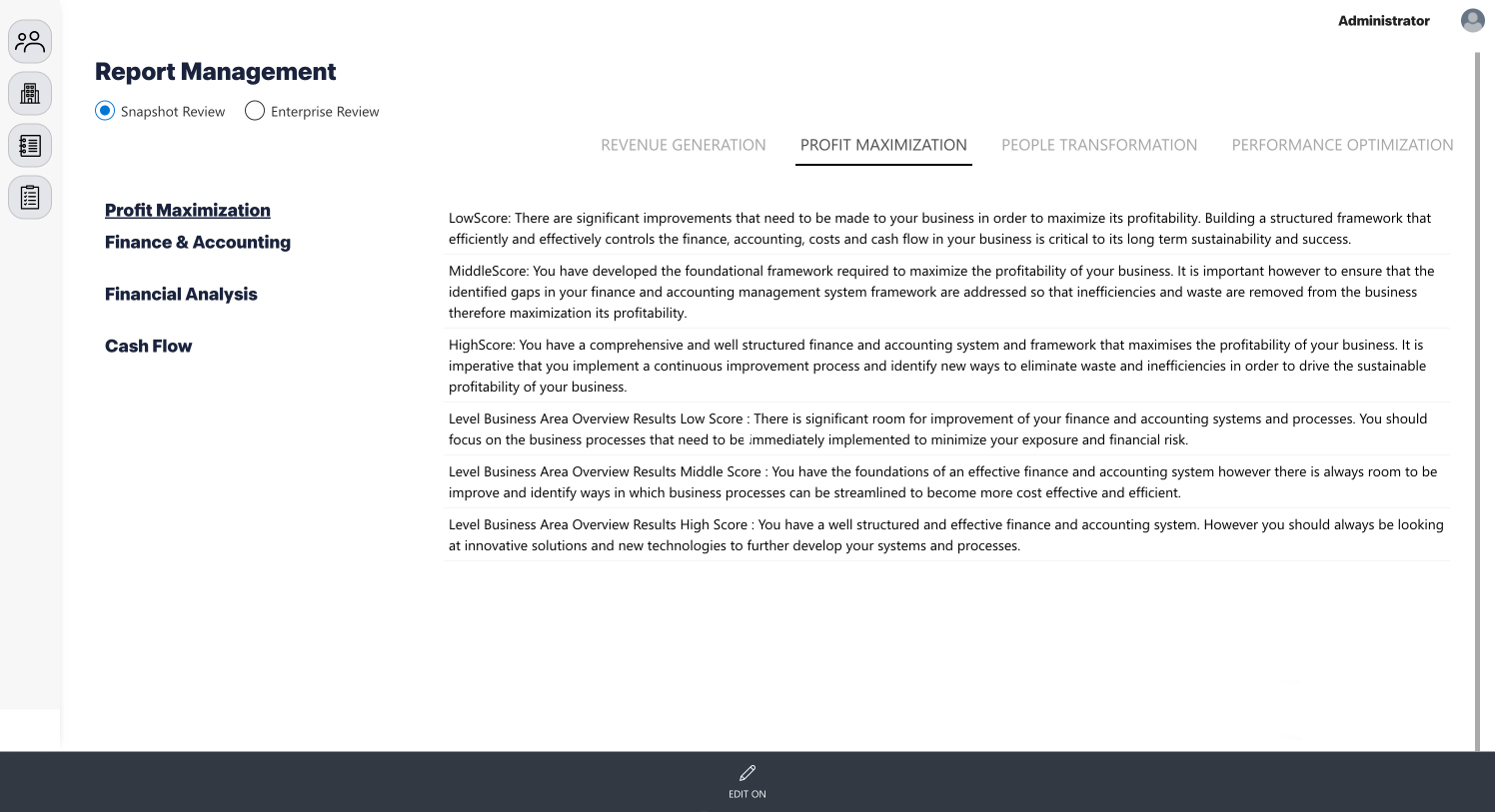
Consultants edit the questions and, for each area, the text the client reads for a low, middle and high score.
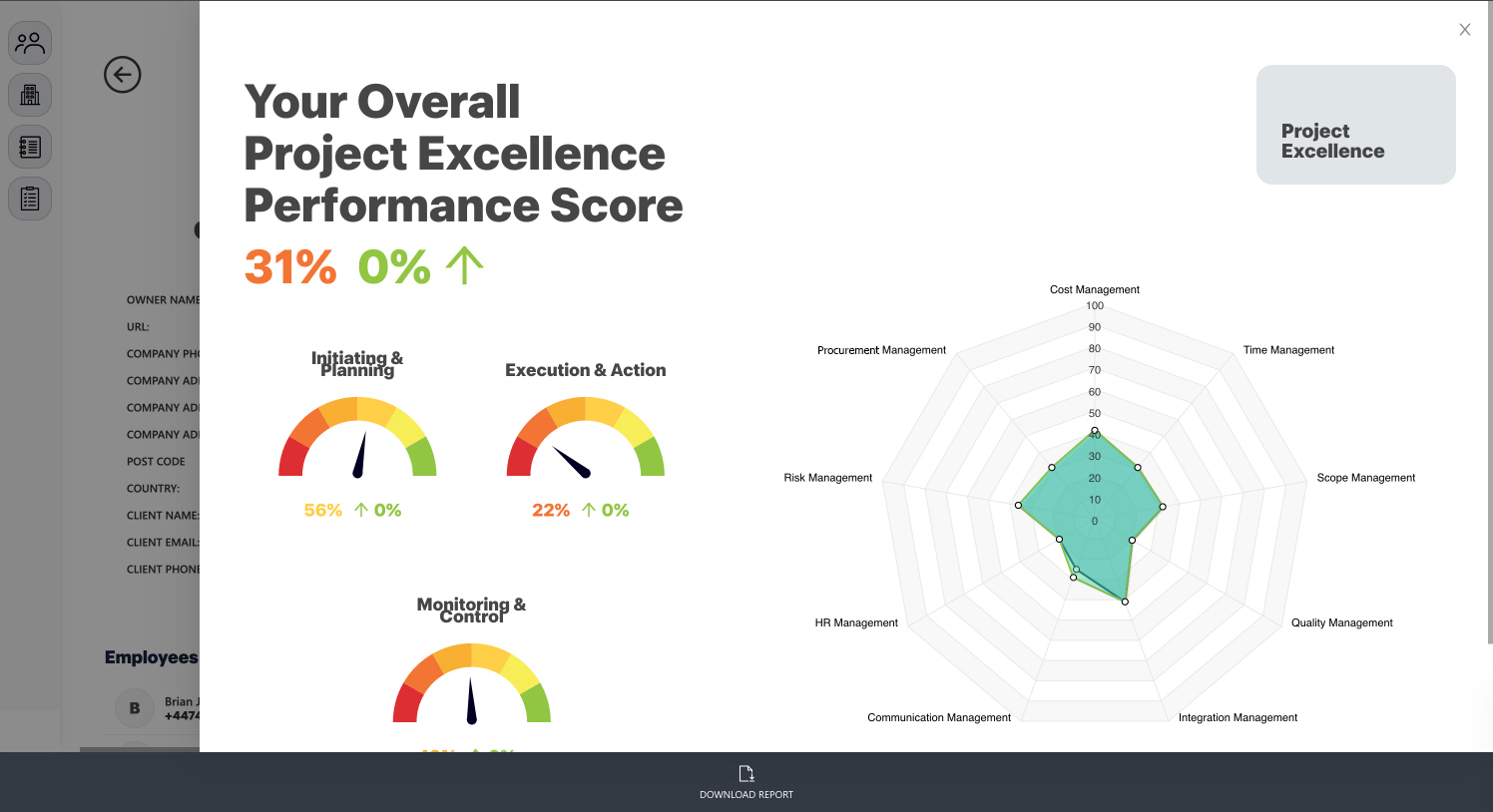
The project-management report shows the overall score, a gauge for each process stage and a radar chart of the management areas.
The recommended actions that follow from the report are tracked in the action system.
Before another review a consultant opens the client’s earlier scores, agreed tasks and documents. Company contacts and employee records are on the same dashboard.
Two review depths share one structure. Snapshot Review asks the core questions in each area; Enterprise Review adds supporting questions under each one and a fifth area, project management. Questions are managed per area and sub-area in edit mode.
For each area and sub-area the consultant writes the text shown for a low, middle and high score, both for the overall result and for the business-area overview. The generated report reads from these texts.
The result page shows the overall score with its change, a gauge per process stage (initiating and planning, execution and action, monitoring and control) and a radar chart across the management areas. The report can be downloaded.
Actions are grouped by assessment area, sub-area and process, each with a status, responsible person, forecast start and completion dates, actual completion date and attached files, filtered by person or search. The performance view charts completed actions on time or late and open actions by status.
A .NET and React application for business assessments and reporting.
The web interface: React with Redux, written in TypeScript.
ASP.NET Core services in C#. Dapper and Entity Framework read and write the SQL database.
The platform was built for one consultancy, but the same structure fits any organisation that runs structured assessments for clients:
Management and business consultancies that assess clients with a fixed questionnaire and a scored report.
Audit, certification and compliance providers whose findings turn into actions with owners and deadlines.
Franchise networks and industry bodies that benchmark member companies with one method.
Advisory firms that want a short and an extended version of the same assessment.
A first release usually covers one questionnaire, its scoring rules and a sample report, built from the method your consultants already use.
Send us your questionnaire, scoring rules and a sample report. We will tell you what a first release would include and what can wait.
Discuss your assessment platform