Leads arrive with their campaign
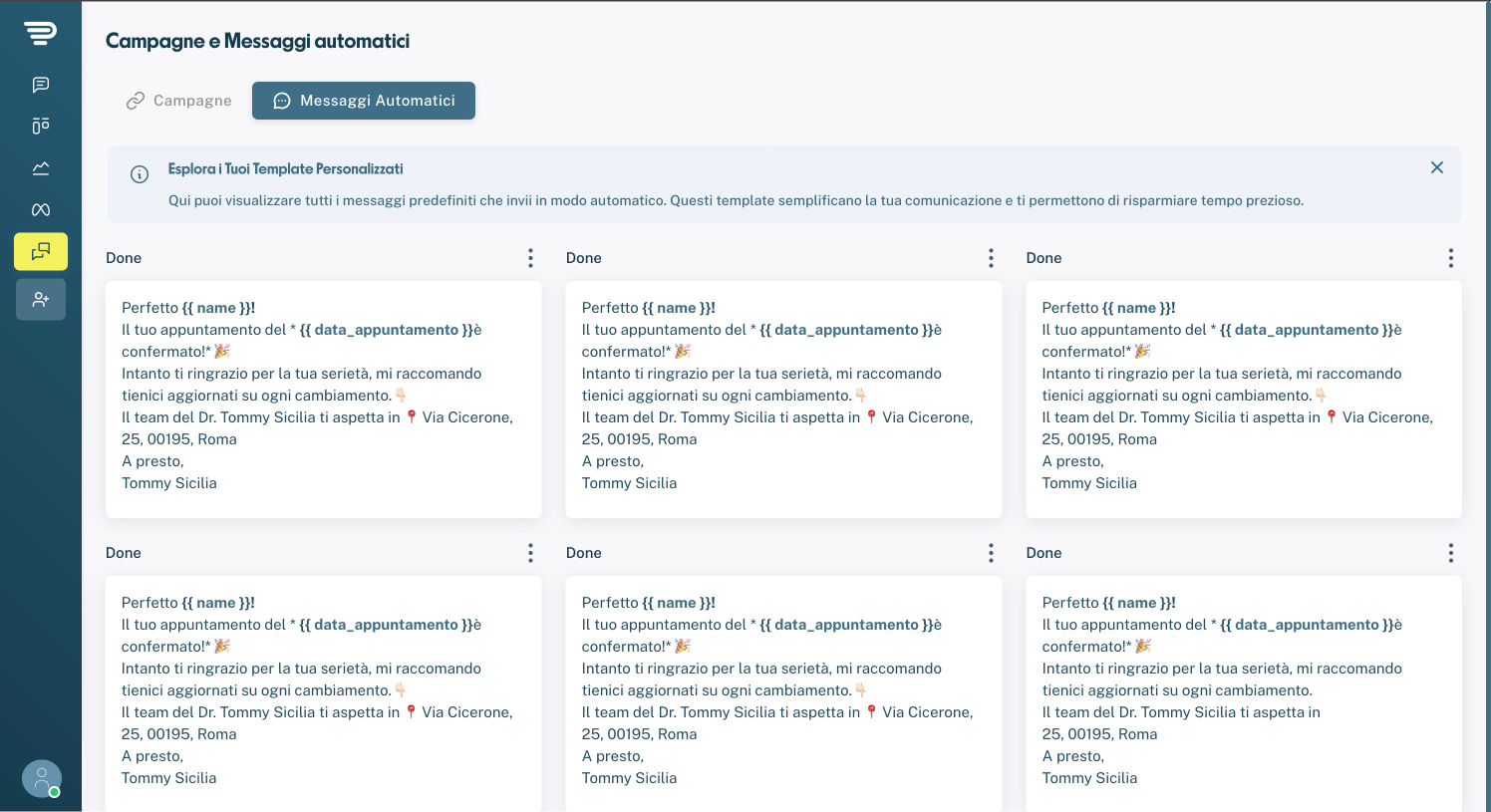
Each lead is imported with the campaign and the offer it responded to. The first message is a WhatsApp template that fills in the contact’s name.
Campaigns and message templatesWe built Pipelean, a CRM for businesses that collect leads with Facebook ads. Sales staff answer each lead on WhatsApp, call and book an appointment. Owners see leads, appointments, acquired customers and revenue by campaign.
What changes for the teamDeveloped from October 2023 to April 2024
A lead from a Facebook ad has answered one particular offer. Handled by hand, such leads got late and inconsistent replies.
The work ran across Meta lead ads, WhatsApp, phone calls and Slack notifications. The team needed all of it in one workspace.
Development of the CRM web application with lead import from Facebook, WhatsApp conversations, message templates and Slack and WhatsApp notifications.
Three changes for sales staff and one for the owner.
Each lead is imported with the campaign and the offer it responded to. The first message is a WhatsApp template that fills in the contact’s name.
Campaigns and message templatesThe chat, the stage, the appointment and the tasks are side by side. Staff answer, schedule a call and fix the appointment without leaving the conversation.
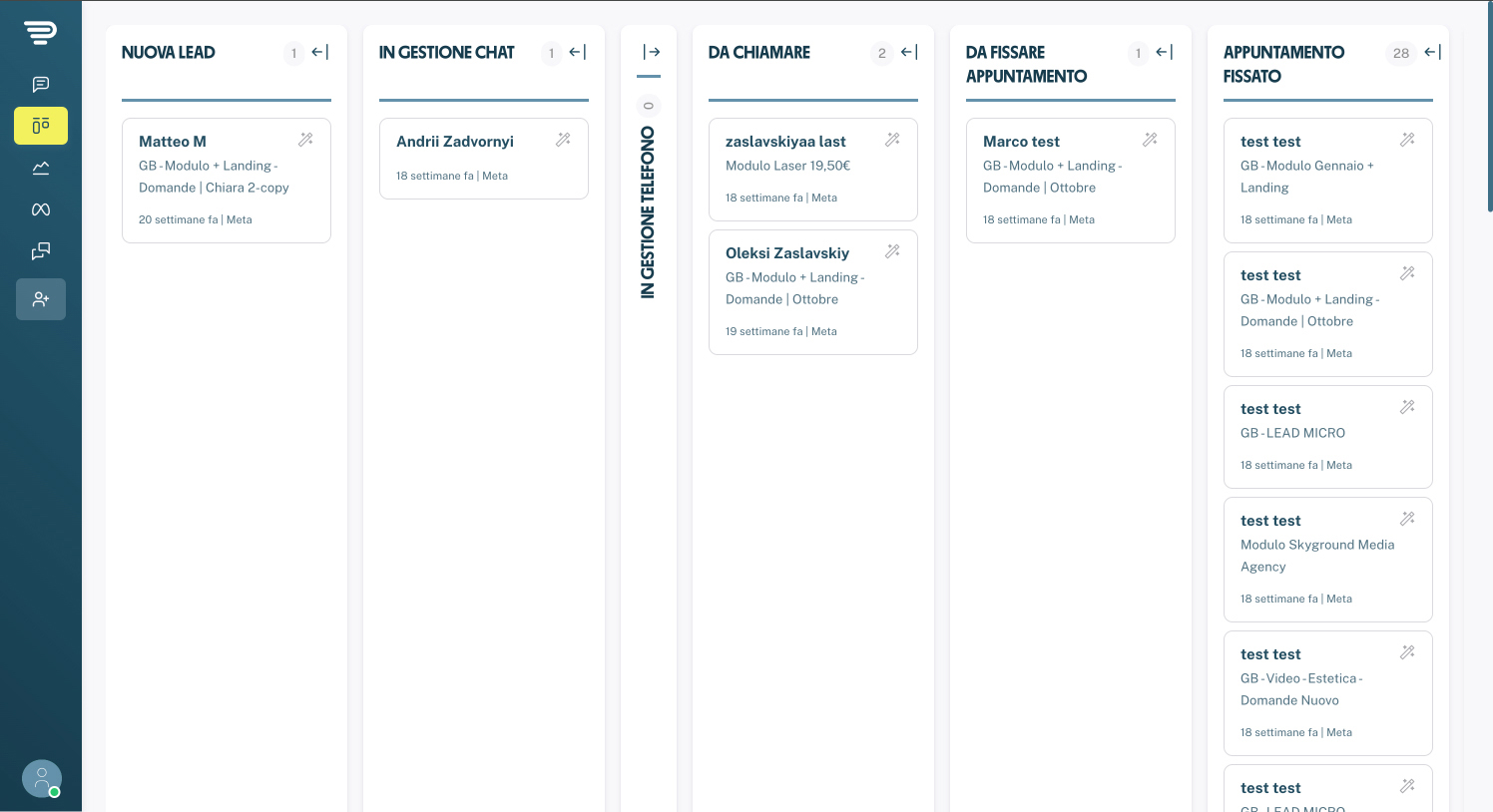
ConversationsThe board groups leads by sales stage and shows how many weeks old each enquiry is. Two of its columns hold the leads to call and the appointments still to fix.
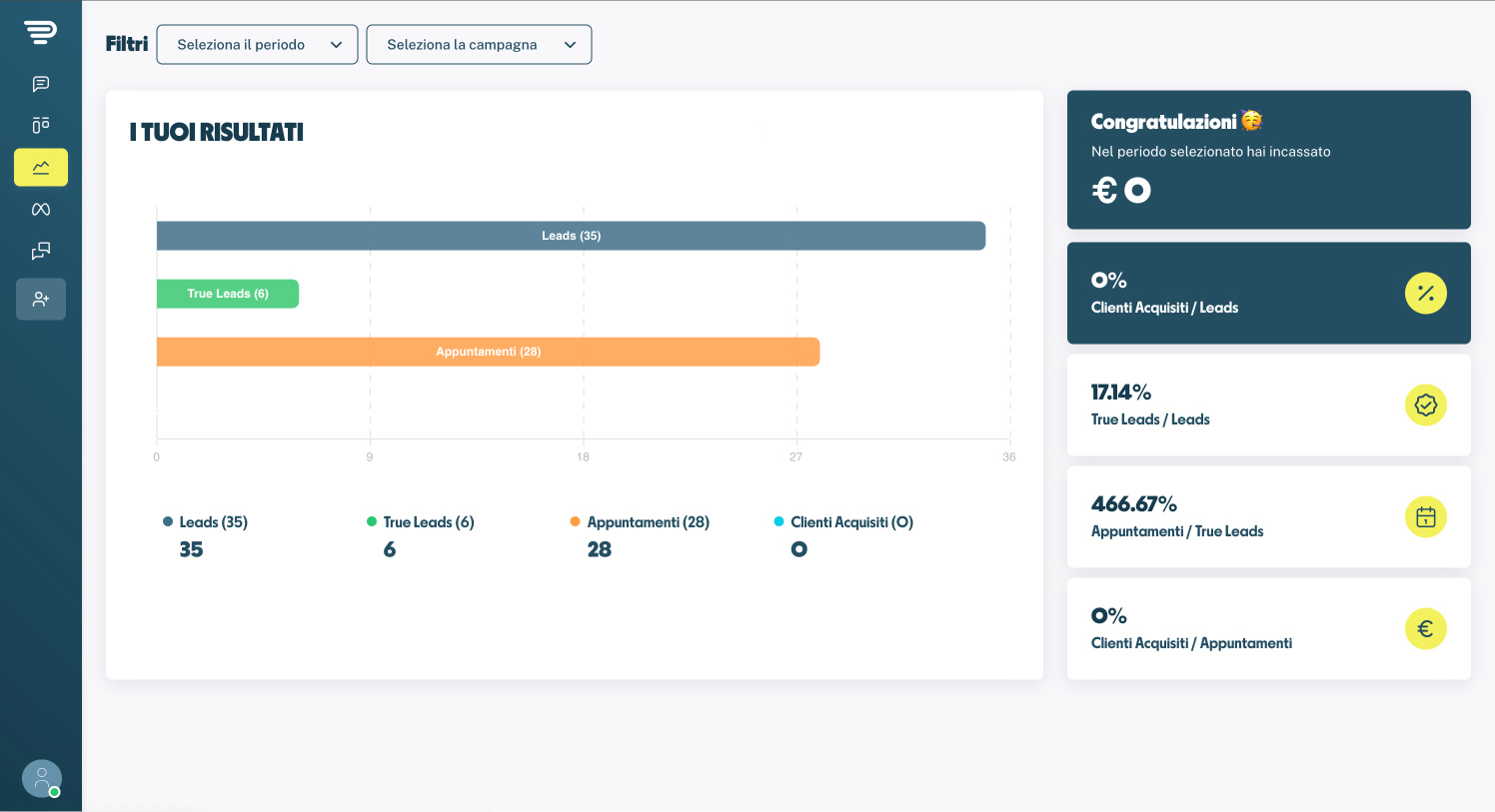
Pipeline and reportsThe owner picks a period and a campaign and sees leads, appointments, acquired customers and the revenue collected.
Pipeline and reportsA salesperson replying to an ad enquiry needs to know the offer that prompted it and what has already been arranged with the contact.
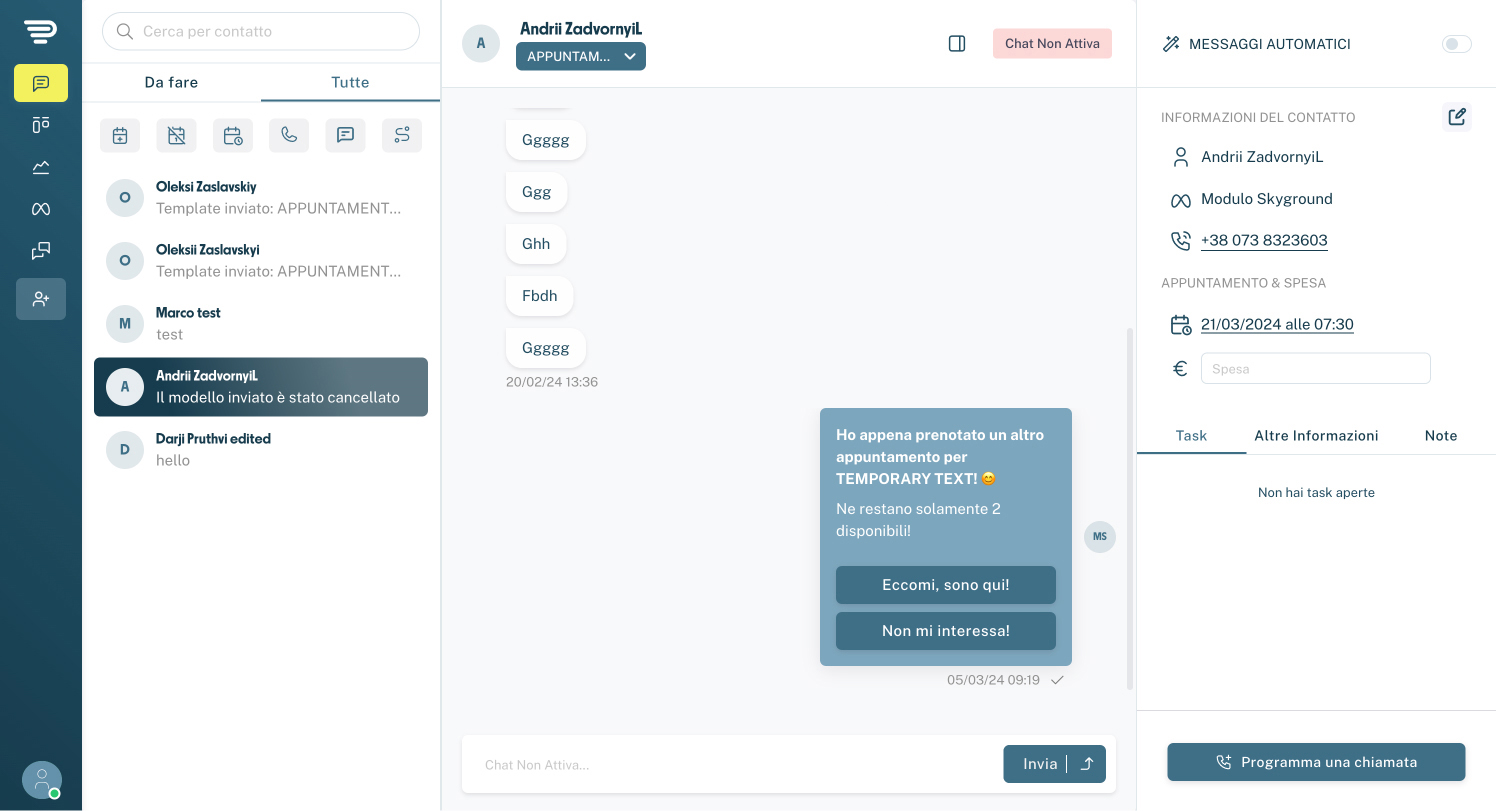
Both are on the conversation screen. Next to the chat are the contact’s campaign, phone, sales stage and appointment, with tabs for tasks, other information and notes. A button schedules a call, and a switch turns automatic messages on or off.
See the conversation screen and the inboxTell us what your salespeople look up before they reply to a lead. We will tell you what to put beside the chat and which stages the board needs.
Leads come from several Meta campaigns, and each campaign needs its own first message.
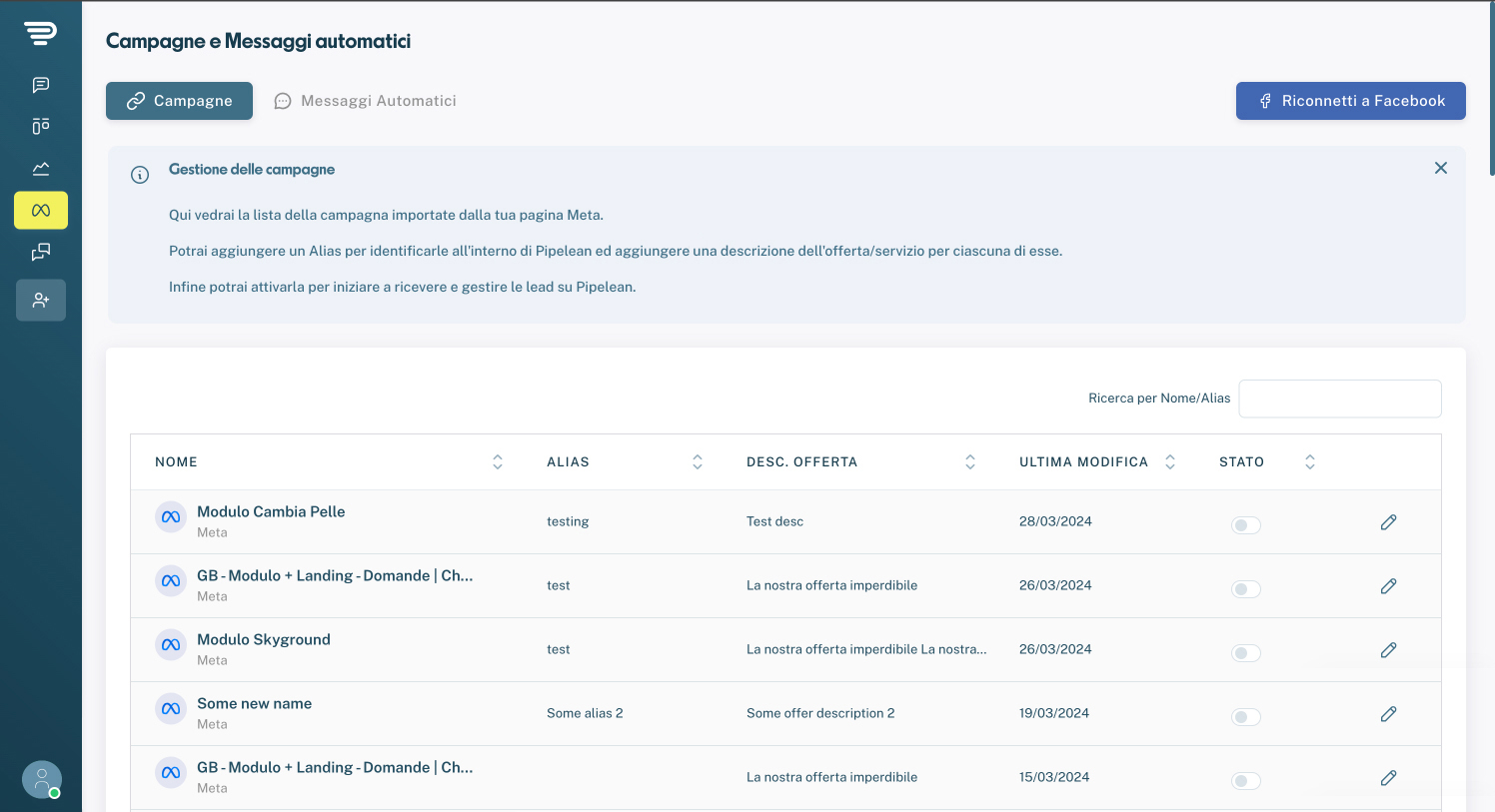
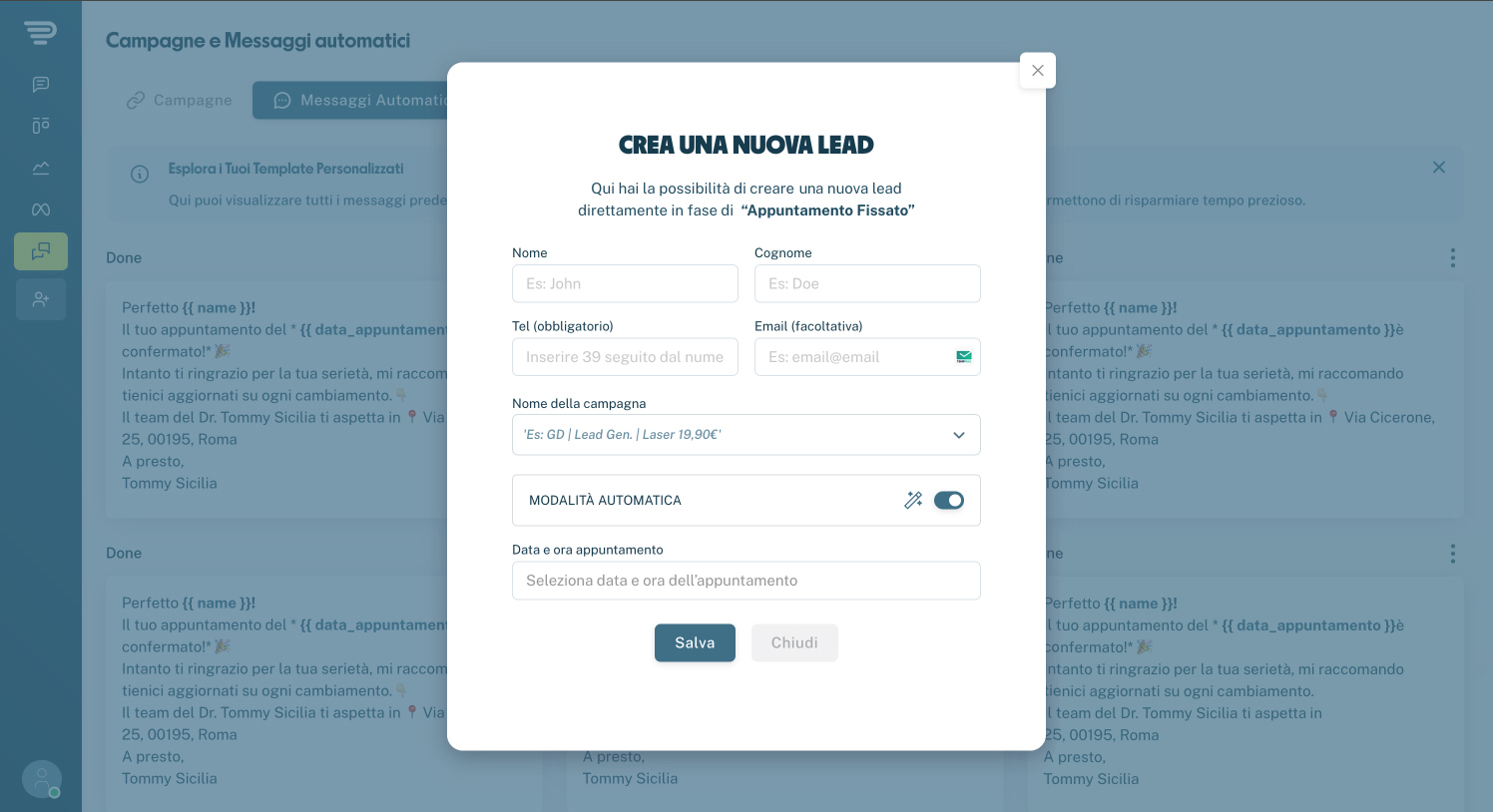
The campaign list comes from the Facebook page. A switch on each campaign turns lead processing on or off. Staff set a message template for each scenario and enter by hand a lead that arrived outside the ads.
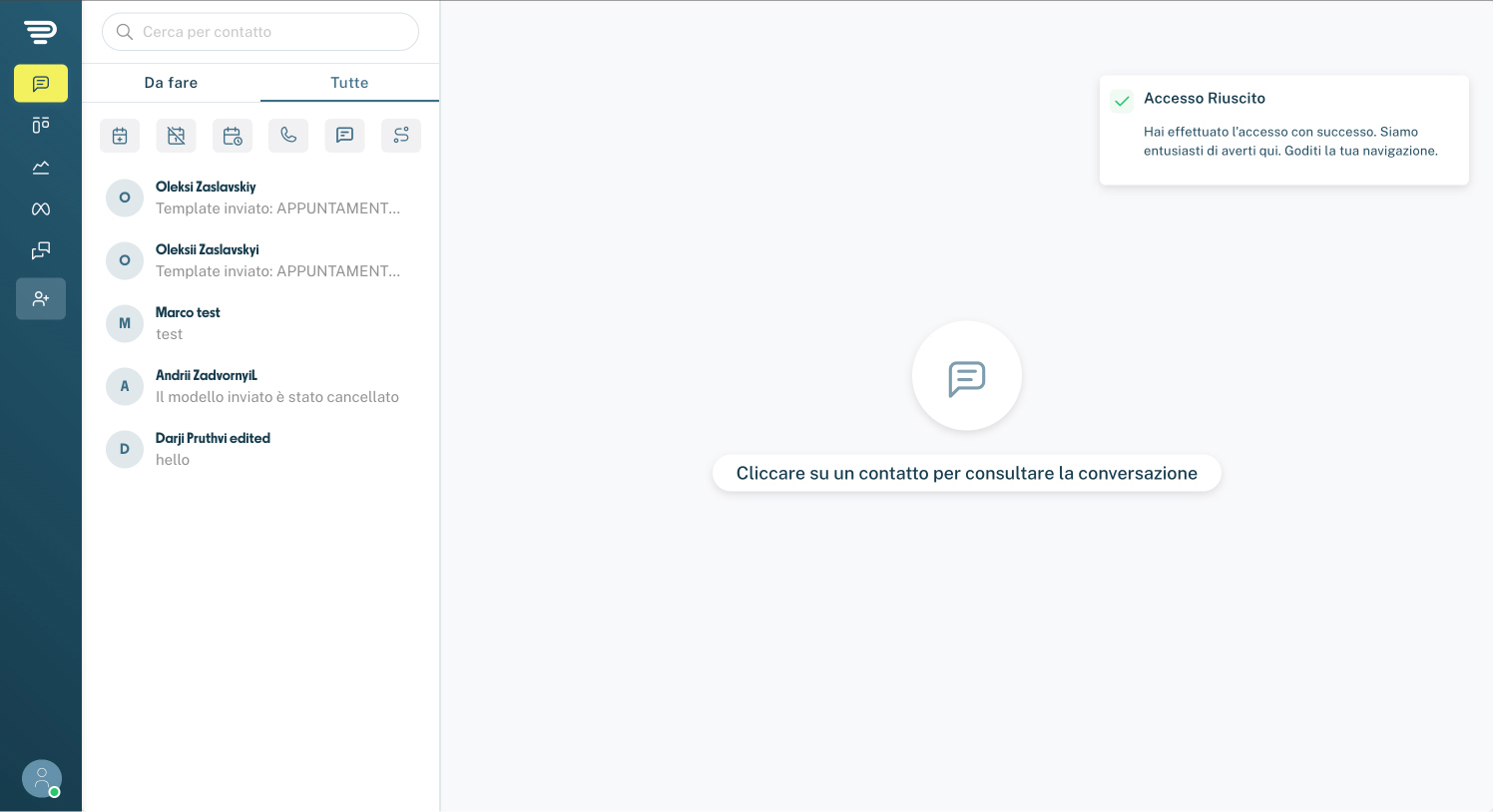
The inbox lists contacts with their latest message, under two tabs: chats to do and all chats.
Search and filters by appointment, call and note narrow the list. Opening a contact shows the chat, with the campaign and the appointment beside it.
The owner wants to know how many leads wait at each stage and which campaigns produce appointments and customers.
The board has a column per stage with a count and a card per lead with its campaign and age. The results page shows bars for leads, true leads, appointments and acquired customers and the conversion between each pair of stages.
The campaign list imported from the Facebook page, with a name, an alias for use inside Pipelean, the offer description, the date of the last change and a switch that turns lead processing on or off. A button reconnects the Facebook account.
Template cards for each scenario, with variables for the contact’s name and the appointment date. Templates are sent as WhatsApp messages with reply buttons, and the team receives Slack and WhatsApp notifications about new leads and orders.
A contact list with tabs for chats to do and all chats, search and filters by appointment, call and note. The conversation shows the chat beside the contact’s campaign, phone, sales stage and appointment, with tabs for tasks, other information and notes, a button to schedule a call and a switch for automatic messages.
Columns for new leads, chats in progress, calls in progress, leads to call, appointments to fix and appointments fixed, each with a count. A card shows the contact, the campaign, the source and how many weeks old the enquiry is.
A form for leads that arrive outside the ads: name, surname, phone, email, campaign, an automatic-mode switch and the appointment date and time. The lead is created straight at the appointment stage.
Filters by period and campaign. Bars for leads, true leads, appointments and acquired customers, the conversion between each pair of stages and the revenue collected in the period.
A React workspace in the browser, an ASP.NET Core API with Azure SQL and messaging through Gupshup.
The browser workspace is built with React and Next.js, with Redux for state and Material UI components.
C# and ASP.NET Core 7 implement the application API. Entity Framework connects it to Azure SQL, with Azure Blob Storage for files and Azure Redis Cache for caching.
Leads come from Facebook Lead Ads, messages go through Gupshup. SignalR updates the browser live. Notifications go to WhatsApp and Slack.
The CRM was built around Facebook leads and WhatsApp, but its rules are common to small sales teams that answer enquiries from several channels:
Clinics, studios, schools and service businesses that book appointments from Facebook and Instagram ads.
Small sales teams that answer leads on WhatsApp and by phone and need one queue with stages.
Agencies that run lead campaigns for clients and report appointments per campaign.
Businesses with several enquiry channels, such as ads, website forms and calls, that want one pipeline.
A first release usually covers lead import, the WhatsApp conversation and the pipeline board; templates, notifications and campaign reports follow.
Show us how a lead reaches your team today: where it comes from, who answers first and over which channel. We will suggest the first integration to build.
Connect your lead workflow