

Invite and authenticate
Clients sign in through Microsoft Entra ID, Okta or MFA invite links, scoped strictly to their company and assigned projects.
Give clients a secure account to submit requests, upload documents and track approvals while your team manages reviews, permissions and integrations in the same platform.
Clients upload documents, answer review comments and download approved results in their account while staff manage deadlines and exceptions in the operator console.
Clients sign in through Microsoft Entra ID, Okta or MFA invite links, scoped strictly to their company and assigned projects.
Your team issues structured tasks with templates and due dates, and clients attach required files directly to the record.
Reviewers inspect submissions, return incomplete files with comments or approve completed items with full version history.
Approved orders, invoices or signed documents sync with your CRM, ERP or SharePoint storage while every action is logged.
Your CRM, ERP, identity provider and document storage stay the system of record for what they already manage. We migrate agreed client accounts and open tasks in a trial run first, verifying permissions and record links before launch.
Give managers a live view of overdue client requests, returned documents and unmatched partner files, backed by an append-only audit log of logins, uploads, downloads, approvals and permission changes.

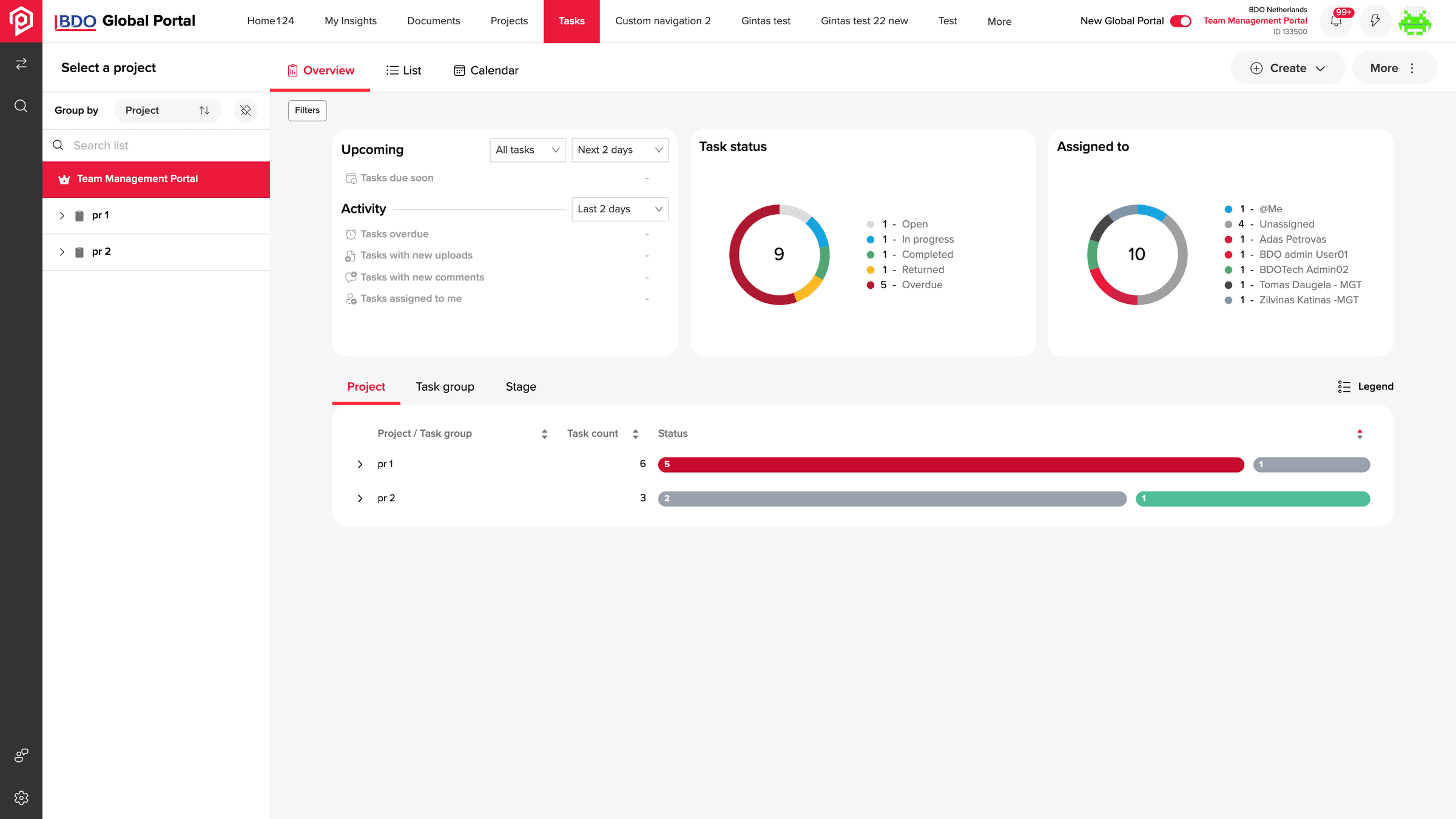
BDO teams request documents from clients as tasks in one portal. Clients upload files, and reviewers complete each task or return it with a comment.

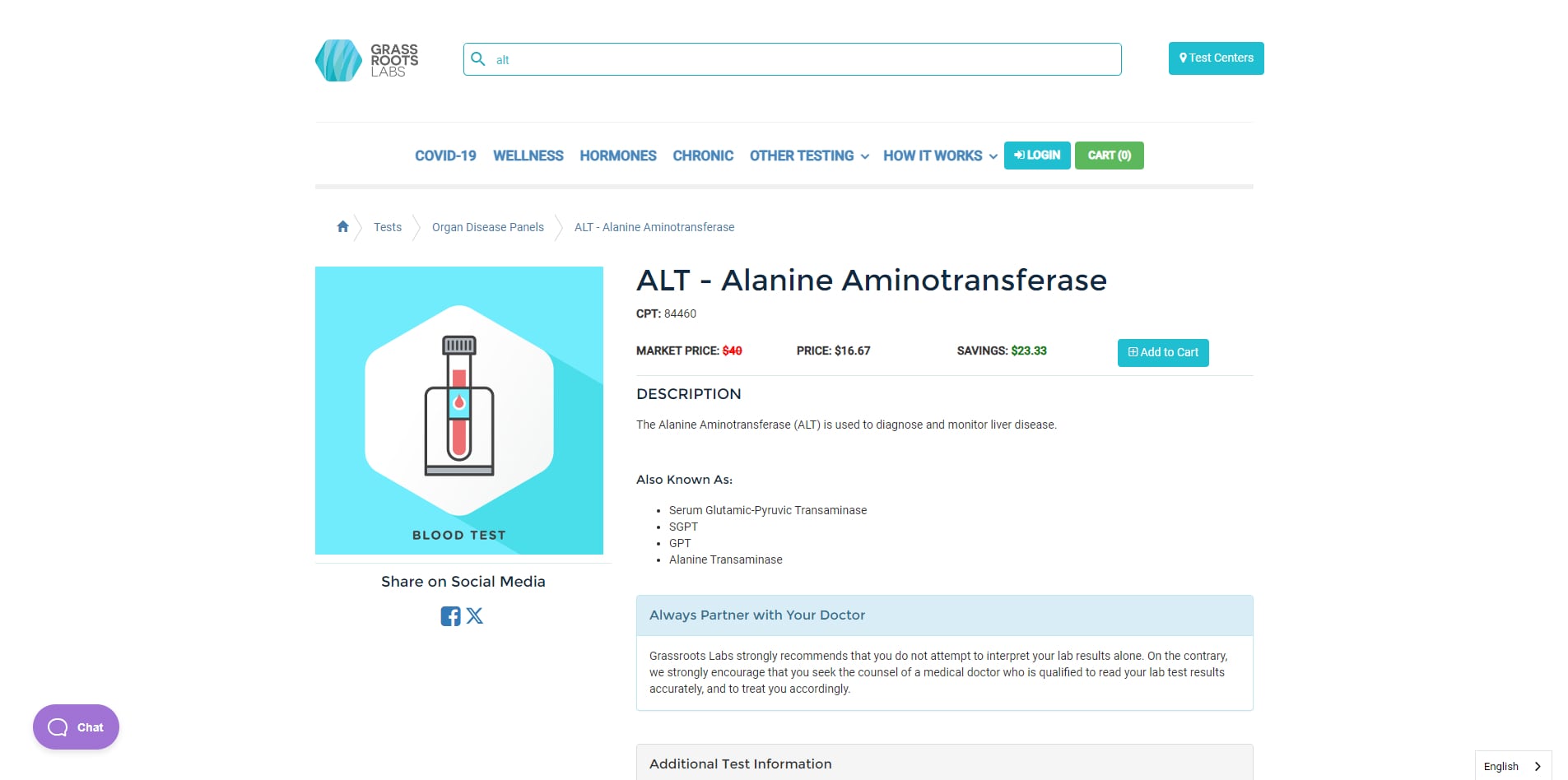
Customers choose and pay for laboratory tests online. Staff coordinate orders and results with partner laboratories.

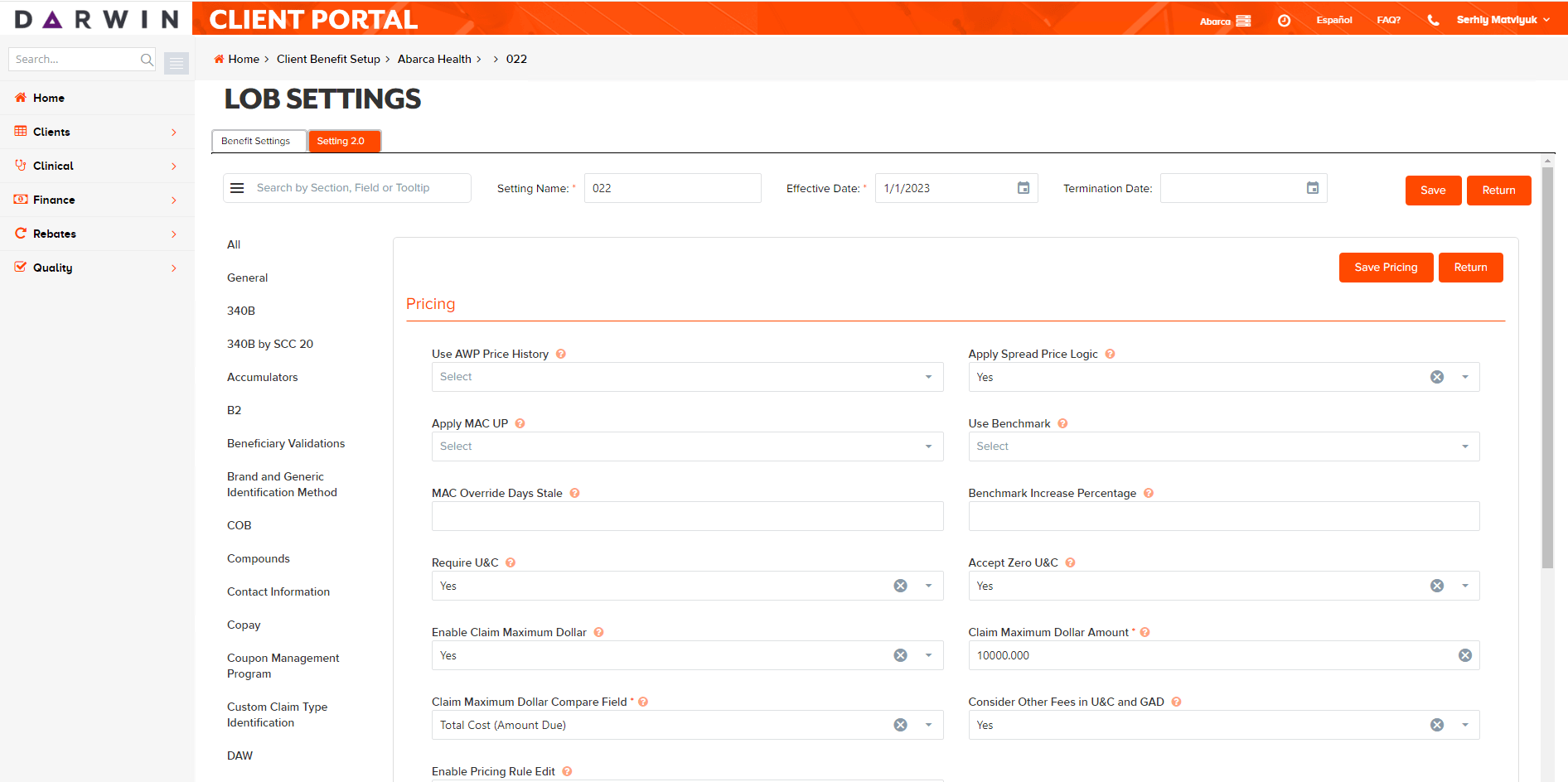
We modernised 120 pages for configuring insurance benefits while keeping the existing claims engine running. The updated interface retains the rules for each client, plan and group.
We compare your external user count, permission rules and backend connections before recommending a custom portal.
Multi-company isolation, SAML or Entra ID sign-in, MFA policies and the number of client and staff role groups.
Request forms, templates, return-for-revision loops, e-signatures, notifications and the staff console behind them.
Connections to SharePoint, CRM, ERP, Stripe or partner APIs, plus retry queues and historical account migration.
Every organisation, project and file is scoped by verified session claims and role rules at the API and database query level. Before launch, we run automated and manual negative access tests covering cross-tenant requests, direct document URLs and exports to verify that each company sees only its own records.
Yes. We support SAML and OIDC single sign-on with providers such as Microsoft Entra ID and Okta, alongside MFA and invitation-based onboarding for external clients or partner programmes. When an employee leaves a client firm, revoking their corporate account removes portal access.
Yes. For BDO Global Portal we integrated SharePoint Online, Microsoft Entra ID and DocuSign, and for GrassrootsLabs we connected Stripe Payment Element and partner laboratory APIs. Before build, we set which system owns each record and add retry and exception queues so failed external updates surface for your staff.
A generic portal tool works well when standard file sharing and simple tickets cover your process. A custom client portal makes more sense when per-user seat fees rise across hundreds of external accounts, when multi-step document return loops and per-project role groups matter, or when the portal must read and write live CRM, ERP or laboratory data.
We scope Release 1 around one complete client-to-staff workflow: authenticated client accounts with strict tenant isolation, the core request or order submission screen, the staff review and return loop, key integrations and automated permission tests. Bulk wizards, secondary reports and partner self-administration can follow once clients use the first release.
We define tenant boundaries, role permissions, file upload checks and audit logging before building screens. Before release, we test allowed and blocked actions across client and staff roles, inspect direct file-download paths and document how administrators grant or revoke access.
You own the custom source code and run the portal in your cloud account, such as Azure or AWS, under your data residency and backup policies. Defect fixes are covered for three months after launch, and ongoing support or new phases are agreed separately.
Yes. We prepare walkthroughs, instructions and an administrator guide for each role. Before rollout, staff practise typical tasks and we fix the steps that confuse them. Training and launch help are listed in the delivery plan.
Yes. Before release we agree a support plan: what it covers and how to report issues. We do the agreed maintenance, investigate problems and review user feedback with you. Support and new features are priced separately, and you see the terms before the system goes live.
Define client accounts, multi-company access boundaries, document workflows and CRM or ERP connections before scoping a build.
Bring a sample request, the people who handle it and the tools they use today.
Project brief templateReview what each proposal includes and which assumptions can change the cost.
Proposal comparison workbookChoose which decisions reports support, where their data comes from, and how results will be checked.
Reporting definition template
