
Customer records
A customer record linking contacts, communication history and the people responsible for the account.
Bring customer history, responsibilities and next actions into one CRM. Connect sales and service with orders and the tools your teams already use.
A custom CRM makes sense when customer workflows cross several teams, permission models are complex, or your existing tools cannot support the process without repeated workarounds. If configuring a ready-made CRM covers the need, that is a useful option to assess first.
A customer record linking contacts, communication history and the people responsible for the account.
Stages, follow-ups, tasks and approvals that show who acts next, including when a request leaves the usual process.
Customer access to their orders, requests and documents, with status updates and permissions defined for the service.
Exchange customer, order and payment information with retained systems using agreed record owners and update rules.
We select the customer records and history to transfer, agree identifiers and duplicate rules, then verify their relationships after trial imports. Where systems run together, we define which one may update each field.
We build views of overdue follow-ups, waiting requests and handoffs between teams. Each stage, measure and update rule is agreed with its users; reports can run in the CRM or your existing BI environment.
Sales receives a request, service needs the same customer history and operations must act on an accepted order. The first CRM scope follows that handoff instead of starting with a list of screens.
Match a new enquiry to an existing customer by agreed identifiers. Flag uncertain duplicates for review. Give a responsible person the next action and make the history visible only to authorised roles.
Track a quote, decision and handoff to operations. Define what happens when a customer changes a request, a field is missing or the responsible person is unavailable.
Show which requests are waiting, for how long and with whom. Agree the meaning of each stage and check selected report totals against the underlying records before relying on the view.
Test a normal request, a duplicate, a restricted record and a failed handoff with the teams using the CRM. Decide what stays in existing systems and which functions can follow later.
For this example, CRM owns customer assignments and contact details; operations owns fulfilment status; accounting owns payment status. We map those fields and identifiers before connecting the systems. Acceptance includes repeating an import without duplicates, retrying a failed handoff once and checking that a restricted role cannot retrieve the customer or its report details.
We compare process fit, access rules, integration effort and operating costs before recommending a CRM approach.
Explore customer records and commercial operations in GBA, and client collaboration, tasks and approvals in BDO Global Portal.
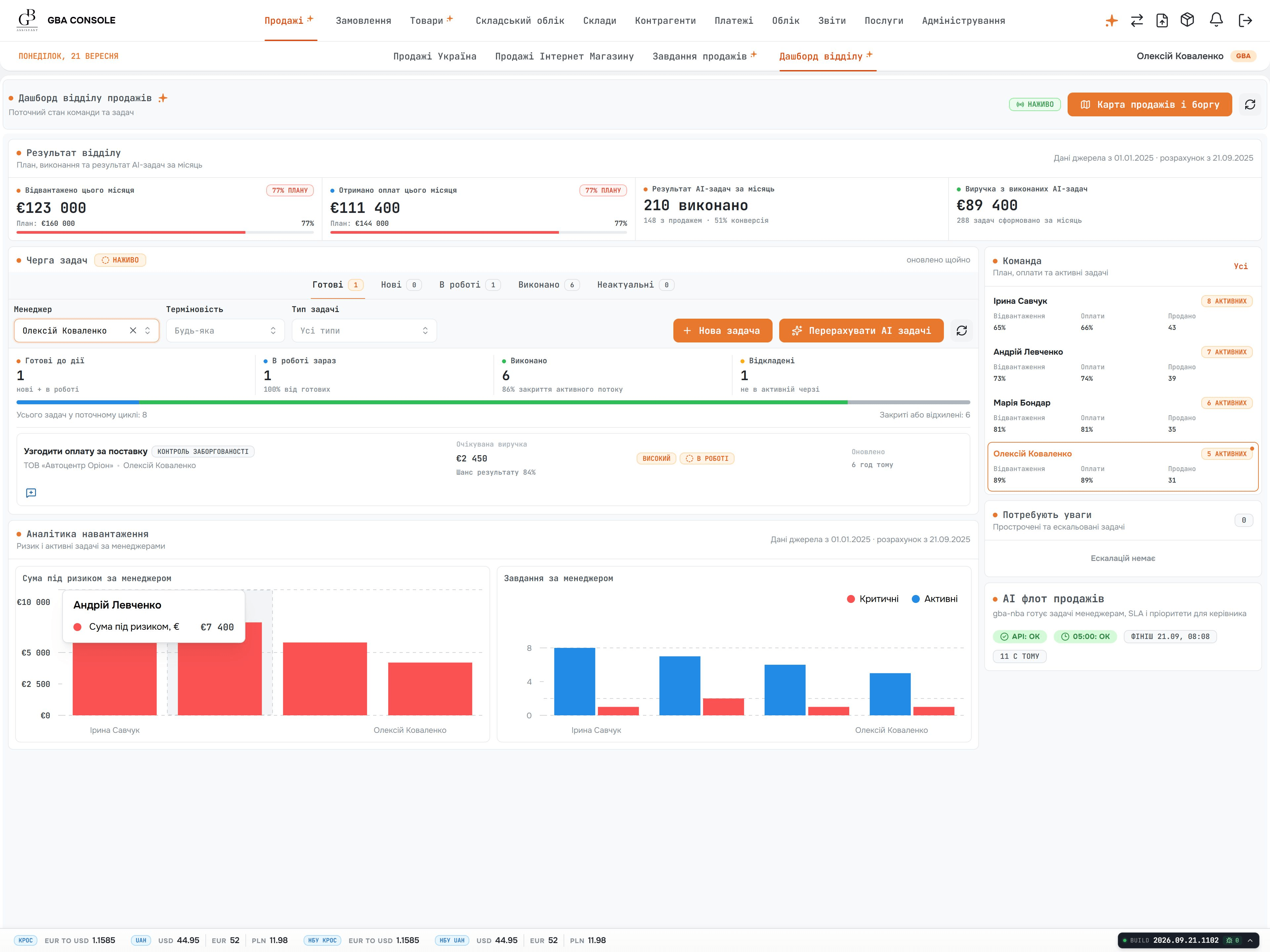
ERP and CRM for trading businesses, bringing purchasing, sales, warehouse operations, delivery and settlements into one system. Shared order, stock and payment records help teams coordinate their work, cross-border operations and multi-currency accounting.
Explore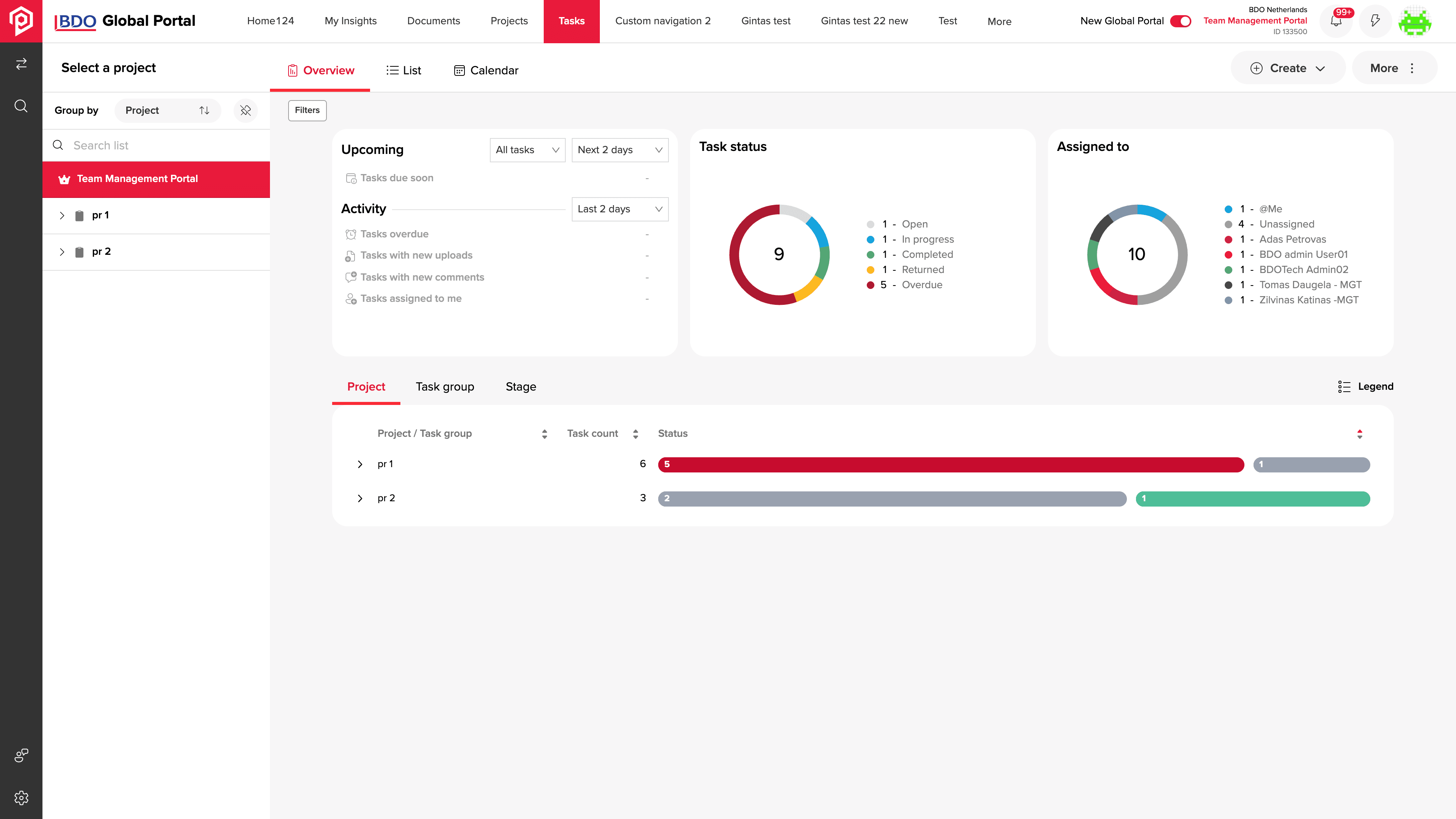
A client collaboration portal for BDO project teams. Documents, tasks, reviews and approvals share one workspace, with clear responsibilities, progress tracking and role-based access.
ExploreAssess nine requirements, integration work and operating costs before deciding to configure, extend or build.
Follow one order through retries, late updates and conflicting data before defining your own exchange.
Compare customer workflows, permissions, integration ownership, and operating costs before choosing custom development.
Define customer identifiers, history, synchronisation, reconciliation, and the checks needed before switching.
Migration worksheetSee the scope with and without a customer portal, then account for migration, acceptance checks and operation.
A CRM estimate needs more than a user count. Customer ownership, approval rules, imported history and exchanges with sales, service or accounting tools determine the work. Identify one complete enquiry-to-handoff workflow, then separate later automation and additional teams.
For a full custom software project. We estimate your agreed scope before work begins.
An hourly team for evolving work, or a fixed price for a clearly defined module.
Paid support, hosting and third-party services are scoped separately from development.
Bring your pipeline stages, staff roles, retained tools and a redacted example of a request that gets lost between teams. We use these to discuss a first release and the assumptions that need investigation.
Yes. We compare configuration, extensions and replacement against your customer workflows. The agreed work can include integrations, data preparation and a staged transition, while preserving the parts of the current CRM that remain useful.
Yes, where suitable interfaces or data access are available. We define ownership and update rules for customers, orders, stock and financial data, then build the exchange with retries and visible errors. Trial runs are reconciled against source records.
We match records using agreed identifiers, route uncertain matches for review and test repeated imports. Migration checks confirm that contacts, orders and history stay linked to the correct customer. Ambiguous records are resolved with your data owners.
No. Roles define which records and actions each employee, customer or administrator can access. We test permitted and prohibited viewing, editing and export, including access to another customer’s records. Administrators receive guidance for role changes and account removal.
The schedule depends on the first customer workflow, data quality, integration access and review availability. We identify dependencies and agree milestones; a pilot may be appropriate for a bounded process. Scope changes are assessed for their effect on the launch date.
We identify sensitive fields, retention needs, exports and access by connected systems. These become agreed requirements for storage, backups and access management, with named owners and checks before launch. Role permissions are tested separately for each user group.
Yes. We plan onboarding around the work each role needs to do, then prepare the agreed walkthroughs, instructions and administrator guidance. We help staff practise representative tasks before rollout and use their feedback to address confusing steps. Training and launch assistance are included explicitly in the delivery plan, so your team knows what help to expect.
Yes. We help arrange a support plan before release, with agreed coverage, a way to report issues and clear operating responsibilities. We can handle the agreed maintenance and help investigate problems, while reviewing user feedback with you for future improvements. Ongoing support and new features are priced separately, with the terms explained before the system enters daily use.
Share your processes, the systems you use today, and what you want to improve first. Our CEO normally leads the first discussion of possible approaches and what needs investigation before an estimate.
Europe, USA, Canada & Australia